> ## Documentation Index
> Fetch the complete documentation index at: https://notes.kodekloud.com/llms.txt
> Use this file to discover all available pages before exploring further.
# Examine Agent Approval and Governance
> Guidelines for enterprise governance, approval processes, and lifecycle management of Microsoft Copilot agents balancing makers, CISOs, CIOs, and centralized controls through Copilot Studio and Power Platform
In this lesson we shift from building and testing agents to the critical enterprise step that enables broad deployment: governance.
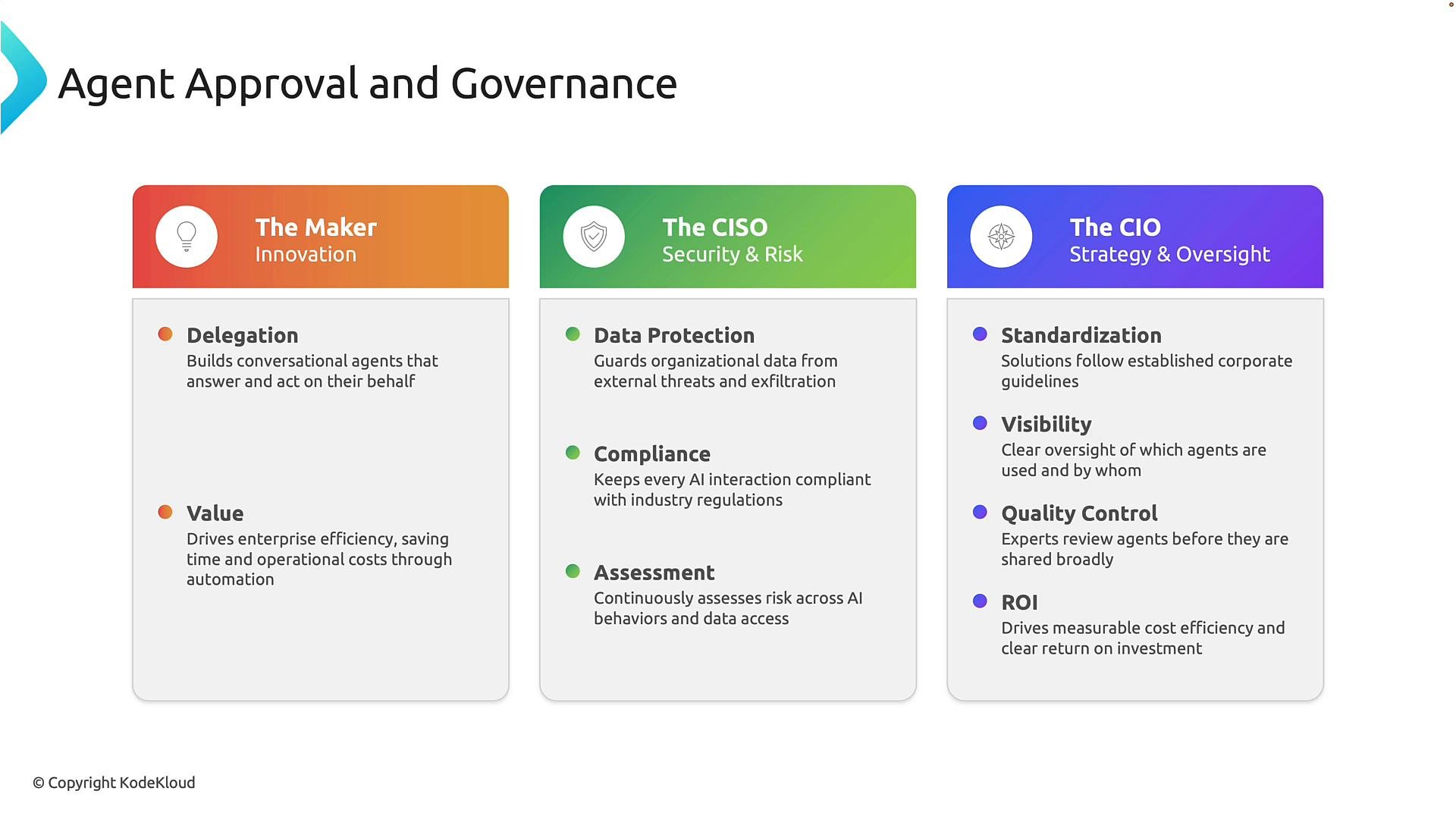
Governance is the set of rules, policies, and approval processes that ensure AI agents are secure, compliant, and aligned with business objectives. Effective governance requires collaboration across multiple roles in an organization. The following three perspectives commonly shape an approval process.
* The maker: Typically a business user, developer, or solution creator who builds the agent. Makers prioritize innovation and productivity — automating tasks, answering questions faster, and improving efficiency. For example, a support team might create an agent to answer common employee IT questions.
* The CISO (Chief Information Security Officer): Responsible for protecting organizational data. While makers ask “can we build this?”, the CISO asks “should this agent have access to this information?” and “what risk does that create?”. CISOs evaluate data protection, compliance, and security implications.
* The CIO (Chief Information Officer): Focuses on enterprise-wide strategy and governance. The CIO’s concerns include standardization, visibility, quality control, and return on investment. They want to ensure agents solve real business problems, follow corporate standards, and deliver measurable value.
Effective governance balances innovation from the maker, security from the CISO, and strategic oversight from the CIO.
 ## How the Microsoft stack maps to governance
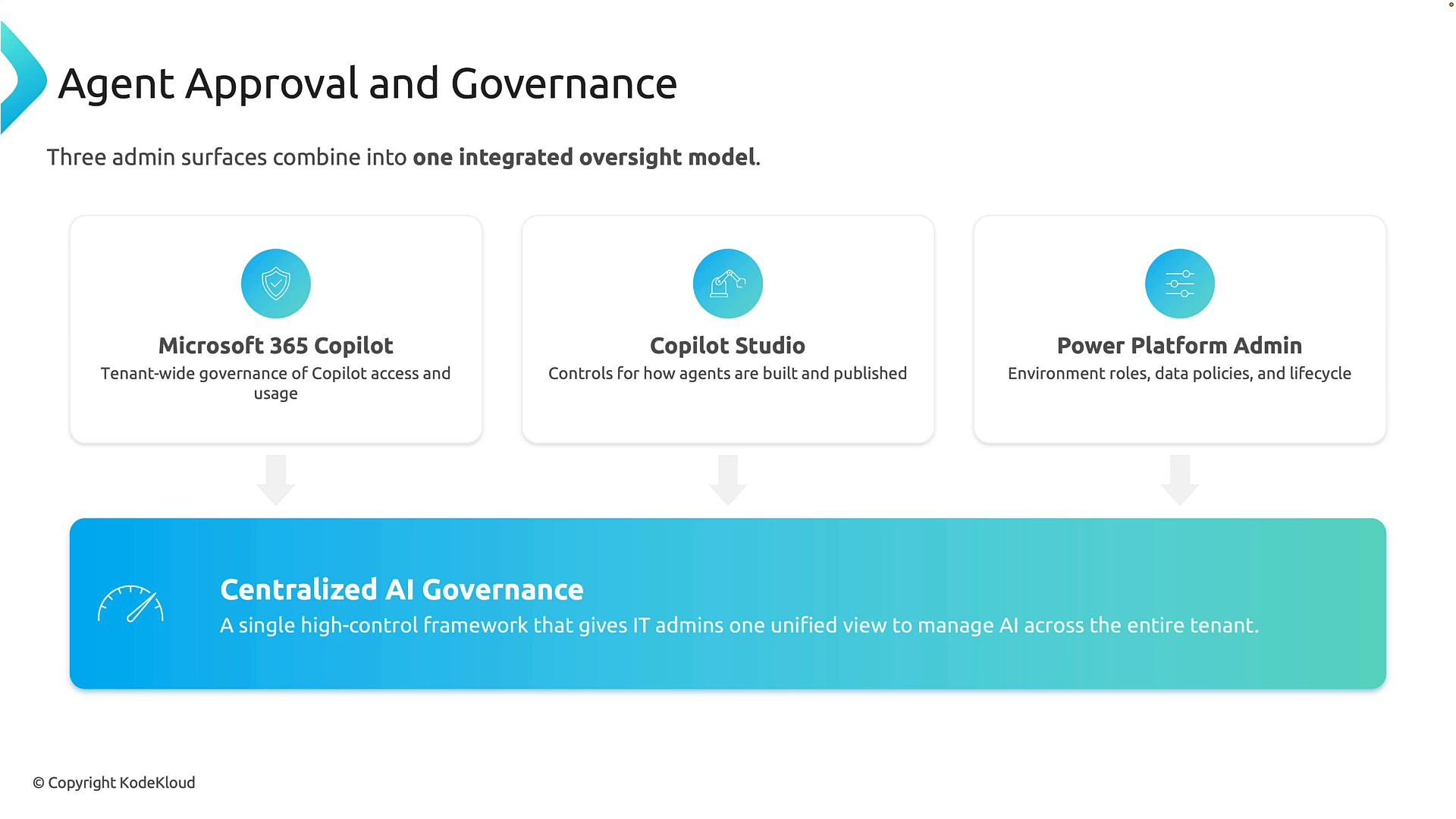
Governance can feel confusing because it spans several Microsoft platforms. Think of these platforms as layers that combine into a single governance framework:
* Microsoft 365 Copilot administrators manage tenant-level Copilot access and usage.
* Copilot Studio administrators control how agents are built, configured, tested, and published.
* Power Platform administrators manage environments, security roles, data policies, and lifecycle controls.
Users interact with agents through Copilot, but many underlying security and governance controls are enforced via Power Platform. Together, these layers enable a centralized approach to manage AI across your organization.
## How the Microsoft stack maps to governance
Governance can feel confusing because it spans several Microsoft platforms. Think of these platforms as layers that combine into a single governance framework:
* Microsoft 365 Copilot administrators manage tenant-level Copilot access and usage.
* Copilot Studio administrators control how agents are built, configured, tested, and published.
* Power Platform administrators manage environments, security roles, data policies, and lifecycle controls.
Users interact with agents through Copilot, but many underlying security and governance controls are enforced via Power Platform. Together, these layers enable a centralized approach to manage AI across your organization.
 For quick reference, here’s a compact mapping of roles, platform responsibilities, and common controls:
| Role / Platform | Primary Responsibility | Common Controls and Policies |
| - | - | - |
| Maker (developer/business user) | Build and validate agent functionality | Code review, sample prompts, test datasets |
| CISO / Security team | Approve data access and risk posture | Data classification, access restrictions, encryption |
| CIO / Governance team | Ensure organizational standards and ROI | Standard templates, auditing, lifecycle policies |
| Microsoft 365 Copilot admin | Tenant-level access and usage control | Enable/disable Copilot, tenant policies |
| Copilot Studio admin | Agent authoring and publishing | Publishing approvals, environment controls |
| Power Platform admin | Environment, security roles, DLP policies | Data Loss Prevention (DLP), connector restrictions |
Useful documentation:
* [Copilot for Microsoft 365 admin guide](https://learn.microsoft.com/microsoft-365)
* [Copilot Studio and agent authoring resources](https://learn.microsoft.com/)
* [Power Platform admin documentation](https://learn.microsoft.com/power-platform)
## Governance as a lifecycle
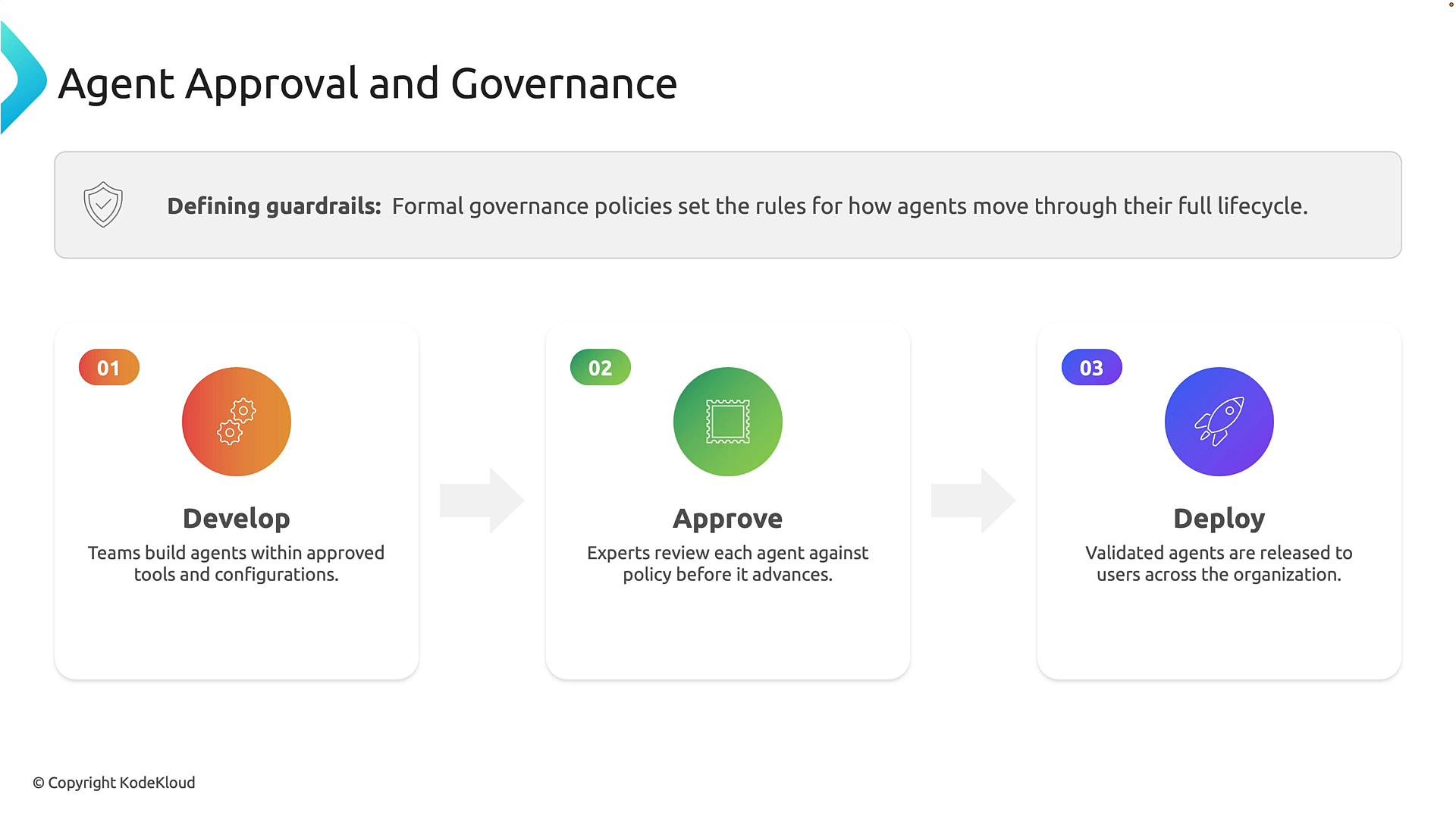
Governance is easiest to understand when framed as a lifecycle. Agents typically move through three major stages:
1. Development — Teams create agents using approved tools, environments, and data sources. Use standardized templates, test datasets, and developer sandboxes.
2. Approval — Reviewers evaluate agents against organizational policies: data permissions, security, compliance, accuracy, and business justification. Approval workflows and evidence are recorded.
3. Deployment — Approved agents are published and made available to users across a department or the entire organization. Post-deployment monitoring and periodic reviews continue.
This mirrors traditional software lifecycles (development → testing → production). The objective is not to slow innovation, but to ensure AI solutions are safe, reliable, and aligned with organizational requirements.
For quick reference, here’s a compact mapping of roles, platform responsibilities, and common controls:
| Role / Platform | Primary Responsibility | Common Controls and Policies |
| - | - | - |
| Maker (developer/business user) | Build and validate agent functionality | Code review, sample prompts, test datasets |
| CISO / Security team | Approve data access and risk posture | Data classification, access restrictions, encryption |
| CIO / Governance team | Ensure organizational standards and ROI | Standard templates, auditing, lifecycle policies |
| Microsoft 365 Copilot admin | Tenant-level access and usage control | Enable/disable Copilot, tenant policies |
| Copilot Studio admin | Agent authoring and publishing | Publishing approvals, environment controls |
| Power Platform admin | Environment, security roles, DLP policies | Data Loss Prevention (DLP), connector restrictions |
Useful documentation:
* [Copilot for Microsoft 365 admin guide](https://learn.microsoft.com/microsoft-365)
* [Copilot Studio and agent authoring resources](https://learn.microsoft.com/)
* [Power Platform admin documentation](https://learn.microsoft.com/power-platform)
## Governance as a lifecycle
Governance is easiest to understand when framed as a lifecycle. Agents typically move through three major stages:
1. Development — Teams create agents using approved tools, environments, and data sources. Use standardized templates, test datasets, and developer sandboxes.
2. Approval — Reviewers evaluate agents against organizational policies: data permissions, security, compliance, accuracy, and business justification. Approval workflows and evidence are recorded.
3. Deployment — Approved agents are published and made available to users across a department or the entire organization. Post-deployment monitoring and periodic reviews continue.
This mirrors traditional software lifecycles (development → testing → production). The objective is not to slow innovation, but to ensure AI solutions are safe, reliable, and aligned with organizational requirements.
 ## Core components of an approval policy
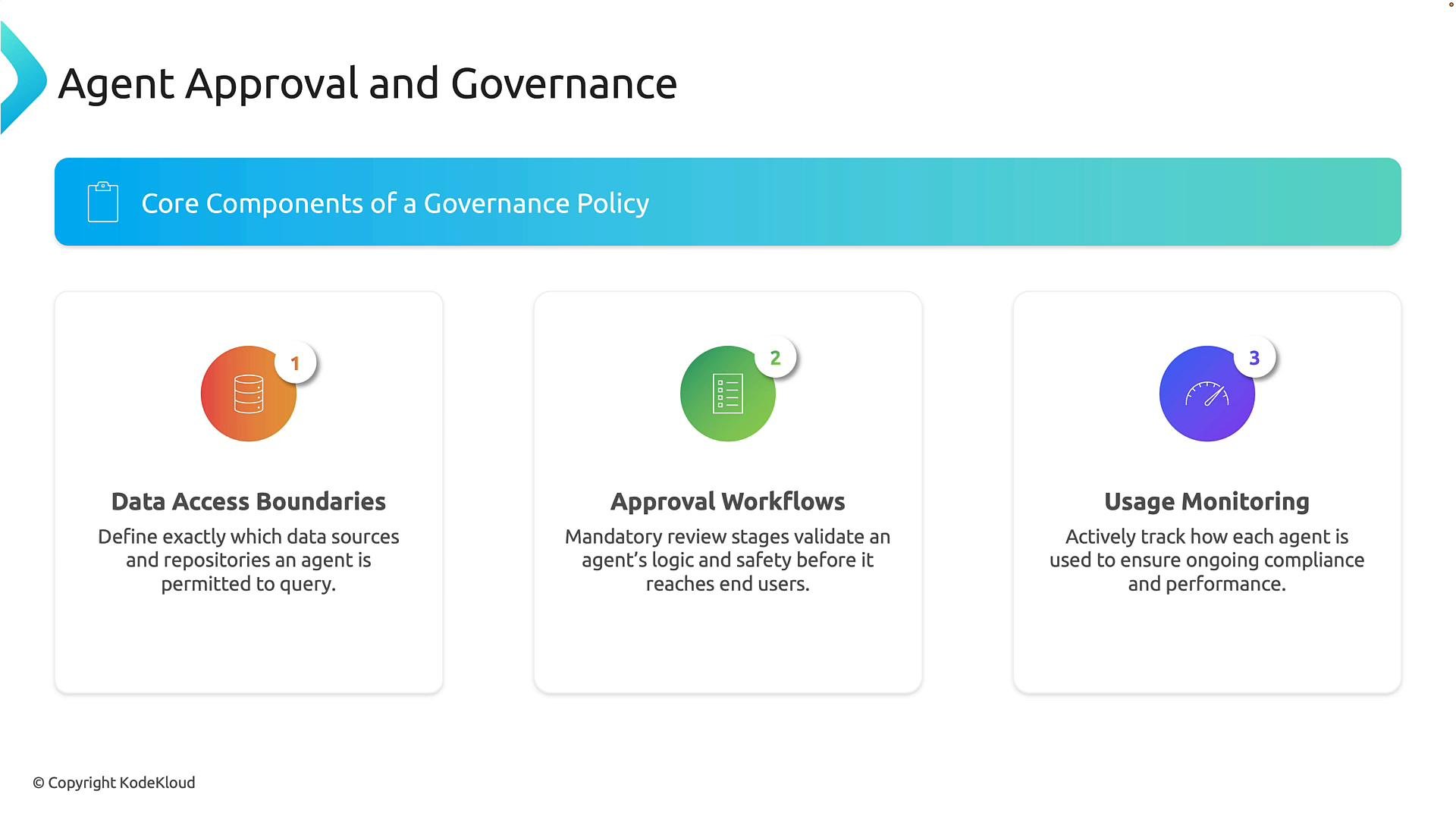
To operationalize the approval process, organizations typically define governance policies that cover three components:
* Data access boundaries: Precisely define what information an agent may access. For example, an HR agent may access employee policies but must not access financial planning documents.
* Approval workflows: Specify who must review and approve an agent before deployment. Depending on the organization, this can include business owners, security teams, compliance teams, and IT administrators.
* Usage monitoring: Governance continues after deployment. Organizations monitor agent usage, track the types of questions asked, and look for unexpected behavior. Ongoing monitoring maintains compliance and preserves quality.
These components form the guardrails necessary to adopt AI safely and scale usage across the enterprise.
## Core components of an approval policy
To operationalize the approval process, organizations typically define governance policies that cover three components:
* Data access boundaries: Precisely define what information an agent may access. For example, an HR agent may access employee policies but must not access financial planning documents.
* Approval workflows: Specify who must review and approve an agent before deployment. Depending on the organization, this can include business owners, security teams, compliance teams, and IT administrators.
* Usage monitoring: Governance continues after deployment. Organizations monitor agent usage, track the types of questions asked, and look for unexpected behavior. Ongoing monitoring maintains compliance and preserves quality.
These components form the guardrails necessary to adopt AI safely and scale usage across the enterprise.
 Recommended monitoring signals:
* Volume and pattern of queries
* Unexpected or sensitive data access attempts
* Performance and accuracy metrics
* User feedback and escalation counts
## Centralized administrative model: Copilot Control System
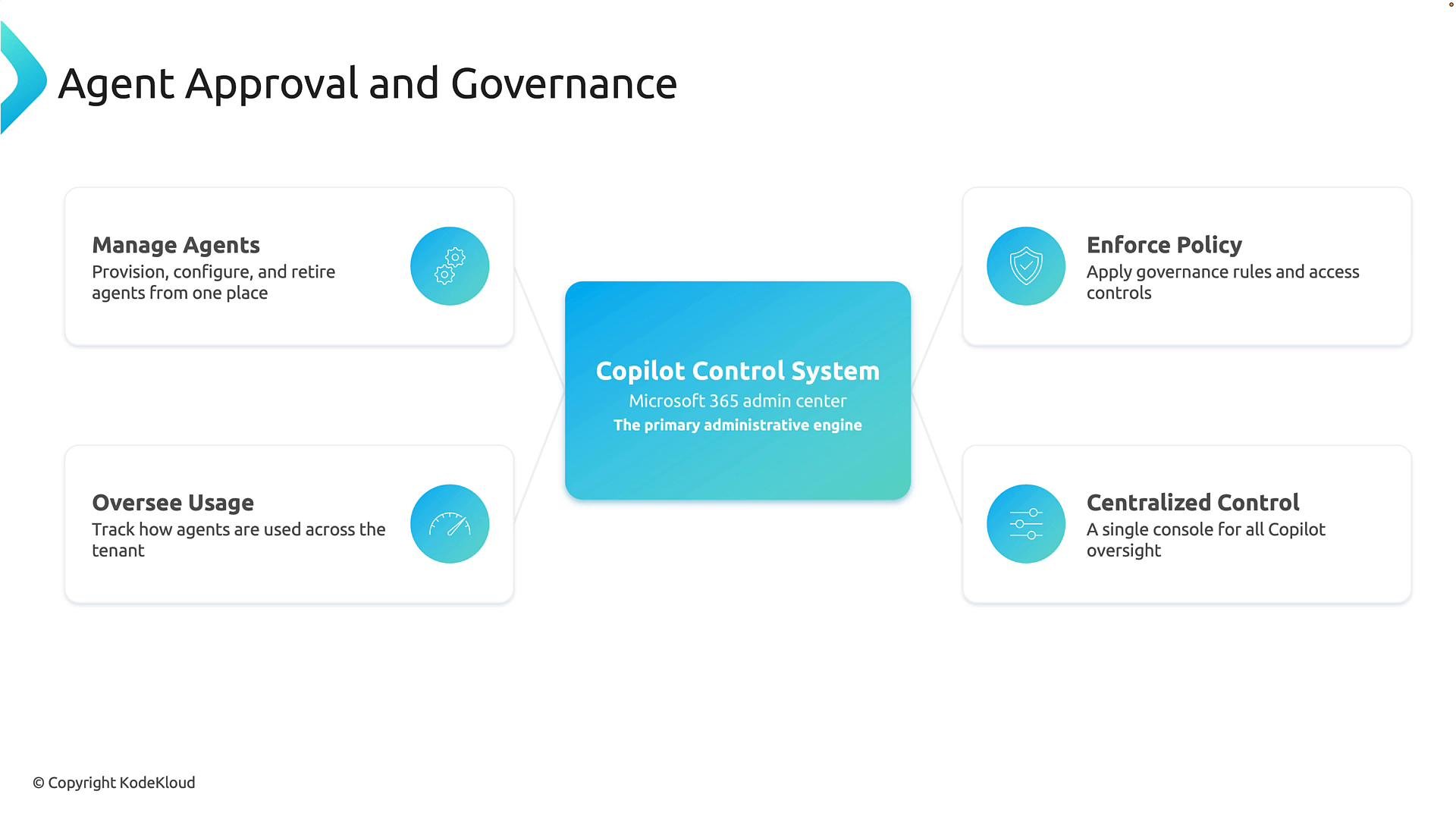
Bringing these governance concepts together leads to a centralized administrative model. Consider the Copilot Control System as a command center for enterprise AI governance. Administrators use it to manage agents through their lifecycle: create and retire agents, apply governance policies, enforce security controls, and monitor adoption across the tenant.
At enterprise scale — with hundreds or thousands of agents across departments — centralized governance is essential. Administrators need visibility into what agents exist, what data they access, and who owns them so they can enforce consistent policies and ensure the agents deliver safe, measurable value.
Recommended monitoring signals:
* Volume and pattern of queries
* Unexpected or sensitive data access attempts
* Performance and accuracy metrics
* User feedback and escalation counts
## Centralized administrative model: Copilot Control System
Bringing these governance concepts together leads to a centralized administrative model. Consider the Copilot Control System as a command center for enterprise AI governance. Administrators use it to manage agents through their lifecycle: create and retire agents, apply governance policies, enforce security controls, and monitor adoption across the tenant.
At enterprise scale — with hundreds or thousands of agents across departments — centralized governance is essential. Administrators need visibility into what agents exist, what data they access, and who owns them so they can enforce consistent policies and ensure the agents deliver safe, measurable value.
 ## Practical next steps
* Document an approval workflow that includes the maker, security reviewer, and business owner.
* Create a catalog of agent owners and the data sources each agent can access.
* Define monitoring KPIs (queries/day, error rates, sensitive access attempts).
* Automate enforcement where possible using Power Platform DLP and Copilot admin controls.
By combining clear policies, a repeatable lifecycle, and centralized oversight, organizations can scale agent adoption safely while preserving innovation and business value.
This documentation is built and hosted on [Mintlify](https://mintlify.com), a developer documentation platform.
## Practical next steps
* Document an approval workflow that includes the maker, security reviewer, and business owner.
* Create a catalog of agent owners and the data sources each agent can access.
* Define monitoring KPIs (queries/day, error rates, sensitive access attempts).
* Automate enforcement where possible using Power Platform DLP and Copilot admin controls.
By combining clear policies, a repeatable lifecycle, and centralized oversight, organizations can scale agent adoption safely while preserving innovation and business value.
This documentation is built and hosted on [Mintlify](https://mintlify.com), a developer documentation platform.