> ## Documentation Index
> Fetch the complete documentation index at: https://notes.kodekloud.com/llms.txt
> Use this file to discover all available pages before exploring further.
# Manage User Access and Permissions For Agents
> Guidance on governing Copilot agents by configuring Copilot Studio licensing, Power Platform environment roles, least privilege access, and administrative controls for secure agent management and monitoring
Now that you know how to create, test, and deploy Copilot agents, the next critical area is governance: who can build, manage, and use those agents. Copilot agents often interact with sensitive organizational data, business processes, and integrations — so proper access control and permissions are essential. Microsoft enforces multiple layers of security and governance to help you control who has what rights for Copilot Studio and its agents.
If you’re new to Power Platform, think of it as the underlying platform that hosts many Microsoft business apps, automations, and AI solutions — including Copilot Studio. Power Platform provides the environment boundaries and role-based controls that determine what users can do inside Copilot Studio.
## Prerequisites: licensing and administrative roles
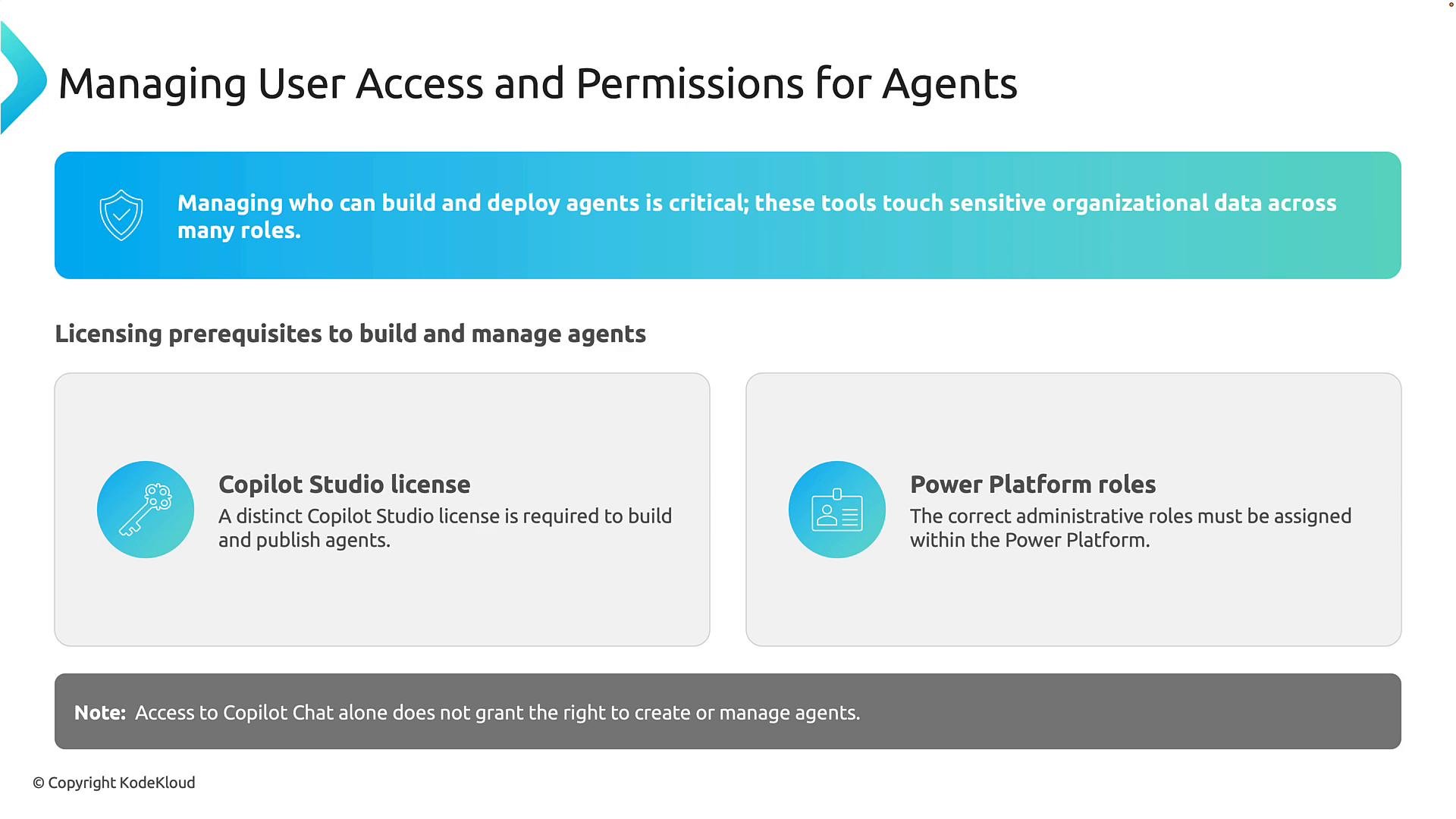
Before anyone can create or administer Copilot agents, two prerequisites must be satisfied:
* Copilot Studio license: Microsoft 365 Copilot access alone does not grant the ability to create and publish custom Copilot agents. You must have Copilot Studio capabilities (trial signups are available).
* Power Platform environment role: Copilot Studio runs on Power Platform, so environment-level roles (for example, `Environment Maker` or `Environment Admin`) control what users can build, edit, publish, or administer agents.
A common misconception is that access to Copilot Chat automatically allows agent creation — it does not. Both the correct license and the right Power Platform permissions are required.
Two things are required before a user can build or administer agents: (1) a Copilot Studio license, and (2) the correct Power Platform environment role (for example, Environment Maker or Environment Admin as appropriate for your governance model).
 ## How access is granted — a two-step administrative flow
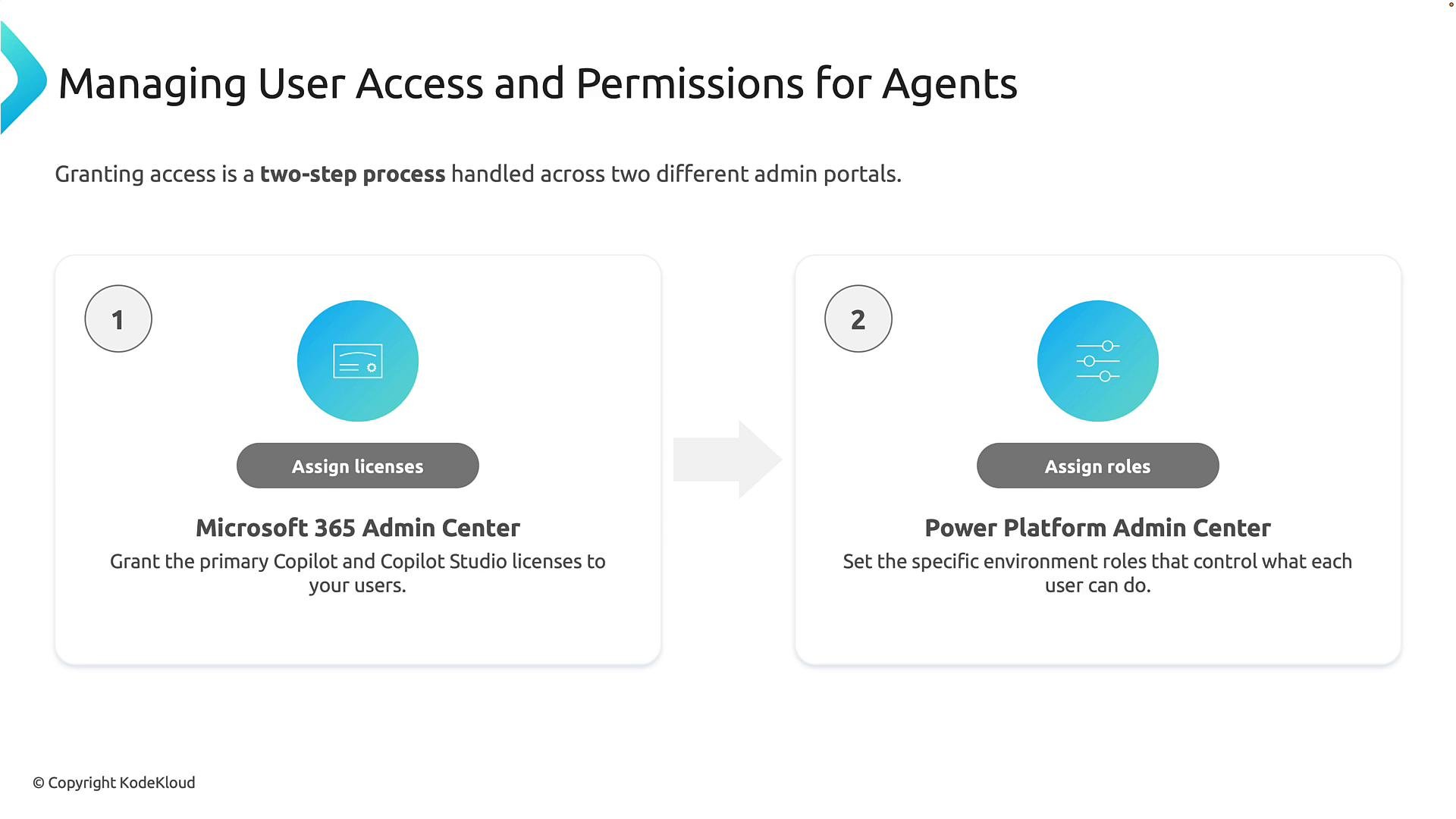
Granting access to Copilot agents spans two administrative systems:
1. Microsoft 365 admin center — Assign the appropriate Microsoft 365 and Copilot Studio licenses to users. Licensing grants the right to use Copilot Studio.
2. Power Platform admin center — Assign environment-specific roles that define what users can do inside that environment (create, edit, publish, or just test agents).
Licenses determine entry to the platform; environment roles determine capabilities once inside. Both need to be configured for proper governance.
## How access is granted — a two-step administrative flow
Granting access to Copilot agents spans two administrative systems:
1. Microsoft 365 admin center — Assign the appropriate Microsoft 365 and Copilot Studio licenses to users. Licensing grants the right to use Copilot Studio.
2. Power Platform admin center — Assign environment-specific roles that define what users can do inside that environment (create, edit, publish, or just test agents).
Licenses determine entry to the platform; environment roles determine capabilities once inside. Both need to be configured for proper governance.
 Consider using a least-privilege approach when assigning roles: give users only the permissions they need to perform their job (builders vs testers vs readers).
## Why Power Platform environments matter
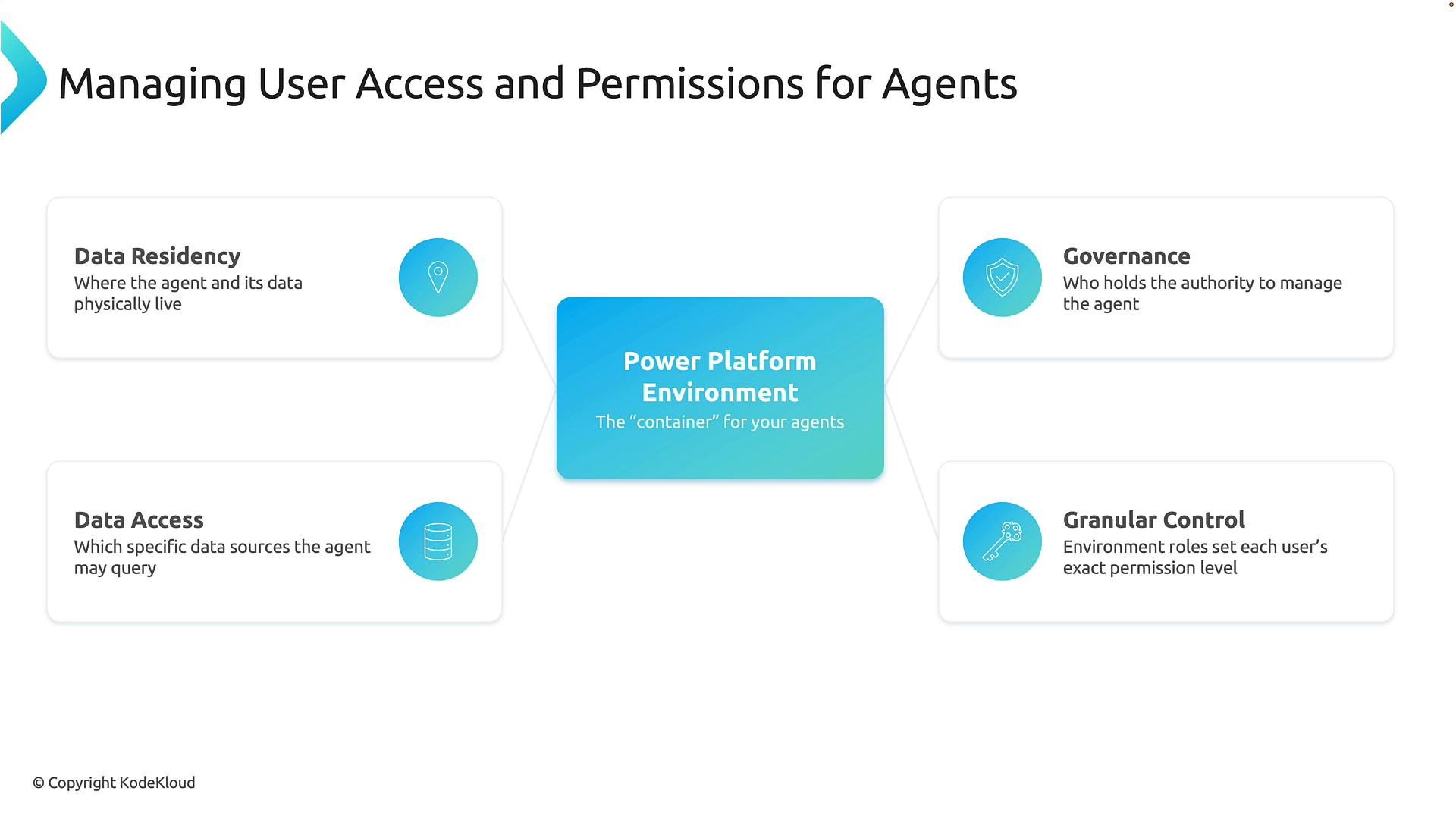
Power Platform environments function as secure workspaces or containers where applications, automations, data, and Copilot agents reside. Every agent exists inside a specific environment, and that environment controls important characteristics:
* Data residency — Where the agent and its data are stored (geographic region).
* Data access — Which systems, connectors, and data sources the agent can use.
* Governance — Which administrators can create, modify, publish, or delete agents.
* Granular control — Fine-grained permissions mapped to job responsibilities.
A helpful analogy: a Power Platform environment is like a secure office building — it defines the location, security rules, and who can access which rooms; agents are the employees working inside.
Consider using a least-privilege approach when assigning roles: give users only the permissions they need to perform their job (builders vs testers vs readers).
## Why Power Platform environments matter
Power Platform environments function as secure workspaces or containers where applications, automations, data, and Copilot agents reside. Every agent exists inside a specific environment, and that environment controls important characteristics:
* Data residency — Where the agent and its data are stored (geographic region).
* Data access — Which systems, connectors, and data sources the agent can use.
* Governance — Which administrators can create, modify, publish, or delete agents.
* Granular control — Fine-grained permissions mapped to job responsibilities.
A helpful analogy: a Power Platform environment is like a secure office building — it defines the location, security rules, and who can access which rooms; agents are the employees working inside.
 ## Administrative control framework for Copilot agents
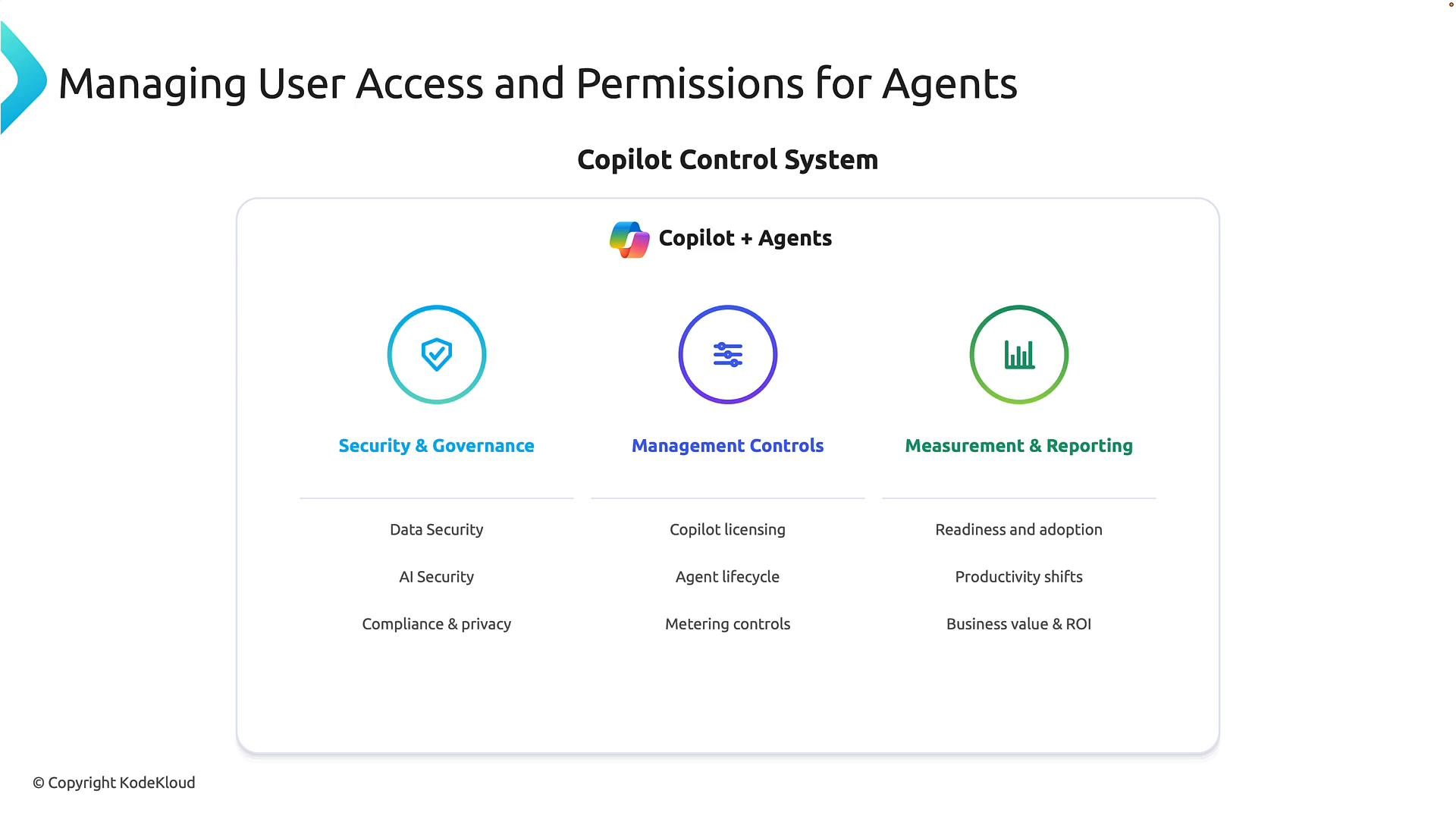
Microsoft’s control framework for Copilot and agents can be organized into three complementary pillars:
* Security & Governance — Protect organizational data, apply AI security policies, and ensure compliance with privacy and regulatory requirements.
* Management Controls — Manage licensing, lifecycle of agents, environment governance, and administrative role assignments.
* Measurement & Reporting — Track adoption, usage patterns, and business outcomes to demonstrate ROI and identify areas for improvement.
Together these pillars ensure agents are safe to use, properly managed, and measurable in terms of business value.
## Administrative control framework for Copilot agents
Microsoft’s control framework for Copilot and agents can be organized into three complementary pillars:
* Security & Governance — Protect organizational data, apply AI security policies, and ensure compliance with privacy and regulatory requirements.
* Management Controls — Manage licensing, lifecycle of agents, environment governance, and administrative role assignments.
* Measurement & Reporting — Track adoption, usage patterns, and business outcomes to demonstrate ROI and identify areas for improvement.
Together these pillars ensure agents are safe to use, properly managed, and measurable in terms of business value.
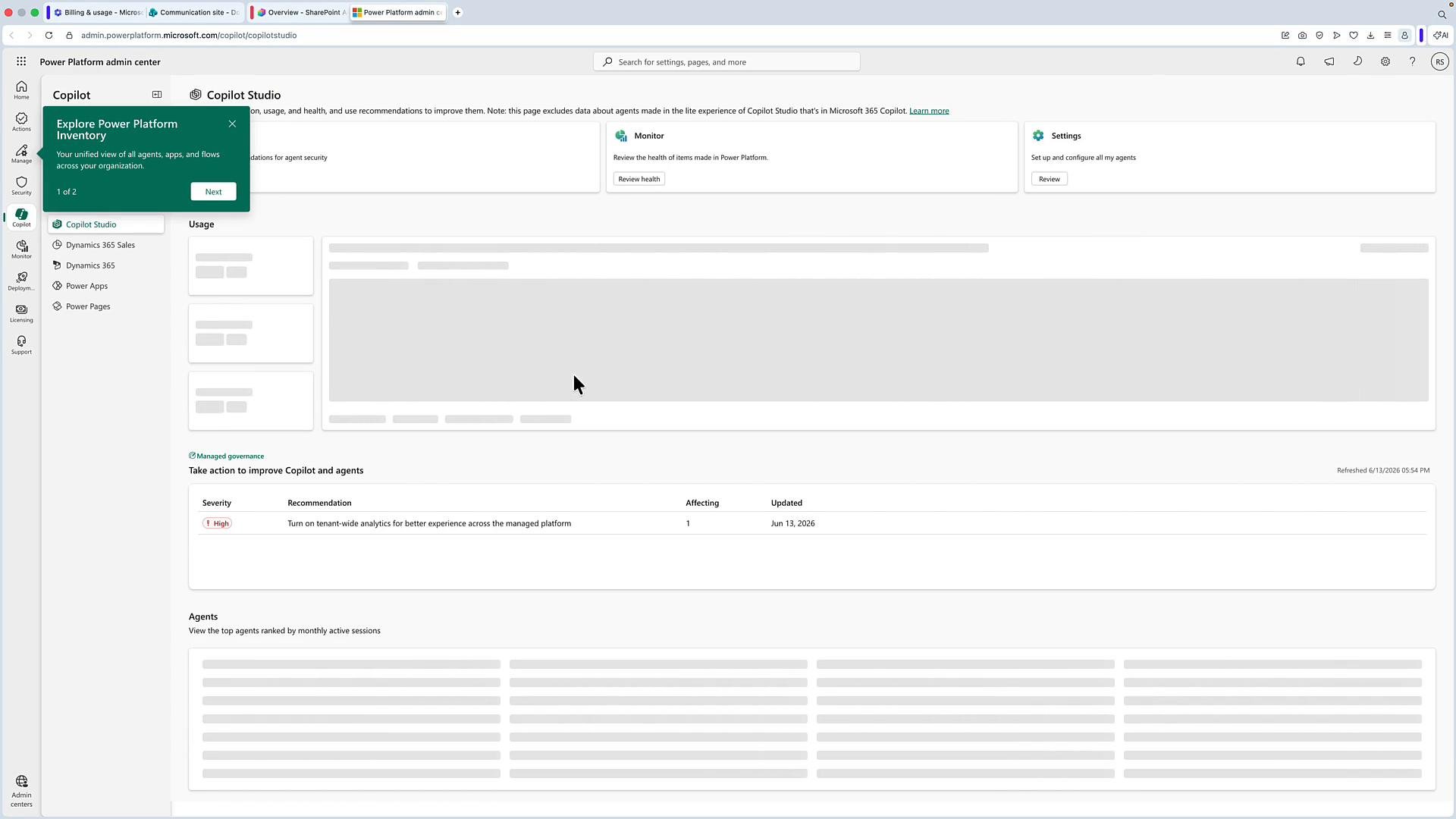
 ## Managing Copilot Studio via the Power Platform admin center
Within Copilot Studio you’ll typically see the environment where agents are created (often the `default` environment). Clicking environment settings in Copilot Studio takes you to the Power Platform admin center — the management plane for Copilot Studio.
In the Power Platform admin center you can:
* Review billing and usage metrics.
* View active agents and message counts.
* Configure environment-level permissions and settings.
* Manage agent lifecycle and governance controls.
This is the central place for administrators to assign environment roles and configure the controls that determine what people can do with Copilot.
## Managing Copilot Studio via the Power Platform admin center
Within Copilot Studio you’ll typically see the environment where agents are created (often the `default` environment). Clicking environment settings in Copilot Studio takes you to the Power Platform admin center — the management plane for Copilot Studio.
In the Power Platform admin center you can:
* Review billing and usage metrics.
* View active agents and message counts.
* Configure environment-level permissions and settings.
* Manage agent lifecycle and governance controls.
This is the central place for administrators to assign environment roles and configure the controls that determine what people can do with Copilot.
 Grant roles carefully. Avoid assigning broad environment-level roles (like `Environment Admin`) unless necessary — prefer role-based least privilege so builders, testers, and consumers have only the permissions they need.
## Role examples and typical responsibilities
| Role | Typical capabilities |
| - | - |
| `Environment Admin` | Full environment management — configure settings, assign roles, and manage resources. |
| `Environment Maker` | Build and edit apps, flows, and agents within the environment; publish changes if allowed. |
| `System Administrator` / Global Admin | Tenant-level controls including licensing assignments and global configuration. |
| `User` / `Basic User` | Use Copilot agents (consume) and possibly test, depending on environment permissions. |
Adjust role assignments to match your organizational governance model — for example, separate roles for builders (who create agents) and operators (who monitor and manage production agents).
## Next steps and references
Focus on making the Power Platform admin center your management plane for Copilot Studio: ensure correct licensing, assign environment roles thoughtfully, and implement least-privilege access controls. After that, you can proceed to agent lifecycle, monitoring, and reporting.
Links and resources:
* Power Platform admin center: [https://admin.powerplatform.microsoft.com/](https://admin.powerplatform.microsoft.com/)
* Microsoft 365 admin center: [https://admin.microsoft.com/](https://admin.microsoft.com/)
* Power Platform environments overview: [https://learn.microsoft.com/power-platform/admin/environments-overview](https://learn.microsoft.com/power-platform/admin/environments-overview)
With those controls in place, you’ll be ready to manage Copilot agents securely and at scale.
This documentation is built and hosted on [Mintlify](https://mintlify.com), a developer documentation platform.
Grant roles carefully. Avoid assigning broad environment-level roles (like `Environment Admin`) unless necessary — prefer role-based least privilege so builders, testers, and consumers have only the permissions they need.
## Role examples and typical responsibilities
| Role | Typical capabilities |
| - | - |
| `Environment Admin` | Full environment management — configure settings, assign roles, and manage resources. |
| `Environment Maker` | Build and edit apps, flows, and agents within the environment; publish changes if allowed. |
| `System Administrator` / Global Admin | Tenant-level controls including licensing assignments and global configuration. |
| `User` / `Basic User` | Use Copilot agents (consume) and possibly test, depending on environment permissions. |
Adjust role assignments to match your organizational governance model — for example, separate roles for builders (who create agents) and operators (who monitor and manage production agents).
## Next steps and references
Focus on making the Power Platform admin center your management plane for Copilot Studio: ensure correct licensing, assign environment roles thoughtfully, and implement least-privilege access controls. After that, you can proceed to agent lifecycle, monitoring, and reporting.
Links and resources:
* Power Platform admin center: [https://admin.powerplatform.microsoft.com/](https://admin.powerplatform.microsoft.com/)
* Microsoft 365 admin center: [https://admin.microsoft.com/](https://admin.microsoft.com/)
* Power Platform environments overview: [https://learn.microsoft.com/power-platform/admin/environments-overview](https://learn.microsoft.com/power-platform/admin/environments-overview)
With those controls in place, you’ll be ready to manage Copilot agents securely and at scale.
This documentation is built and hosted on [Mintlify](https://mintlify.com), a developer documentation platform.