> ## Documentation Index
> Fetch the complete documentation index at: https://notes.kodekloud.com/llms.txt
> Use this file to discover all available pages before exploring further.
# Apply Operational Best Practices for Microsoft 365 Copilot
> Guidance on operational best practices for managing Microsoft 365 Copilot at scale including roles, licensing, onboarding, monitoring, troubleshooting, governance, and communication to ensure secure, efficient adoption.
In this final section we cover operational best practices for managing Microsoft 365 Copilot at scale. The focus is on the day-to-day administrative activities that keep Copilot secure, well governed, and broadly adopted — including licensing, monitoring, governance, onboarding, troubleshooting, and communications.
Successful Copilot operations require more than assigning licenses. You should implement repeatable processes, clear roles, and monitoring so Copilot delivers ongoing value while minimizing risk.
## Operational goals
* Ensure least-privilege administration and clear accountability.
* Streamline license assignment and user onboarding to accelerate adoption.
* Proactively detect and remediate issues to minimize downtime and maintain trust.
* Communicate change and feature updates so users can apply Copilot effectively.
## Key operational best practices
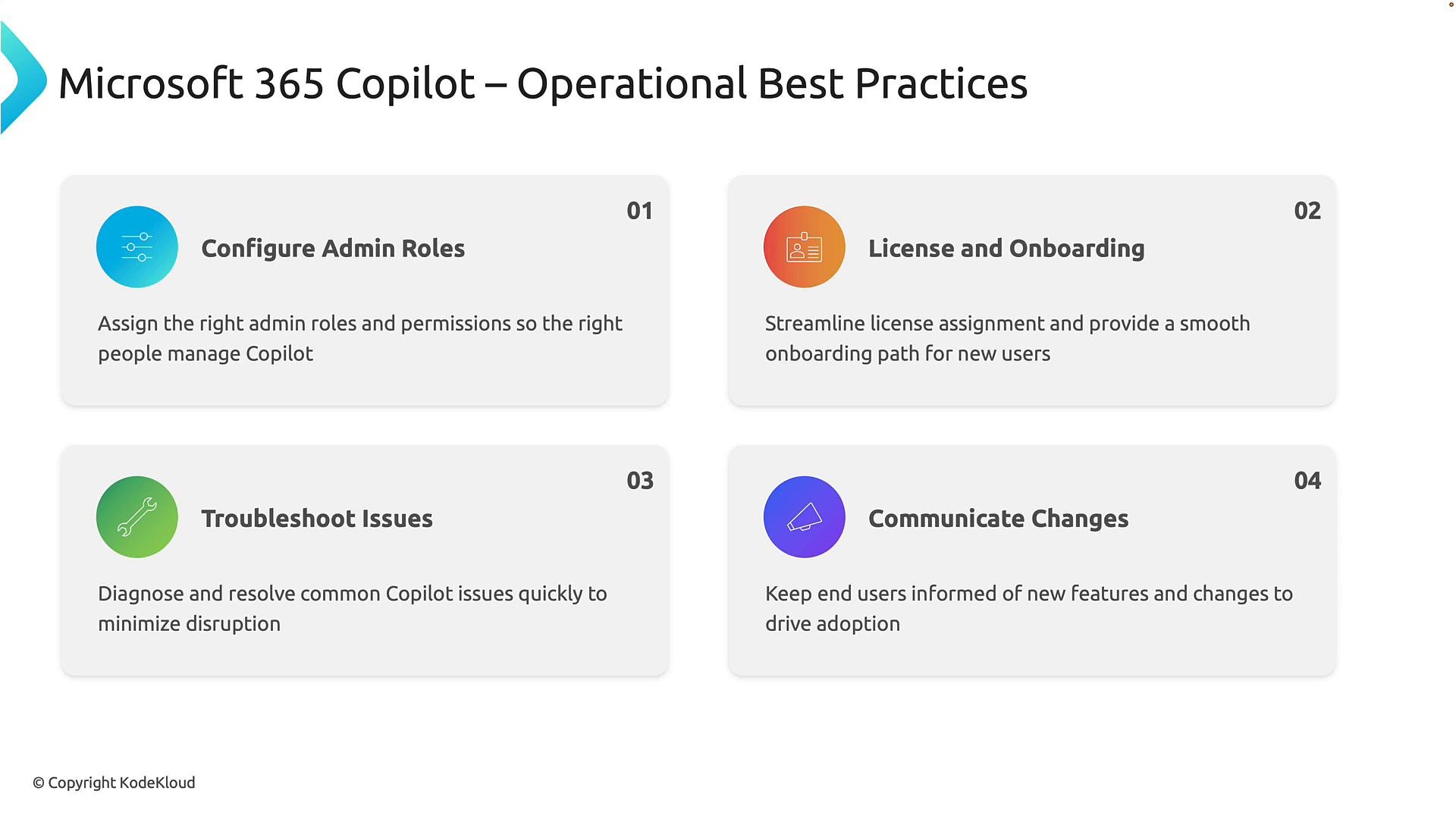
1. Configure appropriate administrative roles
* Use role-based access control (RBAC) to restrict Copilot administrative capabilities to named owners or teams.
* Map responsibilities (licensing, compliance, security, support) to specific Azure AD or Microsoft 365 roles and enforce periodic reviews.
* Example roles to define: Copilot Service Owner, Identity & Access Admin, Security/Compliance Lead, Support Lead.
* Reference: [Microsoft Entra roles & privileges](https://learn.microsoft.com/en-us/azure/active-directory/roles/).
2. License management and onboarding
* Automate license assignment through your identity management system (Azure AD group-based licensing or provisioning flows).
* Provide a structured onboarding toolkit: quick-start guide, role-specific training, sample prompts and templates, and a step-by-step FAQ.
* Track license utilization and reassign unused licenses to optimize cost.
3. Troubleshooting and support
* Monitor Copilot service health and telemetry to detect errors, degraded performance, or sudden usage changes.
* Maintain a runbook with common issues (sign-in, licensing, permission errors, prompt performance) and stepwise remediation steps.
* Define an escalation path to Microsoft Support with required diagnostics to reduce mean time to resolution.
* Tip: Integrate Copilot monitoring into your existing ServiceNow, Teams, or ITSM workflow to centralize incident handling.
4. Communication and change management
* Establish a cadence for announcing Copilot updates (monthly newsletter, highlights in All Hands, short how-to videos).
* Share real-world success stories, templates, and new scenario demos to increase adoption.
* Provide administrators and champions with release notes and practical guidance for each new capability.
 ## Practical suggestions for daily operations
* Establish a small core operations team responsible for governance, licensing, telemetry, and communications. This team should own regular audits and playbooks.
* Create dashboards that surface adoption metrics, feature usage, license consumption, and security/compliance anomalies.
* Schedule quarterly reviews to align Copilot usage with business goals and to retire or refresh prompts, templates, and training.
* Include Copilot in regular compliance checks and data governance reviews (sensitive information handling, DLP policy alignment).
### Recommended metrics to monitor
* Adoption: active users, daily/weekly active users, feature usage breakdown.
* Health: service availability, error rates, response latency.
* Licensing: assigned licenses vs. active users, license churn.
* Security/compliance: anomalous queries, DLP violations, risky data exposures.
### Example operational checklist
| Area | Recommended actions | Tools / Examples |
| - | - | - |
| Admin roles | Define roles, enforce RBAC, review quarterly | Azure AD roles, Privileged Identity Management |
| Licensing | Automate group-based assignments, reclaim unused licenses | Azure AD group licensing, PowerShell scripts |
| Monitoring | Build dashboards, alert on anomalies | Microsoft 365 admin center, Azure Monitor, Log Analytics |
| Support | Publish runbooks, define escalation path | Knowledge base, ServiceNow, Microsoft Support cases |
| Communication | Monthly updates, how-to content, champions program | Teams channels, Yammer, internal portal |
## Troubleshooting runbook (short)
1. Verify user identity and license assignment in Azure AD.
2. Check Copilot service health and Microsoft 365 service status.
3. Review telemetry and logs for recent errors or rate limits.
4. If unresolved, collect diagnostics and escalate to Microsoft Support with incident IDs.
Operational consistency — clear roles, repeatable onboarding, proactive monitoring, and structured communications — is the foundation for scaling Microsoft 365 Copilot successfully across your organization.
## Final takeaway
Adopting these operational best practices helps organizations maximize Copilot adoption, control costs, maintain security and compliance, and deliver measurable business value. Combine governance, efficient onboarding, proactive support, and ongoing communications to sustain a successful Copilot deployment.
For more details and official guidance, see the Microsoft 365 Copilot documentation and admin resources: [Microsoft 365 Copilot overview](https://learn.microsoft.com/en-us/microsoft-365/copilot/).
This documentation is built and hosted on [Mintlify](https://mintlify.com), a developer documentation platform.
## Practical suggestions for daily operations
* Establish a small core operations team responsible for governance, licensing, telemetry, and communications. This team should own regular audits and playbooks.
* Create dashboards that surface adoption metrics, feature usage, license consumption, and security/compliance anomalies.
* Schedule quarterly reviews to align Copilot usage with business goals and to retire or refresh prompts, templates, and training.
* Include Copilot in regular compliance checks and data governance reviews (sensitive information handling, DLP policy alignment).
### Recommended metrics to monitor
* Adoption: active users, daily/weekly active users, feature usage breakdown.
* Health: service availability, error rates, response latency.
* Licensing: assigned licenses vs. active users, license churn.
* Security/compliance: anomalous queries, DLP violations, risky data exposures.
### Example operational checklist
| Area | Recommended actions | Tools / Examples |
| - | - | - |
| Admin roles | Define roles, enforce RBAC, review quarterly | Azure AD roles, Privileged Identity Management |
| Licensing | Automate group-based assignments, reclaim unused licenses | Azure AD group licensing, PowerShell scripts |
| Monitoring | Build dashboards, alert on anomalies | Microsoft 365 admin center, Azure Monitor, Log Analytics |
| Support | Publish runbooks, define escalation path | Knowledge base, ServiceNow, Microsoft Support cases |
| Communication | Monthly updates, how-to content, champions program | Teams channels, Yammer, internal portal |
## Troubleshooting runbook (short)
1. Verify user identity and license assignment in Azure AD.
2. Check Copilot service health and Microsoft 365 service status.
3. Review telemetry and logs for recent errors or rate limits.
4. If unresolved, collect diagnostics and escalate to Microsoft Support with incident IDs.
Operational consistency — clear roles, repeatable onboarding, proactive monitoring, and structured communications — is the foundation for scaling Microsoft 365 Copilot successfully across your organization.
## Final takeaway
Adopting these operational best practices helps organizations maximize Copilot adoption, control costs, maintain security and compliance, and deliver measurable business value. Combine governance, efficient onboarding, proactive support, and ongoing communications to sustain a successful Copilot deployment.
For more details and official guidance, see the Microsoft 365 Copilot documentation and admin resources: [Microsoft 365 Copilot overview](https://learn.microsoft.com/en-us/microsoft-365/copilot/).
This documentation is built and hosted on [Mintlify](https://mintlify.com), a developer documentation platform.