> ## Documentation Index
> Fetch the complete documentation index at: https://notes.kodekloud.com/llms.txt
> Use this file to discover all available pages before exploring further.
# Compare Microsoft 365 Copilot and Agents
> Compares Microsoft 365 Copilot and Agents, detailing their distinct roles, capabilities, use cases, and how Copilot discovers, creates, and invokes agents for personal assistance versus process automation.
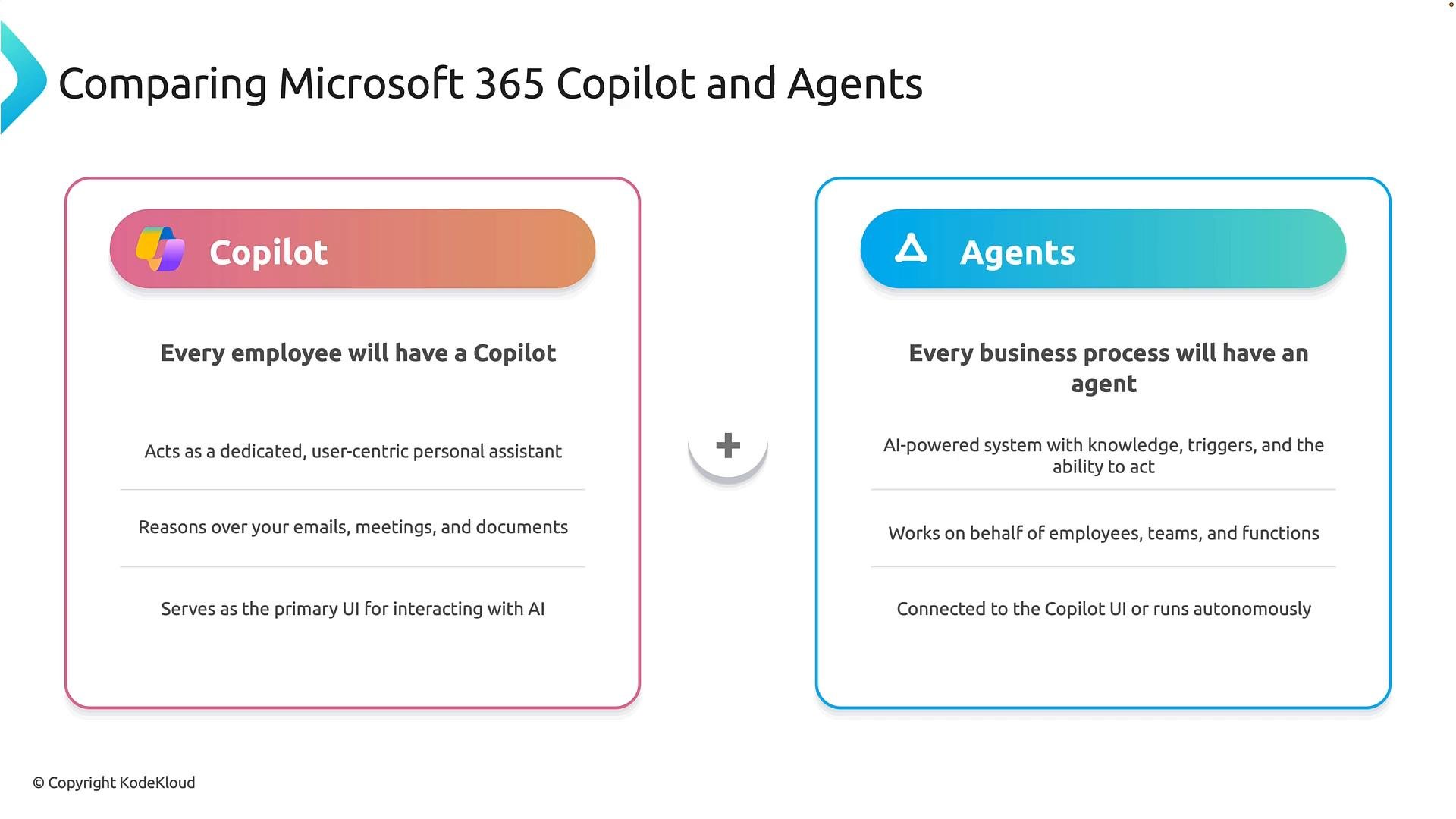
This lesson explains the differences between Microsoft 365 Copilot and Agents, how they complement each other, and common scenarios for each. Both use AI to improve productivity, but they target different levels of work: Copilot is user-facing and decision-supportive, while Agents are process-centric and automation-oriented.
## At a glance
* Copilot: a personal AI assistant that helps a single employee get work done across Microsoft 365 apps.
* Agents: automated, process-driven entities that orchestrate multi-step business workflows across systems and teams.
## Microsoft 365 Copilot
Microsoft 365 Copilot is designed as a personal, context-aware assistant inside Microsoft 365 apps. It helps employees create content, synthesize information, and make decisions faster by reasoning over the user’s data (emails, meetings, chats, files, and documents).
Key characteristics:
* Personal and user-facing: focused on assisting an individual employee.
* Context-aware: leverages the user’s activity and content across Microsoft 365.
* Interaction-driven: responds to user prompts and offers decision support (summaries, drafts, insights, next steps).
* Primary interface: a user’s main way to interact with AI inside Microsoft 365.
Example
* A project manager asks Copilot to summarize a week of meeting notes, draft a status report, identify outstanding action items, and generate a presentation outline. Copilot drafts content and recommendations; the user refines and approves the outputs.
## Agents
Agents are built to automate business processes and workflows at scale. They combine knowledge, business rules, triggers, connectors, and actions to operate across teams, departments, and external systems.
Key characteristics:
* Process-centric and orchestration-capable: coordinate multi-step processes and integrate with services.
* Autonomous operation: run on schedules, respond to events, or execute when invoked by users or Copilot.
* Action-oriented: perform tasks such as creating accounts, sending notifications, routing tickets, and applying business logic.
* System integration: connect to services and APIs to complete end-to-end tasks.
Examples
* Onboarding agent: automatically creates user accounts, assigns mandatory training, requests equipment, notifies managers, and tracks completion.
* Customer service agent: monitors incoming requests, categorizes tickets, collects contextual data, and routes incidents to the correct support team.
 ## Key differences (quick reference)
| Dimension | Microsoft 365 Copilot | Agents |
| - | - | - |
| Primary focus | Individual productivity and decision support | Process automation and orchestration |
| Trigger model | User-initiated interactions and prompts | Autonomous (schedules, events) or invoked |
| Main capabilities | Summarization, drafting, contextual recommendations | Multi-step workflows, system actions, business rules |
| Typical users | Individual employees, knowledge workers | IT, operations, service teams, process owners |
| Example outcome | Drafted status report or meeting summary | Automated onboarding or ticket routing |
So the simplest way to remember the distinction:
* Copilot helps people do their work (personal assistant, decision support).
* Agents help processes do their work (automation, orchestration, execution).
Copilot focuses on productivity and decision support; agents focus on automation and operational efficiency.
Remember: Copilot = user-facing assistant. Agents = process automation and orchestration. They are complementary — Copilot can invoke agents, and agents can run autonomously to perform routine work.
## Working with agents from Copilot
You can discover, add, and create agents directly from the Copilot experience. In Copilot Chat, the menu includes options such as “Explore agents” and “Create agent.” The Explore view lists agents published by Microsoft and third parties so you can discover pre-built scenarios.
## Key differences (quick reference)
| Dimension | Microsoft 365 Copilot | Agents |
| - | - | - |
| Primary focus | Individual productivity and decision support | Process automation and orchestration |
| Trigger model | User-initiated interactions and prompts | Autonomous (schedules, events) or invoked |
| Main capabilities | Summarization, drafting, contextual recommendations | Multi-step workflows, system actions, business rules |
| Typical users | Individual employees, knowledge workers | IT, operations, service teams, process owners |
| Example outcome | Drafted status report or meeting summary | Automated onboarding or ticket routing |
So the simplest way to remember the distinction:
* Copilot helps people do their work (personal assistant, decision support).
* Agents help processes do their work (automation, orchestration, execution).
Copilot focuses on productivity and decision support; agents focus on automation and operational efficiency.
Remember: Copilot = user-facing assistant. Agents = process automation and orchestration. They are complementary — Copilot can invoke agents, and agents can run autonomously to perform routine work.
## Working with agents from Copilot
You can discover, add, and create agents directly from the Copilot experience. In Copilot Chat, the menu includes options such as “Explore agents” and “Create agent.” The Explore view lists agents published by Microsoft and third parties so you can discover pre-built scenarios.
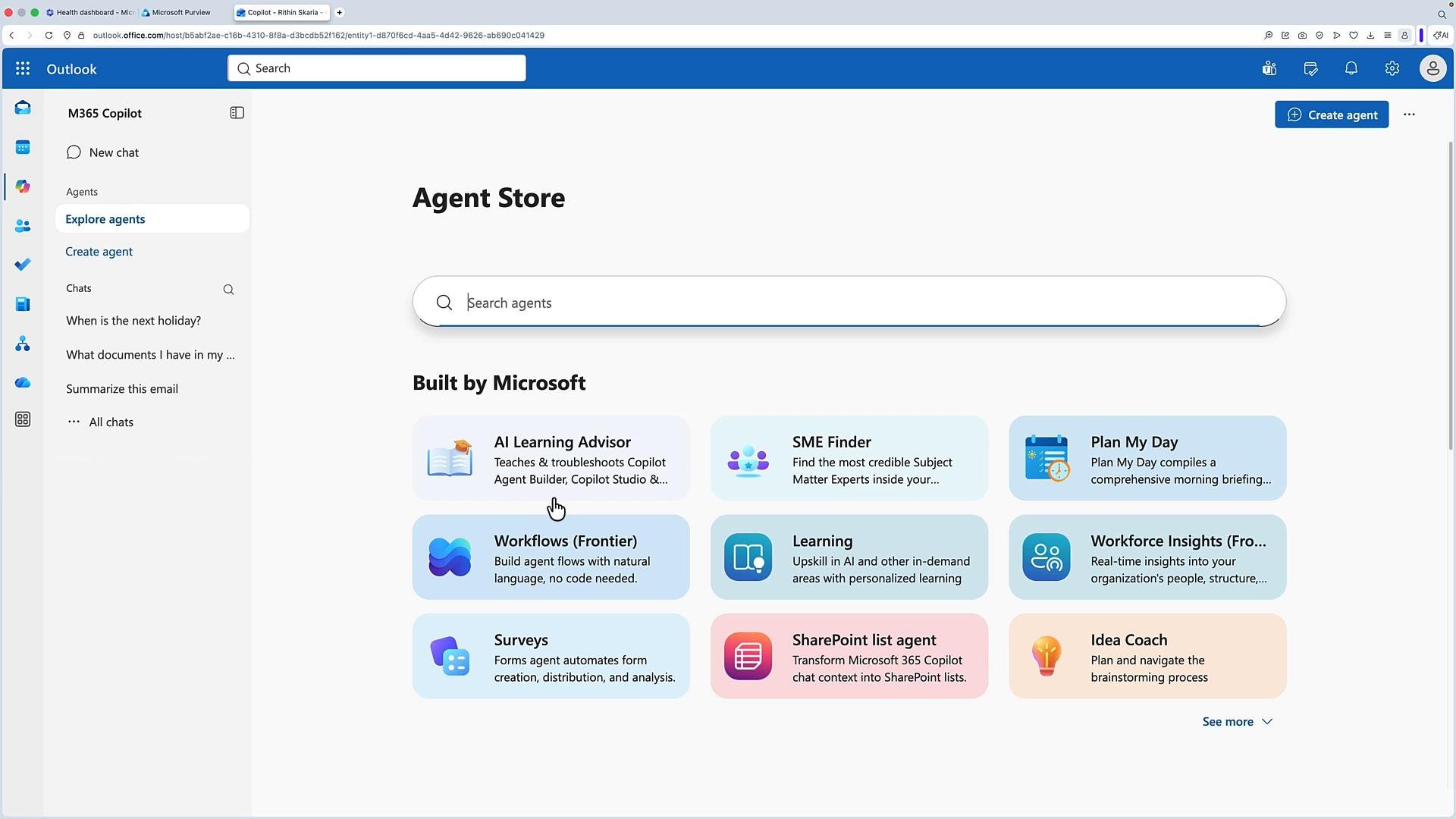 Example: AI Learning Advisor
* The “AI Learning Advisor” agent teaches and troubleshoots Microsoft AI and low-code topics.
* It explains concepts in plain language, builds personalized learning paths, and recommends appropriate tools and next steps.
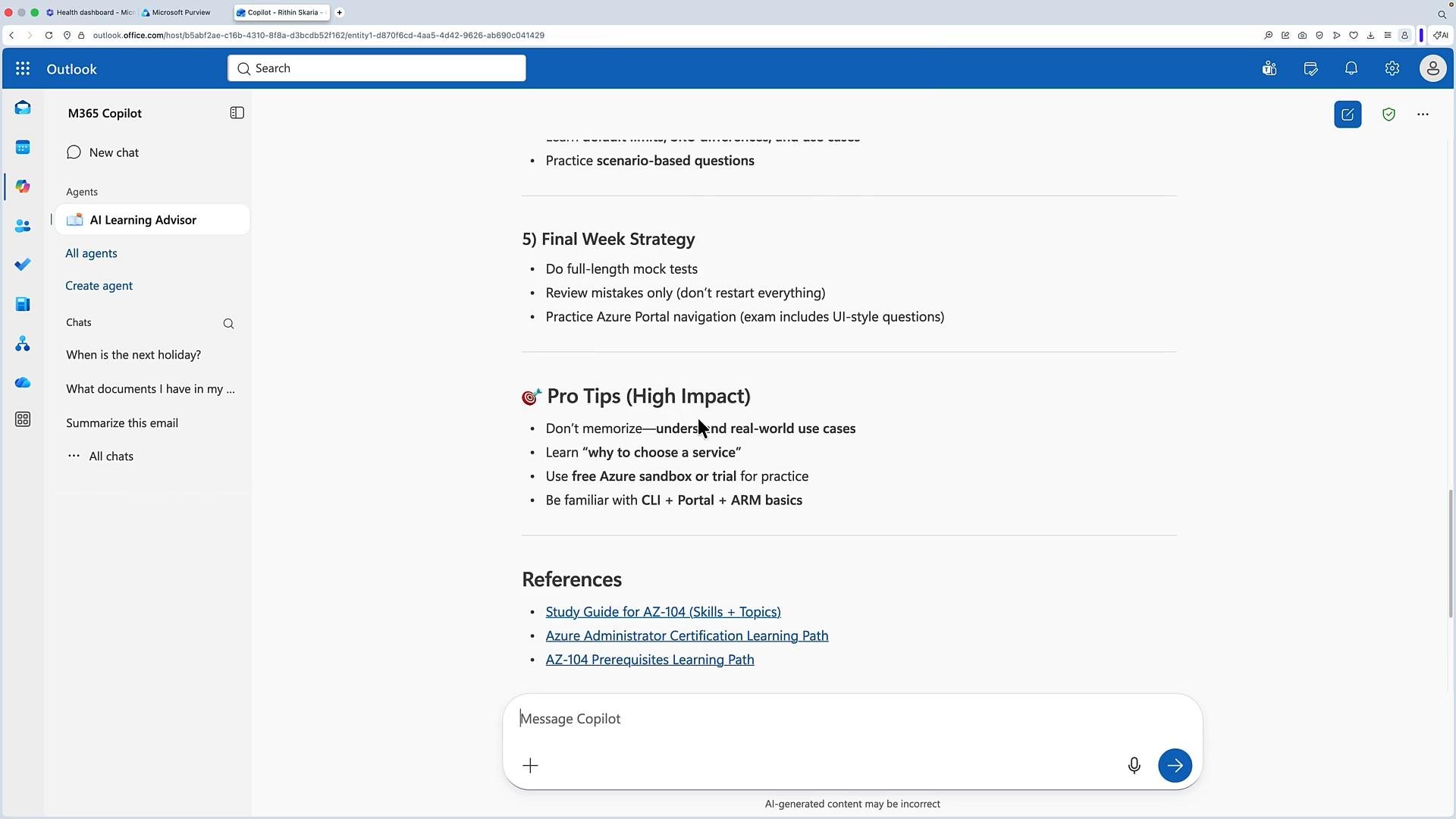
Once added to Copilot, you can ask the agent targeted questions. For example:
* “How can I prepare for the `AZ-104` exam?”
The advisor returns a study plan with key knowledge areas, step-by-step practice, mock tests, a final-week revision strategy, and high-impact pro tips.
Example: AI Learning Advisor
* The “AI Learning Advisor” agent teaches and troubleshoots Microsoft AI and low-code topics.
* It explains concepts in plain language, builds personalized learning paths, and recommends appropriate tools and next steps.
Once added to Copilot, you can ask the agent targeted questions. For example:
* “How can I prepare for the `AZ-104` exam?”
The advisor returns a study plan with key knowledge areas, step-by-step practice, mock tests, a final-week revision strategy, and high-impact pro tips.
 ## Creating agents with Agent Builder
Copilot includes an Agent Builder that accepts natural-language prompts or manual configuration. Typical flow:
1. Describe the agent in plain language (for example: “Create an agent that shares all U.S. holidays in 2026”).
2. Review the generated agent configuration (triggers, connectors, actions, and knowledge).
3. Publish the agent to your Copilot list and test it (e.g., ask “When is the next holiday?”).
Example agent reply:
* “Juneteenth National Independence Day — June 19, 2026 (Friday)” plus a short description.
This demonstrates common interactions: discover published agents, add and use them, or generate new agents using natural language and the Agent Builder.
This guide also covers Copilot Studio, testing and editing agents, and configuring triggers, connectors, and security policies for agents.
## Further reading and references
* Microsoft 365 Copilot overview: [https://learn.microsoft.com/microsoft-365/copilot](https://learn.microsoft.com/microsoft-365/copilot)
* Copilot Studio and Agent Builder docs: [https://learn.microsoft.com/copilot-studio](https://learn.microsoft.com/copilot-studio)
* Best practices for agent security and governance: [https://learn.microsoft.com/security/ai-governance](https://learn.microsoft.com/security/ai-governance)
If you’d like, I can add a short checklist to help you decide when to use Copilot versus when to create an agent for your organization.
This documentation is built and hosted on [Mintlify](https://mintlify.com), a developer documentation platform.
## Creating agents with Agent Builder
Copilot includes an Agent Builder that accepts natural-language prompts or manual configuration. Typical flow:
1. Describe the agent in plain language (for example: “Create an agent that shares all U.S. holidays in 2026”).
2. Review the generated agent configuration (triggers, connectors, actions, and knowledge).
3. Publish the agent to your Copilot list and test it (e.g., ask “When is the next holiday?”).
Example agent reply:
* “Juneteenth National Independence Day — June 19, 2026 (Friday)” plus a short description.
This demonstrates common interactions: discover published agents, add and use them, or generate new agents using natural language and the Agent Builder.
This guide also covers Copilot Studio, testing and editing agents, and configuring triggers, connectors, and security policies for agents.
## Further reading and references
* Microsoft 365 Copilot overview: [https://learn.microsoft.com/microsoft-365/copilot](https://learn.microsoft.com/microsoft-365/copilot)
* Copilot Studio and Agent Builder docs: [https://learn.microsoft.com/copilot-studio](https://learn.microsoft.com/copilot-studio)
* Best practices for agent security and governance: [https://learn.microsoft.com/security/ai-governance](https://learn.microsoft.com/security/ai-governance)
If you’d like, I can add a short checklist to help you decide when to use Copilot versus when to create an agent for your organization.
This documentation is built and hosted on [Mintlify](https://mintlify.com), a developer documentation platform.