> ## Documentation Index
> Fetch the complete documentation index at: https://notes.kodekloud.com/llms.txt
> Use this file to discover all available pages before exploring further.
# Explore Identity and Authentication in Microsoft 365
> Overview of Microsoft 365 identity and authentication, verifying users, devices, and applications using Zero Trust principles, Azure AD, MFA, and Conditional Access.
Most attacks ultimately target an identity.
Attackers no longer focus only on breaking into servers. Instead, they frequently try to sign in as a legitimate user by stealing passwords, session tokens, or other authentication credentials. That is why identity is the foundation of security in Microsoft 365.
In this lesson you'll learn how Microsoft verifies identities, controls access to resources, and ensures that only trusted users, devices, and applications can reach organizational data.
Traditionally, organizations protected a physical network perimeter: if you were inside the corporate network, you were often implicitly trusted. Today's environment is very different. Employees work from home, access cloud applications, use mobile devices, and connect from locations around the world. With no single network boundary, identity becomes the new security perimeter.
Before granting access, Microsoft 365 focuses on answering three important questions:
* Is this the right identity?\
In other words, is the person, device, or application really who it claims to be? For example, when someone provides a username and password, how do we know it’s the employee and not an attacker using stolen credentials?
* Is this the right resource?\
Even if the identity is legitimate, should it have access to the specific file, application, mailbox, or SharePoint site? Security isn't just about granting access — it's about granting the correct level of access.
* Is this the right time?\
Context matters. A sign-in from a user’s normal office location during business hours may be expected. The same account signing in from another country at 3 a.m. may require additional verification. This is a core Zero Trust principle: every access request is evaluated based on identity, permissions, and context before access is granted. Microsoft verifies first and then grants access.
Zero Trust in Microsoft 365 centers on continuous evaluation of identity, device posture, and sign-in context. Key controls include Azure Active Directory authentication, Multi-Factor Authentication (MFA), Conditional Access policies, and device compliance checks.
In a cloud-first world, protecting identities is one of an organization’s most important security responsibilities.
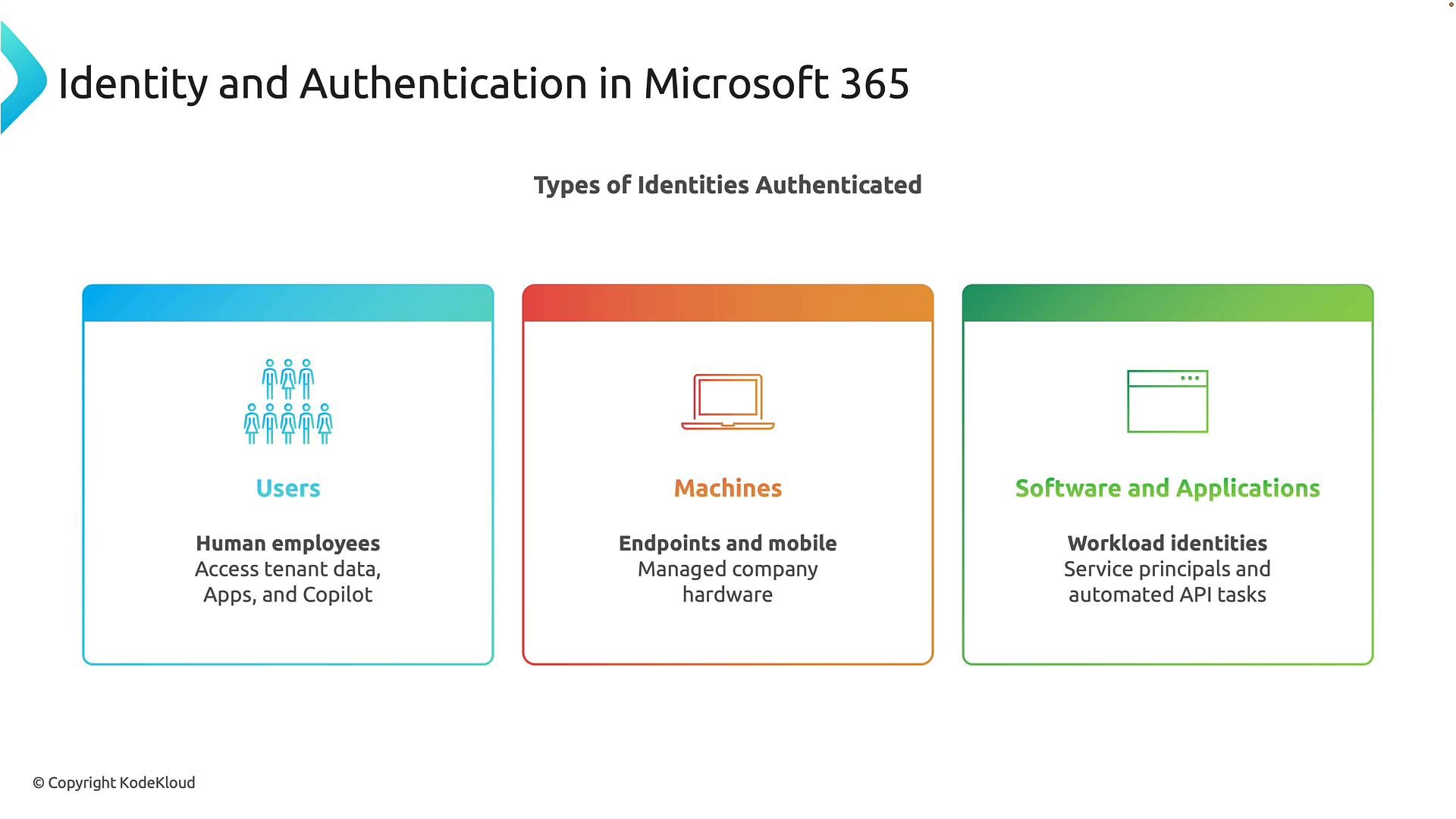
When most people hear “identity,” they first think of users — and users are certainly important. However, Microsoft 365 authenticates several categories of identities. Below is a concise summary followed by a short description of each category.
| Identity type | What it represents | Typical examples |
| - | - | - |
| Users | Human identities that sign in interactively | Employees, contractors, administrators |
| Machines (devices) | Endpoints with a managed or registered identity | Laptops, mobile phones, tablets, corporate desktops |
| Software & applications | Non-human or workload identities used for automation and APIs | Service principals, managed identities, daemon apps |
The first category is users. These are human identities such as employees, contractors, administrators, and business partners. When users sign in, they access resources like email, Teams, SharePoint, OneDrive, business applications, and Microsoft Copilot. Every user account has an identity that must be authenticated before access is permitted.
The second category is machines. Machines include laptops, desktops, mobile phones, tablets, and other managed devices. Why does a device need an identity? Consider a company-managed laptop versus a personal laptop. Even when the same employee uses both, the organization usually trusts the managed device more because it complies with corporate security policies. Microsoft therefore verifies not only who is signing in but also which device is being used (device compliance, enrollment status, and configuration).
The third category is software and applications. Applications often need to communicate with other services without a human signing in. For example, a payroll application might retrieve employee information nightly from another system. These automated processes require their own identities — commonly called workload identities, service principals, or managed identities in Azure. Microsoft uses these identities to securely authenticate automated processes and API communications.
The important point is that Microsoft 365 does not authenticate only people. It authenticates users, devices, and applications because all three can potentially access organizational resources.
 Think of it like entering a secure office building: the security guard checks who you are, verifies whether you have an approved badge, and confirms whether you’re authorized to enter specific rooms. Microsoft 365 applies the same digital concept to users, devices, and applications — verifying identity, checking device posture, and enforcing authorization before granting access.
Next steps: we will examine how Microsoft verifies those identities and enforces access controls across users, devices, and applications, including authentication protocols, Conditional Access, Multi-Factor Authentication, and workload identity best practices.
References and further reading:
* [Azure Active Directory documentation](https://learn.microsoft.com/azure/active-directory/)
* [Microsoft Zero Trust guidance](https://learn.microsoft.com/security/zero-trust/)
This documentation is built and hosted on [Mintlify](https://mintlify.com), a developer documentation platform.
Think of it like entering a secure office building: the security guard checks who you are, verifies whether you have an approved badge, and confirms whether you’re authorized to enter specific rooms. Microsoft 365 applies the same digital concept to users, devices, and applications — verifying identity, checking device posture, and enforcing authorization before granting access.
Next steps: we will examine how Microsoft verifies those identities and enforces access controls across users, devices, and applications, including authentication protocols, Conditional Access, Multi-Factor Authentication, and workload identity best practices.
References and further reading:
* [Azure Active Directory documentation](https://learn.microsoft.com/azure/active-directory/)
* [Microsoft Zero Trust guidance](https://learn.microsoft.com/security/zero-trust/)
This documentation is built and hosted on [Mintlify](https://mintlify.com), a developer documentation platform.