> ## Documentation Index
> Fetch the complete documentation index at: https://notes.kodekloud.com/llms.txt
> Use this file to discover all available pages before exploring further.
# Image Analysis Using Azure AI Vision
> Overview of Azure AI Vision image analysis capabilities, outputs, use cases, and deployment guidance for object detection, OCR, captioning, and multimodal embeddings
Welcome to this lesson on image analysis using Azure AI Vision. This guide explains how Azure AI Vision — Microsoft’s cloud-based computer vision service — inspects images to extract structured insights such as objects, text, captions, and metadata. Think of it as a digital detective that analyzes pixels, shapes, and context to surface actionable information you can use for search, automation, moderation, and analytics.
In this lesson you will learn:
* Core capabilities of Azure AI Vision (object detection, OCR, captioning, etc.)
* Typical real-world use cases and deployment considerations
* What the service returns and a sample response
* Practical next steps and links to documentation
Now let's look at the capabilities of Azure AI Vision.
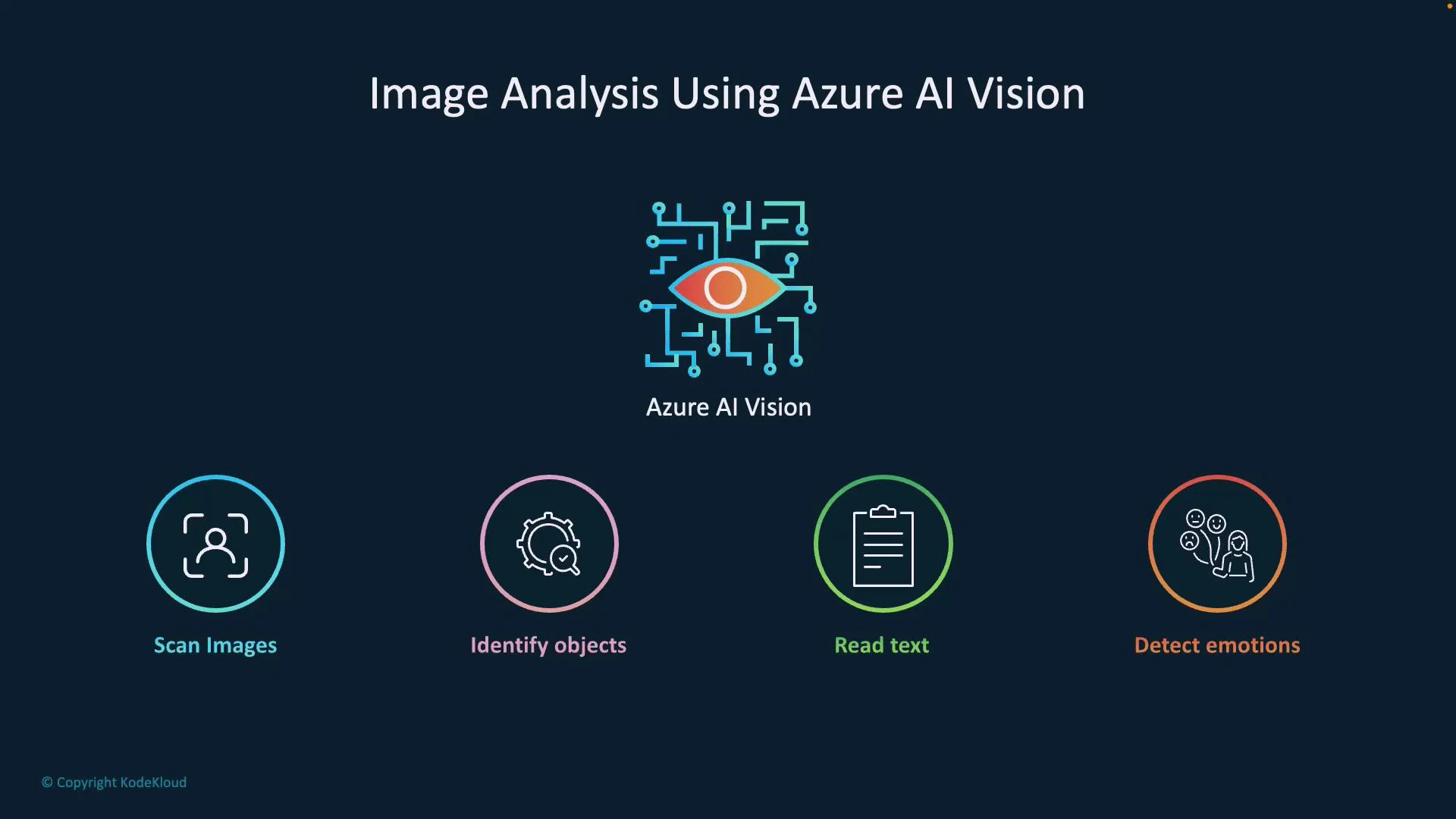
Azure AI Vision is a cloud service that enables applications to interpret and understand images. Key capabilities include:
* Scan images: Analyze an image to determine whether it contains people, vehicles, animals, and other object categories.
* Identify objects: Detect and localize specific items (for example, products on a retail shelf).
* Read text (OCR): Extract printed or handwritten text from images, such as invoices, receipts, or street signs.
* Detect emotions: Analyze faces to infer expressions and basic affective signals for user-experience research.
 How it works (brief)
Azure AI Vision inspects low-level visual cues—edges, textures, colors, shapes, and spatial relationships—and combines them with learned semantic models to form higher-level conclusions. For example, by analyzing pixel structure and object boundaries it can distinguish a reflection from a crack in glass. This makes the service valuable for surveillance, industrial inspection, and any scenario where subtle visual differences matter.
Common use cases
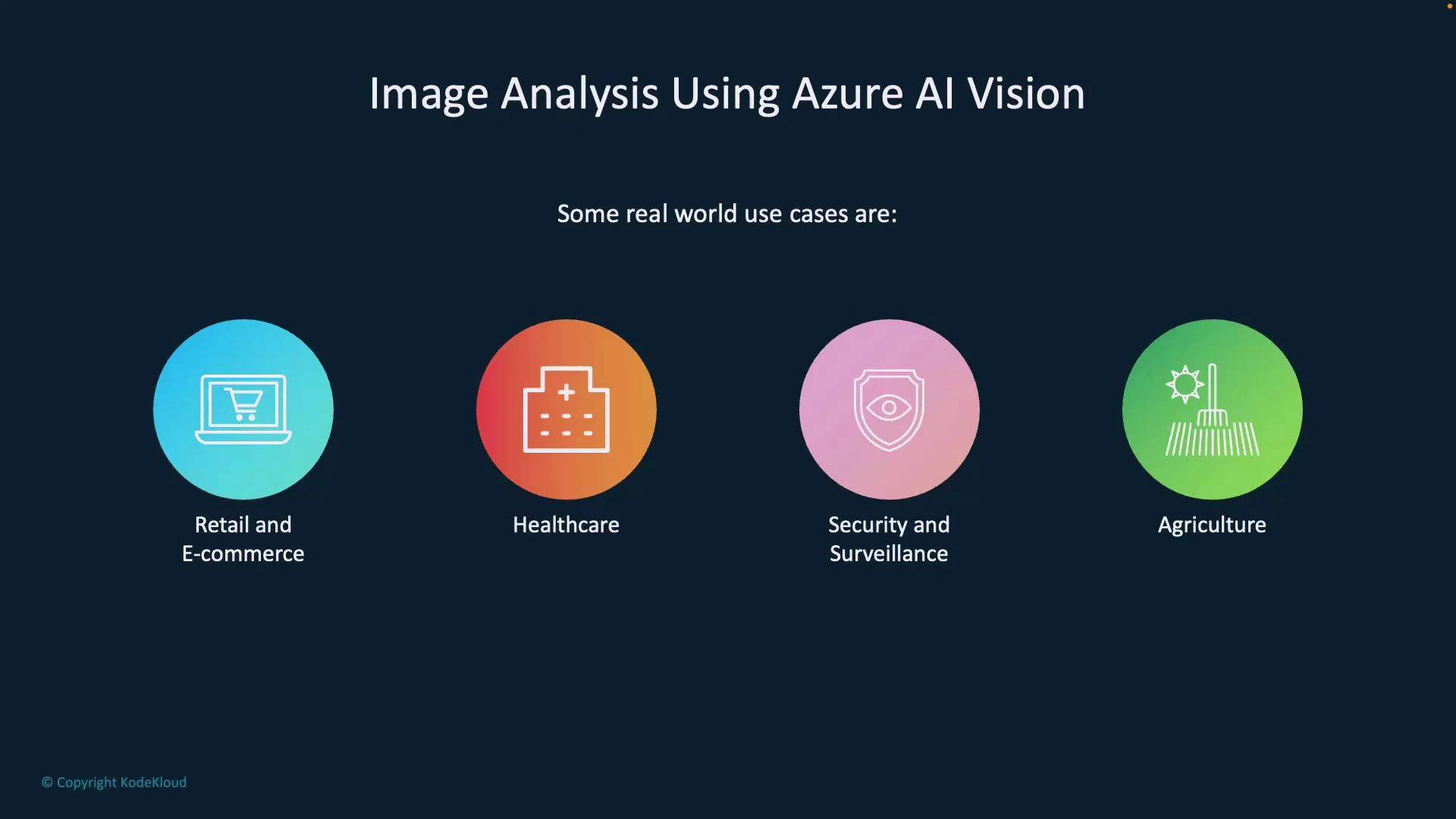
Azure AI Vision is used across industries to automate image understanding and enable smarter workflows. The table below maps common scenarios to practical examples.
| Use case | Typical application | Example outcome |
| ------------------------- | ------------------------------------------------ | ----------------------------------------------------- |
| Security & access control | Face recognition and detection for entry systems | Grant/deny access, log events |
| Manufacturing QA | Detect defects on production lines | Flag items with missing caps, scratches |
| Retail & e-commerce | Auto-tagging and visual search | Improve product discovery by generating tags/captions |
| Healthcare | Assistive analysis of medical imagery | Highlight areas of interest for clinician review |
| Agriculture | Drone imagery analysis for crop monitoring | Detect disease or water stress early |
How it works (brief)
Azure AI Vision inspects low-level visual cues—edges, textures, colors, shapes, and spatial relationships—and combines them with learned semantic models to form higher-level conclusions. For example, by analyzing pixel structure and object boundaries it can distinguish a reflection from a crack in glass. This makes the service valuable for surveillance, industrial inspection, and any scenario where subtle visual differences matter.
Common use cases
Azure AI Vision is used across industries to automate image understanding and enable smarter workflows. The table below maps common scenarios to practical examples.
| Use case | Typical application | Example outcome |
| ------------------------- | ------------------------------------------------ | ----------------------------------------------------- |
| Security & access control | Face recognition and detection for entry systems | Grant/deny access, log events |
| Manufacturing QA | Detect defects on production lines | Flag items with missing caps, scratches |
| Retail & e-commerce | Auto-tagging and visual search | Improve product discovery by generating tags/captions |
| Healthcare | Assistive analysis of medical imagery | Highlight areas of interest for clinician review |
| Agriculture | Drone imagery analysis for crop monitoring | Detect disease or water stress early |
 What the service returns
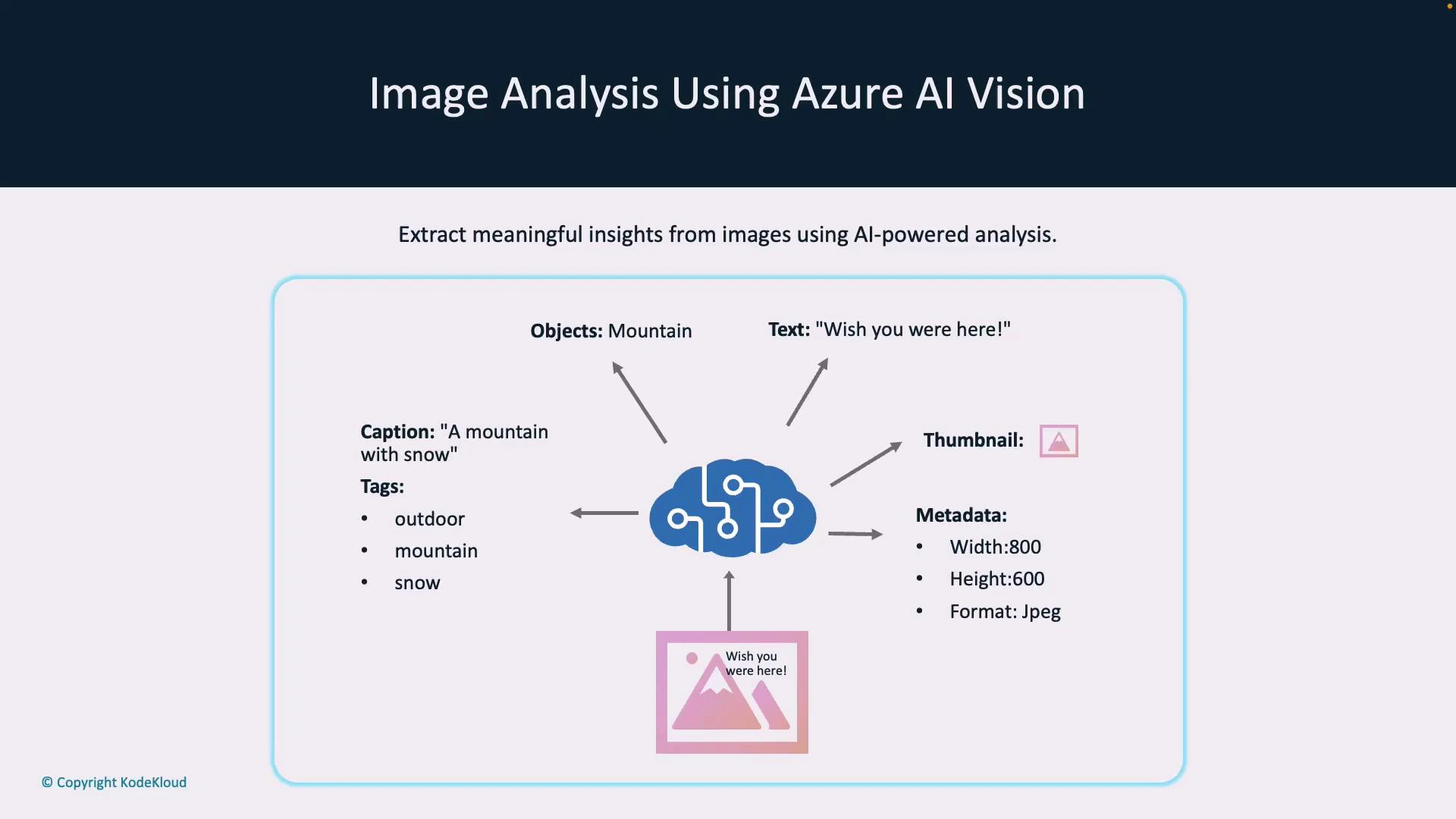
When you send an image to Azure AI Vision, the service returns structured outputs that you can use for automation, search, analytics, or accessibility. Typical outputs include:
* Caption: A short human-readable description (e.g., “a mountain with snow”).
* Tags: Keyword labels that describe image content (e.g., `outdoor`, `mountain`, `snow`).
* Detected text: OCR'd strings found in the image (printed or handwritten).
* Objects & bounding boxes: Coordinates and classes for detected items.
* Smart thumbnail: A cropped image centered on the main subject.
* Metadata: Image properties such as width, height, and format.
Example (simplified) JSON response
```json theme={null}
{
"caption": "a mountain with snow",
"tags": ["outdoor", "mountain", "snow"],
"text": "Wish you were here!",
"thumbnailUrl": "https://example.blob.core.windows.net/thumbnails/abc.jpg",
"metadata": { "width": 800, "height": 600, "format": "jpeg" }
}
```
Use cases enabled by these outputs include automated alt-text generation for accessibility, content-based image search, image moderation, and inventory reconciliation.
What the service returns
When you send an image to Azure AI Vision, the service returns structured outputs that you can use for automation, search, analytics, or accessibility. Typical outputs include:
* Caption: A short human-readable description (e.g., “a mountain with snow”).
* Tags: Keyword labels that describe image content (e.g., `outdoor`, `mountain`, `snow`).
* Detected text: OCR'd strings found in the image (printed or handwritten).
* Objects & bounding boxes: Coordinates and classes for detected items.
* Smart thumbnail: A cropped image centered on the main subject.
* Metadata: Image properties such as width, height, and format.
Example (simplified) JSON response
```json theme={null}
{
"caption": "a mountain with snow",
"tags": ["outdoor", "mountain", "snow"],
"text": "Wish you were here!",
"thumbnailUrl": "https://example.blob.core.windows.net/thumbnails/abc.jpg",
"metadata": { "width": 800, "height": 600, "format": "jpeg" }
}
```
Use cases enabled by these outputs include automated alt-text generation for accessibility, content-based image search, image moderation, and inventory reconciliation.
 Principal features
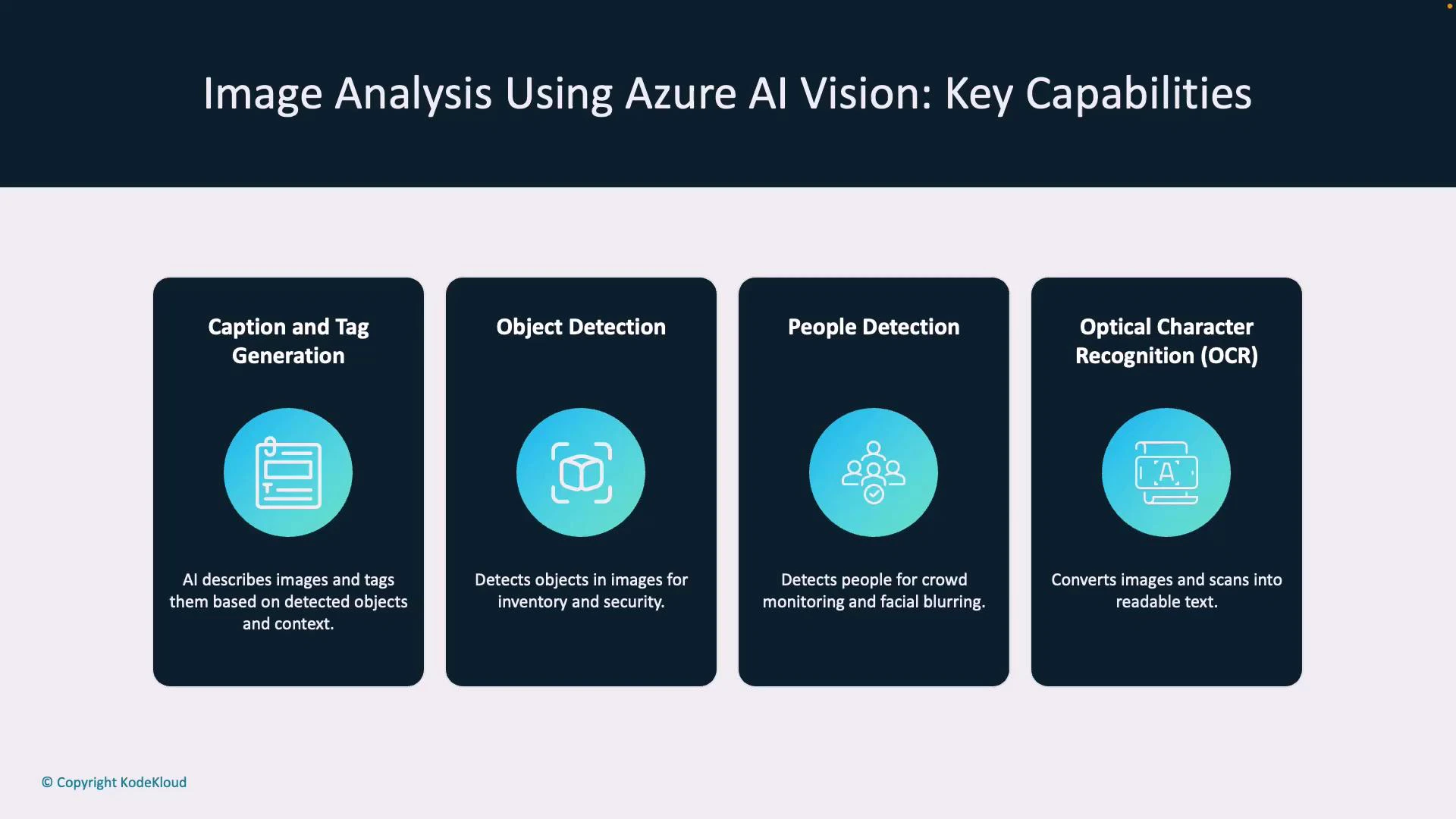
Azure AI Vision exposes several features that address common image-analysis needs. Key features and their benefits:
* Caption & tag generation: Produce concise descriptions and keywords to improve search, filtering, and accessibility.
* Object detection: Locate and classify objects for inventory, traffic analytics, or counting.
* People detection: Detect persons and bounding boxes for crowd analysis, privacy-preserving blur, and access logs.
* Optical Character Recognition (OCR): Extract printed and handwritten text for data entry automation and document processing.
* Smart thumbnails: Automatically crop images to focus on the primary subject (improves visual presentation in galleries).
* Multimodal embeddings: Generate vector embeddings that combine visual and textual context for semantic search and image-text matching.
Feature to benefit mapping
| Feature | Benefit | Typical scenario |
| --------------------- | -------------------------------------- | --------------------------------- |
| Object detection | Inventory accuracy, automated counting | Retail shelf monitoring |
| OCR | Data extraction from images | Receipt or invoice processing |
| Smart thumbnails | Better UX in galleries | Profile picture previews |
| Multimodal embeddings | Semantic search & matching | Find images by caption similarity |
Principal features
Azure AI Vision exposes several features that address common image-analysis needs. Key features and their benefits:
* Caption & tag generation: Produce concise descriptions and keywords to improve search, filtering, and accessibility.
* Object detection: Locate and classify objects for inventory, traffic analytics, or counting.
* People detection: Detect persons and bounding boxes for crowd analysis, privacy-preserving blur, and access logs.
* Optical Character Recognition (OCR): Extract printed and handwritten text for data entry automation and document processing.
* Smart thumbnails: Automatically crop images to focus on the primary subject (improves visual presentation in galleries).
* Multimodal embeddings: Generate vector embeddings that combine visual and textual context for semantic search and image-text matching.
Feature to benefit mapping
| Feature | Benefit | Typical scenario |
| --------------------- | -------------------------------------- | --------------------------------- |
| Object detection | Inventory accuracy, automated counting | Retail shelf monitoring |
| OCR | Data extraction from images | Receipt or invoice processing |
| Smart thumbnails | Better UX in galleries | Profile picture previews |
| Multimodal embeddings | Semantic search & matching | Find images by caption similarity |
 Deployment and availability
Azure AI Vision is available through Azure AI Services and can be consumed via REST APIs, SDKs, or integrated into larger Azure solutions. Some capabilities and SKUs may be region-specific, so confirm availability for your target region before planning production deployments.
Check region and SKU availability for advanced features. Use the [Azure portal](https://portal.azure.com) or the [Azure AI Services documentation](https://learn.microsoft.com/azure/ai-services/) to verify which features are available in your target region and which deployment options (cloud, private preview, or specialized SKUs) apply.
Next steps
To continue learning and adopting Azure AI Vision:
* Try a quickstart: Use the REST API or an SDK (Python, C#, JavaScript) to submit images and inspect responses.
* Review authentication and pricing: Understand keys, endpoint configuration, and cost/latency trade-offs.
* Tune for accuracy: Experiment with image resolution, pre-processing, and post-processing filters for better results.
* Explore advanced features: Look into multimodal embeddings for semantic search and hybrid workflows.
Useful links and references
* Azure AI Services docs: [https://learn.microsoft.com/azure/ai-services/](https://learn.microsoft.com/azure/ai-services/)
* Azure portal: [https://portal.azure.com](https://portal.azure.com)
* Azure AI Vision quickstarts and SDKs: [https://learn.microsoft.com/azure/ai-services/vision/overview](https://learn.microsoft.com/azure/ai-services/vision/overview)
Now that you have an overview of capabilities, outputs, and use cases for Azure AI Vision, try calling the service with sample images and examine the returned captions, tags, OCR results, and object detections to understand how these outputs can improve your applications.
Deployment and availability
Azure AI Vision is available through Azure AI Services and can be consumed via REST APIs, SDKs, or integrated into larger Azure solutions. Some capabilities and SKUs may be region-specific, so confirm availability for your target region before planning production deployments.
Check region and SKU availability for advanced features. Use the [Azure portal](https://portal.azure.com) or the [Azure AI Services documentation](https://learn.microsoft.com/azure/ai-services/) to verify which features are available in your target region and which deployment options (cloud, private preview, or specialized SKUs) apply.
Next steps
To continue learning and adopting Azure AI Vision:
* Try a quickstart: Use the REST API or an SDK (Python, C#, JavaScript) to submit images and inspect responses.
* Review authentication and pricing: Understand keys, endpoint configuration, and cost/latency trade-offs.
* Tune for accuracy: Experiment with image resolution, pre-processing, and post-processing filters for better results.
* Explore advanced features: Look into multimodal embeddings for semantic search and hybrid workflows.
Useful links and references
* Azure AI Services docs: [https://learn.microsoft.com/azure/ai-services/](https://learn.microsoft.com/azure/ai-services/)
* Azure portal: [https://portal.azure.com](https://portal.azure.com)
* Azure AI Vision quickstarts and SDKs: [https://learn.microsoft.com/azure/ai-services/vision/overview](https://learn.microsoft.com/azure/ai-services/vision/overview)
Now that you have an overview of capabilities, outputs, and use cases for Azure AI Vision, try calling the service with sample images and examine the returned captions, tags, OCR results, and object detections to understand how these outputs can improve your applications.