> ## Documentation Index
> Fetch the complete documentation index at: https://notes.kodekloud.com/llms.txt
> Use this file to discover all available pages before exploring further.
# How Azure OpenAI Can Use Your Data
> Explains using Retrieval-Augmented Generation with Azure OpenAI to ground responses in private company documents, reducing hallucination and ensuring traceable, domain-specific answers.
Learn how Azure OpenAI can safely use your private data to produce domain-specific answers by retrieving and grounding responses at request time.
In this article we walk through a practical scenario and a short demo to show how Retrieval-Augmented Generation (RAG) patterns let you use Azure OpenAI to extract insights from company documents without fine-tuning the base model.
Scenario overview
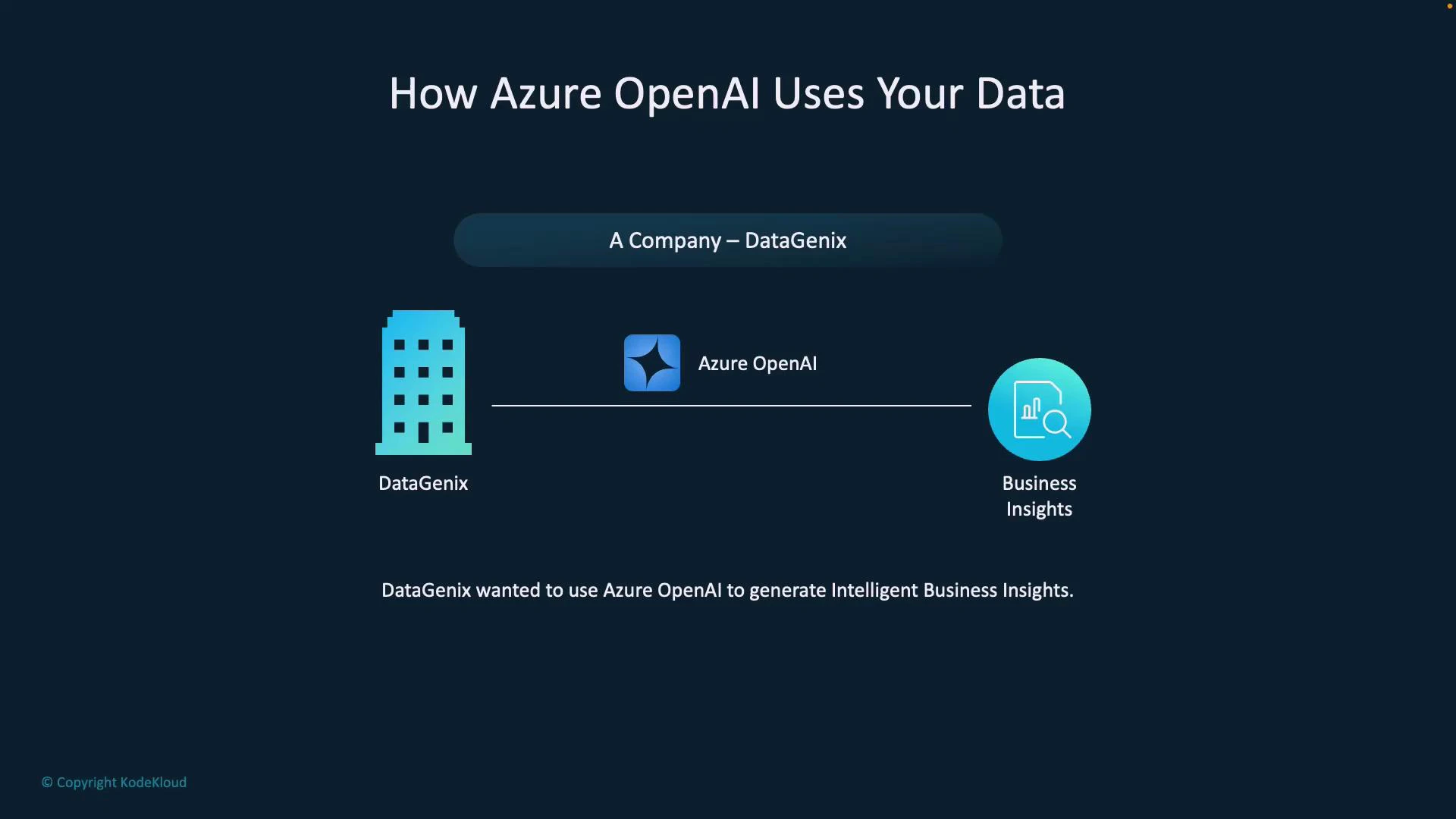
Datagenix is a fictional company that wants to generate intelligent business insights using [Azure OpenAI](https://learn.microsoft.com/en-us/azure/cognitive-services/openai/). They have internal reports, product documents, customer feedback, and other business data. The objective is to ground model responses in Datagenix’s own data at query time so answers reflect company terminology and precise facts.
 Key idea
Rather than fine-tuning a model, Datagenix uses retrieval to provide relevant documents as prompt context at runtime. This approach:
* Keeps data private and traceable.
* Produces domain-specific answers that use company vocabulary.
* Reduces hallucination by providing the model concrete source content.
NOAA — the internal assistant
Datagenix deployed a virtual assistant called NOAA. When NOAA used only the base model (no grounding), responses were generic and missed company-specific terms. Grounding NOAA with Datagenix’s documents improved answer accuracy and traceability, illustrating why RAG matters in production assistants.
Where RAG fits in: [Fundamentals of RAG](https://learn.kodekloud.com/user/courses/fundamentals-of-rag)
The process to build a grounded AI system
Step 1 — Establish a trusted, searchable data source
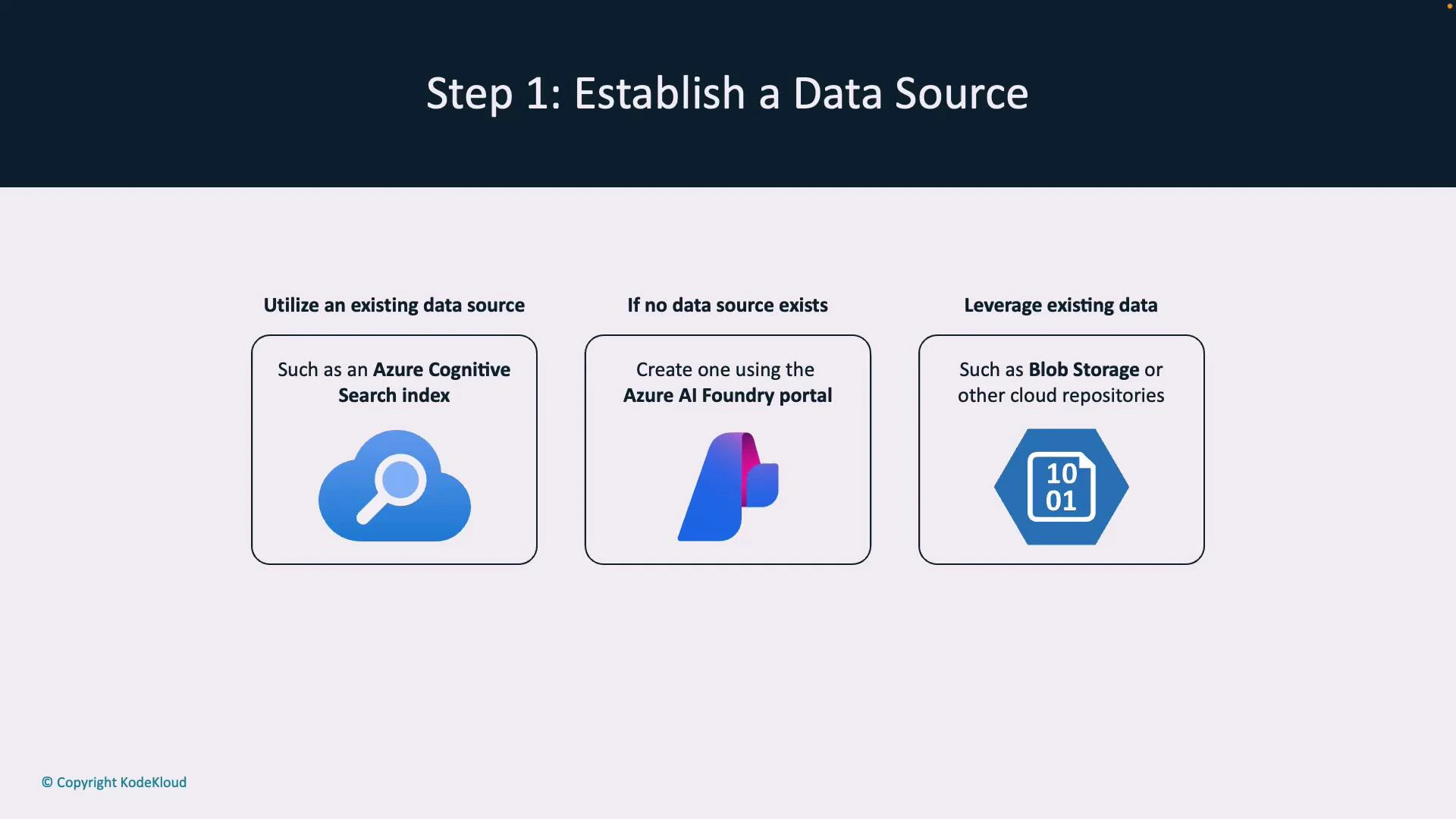
You need an indexed data source the model can query. Common approaches:
| Resource Type | Use Case | Example |
| ----------------- | --------------------------------------- | ---------------------------------------- |
| Search index | Best for semantic retrieval and ranking | Azure Cognitive Search / Azure AI Search |
| Managed ingestion | Simplifies indexing and pipelines | Azure AI Foundry portal |
| Content storage | Source files to index (PDFs, docs) | Azure Blob Storage |
The critical requirement is that content be retrievable and structured so the search/indexing service can compute semantic embeddings and relevance scores.
Key idea
Rather than fine-tuning a model, Datagenix uses retrieval to provide relevant documents as prompt context at runtime. This approach:
* Keeps data private and traceable.
* Produces domain-specific answers that use company vocabulary.
* Reduces hallucination by providing the model concrete source content.
NOAA — the internal assistant
Datagenix deployed a virtual assistant called NOAA. When NOAA used only the base model (no grounding), responses were generic and missed company-specific terms. Grounding NOAA with Datagenix’s documents improved answer accuracy and traceability, illustrating why RAG matters in production assistants.
Where RAG fits in: [Fundamentals of RAG](https://learn.kodekloud.com/user/courses/fundamentals-of-rag)
The process to build a grounded AI system
Step 1 — Establish a trusted, searchable data source
You need an indexed data source the model can query. Common approaches:
| Resource Type | Use Case | Example |
| ----------------- | --------------------------------------- | ---------------------------------------- |
| Search index | Best for semantic retrieval and ranking | Azure Cognitive Search / Azure AI Search |
| Managed ingestion | Simplifies indexing and pipelines | Azure AI Foundry portal |
| Content storage | Source files to index (PDFs, docs) | Azure Blob Storage |
The critical requirement is that content be retrievable and structured so the search/indexing service can compute semantic embeddings and relevance scores.
 Step 2 — Connect your application or flow to the data source
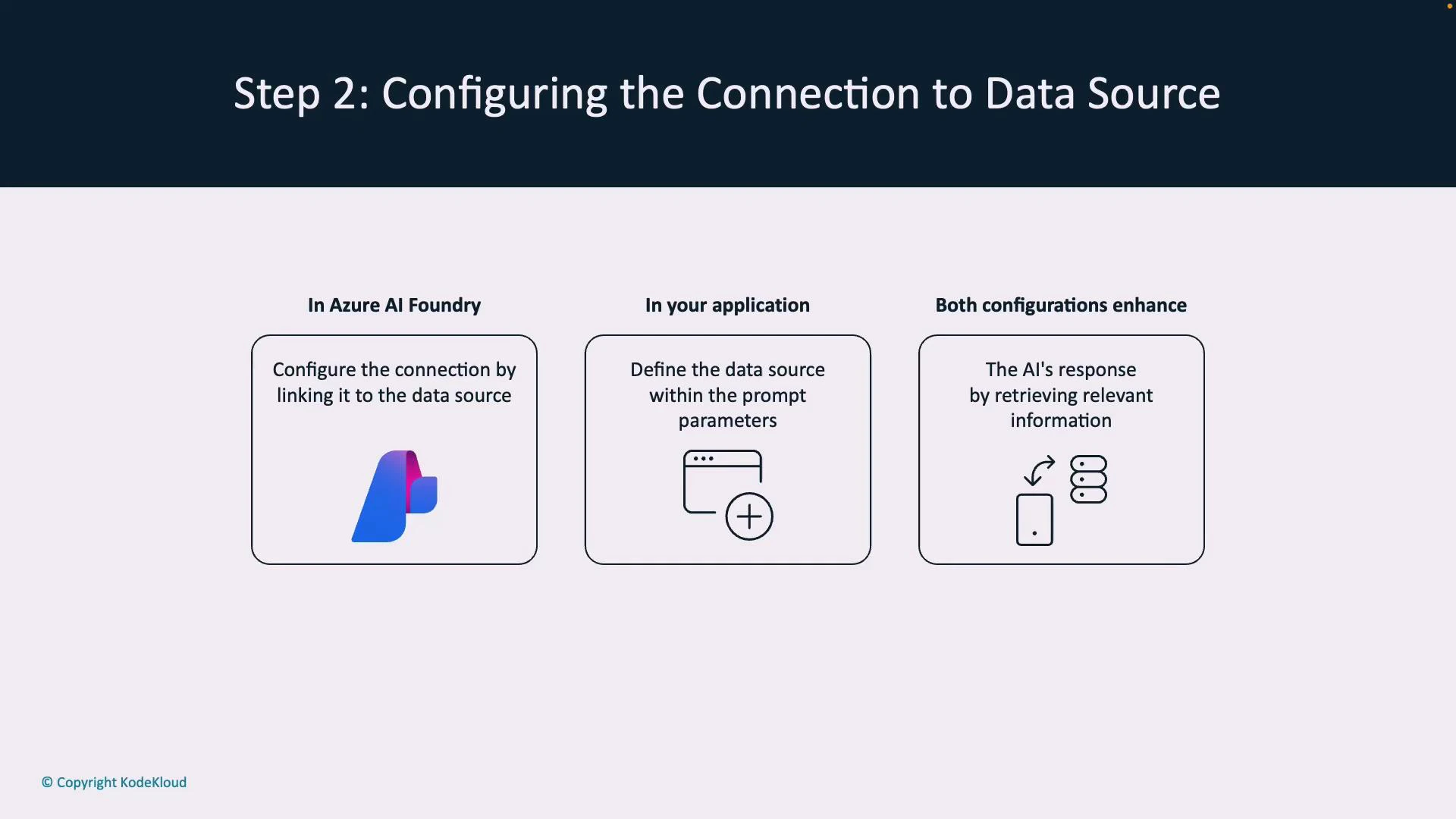
Configure where the model should pull context from in one or both of these places:
* Azure AI Foundry: Link a prompt flow to a specific data source so prompt flows automatically retrieve context.
* Your application: Pass data-source parameters (or SDK options) with each Azure OpenAI request to specify where to retrieve context.
Foundry bindings and app-level parameters can co-exist: Foundry ties a flow to a default index while your application can override or add parameters at request time. This connection is what turns generic answers into domain-grounded results.
Step 2 — Connect your application or flow to the data source
Configure where the model should pull context from in one or both of these places:
* Azure AI Foundry: Link a prompt flow to a specific data source so prompt flows automatically retrieve context.
* Your application: Pass data-source parameters (or SDK options) with each Azure OpenAI request to specify where to retrieve context.
Foundry bindings and app-level parameters can co-exist: Foundry ties a flow to a default index while your application can override or add parameters at request time. This connection is what turns generic answers into domain-grounded results.
 Step 3 — How grounding works at runtime
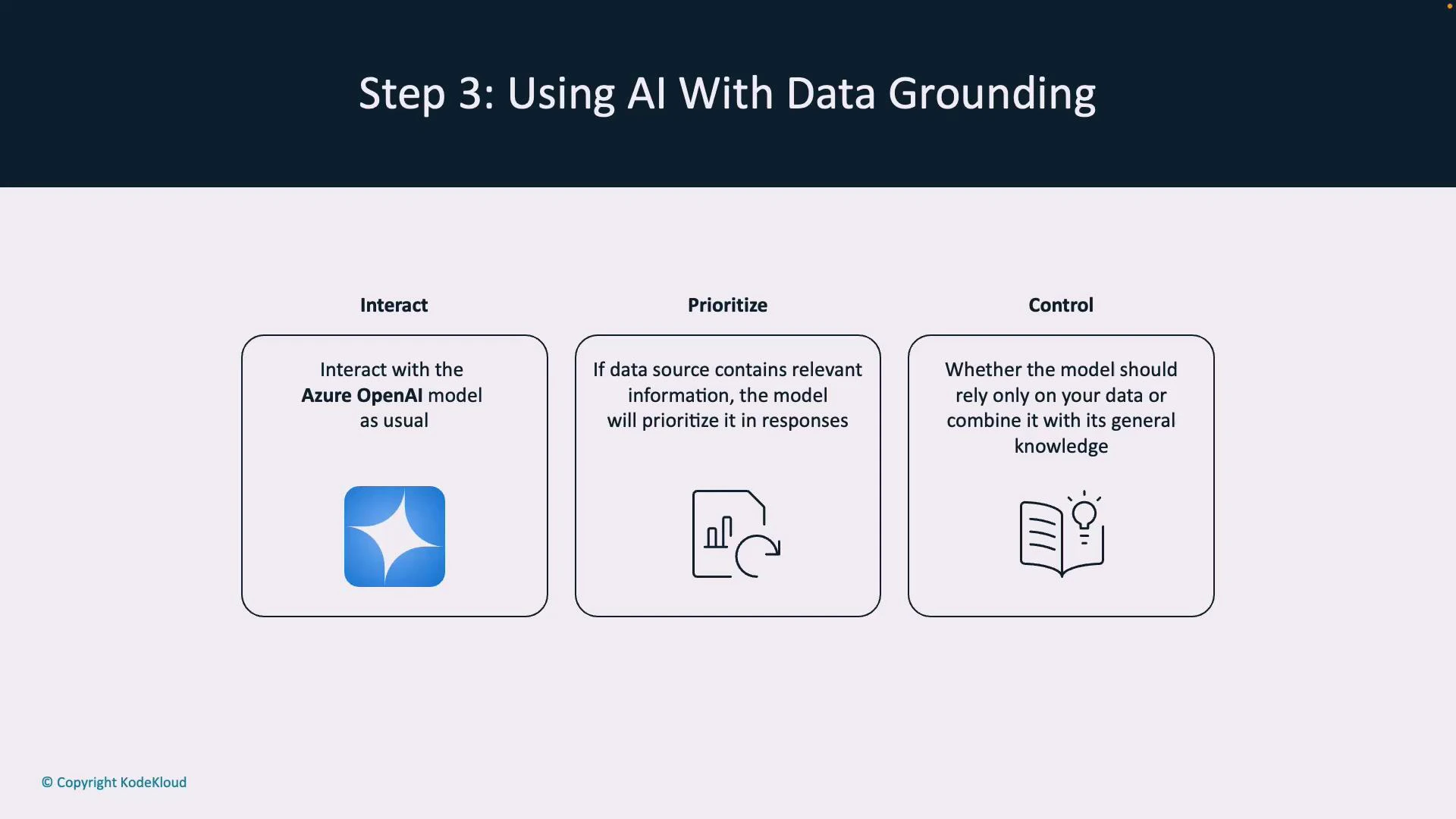
1. The client calls an Azure OpenAI model via chat, REST API, or SDK.
2. If configured, the system queries the linked index to retrieve and semantically rank relevant documents.
3. Retrieved passages are injected into the model’s prompt context so the response is informed by your documents.
4. You choose grounding behavior: strict grounding (use only retrieved content), hybrid (combine with model knowledge), or fallback responses.
This design supports different safety and precision profiles depending on whether you require fully-traceable answers or allow the model to supplement with external knowledge.
Step 3 — How grounding works at runtime
1. The client calls an Azure OpenAI model via chat, REST API, or SDK.
2. If configured, the system queries the linked index to retrieve and semantically rank relevant documents.
3. Retrieved passages are injected into the model’s prompt context so the response is informed by your documents.
4. You choose grounding behavior: strict grounding (use only retrieved content), hybrid (combine with model knowledge), or fallback responses.
This design supports different safety and precision profiles depending on whether you require fully-traceable answers or allow the model to supplement with external knowledge.
 To enable semantic retrieval and ranking, you typically need an [Azure Cognitive Search](https://learn.microsoft.com/en-us/azure/search/search-what-is-azure-search) (Azure AI Search) index. The search service indexes documents and returns ranked results and embeddings that are passed into the model as prompt context.
Demo: grounding a model with a PDF in Blob Storage (RAG)
This short demo indexes a confidential PDF from Blob Storage and then queries the grounded assistant so answers cite the source.
Step A — Identify the document in Blob Storage
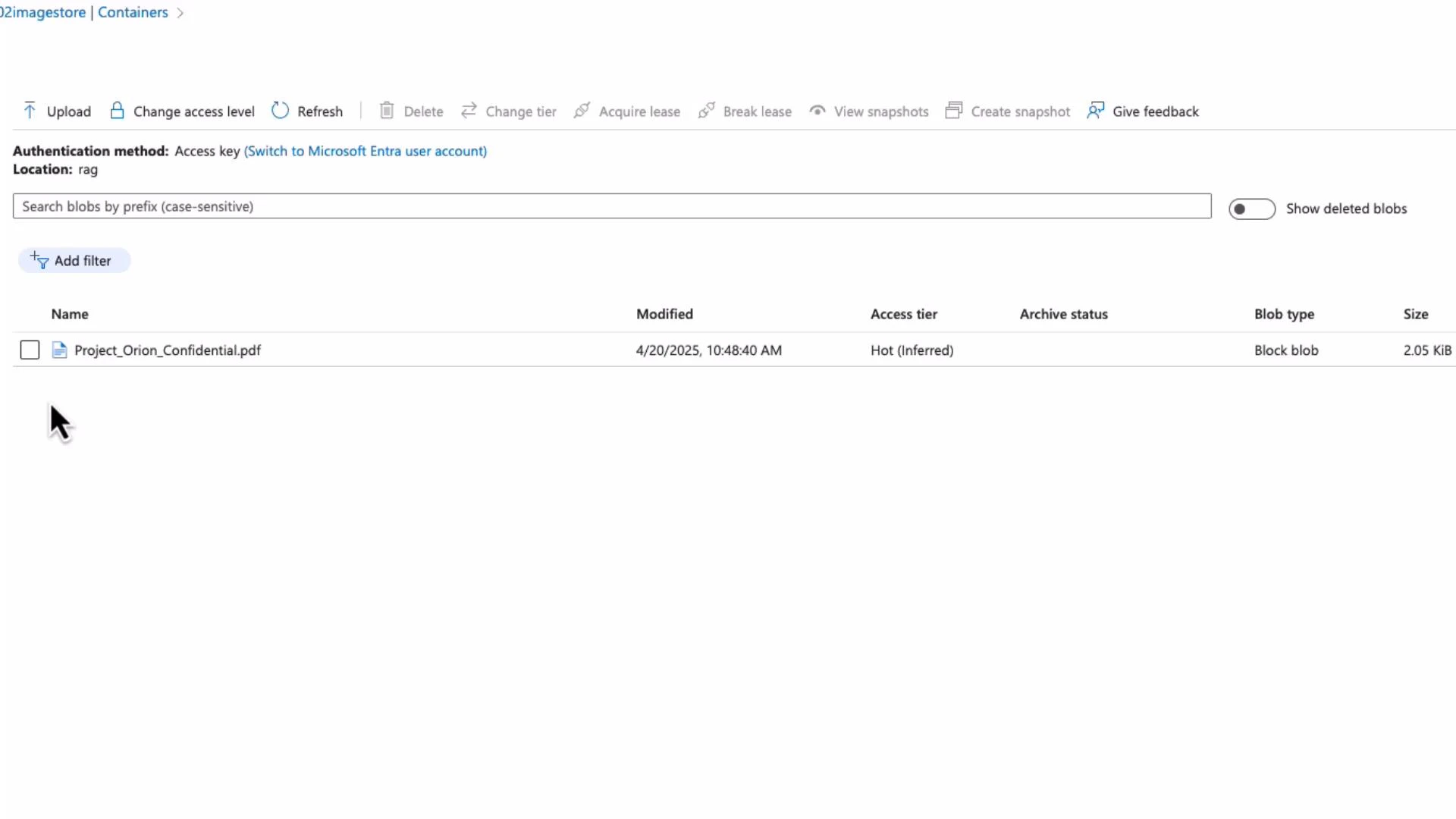
The file in our Blob container is: Project\_Orion\_Confidential.pdf.
To enable semantic retrieval and ranking, you typically need an [Azure Cognitive Search](https://learn.microsoft.com/en-us/azure/search/search-what-is-azure-search) (Azure AI Search) index. The search service indexes documents and returns ranked results and embeddings that are passed into the model as prompt context.
Demo: grounding a model with a PDF in Blob Storage (RAG)
This short demo indexes a confidential PDF from Blob Storage and then queries the grounded assistant so answers cite the source.
Step A — Identify the document in Blob Storage
The file in our Blob container is: Project\_Orion\_Confidential.pdf.
 Step B — Prevent hallucination with a system instruction
Set a system instruction that forces the assistant to rely on retrieved content and return a safe fallback if nothing relevant is found. Example system message:
```text theme={null}
System: Answer only if you find relevant content in the data source. Do not guess if unsure. If you do not have information on the topic, say "I do not have information on that topic."
```
With this policy, queries that fall outside the indexed documents will produce a clear "no information" response rather than fabricated facts.
Step C — Add the blob as a data source and create an index
In Azure AI Foundry:
* Add Blob Storage as a data source (point to the container holding Project\_Orion\_Confidential.pdf).
* Select an Azure AI Search resource to host the index.
* Provide an index name (e.g., "rag") and set an indexer schedule (e.g., "Once") to start ingestion.
Step B — Prevent hallucination with a system instruction
Set a system instruction that forces the assistant to rely on retrieved content and return a safe fallback if nothing relevant is found. Example system message:
```text theme={null}
System: Answer only if you find relevant content in the data source. Do not guess if unsure. If you do not have information on the topic, say "I do not have information on that topic."
```
With this policy, queries that fall outside the indexed documents will produce a clear "no information" response rather than fabricated facts.
Step C — Add the blob as a data source and create an index
In Azure AI Foundry:
* Add Blob Storage as a data source (point to the container holding Project\_Orion\_Confidential.pdf).
* Select an Azure AI Search resource to host the index.
* Provide an index name (e.g., "rag") and set an indexer schedule (e.g., "Once") to start ingestion.
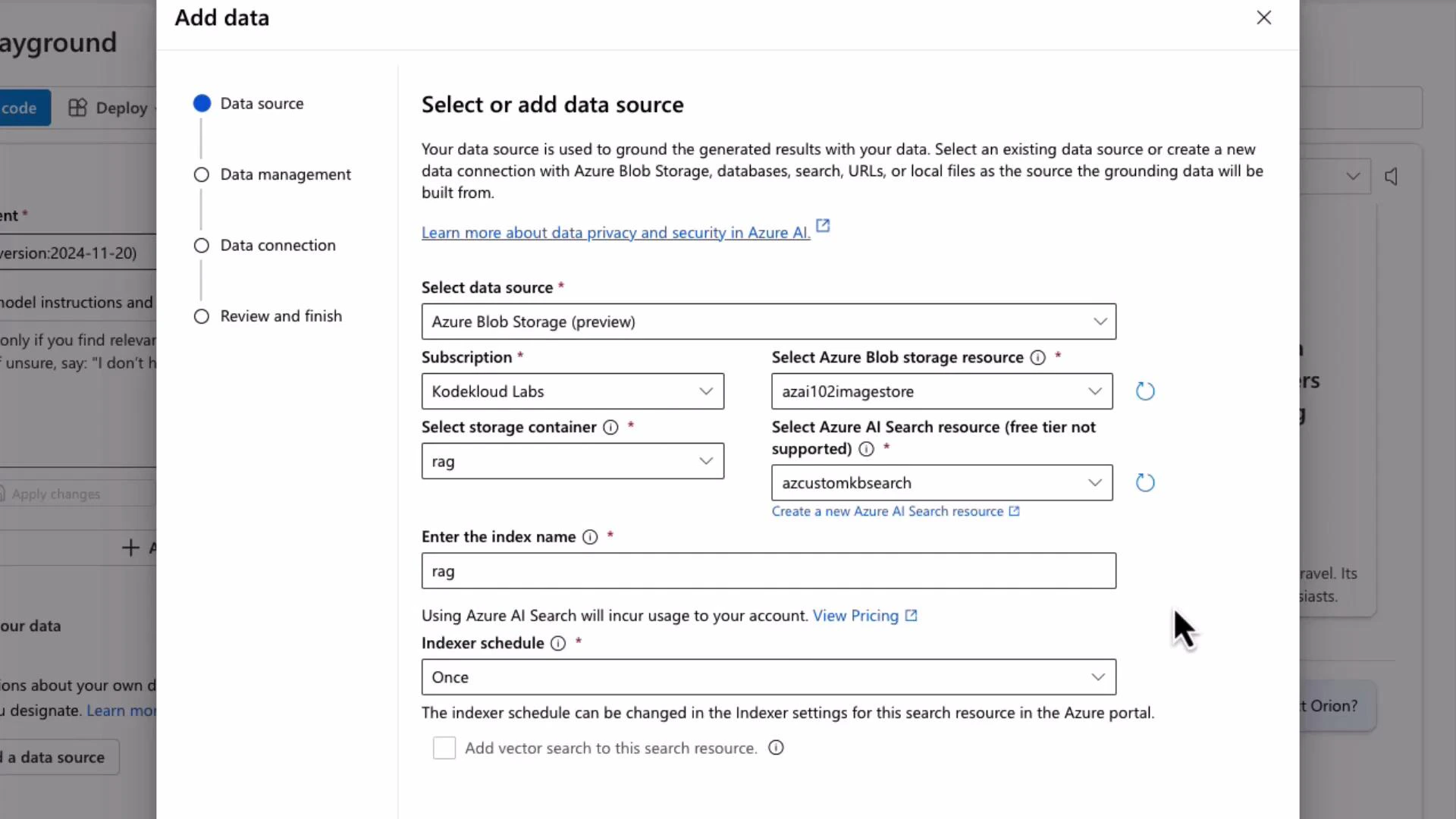 After saving, the indexer parses the PDF, extracts searchable text, and computes semantic embeddings that enable retrieval.
Step D — Query the grounded assistant
Once ingestion completes, ask the assistant about the document. For example:
```text theme={null}
User: Who are the lead researchers for Project Orion?
```
Because the index contains Project\_Orion\_Confidential.pdf, the retrieval step locates the relevant passages. The assistant’s reply will be grounded in the document and can include a reference such as “Project Orion confidential — part one,” so users can trace the answer back to the source.
Summary and best practices
* Grounded responses: Use RAG to ground Azure OpenAI outputs in your private documents without fine-tuning.
* Build the pipeline: Index your content (Azure AI Search), connect it with Azure AI Foundry and/or your app, and inject retrieved passages into prompts.
* Control behavior: Use system messages and prompt design to enforce strict grounding or allow hybrid responses.
* Reduce hallucination: Use semantic ranking, explicit source citation, and safe fallback system instructions to avoid fabricated answers.
References and further reading
* [Azure OpenAI Service documentation](https://learn.microsoft.com/en-us/azure/cognitive-services/openai/)
* [Azure Cognitive Search overview](https://learn.microsoft.com/en-us/azure/search/search-what-is-azure-search)
* [Azure Blob Storage introduction](https://learn.microsoft.com/en-us/azure/storage/blobs/storage-blobs-introduction)
* [Fundamentals of RAG](https://learn.kodekloud.com/user/courses/fundamentals-of-rag)
After saving, the indexer parses the PDF, extracts searchable text, and computes semantic embeddings that enable retrieval.
Step D — Query the grounded assistant
Once ingestion completes, ask the assistant about the document. For example:
```text theme={null}
User: Who are the lead researchers for Project Orion?
```
Because the index contains Project\_Orion\_Confidential.pdf, the retrieval step locates the relevant passages. The assistant’s reply will be grounded in the document and can include a reference such as “Project Orion confidential — part one,” so users can trace the answer back to the source.
Summary and best practices
* Grounded responses: Use RAG to ground Azure OpenAI outputs in your private documents without fine-tuning.
* Build the pipeline: Index your content (Azure AI Search), connect it with Azure AI Foundry and/or your app, and inject retrieved passages into prompts.
* Control behavior: Use system messages and prompt design to enforce strict grounding or allow hybrid responses.
* Reduce hallucination: Use semantic ranking, explicit source citation, and safe fallback system instructions to avoid fabricated answers.
References and further reading
* [Azure OpenAI Service documentation](https://learn.microsoft.com/en-us/azure/cognitive-services/openai/)
* [Azure Cognitive Search overview](https://learn.microsoft.com/en-us/azure/search/search-what-is-azure-search)
* [Azure Blob Storage introduction](https://learn.microsoft.com/en-us/azure/storage/blobs/storage-blobs-introduction)
* [Fundamentals of RAG](https://learn.kodekloud.com/user/courses/fundamentals-of-rag)