> ## Documentation Index
> Fetch the complete documentation index at: https://notes.kodekloud.com/llms.txt
> Use this file to discover all available pages before exploring further.
# Developing And Extending Copilot
> This article explores tools for developing and extending Copilot services using Copilot Studio and Azure AI Studio for low-code and pro-code environments.
In this guide, we dive into the tools available for developing and extending Copilot services. Microsoft presents two powerful environments: Copilot Studio and Azure AI Studio. Both platforms offer unique features tailored to different development approaches, whether you prefer a low-code solution for rapid deployment or a pro-code environment for advanced customization.
## Copilot Studio
Copilot Studio is built for low-code development, making it accessible to developers who want to create Copilot applications with minimal coding effort. As a fully managed SaaS solution hosted by Microsoft, it minimizes infrastructure management while delivering robust functionality. Key features include:
* **Conversational Design:** Create interactive and dynamic user conversations effortlessly.
* **Analytics and Governance:** Benefit from extensive security measures, data oversight tools, and actionable insights.
* **Versatile Deployment:** Deploy your Copilot across multiple channels—such as web applications, social media, and platforms like Teams—to reach your audience wherever they are.
Copilot Studio is ideal for teams looking to leverage a low-code environment to accelerate development and deployment across various platforms.
## Azure AI Studio
Azure AI Studio caters to developers who need a more customized and advanced environment. With a focus on pro-code development, this platform equips you with comprehensive tools for building, fine-tuning, and deploying sophisticated AI models. Its primary features include:
* **PaaS Infrastructure Control:** Gain full access to manage cloud infrastructure settings, making it easier to handle scaling, performance, and specific configurations.
* **Orchestration Capabilities:** Simplify the management of intricate workflows by integrating multiple prompts and models into one cohesive system.
* **Integrated Evaluation Tools:**
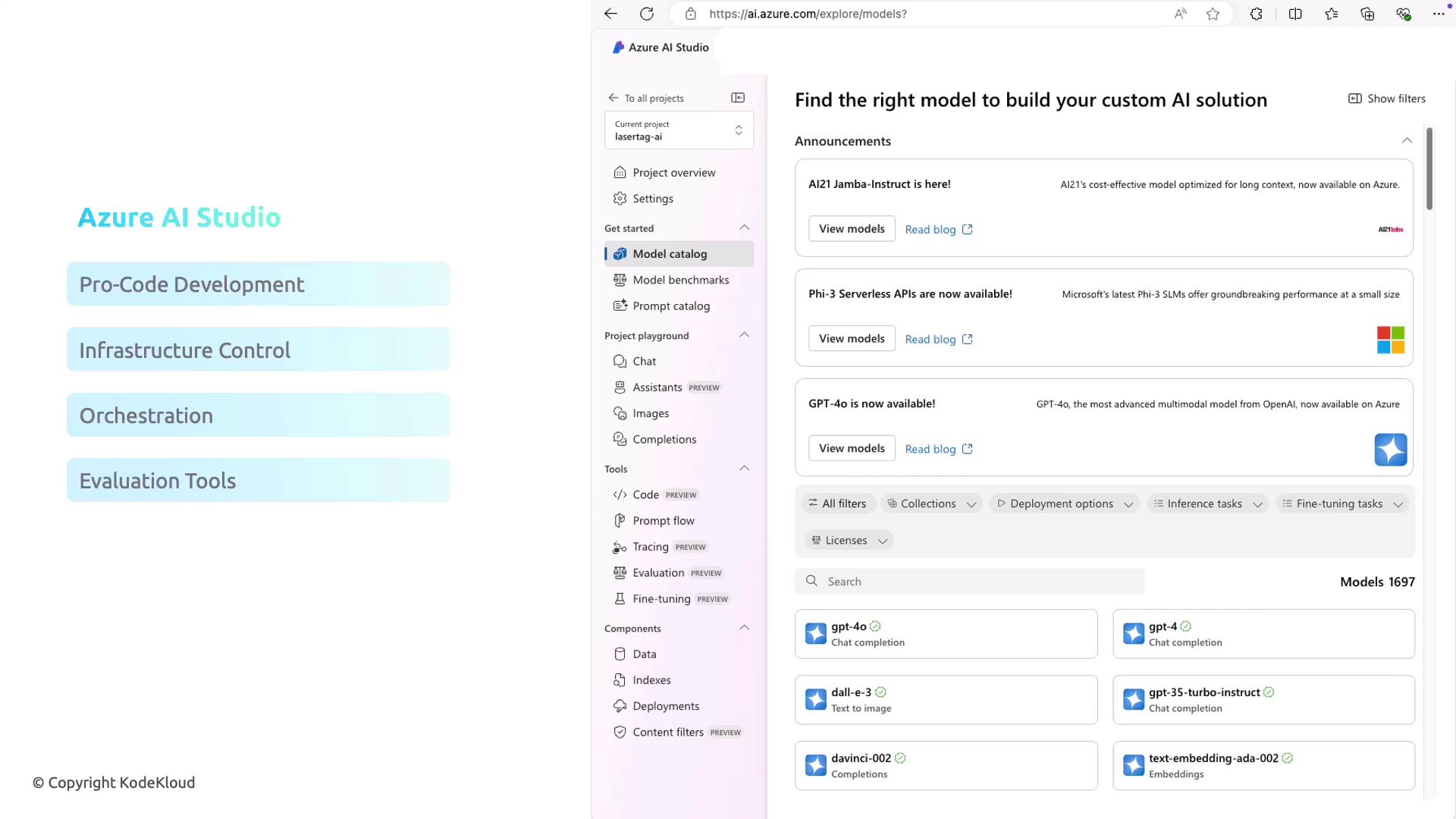
These tools rigorously test and validate AI models to ensure they meet standards for performance, reliability, and responsible AI practices.
* **Flexible Deployment Options:** Deploy models as cloud endpoints that can be seamlessly integrated with custom applications and various services, making it a robust solution for embedding AI into complex systems.
Azure AI Studio is particularly well-suited for projects requiring granular control over infrastructure and the integration of advanced AI capabilities into larger application ecosystems.
## Conclusion
In summary, both Copilot Studio and Azure AI Studio serve as valuable tools for developing and deploying Copilot applications. Copilot Studio is perfect for low-code development and quick deployment across various platforms, while Azure AI Studio offers a comprehensive, pro-code environment with detailed control over infrastructure, sophisticated model orchestration, and integrated evaluation capabilities.
Stay tuned as we transition to discussing Generative AI and delve into the fundamentals of [Azure OpenAI](https://azure.microsoft.com/en-us/services/openai/).