> ## Documentation Index
> Fetch the complete documentation index at: https://notes.kodekloud.com/llms.txt
> Use this file to discover all available pages before exploring further.
# Getting Started With AI in Azure
> Overview of Azure fundamentals and Microsoft Foundry, covering identity and resources, Foundry projects with models, agents, tools, knowledge, and accessing models via endpoints and SDKs
This lesson explains how Azure underpins modern AI applications. We'll cover Azure structure and identity, introduce Microsoft Foundry and its lifecycle support, and describe how Foundry projects combine models, agents, tools, and knowledge to build production AI solutions. Finally, you'll see how applications access Foundry models and services via endpoints and SDKs.
## Azure fundamentals: identity, resources, and governance
Microsoft Azure is a cloud platform that provides infrastructure and services so organizations can build, deploy, and operate applications without managing the physical data center.
A critical piece of that environment is Microsoft Entra ID (identity and access management). Entra ID answers two fundamental questions for Azure:
* Who or what is requesting access?
* What is that identity allowed to do?
Core Entra ID concepts:
* Users — individual human identities.
* Groups — collections of users for simplified access control.
* Applications and service identities — identities for apps and automated services.
* Permissions and roles — rules that define allowed actions.
Use cases and examples:
| Identity Component | Use Case | Example |
| - | - | - |
| Users | Human access and MFA | `alice@contoso.com` |
| Groups | Grant permissions to multiple users | `SupportTeam` group |
| Service identities | Non-human app authentication | `my-app-service-principal` |
| Roles & permissions | Fine-grained access control | Built-in role `Contributor` |
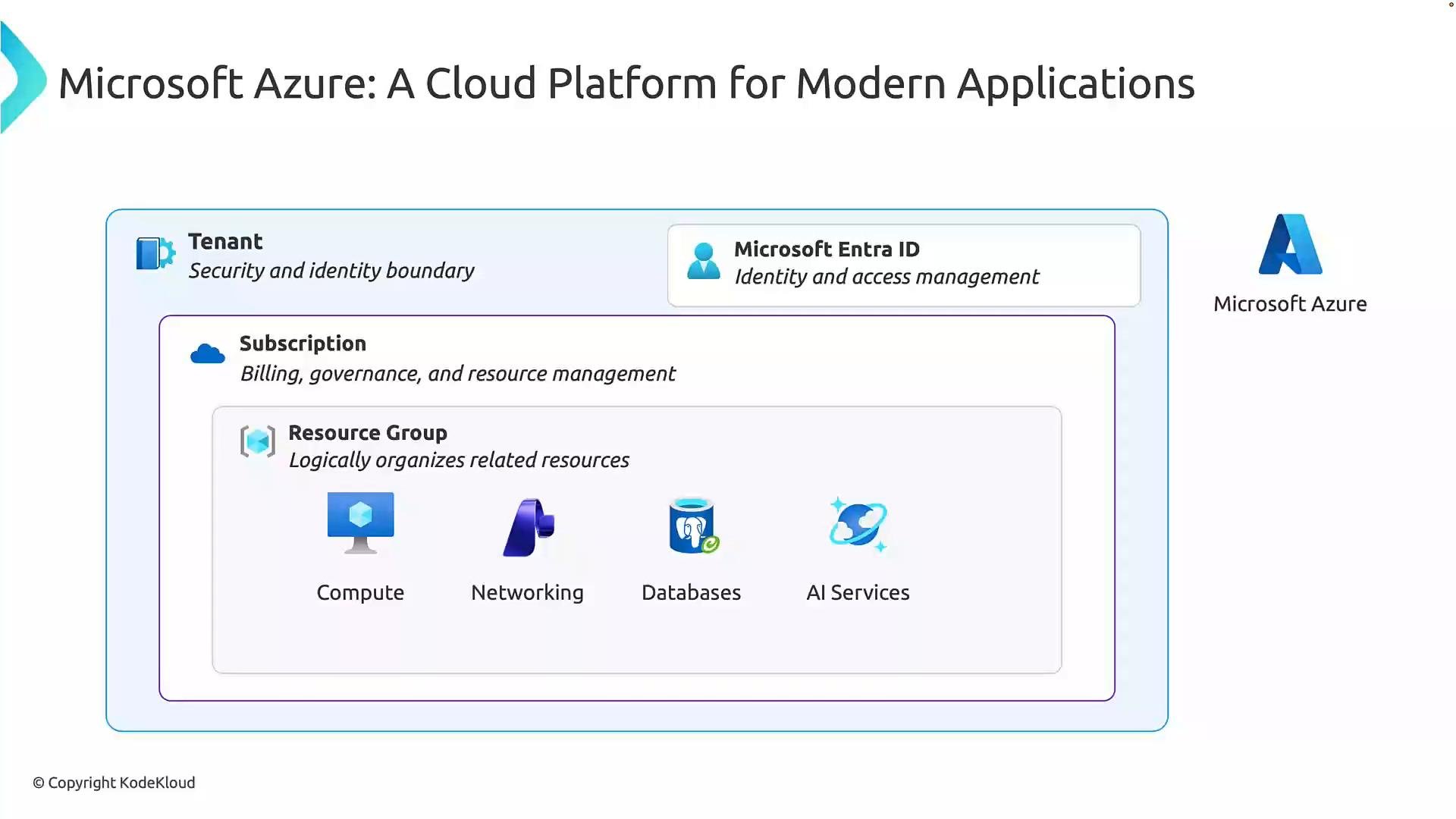
Azure resources are arranged in a hierarchy that affects access, billing, and governance. The typical hierarchy is:
| Level | Purpose | Example |
| - | - | - |
| Tenant | Organization identity boundary in Microsoft Entra ID | `contoso.onmicrosoft.com` |
| Subscription | Billing and resource boundary; used to separate dev/test/prod | `Contoso-Prod-Sub` |
| Resource group | Logical container for related resources | `rg-customer-support-app` |
| Resource | Individual services like VMs, storage accounts, or AI services | `storageacct01`, `foundry-resource` |
Think of the hierarchy as: tenant → subscription → resource group → individual resources.
 ## Microsoft Foundry — a unified AI platform
Microsoft Foundry is a unified platform that brings models, compute, storage, and AI services together so developers can build, test, deploy, and manage complete AI applications and agents.
Foundry supports the full AI application lifecycle:
* Development — configure models, tune behavior, and assemble application components.
* Deployment — publish AI capabilities to users or downstream services.
* Management — monitor, update, scale, and observe applications in production.
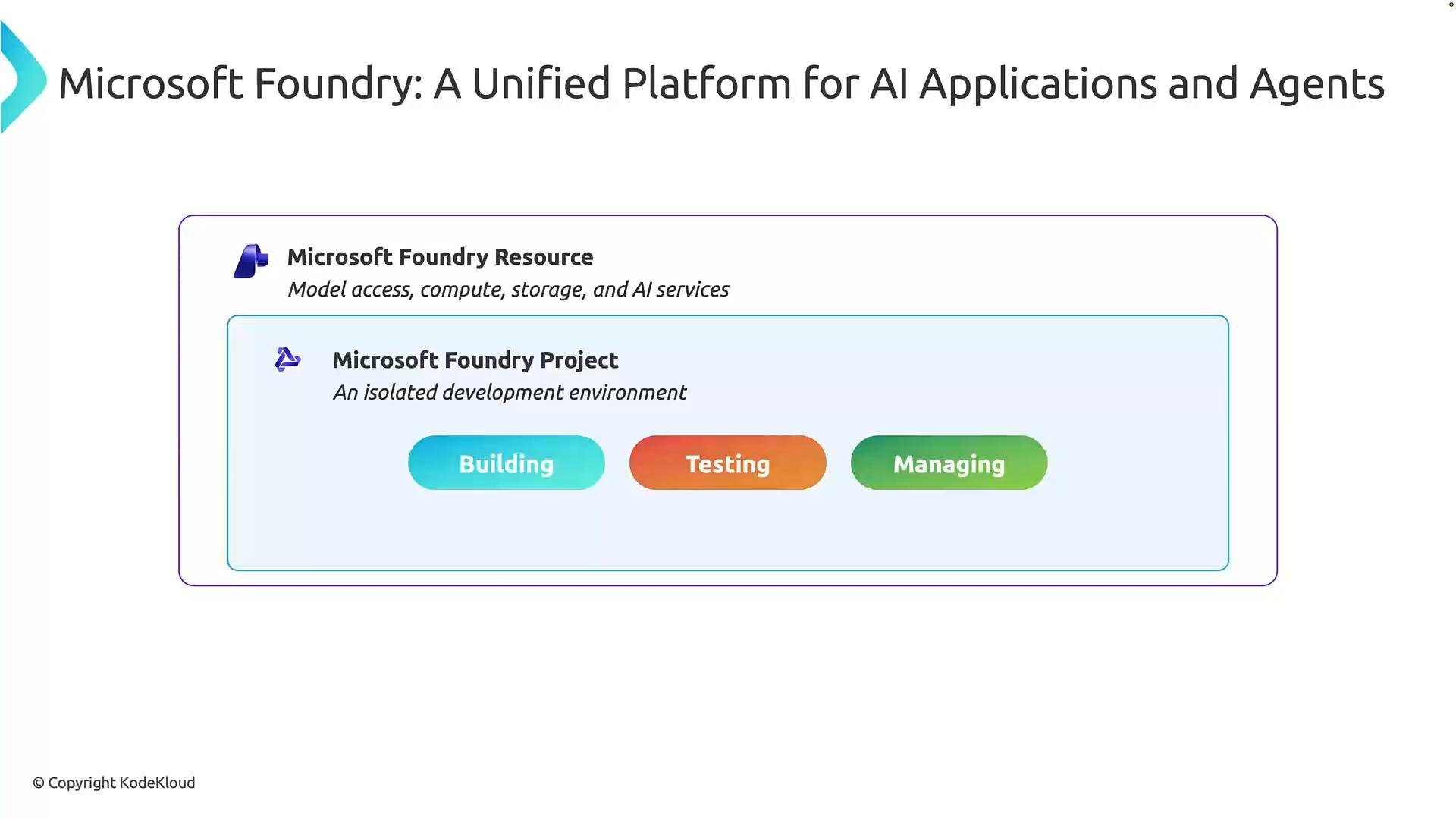
A Foundry resource exposes four capability areas: model access, compute, storage, and AI services. Those capabilities are assembled within Foundry projects to produce end-to-end AI solutions.
## Microsoft Foundry — a unified AI platform
Microsoft Foundry is a unified platform that brings models, compute, storage, and AI services together so developers can build, test, deploy, and manage complete AI applications and agents.
Foundry supports the full AI application lifecycle:
* Development — configure models, tune behavior, and assemble application components.
* Deployment — publish AI capabilities to users or downstream services.
* Management — monitor, update, scale, and observe applications in production.
A Foundry resource exposes four capability areas: model access, compute, storage, and AI services. Those capabilities are assembled within Foundry projects to produce end-to-end AI solutions.
 Foundry capability areas (purpose and examples):
| Capability | Purpose | Example |
| -: | - | - |
| Model access | Connect apps to models for inference or generation | LLMs for chat, summarization |
| Compute | Run model inference or fine-tuning workloads | GPU clusters, managed inference nodes |
| Storage | Persist datasets, files, and configuration | Blob storage, managed datasets |
| AI services | Specialized building blocks | Speech-to-text, translation, NER APIs |
## Foundry projects and the core building blocks
Inside a Foundry resource, you create Microsoft Foundry projects — isolated development environments for building, testing, and managing AI applications and agents. Projects are useful for experimentation and iterative development before broader release.
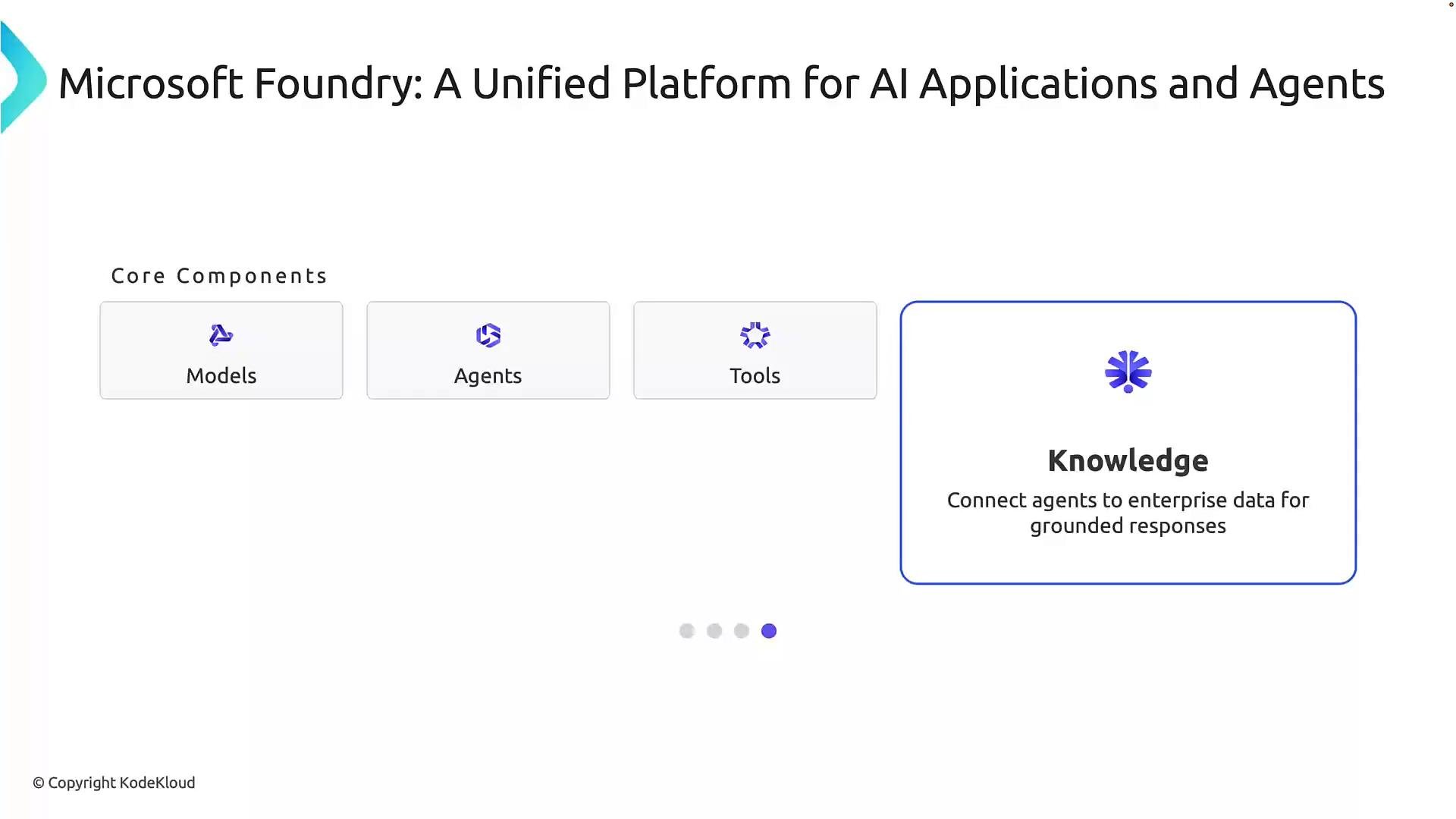
Within a Foundry project, four core components combine to form production AI applications:
* Models — the AI systems that process inputs and produce outputs (e.g., language models).
* Agents — orchestrators that use models, tools, and knowledge to accomplish multi-step tasks.
* Tools — connectors that let agents interact with external systems or APIs in a controlled, auditable way.
* Knowledge — domain-specific data (documents, databases, knowledge bases) that grounds model responses in accurate, organization-specific information.
Foundry capability areas (purpose and examples):
| Capability | Purpose | Example |
| -: | - | - |
| Model access | Connect apps to models for inference or generation | LLMs for chat, summarization |
| Compute | Run model inference or fine-tuning workloads | GPU clusters, managed inference nodes |
| Storage | Persist datasets, files, and configuration | Blob storage, managed datasets |
| AI services | Specialized building blocks | Speech-to-text, translation, NER APIs |
## Foundry projects and the core building blocks
Inside a Foundry resource, you create Microsoft Foundry projects — isolated development environments for building, testing, and managing AI applications and agents. Projects are useful for experimentation and iterative development before broader release.
Within a Foundry project, four core components combine to form production AI applications:
* Models — the AI systems that process inputs and produce outputs (e.g., language models).
* Agents — orchestrators that use models, tools, and knowledge to accomplish multi-step tasks.
* Tools — connectors that let agents interact with external systems or APIs in a controlled, auditable way.
* Knowledge — domain-specific data (documents, databases, knowledge bases) that grounds model responses in accurate, organization-specific information.
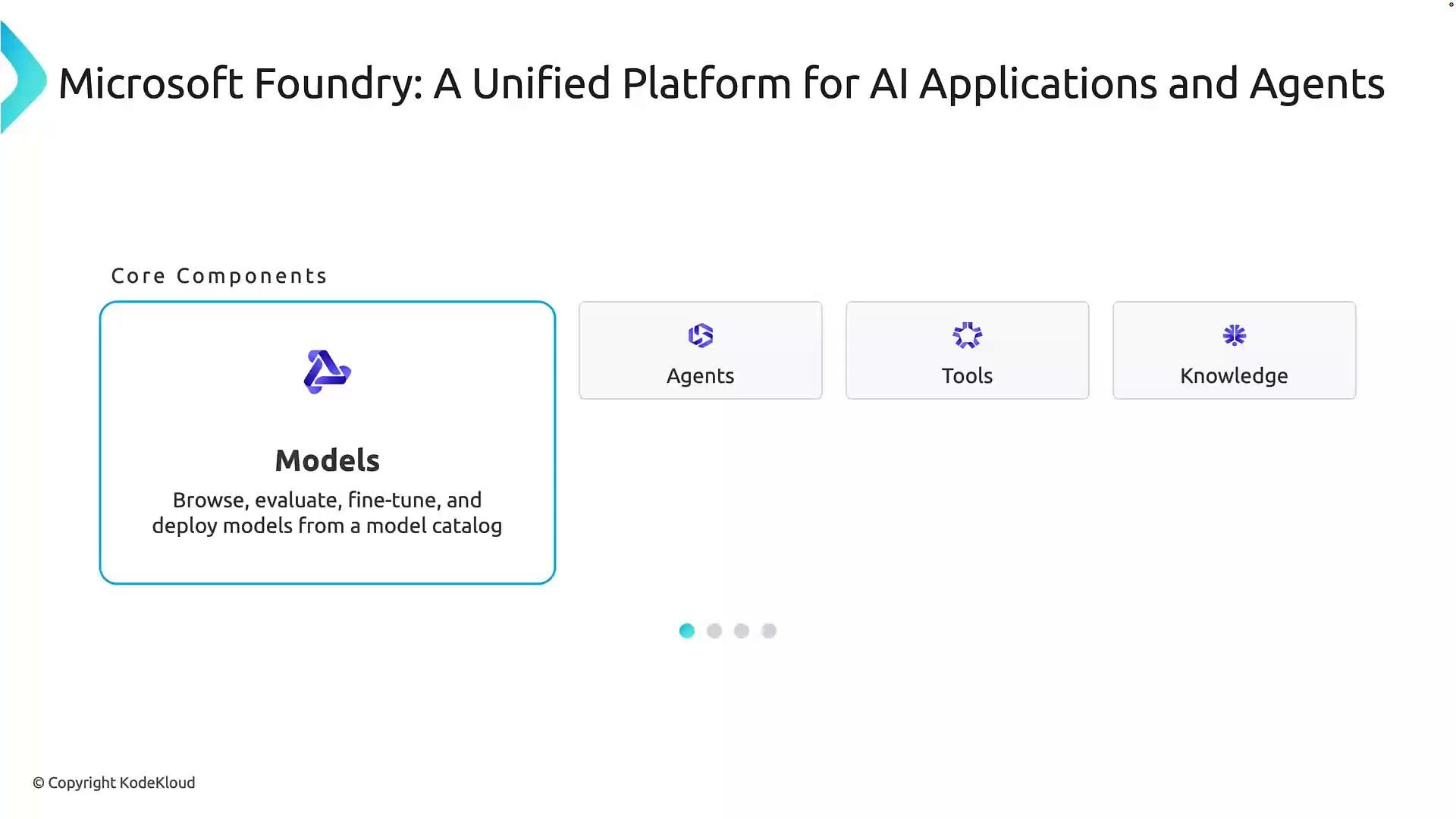 Models provide the intelligence. Agents combine model reasoning with planning and action. Tools are the safe interfaces to external systems. Knowledge ensures replies are grounded in your enterprise context.
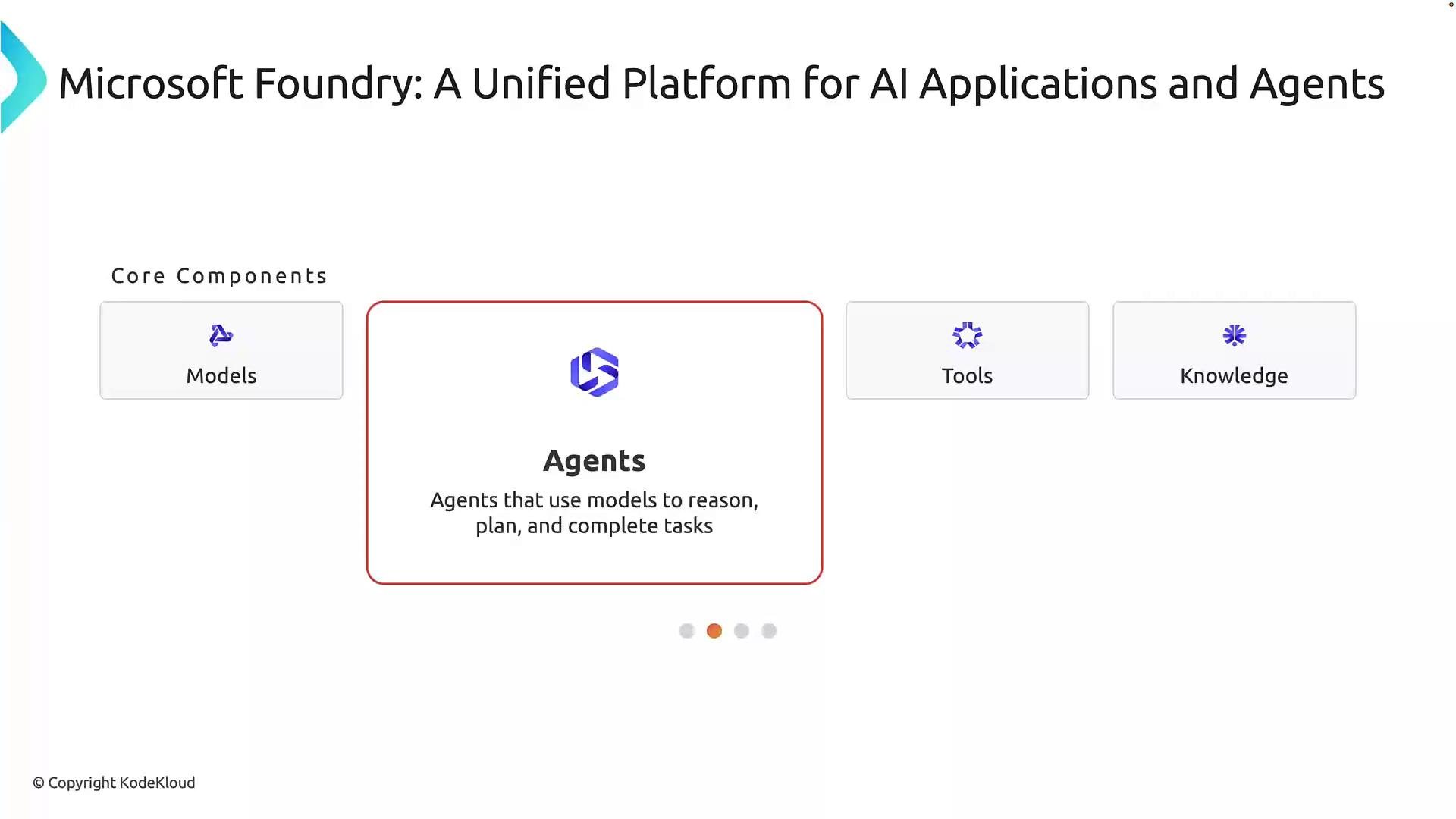 Tools are intentionally scoped: they enable agents to perform actions such as searching a knowledge store, calling an API, or updating a record — but only through controlled, auditable operations. Knowledge sources (SharePoint, internal docs, databases, product catalogs) provide the context that prevents hallucinations and aligns outputs with company policies.
 Example — customer support agent:
* Model: understands and parses natural language customer requests.
* Agent: decides steps (e.g., check order, verify policy, initiate refund).
* Knowledge: product and refund policies (e.g., `refund within 7 days`).
* Tools: fetch order details and call the order management API to issue a refund.
This composition enables end-to-end automation or a hybrid human-in-the-loop workflow.
## Accessing Foundry models and services: endpoints and SDKs
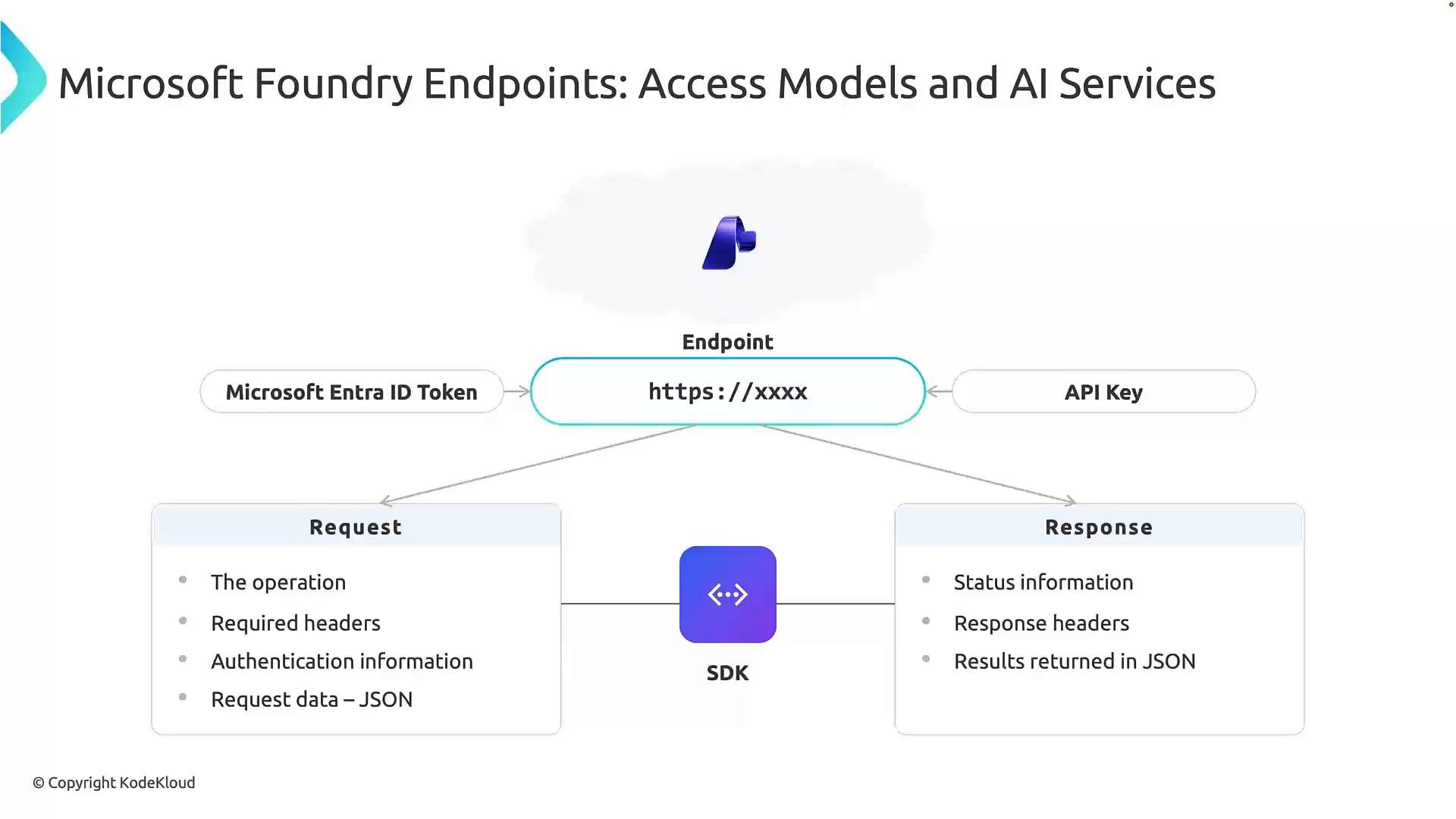
Applications access Foundry models and AI services via secure endpoints — HTTPS URLs that act as the front door to a model or service. To call an endpoint you need:
* Where to connect — the endpoint URL (the endpoint).
* How to authenticate — the credential or identity used to prove access.
Foundry supports authentication options such as Microsoft Entra ID tokens (recommended for managed identity-based access) and API keys (simple secret-based access). Always protect credentials and use secure secret stores.
Protect authentication credentials: store API keys and tokens in secure stores (Key Vault, managed identities, or other secret stores) and avoid embedding them in application code or public repositories.
When calling an endpoint, interactions typically follow a request/response pattern:
* Build a request with the operation, required headers (including authentication), and JSON payload as needed.
* Send the request to the endpoint over HTTPS.
* Receive a response with the HTTP status and JSON results.
Example HTTP request payload (simplified):
```http theme={null}
POST https://your-foundry-endpoint.azure.com/v1/infer
Authorization: Bearer
Content-Type: application/json
{
"model": "your-model-id",
"input": "Summarize the following customer complaint..."
}
```
SDKs make these interactions easier by handling authentication, request construction, retries, and response parsing for you. Use language-specific SDKs (Python, JavaScript, etc.) to reduce boilerplate and improve developer productivity.
SDK benefits:
| Benefit | What it provides |
| - | - |
| Authentication helpers | Managed identity, token acquisition, and key handling |
| Request helpers | Build and send JSON requests, handle retries |
| Response parsing | Deserialize results into native objects |
| Higher-level API | Shorter, idiomatic code vs. raw REST calls |
Example — customer support agent:
* Model: understands and parses natural language customer requests.
* Agent: decides steps (e.g., check order, verify policy, initiate refund).
* Knowledge: product and refund policies (e.g., `refund within 7 days`).
* Tools: fetch order details and call the order management API to issue a refund.
This composition enables end-to-end automation or a hybrid human-in-the-loop workflow.
## Accessing Foundry models and services: endpoints and SDKs
Applications access Foundry models and AI services via secure endpoints — HTTPS URLs that act as the front door to a model or service. To call an endpoint you need:
* Where to connect — the endpoint URL (the endpoint).
* How to authenticate — the credential or identity used to prove access.
Foundry supports authentication options such as Microsoft Entra ID tokens (recommended for managed identity-based access) and API keys (simple secret-based access). Always protect credentials and use secure secret stores.
Protect authentication credentials: store API keys and tokens in secure stores (Key Vault, managed identities, or other secret stores) and avoid embedding them in application code or public repositories.
When calling an endpoint, interactions typically follow a request/response pattern:
* Build a request with the operation, required headers (including authentication), and JSON payload as needed.
* Send the request to the endpoint over HTTPS.
* Receive a response with the HTTP status and JSON results.
Example HTTP request payload (simplified):
```http theme={null}
POST https://your-foundry-endpoint.azure.com/v1/infer
Authorization: Bearer
Content-Type: application/json
{
"model": "your-model-id",
"input": "Summarize the following customer complaint..."
}
```
SDKs make these interactions easier by handling authentication, request construction, retries, and response parsing for you. Use language-specific SDKs (Python, JavaScript, etc.) to reduce boilerplate and improve developer productivity.
SDK benefits:
| Benefit | What it provides |
| - | - |
| Authentication helpers | Managed identity, token acquisition, and key handling |
| Request helpers | Build and send JSON requests, handle retries |
| Response parsing | Deserialize results into native objects |
| Higher-level API | Shorter, idiomatic code vs. raw REST calls |
 ## Next steps: explore in the Azure Portal
Now that you understand tenants, subscriptions, resource groups, Microsoft Entra ID, and the Microsoft Foundry concepts (resources, projects, models, agents, tools, knowledge, endpoints, and SDKs), the next step is to explore these resources in the Azure Portal or the Foundry UI. Inspect a Foundry resource, create a project, and try connecting a sample application to a model endpoint using an SDK and a managed identity.
Links and references
* Microsoft Entra ID overview: [https://learn.microsoft.com/entra/identity](https://learn.microsoft.com/entra/identity)
* Azure resource organization: [https://learn.microsoft.com/azure/architecture/cloud-adoption/](https://learn.microsoft.com/azure/architecture/cloud-adoption/)
* Azure Key Vault: [https://learn.microsoft.com/azure/key-vault/](https://learn.microsoft.com/azure/key-vault/)
* Microsoft Foundry (platform docs) — consult your subscription or tenant documentation for the Foundry UI and API endpoints.
This documentation is built and hosted on [Mintlify](https://mintlify.com), a developer documentation platform.
## Next steps: explore in the Azure Portal
Now that you understand tenants, subscriptions, resource groups, Microsoft Entra ID, and the Microsoft Foundry concepts (resources, projects, models, agents, tools, knowledge, endpoints, and SDKs), the next step is to explore these resources in the Azure Portal or the Foundry UI. Inspect a Foundry resource, create a project, and try connecting a sample application to a model endpoint using an SDK and a managed identity.
Links and references
* Microsoft Entra ID overview: [https://learn.microsoft.com/entra/identity](https://learn.microsoft.com/entra/identity)
* Azure resource organization: [https://learn.microsoft.com/azure/architecture/cloud-adoption/](https://learn.microsoft.com/azure/architecture/cloud-adoption/)
* Azure Key Vault: [https://learn.microsoft.com/azure/key-vault/](https://learn.microsoft.com/azure/key-vault/)
* Microsoft Foundry (platform docs) — consult your subscription or tenant documentation for the Foundry UI and API endpoints.
This documentation is built and hosted on [Mintlify](https://mintlify.com), a developer documentation platform.