> ## Documentation Index
> Fetch the complete documentation index at: https://notes.kodekloud.com/llms.txt
> Use this file to discover all available pages before exploring further.
# Getting Started With Generative AI in Azure
> Guide to discovering, comparing, choosing, and deploying generative AI foundation models in Azure Microsoft Foundry, covering model origins, operational tradeoffs, versioning, scaling, cost, and safety.
With a basic understanding of generative AI and AI agents, this lesson shows how to get started with generative AI in Azure. It focuses on Microsoft Foundry models: how to discover available foundation models and what to consider when choosing and deploying them.
Azure provides a range of capabilities to help you select AI models, connect them to applications, and deploy them in a controlled, secure way. This guide walks through the model catalog in Microsoft Foundry, explains model origins, and outlines the operational factors you should evaluate before deployment.
## Discovering models in the Microsoft Foundry model catalog
Think of the Model Catalog like an online library — instead of books, it contains AI foundation models. You can browse available models, compare them, and select the one that best fits your application's requirements. The catalog exposes a large collection of models with varied capabilities such as chat completion, code generation, text classification, and other inference tasks.
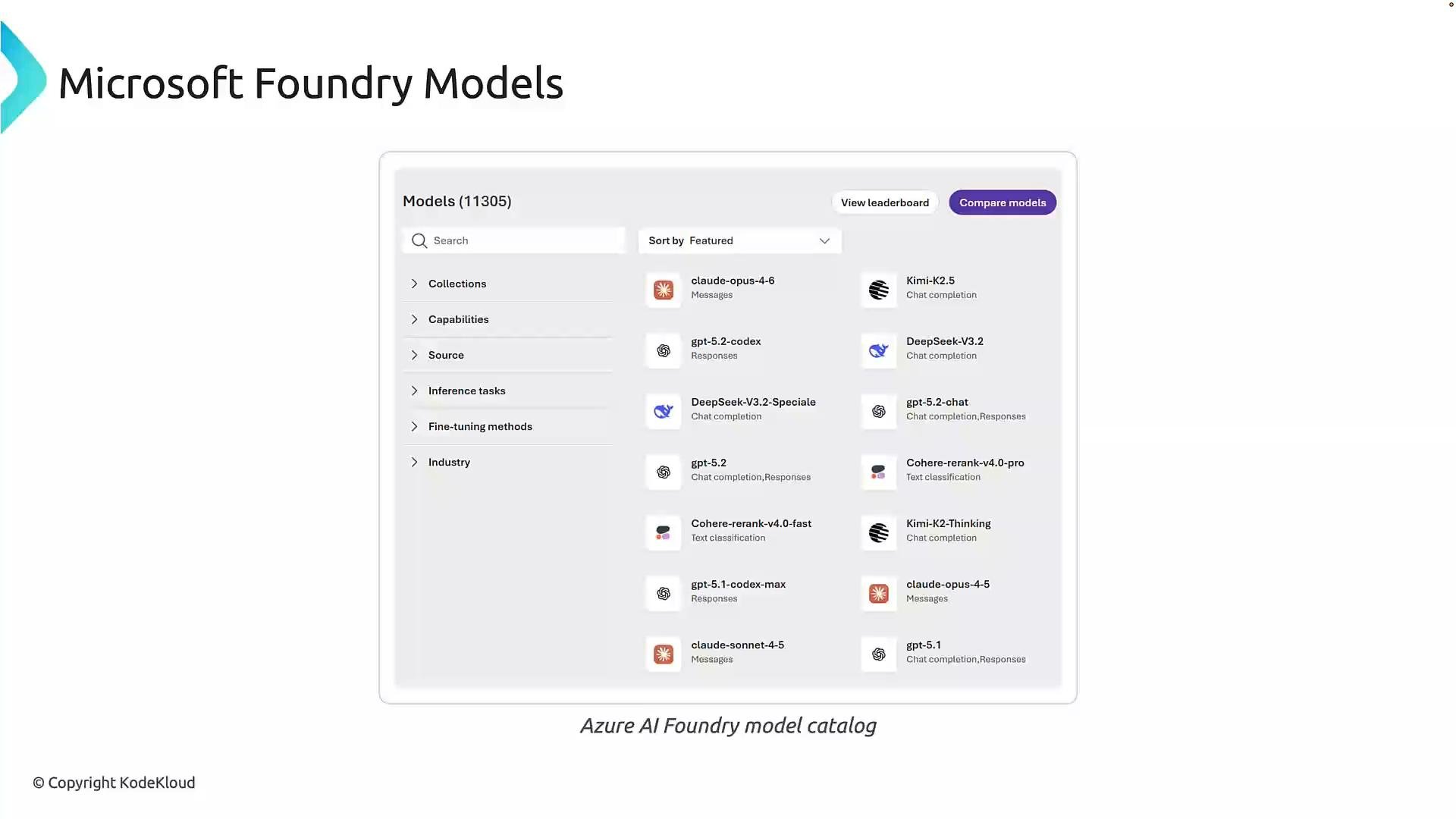 The catalog includes filtering options to narrow results by capability, model source, inference task, fine-tuning methods, and industry tags. Use the comparison feature to evaluate key differences (accuracy, latency, instruction-following, cost, and domain alignment) rather than choosing solely on model popularity.
For example, a customer support application will likely prioritize:
* strong natural language understanding,
* instruction-following accuracy,
* predictable and safe outputs,
* cost/performance that fits your SLA.
Use the catalog filters and comparisons to match a model’s strengths to these priorities.
## Where models originate
Microsoft Foundry aggregates models from multiple sources. Knowing a model’s origin matters for billing, support, security, and compliance.
The catalog includes filtering options to narrow results by capability, model source, inference task, fine-tuning methods, and industry tags. Use the comparison feature to evaluate key differences (accuracy, latency, instruction-following, cost, and domain alignment) rather than choosing solely on model popularity.
For example, a customer support application will likely prioritize:
* strong natural language understanding,
* instruction-following accuracy,
* predictable and safe outputs,
* cost/performance that fits your SLA.
Use the catalog filters and comparisons to match a model’s strengths to these priorities.
## Where models originate
Microsoft Foundry aggregates models from multiple sources. Knowing a model’s origin matters for billing, support, security, and compliance.
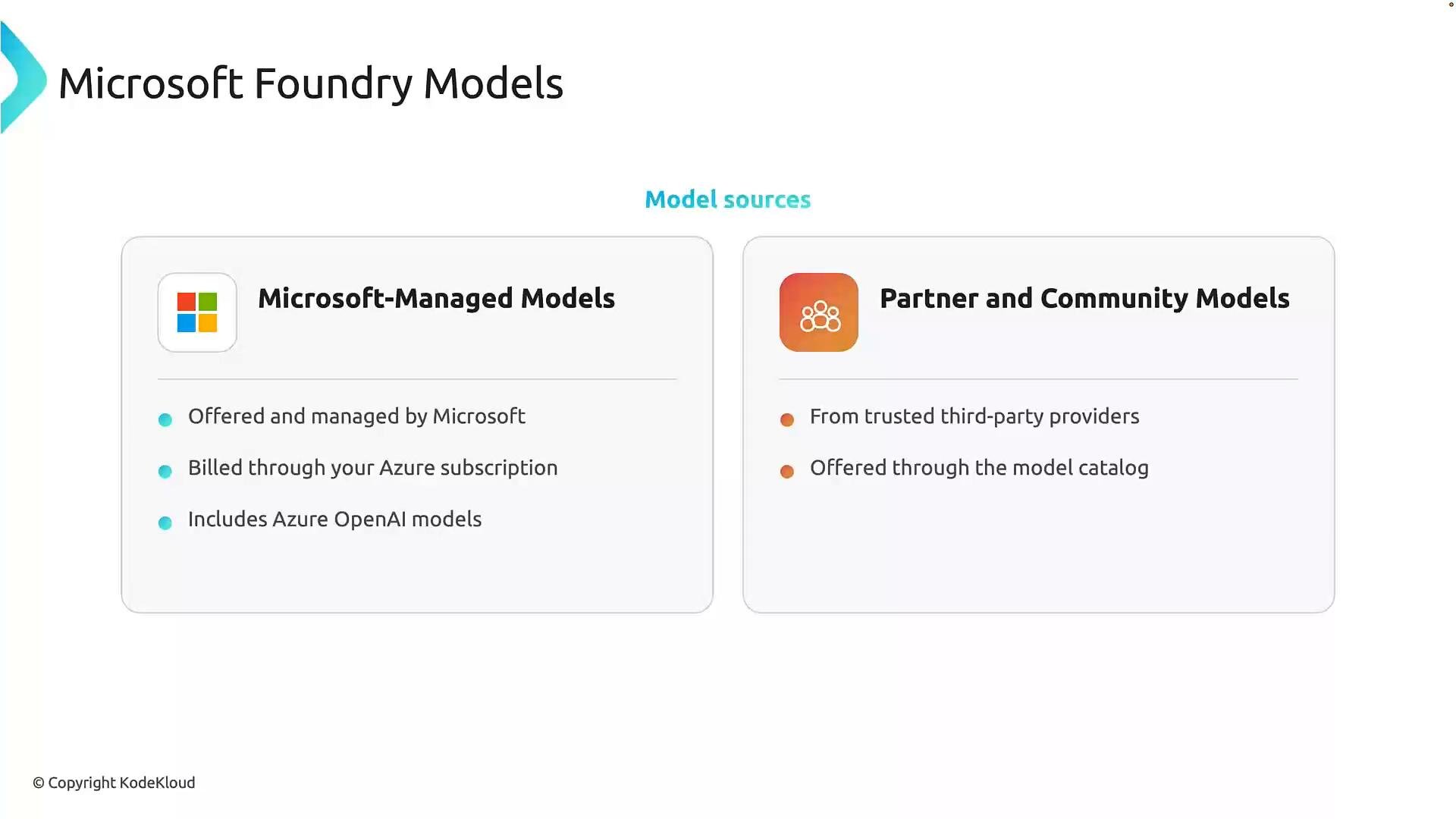 Key source categories:
* Microsoft-managed models: Hosted and operated by Microsoft, billed through Azure subscriptions (this may include Azure OpenAI and other Microsoft-provided foundation models).
* Partner and community models: Trusted third-party providers listed in the Foundry catalog; these widen choice and enable comparisons across vendors.
Table — model source considerations:
| Model Source | What to consider | Example impact |
| - | - | - |
| Microsoft-managed | Integrated billing, Azure SLAs, dedicated support | Simpler procurement and support via Azure subscription |
| Partner/community | Wider selection, potentially different commercial terms and support paths | May require separate agreements or different billing model |
Different models specialize in different tasks (free-form conversation, reasoning, code generation). The catalog helps you compare those trade-offs in one place.
## Deployment and operational considerations
Choosing a model is only the first step. Before deploying it into production, evaluate these operational factors to ensure your solution meets both functional and non-functional requirements.
Key source categories:
* Microsoft-managed models: Hosted and operated by Microsoft, billed through Azure subscriptions (this may include Azure OpenAI and other Microsoft-provided foundation models).
* Partner and community models: Trusted third-party providers listed in the Foundry catalog; these widen choice and enable comparisons across vendors.
Table — model source considerations:
| Model Source | What to consider | Example impact |
| - | - | - |
| Microsoft-managed | Integrated billing, Azure SLAs, dedicated support | Simpler procurement and support via Azure subscription |
| Partner/community | Wider selection, potentially different commercial terms and support paths | May require separate agreements or different billing model |
Different models specialize in different tasks (free-form conversation, reasoning, code generation). The catalog helps you compare those trade-offs in one place.
## Deployment and operational considerations
Choosing a model is only the first step. Before deploying it into production, evaluate these operational factors to ensure your solution meets both functional and non-functional requirements.
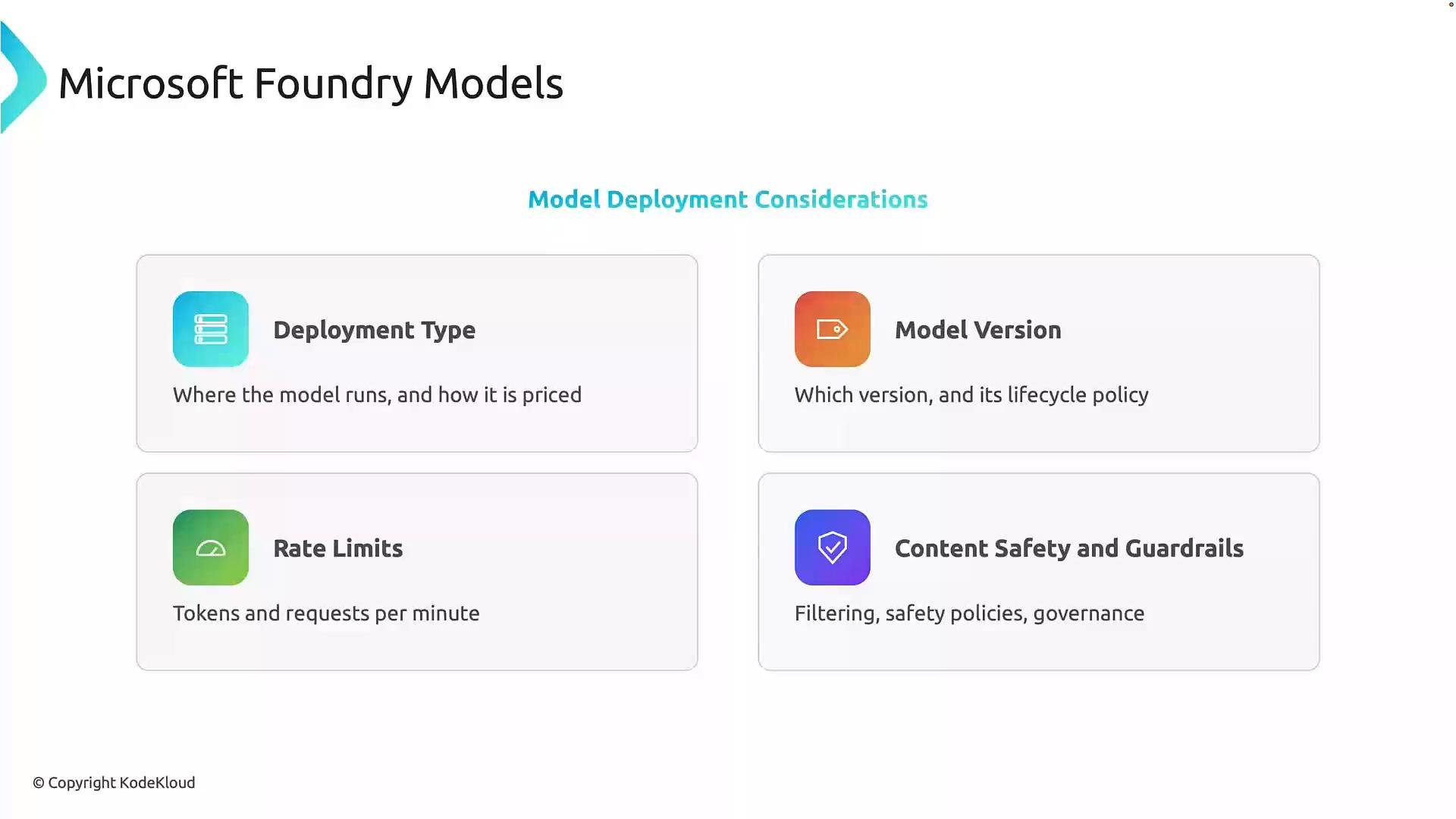 Important factors to evaluate:
* Deployment type\
Where and how the model runs (cloud-hosted, managed inference, on-premises) affects latency, availability, data residency, and billing. Choose the option that aligns with your latency and compliance needs.
* Model version\
Models evolve and different versions can change behavior, latency, and lifecycle rules. Pin to a specific version for predictable behavior and define an upgrade path for improvements or security fixes.
* Rate limits and throughput\
Understand quotas such as tokens per minute or requests per minute. Plan capacity with autoscaling, batching, retry/backoff strategies, and caching where appropriate.
* Content safety and guardrails\
Implement filtering, moderation, and governance controls to mitigate harmful or inappropriate outputs. Integrate enterprise-wide security and compliance requirements into your deployment.
Table — deployment trade-offs:
| Consideration | Questions to ask | Typical mitigations |
| - | - | - |
| Latency & availability | Does the app require sub-100ms responses? | Use closer region, replicate endpoints, choose lower-latency model tier |
| Cost & billing | What is the expected token/request volume? | Estimate costs, use batching, choose cost-optimized model/version |
| Scalability | How will traffic spikes be handled? | Autoscale inference, rate-limit clients, implement queueing |
| Safety & compliance | What data can be sent to third-party models? | Use on-prem or private endpoints, redact PII, add moderation layers |
When evaluating models, balance capability with operational requirements: deployment location, version stability, throughput limits, cost, and safety controls. These considerations help you build systems that are reliable, scalable, and responsible.
## Summary
Microsoft Foundry's model catalog helps you discover and compare foundation models from Microsoft and trusted third parties. When selecting and deploying a model, be deliberate about:
* which model best fits your application needs,
* where the model is hosted and billed,
* which model version to pin to,
* throughput and rate-limit planning,
* and the safety and governance controls required.
Next steps: pick a candidate model from the Foundry catalog, validate it against representative workloads, and plan deployment with monitoring, scaling, and safety controls.
## Links and references
* [Azure AI documentation](https://learn.microsoft.com/azure/ai-services/)
* [Azure OpenAI Service documentation](https://learn.microsoft.com/azure/cognitive-services/openai/)
* Microsoft Foundry model catalog (available through Azure portal)
This documentation is built and hosted on [Mintlify](https://mintlify.com), a developer documentation platform.
Important factors to evaluate:
* Deployment type\
Where and how the model runs (cloud-hosted, managed inference, on-premises) affects latency, availability, data residency, and billing. Choose the option that aligns with your latency and compliance needs.
* Model version\
Models evolve and different versions can change behavior, latency, and lifecycle rules. Pin to a specific version for predictable behavior and define an upgrade path for improvements or security fixes.
* Rate limits and throughput\
Understand quotas such as tokens per minute or requests per minute. Plan capacity with autoscaling, batching, retry/backoff strategies, and caching where appropriate.
* Content safety and guardrails\
Implement filtering, moderation, and governance controls to mitigate harmful or inappropriate outputs. Integrate enterprise-wide security and compliance requirements into your deployment.
Table — deployment trade-offs:
| Consideration | Questions to ask | Typical mitigations |
| - | - | - |
| Latency & availability | Does the app require sub-100ms responses? | Use closer region, replicate endpoints, choose lower-latency model tier |
| Cost & billing | What is the expected token/request volume? | Estimate costs, use batching, choose cost-optimized model/version |
| Scalability | How will traffic spikes be handled? | Autoscale inference, rate-limit clients, implement queueing |
| Safety & compliance | What data can be sent to third-party models? | Use on-prem or private endpoints, redact PII, add moderation layers |
When evaluating models, balance capability with operational requirements: deployment location, version stability, throughput limits, cost, and safety controls. These considerations help you build systems that are reliable, scalable, and responsible.
## Summary
Microsoft Foundry's model catalog helps you discover and compare foundation models from Microsoft and trusted third parties. When selecting and deploying a model, be deliberate about:
* which model best fits your application needs,
* where the model is hosted and billed,
* which model version to pin to,
* throughput and rate-limit planning,
* and the safety and governance controls required.
Next steps: pick a candidate model from the Foundry catalog, validate it against representative workloads, and plan deployment with monitoring, scaling, and safety controls.
## Links and references
* [Azure AI documentation](https://learn.microsoft.com/azure/ai-services/)
* [Azure OpenAI Service documentation](https://learn.microsoft.com/azure/cognitive-services/openai/)
* Microsoft Foundry model catalog (available through Azure portal)
This documentation is built and hosted on [Mintlify](https://mintlify.com), a developer documentation platform.