> ## Documentation Index
> Fetch the complete documentation index at: https://notes.kodekloud.com/llms.txt
> Use this file to discover all available pages before exploring further.
# Information Extraction Concepts Introduction
> Explains information extraction and OCR processes that convert unstructured documents and images into normalized, structured data for business workflows, field extraction, validation, and integration.
In this lesson we introduce information extraction: the process of converting useful data from unstructured content into structured, machine-readable formats that applications can query, validate, and analyze.
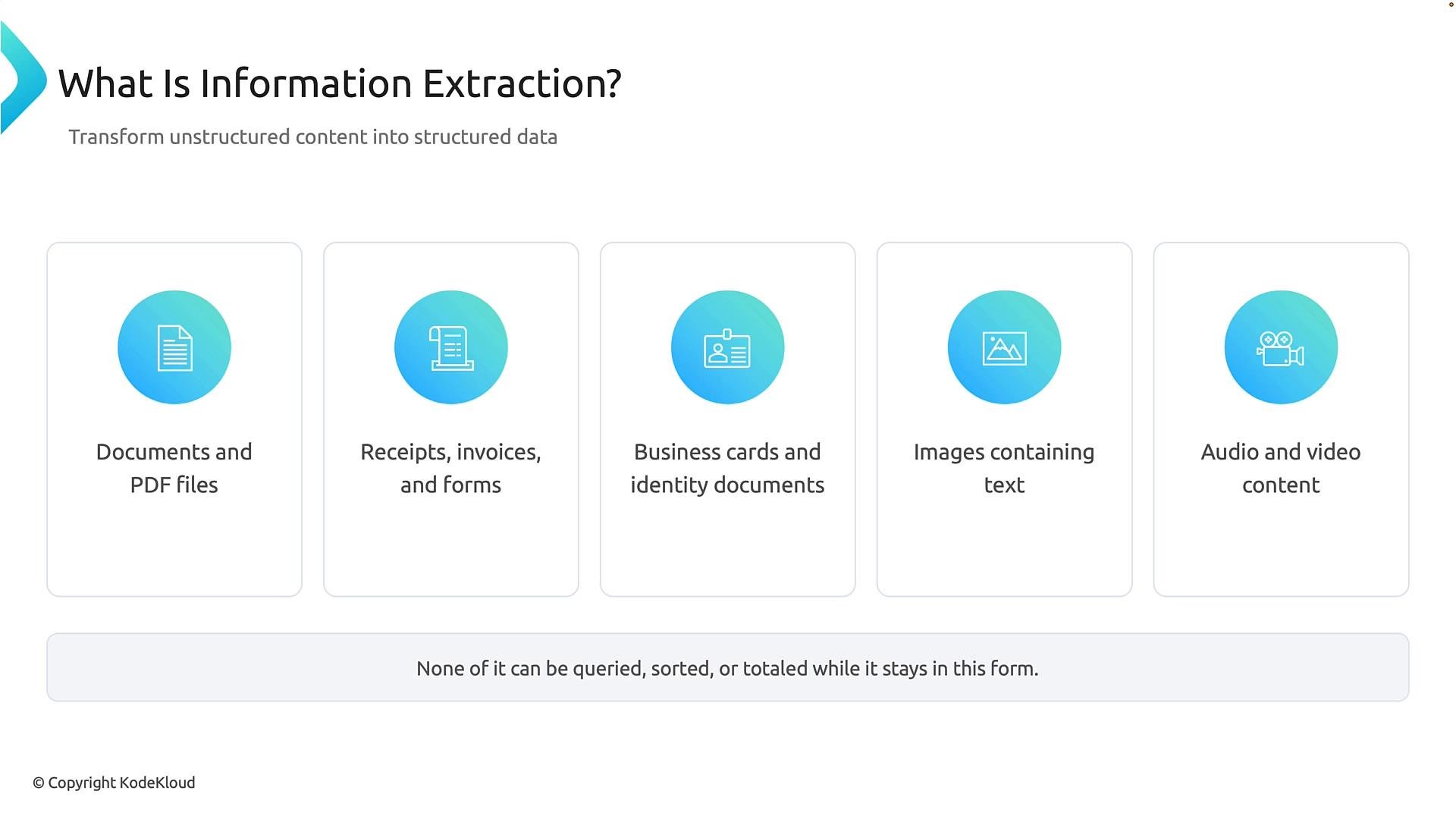
Organizations receive many forms of unstructured content every day: reports and PDFs, invoices and receipts, business cards and identity documents, photographs or scanned notes, and even audio or video. Humans can read these easily, but unless the content is transformed into structured fields and values, software systems cannot search, filter, or compute over it.
 Why this matters
* Structured data enables querying (e.g., "show invoices over \$1,000"), automation (routing, approvals), analytics (totals, trends), and integration with back-end systems.
* Information extraction recovers the fields and values that matter to business processes so they can be stored in databases or forwarded to workflows.
Concrete example — a business card
Imagine receiving a photo of a business card. A human reads it and extracts name, company, phone, and email. An information-extraction system analyzes the image and outputs structured fields (JSON), for example:
```json theme={null}
{
"fullName": "Jane Doe",
"jobTitle": "Marketing Manager",
"company": "Contoso Ltd.",
"email": "jane.doe@contoso.com",
"phone": "+1 425 555 0134",
"city": "Redmond",
"state": "WA",
"confidence": 0.97
}
```
In this JSON, the fields map visual data (the printed card) to named properties applications expect. The `confidence` value indicates how certain the model is about the extraction.
Reading vs. understanding
There are two distinct stages between the original content and the structured result:
1. Reading the content — for documents and images, this is typically OCR (Optical Character Recognition): converting visual glyphs into characters.
2. Understanding the content — mapping extracted text to business fields, normalizing formats, validating values, and exporting to target systems.
A simple example: OCR might return the tokens "Northwind Traders", "2026 0101", and "20". Mapping those tokens to meaningful fields (vendor, date, total) is the responsibility of the extraction and business-logic layer, not OCR alone.
Extraction must not invent data. It should recover and express only the information present in the source, with appropriate confidence and validation checks.
The OCR pipeline
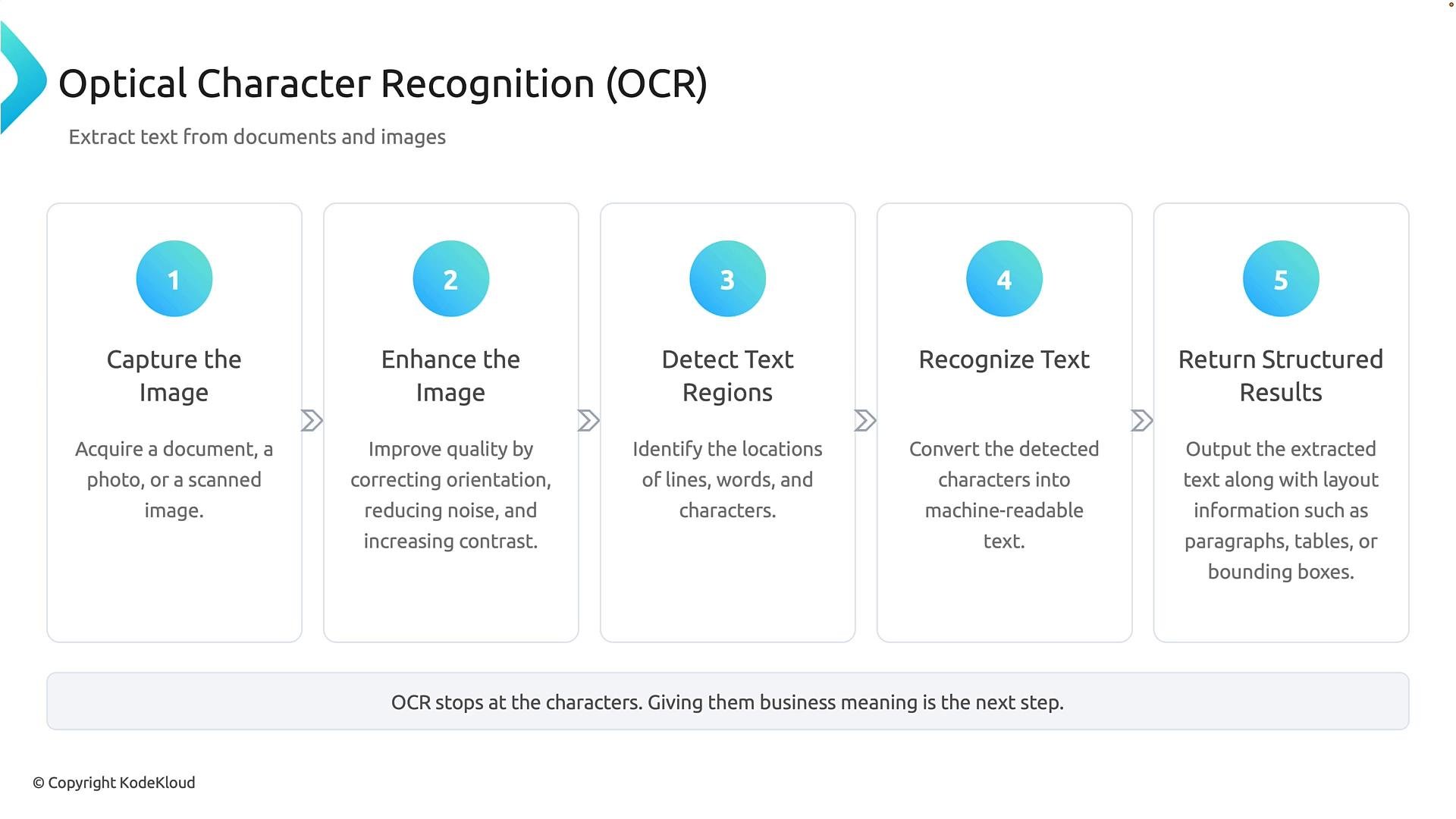
OCR is the foundational technology that converts text appearing in images into machine-readable text. A typical OCR workflow has five stages:
1. Capture the image — obtain the document, scan, or photograph.
2. Enhance the image — deskew, denoise, and adjust contrast to improve recognition.
3. Detect text regions — find lines, words, and character areas.
4. Recognize the text — convert glyphs into characters and words.
5. Return structured results — output recognized text together with layout information (lines, paragraphs, bounding boxes).
Why this matters
* Structured data enables querying (e.g., "show invoices over \$1,000"), automation (routing, approvals), analytics (totals, trends), and integration with back-end systems.
* Information extraction recovers the fields and values that matter to business processes so they can be stored in databases or forwarded to workflows.
Concrete example — a business card
Imagine receiving a photo of a business card. A human reads it and extracts name, company, phone, and email. An information-extraction system analyzes the image and outputs structured fields (JSON), for example:
```json theme={null}
{
"fullName": "Jane Doe",
"jobTitle": "Marketing Manager",
"company": "Contoso Ltd.",
"email": "jane.doe@contoso.com",
"phone": "+1 425 555 0134",
"city": "Redmond",
"state": "WA",
"confidence": 0.97
}
```
In this JSON, the fields map visual data (the printed card) to named properties applications expect. The `confidence` value indicates how certain the model is about the extraction.
Reading vs. understanding
There are two distinct stages between the original content and the structured result:
1. Reading the content — for documents and images, this is typically OCR (Optical Character Recognition): converting visual glyphs into characters.
2. Understanding the content — mapping extracted text to business fields, normalizing formats, validating values, and exporting to target systems.
A simple example: OCR might return the tokens "Northwind Traders", "2026 0101", and "20". Mapping those tokens to meaningful fields (vendor, date, total) is the responsibility of the extraction and business-logic layer, not OCR alone.
Extraction must not invent data. It should recover and express only the information present in the source, with appropriate confidence and validation checks.
The OCR pipeline
OCR is the foundational technology that converts text appearing in images into machine-readable text. A typical OCR workflow has five stages:
1. Capture the image — obtain the document, scan, or photograph.
2. Enhance the image — deskew, denoise, and adjust contrast to improve recognition.
3. Detect text regions — find lines, words, and character areas.
4. Recognize the text — convert glyphs into characters and words.
5. Return structured results — output recognized text together with layout information (lines, paragraphs, bounding boxes).
 Why layout and bounding boxes matter
The position of text on a page often provides semantic cues — for example, totals are usually found near the bottom-right of invoices. OCR returns text + layout (bounding boxes and line order), which downstream extraction models use to associate values with fields reliably.
OCR stages at a glance
| Stage | Purpose | Typical output |
| - | - | - |
| Capture | Acquire the image or scan | Digital image (JPEG, PNG, PDF) |
| Enhance | Improve image quality for recognition | Deskewed, denoised, contrast-adjusted image |
| Detect | Locate text regions | Bounding boxes for lines/words |
| Recognize | Convert glyphs to text | Machine-readable text strings |
| Return | Provide text + layout | Text with coordinates, line/paragraph grouping |
Follow a page through OCR
* Captured image — may be skewed, noisy, or low contrast.
* Enhanced image — preprocessing corrects orientation and improves legibility.
* Text detection — boxes identify regions containing text.
* Text recognition — characters are converted to machine-readable text.
* Structured result — OCR returns the text and layout data needed for downstream field extraction.
From OCR text to business data
After OCR produces machine-readable text and layout, field extraction gives business meaning and maps values to a schema. Typical stages:
1. Read OCR results — use text and layout information.
2. Identify business values — detect names, dates, totals, invoice numbers, addresses, etc.
3. Map fields to a schema — assign values to defined fields (for example, map `20` to `amount`).
4. Normalize values — convert dates, currencies, and phone numbers into consistent formats.
5. Export structured data — send normalized data to databases, APIs, or automation workflows.
Common field types and normalization examples
| Field type | Example inputs | Normalized output |
| - | - | - |
| Date | `01/01/2026`, `January 1, 2026`, `2026 0101` | `2026-01-01` (ISO 8601) |
| Currency | `$20`, `USD 20.00`, `20 dollars` | `{ "amount": 20.00, "currency": "USD" }` |
| Phone | `(425) 555-0134`, `425-555-0134` | `+1-425-555-0134` (E.164) |
| Email | `jane.doe@contoso.com` | `jane.doe@contoso.com` (validated) |
| Address | `123 Main St., Redmond WA` | Parsed into `street`, `city`, `state`, `postalCode` |
Example: sentence → business data
Document text: "Mark spent \$20 on January 1st, 2026."
* OCR output: "Mark spent \$20 on January 1st, 2026."
* Identify key fields: payee = "Mark", amount = "\$20", date = "January 1st, 2026".
* Map to schema: `payee = "Mark"`, `amount = 20.00`, `date = "2026-01-01"`.
* Normalize: amount as decimal, date in ISO format.
* Export: store or forward the structured record.
Putting it together: typical system architecture
* Input: images, PDFs, or multimedia.
* OCR layer: converts visual text to strings + layout.
* Extraction layer: ML rules or models identify fields and entities.
* Normalization & validation: format conversion, currency detection, phone normalization, confidence thresholds.
* Export/integration: database, CRM, ERP, or automation pipeline.
Key idea
Information extraction converts content that is difficult for machines to process into structured data that applications and databases can understand and use. It combines OCR (reading characters and layout) with field extraction and normalization (giving business meaning).
OCR extracts characters and layout. Field extraction assigns business meaning, maps values to a schema, and normalizes formats so applications can consume the data.
Links and references
* [Kubernetes Basics — example of structured data usage](https://kubernetes.io/docs/concepts/overview/what-is-kubernetes/)
* [Azure Cognitive Services — OCR and form recognizer](https://learn.microsoft.com/azure/cognitive-services/)
* [General OCR background (Wikipedia)](https://en.wikipedia.org/wiki/Optical_character_recognition)
Now that you understand the concepts behind information extraction, you can explore practical tools and implementations that perform OCR, field extraction, and data normalization for real-world documents.
This documentation is built and hosted on [Mintlify](https://mintlify.com), a developer documentation platform.
Why layout and bounding boxes matter
The position of text on a page often provides semantic cues — for example, totals are usually found near the bottom-right of invoices. OCR returns text + layout (bounding boxes and line order), which downstream extraction models use to associate values with fields reliably.
OCR stages at a glance
| Stage | Purpose | Typical output |
| - | - | - |
| Capture | Acquire the image or scan | Digital image (JPEG, PNG, PDF) |
| Enhance | Improve image quality for recognition | Deskewed, denoised, contrast-adjusted image |
| Detect | Locate text regions | Bounding boxes for lines/words |
| Recognize | Convert glyphs to text | Machine-readable text strings |
| Return | Provide text + layout | Text with coordinates, line/paragraph grouping |
Follow a page through OCR
* Captured image — may be skewed, noisy, or low contrast.
* Enhanced image — preprocessing corrects orientation and improves legibility.
* Text detection — boxes identify regions containing text.
* Text recognition — characters are converted to machine-readable text.
* Structured result — OCR returns the text and layout data needed for downstream field extraction.
From OCR text to business data
After OCR produces machine-readable text and layout, field extraction gives business meaning and maps values to a schema. Typical stages:
1. Read OCR results — use text and layout information.
2. Identify business values — detect names, dates, totals, invoice numbers, addresses, etc.
3. Map fields to a schema — assign values to defined fields (for example, map `20` to `amount`).
4. Normalize values — convert dates, currencies, and phone numbers into consistent formats.
5. Export structured data — send normalized data to databases, APIs, or automation workflows.
Common field types and normalization examples
| Field type | Example inputs | Normalized output |
| - | - | - |
| Date | `01/01/2026`, `January 1, 2026`, `2026 0101` | `2026-01-01` (ISO 8601) |
| Currency | `$20`, `USD 20.00`, `20 dollars` | `{ "amount": 20.00, "currency": "USD" }` |
| Phone | `(425) 555-0134`, `425-555-0134` | `+1-425-555-0134` (E.164) |
| Email | `jane.doe@contoso.com` | `jane.doe@contoso.com` (validated) |
| Address | `123 Main St., Redmond WA` | Parsed into `street`, `city`, `state`, `postalCode` |
Example: sentence → business data
Document text: "Mark spent \$20 on January 1st, 2026."
* OCR output: "Mark spent \$20 on January 1st, 2026."
* Identify key fields: payee = "Mark", amount = "\$20", date = "January 1st, 2026".
* Map to schema: `payee = "Mark"`, `amount = 20.00`, `date = "2026-01-01"`.
* Normalize: amount as decimal, date in ISO format.
* Export: store or forward the structured record.
Putting it together: typical system architecture
* Input: images, PDFs, or multimedia.
* OCR layer: converts visual text to strings + layout.
* Extraction layer: ML rules or models identify fields and entities.
* Normalization & validation: format conversion, currency detection, phone normalization, confidence thresholds.
* Export/integration: database, CRM, ERP, or automation pipeline.
Key idea
Information extraction converts content that is difficult for machines to process into structured data that applications and databases can understand and use. It combines OCR (reading characters and layout) with field extraction and normalization (giving business meaning).
OCR extracts characters and layout. Field extraction assigns business meaning, maps values to a schema, and normalizes formats so applications can consume the data.
Links and references
* [Kubernetes Basics — example of structured data usage](https://kubernetes.io/docs/concepts/overview/what-is-kubernetes/)
* [Azure Cognitive Services — OCR and form recognizer](https://learn.microsoft.com/azure/cognitive-services/)
* [General OCR background (Wikipedia)](https://en.wikipedia.org/wiki/Optical_character_recognition)
Now that you understand the concepts behind information extraction, you can explore practical tools and implementations that perform OCR, field extraction, and data normalization for real-world documents.
This documentation is built and hosted on [Mintlify](https://mintlify.com), a developer documentation platform.