> ## Documentation Index
> Fetch the complete documentation index at: https://notes.kodekloud.com/llms.txt
> Use this file to discover all available pages before exploring further.
# Azure AI Language SDK Common Methods
> Overview of Azure AI Language SDK methods for automatic language detection and PII recognition with examples, structured outputs, redaction, and best practices for multilingual routing and data protection
Explore common methods in the Azure AI Language SDK for detecting text language and identifying personally identifiable information (PII). These SDK calls help you reliably route multilingual content and protect sensitive data with deterministic, structured results.
 ## Language detection
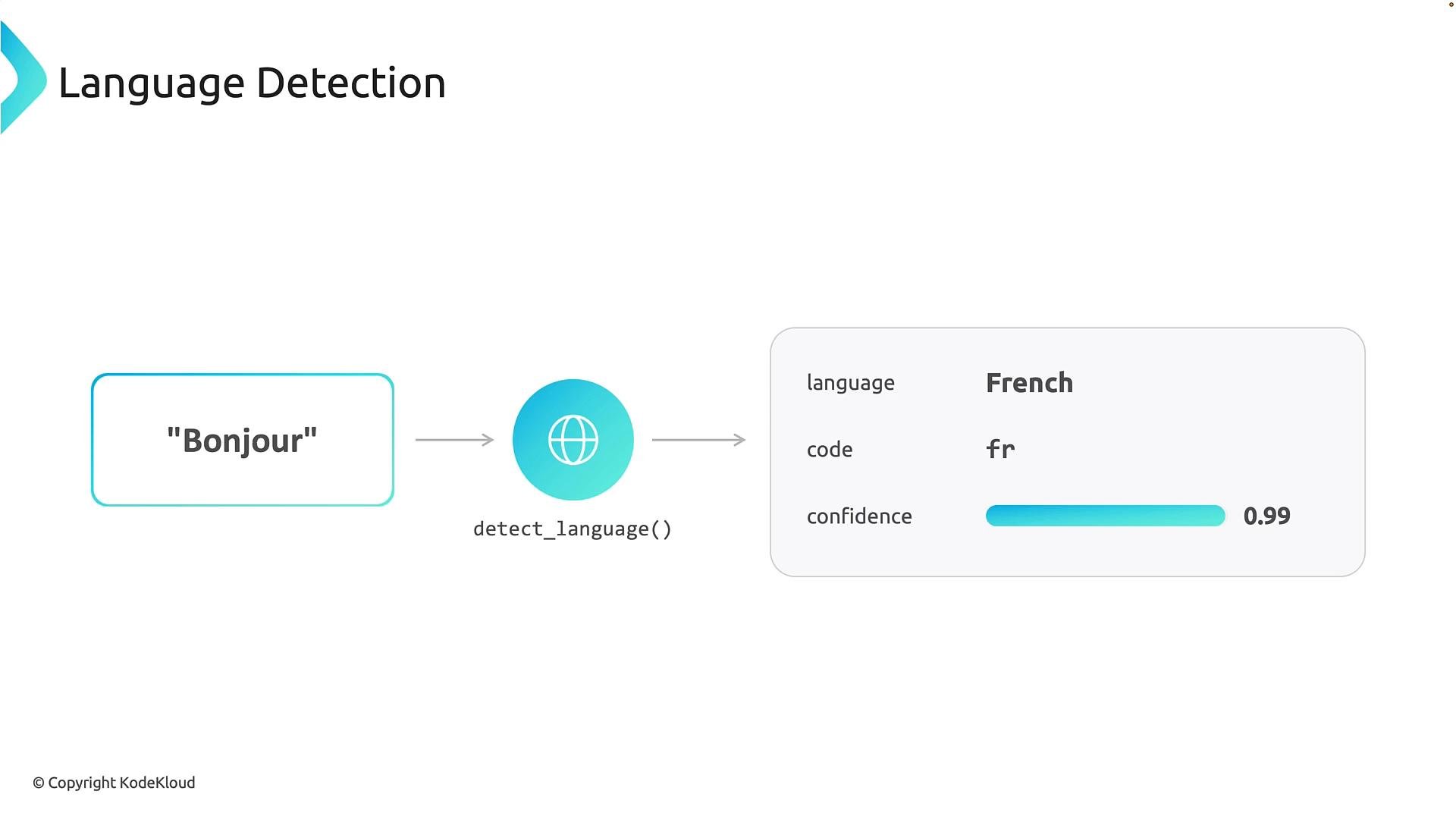
When your application receives user text but the language is unknown, the Azure AI Language SDK can determine the most likely language automatically. Use the `detect_language` method and supply the text. The service analyzes the input and returns structured details you can act on.
The response includes:
* Human-readable language name (e.g., French).
* ISO 639-1 language code (e.g., `fr`, `en`, `es`).
* Confidence score (closer to 1.0 indicates higher confidence).
Example usage:
* SDK call: `client.detect_language([text])`
* Input: `"bonjour"`
* Typical output: `name: French`, `iso6391_name: fr`, `confidence_score: 0.99`
Common scenarios for language detection:
* Automatically identify the language of incoming messages (support tickets, chat logs).
* Route content to translation or language-specific business logic.
* Validate user-submitted content against expected language constraints.
## Language detection
When your application receives user text but the language is unknown, the Azure AI Language SDK can determine the most likely language automatically. Use the `detect_language` method and supply the text. The service analyzes the input and returns structured details you can act on.
The response includes:
* Human-readable language name (e.g., French).
* ISO 639-1 language code (e.g., `fr`, `en`, `es`).
* Confidence score (closer to 1.0 indicates higher confidence).
Example usage:
* SDK call: `client.detect_language([text])`
* Input: `"bonjour"`
* Typical output: `name: French`, `iso6391_name: fr`, `confidence_score: 0.99`
Common scenarios for language detection:
* Automatically identify the language of incoming messages (support tickets, chat logs).
* Route content to translation or language-specific business logic.
* Validate user-submitted content against expected language constraints.
 ## PII detection (recognize\_pii\_entities)
PII (personally identifiable information) includes names, phone numbers, email addresses, postal addresses, and other values that can identify or contact a person. The SDK exposes `recognize_pii_entities` to detect such entities and optionally return a redacted version of the text.
Example input:
* "Sara can be reached at 888-901-2828."
What the service provides:
* Identified entities and categories (e.g., `Person`, `PhoneNumber`) with confidence scores.
* A `redacted_text` field where sensitive values are masked or replaced to avoid exposure.
Common PII use cases:
* Masking sensitive information before storing logs or sharing text.
* Meeting privacy and compliance requirements by automatically redacting PII.
* Building automated data governance and redaction pipelines at scale.
## Quick comparison: specialized SDK methods vs general-purpose models
| Feature | Specialized SDK methods / Language models | General-purpose models (e.g., GPT) |
| - | -: | - |
| Output format | Structured JSON (deterministic fields) | Free-form or conversational text |
| Ease of parsing | Easy to consume programmatically | Requires prompt engineering and parsing |
| Best for | Production workflows requiring consistency | Complex, open-ended tasks and synthesis |
| Typical SDK call | `detect_language`, `recognize_pii_entities` | Model prompts and parsing logic |
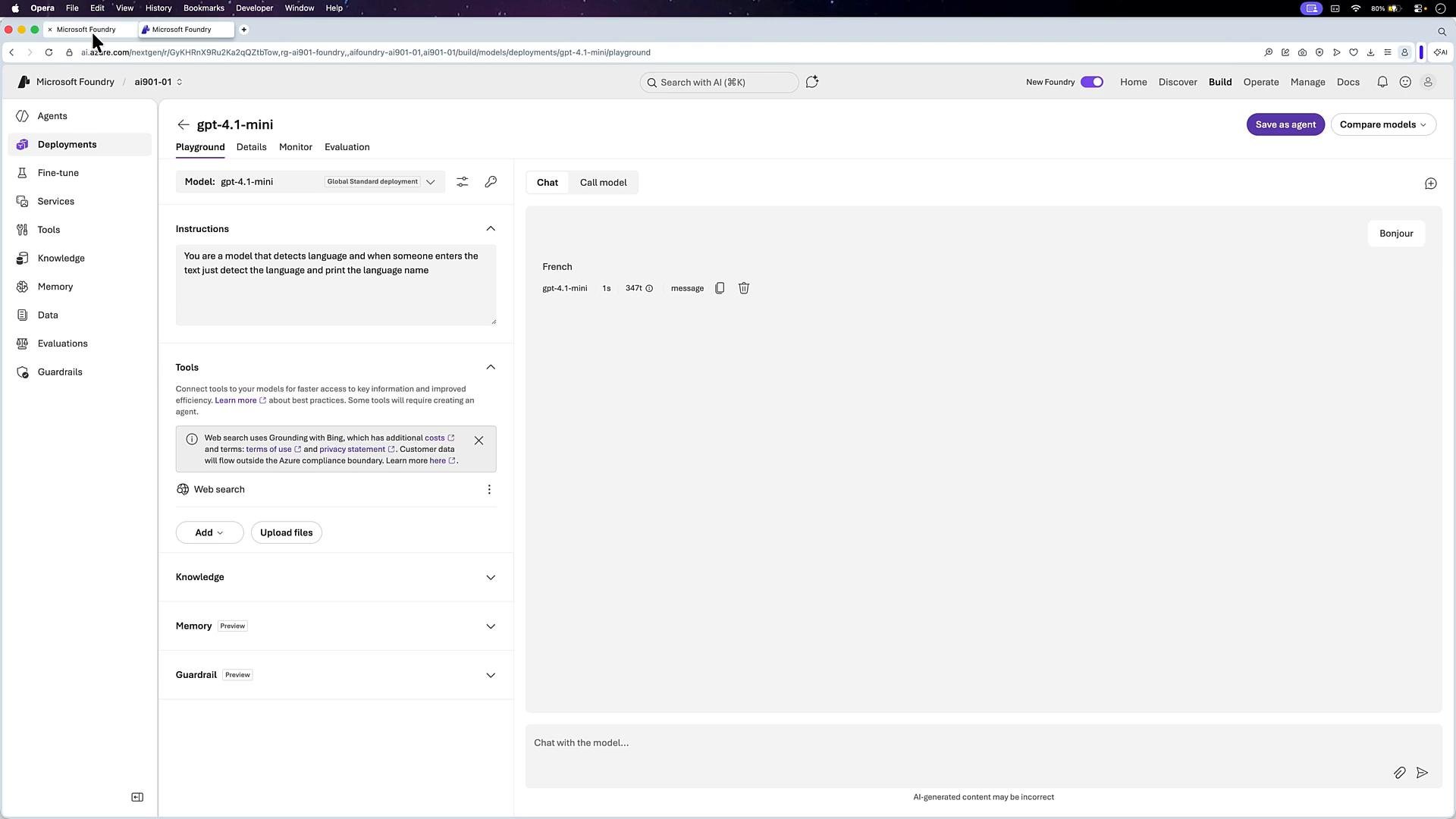
For scenarios requiring consistent, structured outputs (like language code and confidence or masked text), prefer the SDK methods or specialized models. General-purpose models can be more variable and often need additional parsing or prompt constraints to produce reliable, machine-friendly results.
## PII detection (recognize\_pii\_entities)
PII (personally identifiable information) includes names, phone numbers, email addresses, postal addresses, and other values that can identify or contact a person. The SDK exposes `recognize_pii_entities` to detect such entities and optionally return a redacted version of the text.
Example input:
* "Sara can be reached at 888-901-2828."
What the service provides:
* Identified entities and categories (e.g., `Person`, `PhoneNumber`) with confidence scores.
* A `redacted_text` field where sensitive values are masked or replaced to avoid exposure.
Common PII use cases:
* Masking sensitive information before storing logs or sharing text.
* Meeting privacy and compliance requirements by automatically redacting PII.
* Building automated data governance and redaction pipelines at scale.
## Quick comparison: specialized SDK methods vs general-purpose models
| Feature | Specialized SDK methods / Language models | General-purpose models (e.g., GPT) |
| - | -: | - |
| Output format | Structured JSON (deterministic fields) | Free-form or conversational text |
| Ease of parsing | Easy to consume programmatically | Requires prompt engineering and parsing |
| Best for | Production workflows requiring consistency | Complex, open-ended tasks and synthesis |
| Typical SDK call | `detect_language`, `recognize_pii_entities` | Model prompts and parsing logic |
For scenarios requiring consistent, structured outputs (like language code and confidence or masked text), prefer the SDK methods or specialized models. General-purpose models can be more variable and often need additional parsing or prompt constraints to produce reliable, machine-friendly results.
 ## SDK example (Python)
A concise Python example showing authentication, language detection, and PII recognition using the Azure Text Analytics client. Replace the placeholder values with your actual key and endpoint, or set them via environment variables.
```python theme={null}
# python
from azure.ai.textanalytics import TextAnalyticsClient
from azure.core.credentials import AzureKeyCredential
# Replace with your key and endpoint or read from environment variables
language_key = ""
language_endpoint = "https://.cognitiveservices.azure.com/"
def authenticate_client():
credential = AzureKeyCredential(language_key)
client = TextAnalyticsClient(endpoint=language_endpoint, credential=credential)
return client
client = authenticate_client()
def language_detection_example(client):
documents = ["Bonjour"]
try:
response = client.detect_language(documents=documents)[0]
primary = response.primary_language
print("Language: ", primary.name)
print("ISO 639-1 Code: ", primary.iso6391_name)
print("Confidence Score: ", primary.confidence_score)
except Exception as err:
print(f"Encountered exception: {err}")
def pii_recognition_example(client):
documents = ["Sara can be reached at 888-901-2828 or sara@example.com."]
try:
responses = client.recognize_pii_entities(documents, language="en")
for doc in responses:
if doc.is_error:
print(f"Document error: {doc.error}")
continue
print("Redacted Text:", doc.redacted_text)
for entity in doc.entities:
print(f"- Entity: {entity.text}")
print(f" Category: {entity.category}")
print(f" Confidence Score: {entity.confidence_score}")
print(f" Offset: {entity.offset}")
print(f" Length: {entity.length}")
except Exception as err:
print(f"Encountered exception: {err}")
if __name__ == "__main__":
language_detection_example(client)
pii_recognition_example(client)
```
## Notes about usage and best practices
* The SDK returns structured, easy-to-consume results (for example, `primary_language.name`, `primary_language.iso6391_name`, and `primary_language.confidence_score`).
* For PII detection, `doc.redacted_text` provides masked text and `doc.entities` lists identified PII entities with categories and confidence scores.
* Use specialized SDK endpoints or language models when you need deterministic JSON outputs for downstream processing or compliance.
* When using general-purpose generative models for structured tasks, add robust instructions and parsing logic to normalize outputs.
## Links and references
* [Azure portal](https://portal.azure.com)
* [Microsoft Foundry (Language Studio) overview](https://learn.microsoft.com/azure/cognitive-services/language-service/language-studio/overview)
* [Azure AI Text Analytics documentation](https://learn.microsoft.com/azure/cognitive-services/text-analytics/)
With these examples and best practices, you can integrate language detection and PII recognition into your applications to automate multilingual workflows and protect sensitive information.
This documentation is built and hosted on [Mintlify](https://mintlify.com), a developer documentation platform.
## SDK example (Python)
A concise Python example showing authentication, language detection, and PII recognition using the Azure Text Analytics client. Replace the placeholder values with your actual key and endpoint, or set them via environment variables.
```python theme={null}
# python
from azure.ai.textanalytics import TextAnalyticsClient
from azure.core.credentials import AzureKeyCredential
# Replace with your key and endpoint or read from environment variables
language_key = ""
language_endpoint = "https://.cognitiveservices.azure.com/"
def authenticate_client():
credential = AzureKeyCredential(language_key)
client = TextAnalyticsClient(endpoint=language_endpoint, credential=credential)
return client
client = authenticate_client()
def language_detection_example(client):
documents = ["Bonjour"]
try:
response = client.detect_language(documents=documents)[0]
primary = response.primary_language
print("Language: ", primary.name)
print("ISO 639-1 Code: ", primary.iso6391_name)
print("Confidence Score: ", primary.confidence_score)
except Exception as err:
print(f"Encountered exception: {err}")
def pii_recognition_example(client):
documents = ["Sara can be reached at 888-901-2828 or sara@example.com."]
try:
responses = client.recognize_pii_entities(documents, language="en")
for doc in responses:
if doc.is_error:
print(f"Document error: {doc.error}")
continue
print("Redacted Text:", doc.redacted_text)
for entity in doc.entities:
print(f"- Entity: {entity.text}")
print(f" Category: {entity.category}")
print(f" Confidence Score: {entity.confidence_score}")
print(f" Offset: {entity.offset}")
print(f" Length: {entity.length}")
except Exception as err:
print(f"Encountered exception: {err}")
if __name__ == "__main__":
language_detection_example(client)
pii_recognition_example(client)
```
## Notes about usage and best practices
* The SDK returns structured, easy-to-consume results (for example, `primary_language.name`, `primary_language.iso6391_name`, and `primary_language.confidence_score`).
* For PII detection, `doc.redacted_text` provides masked text and `doc.entities` lists identified PII entities with categories and confidence scores.
* Use specialized SDK endpoints or language models when you need deterministic JSON outputs for downstream processing or compliance.
* When using general-purpose generative models for structured tasks, add robust instructions and parsing logic to normalize outputs.
## Links and references
* [Azure portal](https://portal.azure.com)
* [Microsoft Foundry (Language Studio) overview](https://learn.microsoft.com/azure/cognitive-services/language-service/language-studio/overview)
* [Azure AI Text Analytics documentation](https://learn.microsoft.com/azure/cognitive-services/text-analytics/)
With these examples and best practices, you can integrate language detection and PII recognition into your applications to automate multilingual workflows and protect sensitive information.
This documentation is built and hosted on [Mintlify](https://mintlify.com), a developer documentation platform.