> ## Documentation Index
> Fetch the complete documentation index at: https://notes.kodekloud.com/llms.txt
> Use this file to discover all available pages before exploring further.
# Creating Client Applications for Text Analysis
> Guide to building client applications that connect to general-purpose AI models and Azure AI Language for text analysis, comparing approaches, code examples, and production best practices.
Now that we understand the concepts behind text analysis, let's take the next step and see how to build applications that use these capabilities.
In this article, you’ll learn how client applications connect programmatically to AI models and language services to analyze text. The goal is to move from conceptual understanding to concrete implementation: how developers can call models and language APIs from code, obtain structured results, and integrate those results into an application workflow.
We’ll compare two common approaches and show example code for each:
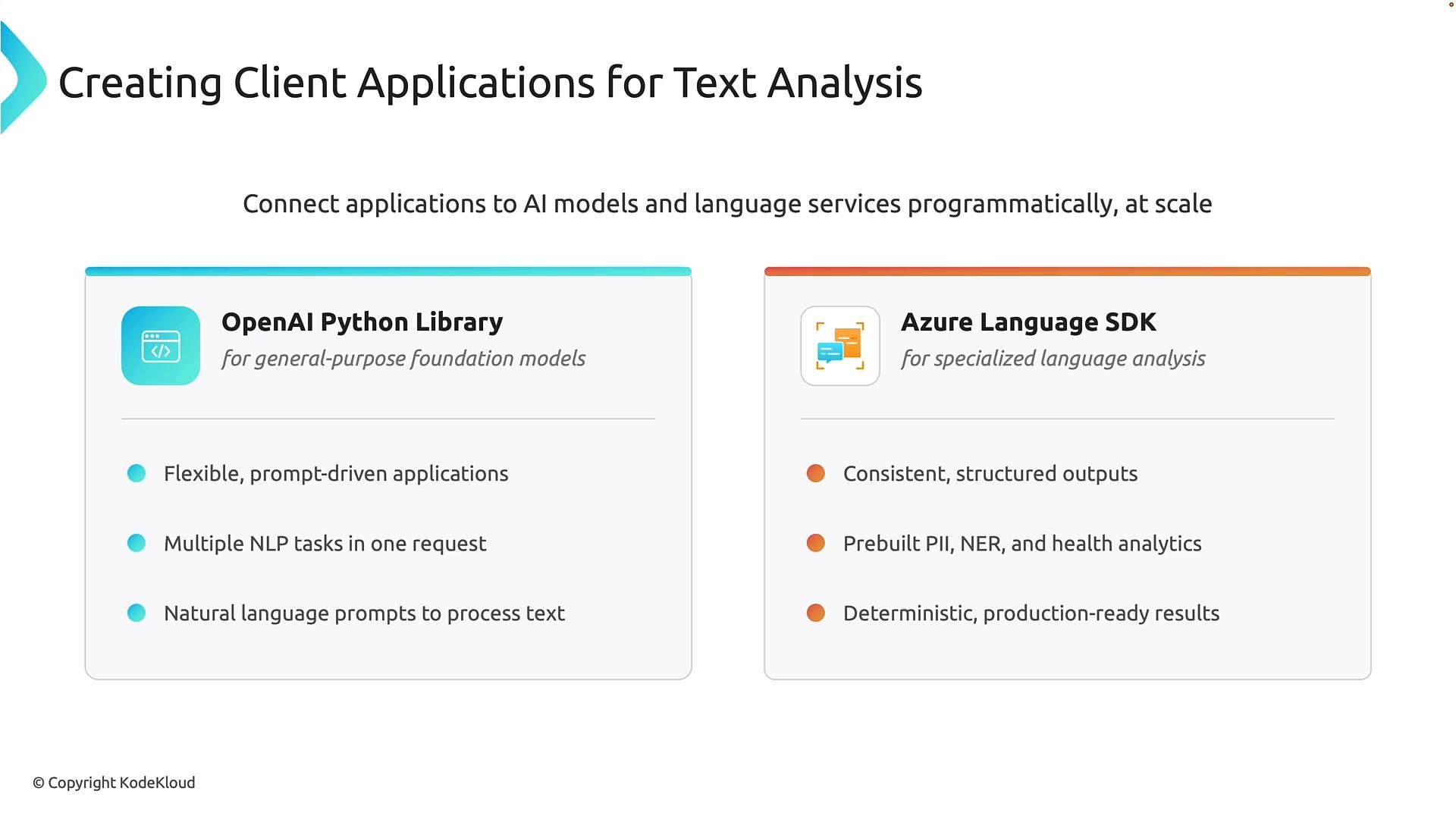
* Using general-purpose AI models via the OpenAI Python library for flexible, prompt-driven workloads.
* Using Azure AI Language (Text Analytics) SDK for specialized, operation-based NLP tasks that return consistent, structured outputs.
General-purpose models excel at flexible, prompt-driven workflows. Use Azure AI Language when you need deterministic, structured outputs (e.g., NER, PII detection, healthcare analysis) and production-ready APIs.
 Why choose one over the other?
* Use a general-purpose model when you need a single, flexible API that can handle many different language tasks via natural-language prompts.
* Use Azure AI Language when you need predictable, typed outputs (entities, PII labels, sentiment scores) that are easy to validate, store, and process in production pipelines.
Comparison at a glance:
| Approach | Best for | Outputs | Example integration points |
| - | -: | - | - |
| General-purpose models (`openai` Python client) | Exploratory UIs, flexible transformation tasks, multi-step creative prompts | Free-form text responses driven by prompts (may vary across requests) | Chatbots, content generation, dynamic summarization |
| Azure AI Language (Text Analytics SDK) | Production NLP: NER, PII detection, sentiment, healthcare | Structured, typed results with explicit properties (e.g., `text`, `category`, `confidence_score`) | ETL pipelines, compliance scanning, analytics dashboards |
Key considerations:
* General-purpose models are powerful and flexible, but outputs can be non-deterministic. Add validation, confidence checks, or reranking for production scenarios.
* Azure AI Language operations are designed for consistent, programmatic consumption and are often a better fit for high-volume or compliance-sensitive workloads.
Connecting to a general-purpose model (OpenAI Python library)
The client pattern for calling an OpenAI-style model typically follows five steps:
1. Import the client and helpers.
2. Load environment variables so secrets are not hard-coded.
3. Create the client with endpoint and API key.
4. Send the prompt (request) to the model.
5. Handle and validate the result in your application.
Example: Sentiment classification using the OpenAI client
```python theme={null}
import os
from dotenv import load_dotenv
from openai import OpenAI
# Load environment variables from a .env file (if used)
load_dotenv()
endpoint = os.getenv("AZURE_OPENAI_ENDPOINT")
api_key = os.getenv("AZURE_OPENAI_KEY")
deployment_name = os.getenv("MODEL_DEPLOYMENT_NAME")
# Create the OpenAI client pointing to the Azure OpenAI endpoint
client = OpenAI(base_url=endpoint, api_key=api_key)
# Provide a prompt instructing the model to analyze sentiment
prompt = (
"Determine the sentiment (Positive, Negative, or Neutral) of the following text:\n\n"
"'The product arrived quickly and works perfectly.'"
)
response = client.responses.create(
model=deployment_name,
input=prompt,
)
# The Responses API returns output items; content is typically nested under .output
# Access the textual output safely and handle missing fields
try:
sentiment_text = response.output[0].content[0].text
except Exception:
sentiment_text = None
print("Sentiment:", sentiment_text)
```
Best practices when using general-purpose models
* Never hard-code API keys. Use environment variables, managed identities, or secret stores.
* Use temperature, system prompts, or few-shot examples to control output style and consistency.
* Validate outputs against expected patterns and add fallback logic for unexpected responses.
Do not hard-code API keys in source files. Use environment variables, managed identities, or a secret store such as `Azure Key Vault` for production applications. See [Azure Key Vault overview](https://learn.microsoft.com/azure/key-vault/general/overview).
Connecting to Azure AI Language (Text Analytics SDK)
Azure AI Language provides operation-specific APIs that return strongly-typed responses for common NLP tasks. The flow is similar to the general-purpose approach but centers on calling explicit operations such as named entity recognition (NER), PII detection, or sentiment analysis.
Typical steps:
1. Import the language client for the operation you need (e.g., `TextAnalyticsClient`).
2. Authenticate using `AzureKeyCredential` or other supported mechanisms (Managed Identity via DefaultAzureCredential is recommended in production).
3. Create the client with your endpoint and credential.
4. Submit one or more documents to the target operation.
5. Iterate the structured results and use their typed properties programmatically.
Example: Named Entity Recognition (NER) with Azure Text Analytics
```python theme={null}
import os
from dotenv import load_dotenv
from azure.ai.textanalytics import TextAnalyticsClient
from azure.core.credentials import AzureKeyCredential
load_dotenv()
endpoint = os.getenv("AZURE_TEXT_ANALYTICS_ENDPOINT")
key = os.getenv("AZURE_TEXT_ANALYTICS_KEY")
# Create the Text Analytics client
client = TextAnalyticsClient(endpoint=endpoint, credential=AzureKeyCredential(key))
documents = ["Emma ordered a wireless keyboard."]
# Call the Named Entity Recognition operation
response = client.recognize_entities(documents)
# response is iterable; each item maps to a document in 'documents'
for doc_result in response:
if doc_result.is_error:
print("Error:", doc_result.error)
continue
for entity in doc_result.entities:
print("- Text:", entity.text)
print("- Category:", entity.category)
# Additional properties may include subcategory, offset, length, confidence_score
if hasattr(entity, "confidence_score"):
print("- Confidence score:", entity.confidence_score)
```
Why Azure AI Language is suited for production
* Results come as typed objects (entities, spans, confidence scores), simplifying downstream processing and storage.
* The SDK exposes multiple specialized operations (PII, opinion mining, healthcare) that map directly to common business needs.
* Scales well for high-volume workloads and integrates with Azure security and governance services.
Quick developer checklist
| Task | General-purpose model (OpenAI) | Azure AI Language |
| - | - | - |
| Auth | `AZURE_OPENAI_KEY`, `AZURE_OPENAI_ENDPOINT`, `MODEL_DEPLOYMENT_NAME` | `AZURE_TEXT_ANALYTICS_KEY`, `AZURE_TEXT_ANALYTICS_ENDPOINT` |
| Output handling | Parse free-form text; validate & normalize | Use typed response objects and fields like `category` and `confidence_score` |
| Use case | Flexible tasks, chat UIs, dynamic prompts | NER, PII detection, sentiment, healthcare analysis |
| Production readiness | Add validation, safeguards against hallucination | Structured outputs, easier to audit and integrate |
Summary
* Choose a general-purpose model when you need flexibility and prompt-driven behaviors that can adapt to many tasks in a single request.
* Choose Azure AI Language (Text Analytics SDK) when you need consistent, structured outputs for programmatic consumption, compliance, or high-volume production workloads.
Further reading and references
* OpenAI Python library: [https://github.com/openai/openai-python](https://github.com/openai/openai-python)
* Azure AI Language (Text Analytics) overview: [https://learn.microsoft.com/azure/cognitive-services/language-service/text-analytics/overview](https://learn.microsoft.com/azure/cognitive-services/language-service/text-analytics/overview)
* Azure Key Vault: [https://learn.microsoft.com/azure/key-vault/general/overview](https://learn.microsoft.com/azure/key-vault/general/overview)
* Azure SDK for Python documentation: [https://learn.microsoft.com/azure/developer/python/](https://learn.microsoft.com/azure/developer/python/)
This lesson covered both prompt-driven, flexible APIs and operation-based language services, their trade-offs, and practical code patterns to integrate these capabilities into your applications.
This documentation is built and hosted on [Mintlify](https://mintlify.com), a developer documentation platform.
Why choose one over the other?
* Use a general-purpose model when you need a single, flexible API that can handle many different language tasks via natural-language prompts.
* Use Azure AI Language when you need predictable, typed outputs (entities, PII labels, sentiment scores) that are easy to validate, store, and process in production pipelines.
Comparison at a glance:
| Approach | Best for | Outputs | Example integration points |
| - | -: | - | - |
| General-purpose models (`openai` Python client) | Exploratory UIs, flexible transformation tasks, multi-step creative prompts | Free-form text responses driven by prompts (may vary across requests) | Chatbots, content generation, dynamic summarization |
| Azure AI Language (Text Analytics SDK) | Production NLP: NER, PII detection, sentiment, healthcare | Structured, typed results with explicit properties (e.g., `text`, `category`, `confidence_score`) | ETL pipelines, compliance scanning, analytics dashboards |
Key considerations:
* General-purpose models are powerful and flexible, but outputs can be non-deterministic. Add validation, confidence checks, or reranking for production scenarios.
* Azure AI Language operations are designed for consistent, programmatic consumption and are often a better fit for high-volume or compliance-sensitive workloads.
Connecting to a general-purpose model (OpenAI Python library)
The client pattern for calling an OpenAI-style model typically follows five steps:
1. Import the client and helpers.
2. Load environment variables so secrets are not hard-coded.
3. Create the client with endpoint and API key.
4. Send the prompt (request) to the model.
5. Handle and validate the result in your application.
Example: Sentiment classification using the OpenAI client
```python theme={null}
import os
from dotenv import load_dotenv
from openai import OpenAI
# Load environment variables from a .env file (if used)
load_dotenv()
endpoint = os.getenv("AZURE_OPENAI_ENDPOINT")
api_key = os.getenv("AZURE_OPENAI_KEY")
deployment_name = os.getenv("MODEL_DEPLOYMENT_NAME")
# Create the OpenAI client pointing to the Azure OpenAI endpoint
client = OpenAI(base_url=endpoint, api_key=api_key)
# Provide a prompt instructing the model to analyze sentiment
prompt = (
"Determine the sentiment (Positive, Negative, or Neutral) of the following text:\n\n"
"'The product arrived quickly and works perfectly.'"
)
response = client.responses.create(
model=deployment_name,
input=prompt,
)
# The Responses API returns output items; content is typically nested under .output
# Access the textual output safely and handle missing fields
try:
sentiment_text = response.output[0].content[0].text
except Exception:
sentiment_text = None
print("Sentiment:", sentiment_text)
```
Best practices when using general-purpose models
* Never hard-code API keys. Use environment variables, managed identities, or secret stores.
* Use temperature, system prompts, or few-shot examples to control output style and consistency.
* Validate outputs against expected patterns and add fallback logic for unexpected responses.
Do not hard-code API keys in source files. Use environment variables, managed identities, or a secret store such as `Azure Key Vault` for production applications. See [Azure Key Vault overview](https://learn.microsoft.com/azure/key-vault/general/overview).
Connecting to Azure AI Language (Text Analytics SDK)
Azure AI Language provides operation-specific APIs that return strongly-typed responses for common NLP tasks. The flow is similar to the general-purpose approach but centers on calling explicit operations such as named entity recognition (NER), PII detection, or sentiment analysis.
Typical steps:
1. Import the language client for the operation you need (e.g., `TextAnalyticsClient`).
2. Authenticate using `AzureKeyCredential` or other supported mechanisms (Managed Identity via DefaultAzureCredential is recommended in production).
3. Create the client with your endpoint and credential.
4. Submit one or more documents to the target operation.
5. Iterate the structured results and use their typed properties programmatically.
Example: Named Entity Recognition (NER) with Azure Text Analytics
```python theme={null}
import os
from dotenv import load_dotenv
from azure.ai.textanalytics import TextAnalyticsClient
from azure.core.credentials import AzureKeyCredential
load_dotenv()
endpoint = os.getenv("AZURE_TEXT_ANALYTICS_ENDPOINT")
key = os.getenv("AZURE_TEXT_ANALYTICS_KEY")
# Create the Text Analytics client
client = TextAnalyticsClient(endpoint=endpoint, credential=AzureKeyCredential(key))
documents = ["Emma ordered a wireless keyboard."]
# Call the Named Entity Recognition operation
response = client.recognize_entities(documents)
# response is iterable; each item maps to a document in 'documents'
for doc_result in response:
if doc_result.is_error:
print("Error:", doc_result.error)
continue
for entity in doc_result.entities:
print("- Text:", entity.text)
print("- Category:", entity.category)
# Additional properties may include subcategory, offset, length, confidence_score
if hasattr(entity, "confidence_score"):
print("- Confidence score:", entity.confidence_score)
```
Why Azure AI Language is suited for production
* Results come as typed objects (entities, spans, confidence scores), simplifying downstream processing and storage.
* The SDK exposes multiple specialized operations (PII, opinion mining, healthcare) that map directly to common business needs.
* Scales well for high-volume workloads and integrates with Azure security and governance services.
Quick developer checklist
| Task | General-purpose model (OpenAI) | Azure AI Language |
| - | - | - |
| Auth | `AZURE_OPENAI_KEY`, `AZURE_OPENAI_ENDPOINT`, `MODEL_DEPLOYMENT_NAME` | `AZURE_TEXT_ANALYTICS_KEY`, `AZURE_TEXT_ANALYTICS_ENDPOINT` |
| Output handling | Parse free-form text; validate & normalize | Use typed response objects and fields like `category` and `confidence_score` |
| Use case | Flexible tasks, chat UIs, dynamic prompts | NER, PII detection, sentiment, healthcare analysis |
| Production readiness | Add validation, safeguards against hallucination | Structured outputs, easier to audit and integrate |
Summary
* Choose a general-purpose model when you need flexibility and prompt-driven behaviors that can adapt to many tasks in a single request.
* Choose Azure AI Language (Text Analytics SDK) when you need consistent, structured outputs for programmatic consumption, compliance, or high-volume production workloads.
Further reading and references
* OpenAI Python library: [https://github.com/openai/openai-python](https://github.com/openai/openai-python)
* Azure AI Language (Text Analytics) overview: [https://learn.microsoft.com/azure/cognitive-services/language-service/text-analytics/overview](https://learn.microsoft.com/azure/cognitive-services/language-service/text-analytics/overview)
* Azure Key Vault: [https://learn.microsoft.com/azure/key-vault/general/overview](https://learn.microsoft.com/azure/key-vault/general/overview)
* Azure SDK for Python documentation: [https://learn.microsoft.com/azure/developer/python/](https://learn.microsoft.com/azure/developer/python/)
This lesson covered both prompt-driven, flexible APIs and operation-based language services, their trade-offs, and practical code patterns to integrate these capabilities into your applications.
This documentation is built and hosted on [Mintlify](https://mintlify.com), a developer documentation platform.