> ## Documentation Index
> Fetch the complete documentation index at: https://notes.kodekloud.com/llms.txt
> Use this file to discover all available pages before exploring further.
# Practice Labs LangChain
> Hands-on LangChain tutorial demonstrating environment checks, reducing SDK boilerplate, multi-model A/B testing, prompt templates, output parsers, and chain composition for building LLM pipelines
LangChain provides a unified, higher-level interface for working with multiple model providers. With LangChain you can switch from OpenAI to Google Gemini or xAI Grok with minimal code changes—often just a model name or a single class swap—while keeping most of your application logic intact.
In this lesson/article we will:
* Verify the environment and dependencies
* Compare native SDK boilerplate vs. LangChain
* Demonstrate multi-model support (A/B testing)
* Use prompt templates to avoid prompt duplication
* Parse model outputs into structured data
* Compose chains to build clean pipelines
***
## Environment verification
Before starting, run the verification script to confirm:
* Python is the expected version
* You are inside a virtual environment
* Required packages (langchain, openai, pydantic, etc.) are installed
* API keys and base URLs are set in environment variables
Example commands:
```bash theme={null}
# Activate the venv and run the verification script
source /root/venv/bin/activate
python /root/code/verify_environment.py
```
Expected (cleaned-up) output example:
```text theme={null}
🔍 Verifying LangChain Lab Environment
=========================================================
✅ Python version: 3.12.3
📦 Virtual Environment Check:
✅ Running in virtual environment
📚 Required Packages:
✅ langchain
✅ openai
✅ other dependencies...
```
Once this check passes, continue to the tasks below.
***
## Quick comparison: Native SDK vs. LangChain
Use this table to get a high-level view of the differences when calling chat models directly vs. using LangChain:
| Resource Type | Native SDK (example) | LangChain (wrapper) |
| ------------------- | --------------------------------------------- | -------------------------------------------- |
| Setup lines | Several lines to configure client & messages | Few lines to initialize ChatModel wrapper |
| Message handling | Provider-specific message objects / responses | Standardized call pattern (list of messages) |
| Provider swaps | Often change code and response parsing | Usually change model class or model\_name |
| Reuse & composition | Manual orchestration | Built-in PromptTemplate, Chains, Parsers |
***
## Task 1 — Boilerplate: Native SDK vs. LangChain
Native SDKs often require explicit client setup and manual message handling. Example (OpenAI SDK pseudocode):
```python theme={null}
# Example using OpenAI SDK (simplified)
import os
from openai import OpenAI # pseudocode; actual import may differ
api_key = os.getenv("OPENAI_API_KEY")
base_url = os.getenv("OPENAI_API_BASE")
client = OpenAI(api_key=api_key, base_url=base_url)
prompt = "Explain cloud computing in one sentence"
response = client.chat.completions.create(
model="gpt-4",
messages=[{"role": "user", "content": prompt}]
)
result = response.choices[0].message.content
print(result)
```
With LangChain you typically reduce that to a few lines by using a chat model wrapper and the standardized message schema:
```python theme={null}
# Using LangChain's chat model wrapper
import os
from langchain.chat_models import ChatOpenAI
from langchain.schema import HumanMessage
llm = ChatOpenAI(
model_name="gpt-4",
openai_api_key=os.getenv("OPENAI_API_KEY"),
openai_api_base=os.getenv("OPENAI_API_BASE"),
)
prompt = "Explain cloud computing in one sentence"
response = llm([HumanMessage(content=prompt)]) # call with a list of messages
print(response.content)
```
LangChain provides a consistent high-level API for chat and LLM calls. You still need provider-specific credentials and sometimes provider-specific classes, but swapping providers usually requires only a small change (model\_name or class).
***
## Task 2 — Multi-Model Support (A/B testing)
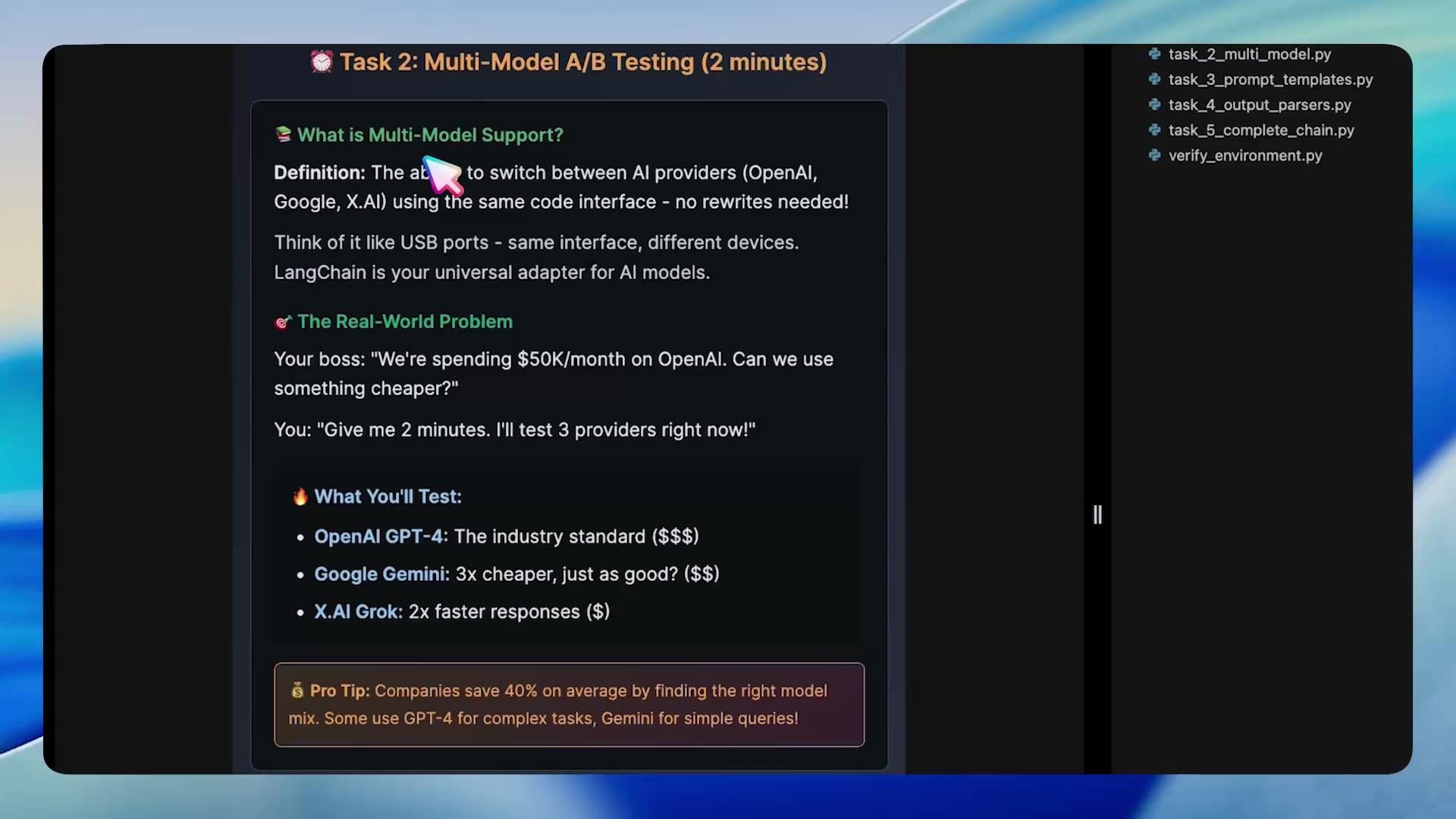
LangChain makes it easy to initialize multiple providers and run the same prompt against each to compare outputs for A/B testing, quality vs. cost analysis, or feature testing. Below is a compact pattern to initialize multiple model objects and iterate over them.
 ```python theme={null}
# task_2_multi_model.py
import os
from langchain.chat_models import ChatOpenAI
from langchain.schema import HumanMessage
print("\n🚀 Task 2: Multi-Model Support with LangChain")
print("=" * 50)
test_prompt = "Explain cloud computing in one sentence"
# Example initializations (replace with provider-specific wrappers and creds in real use)
openai_llm = ChatOpenAI(
model_name="gpt-4",
openai_api_key=os.getenv("OPENAI_API_KEY"),
openai_api_base=os.getenv("OPENAI_API_BASE"),
)
# NOTE: The following examples illustrate a unified call pattern.
# In production, use provider-specific wrappers (e.g., Vertex AI client for Gemini)
google_llm = ChatOpenAI(
model_name="google/gemini-2.5-flash", # illustrative placeholder
openai_api_key=os.getenv("OPENAI_API_KEY"),
openai_api_base=os.getenv("OPENAI_API_BASE"),
)
xai_llm = ChatOpenAI(
model_name="xai/grok-medium", # illustrative placeholder
openai_api_key=os.getenv("OPENAI_API_KEY"),
openai_api_base=os.getenv("OPENAI_API_BASE"),
)
for name, llm in [("OpenAI", openai_llm), ("Google", google_llm), ("X.AI", xai_llm)]:
try:
response = llm([HumanMessage(content=test_prompt)])
snippet = response.content[:200] # show a short snippet
print(f"{name}: {snippet}...\n")
except Exception as e:
print(f"{name}: Error invoking model: {e}\n")
# create marker for completion
import os
os.makedirs("/root/markers", exist_ok=True)
with open("/root/markers/task2_complete.txt", "w") as f:
f.write("COMPLETED")
```
Sample comparison output:
```text theme={null}
Model Comparison - Same Prompt, Different Models
Prompt: 'Explain cloud computing in one sentence'
OpenAI: Cloud computing is the delivery of computing resources and services, such as storage, processing,...
Google: Cloud computing delivers on-demand computing services—including servers, storage, databases, and networks...
X.AI: Cloud computing is the delivery of on-demand computing resources, such as servers, storage, and databases...
```
This pattern simplifies A/B experiments: same code, different model instances.
Model identifiers and client initialization vary across providers. The examples above use placeholders for non-OpenAI providers—swap to provider-specific wrappers (e.g., Vertex AI for Google Gemini) and ensure correct credentials and regional endpoints before running in production.
***
## Task 3 — Prompt templates
Avoid duplicating prompt strings across your codebase by using reusable PromptTemplate objects. Templates let you format input dynamically while keeping a consistent prompt structure.
```python theme={null}
# task_3_prompt_templates.py
import os
from langchain.prompts import PromptTemplate
from langchain.chat_models import ChatOpenAI
from langchain.schema import HumanMessage
print("🧑💻 Task 3: Dynamic Prompt Templates")
print("=" * 50)
# Define a reusable template with placeholders
template = PromptTemplate(
input_variables=["topic", "style"],
template="Explain {topic} in {style}"
)
# Initialize the LLM
llm = ChatOpenAI(
model_name="gpt-4",
openai_api_key=os.getenv("OPENAI_API_KEY"),
openai_api_base=os.getenv("OPENAI_API_BASE"),
temperature=0.7
)
# Format the template with specific values
test_prompt = template.format(topic="artificial intelligence", style="exactly 5 words")
print(f"🛰️ Sending to AI: {test_prompt}\n")
# Send to the model
response = llm([HumanMessage(content=test_prompt)])
print("AI Response:", response.content)
```
Template benefits:
* Single source of truth for prompt patterns
* Easy to update structure or wording in one place
* Clean separation of prompt logic and application data
* Works well with LLMChain for reuse across pipelines
***
## Task 4 — Output parsers (structured outputs)
For production systems you usually need structured outputs (JSON, typed objects). LangChain supports output parsers such as PydanticOutputParser to ensure responses match expected schemas.
```python theme={null}
# task_4_output_parsers.py
import os
from pydantic import BaseModel
from langchain.chat_models import ChatOpenAI
from langchain.prompts import PromptTemplate
from langchain.output_parsers import PydanticOutputParser
from langchain.schema import HumanMessage
# Define the expected structure with Pydantic
class SummaryModel(BaseModel):
summary: str
keywords: list[str]
parser = PydanticOutputParser(pydantic_object=SummaryModel)
template = PromptTemplate(
input_variables=["topic"],
template=(
"Provide a short summary and a list of 3 keywords for the topic: {topic}.\n"
"Respond as JSON that matches the SummaryModel schema."
),
)
llm = ChatOpenAI(
model_name="gpt-4",
openai_api_key=os.getenv("OPENAI_API_KEY"),
openai_api_base=os.getenv("OPENAI_API_BASE"),
temperature=0.2
)
prompt = template.format(topic="artificial intelligence")
response = llm([HumanMessage(content=prompt)])
raw_text = response.content
print("Raw AI Response:", raw_text)
# Parse into structured data
parsed = parser.parse(raw_text)
print("Parsed object:", parsed)
print("Parsed type:", type(parsed))
```
Using parsers avoids fragile ad-hoc string parsing and gives you typed Python objects ready for downstream usage (databases, APIs, UIs).
***
## Task 5 — Chain composition (building pipelines)
LangChain makes composition straightforward. Use LLMChain to bind prompts and models, then post-process with parsers or helper functions to create readable, reusable pipelines.
```python theme={null}
# task_5_chain_composition.py
import os
from langchain.chat_models import ChatOpenAI
from langchain.prompts import PromptTemplate
from langchain.chains import LLMChain
print("\n🧠 Chain 1: Simple Analysis")
print("=" * 50)
analysis_prompt = PromptTemplate(
input_variables=["technology"],
template="Analyze {technology} and provide pros and cons in 2-3 sentences."
)
llm = ChatOpenAI(
model_name="gpt-4",
openai_api_key=os.getenv("OPENAI_API_KEY"),
openai_api_base=os.getenv("OPENAI_API_BASE"),
temperature=0.3
)
analysis_chain = LLMChain(llm=llm, prompt=analysis_prompt)
# Invoke the chain with one call
result = analysis_chain.run({"technology": "blockchain"})
print("📥 Input: 'Analyze blockchain'")
print("✅ Output:", result)
```
For more complex pipelines you can chain or sequence multiple components:
* PromptTemplate -> LLM (LLMChain) -> Output parser -> Database save -> Notification
Conceptual example:
```Python theme={null}
prompt = template.format(...)
response = llm([HumanMessage(content=prompt)])
parsed = parser.parse(response.content)
save_to_db(parsed)
send_email_notification(parsed)
```
LLMChain plus parsers and helper functions keep this pattern concise and testable.
***
## Summary
By following the exercises above you should now understand how LangChain helps you:
* Reduce boilerplate versus native SDK code paths
* Experiment with multiple models for A/B testing
* Create reusable prompt templates to avoid duplication
* Produce structured outputs using parsers like PydanticOutputParser
* Compose chains for readable, maintainable pipelines
Keep experimenting with more complex parser schemas, multi-step chains, and provider-specific integrations to adapt this pattern for production workloads.
***
## Links and References
* LangChain Documentation: [https://langchain.readthedocs.io/](https://langchain.readthedocs.io/)
* OpenAI API: [https://platform.openai.com/docs](https://platform.openai.com/docs)
* Google Vertex AI (Gemini): [https://cloud.google.com/vertex-ai](https://cloud.google.com/vertex-ai)
* Pydantic: [https://pydantic-docs.helpmanual.io/](https://pydantic-docs.helpmanual.io/)
* xAI / Grok (vendor): check vendor docs for model identifiers and APIs
```python theme={null}
# task_2_multi_model.py
import os
from langchain.chat_models import ChatOpenAI
from langchain.schema import HumanMessage
print("\n🚀 Task 2: Multi-Model Support with LangChain")
print("=" * 50)
test_prompt = "Explain cloud computing in one sentence"
# Example initializations (replace with provider-specific wrappers and creds in real use)
openai_llm = ChatOpenAI(
model_name="gpt-4",
openai_api_key=os.getenv("OPENAI_API_KEY"),
openai_api_base=os.getenv("OPENAI_API_BASE"),
)
# NOTE: The following examples illustrate a unified call pattern.
# In production, use provider-specific wrappers (e.g., Vertex AI client for Gemini)
google_llm = ChatOpenAI(
model_name="google/gemini-2.5-flash", # illustrative placeholder
openai_api_key=os.getenv("OPENAI_API_KEY"),
openai_api_base=os.getenv("OPENAI_API_BASE"),
)
xai_llm = ChatOpenAI(
model_name="xai/grok-medium", # illustrative placeholder
openai_api_key=os.getenv("OPENAI_API_KEY"),
openai_api_base=os.getenv("OPENAI_API_BASE"),
)
for name, llm in [("OpenAI", openai_llm), ("Google", google_llm), ("X.AI", xai_llm)]:
try:
response = llm([HumanMessage(content=test_prompt)])
snippet = response.content[:200] # show a short snippet
print(f"{name}: {snippet}...\n")
except Exception as e:
print(f"{name}: Error invoking model: {e}\n")
# create marker for completion
import os
os.makedirs("/root/markers", exist_ok=True)
with open("/root/markers/task2_complete.txt", "w") as f:
f.write("COMPLETED")
```
Sample comparison output:
```text theme={null}
Model Comparison - Same Prompt, Different Models
Prompt: 'Explain cloud computing in one sentence'
OpenAI: Cloud computing is the delivery of computing resources and services, such as storage, processing,...
Google: Cloud computing delivers on-demand computing services—including servers, storage, databases, and networks...
X.AI: Cloud computing is the delivery of on-demand computing resources, such as servers, storage, and databases...
```
This pattern simplifies A/B experiments: same code, different model instances.
Model identifiers and client initialization vary across providers. The examples above use placeholders for non-OpenAI providers—swap to provider-specific wrappers (e.g., Vertex AI for Google Gemini) and ensure correct credentials and regional endpoints before running in production.
***
## Task 3 — Prompt templates
Avoid duplicating prompt strings across your codebase by using reusable PromptTemplate objects. Templates let you format input dynamically while keeping a consistent prompt structure.
```python theme={null}
# task_3_prompt_templates.py
import os
from langchain.prompts import PromptTemplate
from langchain.chat_models import ChatOpenAI
from langchain.schema import HumanMessage
print("🧑💻 Task 3: Dynamic Prompt Templates")
print("=" * 50)
# Define a reusable template with placeholders
template = PromptTemplate(
input_variables=["topic", "style"],
template="Explain {topic} in {style}"
)
# Initialize the LLM
llm = ChatOpenAI(
model_name="gpt-4",
openai_api_key=os.getenv("OPENAI_API_KEY"),
openai_api_base=os.getenv("OPENAI_API_BASE"),
temperature=0.7
)
# Format the template with specific values
test_prompt = template.format(topic="artificial intelligence", style="exactly 5 words")
print(f"🛰️ Sending to AI: {test_prompt}\n")
# Send to the model
response = llm([HumanMessage(content=test_prompt)])
print("AI Response:", response.content)
```
Template benefits:
* Single source of truth for prompt patterns
* Easy to update structure or wording in one place
* Clean separation of prompt logic and application data
* Works well with LLMChain for reuse across pipelines
***
## Task 4 — Output parsers (structured outputs)
For production systems you usually need structured outputs (JSON, typed objects). LangChain supports output parsers such as PydanticOutputParser to ensure responses match expected schemas.
```python theme={null}
# task_4_output_parsers.py
import os
from pydantic import BaseModel
from langchain.chat_models import ChatOpenAI
from langchain.prompts import PromptTemplate
from langchain.output_parsers import PydanticOutputParser
from langchain.schema import HumanMessage
# Define the expected structure with Pydantic
class SummaryModel(BaseModel):
summary: str
keywords: list[str]
parser = PydanticOutputParser(pydantic_object=SummaryModel)
template = PromptTemplate(
input_variables=["topic"],
template=(
"Provide a short summary and a list of 3 keywords for the topic: {topic}.\n"
"Respond as JSON that matches the SummaryModel schema."
),
)
llm = ChatOpenAI(
model_name="gpt-4",
openai_api_key=os.getenv("OPENAI_API_KEY"),
openai_api_base=os.getenv("OPENAI_API_BASE"),
temperature=0.2
)
prompt = template.format(topic="artificial intelligence")
response = llm([HumanMessage(content=prompt)])
raw_text = response.content
print("Raw AI Response:", raw_text)
# Parse into structured data
parsed = parser.parse(raw_text)
print("Parsed object:", parsed)
print("Parsed type:", type(parsed))
```
Using parsers avoids fragile ad-hoc string parsing and gives you typed Python objects ready for downstream usage (databases, APIs, UIs).
***
## Task 5 — Chain composition (building pipelines)
LangChain makes composition straightforward. Use LLMChain to bind prompts and models, then post-process with parsers or helper functions to create readable, reusable pipelines.
```python theme={null}
# task_5_chain_composition.py
import os
from langchain.chat_models import ChatOpenAI
from langchain.prompts import PromptTemplate
from langchain.chains import LLMChain
print("\n🧠 Chain 1: Simple Analysis")
print("=" * 50)
analysis_prompt = PromptTemplate(
input_variables=["technology"],
template="Analyze {technology} and provide pros and cons in 2-3 sentences."
)
llm = ChatOpenAI(
model_name="gpt-4",
openai_api_key=os.getenv("OPENAI_API_KEY"),
openai_api_base=os.getenv("OPENAI_API_BASE"),
temperature=0.3
)
analysis_chain = LLMChain(llm=llm, prompt=analysis_prompt)
# Invoke the chain with one call
result = analysis_chain.run({"technology": "blockchain"})
print("📥 Input: 'Analyze blockchain'")
print("✅ Output:", result)
```
For more complex pipelines you can chain or sequence multiple components:
* PromptTemplate -> LLM (LLMChain) -> Output parser -> Database save -> Notification
Conceptual example:
```Python theme={null}
prompt = template.format(...)
response = llm([HumanMessage(content=prompt)])
parsed = parser.parse(response.content)
save_to_db(parsed)
send_email_notification(parsed)
```
LLMChain plus parsers and helper functions keep this pattern concise and testable.
***
## Summary
By following the exercises above you should now understand how LangChain helps you:
* Reduce boilerplate versus native SDK code paths
* Experiment with multiple models for A/B testing
* Create reusable prompt templates to avoid duplication
* Produce structured outputs using parsers like PydanticOutputParser
* Compose chains for readable, maintainable pipelines
Keep experimenting with more complex parser schemas, multi-step chains, and provider-specific integrations to adapt this pattern for production workloads.
***
## Links and References
* LangChain Documentation: [https://langchain.readthedocs.io/](https://langchain.readthedocs.io/)
* OpenAI API: [https://platform.openai.com/docs](https://platform.openai.com/docs)
* Google Vertex AI (Gemini): [https://cloud.google.com/vertex-ai](https://cloud.google.com/vertex-ai)
* Pydantic: [https://pydantic-docs.helpmanual.io/](https://pydantic-docs.helpmanual.io/)
* xAI / Grok (vendor): check vendor docs for model identifiers and APIs