> ## Documentation Index
> Fetch the complete documentation index at: https://notes.kodekloud.com/llms.txt
> Use this file to discover all available pages before exploring further.
# Coding Agents
> Explains difference between text-only AI agents and coding agents like Cody that can execute code, modify systems, associated risks, and safe execution patterns
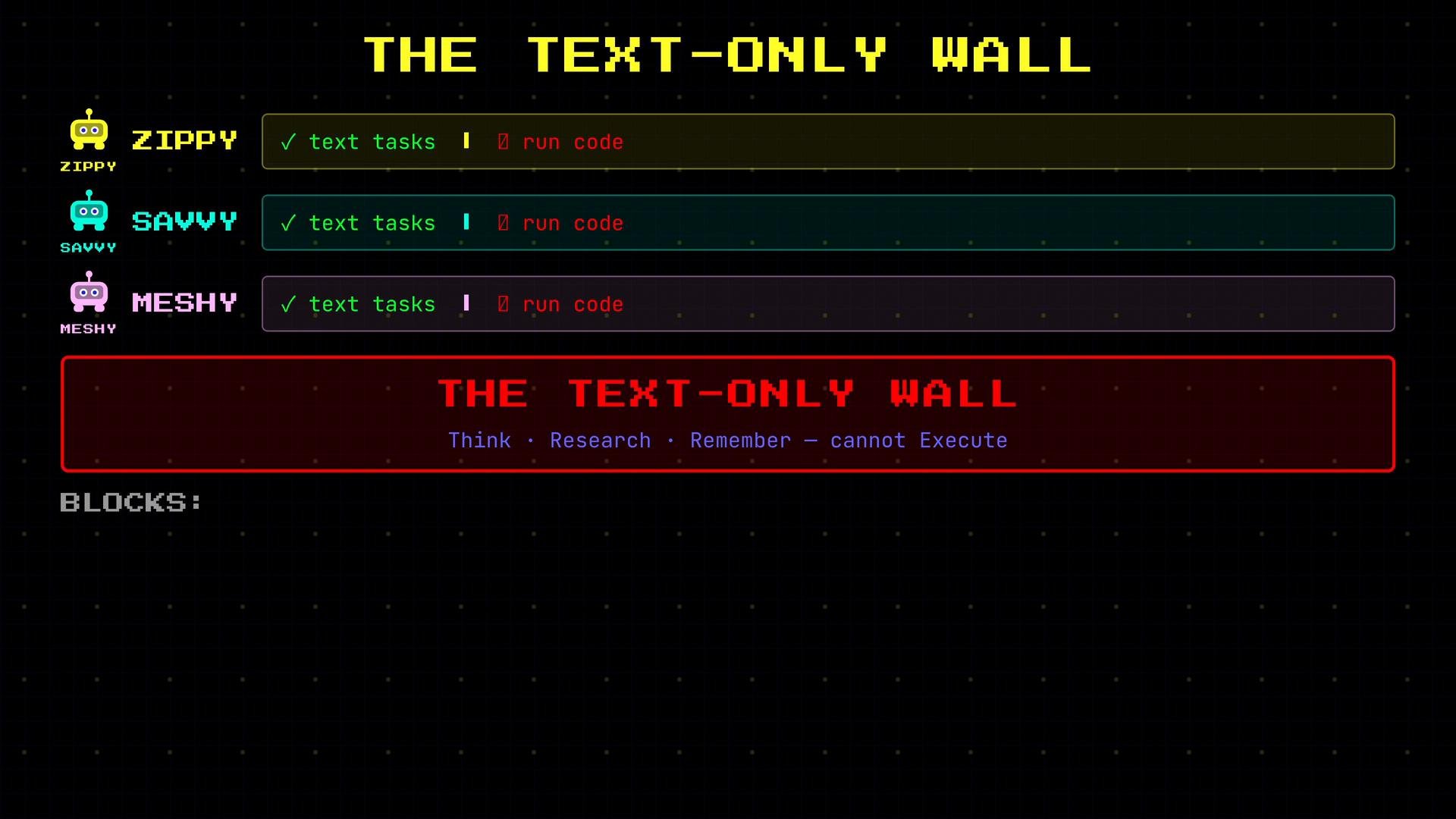
Text-only agents—like Zippy, Savvy, and Meshy—are powerful at reasoning, researching, and remembering, but they share a key limitation: they operate in a text-in, text-out world.
* Ask Savvy to summarize your emails. She can.
* Ask Savvy to process a CSV and calculate monthly revenue. She can't — she has no way to run a program.
* Ask Savvy to research the best database query. She can.
* Ask Savvy to actually run the query and return results. She can't — no execution environment.
* Ask Meshy to remember your preferences. She can.
* Ask Meshy to generate a report by running a script. She can't — no ability to execute code.
This is the text-only wall: the team can think, research, and remember, but they cannot perform tasks that require running code. That limitation blocks many practical workflows: processing large data files, executing SQL, running scripts, writing files to disk, or automating system operations.
 Meet Cody.
Cody is the code-and-automation specialist on the team. Unlike the text-only agents, Cody can cross the boundary from planning to execution: she runs Python scripts, queries databases, executes system commands, and writes files. Where Zippy, Savvy, and Meshy return information, Cody’s tools perform actions that change state.
How Cody’s tools differ from typical agent tools:
* Declarative tools return data with no side effects (e.g., search results or calendar events).
* Cody’s execution tools may have side effects (e.g., modifying files or databases).
Tool examples (what they return or do):
* `SearchWeb` — returns results (no side effects)
* `ReadCalendar` — returns events (no side effects)
* `RecallMemory` — returns stored notes/preferences (no side effects)
* `RunScript` — executes a Python file on disk (side effects possible)
* `ExecuteCode` — runs a code snippet directly (side effects possible)
* `QueryDatabase` — executes SQL against a live DB (side effects possible)
* `WriteFile` — saves content to disk (side effects possible)
Comparison at a glance:
| Agent/Tool Type | Typical Behavior | Example tool(s) |
| - | - | - |
| Text-only agent | Reasoning, summarization, research (no state change) | `SearchWeb`, `ReadCalendar`, `RecallMemory` |
| Coding agent (Cody) | Executes code, modifies state (possible side effects) | `RunScript`, `ExecuteCode`, `QueryDatabase`, `WriteFile` |
Here is a concise illustrative mapping of declarative vs. imperative tool behavior as Python-style function signatures:
```python theme={null}
def search_web(query):
# returns results (no side effects)
pass
def read_calendar(date):
# returns events (no side effects)
pass
def recall_memory(topic):
# returns text (no side effects)
pass
def run_script(file):
# executes a script on disk (side effects possible)
pass
def execute_code(snippet):
# runs code directly (side effects possible)
pass
def query_database(sql):
# executes SQL against a live DB (side effects possible)
pass
def write_file(path, data):
# writes content to disk (side effects possible)
pass
```
Why execution power matters
* Observability: Executing code can produce results that are only visible after the action takes place (e.g., query results, generated files).
* Capability: Many useful automations require running code—data transforms, scheduled jobs, migrations, or integrations.
* Risk: Actions can change or corrupt data, delete files, or cause downtime if not handled correctly.
Risks and safe patterns
* Validate inputs and guard destructive operations (dry-run, confirmations).
* Limit privileges: run with the least privilege necessary.
* Add robust error handling and retries for partially completed tasks.
* Maintain detailed audit logs for actions and outcomes.
* Prefer idempotent operations where possible.
Because Cody's tools can change real systems and data, careful error handling, validation, and access controls are essential.
Cody is built differently from the rest of the team to manage these risks: safe execution patterns, thorough validation, and error containment are core to her design. She closes the loop from planning to doing—reasoning, then acting—so the team can both think and execute without giving up safety.
This documentation is built and hosted on [Mintlify](https://mintlify.com), a developer documentation platform.
Meet Cody.
Cody is the code-and-automation specialist on the team. Unlike the text-only agents, Cody can cross the boundary from planning to execution: she runs Python scripts, queries databases, executes system commands, and writes files. Where Zippy, Savvy, and Meshy return information, Cody’s tools perform actions that change state.
How Cody’s tools differ from typical agent tools:
* Declarative tools return data with no side effects (e.g., search results or calendar events).
* Cody’s execution tools may have side effects (e.g., modifying files or databases).
Tool examples (what they return or do):
* `SearchWeb` — returns results (no side effects)
* `ReadCalendar` — returns events (no side effects)
* `RecallMemory` — returns stored notes/preferences (no side effects)
* `RunScript` — executes a Python file on disk (side effects possible)
* `ExecuteCode` — runs a code snippet directly (side effects possible)
* `QueryDatabase` — executes SQL against a live DB (side effects possible)
* `WriteFile` — saves content to disk (side effects possible)
Comparison at a glance:
| Agent/Tool Type | Typical Behavior | Example tool(s) |
| - | - | - |
| Text-only agent | Reasoning, summarization, research (no state change) | `SearchWeb`, `ReadCalendar`, `RecallMemory` |
| Coding agent (Cody) | Executes code, modifies state (possible side effects) | `RunScript`, `ExecuteCode`, `QueryDatabase`, `WriteFile` |
Here is a concise illustrative mapping of declarative vs. imperative tool behavior as Python-style function signatures:
```python theme={null}
def search_web(query):
# returns results (no side effects)
pass
def read_calendar(date):
# returns events (no side effects)
pass
def recall_memory(topic):
# returns text (no side effects)
pass
def run_script(file):
# executes a script on disk (side effects possible)
pass
def execute_code(snippet):
# runs code directly (side effects possible)
pass
def query_database(sql):
# executes SQL against a live DB (side effects possible)
pass
def write_file(path, data):
# writes content to disk (side effects possible)
pass
```
Why execution power matters
* Observability: Executing code can produce results that are only visible after the action takes place (e.g., query results, generated files).
* Capability: Many useful automations require running code—data transforms, scheduled jobs, migrations, or integrations.
* Risk: Actions can change or corrupt data, delete files, or cause downtime if not handled correctly.
Risks and safe patterns
* Validate inputs and guard destructive operations (dry-run, confirmations).
* Limit privileges: run with the least privilege necessary.
* Add robust error handling and retries for partially completed tasks.
* Maintain detailed audit logs for actions and outcomes.
* Prefer idempotent operations where possible.
Because Cody's tools can change real systems and data, careful error handling, validation, and access controls are essential.
Cody is built differently from the rest of the team to manage these risks: safe execution patterns, thorough validation, and error containment are core to her design. She closes the loop from planning to doing—reasoning, then acting—so the team can both think and execute without giving up safety.
This documentation is built and hosted on [Mintlify](https://mintlify.com), a developer documentation platform.