> ## Documentation Index
> Fetch the complete documentation index at: https://notes.kodekloud.com/llms.txt
> Use this file to discover all available pages before exploring further.
# Error Handling
> Strategies for detecting, handling, and recovering from failures in AI agents and automation
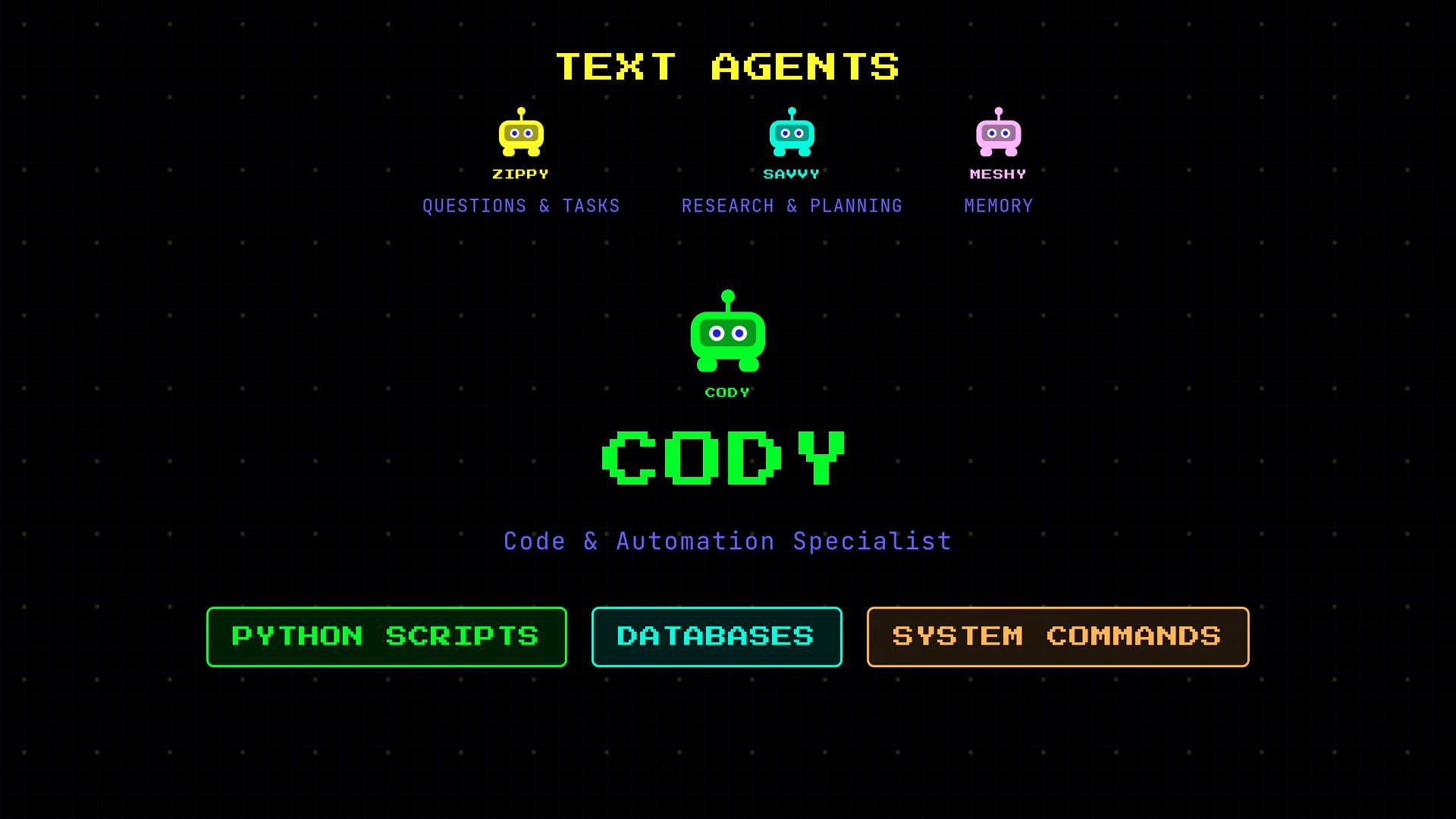
Zyppy, Savvy, and Meshy mostly handle text: questions, research, and memories. Tasks that require actual code execution — running scripts, querying databases, or automating system workflows — belong to Codey.
Codey is the code and automation specialist: he runs Python scripts, executes system commands, and queries databases. Because code execution is inherently unpredictable, Codey needs the strongest error handling of all agents. In this article we explain how agents fail, and show practical approaches to make them resilient in production.
 Codey operates in the real world: network errors, runtime exceptions, timeouts, and side effects happen frequently. Design agents to detect and react to these failures instead of hiding them.
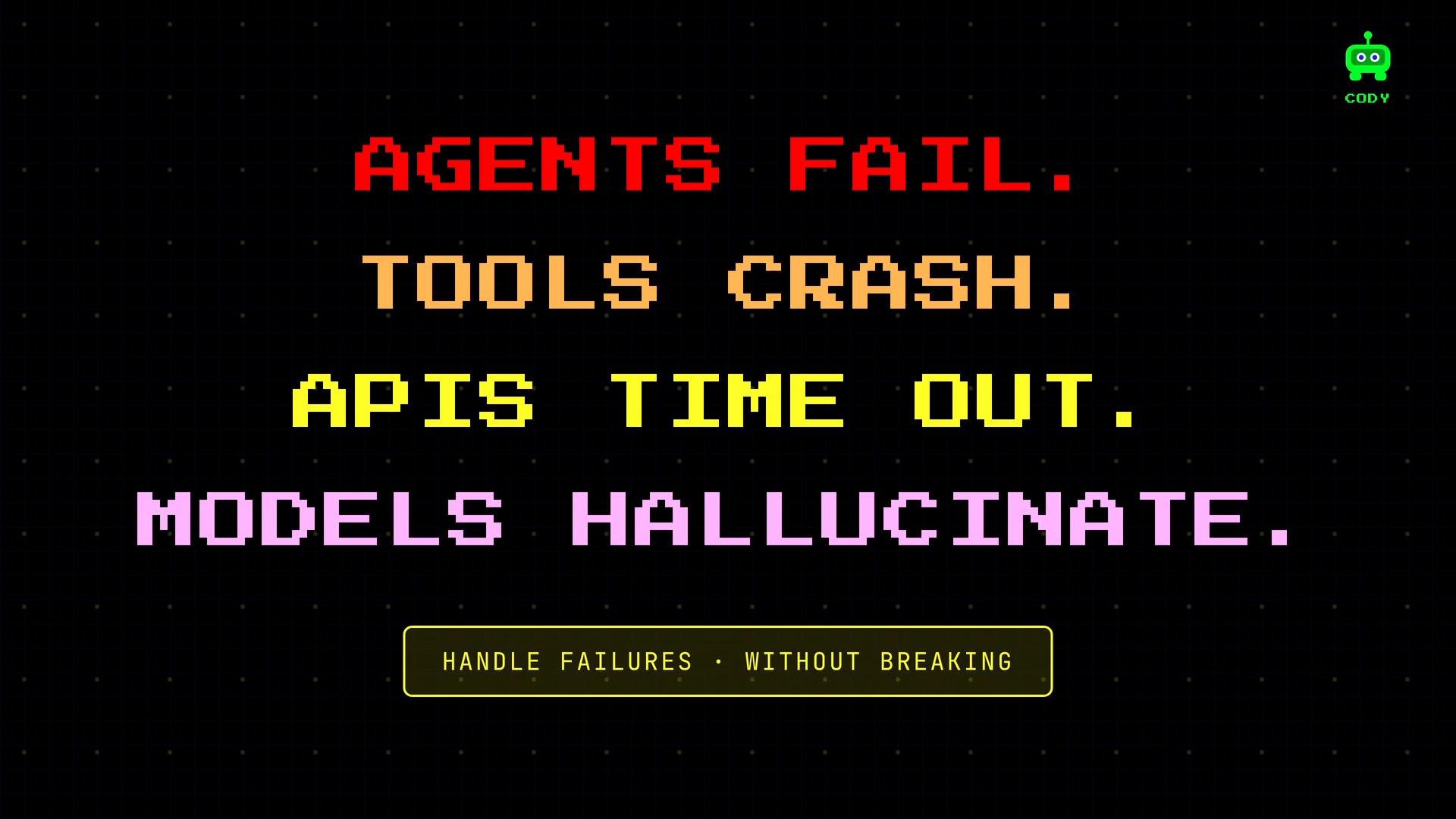
Agents fail, tools crash, APIs time out, and models can hallucinate. A production-ready agent must anticipate these failure modes and recover without breaking the user experience.
Codey operates in the real world: network errors, runtime exceptions, timeouts, and side effects happen frequently. Design agents to detect and react to these failures instead of hiding them.
Agents fail, tools crash, APIs time out, and models can hallucinate. A production-ready agent must anticipate these failure modes and recover without breaking the user experience.
 ## Overview — common failure modes
There are six common failure modes to design for:
| Failure mode | What happens | Mitigation |
| - | - | - |
| Tool failures | Tool call errors (API down, bad input, timeout) | Surface the error to the agent, log diagnostics, retry/backoff, use validation |
| Bad tool selection | Agent picks an unsuitable tool for the task | Improve tool metadata, examples, and add negative examples and validators |
| Hallucinated tool calls | Agent invents a tool name or passes invalid args | Validate tool calls server-side, reject unknown tools, return clear error results |
| Infinite loops | Agent repeats steps without progress | Enforce hard iteration/time limits and inspect model finish reasons |
| Context overflow | Conversation exceeds model context window | Compress or summarize older messages; keep recent messages in full fidelity |
| Model/provider errors | Rate limits, outages, malformed responses | Model fallback, request normalization, and consistent validation |
Below we walk through practical strategies for each failure mode.
## Tool failures
When a tool call raises an exception, do not swallow it. Instead, make the failure visible to the agent so the LLM can retry, choose a different tool, or ask for clarification. Wrap external tool calls in try/except, capture diagnostic information (exception type and traceback), and present that back to the agent as a tool result.
Example pattern:
```python theme={null}
import traceback
def call_tool_and_report(tool, *args, **kwargs):
try:
result = tool.run(*args, **kwargs)
return {"ok": True, "result": result}
except Exception as e:
tb = traceback.format_exc()
error_message = f"TOOL ERROR: {type(e).__name__}: {e}\n{tb}"
# send_error makes the error visible to the agent (e.g., as a tool result)
send_error(error_message)
return {"ok": False, "error": error_message}
```
Give the LLM the error message as part of the conversation so it can select a next step (retry, switch tools, or ask for clarification). Also implement exponential backoff for transient network errors.
## Bad tool selection
Bad tool selection is often a design problem rather than a runtime exception. If the agent consistently picks the wrong tool:
* Improve tool descriptions and add concrete examples.
* Include explicit negative examples: show when *not* to use the tool.
* Constrain tool usage with lightweight validators or type checks before execution.
* Use server-side validation to reject tool calls with invalid argument shapes.
Better metadata and clearer examples significantly reduce hallucinated or incorrect tool choices.
## Hallucinated tool calls
Agents sometimes invent a tool name or pass invalid arguments. Always validate tool calls on the platform side. If a tool name is unknown or arguments are malformed, return a structured error back to the agent:
* Return machine-readable error codes plus human-readable diagnosis.
* Suggest the correct tool or required argument schema where possible.
* Log the hallucinated call for monitoring and retraining.
## Infinite loops
Unbounded iteration is costly and can escalate bills or resource usage. Always set hard iteration limits, time budgets, and inspect the model's finish reason when available.
Example iteration guard:
```python theme={null}
MAX_ITER = 10
for i in range(MAX_ITER):
response = call_model(current_context)
# Many model APIs include a finish reason; check it when available
finish_reason = response.get("finish_reason") # e.g., "stop", "length", "max_tokens"
if finish_reason == "stop":
# model indicates it's done
break
# If we hit the iteration limit, force a final response
if i + 1 >= MAX_ITER:
force_response("You have reached the maximum number of reasoning steps. Provide the best final answer you can with the information available.")
```
Other useful guards: a total time budget, token budget, and per-tool retry limits.
Never allow unbounded execution of user-defined scripts or arbitrary shell commands. Always sandbox and constrain resource usage to avoid runaway processes or security risks.
## Context overflow
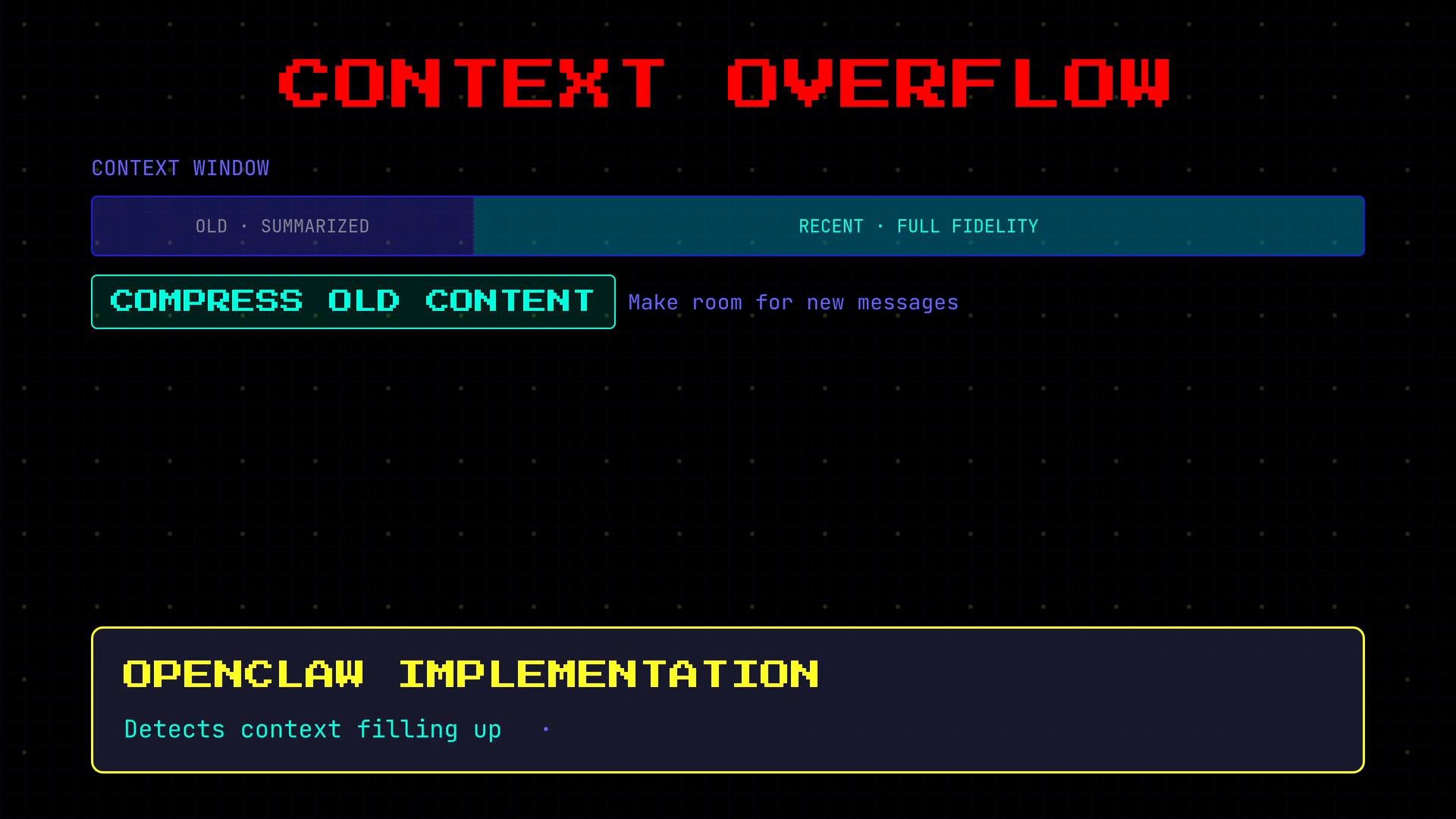
When a conversation grows past the model's context window, compress older content. Keep recent exchanges in full fidelity and summarize or embed earlier ones to preserve the thread while freeing tokens for current reasoning.
Common approaches:
* Periodically summarize earlier messages and replace them with compressed summaries.
* Use embeddings to store long-term memory and retrieve only relevant snippets.
* Detect when the context is nearing capacity and trigger compression automatically.
The case study's implementation detects context pressure and compresses earlier messages to make room for new content.
## Overview — common failure modes
There are six common failure modes to design for:
| Failure mode | What happens | Mitigation |
| - | - | - |
| Tool failures | Tool call errors (API down, bad input, timeout) | Surface the error to the agent, log diagnostics, retry/backoff, use validation |
| Bad tool selection | Agent picks an unsuitable tool for the task | Improve tool metadata, examples, and add negative examples and validators |
| Hallucinated tool calls | Agent invents a tool name or passes invalid args | Validate tool calls server-side, reject unknown tools, return clear error results |
| Infinite loops | Agent repeats steps without progress | Enforce hard iteration/time limits and inspect model finish reasons |
| Context overflow | Conversation exceeds model context window | Compress or summarize older messages; keep recent messages in full fidelity |
| Model/provider errors | Rate limits, outages, malformed responses | Model fallback, request normalization, and consistent validation |
Below we walk through practical strategies for each failure mode.
## Tool failures
When a tool call raises an exception, do not swallow it. Instead, make the failure visible to the agent so the LLM can retry, choose a different tool, or ask for clarification. Wrap external tool calls in try/except, capture diagnostic information (exception type and traceback), and present that back to the agent as a tool result.
Example pattern:
```python theme={null}
import traceback
def call_tool_and_report(tool, *args, **kwargs):
try:
result = tool.run(*args, **kwargs)
return {"ok": True, "result": result}
except Exception as e:
tb = traceback.format_exc()
error_message = f"TOOL ERROR: {type(e).__name__}: {e}\n{tb}"
# send_error makes the error visible to the agent (e.g., as a tool result)
send_error(error_message)
return {"ok": False, "error": error_message}
```
Give the LLM the error message as part of the conversation so it can select a next step (retry, switch tools, or ask for clarification). Also implement exponential backoff for transient network errors.
## Bad tool selection
Bad tool selection is often a design problem rather than a runtime exception. If the agent consistently picks the wrong tool:
* Improve tool descriptions and add concrete examples.
* Include explicit negative examples: show when *not* to use the tool.
* Constrain tool usage with lightweight validators or type checks before execution.
* Use server-side validation to reject tool calls with invalid argument shapes.
Better metadata and clearer examples significantly reduce hallucinated or incorrect tool choices.
## Hallucinated tool calls
Agents sometimes invent a tool name or pass invalid arguments. Always validate tool calls on the platform side. If a tool name is unknown or arguments are malformed, return a structured error back to the agent:
* Return machine-readable error codes plus human-readable diagnosis.
* Suggest the correct tool or required argument schema where possible.
* Log the hallucinated call for monitoring and retraining.
## Infinite loops
Unbounded iteration is costly and can escalate bills or resource usage. Always set hard iteration limits, time budgets, and inspect the model's finish reason when available.
Example iteration guard:
```python theme={null}
MAX_ITER = 10
for i in range(MAX_ITER):
response = call_model(current_context)
# Many model APIs include a finish reason; check it when available
finish_reason = response.get("finish_reason") # e.g., "stop", "length", "max_tokens"
if finish_reason == "stop":
# model indicates it's done
break
# If we hit the iteration limit, force a final response
if i + 1 >= MAX_ITER:
force_response("You have reached the maximum number of reasoning steps. Provide the best final answer you can with the information available.")
```
Other useful guards: a total time budget, token budget, and per-tool retry limits.
Never allow unbounded execution of user-defined scripts or arbitrary shell commands. Always sandbox and constrain resource usage to avoid runaway processes or security risks.
## Context overflow
When a conversation grows past the model's context window, compress older content. Keep recent exchanges in full fidelity and summarize or embed earlier ones to preserve the thread while freeing tokens for current reasoning.
Common approaches:
* Periodically summarize earlier messages and replace them with compressed summaries.
* Use embeddings to store long-term memory and retrieve only relevant snippets.
* Detect when the context is nearing capacity and trigger compression automatically.
The case study's implementation detects context pressure and compresses earlier messages to make room for new content.
 ## Model errors and provider fallback
Model APIs can fail with rate limits, outages, or malformed responses. Implement provider fallback: try a primary provider, and if it fails or returns an invalid response, retry with a secondary provider. Normalize request and response formats so switching providers does not require changing higher-level logic.
Example fallback sketch:
```python theme={null}
providers = [claude_client, gpt_client, gemini_client]
for provider in providers:
try:
response = provider.call_model(prompt, **params)
if valid_response(response):
return response
except ProviderError as e:
log.warning(f"{provider.name} failed: {e}")
# If all providers fail, return a user-facing error message
return {"error": "All model providers are currently unavailable. Please try again later."}
```
Keep responses normalized (tokens, finish reasons, metadata) so the agent logic can remain provider-agnostic.
## Five core principles for robust error handling
1. Expect failure. Design for tool and model failures from day one.
2. Surface errors to the agent. Don’t silently swallow failures — let the LLM adapt.
3. Set hard limits. Constrain iterations, tokens, and time to prevent runaway costs.
4. Log everything. Detailed logs (including tool inputs/outputs and tracebacks) make diagnosis and reproduction possible.
5. Fail gracefully to users. Return clear, actionable messages instead of cryptic traces.
## Implementation summary
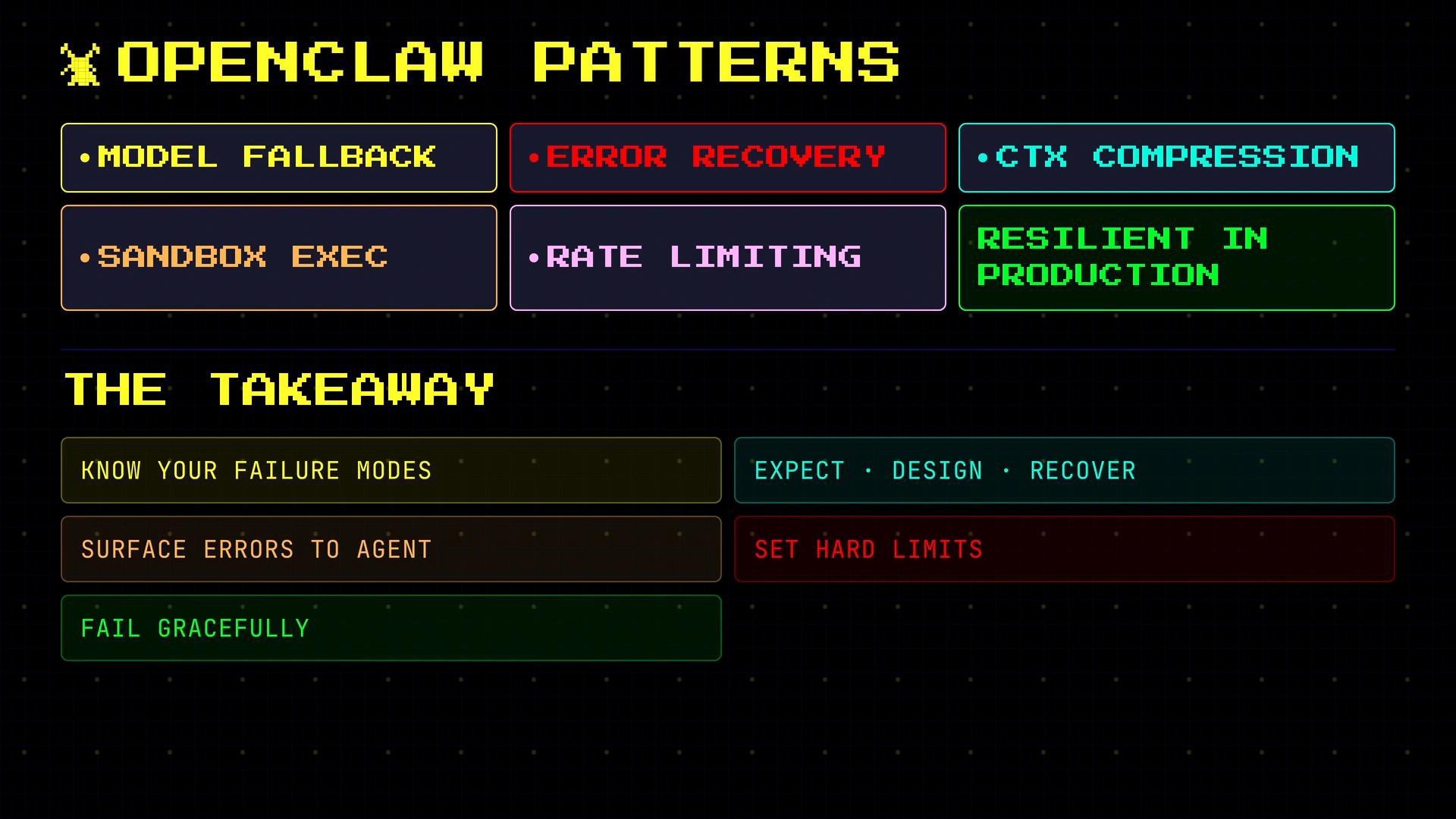
This implementation bundles the patterns above:
* Model fallback across providers.
* Tool error recovery that passes errors back to the agent as structured results.
* Context compression for long conversations.
* Sandboxed execution for untrusted code and system commands.
* Rate limits and iteration guards to prevent runaway loops.
These layers work together to make production agents resilient, observable, and safer to run at scale.
Error handling is essential for production agents. Know the failure modes, build recovery strategies, surface errors to the agent so it can adapt, set hard limits to control costs, and log everything for debugging. When things go wrong, fail gracefully to the user.
## Model errors and provider fallback
Model APIs can fail with rate limits, outages, or malformed responses. Implement provider fallback: try a primary provider, and if it fails or returns an invalid response, retry with a secondary provider. Normalize request and response formats so switching providers does not require changing higher-level logic.
Example fallback sketch:
```python theme={null}
providers = [claude_client, gpt_client, gemini_client]
for provider in providers:
try:
response = provider.call_model(prompt, **params)
if valid_response(response):
return response
except ProviderError as e:
log.warning(f"{provider.name} failed: {e}")
# If all providers fail, return a user-facing error message
return {"error": "All model providers are currently unavailable. Please try again later."}
```
Keep responses normalized (tokens, finish reasons, metadata) so the agent logic can remain provider-agnostic.
## Five core principles for robust error handling
1. Expect failure. Design for tool and model failures from day one.
2. Surface errors to the agent. Don’t silently swallow failures — let the LLM adapt.
3. Set hard limits. Constrain iterations, tokens, and time to prevent runaway costs.
4. Log everything. Detailed logs (including tool inputs/outputs and tracebacks) make diagnosis and reproduction possible.
5. Fail gracefully to users. Return clear, actionable messages instead of cryptic traces.
## Implementation summary
This implementation bundles the patterns above:
* Model fallback across providers.
* Tool error recovery that passes errors back to the agent as structured results.
* Context compression for long conversations.
* Sandboxed execution for untrusted code and system commands.
* Rate limits and iteration guards to prevent runaway loops.
These layers work together to make production agents resilient, observable, and safer to run at scale.
Error handling is essential for production agents. Know the failure modes, build recovery strategies, surface errors to the agent so it can adapt, set hard limits to control costs, and log everything for debugging. When things go wrong, fail gracefully to the user.
 ## Further reading and references
* OpenAI API — [https://platform.openai.com/docs](https://platform.openai.com/docs)
* Anthropic/Claude docs — [https://www.anthropic.com/](https://www.anthropic.com/)
* Google Cloud AI (Gemini) docs — [https://cloud.google.com/ai-platform](https://cloud.google.com/ai-platform)
Use these references to learn provider-specific retry semantics, rate-limiting guidance, and SDK best practices.
This documentation is built and hosted on [Mintlify](https://mintlify.com), a developer documentation platform.
## Further reading and references
* OpenAI API — [https://platform.openai.com/docs](https://platform.openai.com/docs)
* Anthropic/Claude docs — [https://www.anthropic.com/](https://www.anthropic.com/)
* Google Cloud AI (Gemini) docs — [https://cloud.google.com/ai-platform](https://cloud.google.com/ai-platform)
Use these references to learn provider-specific retry semantics, rate-limiting guidance, and SDK best practices.
This documentation is built and hosted on [Mintlify](https://mintlify.com), a developer documentation platform.