> ## Documentation Index
> Fetch the complete documentation index at: https://notes.kodekloud.com/llms.txt
> Use this file to discover all available pages before exploring further.
# Lab Walkthrough Build Personal Assistant Agent
> Hands-on lab to build a Python personal assistant agent that calls mock tools, maintains conversation memory, and handles tool execution, errors, and bounded agent loops.
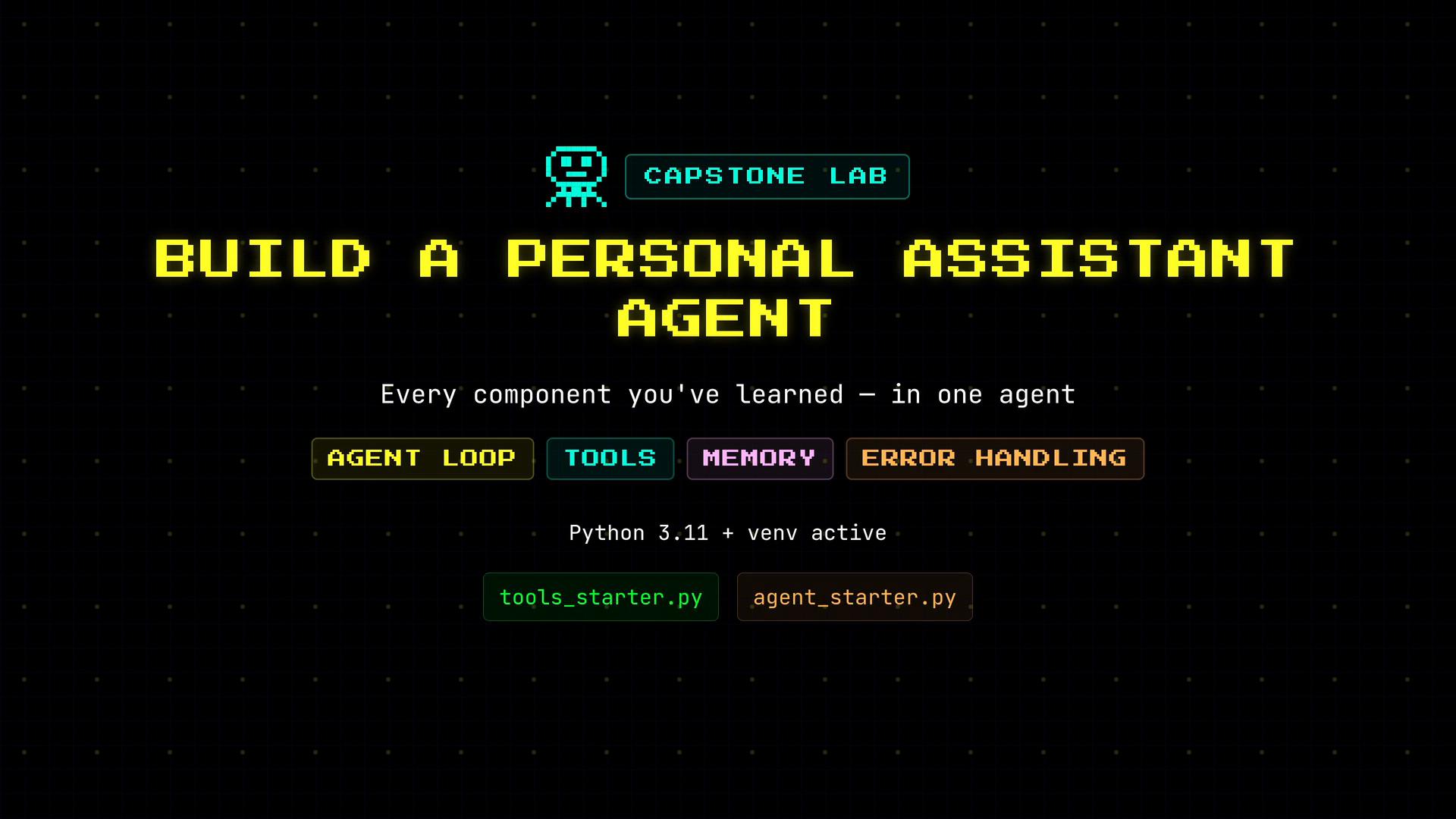
Time to bring everything together and build a simple personal assistant agent from starter files. This hands-on lab demonstrates an agent loop that calls tools, maintains conversation memory, and handles errors. You will work with two starter files, implement three mock tools, and create an agent loop that executes tool calls and returns natural language responses.
This guide assumes a Python 3.11+ virtual environment is active and the starter files exist at `/root/code/tools_starter.py` and `/root/code/agent_starter.py`. Copy each starter file to its working name and implement the TODOs inside.
 ## What you'll build
* A small agent loop that can call tools and integrate tool output into the conversation.
* Three deterministic, mocked tools: `check_calendar`, `search_web`, and `get_user_preferences`.
* A dispatcher to run tools and return results to the model.
* Error handling and a bounded iteration loop to avoid runaway calls.
## Files and components
| Item | Purpose | Path / Example |
| - | -: | - |
| Starter files | Templates to copy and implement | `/root/code/tools_starter.py`, `/root/code/agent_starter.py` |
| Tools list | Tool metadata exposed to the model | `TOOLS` in `tools.py` (`function` schema) |
| Tool handlers | Mock implementations used by `execute_tool` | `check_calendar`, `search_web`, `get_user_preferences` |
| Agent loop | Calls model, executes tools, and assembles final response | `run_agent()` in `agent.py` |
Tip: Keep the tool metadata (`TOOLS`) and the Python handler names in sync. The model requests a function by name, and your `execute_tool` must map that exact name to the corresponding Python function.
***
## Step 1 — Tools: create `tools.py`
1. Copy `tools_starter.py` to `tools.py`.
2. Add three tool definitions into the `TOOLS` list:
* `check_calendar` — returns events for a date (`YYYY-MM-DD`) or today's events if no date provided.
* `search_web` — returns a short summary for a search query.
* `get_user_preferences` — returns stored user preferences for a given category.
Each tool entry follows a function-schema pattern: a `type` plus a `function` object containing `name`, `description`, and `parameters`.
3. Implement simple handler functions that return mocked, deterministic responses, and implement an `execute_tool` dispatcher to map tool names to their Python functions and invoke them with parsed arguments.
Example `tools.py` (copy into `/root/code/tools.py` and fill in as shown):
```python theme={null}
# tools.py
import json
from typing import Any, Dict, Optional
TOOLS = [
{
"type": "function",
"function": {
"name": "check_calendar",
"description": "Check calendar events for a given date (YYYY-MM-DD). If no date provided, return today's events.",
"parameters": {
"type": "object",
"properties": {
"date": {"type": "string", "description": "Date in YYYY-MM-DD format (optional)"}
}
}
}
},
{
"type": "function",
"function": {
"name": "search_web",
"description": "Search the web for a query and return a short summary of the top result.",
"parameters": {
"type": "object",
"properties": {
"query": {"type": "string", "description": "Search query string"}
},
"required": ["query"]
}
}
},
{
"type": "function",
"function": {
"name": "get_user_preferences",
"description": "Return stored user preferences for a given category.",
"parameters": {
"type": "object",
"properties": {
"category": {"type": "string", "description": "Preferences category, e.g., 'news' or 'music'"}
},
"required": ["category"]
}
}
}
]
def check_calendar(date: Optional[str] = None) -> str:
"""
Mock implementation: in a real agent this would query a calendar API.
"""
# For demo purposes we return a hard-coded schedule.
return "10am: Standup, 2pm: Dentist"
def search_web(query: str) -> str:
"""
Mock implementation that returns a pretend top result.
"""
return f"[search_web] Top result for '{query}': AI agents are software that act autonomously."
def get_user_preferences(category: str) -> str:
"""
Mock implementation: return stored preferences for a category.
"""
return f"[get_user_preferences] Preferences for {category}: none set"
def execute_tool(name: str, args: Optional[Dict[str, Any]]) -> str:
"""
Dispatch helper: call the matching function with args as kwargs.
Returns the tool's result (string). Handles missing tool and call errors.
"""
funcs = {
"check_calendar": check_calendar,
"search_web": search_web,
"get_user_preferences": get_user_preferences,
}
func = funcs.get(name)
if func is None:
return f"Error: unknown tool '{name}'"
if args is None:
args = {}
try:
# Ensure args is a dict before expanding into kwargs
if isinstance(args, str):
# If the tool system passed a JSON string, try to decode it
args = json.loads(args)
if not isinstance(args, dict):
return "Error: tool arguments must be an object"
return func(**args)
except TypeError as e:
return f"Error: invalid arguments for tool '{name}': {e}"
except Exception as e:
return f"Error: tool '{name}' failed with exception: {e}"
```
***
## Step 2 — Agent: create `agent.py`
1. Copy `agent_starter.py` to `agent.py`.
2. Implement `run_agent(user_message: str, history: list | None = None) -> str`:
Key responsibilities of `run_agent`:
* Build the initial `messages` list, starting with the system prompt.
* Append optional conversation history, then the user's message.
* Run a bounded loop (use `MAX_ITERATIONS`) that calls the model until:
* the model returns a final assistant message (finish reason `stop`), or
* the model requests tool calls (finish reason like `tool_call` or `tool_calls`).
* When the model requests tools:
* Parse tool arguments (handle both dict and JSON string forms).
* Call `execute_tool` and append the tool's output as a `role: "tool"` message.
* Continue the loop so the model can return a final answer that incorporates tool outputs.
* Provide defensive handling for different SDK shapes (object vs dict) and unknown finish reasons.
Example `agent.py`:
```python theme={null}
# agent.py
import os
import json
from openai import OpenAI
from tools import TOOLS, execute_tool
MAX_ITERATIONS = 10
SYSTEM_PROMPT = "You are a helpful assistant."
client = OpenAI(
api_key=os.getenv("OPENAI_API_KEY"),
base_url=os.getenv("OPENAI_API_BASE")
)
def run_agent(user_message: str, history: list | None = None) -> str:
"""
Run the agent loop: keep calling the model until it either returns a final
assistant message (finish reason 'stop') or we hit MAX_ITERATIONS.
The model may request tool calls. When it does, this function executes those
tools and appends results back into the conversation so the model can continue.
"""
messages = [{"role": "system", "content": SYSTEM_PROMPT}]
if history:
messages.extend(history)
messages.append({"role": "user", "content": user_message})
for _ in range(MAX_ITERATIONS):
# Call the model. We pass TOOLS so the model can request tool calls.
response = client.chat.completions.create(
model="openai/gpt-4.1-mini",
messages=messages,
tools=TOOLS,
)
choice = response.choices[0]
# Depending on SDK shape, assistant message may be at choice.message
assistant_message = getattr(choice, "message", None) or choice.get("message", {})
finish_reason = getattr(choice, "finish_reason", None) or choice.get("finish_reason")
# If the model requested tool calls, run them and append tool results
# Accept either "tool_call" or "tool_calls" as finish reason depending on SDK/version.
if finish_reason in ("tool_call", "tool_calls"):
# Append the assistant message that contains the tool call(s)
messages.append({"role": "assistant", "content": assistant_message.content if hasattr(assistant_message, "content") else assistant_message.get("content", "")})
# Extract tool calls from the assistant message. Different SDKs may expose this differently.
tool_calls = []
if hasattr(assistant_message, "tool_calls"):
tool_calls = assistant_message.tool_calls
elif isinstance(assistant_message, dict) and "tool_calls" in assistant_message:
tool_calls = assistant_message["tool_calls"]
# Execute each requested tool call and append its result back into messages.
for tc in tool_calls:
# tc may be an object with .id, .function.name, .function.arguments ...
try:
# Support both object and dict shapes
function_info = getattr(tc, "function", None) or tc.get("function", {})
tool_name = getattr(function_info, "name", None) or function_info.get("name")
raw_args = getattr(function_info, "arguments", None) or function_info.get("arguments", "{}")
# arguments may already be a dict or a JSON string
if isinstance(raw_args, str):
args = json.loads(raw_args) if raw_args.strip() else {}
else:
args = raw_args or {}
result = execute_tool(tool_name, args)
except Exception as e:
result = f"Error: {e}"
# Append tool result as a tool role message
tool_call_id = getattr(tc, "id", None) or tc.get("id")
messages.append({
"role": "tool",
"name": tool_name,
"tool_call_id": tool_call_id,
"content": result
})
# Loop again so the model can incorporate tool results and produce the final answer
continue
# If the model finished normally, return the assistant's content
elif finish_reason == "stop":
# assistant_message may be an object or dict
content = ""
if hasattr(assistant_message, "content"):
content = assistant_message.content
elif isinstance(assistant_message, dict):
content = assistant_message.get("content", "")
return content
# Unknown finish reason: append whatever assistant produced and continue, or break
else:
# Attempt to append assistant message and continue
if assistant_message:
if hasattr(assistant_message, "content"):
messages.append({"role": "assistant", "content": assistant_message.content})
elif isinstance(assistant_message, dict) and "content" in assistant_message:
messages.append({"role": "assistant", "content": assistant_message["content"]})
# As a safety, break to avoid infinite loop if finish reason is unexpected
break
return "Error: reached max iterations without a final response."
```
Important: Never hard-code your API key. Set `OPENAI_API_KEY` and any `OPENAI_API_BASE` in your environment, and avoid committing keys to source control.
***
## Step 3 — Run the agent
From the project directory (for example `/root/code`) run:
```bash theme={null}
python3 agent.py
```
Add a small `__main__` block to `agent.py` if it’s not present, to test single-step and multi-step interactions:
```python theme={null}
if __name__ == "__main__":
# Single-step: ask about today's calendar
response = run_agent("What's on my calendar today?")
print(response)
```
Example console output for the calendar query (mocked tool response):
```text theme={null}
root@controlplane ~/code via 🐍 v3.12.3 (venv) cd /root/code && python3 agent.py
You have a team standup at 10am and a dentist appointment at 2pm today.
root@controlplane ~/code via 🐍 v3.12.3 (venv)
```
The agent requested the `check_calendar` tool, received the mock schedule, and returned a natural language summary.
***
## Step 4 — Multi-step task example
Test a multi-step query that requires the agent to call multiple tools in sequence. The agent will:
1. Call `search_web` to summarize information about AI agents.
2. Call `check_calendar` to check availability after 2 PM.
3. Combine the results into a final assistant response.
Add or run this test in `agent.py`:
```python theme={null}
if __name__ == "__main__":
response = run_agent("Find info about AI agents and check if I'm free after 2pm.")
print(response)
```
Example console output (mocked):
```text theme={null}
root@controlplane ~/code via 🐍 v3.12.3 (venv) cd /root/code && python3 agent.py
[search_web] Top result for 'AI agents': AI agents are software that act autonomously.
[check_calendar] 10am: Standup, 2pm: Dentist
AI agents are software that act autonomously.
You're free after 2pm - your last event is a dentist at 2pm.
root@controlplane ~/code via 🐍 v3.12.3 (venv)
```
No extra orchestration code is required beyond the agent loop: the agent handles tool calling, executing results via `execute_tool`, and incorporating tool outputs back into the conversation.
***
## Troubleshooting & tips
* If the model never returns a final `stop` finish reason, the loop will eventually exit with the `MAX_ITERATIONS` guard to prevent infinite loops.
* Ensure the `TOOLS` metadata is valid JSON-like structure (the `function` schema) — mismatches between declared parameters and the actual handler signature can produce `TypeError`.
* Tool argument payloads may arrive as dicts or JSON strings; `execute_tool` should defensively handle both.
## Links and further reading
* [OpenAI API reference](https://platform.openai.com/docs/api-reference)
* [Kubernetes Concepts — for general orchestration patterns](https://kubernetes.io/docs/concepts/overview/what-is-kubernetes/)
* [Python official site](https://www.python.org/)
This lab demonstrates a simple production-like architecture: one agent, multiple tools, conversation memory, and basic error handling — a pattern you can extend with real APIs, authentication, and richer tool behavior.
This documentation is built and hosted on [Mintlify](https://mintlify.com), a developer documentation platform.
## What you'll build
* A small agent loop that can call tools and integrate tool output into the conversation.
* Three deterministic, mocked tools: `check_calendar`, `search_web`, and `get_user_preferences`.
* A dispatcher to run tools and return results to the model.
* Error handling and a bounded iteration loop to avoid runaway calls.
## Files and components
| Item | Purpose | Path / Example |
| - | -: | - |
| Starter files | Templates to copy and implement | `/root/code/tools_starter.py`, `/root/code/agent_starter.py` |
| Tools list | Tool metadata exposed to the model | `TOOLS` in `tools.py` (`function` schema) |
| Tool handlers | Mock implementations used by `execute_tool` | `check_calendar`, `search_web`, `get_user_preferences` |
| Agent loop | Calls model, executes tools, and assembles final response | `run_agent()` in `agent.py` |
Tip: Keep the tool metadata (`TOOLS`) and the Python handler names in sync. The model requests a function by name, and your `execute_tool` must map that exact name to the corresponding Python function.
***
## Step 1 — Tools: create `tools.py`
1. Copy `tools_starter.py` to `tools.py`.
2. Add three tool definitions into the `TOOLS` list:
* `check_calendar` — returns events for a date (`YYYY-MM-DD`) or today's events if no date provided.
* `search_web` — returns a short summary for a search query.
* `get_user_preferences` — returns stored user preferences for a given category.
Each tool entry follows a function-schema pattern: a `type` plus a `function` object containing `name`, `description`, and `parameters`.
3. Implement simple handler functions that return mocked, deterministic responses, and implement an `execute_tool` dispatcher to map tool names to their Python functions and invoke them with parsed arguments.
Example `tools.py` (copy into `/root/code/tools.py` and fill in as shown):
```python theme={null}
# tools.py
import json
from typing import Any, Dict, Optional
TOOLS = [
{
"type": "function",
"function": {
"name": "check_calendar",
"description": "Check calendar events for a given date (YYYY-MM-DD). If no date provided, return today's events.",
"parameters": {
"type": "object",
"properties": {
"date": {"type": "string", "description": "Date in YYYY-MM-DD format (optional)"}
}
}
}
},
{
"type": "function",
"function": {
"name": "search_web",
"description": "Search the web for a query and return a short summary of the top result.",
"parameters": {
"type": "object",
"properties": {
"query": {"type": "string", "description": "Search query string"}
},
"required": ["query"]
}
}
},
{
"type": "function",
"function": {
"name": "get_user_preferences",
"description": "Return stored user preferences for a given category.",
"parameters": {
"type": "object",
"properties": {
"category": {"type": "string", "description": "Preferences category, e.g., 'news' or 'music'"}
},
"required": ["category"]
}
}
}
]
def check_calendar(date: Optional[str] = None) -> str:
"""
Mock implementation: in a real agent this would query a calendar API.
"""
# For demo purposes we return a hard-coded schedule.
return "10am: Standup, 2pm: Dentist"
def search_web(query: str) -> str:
"""
Mock implementation that returns a pretend top result.
"""
return f"[search_web] Top result for '{query}': AI agents are software that act autonomously."
def get_user_preferences(category: str) -> str:
"""
Mock implementation: return stored preferences for a category.
"""
return f"[get_user_preferences] Preferences for {category}: none set"
def execute_tool(name: str, args: Optional[Dict[str, Any]]) -> str:
"""
Dispatch helper: call the matching function with args as kwargs.
Returns the tool's result (string). Handles missing tool and call errors.
"""
funcs = {
"check_calendar": check_calendar,
"search_web": search_web,
"get_user_preferences": get_user_preferences,
}
func = funcs.get(name)
if func is None:
return f"Error: unknown tool '{name}'"
if args is None:
args = {}
try:
# Ensure args is a dict before expanding into kwargs
if isinstance(args, str):
# If the tool system passed a JSON string, try to decode it
args = json.loads(args)
if not isinstance(args, dict):
return "Error: tool arguments must be an object"
return func(**args)
except TypeError as e:
return f"Error: invalid arguments for tool '{name}': {e}"
except Exception as e:
return f"Error: tool '{name}' failed with exception: {e}"
```
***
## Step 2 — Agent: create `agent.py`
1. Copy `agent_starter.py` to `agent.py`.
2. Implement `run_agent(user_message: str, history: list | None = None) -> str`:
Key responsibilities of `run_agent`:
* Build the initial `messages` list, starting with the system prompt.
* Append optional conversation history, then the user's message.
* Run a bounded loop (use `MAX_ITERATIONS`) that calls the model until:
* the model returns a final assistant message (finish reason `stop`), or
* the model requests tool calls (finish reason like `tool_call` or `tool_calls`).
* When the model requests tools:
* Parse tool arguments (handle both dict and JSON string forms).
* Call `execute_tool` and append the tool's output as a `role: "tool"` message.
* Continue the loop so the model can return a final answer that incorporates tool outputs.
* Provide defensive handling for different SDK shapes (object vs dict) and unknown finish reasons.
Example `agent.py`:
```python theme={null}
# agent.py
import os
import json
from openai import OpenAI
from tools import TOOLS, execute_tool
MAX_ITERATIONS = 10
SYSTEM_PROMPT = "You are a helpful assistant."
client = OpenAI(
api_key=os.getenv("OPENAI_API_KEY"),
base_url=os.getenv("OPENAI_API_BASE")
)
def run_agent(user_message: str, history: list | None = None) -> str:
"""
Run the agent loop: keep calling the model until it either returns a final
assistant message (finish reason 'stop') or we hit MAX_ITERATIONS.
The model may request tool calls. When it does, this function executes those
tools and appends results back into the conversation so the model can continue.
"""
messages = [{"role": "system", "content": SYSTEM_PROMPT}]
if history:
messages.extend(history)
messages.append({"role": "user", "content": user_message})
for _ in range(MAX_ITERATIONS):
# Call the model. We pass TOOLS so the model can request tool calls.
response = client.chat.completions.create(
model="openai/gpt-4.1-mini",
messages=messages,
tools=TOOLS,
)
choice = response.choices[0]
# Depending on SDK shape, assistant message may be at choice.message
assistant_message = getattr(choice, "message", None) or choice.get("message", {})
finish_reason = getattr(choice, "finish_reason", None) or choice.get("finish_reason")
# If the model requested tool calls, run them and append tool results
# Accept either "tool_call" or "tool_calls" as finish reason depending on SDK/version.
if finish_reason in ("tool_call", "tool_calls"):
# Append the assistant message that contains the tool call(s)
messages.append({"role": "assistant", "content": assistant_message.content if hasattr(assistant_message, "content") else assistant_message.get("content", "")})
# Extract tool calls from the assistant message. Different SDKs may expose this differently.
tool_calls = []
if hasattr(assistant_message, "tool_calls"):
tool_calls = assistant_message.tool_calls
elif isinstance(assistant_message, dict) and "tool_calls" in assistant_message:
tool_calls = assistant_message["tool_calls"]
# Execute each requested tool call and append its result back into messages.
for tc in tool_calls:
# tc may be an object with .id, .function.name, .function.arguments ...
try:
# Support both object and dict shapes
function_info = getattr(tc, "function", None) or tc.get("function", {})
tool_name = getattr(function_info, "name", None) or function_info.get("name")
raw_args = getattr(function_info, "arguments", None) or function_info.get("arguments", "{}")
# arguments may already be a dict or a JSON string
if isinstance(raw_args, str):
args = json.loads(raw_args) if raw_args.strip() else {}
else:
args = raw_args or {}
result = execute_tool(tool_name, args)
except Exception as e:
result = f"Error: {e}"
# Append tool result as a tool role message
tool_call_id = getattr(tc, "id", None) or tc.get("id")
messages.append({
"role": "tool",
"name": tool_name,
"tool_call_id": tool_call_id,
"content": result
})
# Loop again so the model can incorporate tool results and produce the final answer
continue
# If the model finished normally, return the assistant's content
elif finish_reason == "stop":
# assistant_message may be an object or dict
content = ""
if hasattr(assistant_message, "content"):
content = assistant_message.content
elif isinstance(assistant_message, dict):
content = assistant_message.get("content", "")
return content
# Unknown finish reason: append whatever assistant produced and continue, or break
else:
# Attempt to append assistant message and continue
if assistant_message:
if hasattr(assistant_message, "content"):
messages.append({"role": "assistant", "content": assistant_message.content})
elif isinstance(assistant_message, dict) and "content" in assistant_message:
messages.append({"role": "assistant", "content": assistant_message["content"]})
# As a safety, break to avoid infinite loop if finish reason is unexpected
break
return "Error: reached max iterations without a final response."
```
Important: Never hard-code your API key. Set `OPENAI_API_KEY` and any `OPENAI_API_BASE` in your environment, and avoid committing keys to source control.
***
## Step 3 — Run the agent
From the project directory (for example `/root/code`) run:
```bash theme={null}
python3 agent.py
```
Add a small `__main__` block to `agent.py` if it’s not present, to test single-step and multi-step interactions:
```python theme={null}
if __name__ == "__main__":
# Single-step: ask about today's calendar
response = run_agent("What's on my calendar today?")
print(response)
```
Example console output for the calendar query (mocked tool response):
```text theme={null}
root@controlplane ~/code via 🐍 v3.12.3 (venv) cd /root/code && python3 agent.py
You have a team standup at 10am and a dentist appointment at 2pm today.
root@controlplane ~/code via 🐍 v3.12.3 (venv)
```
The agent requested the `check_calendar` tool, received the mock schedule, and returned a natural language summary.
***
## Step 4 — Multi-step task example
Test a multi-step query that requires the agent to call multiple tools in sequence. The agent will:
1. Call `search_web` to summarize information about AI agents.
2. Call `check_calendar` to check availability after 2 PM.
3. Combine the results into a final assistant response.
Add or run this test in `agent.py`:
```python theme={null}
if __name__ == "__main__":
response = run_agent("Find info about AI agents and check if I'm free after 2pm.")
print(response)
```
Example console output (mocked):
```text theme={null}
root@controlplane ~/code via 🐍 v3.12.3 (venv) cd /root/code && python3 agent.py
[search_web] Top result for 'AI agents': AI agents are software that act autonomously.
[check_calendar] 10am: Standup, 2pm: Dentist
AI agents are software that act autonomously.
You're free after 2pm - your last event is a dentist at 2pm.
root@controlplane ~/code via 🐍 v3.12.3 (venv)
```
No extra orchestration code is required beyond the agent loop: the agent handles tool calling, executing results via `execute_tool`, and incorporating tool outputs back into the conversation.
***
## Troubleshooting & tips
* If the model never returns a final `stop` finish reason, the loop will eventually exit with the `MAX_ITERATIONS` guard to prevent infinite loops.
* Ensure the `TOOLS` metadata is valid JSON-like structure (the `function` schema) — mismatches between declared parameters and the actual handler signature can produce `TypeError`.
* Tool argument payloads may arrive as dicts or JSON strings; `execute_tool` should defensively handle both.
## Links and further reading
* [OpenAI API reference](https://platform.openai.com/docs/api-reference)
* [Kubernetes Concepts — for general orchestration patterns](https://kubernetes.io/docs/concepts/overview/what-is-kubernetes/)
* [Python official site](https://www.python.org/)
This lab demonstrates a simple production-like architecture: one agent, multiple tools, conversation memory, and basic error handling — a pattern you can extend with real APIs, authentication, and richer tool behavior.
This documentation is built and hosted on [Mintlify](https://mintlify.com), a developer documentation platform.