> ## Documentation Index
> Fetch the complete documentation index at: https://notes.kodekloud.com/llms.txt
> Use this file to discover all available pages before exploring further.
# Demo How to Use Poe
> Guide to using Poe to build, test, embed, and monetize conversational AI bots with server and embedded options, UI walkthrough, and integration guidance
Welcome back.
In this lesson we’ll walk through how to use Poe (Platform for Open Exploration) — Quora’s chatbot platform — to create, test, and embed conversational AI agents. This guide covers the core capabilities, the user interface, a quick hands-on demo to build a prompt bot, and links to further documentation.
What is Poe?
Poe is a chat-first platform that lets you interact with powerful large language models (LLMs) such as GPT-4, Claude, and others via a polished chat UI. Poe supports:
* Server bots: you host the backend logic and Poe provides the front-end chat experience.
* Embedded bots: embed a Poe widget into your web app or notebook.
* Creator features: monetization and subscription options for bot creators.
What Poe can do
* Build server bots: Host your backend LLM, call external APIs and tools, manage conversation state, and stream multi-message responses while Poe handles the chat UI.
* Embed bots: Use Poe’s embed API to place bots in websites, apps, or dashboards. Any bot you publish on Poe can be embedded and customized.
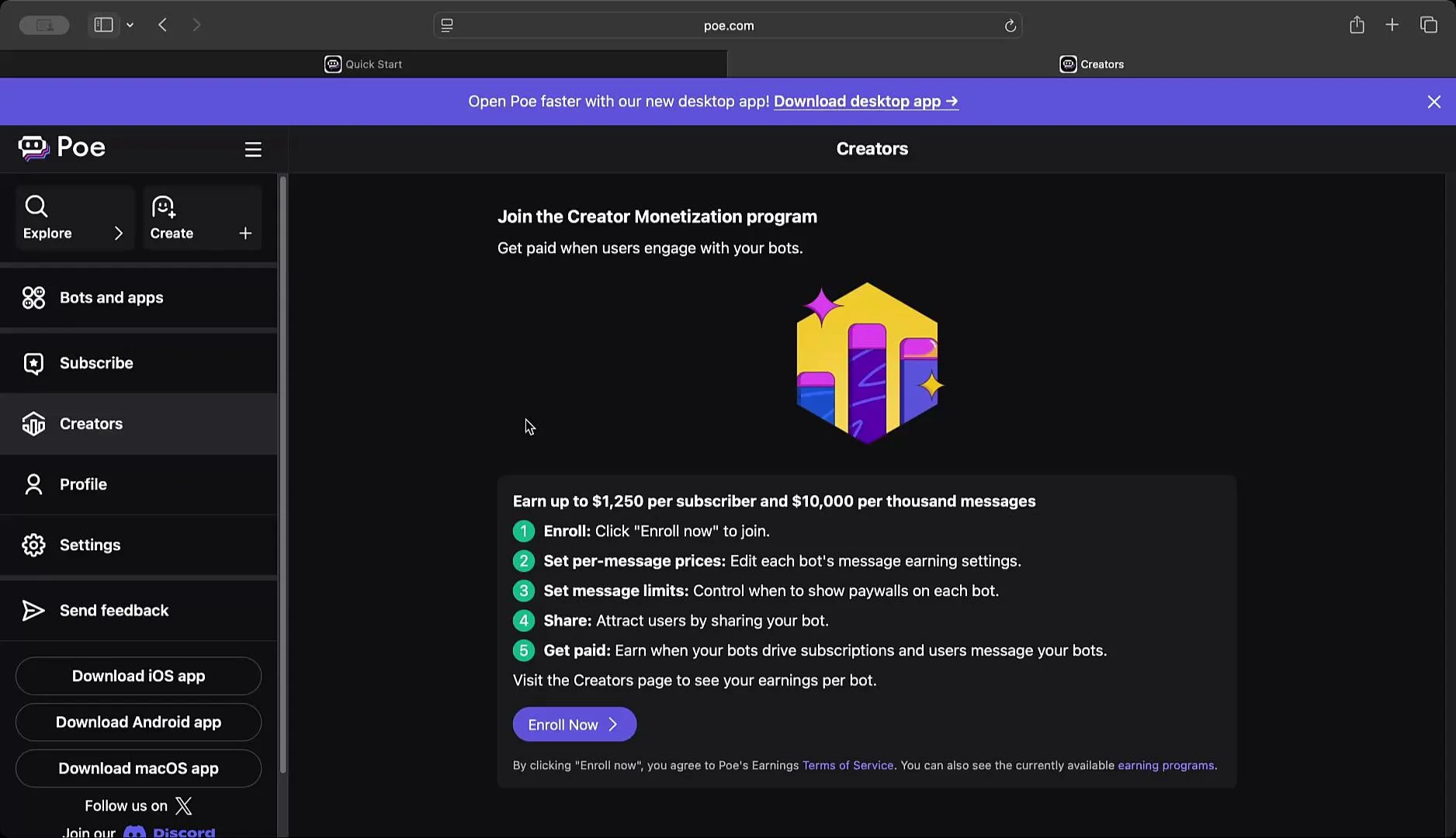
* Monetize: Optional creator monetization and subscription controls let you charge for access or messages.
Feature summary
| Capability | Use case | Quick example |
| --------------- | ------------------------------------------ | -------------------------------------------------------- |
| Server bots | Custom backend, tools, APIs | Host your own LLM and stream responses to Poe’s frontend |
| Embedded widget | Add a chat UI to a website or SaaS product | Embed a bot with a few configuration options |
| Monetization | Charge users or set message limits | Enroll in Poe’s creator program and set message prices |
Explore the UI
The Poe interface makes it easy to create different bot types — prompt bots, image/video generation bots, roleplay bots, server bots, and canvas apps. The left navigation groups your bots, subscriptions, and settings so you can manage projects and billing in one place.
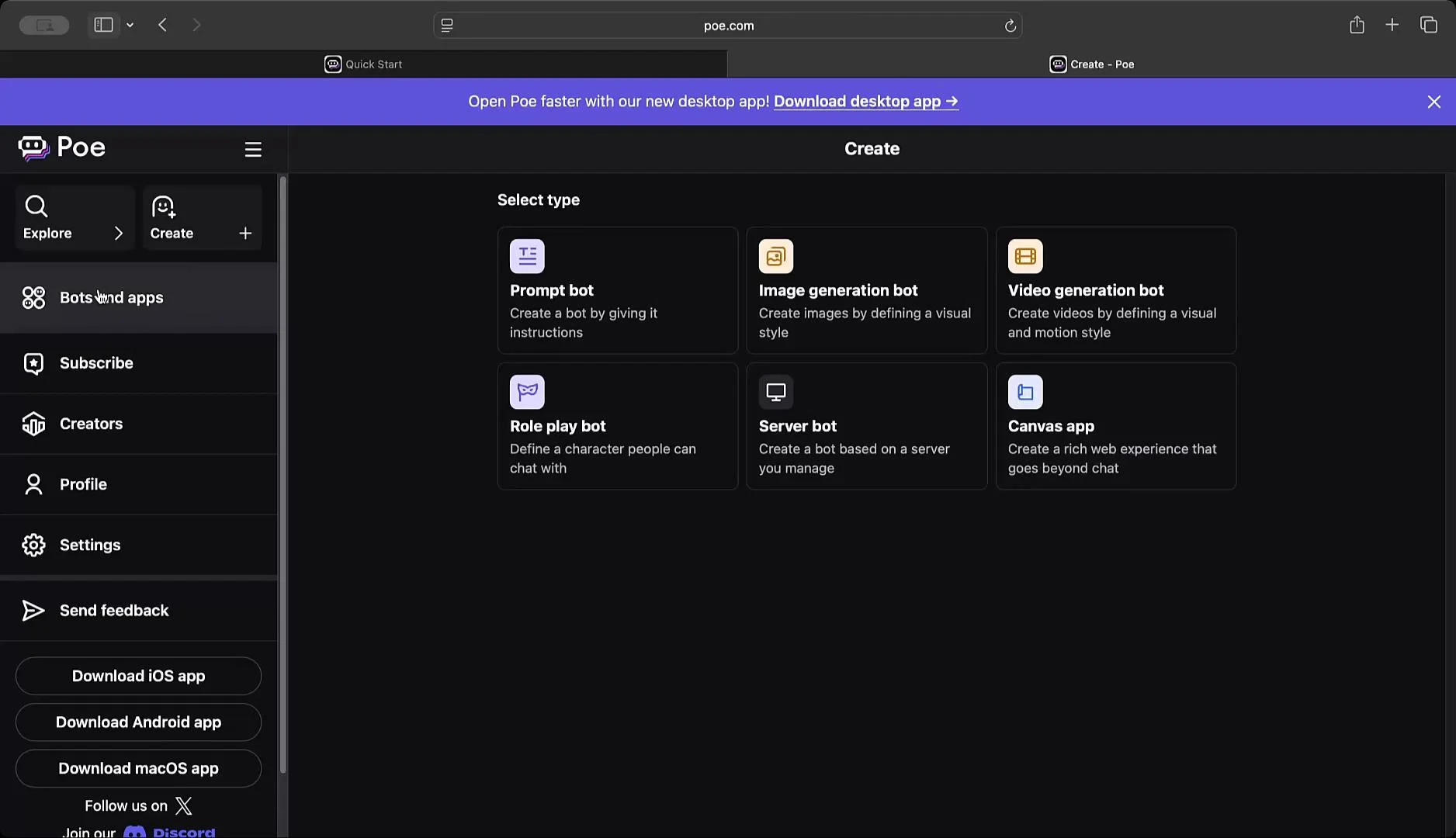 You can also browse available LLMs (e.g., Claude, Gemini, GPT-4 variants) and review creator-focused features such as monetization settings and enrollment options.
 Quick walkthrough — create a simple prompt bot
This step-by-step example demonstrates how fast it is to set up a prompt bot and test its behavior.
1. Click Create and choose “Prompt bot.”
2. Enter a name (for example: “Teach Me Many Things”).
3. Add a description and a persona/system instruction. Example:
* “You are a Poe bot that will teach me how to code. You should respond as thoroughly as possible, but always speak as if you are Jar Jar Binks.”
4. Choose a base model (for example, GPT-4 or a lightweight GPT-4 variant).
5. Optionally add an initial message such as “Hi there, how can I help?”
6. Review advanced settings (keep defaults for this demo) and click Publish → Continue without editing.
Test the bot
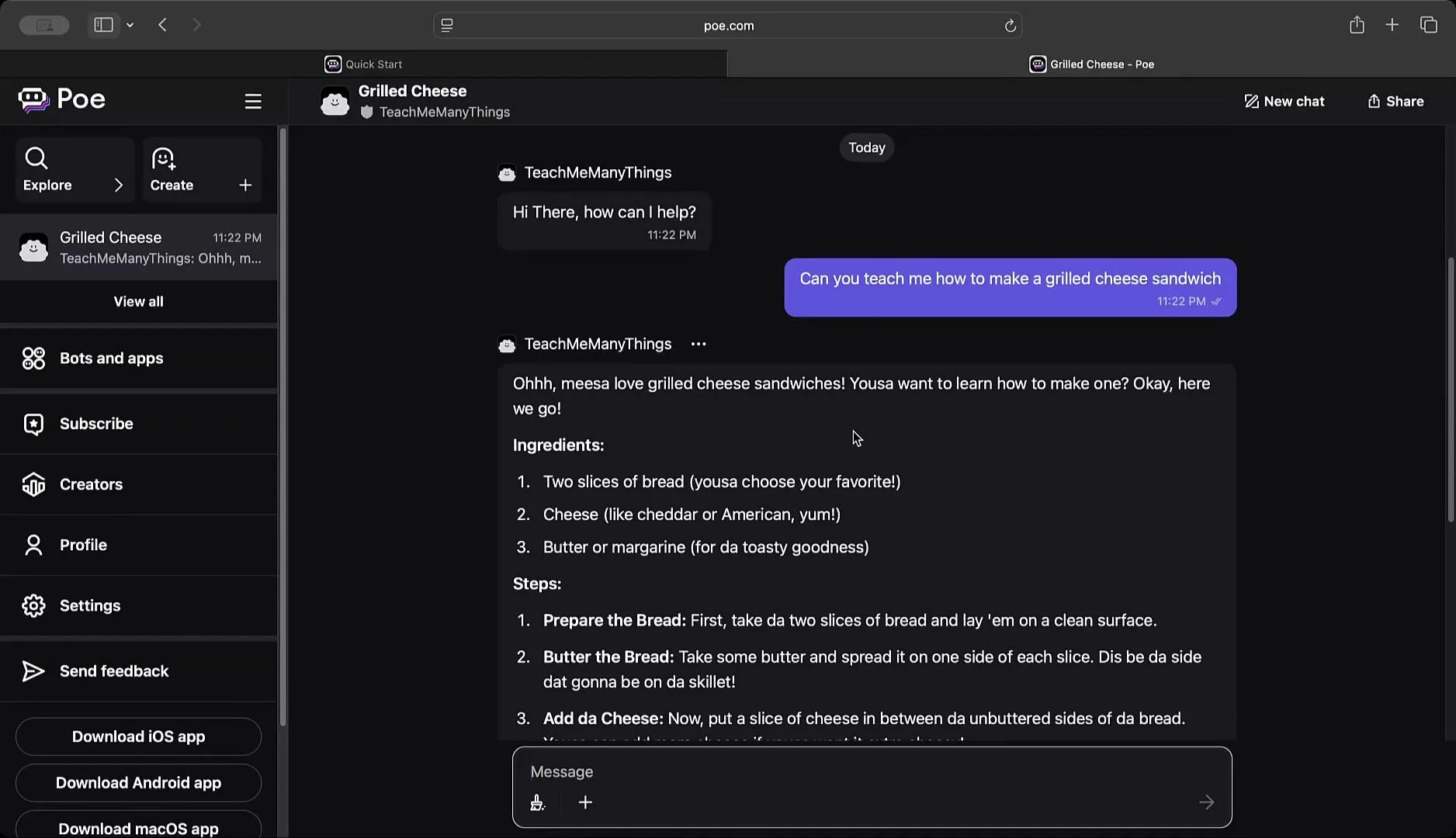
After publishing, test the bot in Poe’s chat interface. For this demo we asked:
“Can you teach me how to make a grilled cheese sandwich?”
The bot returned a step-by-step recipe while adhering to the specified persona, showing how system instructions influence tone and content.
Quick walkthrough — create a simple prompt bot
This step-by-step example demonstrates how fast it is to set up a prompt bot and test its behavior.
1. Click Create and choose “Prompt bot.”
2. Enter a name (for example: “Teach Me Many Things”).
3. Add a description and a persona/system instruction. Example:
* “You are a Poe bot that will teach me how to code. You should respond as thoroughly as possible, but always speak as if you are Jar Jar Binks.”
4. Choose a base model (for example, GPT-4 or a lightweight GPT-4 variant).
5. Optionally add an initial message such as “Hi there, how can I help?”
6. Review advanced settings (keep defaults for this demo) and click Publish → Continue without editing.
Test the bot
After publishing, test the bot in Poe’s chat interface. For this demo we asked:
“Can you teach me how to make a grilled cheese sandwich?”
The bot returned a step-by-step recipe while adhering to the specified persona, showing how system instructions influence tone and content.
 Integration options
* Embed: Use Poe’s embedded API to include the chat widget in web apps or notebooks.
* Server API: Connect a backend to Poe’s RESTful endpoints to send/receive messages, stream responses, and manage conversation state.
* Tools & APIs: Integrate external APIs and tools on your hosted backend for richer agent capabilities.
Before integrating or publishing bots, review Poe’s documentation for API usage, authentication, rate limits, and billing. Keep your API keys secret and follow security best practices when embedding or hosting bots.
Next steps and references
* Read Poe’s Quick Start and API docs for authentication, generating API keys, and handling streaming responses: [https://poe.com/docs](https://poe.com/docs)
* Explore sample projects and community examples to learn advanced patterns like tool integration and multi-step pipelines.
That’s a concise introduction to building, testing, and embedding bots on Poe. Explore the documentation and try creating a few bot personas to understand how system instructions and model selection shape responses.
Integration options
* Embed: Use Poe’s embedded API to include the chat widget in web apps or notebooks.
* Server API: Connect a backend to Poe’s RESTful endpoints to send/receive messages, stream responses, and manage conversation state.
* Tools & APIs: Integrate external APIs and tools on your hosted backend for richer agent capabilities.
Before integrating or publishing bots, review Poe’s documentation for API usage, authentication, rate limits, and billing. Keep your API keys secret and follow security best practices when embedding or hosting bots.
Next steps and references
* Read Poe’s Quick Start and API docs for authentication, generating API keys, and handling streaming responses: [https://poe.com/docs](https://poe.com/docs)
* Explore sample projects and community examples to learn advanced patterns like tool integration and multi-step pipelines.
That’s a concise introduction to building, testing, and embedding bots on Poe. Explore the documentation and try creating a few bot personas to understand how system instructions and model selection shape responses.