> ## Documentation Index
> Fetch the complete documentation index at: https://notes.kodekloud.com/llms.txt
> Use this file to discover all available pages before exploring further.
# Demo Building a Simple Chatbot
> Guide to building a simple interactive chatbot with the OpenAI Agents SDK, covering agent configuration, typed outputs, async Runner usage, environment variables, and a police sketch artist example.
Welcome back! In this lesson we’ll build a simple interactive chatbot using OpenAI’s Agents model. Before diving into code, take a few minutes to explore the OpenAI Agents SDK repository and docs — understanding where examples and patterns live will speed up development.
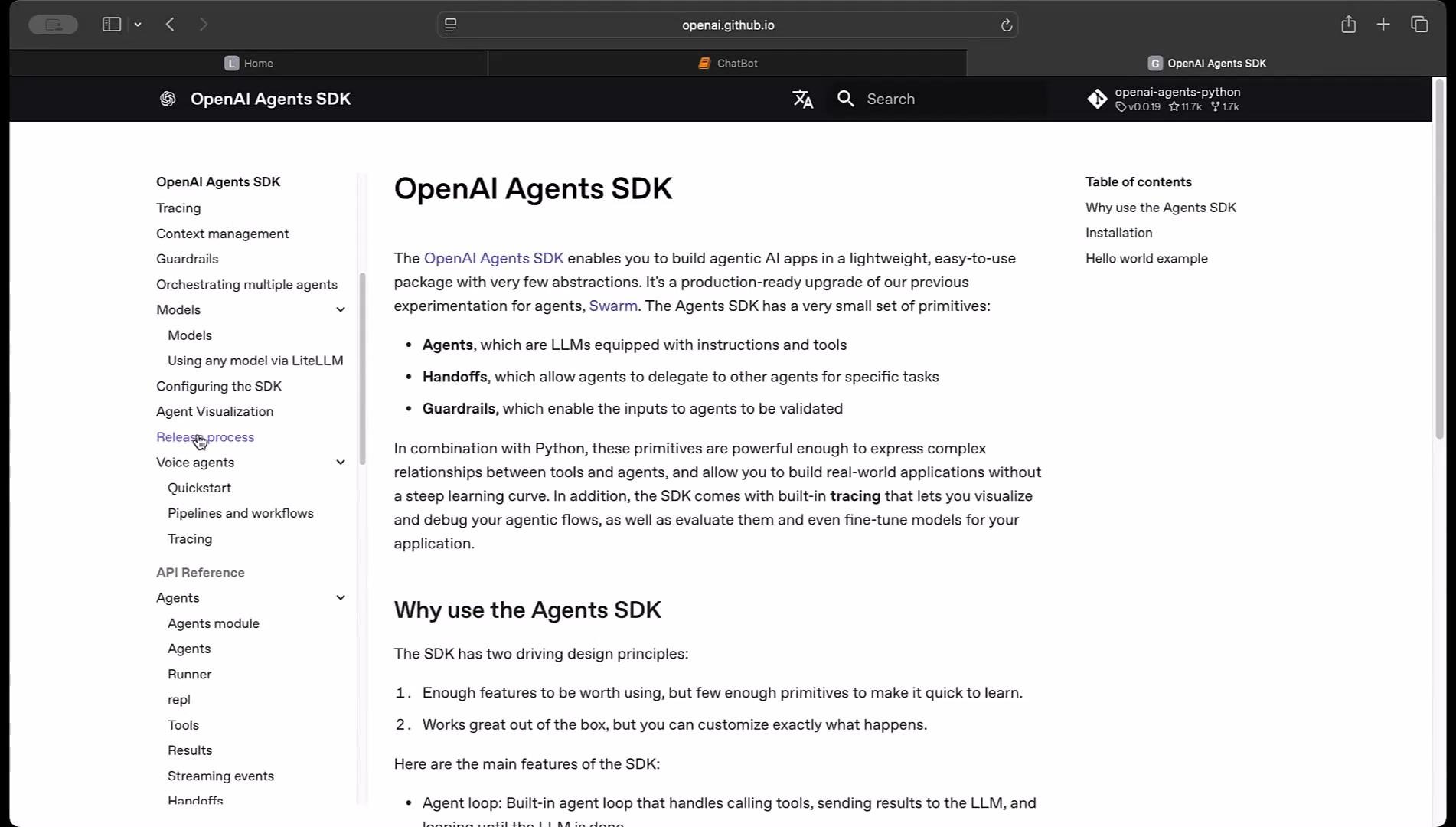 Start with the Quickstart and the Examples folder in the Agents SDK to see common integrations and agent patterns you can reuse. These resources demonstrate how tools, outputs, and agent behaviors are wired together.
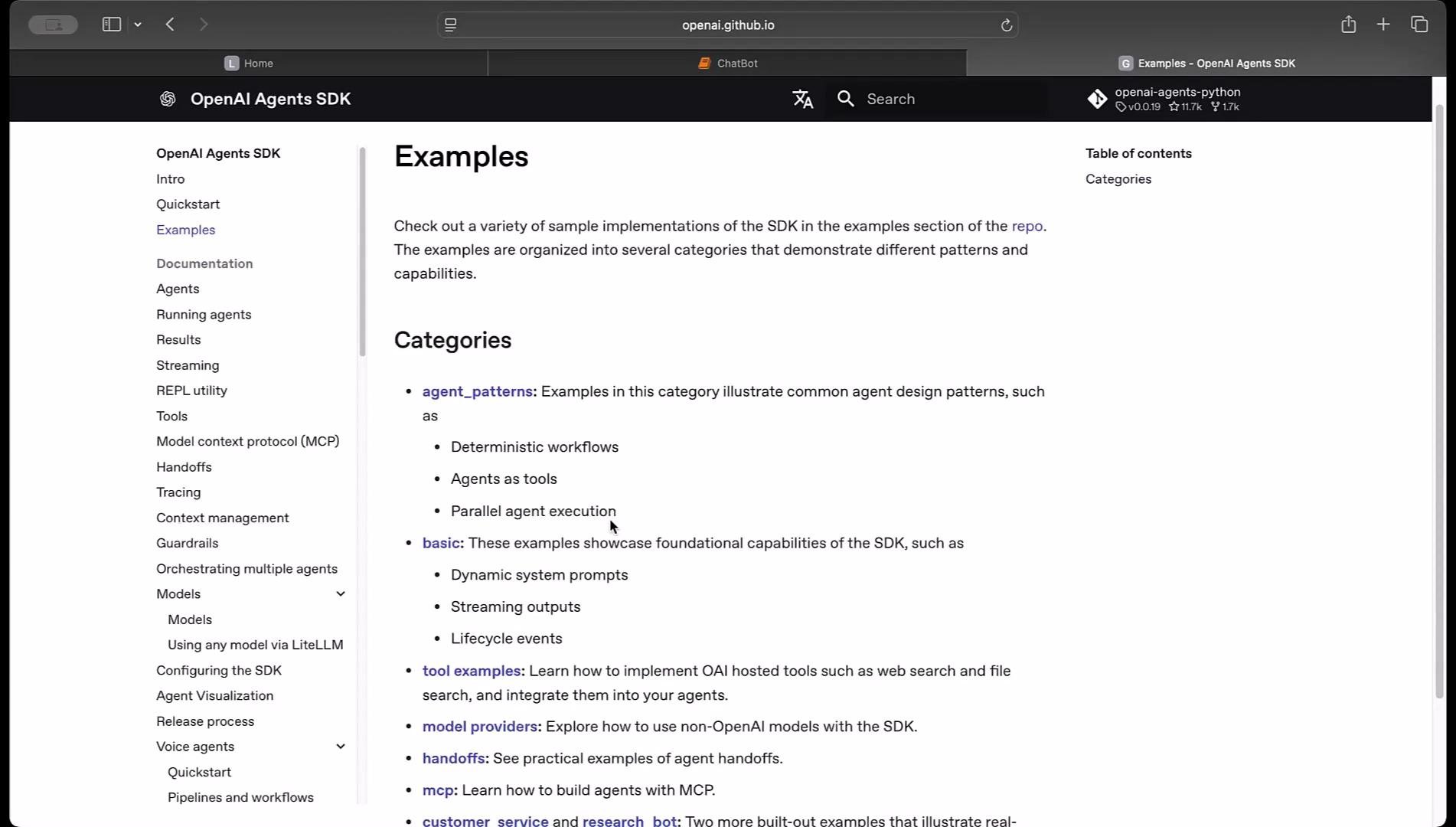 Use the documentation as your reference for configuring agents, registering tools, and customizing outputs.
Example: typed outputs with Pydantic
Here’s a concise example showing how to define a typed output using Pydantic and create an Agent. Typed outputs make it easier to validate and consume structured results from your agent.
```python theme={null}
from pydantic import BaseModel
from agents import Agent
class CalendarEvent(BaseModel):
name: str
date: str
participants: list[str]
agent = Agent(
name="Calendar extractor",
instructions="Extract calendar events from text",
output_type=CalendarEvent,
)
```
Building the chatbot
Below we’ll create a simple interactive chatbot that:
* Loads environment variables securely (do not hard-code API keys).
* Defines an Agent with clear role-based instructions.
* Uses an asynchronous main loop to run the agent via `Runner.run`.
* Stores and displays a simple chat history.
* Supports the `history`, `exit`, and `quit` commands.
Make sure you have a `.env` file with `OPENAI_API_KEY` set, or set the environment variable in another secure way. Do not hard-code API keys in your script.
Complete chatbot script
This consolidated script demonstrates the full flow. It uses `python-dotenv` to load the API key, defines an Agent with instructions, awaits `Runner.run`, and manages conversation memory.
```python theme={null}
# chatbot_agent.py
from dotenv import load_dotenv
import os
import asyncio
from agents import Agent, Runner
# Load environment variables from .env
load_dotenv()
if not os.getenv("OPENAI_API_KEY"):
raise RuntimeError("OPENAI_API_KEY not found in environment. Add it to your .env file.")
# Define the chatbot agent
agent = Agent(
name="Police Sketch Artist",
instructions=(
"You are a police sketch artist. Collect specific details about the individual being sketched. "
"Ask follow-up questions to clarify features (hair, eyes, nose, mouth, clothing, build, distinctive marks)."
),
)
async def main():
chat_history: list[tuple[str, str]] = []
print("Police Sketch Artist chatbot. Type 'history' to view conversation, 'exit' or 'quit' to end.\n")
while True:
user_input = input("Provide specific details about the individual: ").strip()
if not user_input:
continue
# Exit commands
if user_input.lower() in ("exit", "quit"):
print("Goodbye!")
break
# Show chat history
if user_input.lower() == "history":
print("\n--- Chat History ---")
if not chat_history:
print("(no messages yet)")
for i, (u, b) in enumerate(chat_history, start=1):
print(f"{i}. You: {u}\n ChatBot: {b}\n")
print("---------------\n")
continue
# Run the agent and collect the response
result = await Runner.run(agent, user_input)
# The agent's response may be in result.final_output or result.output depending on SDK behavior
response = getattr(result, "final_output", None)
if response is None:
response = getattr(result, "output", str(result))
# Save to history and display
chat_history.append((user_input, response))
print("\nChatBot:", response)
print("To end chat, type 'exit' or 'quit'. Type 'history' to view past conversations.\n")
if __name__ == "__main__":
asyncio.run(main())
```
What this script does
* Loads environment variables safely via `python-dotenv`.
* Defines an Agent with a role-based instruction set so the model acts like a police sketch artist.
* Runs an asynchronous loop that:
* Accepts and validates user input.
* Handles `history`, `exit`, and `quit` commands.
* Invokes the agent using `await Runner.run(agent, user_input)`.
* Extracts the agent’s output (`final_output` or `output`) and appends each turn to `chat_history`.
* Prints the agent response and usage reminders.
Quick command reference
| Command | Description |
| --------------- | ------------------------------------------------------------- |
| `history` | Prints the conversation history collected during this session |
| `exit` / `quit` | Ends the chat session and exits the program |
Testing and extending the bot
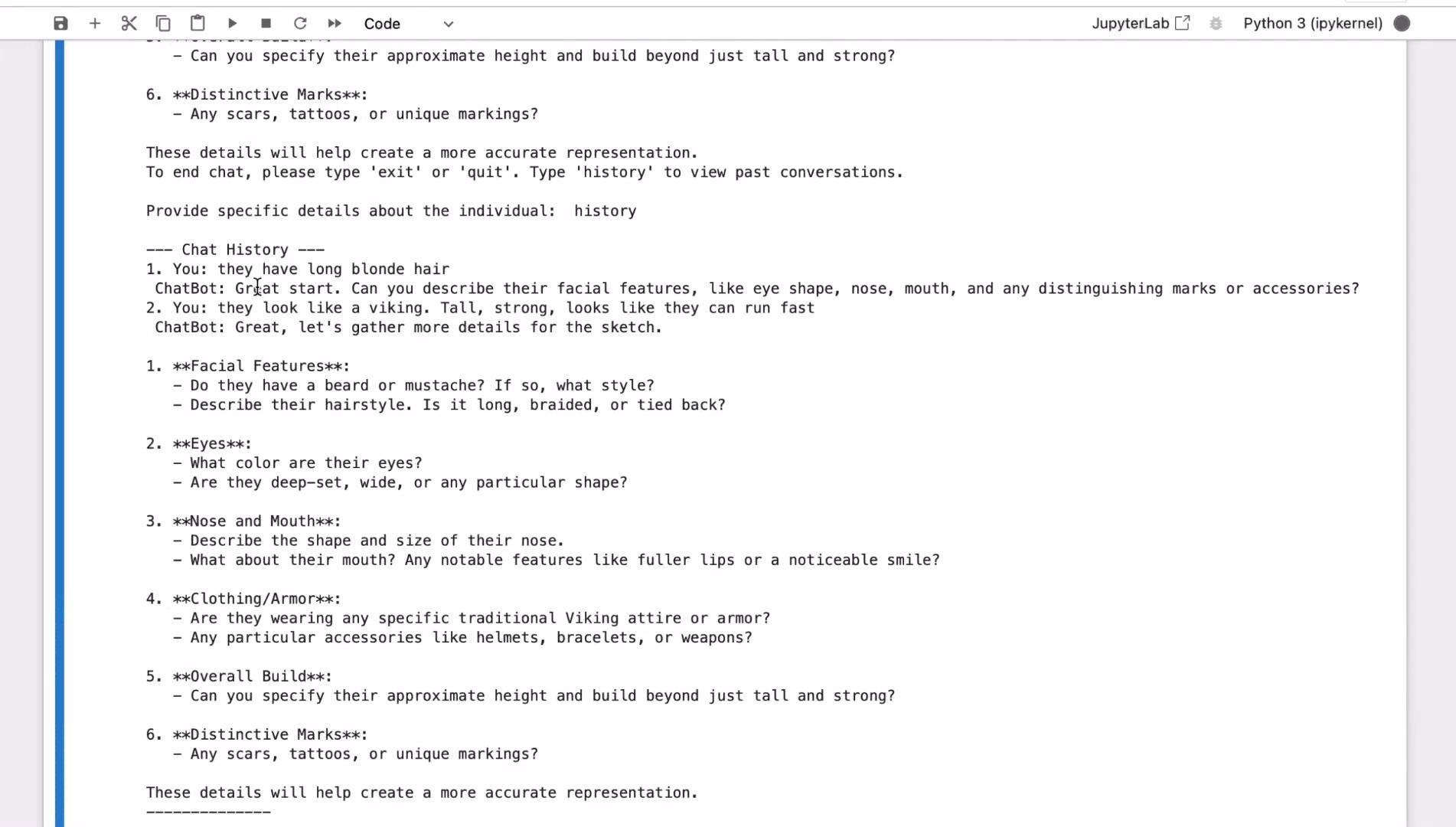
Try providing details like hair color, facial features, build, clothing, or distinctive marks. The agent should ask clarifying questions to gather a structured description. Once you collect attributes, you can extend the pipeline to call an image generation API (for example, DALL·E) to create sketches from the description.
Example interaction (screenshot)
Use the documentation as your reference for configuring agents, registering tools, and customizing outputs.
Example: typed outputs with Pydantic
Here’s a concise example showing how to define a typed output using Pydantic and create an Agent. Typed outputs make it easier to validate and consume structured results from your agent.
```python theme={null}
from pydantic import BaseModel
from agents import Agent
class CalendarEvent(BaseModel):
name: str
date: str
participants: list[str]
agent = Agent(
name="Calendar extractor",
instructions="Extract calendar events from text",
output_type=CalendarEvent,
)
```
Building the chatbot
Below we’ll create a simple interactive chatbot that:
* Loads environment variables securely (do not hard-code API keys).
* Defines an Agent with clear role-based instructions.
* Uses an asynchronous main loop to run the agent via `Runner.run`.
* Stores and displays a simple chat history.
* Supports the `history`, `exit`, and `quit` commands.
Make sure you have a `.env` file with `OPENAI_API_KEY` set, or set the environment variable in another secure way. Do not hard-code API keys in your script.
Complete chatbot script
This consolidated script demonstrates the full flow. It uses `python-dotenv` to load the API key, defines an Agent with instructions, awaits `Runner.run`, and manages conversation memory.
```python theme={null}
# chatbot_agent.py
from dotenv import load_dotenv
import os
import asyncio
from agents import Agent, Runner
# Load environment variables from .env
load_dotenv()
if not os.getenv("OPENAI_API_KEY"):
raise RuntimeError("OPENAI_API_KEY not found in environment. Add it to your .env file.")
# Define the chatbot agent
agent = Agent(
name="Police Sketch Artist",
instructions=(
"You are a police sketch artist. Collect specific details about the individual being sketched. "
"Ask follow-up questions to clarify features (hair, eyes, nose, mouth, clothing, build, distinctive marks)."
),
)
async def main():
chat_history: list[tuple[str, str]] = []
print("Police Sketch Artist chatbot. Type 'history' to view conversation, 'exit' or 'quit' to end.\n")
while True:
user_input = input("Provide specific details about the individual: ").strip()
if not user_input:
continue
# Exit commands
if user_input.lower() in ("exit", "quit"):
print("Goodbye!")
break
# Show chat history
if user_input.lower() == "history":
print("\n--- Chat History ---")
if not chat_history:
print("(no messages yet)")
for i, (u, b) in enumerate(chat_history, start=1):
print(f"{i}. You: {u}\n ChatBot: {b}\n")
print("---------------\n")
continue
# Run the agent and collect the response
result = await Runner.run(agent, user_input)
# The agent's response may be in result.final_output or result.output depending on SDK behavior
response = getattr(result, "final_output", None)
if response is None:
response = getattr(result, "output", str(result))
# Save to history and display
chat_history.append((user_input, response))
print("\nChatBot:", response)
print("To end chat, type 'exit' or 'quit'. Type 'history' to view past conversations.\n")
if __name__ == "__main__":
asyncio.run(main())
```
What this script does
* Loads environment variables safely via `python-dotenv`.
* Defines an Agent with a role-based instruction set so the model acts like a police sketch artist.
* Runs an asynchronous loop that:
* Accepts and validates user input.
* Handles `history`, `exit`, and `quit` commands.
* Invokes the agent using `await Runner.run(agent, user_input)`.
* Extracts the agent’s output (`final_output` or `output`) and appends each turn to `chat_history`.
* Prints the agent response and usage reminders.
Quick command reference
| Command | Description |
| --------------- | ------------------------------------------------------------- |
| `history` | Prints the conversation history collected during this session |
| `exit` / `quit` | Ends the chat session and exits the program |
Testing and extending the bot
Try providing details like hair color, facial features, build, clothing, or distinctive marks. The agent should ask clarifying questions to gather a structured description. Once you collect attributes, you can extend the pipeline to call an image generation API (for example, DALL·E) to create sketches from the description.
Example interaction (screenshot)
 References and next steps
* OpenAI Agents guide: [https://platform.openai.com/docs/guides/agents](https://platform.openai.com/docs/guides/agents)
* OpenAI Agents SDK (examples & Quickstart): [https://github.com/openai/agents](https://github.com/openai/agents)
* python-dotenv: [https://pypi.org/project/python-dotenv/](https://pypi.org/project/python-dotenv/)
* Pydantic docs: [https://docs.pydantic.dev/latest/](https://docs.pydantic.dev/latest/)
* Images guide (DALL·E): [https://platform.openai.com/docs/guides/images](https://platform.openai.com/docs/guides/images)
Thank you for reading.
References and next steps
* OpenAI Agents guide: [https://platform.openai.com/docs/guides/agents](https://platform.openai.com/docs/guides/agents)
* OpenAI Agents SDK (examples & Quickstart): [https://github.com/openai/agents](https://github.com/openai/agents)
* python-dotenv: [https://pypi.org/project/python-dotenv/](https://pypi.org/project/python-dotenv/)
* Pydantic docs: [https://docs.pydantic.dev/latest/](https://docs.pydantic.dev/latest/)
* Images guide (DALL·E): [https://platform.openai.com/docs/guides/images](https://platform.openai.com/docs/guides/images)
Thank you for reading.