> ## Documentation Index
> Fetch the complete documentation index at: https://notes.kodekloud.com/llms.txt
> Use this file to discover all available pages before exploring further.
# Development Environment Overview
> Overview of using Jupyter and GitHub to build reproducible, collaborative development environments and workflows for AI agent engineering.
Welcome back.
This lesson reviews the development-environment landscape for AI agent engineering, focusing on Jupyter Notebook and GitHub. We'll explain why a reproducible, collaborative environment matters for agents and provide practical guidance, commands, and patterns you can apply immediately.
We’ll cover:
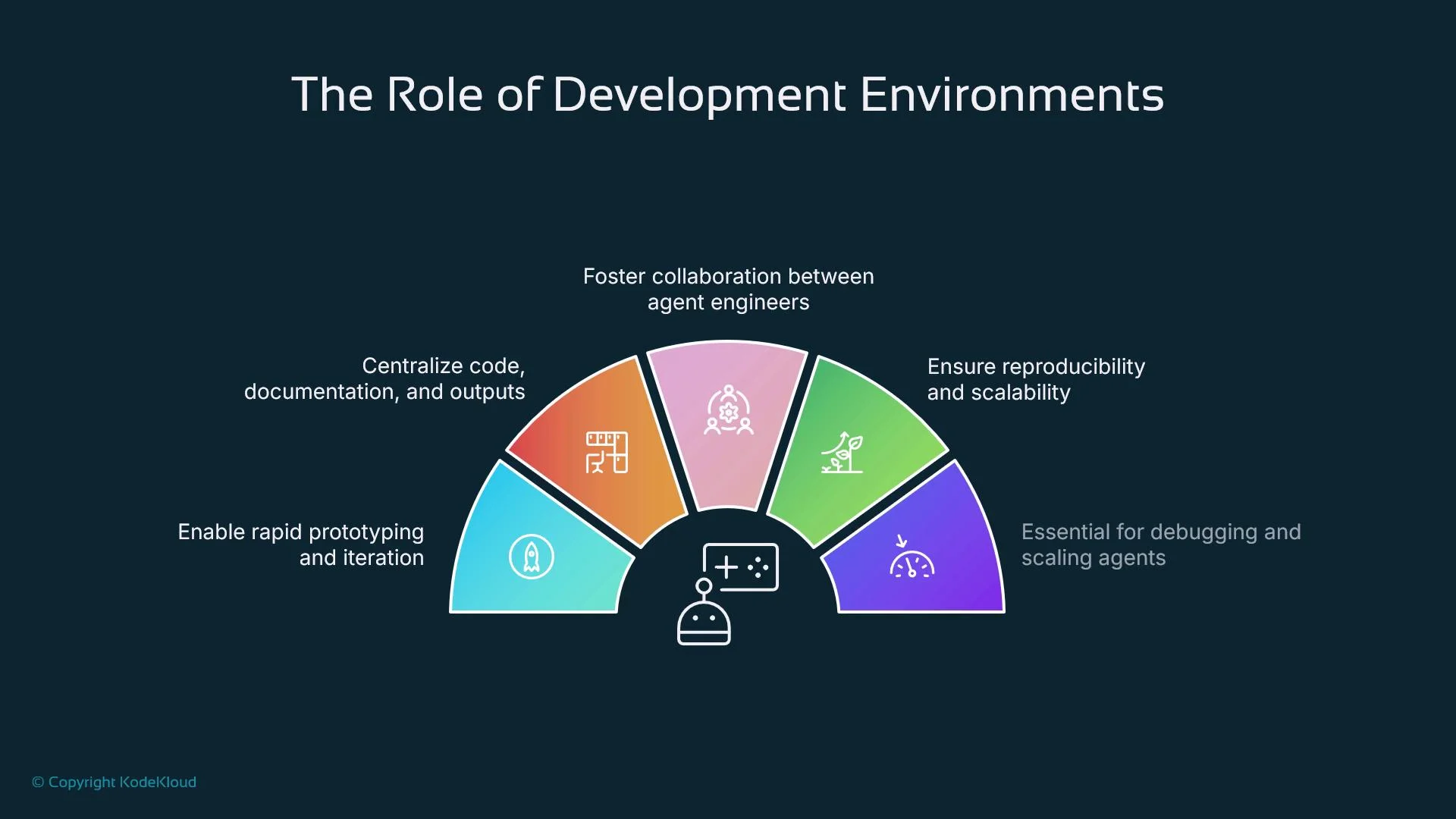
* The role of development environments in AI agent engineering
* What Jupyter is and why it fits agent workflows
* Key Jupyter features for AI workflows
* What GitHub is and why it matters for agents
* GitHub features for collaboration and CI/CD
* Version-control practices for agent projects
* How to integrate Jupyter with GitHub (plus commands and examples)
* A concrete end-to-end example workflow
* Common pitfalls and how to avoid them
* Useful tools and extensions for Jupyter and GitHub
* Security and best practices
* Summary and next steps
AI agents combine prompts, tool calls, LLM invocations, and memory/state management. A solid development environment accelerates experimentation, ensures reproducibility, and enables safe collaboration. In short, Jupyter and GitHub are not just conveniences — they are foundational for building, debugging, and iterating on agent systems.
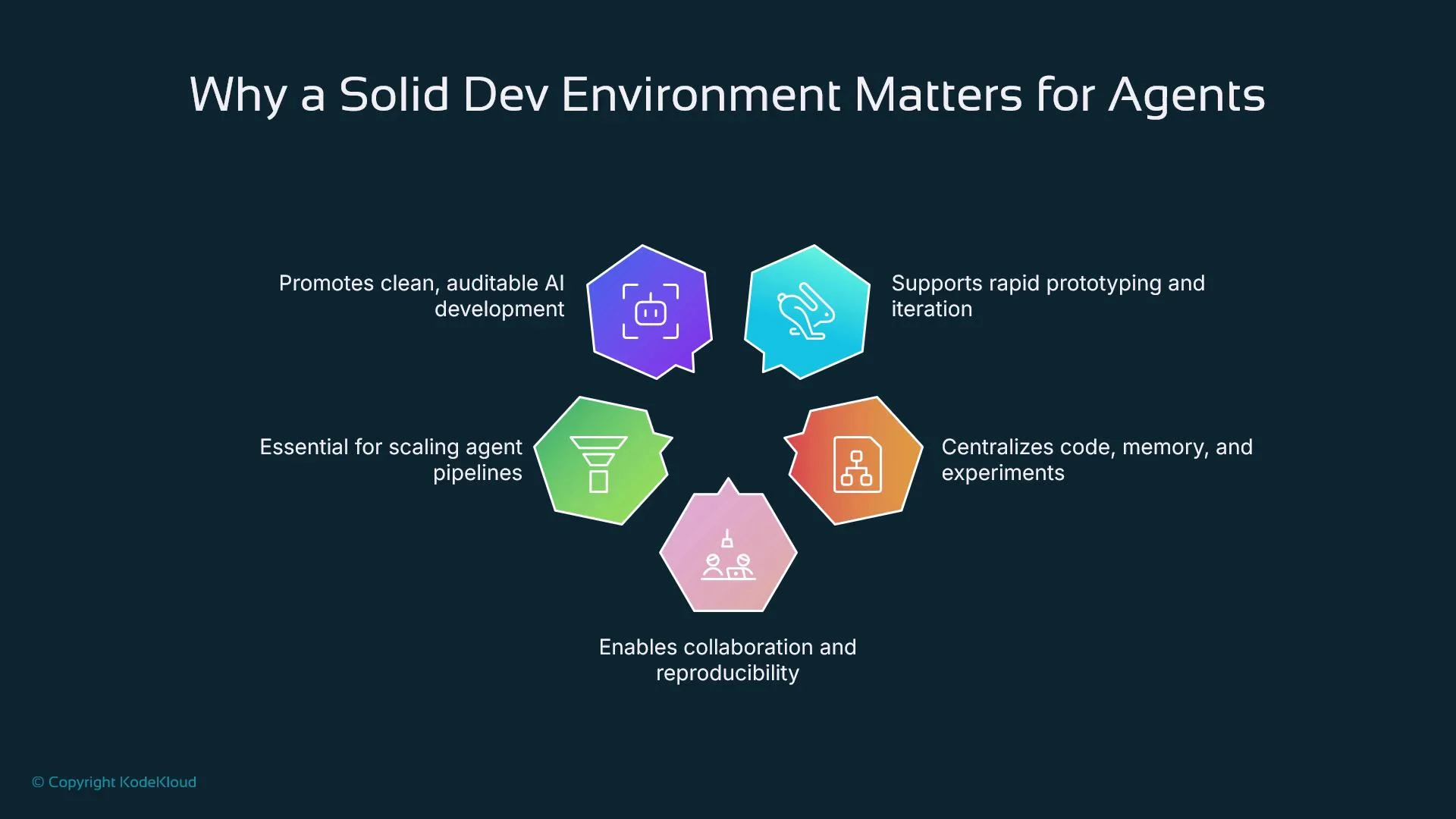 Why development environments matter for agents
* Centralize code, experiments, and documentation so results are reproducible and auditable.
* Enable rapid, iterative testing (change prompts or parameters and see results immediately).
* Support automated testing, CI/CD, and controlled rollouts as agents evolve.
* Reduce onboarding friction by standardizing development environments across teams.
Why development environments matter for agents
* Centralize code, experiments, and documentation so results are reproducible and auditable.
* Enable rapid, iterative testing (change prompts or parameters and see results immediately).
* Support automated testing, CI/CD, and controlled rollouts as agents evolve.
* Reduce onboarding friction by standardizing development environments across teams.
 ## Jupyter: overview and why it fits agent workflows
Jupyter is an open-source, interactive environment that runs in the browser and combines executable code, outputs, visualizations, and Markdown documentation in a single notebook file (`.ipynb`). It’s a natural fit for agent development because:
* Incremental, cell-based execution enables fast experimentation: tweak prompts, embeddings, or tool calls and inspect responses without rerunning unrelated initialization.
* The mixed code/Markdown format is ideal for documenting design choices, hypotheses, and results alongside runnable code.
* Jupyter supports many languages (Python, Julia, R), but Python is the dominant choice for LLM, embeddings, and agent toolchains.
* You can import SDKs and libraries (for example, OpenAI SDKs and LangChain) directly in notebooks to prototype integrations quickly.
Resources:
* [Introduction to OpenAI](https://learn.kodekloud.com/user/courses/introduction-to-openai)
* [LangChain course](https://learn.kodekloud.com/user/courses/langchain)
### Key Jupyter features for agent development
* Cell-based execution for incremental testing of code that calls external APIs or manipulates memory.
* Inline visualizations and stdout/stderr outputs to inspect agent behavior and tool responses.
* Markdown cells to explain experiment intent, assumptions, and conclusions next to code.
* Extensible ecosystem (JupyterLab, nbextensions, VS Code/Jupyter plugins) for navigation, Git integration, and productivity.
## GitHub: why it matters for agent projects
GitHub, built around Git, is the standard platform for collaborative development and version control. For agent projects it provides:
* A complete history of changes so you can restore previous prompt states, tool configs, or decision logic.
* Pull requests and issue tracking for asynchronous collaboration and structured code review.
* Automation through GitHub Actions for CI, testing, and deployment pipelines.
* Integration with assistive tools like GitHub Copilot to speed development and refactoring.
* A centralized place to publish and discover open-source agent frameworks and integrations.
## Jupyter: overview and why it fits agent workflows
Jupyter is an open-source, interactive environment that runs in the browser and combines executable code, outputs, visualizations, and Markdown documentation in a single notebook file (`.ipynb`). It’s a natural fit for agent development because:
* Incremental, cell-based execution enables fast experimentation: tweak prompts, embeddings, or tool calls and inspect responses without rerunning unrelated initialization.
* The mixed code/Markdown format is ideal for documenting design choices, hypotheses, and results alongside runnable code.
* Jupyter supports many languages (Python, Julia, R), but Python is the dominant choice for LLM, embeddings, and agent toolchains.
* You can import SDKs and libraries (for example, OpenAI SDKs and LangChain) directly in notebooks to prototype integrations quickly.
Resources:
* [Introduction to OpenAI](https://learn.kodekloud.com/user/courses/introduction-to-openai)
* [LangChain course](https://learn.kodekloud.com/user/courses/langchain)
### Key Jupyter features for agent development
* Cell-based execution for incremental testing of code that calls external APIs or manipulates memory.
* Inline visualizations and stdout/stderr outputs to inspect agent behavior and tool responses.
* Markdown cells to explain experiment intent, assumptions, and conclusions next to code.
* Extensible ecosystem (JupyterLab, nbextensions, VS Code/Jupyter plugins) for navigation, Git integration, and productivity.
## GitHub: why it matters for agent projects
GitHub, built around Git, is the standard platform for collaborative development and version control. For agent projects it provides:
* A complete history of changes so you can restore previous prompt states, tool configs, or decision logic.
* Pull requests and issue tracking for asynchronous collaboration and structured code review.
* Automation through GitHub Actions for CI, testing, and deployment pipelines.
* Integration with assistive tools like GitHub Copilot to speed development and refactoring.
* A centralized place to publish and discover open-source agent frameworks and integrations.
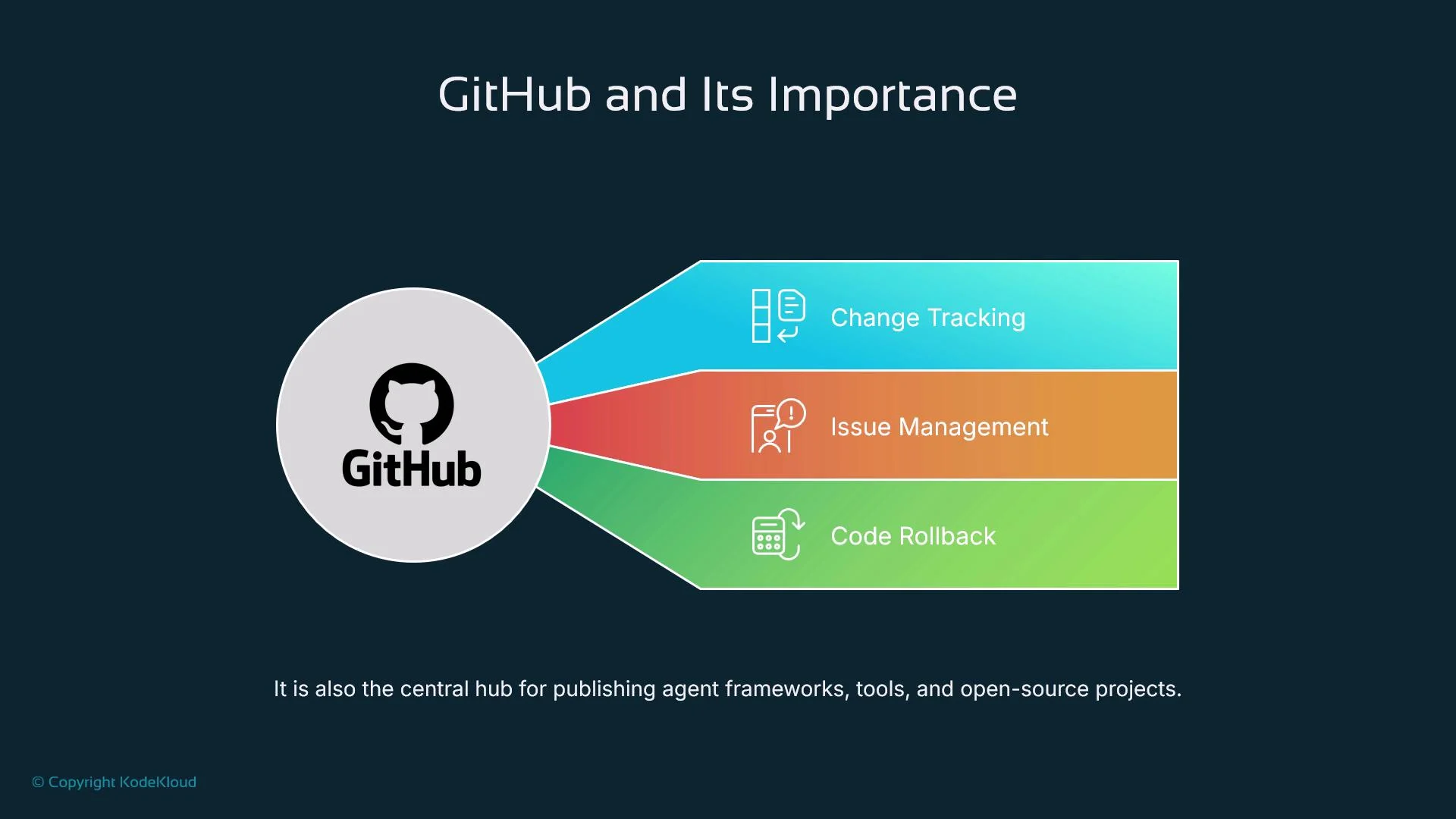 ### GitHub features especially helpful for AI projects
* Fine-grained change history for code, prompts, and configuration.
* Branching and pull requests to isolate experiments and review behavior changes.
* GitHub Actions for automated linting, unit tests, notebook validation, and deployments.
* Issue templates, project boards, and discussions to track experiments, evaluations, and reproducibility tasks.
## Version control practices for agent projects
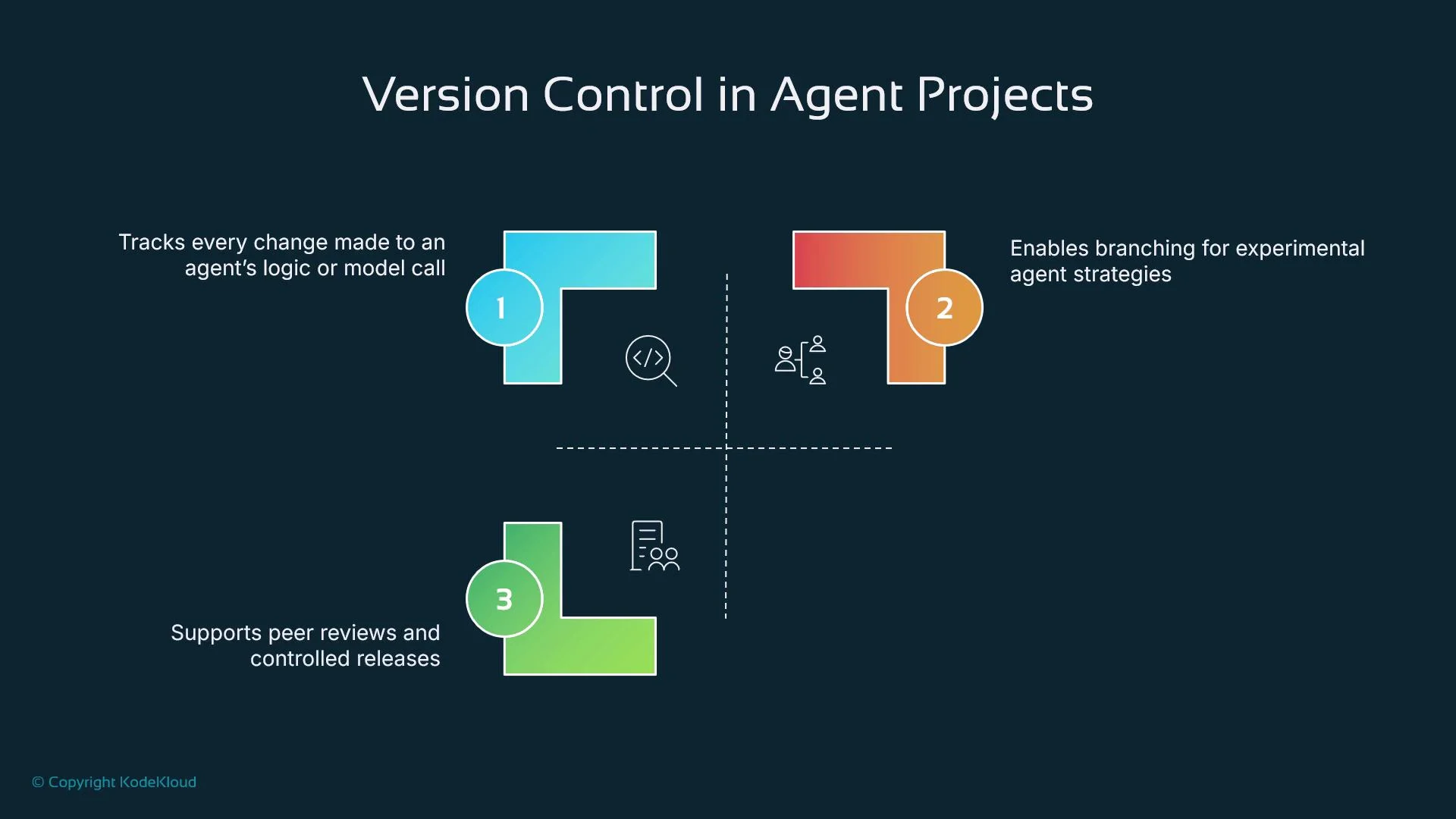
Version control in agent projects goes beyond tracking source files — it manages evolving prompts, toolchains, and data dependencies. Best practices:
* Use branches to isolate experiments and new capabilities.
* Write descriptive commit messages that explain why a prompt or architecture changed (not just what changed).
* Use code reviews to discuss behavioral differences and regressions.
* Track experiments and model artifacts separately (see DVC / MLflow below).
### GitHub features especially helpful for AI projects
* Fine-grained change history for code, prompts, and configuration.
* Branching and pull requests to isolate experiments and review behavior changes.
* GitHub Actions for automated linting, unit tests, notebook validation, and deployments.
* Issue templates, project boards, and discussions to track experiments, evaluations, and reproducibility tasks.
## Version control practices for agent projects
Version control in agent projects goes beyond tracking source files — it manages evolving prompts, toolchains, and data dependencies. Best practices:
* Use branches to isolate experiments and new capabilities.
* Write descriptive commit messages that explain why a prompt or architecture changed (not just what changed).
* Use code reviews to discuss behavioral differences and regressions.
* Track experiments and model artifacts separately (see DVC / MLflow below).
 ## Integrating Jupyter with GitHub — practical tips and commands
Notebooks are JSON files (`.ipynb`) and can produce noisy diffs because they store outputs. Use the following strategies to keep repositories clean and maintainable.
Recommended tooling and patterns:
* Remove outputs before committing:
* Use `nbstripout` to automatically clear outputs on commit.
* Example installation and activation:
```bash theme={null}
pip install nbstripout
nbstripout --install
```
* Use pre-commit hooks for consistent repo hygiene:
* Example `.pre-commit-config.yaml` snippet:
```yaml theme={null}
repos:
- repo: https://github.com/kynan/nbstripout
rev: v0.5.0
hooks:
- id: nbstripout
```
* Install:
```bash theme={null}
pip install pre-commit
pre-commit install
```
* Use Git LFS for large artifacts (embeddings, model checkpoints):
```bash theme={null}
git lfs install
git lfs track "*.onnx"
git add .gitattributes
```
* Use `papermill` for parameterized runs (turn notebooks into reproducible, parameter-driven jobs):
```bash theme={null}
pip install papermill
papermill input.ipynb output.ipynb -p param_name value
```
* Use `nbdime` for notebook-aware diffs and merges:
```bash theme={null}
pip install nbdime
nbdime config-git --enable
```
Best UX workflow:
* Prototype in a notebook.
* Extract stable code into Python modules or packages.
* Keep notebooks for orchestration, examples, and documentation; put production logic into versioned modules.
* Use GitHub Codespaces, JupyterLab, or VS Code to synchronize work across collaborators.
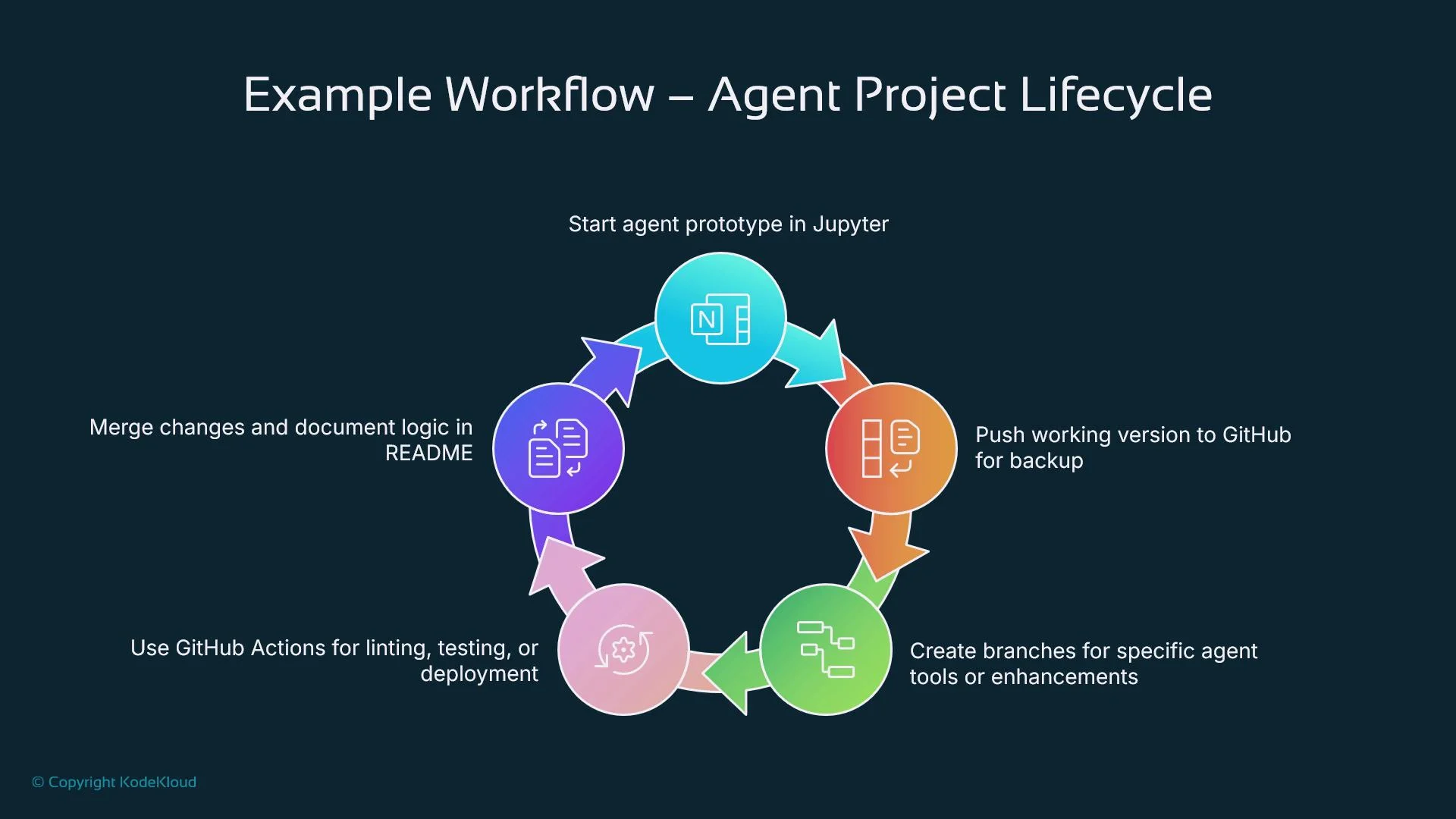
## Example end-to-end agent development workflow
1. Prototype in Jupyter:
* Create prompt templates, test API calls, and log results in Markdown and output cells.
2. Stabilize logic:
* Extract reusable code into modules (e.g., `agents/core.py`, `agents/tools.py`) and add unit tests.
3. Commit and clean:
* Commit notebooks and scripts to GitHub. Use `.gitignore` to exclude secrets and `nbstripout` to strip outputs.
4. Branch and experiment:
* Use feature branches per experiment, then open pull requests to review behavior changes.
5. Automate:
* Use GitHub Actions to run linting, unit tests, and notebook validation on PRs.
6. Deploy and test:
* Deploy to staging and run integration tests before promoting to production.
Common Git commands for this flow:
```bash theme={null}
git checkout -b feature/prompt-refactor
git add .
git commit -m "Refactor prompt to improve slot-filling"
git push origin feature/prompt-refactor
```
## Integrating Jupyter with GitHub — practical tips and commands
Notebooks are JSON files (`.ipynb`) and can produce noisy diffs because they store outputs. Use the following strategies to keep repositories clean and maintainable.
Recommended tooling and patterns:
* Remove outputs before committing:
* Use `nbstripout` to automatically clear outputs on commit.
* Example installation and activation:
```bash theme={null}
pip install nbstripout
nbstripout --install
```
* Use pre-commit hooks for consistent repo hygiene:
* Example `.pre-commit-config.yaml` snippet:
```yaml theme={null}
repos:
- repo: https://github.com/kynan/nbstripout
rev: v0.5.0
hooks:
- id: nbstripout
```
* Install:
```bash theme={null}
pip install pre-commit
pre-commit install
```
* Use Git LFS for large artifacts (embeddings, model checkpoints):
```bash theme={null}
git lfs install
git lfs track "*.onnx"
git add .gitattributes
```
* Use `papermill` for parameterized runs (turn notebooks into reproducible, parameter-driven jobs):
```bash theme={null}
pip install papermill
papermill input.ipynb output.ipynb -p param_name value
```
* Use `nbdime` for notebook-aware diffs and merges:
```bash theme={null}
pip install nbdime
nbdime config-git --enable
```
Best UX workflow:
* Prototype in a notebook.
* Extract stable code into Python modules or packages.
* Keep notebooks for orchestration, examples, and documentation; put production logic into versioned modules.
* Use GitHub Codespaces, JupyterLab, or VS Code to synchronize work across collaborators.
## Example end-to-end agent development workflow
1. Prototype in Jupyter:
* Create prompt templates, test API calls, and log results in Markdown and output cells.
2. Stabilize logic:
* Extract reusable code into modules (e.g., `agents/core.py`, `agents/tools.py`) and add unit tests.
3. Commit and clean:
* Commit notebooks and scripts to GitHub. Use `.gitignore` to exclude secrets and `nbstripout` to strip outputs.
4. Branch and experiment:
* Use feature branches per experiment, then open pull requests to review behavior changes.
5. Automate:
* Use GitHub Actions to run linting, unit tests, and notebook validation on PRs.
6. Deploy and test:
* Deploy to staging and run integration tests before promoting to production.
Common Git commands for this flow:
```bash theme={null}
git checkout -b feature/prompt-refactor
git add .
git commit -m "Refactor prompt to improve slot-filling"
git push origin feature/prompt-refactor
```
 ## Common pitfalls and mitigations
* Large outputs and binary artifacts increase repository size and create noisy diffs.
* Mitigation: enable `nbstripout`, use Git LFS, and clear outputs before committing.
* Merge conflicts in `.ipynb` files due to JSON format.
* Mitigation: break code into modules, do smaller, frequent merges, and use `nbdime` to resolve notebook diffs.
* Accidental commit of sensitive data (API keys, tokens).
* Mitigation: put secrets in `.env`, add them to `.gitignore`, use secret scanning, and rotate credentials if exposed.
* Monolithic notebooks mixing experiments and production logic.
* Mitigation: modularize and keep notebooks primarily for orchestration and documentation.
Avoid committing credentials or large outputs. Use `.gitignore`, `.env` files, secret scanners, `nbstripout`, and Git LFS to keep your repository secure and performant.
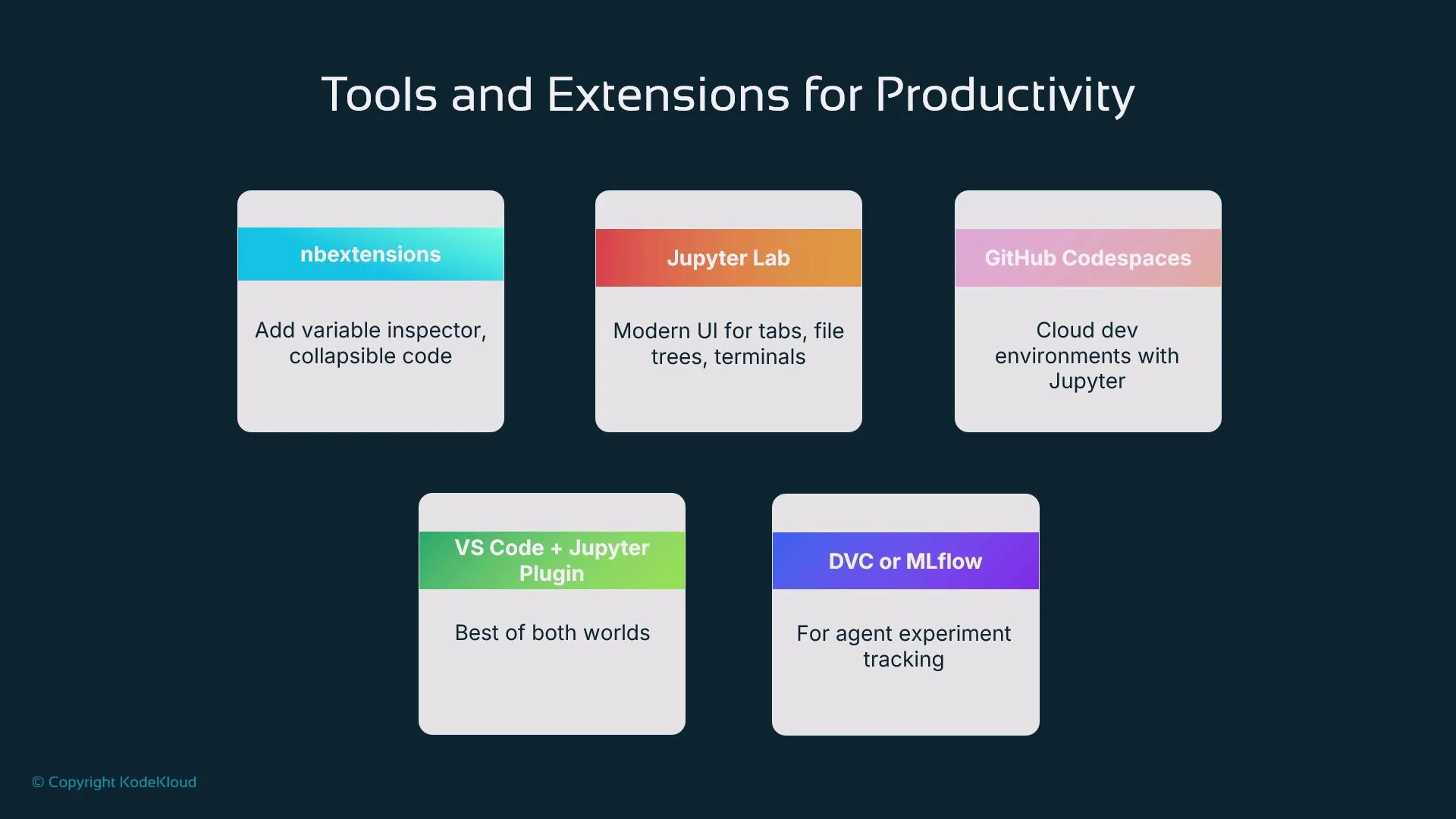
## Tools and extensions to improve workflow
* nbextensions: code folding, variable inspectors, table of contents for classic notebooks.
* JupyterLab: modern multi-tab interface with terminals and rich extensions.
* GitHub Codespaces: cloud dev environments with Jupyter pre-installed for consistent environments.
* VS Code + Jupyter plugin: edit notebooks locally with robust Git and debugging support.
* DVC and MLflow: version and track datasets, models, and experiments.
Useful quick-reference table
| Tool / Feature | Purpose | Example / Command |
| -------------- | ---------------------------- | ----------------------------------------------------- |
| `nbstripout` | Remove outputs before commit | `nbstripout --install` |
| `pre-commit` | Enforce repository hooks | `pre-commit install` |
| Git LFS | Track large model artifacts | `git lfs install` |
| `papermill` | Parameterized notebook runs | `papermill in.ipynb out.ipynb -p learning_rate 0.001` |
| `nbdime` | Notebook-aware diffs/merges | `nbdime config-git --enable` |
| DVC / MLflow | Experiment & data tracking | See DVC and MLflow docs |
## Common pitfalls and mitigations
* Large outputs and binary artifacts increase repository size and create noisy diffs.
* Mitigation: enable `nbstripout`, use Git LFS, and clear outputs before committing.
* Merge conflicts in `.ipynb` files due to JSON format.
* Mitigation: break code into modules, do smaller, frequent merges, and use `nbdime` to resolve notebook diffs.
* Accidental commit of sensitive data (API keys, tokens).
* Mitigation: put secrets in `.env`, add them to `.gitignore`, use secret scanning, and rotate credentials if exposed.
* Monolithic notebooks mixing experiments and production logic.
* Mitigation: modularize and keep notebooks primarily for orchestration and documentation.
Avoid committing credentials or large outputs. Use `.gitignore`, `.env` files, secret scanners, `nbstripout`, and Git LFS to keep your repository secure and performant.
## Tools and extensions to improve workflow
* nbextensions: code folding, variable inspectors, table of contents for classic notebooks.
* JupyterLab: modern multi-tab interface with terminals and rich extensions.
* GitHub Codespaces: cloud dev environments with Jupyter pre-installed for consistent environments.
* VS Code + Jupyter plugin: edit notebooks locally with robust Git and debugging support.
* DVC and MLflow: version and track datasets, models, and experiments.
Useful quick-reference table
| Tool / Feature | Purpose | Example / Command |
| -------------- | ---------------------------- | ----------------------------------------------------- |
| `nbstripout` | Remove outputs before commit | `nbstripout --install` |
| `pre-commit` | Enforce repository hooks | `pre-commit install` |
| Git LFS | Track large model artifacts | `git lfs install` |
| `papermill` | Parameterized notebook runs | `papermill in.ipynb out.ipynb -p learning_rate 0.001` |
| `nbdime` | Notebook-aware diffs/merges | `nbdime config-git --enable` |
| DVC / MLflow | Experiment & data tracking | See DVC and MLflow docs |
 ## Security and best practices (brief)
* Never hard-code API keys in notebooks. Use environment variables, `.env` files, or secret managers.
* Add tests and linters to CI/CD to catch regressions in prompt handling and tool integrations.
* Modularize production logic into versioned packages; use notebooks for experiments and documentation.
* Keep a CHANGELOG or use detailed commit messages to record rationale for prompt and architecture changes.
Best practices summary: modularize code, use branches and pull requests, log key changes, and never commit secrets. These habits improve reproducibility, collaboration, and long-term maintainability of agent projects.
## Summary and next steps
Jupyter and GitHub together form a powerful foundation for building AI agents:
* Use Jupyter notebooks for rapid prototyping, interactive debugging, and documentation.
* Use GitHub for version control, code review, CI/CD, and collaboration.
* Adopt tooling like `nbstripout`, `nbdime`, GitHub Actions, and Git LFS to keep repos clean and reproducible.
* Move stable logic into modular Python packages and track experiments with DVC or MLflow.
Actionable next steps:
* Add `nbstripout` and a `pre-commit` config to your repo.
* Start a branch-based workflow for experiments.
* Configure a simple GitHub Actions workflow to run linting and tests on PRs.
* Create a short README that documents how to run notebooks, tests, and parameterized runs.
By investing in these development practices now, you make agent engineering faster, safer, and more collaborative as your project grows.
## Security and best practices (brief)
* Never hard-code API keys in notebooks. Use environment variables, `.env` files, or secret managers.
* Add tests and linters to CI/CD to catch regressions in prompt handling and tool integrations.
* Modularize production logic into versioned packages; use notebooks for experiments and documentation.
* Keep a CHANGELOG or use detailed commit messages to record rationale for prompt and architecture changes.
Best practices summary: modularize code, use branches and pull requests, log key changes, and never commit secrets. These habits improve reproducibility, collaboration, and long-term maintainability of agent projects.
## Summary and next steps
Jupyter and GitHub together form a powerful foundation for building AI agents:
* Use Jupyter notebooks for rapid prototyping, interactive debugging, and documentation.
* Use GitHub for version control, code review, CI/CD, and collaboration.
* Adopt tooling like `nbstripout`, `nbdime`, GitHub Actions, and Git LFS to keep repos clean and reproducible.
* Move stable logic into modular Python packages and track experiments with DVC or MLflow.
Actionable next steps:
* Add `nbstripout` and a `pre-commit` config to your repo.
* Start a branch-based workflow for experiments.
* Configure a simple GitHub Actions workflow to run linting and tests on PRs.
* Create a short README that documents how to run notebooks, tests, and parameterized runs.
By investing in these development practices now, you make agent engineering faster, safer, and more collaborative as your project grows.