> ## Documentation Index
> Fetch the complete documentation index at: https://notes.kodekloud.com/llms.txt
> Use this file to discover all available pages before exploring further.
# Demo Writing Playbooks With Copilot
> Demonstrating how to use GitHub Copilot in VS Code to generate, refine, and test Ansible playbooks including templating, handlers, and best practices.
In this lesson we'll use GitHub Copilot inside VS Code to generate a complete Ansible playbook from a short comment such as "install and start Apache". Copilot can infer context (hosts, modules, parameters, indentation) and propose full YAML tasks. We'll walk through accepting, refining, and extending Copilot suggestions, add a minimal Jinja2 template, and demonstrate iterative edits and handlers.
This demo focuses on common, repetitive playbooks (package installation, service management, templating) to see whether Copilot speeds authoring while keeping playbooks accurate, readable, and maintainable.
Prerequisites
* VS Code with the [GitHub Copilot extension](https://marketplace.visualstudio.com/items?itemName=GitHub.copilot) installed and signed in.
* An Ansible project directory with ansible.cfg and an inventory file.
* Ansible installed on your control host.
* Optionally: the [Ansible VS Code extension](https://marketplace.visualstudio.com/items?itemName=redhat.ansible) and [ansible-lint](https://ansible-lint.readthedocs.io/en/latest/) for editor feedback.
 Working directory (example)
```bash theme={null}
student@control:~/copilot$
```
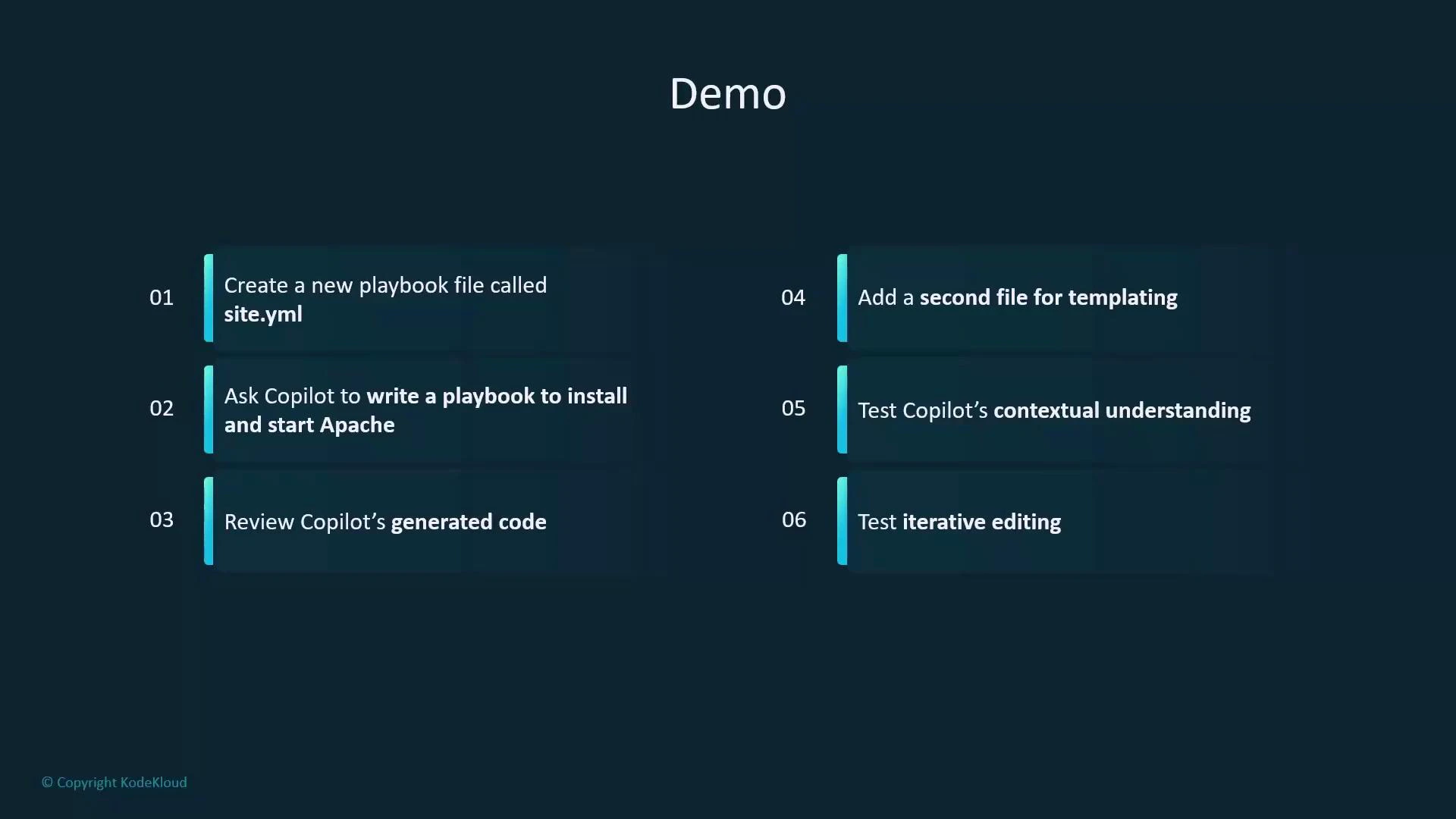
Quick workflow
| Step | Action |
| ---- | --------------------------------------------------------------------------- |
| 1 | Create site.yaml |
| 2 | Type a short comment (e.g., "write a playbook to install and start Apache") |
| 3 | Review and refine Copilot's suggestions |
| 4 | Add a templating file (index.html.j2) |
| 5 | Test contextual prompts and iterative edits; run the playbook |
Working directory (example)
```bash theme={null}
student@control:~/copilot$
```
Quick workflow
| Step | Action |
| ---- | --------------------------------------------------------------------------- |
| 1 | Create site.yaml |
| 2 | Type a short comment (e.g., "write a playbook to install and start Apache") |
| 3 | Review and refine Copilot's suggestions |
| 4 | Add a templating file (index.html.j2) |
| 5 | Test contextual prompts and iterative edits; run the playbook |
 Initial Copilot guess
* When you prompt Copilot with a generic comment, its first suggestion will often target Debian/Ubuntu systems and use apt. Example suggestion:
```yaml theme={null}
# Install apache on webservers within this playbook.
- hosts: webservers
become: yes
tasks:
- name: Install Apache
apt:
name: apache2
state: present
update_cache: yes
- name: Ensure Apache is running
service:
name: apache2
state: started
enabled: yes
```
Refine the target platform
* If your managed hosts are RHEL-family (RHEL, CentOS, Rocky, Fedora), update your prompt to indicate that. Copilot will adapt package/module choices (yum/dnf and systemd). Example RHEL-style suggestion:
```yaml theme={null}
# Install apache on webservers within this playbook. The target is RHEL.
- name: Install and start Apache on webservers
hosts: webservers
become: yes
tasks:
- name: Install Apache
yum:
name: httpd
state: present
- name: Start and enable Apache service
systemd:
name: httpd
state: started
enabled: yes
```
Prefer the service module and FQCNs
* When refining prompts, ask Copilot to:
* Use ansible.builtin.service for broader compatibility across init systems.
* Use fully-qualified collection names (FQCN) like ansible.builtin.yum and ansible.builtin.template to avoid ambiguity.
* Add variables for package name, service name, document root, and template names.
* Notify a handler to restart the service after template changes.
Using FQCNs (for example, ansible.builtin.yum and ansible.builtin.template) is recommended to avoid ambiguity and make your playbooks explicit about which modules they use.
Caveat: always review Copilot output
Copilot can produce a helpful scaffold but may generate incorrect assumptions (wrong package names, missing variables, or security issues). Validate generated tasks, run ansible-lint, and test in a safe environment before using in production.
Consolidated final playbook
* After iterating with Copilot and refining prompts (service module, FQCN, handler, vars, enable/start service, append a footer line), a consolidated site.yaml can look like this:
```yaml theme={null}
---
# Install apache on webservers within this playbook. The target is RHEL. Use the service for service management. Deploy a template.
# Use the fqcn of modules. Restart the httpd service on a change using handlers. Add a variable which creates the content within the template.
- name: Install and configure Apache on webservers
hosts: webservers
become: yes
vars:
apache_package: httpd
apache_service: httpd
apache_document_root: /var/www/html
apache_index_template: index.html.j2
apache_index_destination: "{{ apache_document_root }}/index.html"
page_content: "Welcome to the Apache Web Server!"
tasks:
- name: Install Apache package
ansible.builtin.yum:
name: "{{ apache_package }}"
state: present
- name: Deploy index.html from template
ansible.builtin.template:
src: "{{ apache_index_template }}"
dest: "{{ apache_index_destination }}"
notify: Restart Apache
- name: Ensure httpd service is enabled and started
ansible.builtin.service:
name: "{{ apache_service }}"
state: started
enabled: yes
- name: Add a footer line to index.html
ansible.builtin.lineinfile:
path: "{{ apache_index_destination }}"
line: "Created by ansible and copilot"
state: present
insertafter: EOF
handlers:
- name: Restart Apache
ansible.builtin.service:
name: "{{ apache_service }}"
state: restarted
```
Create the Jinja2 template
* Save the following as index.html.j2 (project root or role/templates). This minimal Jinja2 template renders the page\_content variable.
```html theme={null}
{# A minimal HTML page showing the content of the variable page_content in jinja2 syntax #}
Page Content
{{ page_content }}
```
Linting and editor feedback
* Use the Ansible VS Code extension and ansible-lint for style and correctness suggestions:
* ansible-lint may flag quote style, variable usage, or package pinning.
* The extension highlights syntax, YAML indentation, and module FQCN recommendations.
* Treat linter output as guidance; resolve critical issues and decide which stylistic rules match your project.
Running the playbook and verifying the result
* From your control host, run:
```bash theme={null}
student@control:~/copilot$ ansible-playbook -i inventory site.yaml
```
* On the managed host (serverA) verify the web page:
```bash theme={null}
student@servera:~$ curl localhost:80
Page Content
Welcome to the Apache Web Server!
Created by ansible and copilot
student@servera:~$
```
Summary — best practices when using Copilot with Ansible
* Use short, descriptive comments as prompts (e.g., include target OS and desired behavior).
* Iterate: ask Copilot to change modules (yum vs apt), add variables, enable handlers, and use FQCNs.
* Validate all generated code with ansible-lint and functional testing.
* Keep templates, handlers, and service management explicit and well-documented.
* Let Copilot scaffold repetitive tasks but perform manual review for security and correctness.
Next steps and ideas
* Extend the playbook with SSL configuration, virtual hosts, or more advanced Jinja2 templates.
* Add role separation (tasks, handlers, templates) and ask Copilot to scaffold role structure.
* Integrate CI checks that run ansible-lint and a dry-run to catch regressions early.
Links and references
* [GitHub Copilot in Action (course)](https://learn.kodekloud.com/user/courses/github-copilot-in-action)
* [VS Code](https://code.visualstudio.com/)
* [GitHub Copilot extension](https://marketplace.visualstudio.com/items?itemName=GitHub.copilot)
* [Ansible basics (course)](https://learn.kodekloud.com/user/courses/learn-ansible-basics-beginners-course)
* [Jinja2 Basics (Mini Course)](https://learn.kodekloud.com/user/courses/jinja2-basics-mini-course)
* [Ansible Documentation](https://docs.ansible.com/)
* [ansible-lint](https://ansible-lint.readthedocs.io/en/latest/)
* [Ansible VS Code extension](https://marketplace.visualstudio.com/items?itemName=redhat.ansible)
Final prompt/example location:
```bash theme={null}
student@control:~/copilot$
```
Initial Copilot guess
* When you prompt Copilot with a generic comment, its first suggestion will often target Debian/Ubuntu systems and use apt. Example suggestion:
```yaml theme={null}
# Install apache on webservers within this playbook.
- hosts: webservers
become: yes
tasks:
- name: Install Apache
apt:
name: apache2
state: present
update_cache: yes
- name: Ensure Apache is running
service:
name: apache2
state: started
enabled: yes
```
Refine the target platform
* If your managed hosts are RHEL-family (RHEL, CentOS, Rocky, Fedora), update your prompt to indicate that. Copilot will adapt package/module choices (yum/dnf and systemd). Example RHEL-style suggestion:
```yaml theme={null}
# Install apache on webservers within this playbook. The target is RHEL.
- name: Install and start Apache on webservers
hosts: webservers
become: yes
tasks:
- name: Install Apache
yum:
name: httpd
state: present
- name: Start and enable Apache service
systemd:
name: httpd
state: started
enabled: yes
```
Prefer the service module and FQCNs
* When refining prompts, ask Copilot to:
* Use ansible.builtin.service for broader compatibility across init systems.
* Use fully-qualified collection names (FQCN) like ansible.builtin.yum and ansible.builtin.template to avoid ambiguity.
* Add variables for package name, service name, document root, and template names.
* Notify a handler to restart the service after template changes.
Using FQCNs (for example, ansible.builtin.yum and ansible.builtin.template) is recommended to avoid ambiguity and make your playbooks explicit about which modules they use.
Caveat: always review Copilot output
Copilot can produce a helpful scaffold but may generate incorrect assumptions (wrong package names, missing variables, or security issues). Validate generated tasks, run ansible-lint, and test in a safe environment before using in production.
Consolidated final playbook
* After iterating with Copilot and refining prompts (service module, FQCN, handler, vars, enable/start service, append a footer line), a consolidated site.yaml can look like this:
```yaml theme={null}
---
# Install apache on webservers within this playbook. The target is RHEL. Use the service for service management. Deploy a template.
# Use the fqcn of modules. Restart the httpd service on a change using handlers. Add a variable which creates the content within the template.
- name: Install and configure Apache on webservers
hosts: webservers
become: yes
vars:
apache_package: httpd
apache_service: httpd
apache_document_root: /var/www/html
apache_index_template: index.html.j2
apache_index_destination: "{{ apache_document_root }}/index.html"
page_content: "Welcome to the Apache Web Server!"
tasks:
- name: Install Apache package
ansible.builtin.yum:
name: "{{ apache_package }}"
state: present
- name: Deploy index.html from template
ansible.builtin.template:
src: "{{ apache_index_template }}"
dest: "{{ apache_index_destination }}"
notify: Restart Apache
- name: Ensure httpd service is enabled and started
ansible.builtin.service:
name: "{{ apache_service }}"
state: started
enabled: yes
- name: Add a footer line to index.html
ansible.builtin.lineinfile:
path: "{{ apache_index_destination }}"
line: "Created by ansible and copilot"
state: present
insertafter: EOF
handlers:
- name: Restart Apache
ansible.builtin.service:
name: "{{ apache_service }}"
state: restarted
```
Create the Jinja2 template
* Save the following as index.html.j2 (project root or role/templates). This minimal Jinja2 template renders the page\_content variable.
```html theme={null}
{# A minimal HTML page showing the content of the variable page_content in jinja2 syntax #}
Page Content
{{ page_content }}
```
Linting and editor feedback
* Use the Ansible VS Code extension and ansible-lint for style and correctness suggestions:
* ansible-lint may flag quote style, variable usage, or package pinning.
* The extension highlights syntax, YAML indentation, and module FQCN recommendations.
* Treat linter output as guidance; resolve critical issues and decide which stylistic rules match your project.
Running the playbook and verifying the result
* From your control host, run:
```bash theme={null}
student@control:~/copilot$ ansible-playbook -i inventory site.yaml
```
* On the managed host (serverA) verify the web page:
```bash theme={null}
student@servera:~$ curl localhost:80
Page Content
Welcome to the Apache Web Server!
Created by ansible and copilot
student@servera:~$
```
Summary — best practices when using Copilot with Ansible
* Use short, descriptive comments as prompts (e.g., include target OS and desired behavior).
* Iterate: ask Copilot to change modules (yum vs apt), add variables, enable handlers, and use FQCNs.
* Validate all generated code with ansible-lint and functional testing.
* Keep templates, handlers, and service management explicit and well-documented.
* Let Copilot scaffold repetitive tasks but perform manual review for security and correctness.
Next steps and ideas
* Extend the playbook with SSL configuration, virtual hosts, or more advanced Jinja2 templates.
* Add role separation (tasks, handlers, templates) and ask Copilot to scaffold role structure.
* Integrate CI checks that run ansible-lint and a dry-run to catch regressions early.
Links and references
* [GitHub Copilot in Action (course)](https://learn.kodekloud.com/user/courses/github-copilot-in-action)
* [VS Code](https://code.visualstudio.com/)
* [GitHub Copilot extension](https://marketplace.visualstudio.com/items?itemName=GitHub.copilot)
* [Ansible basics (course)](https://learn.kodekloud.com/user/courses/learn-ansible-basics-beginners-course)
* [Jinja2 Basics (Mini Course)](https://learn.kodekloud.com/user/courses/jinja2-basics-mini-course)
* [Ansible Documentation](https://docs.ansible.com/)
* [ansible-lint](https://ansible-lint.readthedocs.io/en/latest/)
* [Ansible VS Code extension](https://marketplace.visualstudio.com/items?itemName=redhat.ansible)
Final prompt/example location:
```bash theme={null}
student@control:~/copilot$
```