> ## Documentation Index
> Fetch the complete documentation index at: https://notes.kodekloud.com/llms.txt
> Use this file to discover all available pages before exploring further.
# Demo Generating Playbooks With Lightspeed
> Using Red Hat Ansible Lightspeed in VS Code to generate, refine, validate, and run an Ansible playbook that installs and manages Apache with a templated index and restart handler
In this lesson you'll use Red Hat Ansible Lightspeed (within the VS Code Ansible extension) to generate a complete, production-ready Ansible playbook from a natural-language prompt such as "install and start httpd". Lightspeed will propose tasks, modules, parameters, and proper indentation. You will create a workspace, generate and refine a playbook named `site.yml`, add a templated page and a handler, ask Lightspeed to explain the result, and validate and run the playbook.
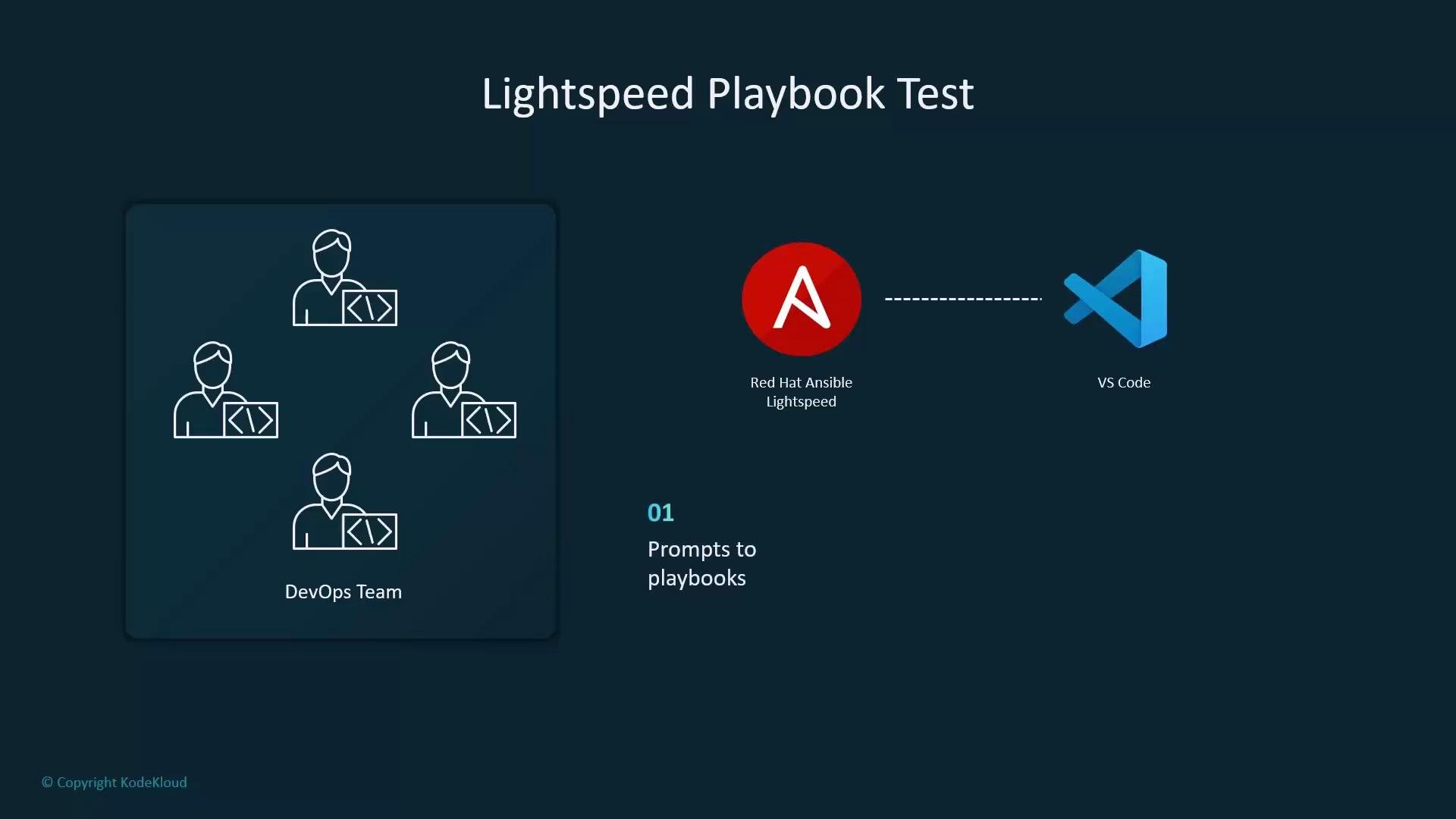 Scenario: your team has connected Red Hat Ansible Lightspeed to VS Code and wants to evaluate how effectively Lightspeed converts plain-English prompts into playbooks that follow best practices for RHEL-based targets. The goal: a working playbook that installs and starts Apache (httpd), deploys a simple templated index page, and restarts the service when the template changes.
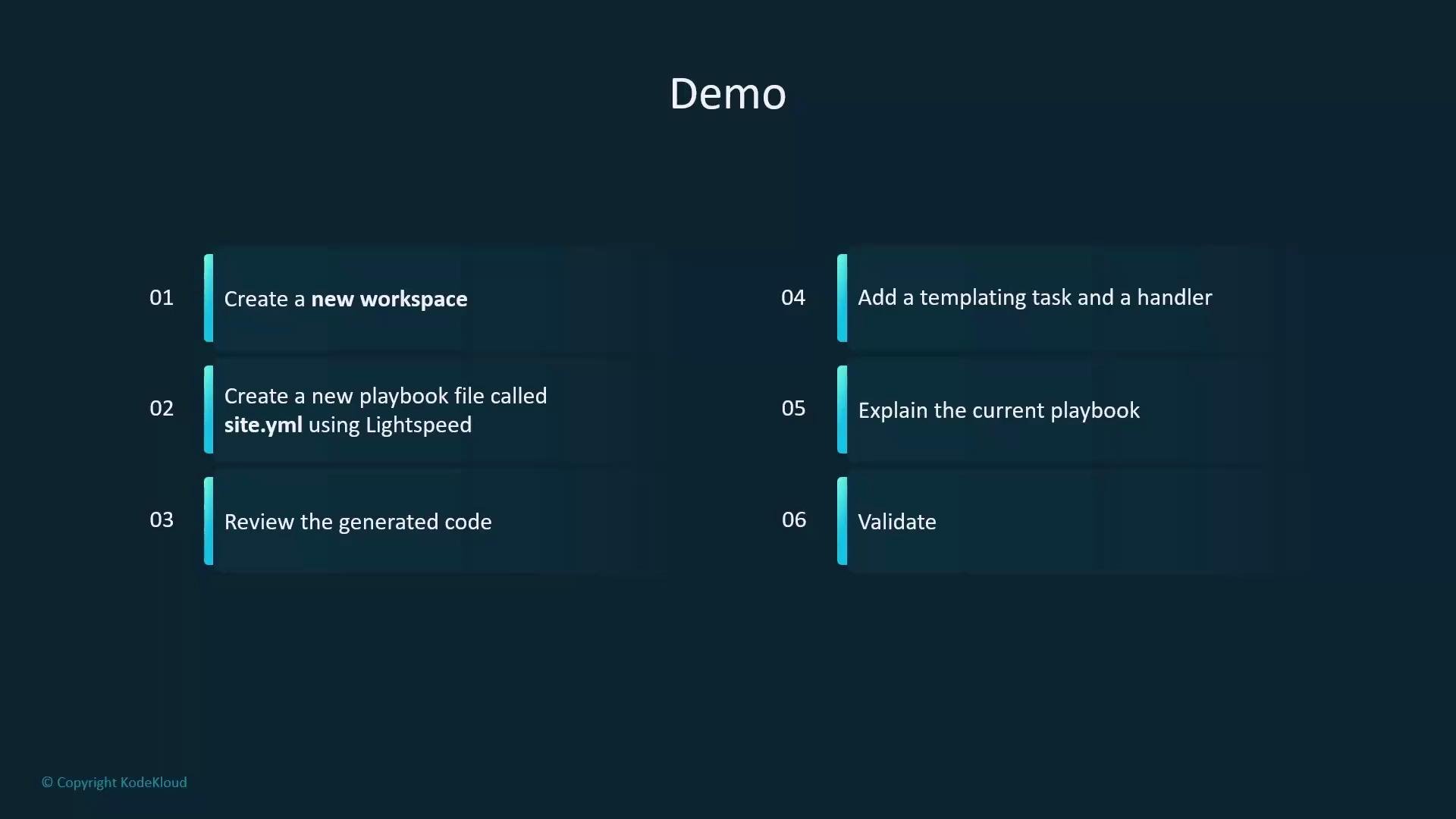 Quick checklist (what you'll do)
* Create a workspace and inventory
* Create a playbook file `site.yml` using Lightspeed
* Review and refine generated tasks and naming
* Add a templated `index.html` and a handler to restart Apache
* Ask Lightspeed to explain the playbook
* Validate and run the playbook
Step-by-step: create the workspace and basic configuration on your control node.
Create the workspace directory:
```bash theme={null}
student@control:~$ mkdir lightspeed
student@control:~$ cd lightspeed
```
Create a minimal inventory file that defines the `webservers` group:
```ini theme={null}
# inventory
[webservers]
servera
```
Create a minimal `ansible.cfg` that points to the inventory and configures privilege escalation:
```ini theme={null}
# ansible.cfg
[defaults]
inventory = inventory
[privilege_escalation]
become_method = sudo
become = True
become_user = root
become_ask_pass = False
```
Open the `lightspeed` working directory in VS Code and use the Ansible extension / Lightspeed UI controls to generate a playbook.
Quick checklist (what you'll do)
* Create a workspace and inventory
* Create a playbook file `site.yml` using Lightspeed
* Review and refine generated tasks and naming
* Add a templated `index.html` and a handler to restart Apache
* Ask Lightspeed to explain the playbook
* Validate and run the playbook
Step-by-step: create the workspace and basic configuration on your control node.
Create the workspace directory:
```bash theme={null}
student@control:~$ mkdir lightspeed
student@control:~$ cd lightspeed
```
Create a minimal inventory file that defines the `webservers` group:
```ini theme={null}
# inventory
[webservers]
servera
```
Create a minimal `ansible.cfg` that points to the inventory and configures privilege escalation:
```ini theme={null}
# ansible.cfg
[defaults]
inventory = inventory
[privilege_escalation]
become_method = sudo
become = True
become_user = root
become_ask_pass = False
```
Open the `lightspeed` working directory in VS Code and use the Ansible extension / Lightspeed UI controls to generate a playbook.
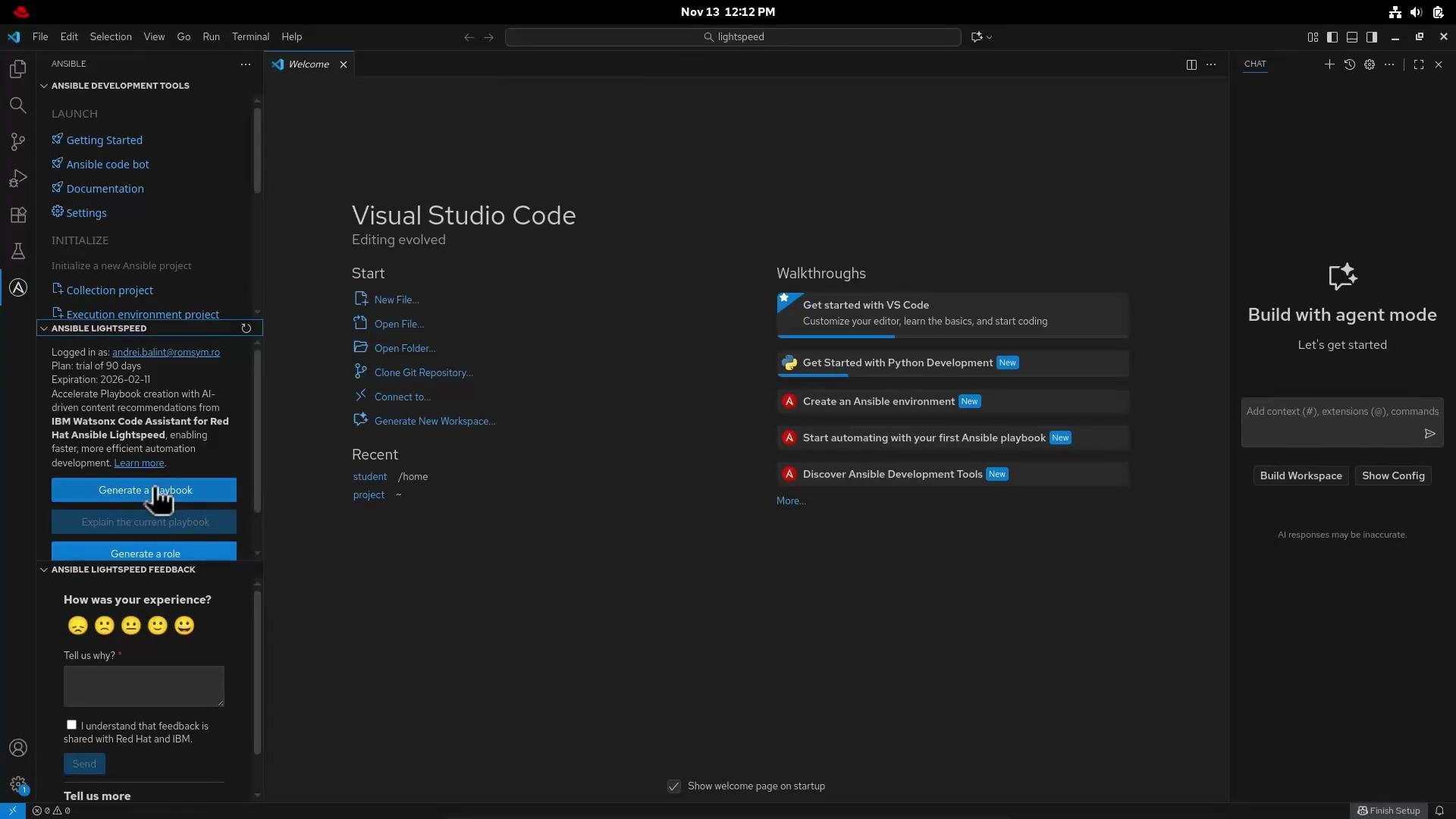 Prompt provided to Lightspeed (example):
```text theme={null}
Create a playbook which installs Apache on RHEL-based systems. Ensure Apache is started and enabled at boot. The target system is the group webservers from the inventory.
```
Lightspeed analyzes that prompt and proposes a complete playbook. After reviewing and refining the generated content for naming consistency and best practices (for example: capitalized task names, consistent module namespaces), this demo uses the following `site.yml`:
```yaml theme={null}
---
- name: Install Apache
hosts: webservers
become: True
tasks:
- name: Install Apache package
ansible.builtin.yum:
name: httpd
state: present
- name: Ensure Apache is Started
ansible.builtin.service:
name: httpd
state: started
enabled: true
- name: Place a template called index.html.j2 within /var/www/html/index.html
ansible.builtin.template:
src: templates/index.html.j2
dest: /var/www/html/index.html
owner: root
group: root
mode: '0644'
notify: Restart Apache
handlers:
- name: Restart Apache
ansible.builtin.service:
name: httpd
state: restarted
```
Why these choices
* ansible.builtin.yum: appropriate for RHEL-based systems (CentOS, RHEL, Alma, Rocky).
* become: True: ensures privileged operations (package install, service control) run with elevated privileges.
* Template + handler pattern: updates the site content idempotently and restarts Apache only when the template changes.
Create the template referenced by the playbook at `templates/index.html.j2`:
```jinja2 theme={null}
Welcome
Prompt provided to Lightspeed (example):
```text theme={null}
Create a playbook which installs Apache on RHEL-based systems. Ensure Apache is started and enabled at boot. The target system is the group webservers from the inventory.
```
Lightspeed analyzes that prompt and proposes a complete playbook. After reviewing and refining the generated content for naming consistency and best practices (for example: capitalized task names, consistent module namespaces), this demo uses the following `site.yml`:
```yaml theme={null}
---
- name: Install Apache
hosts: webservers
become: True
tasks:
- name: Install Apache package
ansible.builtin.yum:
name: httpd
state: present
- name: Ensure Apache is Started
ansible.builtin.service:
name: httpd
state: started
enabled: true
- name: Place a template called index.html.j2 within /var/www/html/index.html
ansible.builtin.template:
src: templates/index.html.j2
dest: /var/www/html/index.html
owner: root
group: root
mode: '0644'
notify: Restart Apache
handlers:
- name: Restart Apache
ansible.builtin.service:
name: httpd
state: restarted
```
Why these choices
* ansible.builtin.yum: appropriate for RHEL-based systems (CentOS, RHEL, Alma, Rocky).
* become: True: ensures privileged operations (package install, service control) run with elevated privileges.
* Template + handler pattern: updates the site content idempotently and restarts Apache only when the template changes.
Create the template referenced by the playbook at `templates/index.html.j2`:
```jinja2 theme={null}
Welcome
Welcome to {{ ansible_facts['nodename'] }}
Managed by Ansible Lightspeed
```
Ask Lightspeed to "explain" the playbook — it will list prerequisites, describe each task and handler, and summarize expected results in plain language. For example: the playbook installs `httpd` on hosts in group `webservers`, ensures the service is running and enabled, deploys a templated `index.html`, and restarts Apache only when the template changes.
Lightspeed generates code, explains it, and suggests improvements — but always review generated playbooks for naming conventions, idempotence, and environment-specific constraints (for example SELinux context, firewall rules, or custom package sources).
Save the playbook as `site.yml` and run it from the control node:
```bash theme={null}
student@control:~/lightspeed$ ansible-playbook site.yml
```
Example (abridged) output when running the playbook:
```bash theme={null}
[WARNING]: Host 'servera' is using the discovered Python interpreter at '/usr/bin/python3.12'.
See https://docs.ansible.com/ansible-core/2.20/reference_appendices/interpreter_discovery.html
PLAY [Install Apache] *************************************************************
TASK [Gathering Facts] ************************************************************
ok: [servera]
TASK [Install Apache package] *****************************************************
ok: [servera]
TASK [Ensure Apache is Started] ***************************************************
ok: [servera]
TASK [Place a template called index.html.j2 within /var/www/html/index.html] ******
changed: [servera]
RUNNING HANDLER [Restart Apache] *************************************************
changed: [servera]
PLAY RECAP ************************************************************************
servera : ok=5 changed=2 unreachable=0 failed=0 skipped=0 rescued=0 ignored=0
```
Artifacts you created
| File / Artifact | Purpose | Path |
| --------------- | --------------------------------------------------------------- | ----------------------- |
| Inventory | Defines target group `webservers` | inventory |
| ansible.cfg | Points to inventory and configures privilege escalation | ansible.cfg |
| Playbook | Installs and manages Apache, deploys template, notifies handler | site.yml |
| Template | Jinja2 HTML template using host facts | templates/index.html.j2 |
Notes on limitations and follow-ups
* Lightspeed excels at generation and explanation from natural language prompts, accelerating playbook creation.
* For larger, already-complex projects you may still need source-focused refactoring tools or manual review to enforce organization (roles, variables, testing pipelines).
* Consider adding SELinux and firewall tasks if your environment requires them, and include molecule tests for role-level validation.
References
* [Ansible Documentation](https://docs.ansible.com/)
* [Ansible VS Code Extension](https://marketplace.visualstudio.com/items?itemName=redhat.ansible)
* [Ansible Playbooks — Best Practices](https://docs.ansible.com/ansible/latest/user_guide/playbooks.html)
Congratulations — you now have a simple, production-ready playbook generated and refined with Lightspeed, complete with a templated `index.html` and a handler to restart Apache when the template changes.