> ## Documentation Index
> Fetch the complete documentation index at: https://notes.kodekloud.com/llms.txt
> Use this file to discover all available pages before exploring further.
# Prompt Engineering for Professionals System Prompts Few Shot and Chain of Thought
> Practical guide to designing precise prompts for large language models, explaining system versus user prompts, zero one few shot examples, chain of thought reasoning, output formats, and iterative refinement.
Let's focus on an area you can control: the prompt. Treat prompting like an API request or a configuration file — the model needs clear, structured inputs. Below we break down what makes a strong prompt, compare system vs. user prompts, cover zero-shot/one-shot/few-shot patterns, and discuss effective reasoning guidance such as chain-of-thought. The practical goal is simple: better inputs produce more useful, consistent outputs.
Most of the time you won't be retraining or swapping models on a whim — you will be changing the inputs. Prompt engineering is the craft of structuring those inputs so the model understands your intent and returns predictable results.
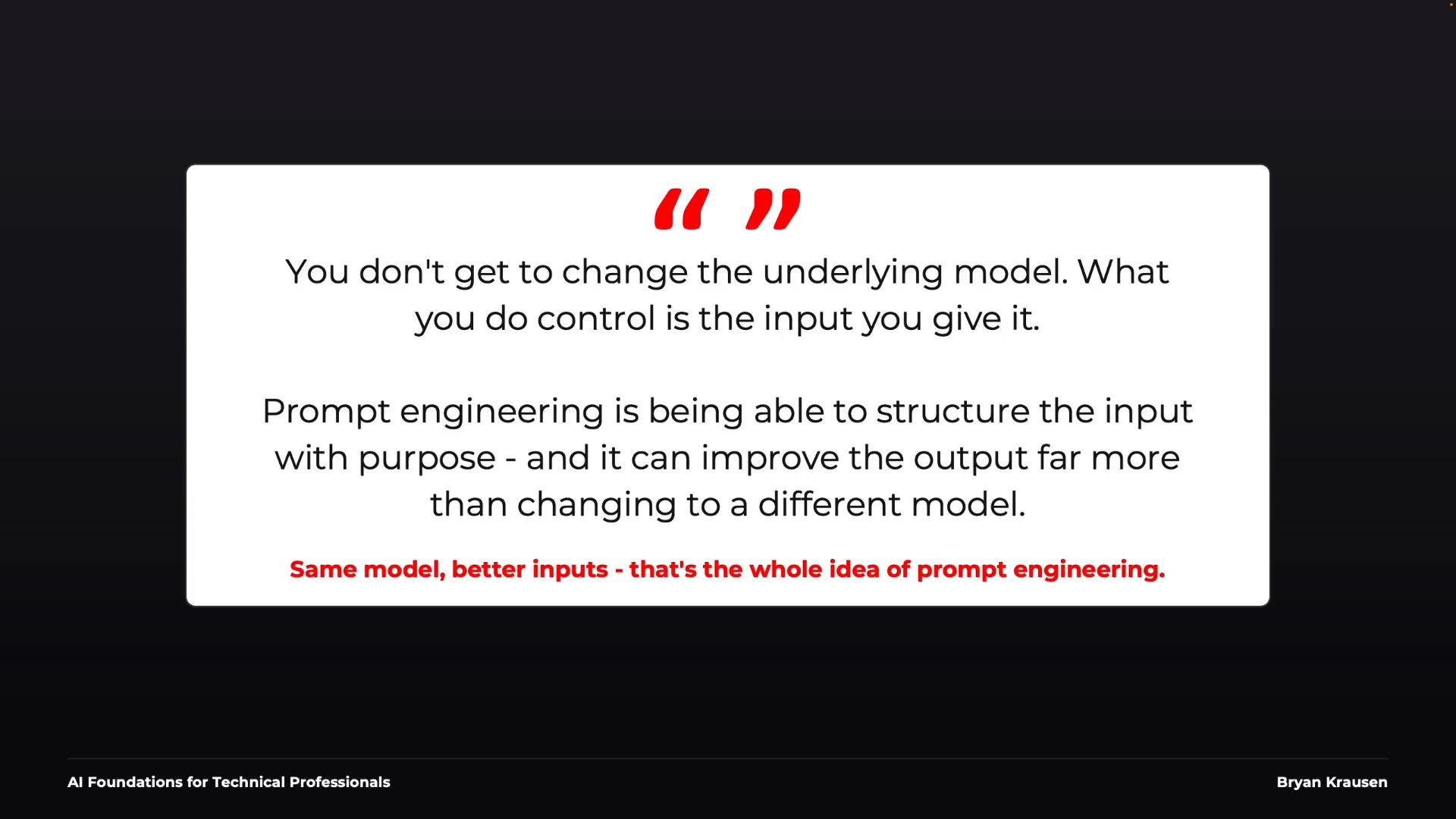 Think about calling an HTTP API: if you pass incomplete or ambiguous parameters, you shouldn't be surprised if the response is unexpected. Large language models are more flexible than typical APIs, but the same principle applies — clear, structured input increases the likelihood of a correct, consistent response. In many cases, improving the prompt impacts results more than switching to a larger model.
## What makes a good prompt?
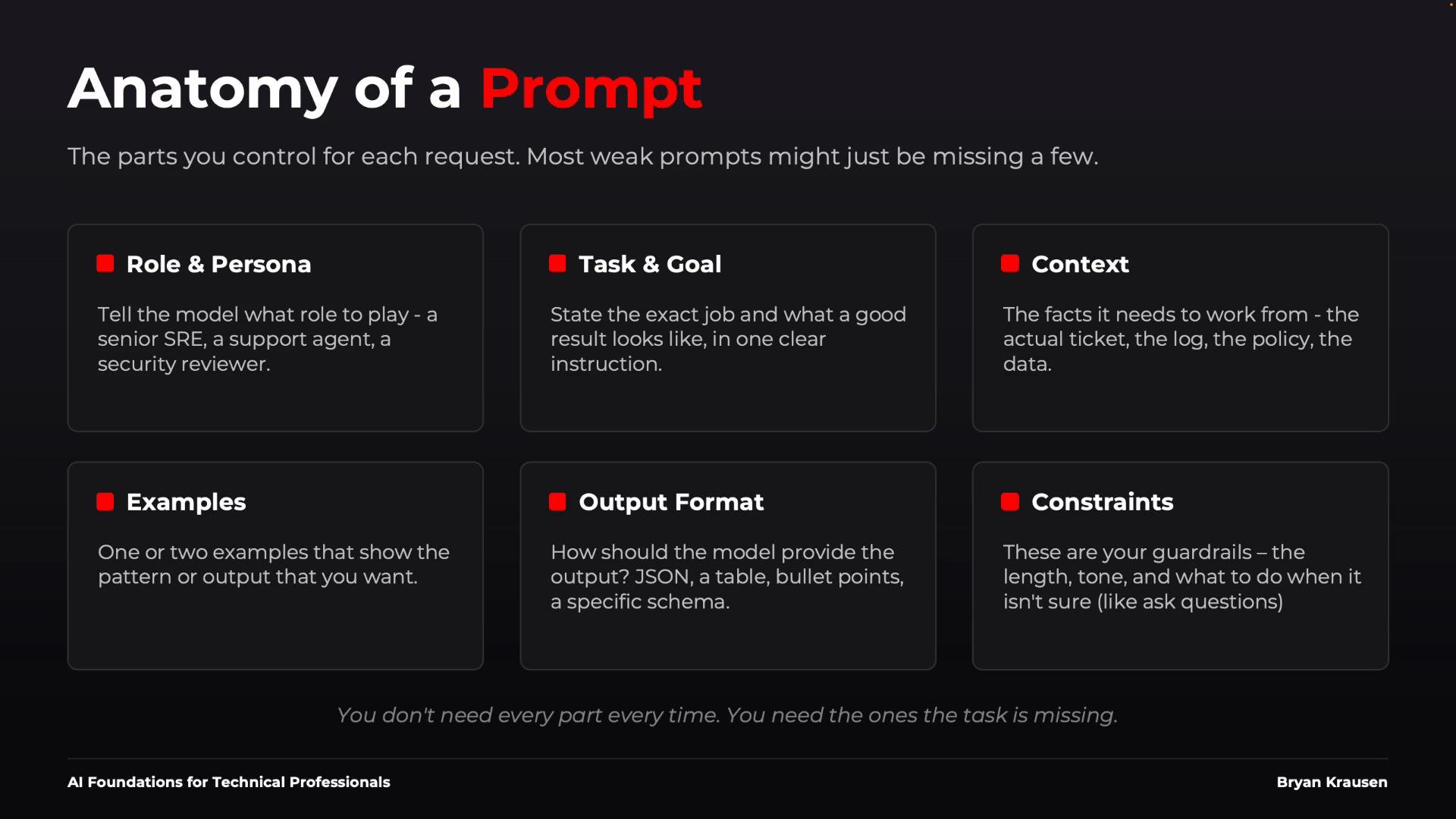
A reliable prompt usually combines several focused components. You don't need all of them every time — treat these as tools you pick from depending on task complexity.
| Component | Purpose | Example |
| - | -: | - |
| Role / Persona | Sets perspective and expertise | `You are a senior site reliability engineer.` |
| Task & Goal | Explicitly state what success looks like | `Identify the most likely cause and remediation.` |
| Context | Supply logs, configs, or documents the model needs | Attach the relevant log snippet or config file. |
| Examples | Demonstrate the desired output pattern | Provide 1–3 representative examples. |
| Output Format | Define structure for consumption by humans or systems | `Return JSON: { "issue": "", "impact": "", "next_steps": "" }` |
| Constraints | Guardrails: length, accuracy, or disallowed actions | `Do not fabricate evidence; ask clarifying questions.` |
When a prompt fails, check which of the six components you omitted or under-specified.
Think about calling an HTTP API: if you pass incomplete or ambiguous parameters, you shouldn't be surprised if the response is unexpected. Large language models are more flexible than typical APIs, but the same principle applies — clear, structured input increases the likelihood of a correct, consistent response. In many cases, improving the prompt impacts results more than switching to a larger model.
## What makes a good prompt?
A reliable prompt usually combines several focused components. You don't need all of them every time — treat these as tools you pick from depending on task complexity.
| Component | Purpose | Example |
| - | -: | - |
| Role / Persona | Sets perspective and expertise | `You are a senior site reliability engineer.` |
| Task & Goal | Explicitly state what success looks like | `Identify the most likely cause and remediation.` |
| Context | Supply logs, configs, or documents the model needs | Attach the relevant log snippet or config file. |
| Examples | Demonstrate the desired output pattern | Provide 1–3 representative examples. |
| Output Format | Define structure for consumption by humans or systems | `Return JSON: { "issue": "", "impact": "", "next_steps": "" }` |
| Constraints | Guardrails: length, accuracy, or disallowed actions | `Do not fabricate evidence; ask clarifying questions.` |
When a prompt fails, check which of the six components you omitted or under-specified.
 ## System prompts vs. user prompts
A key operational distinction:
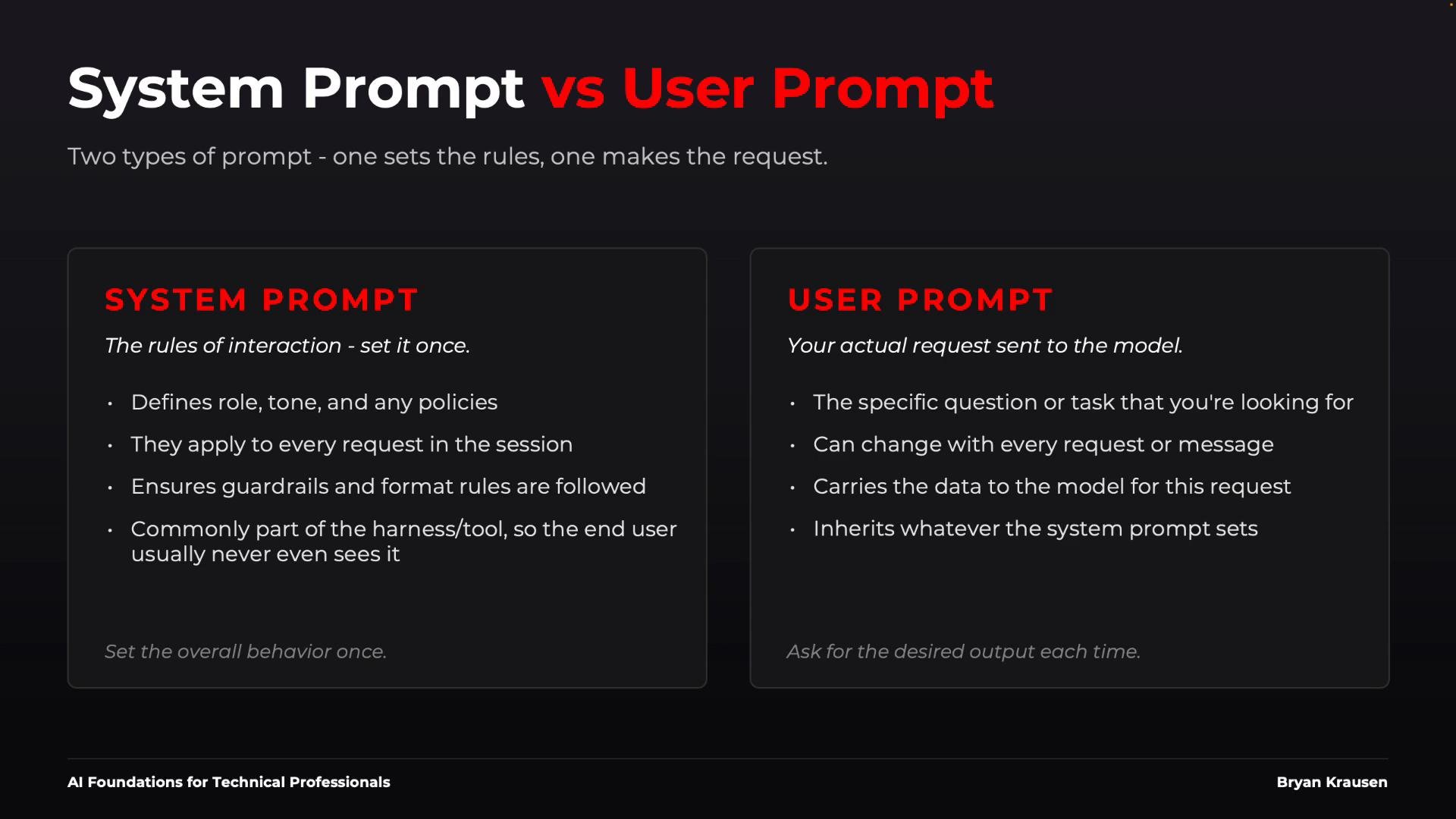
* System prompt: persistent instructions or operating rules for the assistant (role, tone, guardrails). Often hidden and applied at session start.
* User prompt: the specific request and data for a single interaction (the changing input).
Example: a system prompt for an internal security assistant might be expressed as:
`{"role":"system","content":"Act as a security analyst. Follow company policy. Return only the approved JSON schema and never invent evidence."}`
Each user prompt then asks a concrete task:
`Review this IAM policy and identify excessive permissions.`
Treat the system prompt as part of your application's harness and the user prompt as the one-off input. The division helps you keep guardrails consistent while varying tasks.
## System prompts vs. user prompts
A key operational distinction:
* System prompt: persistent instructions or operating rules for the assistant (role, tone, guardrails). Often hidden and applied at session start.
* User prompt: the specific request and data for a single interaction (the changing input).
Example: a system prompt for an internal security assistant might be expressed as:
`{"role":"system","content":"Act as a security analyst. Follow company policy. Return only the approved JSON schema and never invent evidence."}`
Each user prompt then asks a concrete task:
`Review this IAM policy and identify excessive permissions.`
Treat the system prompt as part of your application's harness and the user prompt as the one-off input. The division helps you keep guardrails consistent while varying tasks.
 ## Examples: zero-shot, one-shot, few-shot
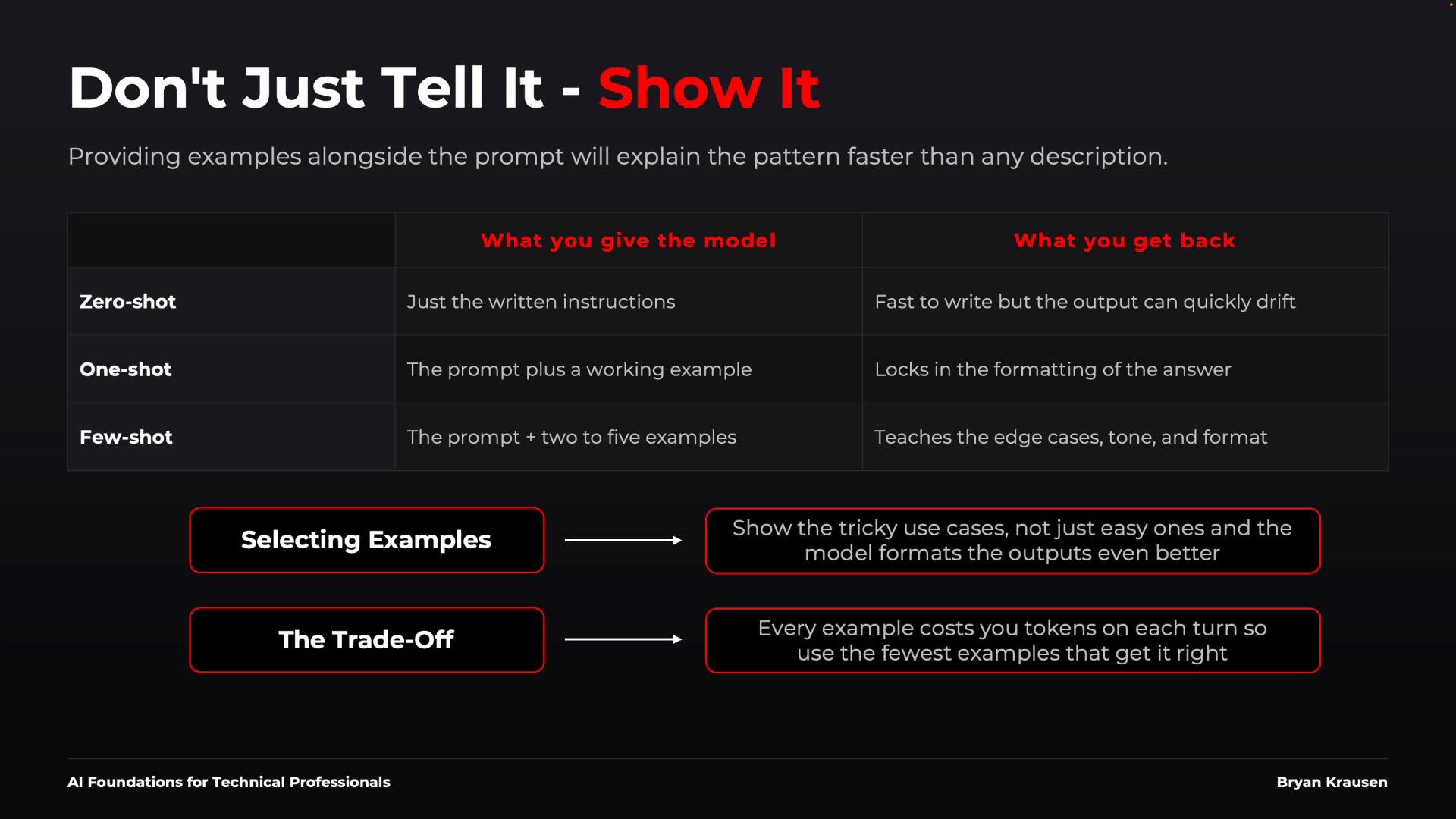
* Zero-shot: Instructions only (no examples). Best for simple, well-constrained tasks.
* One-shot: One example plus instructions. Useful to show formatting and one pattern.
* Few-shot: Several examples (commonly 2–4). Demonstrates patterns and edge cases.
Include edge cases in examples so the model learns how to handle ambiguity. But remember: every example consumes context tokens — don’t add more than necessary.
| Approach | Use case | Trade-off |
| - | - | - |
| Zero-shot | Simple classification or direct Q\&A | Minimal context tokens |
| One-shot | Show desired output format | Small context cost, clarifies structure |
| Few-shot | Capture patterns and edge cases | Better consistency, higher token cost |
## Examples: zero-shot, one-shot, few-shot
* Zero-shot: Instructions only (no examples). Best for simple, well-constrained tasks.
* One-shot: One example plus instructions. Useful to show formatting and one pattern.
* Few-shot: Several examples (commonly 2–4). Demonstrates patterns and edge cases.
Include edge cases in examples so the model learns how to handle ambiguity. But remember: every example consumes context tokens — don’t add more than necessary.
| Approach | Use case | Trade-off |
| - | - | - |
| Zero-shot | Simple classification or direct Q\&A | Minimal context tokens |
| One-shot | Show desired output format | Small context cost, clarifies structure |
| Few-shot | Capture patterns and edge cases | Better consistency, higher token cost |
 ## Reasoning and chain-of-thought
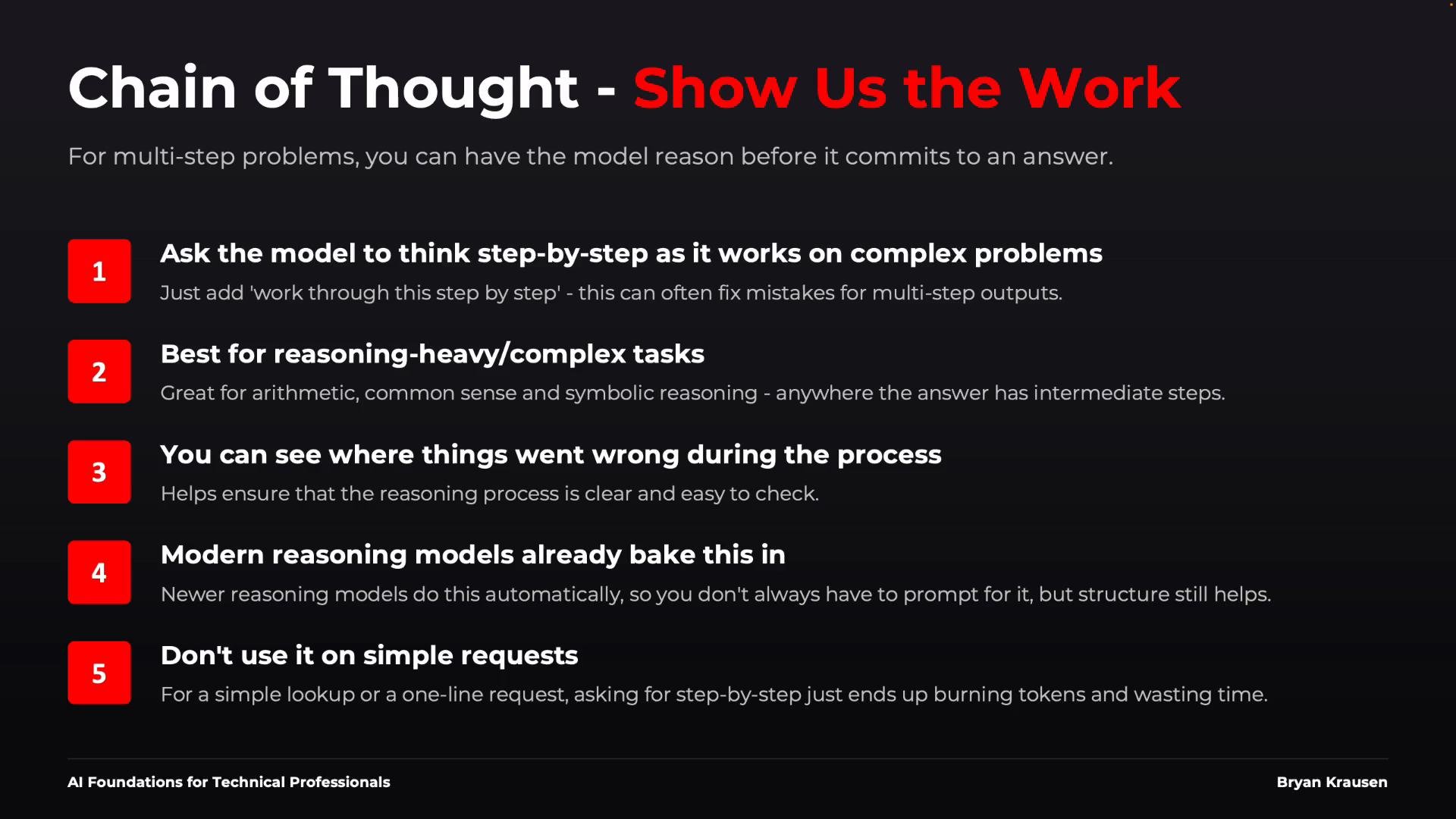
Some tasks require multi-step reasoning: architecture comparisons, incident root-cause analysis, or multi-step calculations. Historically, instructing the model to "think step by step" or "show your work" improved performance on these tasks. Note:
* Many modern models perform internal chaining automatically; you may not get raw internal reasoning output.
* What matters is that the final answer is verifiable and contains the reasoning you need.
Ask for the level of reasoning that helps you validate the result:
* "Analyze the problem, provide your recommendation, and summarize key contributing factors."
* "Show the formula, key intermediate values, and the final result."
Use step-by-step reasoning only when complexity requires it. Avoid exposing private internal chain-of-thought in production systems if the platform disallows it.
## Reasoning and chain-of-thought
Some tasks require multi-step reasoning: architecture comparisons, incident root-cause analysis, or multi-step calculations. Historically, instructing the model to "think step by step" or "show your work" improved performance on these tasks. Note:
* Many modern models perform internal chaining automatically; you may not get raw internal reasoning output.
* What matters is that the final answer is verifiable and contains the reasoning you need.
Ask for the level of reasoning that helps you validate the result:
* "Analyze the problem, provide your recommendation, and summarize key contributing factors."
* "Show the formula, key intermediate values, and the final result."
Use step-by-step reasoning only when complexity requires it. Avoid exposing private internal chain-of-thought in production systems if the platform disallows it.
 ## Practical example — summarizing a support ticket
A naive prompt like:
`Summarize this support ticket.`
is likely to produce inconsistent summaries (length, focus, or missing details). Improve it by adding role, audience, format, and an example.
Example improved prompt (conceptual):
* Role: `You are a support lead.`
* Audience: `The summary is for an on-call engineer.`
* Format: `Return exactly three bullet points: Issue, Impact, Next Step.`
* Example: provide one sample ticket and a sample three-bullet summary.
Concrete template you can copy and adapt:
`You are a support lead. Read the ticket below and return exactly three bullet points labeled "Issue", "Impact", and "Next Step". Be concise; do not invent details. If data is missing, say "missing data".`
Then append the ticket text. For automation, prefer a strict schema:
`Return JSON with keys: "issue", "impact", "next_steps".`
This level of specificity yields predictable and machine-consumable summaries.
When automating ticket summarization, prefer a fixed output schema (JSON or fixed bullet labels). It simplifies downstream processing and reduces variability.
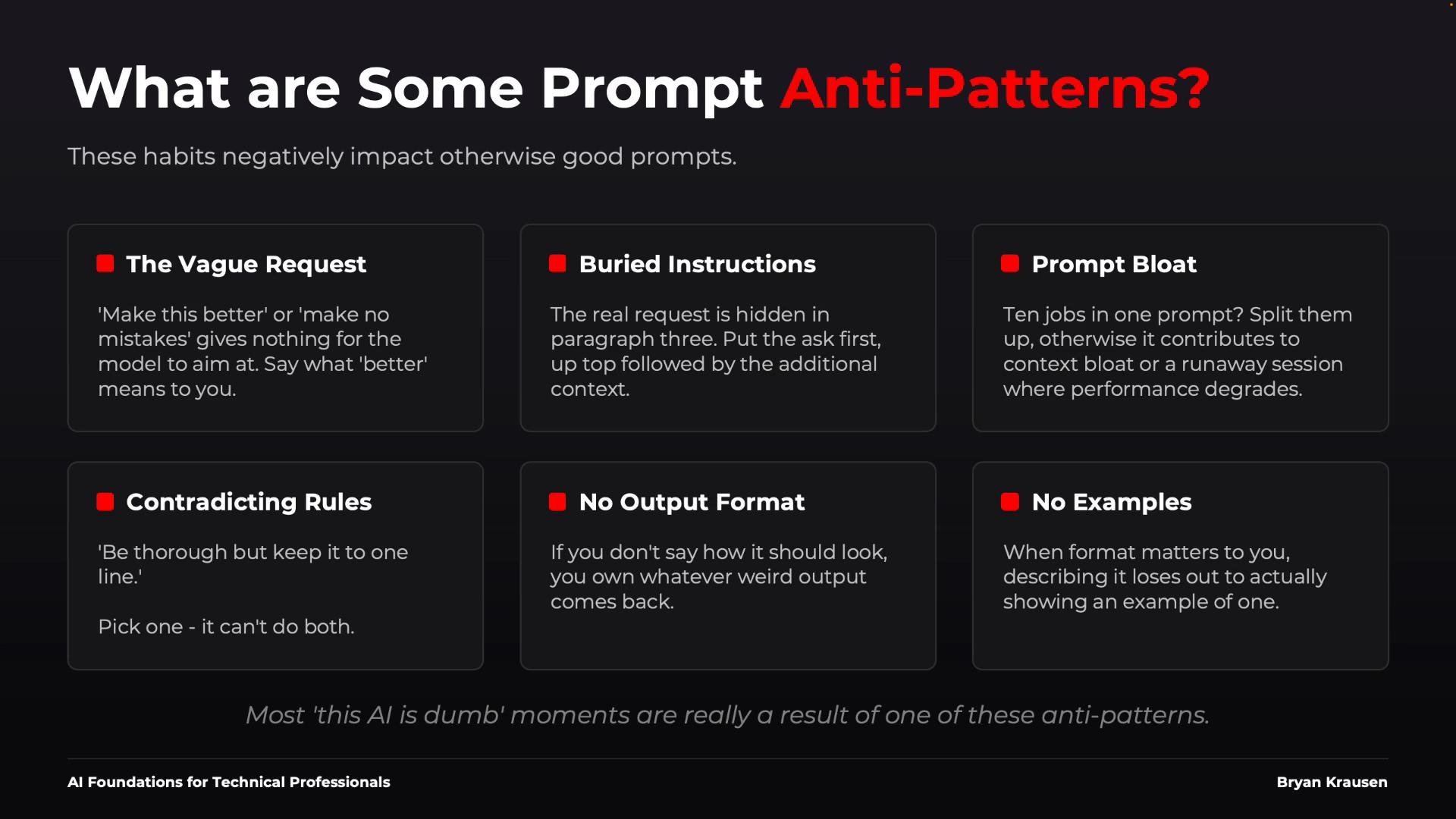
## Common prompt anti-patterns
Avoid these habits that reduce prompt reliability:
* Vague requests — e.g., "Make this better." Be explicit about *how*.
* Buried instructions — put the primary task first, supporting context later.
* Prompt bloat — split unrelated jobs into separate prompts or stages.
* Contradictory instructions — don't ask for both "very short" and "comprehensive".
* No output format — if structure matters, define it.
* No examples — when structure is complex, show examples.
## Practical example — summarizing a support ticket
A naive prompt like:
`Summarize this support ticket.`
is likely to produce inconsistent summaries (length, focus, or missing details). Improve it by adding role, audience, format, and an example.
Example improved prompt (conceptual):
* Role: `You are a support lead.`
* Audience: `The summary is for an on-call engineer.`
* Format: `Return exactly three bullet points: Issue, Impact, Next Step.`
* Example: provide one sample ticket and a sample three-bullet summary.
Concrete template you can copy and adapt:
`You are a support lead. Read the ticket below and return exactly three bullet points labeled "Issue", "Impact", and "Next Step". Be concise; do not invent details. If data is missing, say "missing data".`
Then append the ticket text. For automation, prefer a strict schema:
`Return JSON with keys: "issue", "impact", "next_steps".`
This level of specificity yields predictable and machine-consumable summaries.
When automating ticket summarization, prefer a fixed output schema (JSON or fixed bullet labels). It simplifies downstream processing and reduces variability.
## Common prompt anti-patterns
Avoid these habits that reduce prompt reliability:
* Vague requests — e.g., "Make this better." Be explicit about *how*.
* Buried instructions — put the primary task first, supporting context later.
* Prompt bloat — split unrelated jobs into separate prompts or stages.
* Contradictory instructions — don't ask for both "very short" and "comprehensive".
* No output format — if structure matters, define it.
* No examples — when structure is complex, show examples.
 Avoid contradictory or underspecified instructions. These create nondeterministic outputs and brittle automation pipelines.
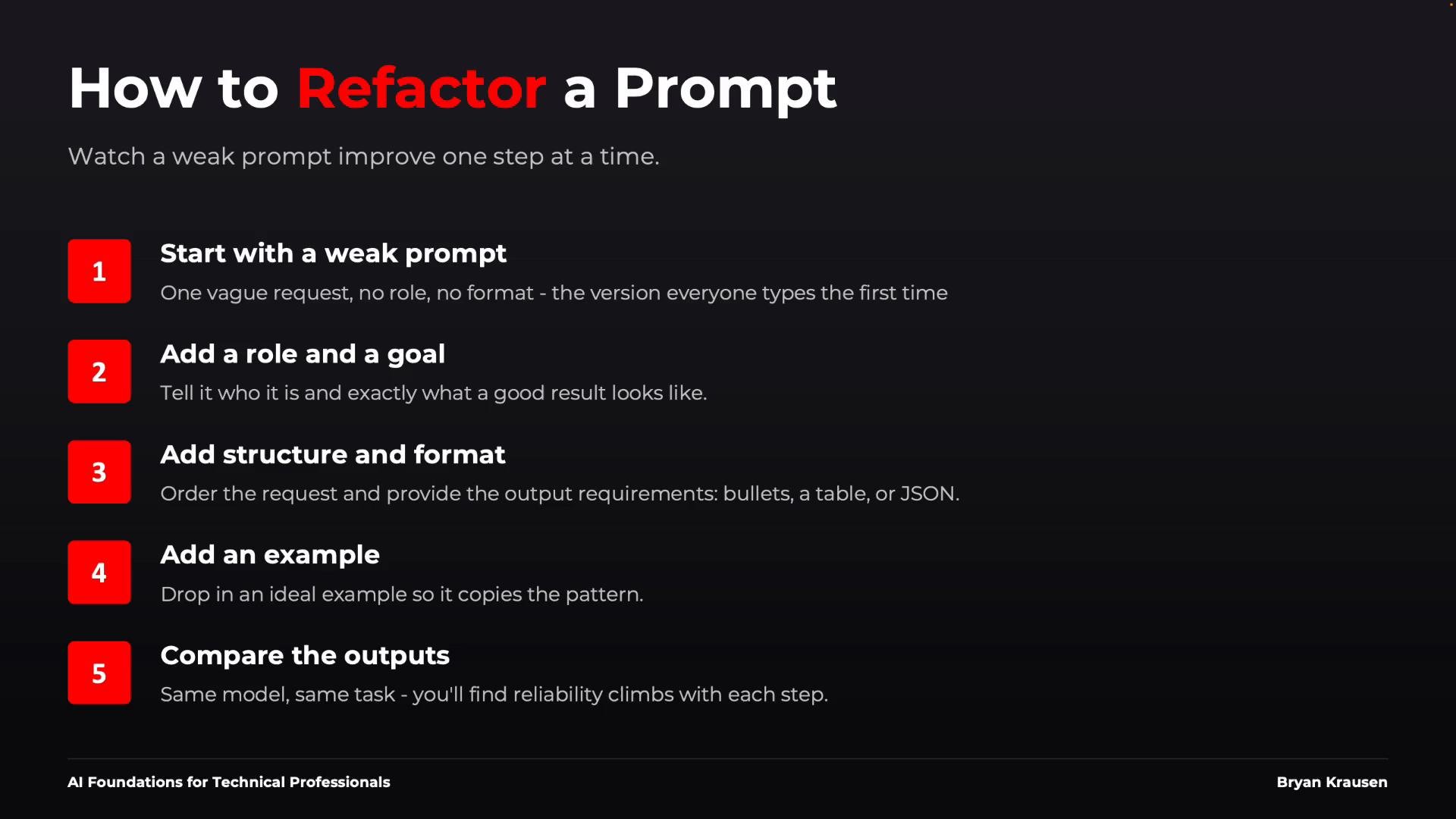
## Refactor prompts iteratively
Treat prompts like code: write small, test often, and add complexity only when needed.
1. Start with a minimal prompt (e.g., `Review this log`).
2. Test and observe the output.
3. Add role and goal (e.g., `You're an SRE... Identify the most likely cause.`).
4. Add structure and format (e.g., `Return suspected cause, supporting evidence, and recommended next action as three bullet points or JSON.`).
5. If inconsistency persists, add a concise example and repeat.
Compare outputs at each stage. Only add components that address observed failure modes. This "prompt refactoring" helps you converge quickly to a robust prompt for production use.
Avoid contradictory or underspecified instructions. These create nondeterministic outputs and brittle automation pipelines.
## Refactor prompts iteratively
Treat prompts like code: write small, test often, and add complexity only when needed.
1. Start with a minimal prompt (e.g., `Review this log`).
2. Test and observe the output.
3. Add role and goal (e.g., `You're an SRE... Identify the most likely cause.`).
4. Add structure and format (e.g., `Return suspected cause, supporting evidence, and recommended next action as three bullet points or JSON.`).
5. If inconsistency persists, add a concise example and repeat.
Compare outputs at each stage. Only add components that address observed failure modes. This "prompt refactoring" helps you converge quickly to a robust prompt for production use.
 ## Key takeaways
* Better inputs lead to better outputs — invest in prompt clarity.
* Prompt engineering is communication and structure, not secret tokens.
* Always specify: job (role), objective (goal), and the required context.
* Use examples when pattern or edge-case handling matters.
* Define output formats when other systems or automation depend on structure.
* Start simple, iterate, and add complexity only to resolve observed issues.
## Links and references
* OpenAI: Prompt design best practices — [https://platform.openai.com/docs/guides/prompt-design](https://platform.openai.com/docs/guides/prompt-design)
* Research on chain-of-thought reasoning — [https://arxiv.org/abs/2201.11903](https://arxiv.org/abs/2201.11903)
* Practical prompt engineering guide — [https://www.deeplearning.ai/short-courses/prompting/](https://www.deeplearning.ai/short-courses/prompting/)
* Practical automation patterns and guardrails — [https://docs.microsoft.com/semantic-kernel/](https://docs.microsoft.com/semantic-kernel/)
If you want, I can convert this into a reusable prompt template or provide concrete few-shot examples tailored to your domain (support, security, SRE, product copy, etc.).
This documentation is built and hosted on [Mintlify](https://mintlify.com), a developer documentation platform.
## Key takeaways
* Better inputs lead to better outputs — invest in prompt clarity.
* Prompt engineering is communication and structure, not secret tokens.
* Always specify: job (role), objective (goal), and the required context.
* Use examples when pattern or edge-case handling matters.
* Define output formats when other systems or automation depend on structure.
* Start simple, iterate, and add complexity only to resolve observed issues.
## Links and references
* OpenAI: Prompt design best practices — [https://platform.openai.com/docs/guides/prompt-design](https://platform.openai.com/docs/guides/prompt-design)
* Research on chain-of-thought reasoning — [https://arxiv.org/abs/2201.11903](https://arxiv.org/abs/2201.11903)
* Practical prompt engineering guide — [https://www.deeplearning.ai/short-courses/prompting/](https://www.deeplearning.ai/short-courses/prompting/)
* Practical automation patterns and guardrails — [https://docs.microsoft.com/semantic-kernel/](https://docs.microsoft.com/semantic-kernel/)
If you want, I can convert this into a reusable prompt template or provide concrete few-shot examples tailored to your domain (support, security, SRE, product copy, etc.).
This documentation is built and hosted on [Mintlify](https://mintlify.com), a developer documentation platform.