> ## Documentation Index
> Fetch the complete documentation index at: https://notes.kodekloud.com/llms.txt
> Use this file to discover all available pages before exploring further.
# Enhanced EC2 Add Ons for Performance
> Overview of EC2 performance enhancements including EBS provisioned IOPS, enhanced networking (ENA EFA SR-IOV), Graviton instances, and benchmarking plus Auto Scaling with ELB for resilient deployments
Welcome back. This lesson covers EC2 enhancements that boost networking and storage performance, plus how to improve price-performance by choosing the right instance families. These are practical production optimizations and common certification exam topics—focus on the concepts and the commands shown.
First, an architectural point: combining Elastic Load Balancing (ELB) with Auto Scaling and EC2 instances is a foundational pattern for building elastic, highly available, and cost-efficient architectures on AWS. Even if your Auto Scaling Group is configured only to replace failures (not to scale up/down), it still provides resilience by automatically replacing unhealthy instances.
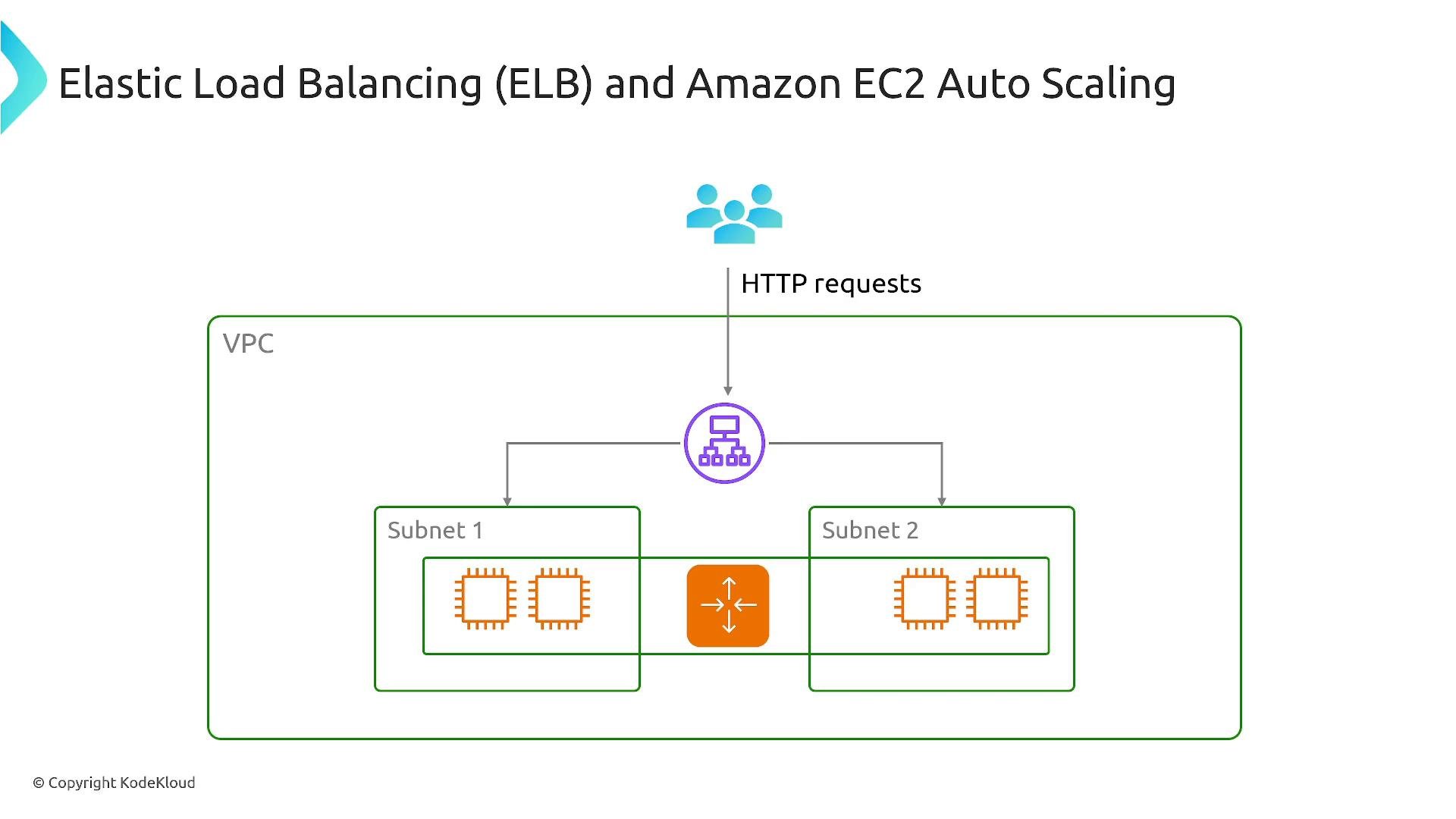 Key exam and real-world topics: ELB + Auto Scaling + EC2 is a common architecture pattern. Also study EBS volume types (gp/io/io2 Block Express), enhanced networking options (ENI/ENA/EFA/SR-IOV), and Graviton-based instance families (ARM).
## Storage: EBS and Provisioned IOPS
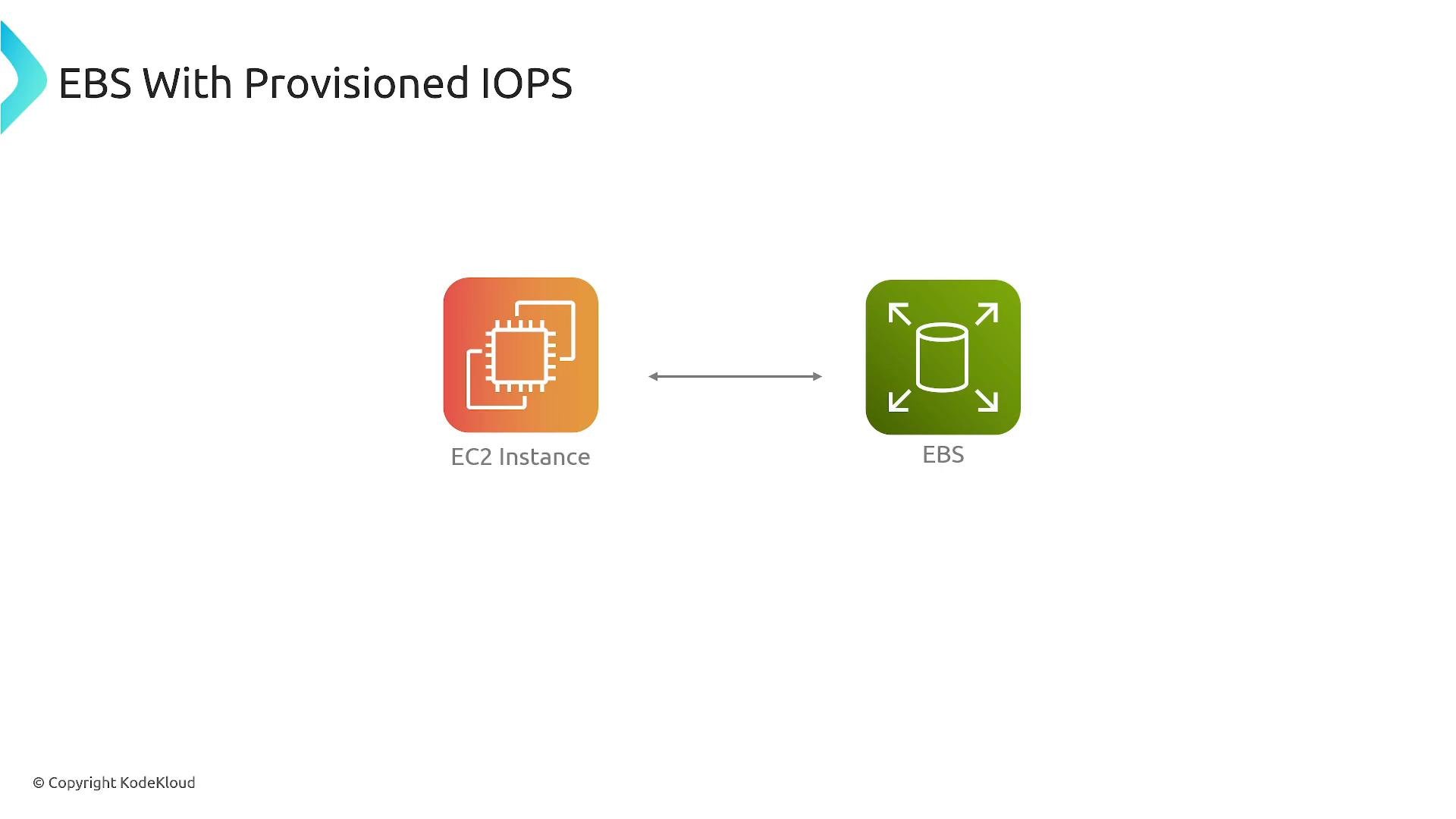
General-purpose volumes (`gp2`/`gp3`) fit many workloads. For consistent, high IOPS or throughput (databases, transactional workloads), use provisioned IOPS volumes (`io1`, `io2`). For the highest performance and durability, consider `io2 Block Express`, which supports very large IOPS and multi‑GB/s throughput for mission-critical, latency-sensitive applications.
Use this table to compare volume types at a glance:
| Volume type | Use case | Typical IOPS/Throughput | Notes |
| - | - | - | - |
| `gp2` / `gp3` | General purpose (web servers, boot volumes) | Moderate; `gp3` separates IOPS/throughput from size | Cost-effective default |
| `io1` / `io2` | Databases and transactional workloads needing guaranteed IOPS | Provisioned IOPS (tunable) | `io2` improves durability vs `io1` |
| `io2 Block Express` | Very high IOPS/throughput, enterprise DBs | Hundreds of thousands of IOPS, multi‑GB/s throughput | Highest performance and availability |
Example AWS CLI: describe an EBS volume to check its type, IOPS, and throughput:
```bash theme={null}
aws ec2 describe-volumes --volume-ids `vol-0123456789abcdef0` --query 'Volumes[*].{Type:VolumeType,Iops:Iops,Throughput:Throughput}'
```
When evaluating storage changes, run I/O benchmarks (fio, sysbench) before and after migrating to measure actual gains and cost trade-offs.
Key exam and real-world topics: ELB + Auto Scaling + EC2 is a common architecture pattern. Also study EBS volume types (gp/io/io2 Block Express), enhanced networking options (ENI/ENA/EFA/SR-IOV), and Graviton-based instance families (ARM).
## Storage: EBS and Provisioned IOPS
General-purpose volumes (`gp2`/`gp3`) fit many workloads. For consistent, high IOPS or throughput (databases, transactional workloads), use provisioned IOPS volumes (`io1`, `io2`). For the highest performance and durability, consider `io2 Block Express`, which supports very large IOPS and multi‑GB/s throughput for mission-critical, latency-sensitive applications.
Use this table to compare volume types at a glance:
| Volume type | Use case | Typical IOPS/Throughput | Notes |
| - | - | - | - |
| `gp2` / `gp3` | General purpose (web servers, boot volumes) | Moderate; `gp3` separates IOPS/throughput from size | Cost-effective default |
| `io1` / `io2` | Databases and transactional workloads needing guaranteed IOPS | Provisioned IOPS (tunable) | `io2` improves durability vs `io1` |
| `io2 Block Express` | Very high IOPS/throughput, enterprise DBs | Hundreds of thousands of IOPS, multi‑GB/s throughput | Highest performance and availability |
Example AWS CLI: describe an EBS volume to check its type, IOPS, and throughput:
```bash theme={null}
aws ec2 describe-volumes --volume-ids `vol-0123456789abcdef0` --query 'Volumes[*].{Type:VolumeType,Iops:Iops,Throughput:Throughput}'
```
When evaluating storage changes, run I/O benchmarks (fio, sysbench) before and after migrating to measure actual gains and cost trade-offs.
 ## Networking: ENI, ENA, EFA, and SR-IOV
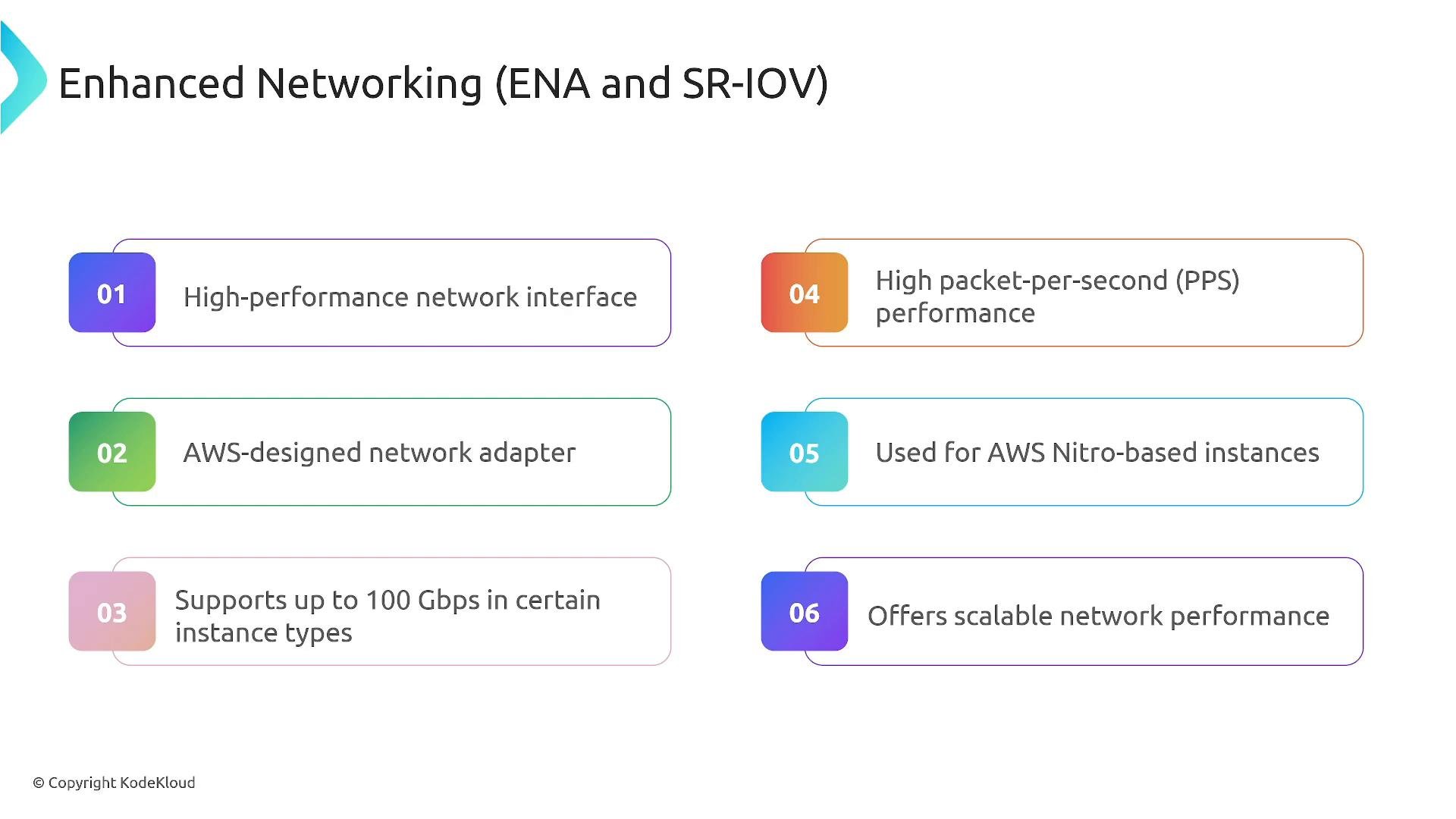
Networking performance on EC2 depends on both the virtual NIC and the adapter technology. Key items:
* ENI (Elastic Network Interface): the standard virtual NIC attached to an EC2 instance. You can attach multiple ENIs to supported instance types, but ENIs on their own remain subject to virtualization overhead.
* ENA (Elastic Network Adapter): provides enhanced networking with high throughput and packets-per-second performance. ENA is common on Nitro-based instances and can support up to 100 Gbps on supported instance families.
* EFA (Elastic Fabric Adapter): specialized for low-latency, HPC and distributed ML workloads. EFA enables OS-bypass and RDMA-like communication for tightly-coupled applications.
* SR-IOV (Single Root I/O Virtualization): the virtualization mechanism that lets network devices present virtual functions directly to instances, reducing host CPU overhead and latency. Both ENA and EFA use SR-IOV under the hood.
* Not all instance types support ENA/EFA — these features are typically available on Nitro-based instances and selected families.
Quick table of networking options:
| Feature | Best for | Benefits |
| -: | - | - |
| ENI | General networking | Standard virtual NIC, multiple attachments |
| ENA | High throughput | Up to 100 Gbps, high PPS, low latency |
| EFA | HPC / distributed ML | Low latency, OS-bypass, RDMA-style comms |
| SR-IOV | Underlying virtualization tech | Near bare-metal performance via virtual functions |
To check whether an instance supports ENA via AWS CLI:
```bash theme={null}
aws ec2 describe-instances --instance-ids `i-0123456789abcdef0` --query 'Reservations[].Instances[].EnaSupport'
```
For application-level network testing, use tools such as `iperf3` (throughput) and `netperf` (latency/PPS) and benchmark across instance families before committing to a change.
## Networking: ENI, ENA, EFA, and SR-IOV
Networking performance on EC2 depends on both the virtual NIC and the adapter technology. Key items:
* ENI (Elastic Network Interface): the standard virtual NIC attached to an EC2 instance. You can attach multiple ENIs to supported instance types, but ENIs on their own remain subject to virtualization overhead.
* ENA (Elastic Network Adapter): provides enhanced networking with high throughput and packets-per-second performance. ENA is common on Nitro-based instances and can support up to 100 Gbps on supported instance families.
* EFA (Elastic Fabric Adapter): specialized for low-latency, HPC and distributed ML workloads. EFA enables OS-bypass and RDMA-like communication for tightly-coupled applications.
* SR-IOV (Single Root I/O Virtualization): the virtualization mechanism that lets network devices present virtual functions directly to instances, reducing host CPU overhead and latency. Both ENA and EFA use SR-IOV under the hood.
* Not all instance types support ENA/EFA — these features are typically available on Nitro-based instances and selected families.
Quick table of networking options:
| Feature | Best for | Benefits |
| -: | - | - |
| ENI | General networking | Standard virtual NIC, multiple attachments |
| ENA | High throughput | Up to 100 Gbps, high PPS, low latency |
| EFA | HPC / distributed ML | Low latency, OS-bypass, RDMA-style comms |
| SR-IOV | Underlying virtualization tech | Near bare-metal performance via virtual functions |
To check whether an instance supports ENA via AWS CLI:
```bash theme={null}
aws ec2 describe-instances --instance-ids `i-0123456789abcdef0` --query 'Reservations[].Instances[].EnaSupport'
```
For application-level network testing, use tools such as `iperf3` (throughput) and `netperf` (latency/PPS) and benchmark across instance families before committing to a change.
 ## Graviton processors (ARM-based)
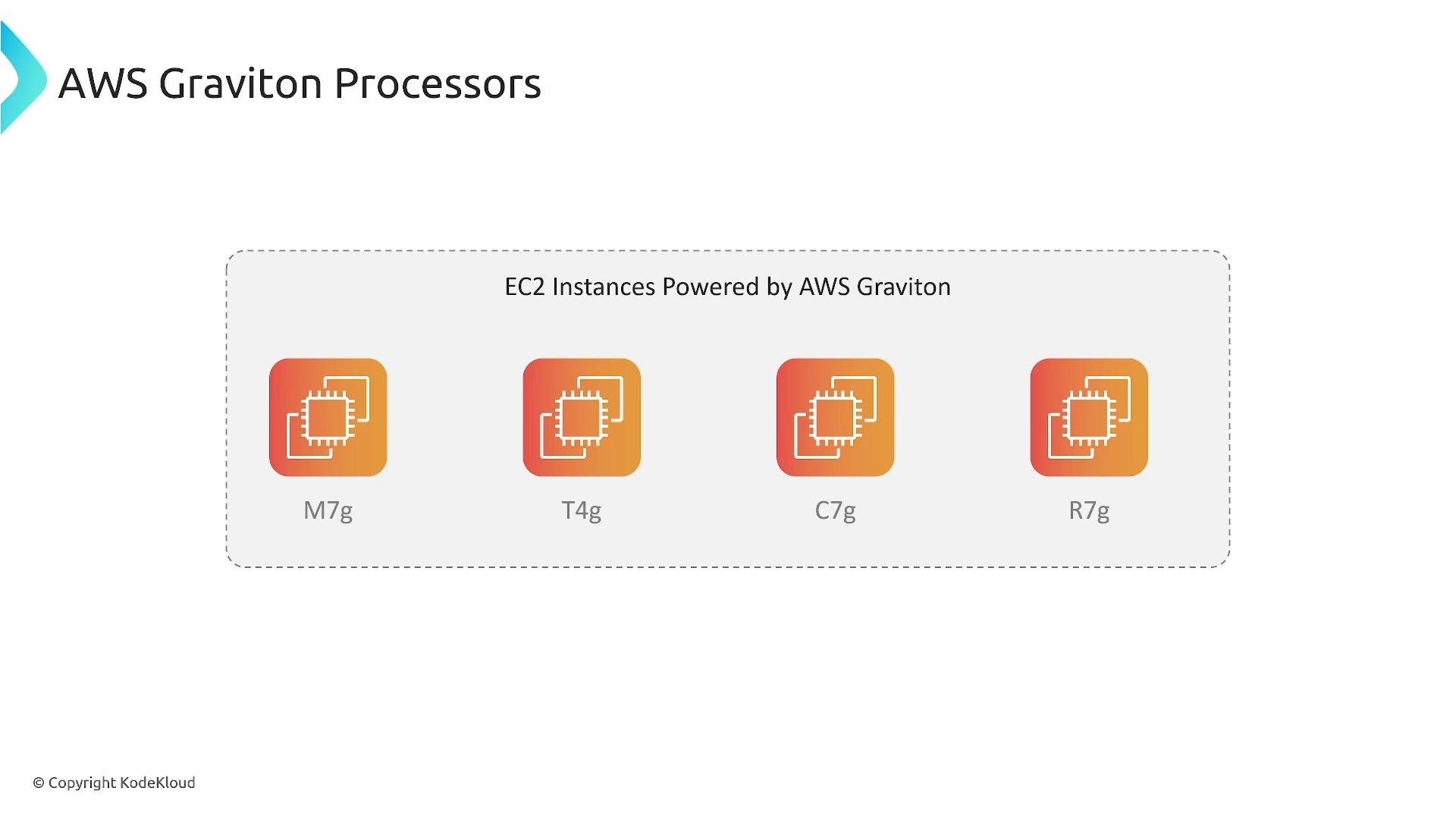
AWS Graviton processors are ARM-based CPUs designed by AWS. Instance families with a trailing `g` (for example, `M7g`, `T4g`, `C7g`, `R7g`) indicate Graviton-based instances.
Why consider Graviton:
* Better price-performance for many CPU-bound workloads (customers often report 20–40%+ improvements versus comparable x86 instances).
* Lower cost per vCPU and often better power efficiency.
Before migrating:
* Verify your software and third-party dependencies support ARM (recompile native binaries or use multi-arch container images as required).
* Test thoroughly — workloads vary in sensitivity to CPU architecture.
Commands to check instance architecture from within an EC2 instance:
```bash theme={null}
uname -m # x86_64 or aarch64
lscpu # shows architecture and CPU details
```
If using containers, use multi-architecture images or build an ARM variant. For packaging or compiling, use CI pipelines that produce both `amd64` and `arm64` artifacts.
## Graviton processors (ARM-based)
AWS Graviton processors are ARM-based CPUs designed by AWS. Instance families with a trailing `g` (for example, `M7g`, `T4g`, `C7g`, `R7g`) indicate Graviton-based instances.
Why consider Graviton:
* Better price-performance for many CPU-bound workloads (customers often report 20–40%+ improvements versus comparable x86 instances).
* Lower cost per vCPU and often better power efficiency.
Before migrating:
* Verify your software and third-party dependencies support ARM (recompile native binaries or use multi-arch container images as required).
* Test thoroughly — workloads vary in sensitivity to CPU architecture.
Commands to check instance architecture from within an EC2 instance:
```bash theme={null}
uname -m # x86_64 or aarch64
lscpu # shows architecture and CPU details
```
If using containers, use multi-architecture images or build an ARM variant. For packaging or compiling, use CI pipelines that produce both `amd64` and `arm64` artifacts.
 ## Summary and recommended checklist
* Architecture: Use ELB + Auto Scaling + EC2 for resilient, cost-efficient deployments.
* Storage: Choose `gp3` for cost-effective general use; use `io1`/`io2` (or `io2 Block Express`) when you need guaranteed IOPS and high throughput.
* Networking: Prefer ENA for high throughput; use EFA for low-latency HPC/ML workloads. These depend on SR-IOV and Nitro virtualization.
* Compute: Evaluate Graviton (`*-g`) families for better price-performance when your stack supports ARM.
* Measure: Always benchmark (I/O, throughput, latency) before and after optimizations to validate benefits.
Practical tip: Measure before you change. Use targeted performance tests (fio, iperf3, netperf, real application tests) so you can quantify improvements and cost impacts prior to migrating to io2 Block Express, ENA/EFA instances, or Graviton families.
## Links and references
* [Amazon EBS volume types and performance](https://docs.aws.amazon.com/AWSEC2/latest/UserGuide/ebs-volume-types.html)
* [Enhanced networking (ENA) for EC2 instances](https://docs.aws.amazon.com/AWSEC2/latest/UserGuide/enhanced-networking.html)
* [Elastic Fabric Adapter (EFA)](https://docs.aws.amazon.com/AWSEC2/latest/UserGuide/efa.html)
* [AWS Graviton processors](https://aws.amazon.com/ec2/graviton/)
* \[Benchmarking tools: fio, iperf3, netperf]
This documentation is built and hosted on [Mintlify](https://mintlify.com), a developer documentation platform.
## Summary and recommended checklist
* Architecture: Use ELB + Auto Scaling + EC2 for resilient, cost-efficient deployments.
* Storage: Choose `gp3` for cost-effective general use; use `io1`/`io2` (or `io2 Block Express`) when you need guaranteed IOPS and high throughput.
* Networking: Prefer ENA for high throughput; use EFA for low-latency HPC/ML workloads. These depend on SR-IOV and Nitro virtualization.
* Compute: Evaluate Graviton (`*-g`) families for better price-performance when your stack supports ARM.
* Measure: Always benchmark (I/O, throughput, latency) before and after optimizations to validate benefits.
Practical tip: Measure before you change. Use targeted performance tests (fio, iperf3, netperf, real application tests) so you can quantify improvements and cost impacts prior to migrating to io2 Block Express, ENA/EFA instances, or Graviton families.
## Links and references
* [Amazon EBS volume types and performance](https://docs.aws.amazon.com/AWSEC2/latest/UserGuide/ebs-volume-types.html)
* [Enhanced networking (ENA) for EC2 instances](https://docs.aws.amazon.com/AWSEC2/latest/UserGuide/enhanced-networking.html)
* [Elastic Fabric Adapter (EFA)](https://docs.aws.amazon.com/AWSEC2/latest/UserGuide/efa.html)
* [AWS Graviton processors](https://aws.amazon.com/ec2/graviton/)
* \[Benchmarking tools: fio, iperf3, netperf]
This documentation is built and hosted on [Mintlify](https://mintlify.com), a developer documentation platform.