> ## Documentation Index
> Fetch the complete documentation index at: https://notes.kodekloud.com/llms.txt
> Use this file to discover all available pages before exploring further.
# Network Load Balancer
> This article explores the Network Load Balancer, its features, advantages, and capabilities in routing traffic for performance-critical applications.
In this lesson, we will explore the Network Load Balancer and its key features. The Network Load Balancer (NLB) is designed to operate at Layer 4 of the OSI model, making it an ideal solution for routing traffic based on TCP, UDP, or TLS protocols.
One distinct advantage of the NLB is that it assigns a fixed IP address (static or Elastic IP), which is critical for both exam requirements and real-world configurations.
## Advantages of the Network Load Balancer
The NLB offers several notable benefits:
* **Retains the Client's Source IP Address:**\
Unlike the Application Load Balancer (ALB) that substitutes the client's IP with a specific header, the NLB preserves the original IP address. This is particularly useful for applications that require accurate source IP visibility.
* **High Performance and Low Latency:**\
Designed for high throughput, the NLB minimizes latency making it suitable for performance-critical applications.
* **Robust Target Support:**\
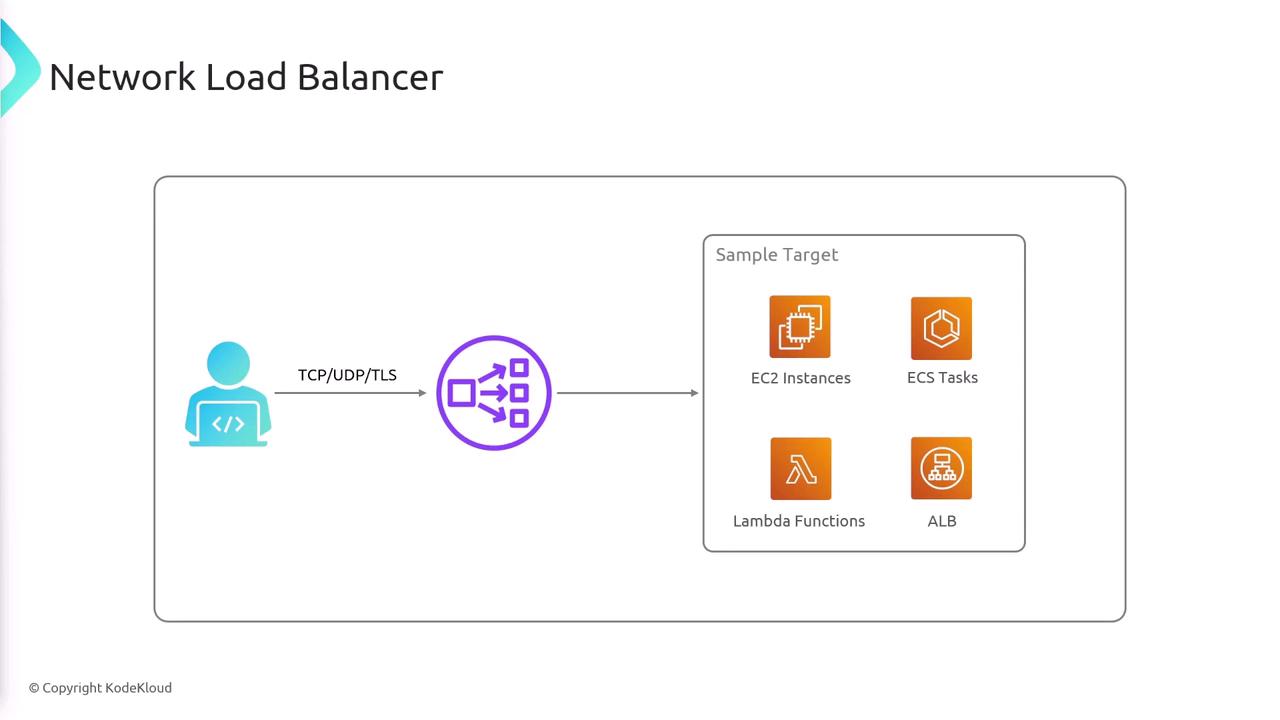
The NLB can forward incoming traffic to various backend targets, including:
| Target Type | Example |
| ------------------------- | ---------------------------------------------------------------------------------------------- |
| EC2 Instances | [EC2 Instances](https://learn.kodekloud.com/user/courses/amazon-elastic-compute-cloud-ec2) |
| ECS Tasks | [ECS Tasks](https://learn.kodekloud.com/user/courses/amazon-elastic-container-service-aws-ecs) |
| Lambda Functions | [Lambda Functions](https://learn.kodekloud.com/user/courses/aws-lambda) |
| Application Load Balancer | ALB for additional routing capabilities |
The diagram below illustrates a typical NLB setup:
## Routing Traffic to an Application Load Balancer
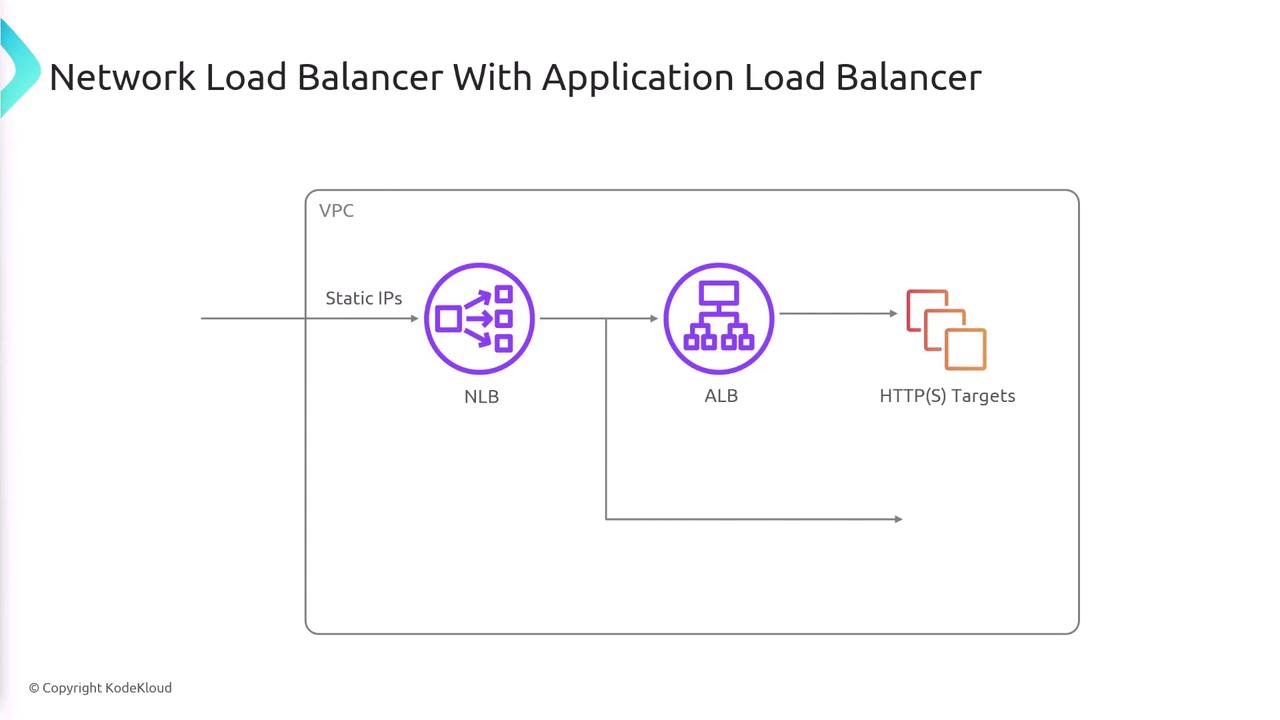
One of the unique capabilities of the NLB is its ability to forward traffic to an Application Load Balancer. This feature is not available with ALBs, as they cannot route traffic to other load balancers.
The workflow for routing traffic is as follows:
1. Traffic is sent to the Network Load Balancer.
2. The NLB's static (or fixed) IP can be integrated into DNS settings or firewall configurations.
3. The NLB forwards the incoming traffic to an Application Load Balancer.
4. The ALB then routes the traffic to its designated backend targets.
The following diagram further clarifies this process:
## Summary
The Network Load Balancer:
* Operates at Layer 4 of the OSI model using TCP/UDP protocols.
* Retains the client's original source IP address.
* Provides high performance with low latency.
* Offers a static IP address essential for secure DNS and firewall configurations.
* Supports routing to various backend targets, including the capability to integrate with Application Load Balancers.
This makes the Network Load Balancer an excellent choice for applications that require non-HTTP/HTTPS protocol support, enhanced performance, and reliable IP stability.
For more insights on load balancing strategies in cloud environments, explore [AWS Load Balancers](https://aws.amazon.com/elasticloadbalancing/) and other cloud networking resources.