> ## Documentation Index
> Fetch the complete documentation index at: https://notes.kodekloud.com/llms.txt
> Use this file to discover all available pages before exploring further.
# Data Encryption Techniques for ML Datasets
> Overview of encryption strategies and AWS controls for protecting machine learning datasets at rest, in transit, and during processing with KMS and best practices.
Encryption is a core control for protecting sensitive machine learning (ML) datasets. It helps secure personally identifiable information (PII) and protected health information (PHI) across financial and healthcare domains, ensures data integrity, prevents unauthorized modification, and supports regulatory compliance (for example, [GDPR](https://gdpr.eu/), [HIPAA](https://www.hhs.gov/hipaa/index.html), and [PCI DSS](https://www.pcisecuritystandards.org/)).
Apply encryption across three stages of the data lifecycle:
* At rest — protect stored data (for example, Amazon S3 objects, EBS volumes, RDS storage, and model artifacts).
* In transit — protect data moving between clients, services, and API endpoints.
* During processing — protect data in use (for example, encrypted temporary storage, VPC isolation, or enclave technologies).
Each stage requires different controls and trade-offs between security and usability. The sections below explain practical AWS controls, key-management considerations, and recommended patterns for ML workloads.
## Encryption across the ML data lifecycle (summary)
| Stage | Key Risks | Typical Controls |
| ----------------- | -------------------------------------------- | ---------------------------------------------------------- |
| At rest | Data exposure if storage is compromised | SSE (S3), EBS encryption, RDS encryption, KMS-managed keys |
| In transit | Interception or tampering | TLS (HTTPS), VPC endpoints, private networking |
| During processing | Plaintext exposure during training/inference | VPC isolation, Nitro Enclaves, dedicated secure compute |
## Encryption at rest
Protect stored datasets, feature stores, model artifacts, and backups using storage-level encryption. Common AWS services and options include:
* Amazon S3: Server-Side Encryption (SSE) encrypts objects after upload and decrypts on authorized access. S3 supports:
* SSE-S3 — S3-managed keys (simple default)
* SSE-KMS — KMS-backed keys for access control and auditability
* SSE-C — customer-provided keys
* You can also configure S3 Default Encryption so that newly uploaded objects are encrypted automatically.
* Documentation: [https://docs.aws.amazon.com/AmazonS3/latest/userguide/default-bucket-encryption.html](https://docs.aws.amazon.com/AmazonS3/latest/userguide/default-bucket-encryption.html)
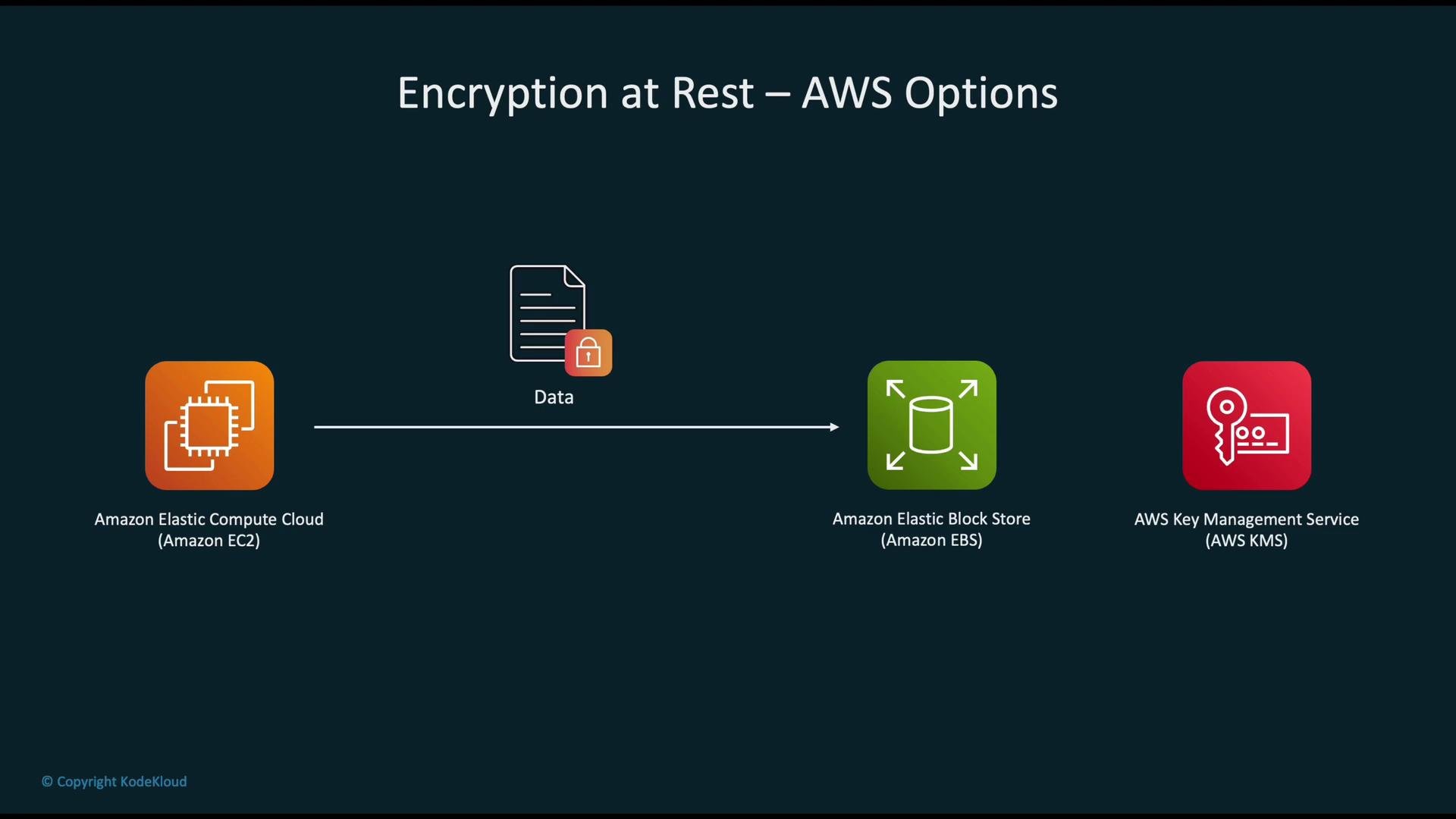
* Amazon EBS: Use AWS KMS-backed encryption for volumes and snapshots. Encryption is transparent to the instance and applies to data at rest and data moving between the instance and volume. Enable encryption at volume creation or create an encrypted copy of an unencrypted snapshot. Docs: [https://docs.aws.amazon.com/AWSEC2/latest/UserGuide/EBSEncryption.html](https://docs.aws.amazon.com/AWSEC2/latest/UserGuide/EBSEncryption.html)
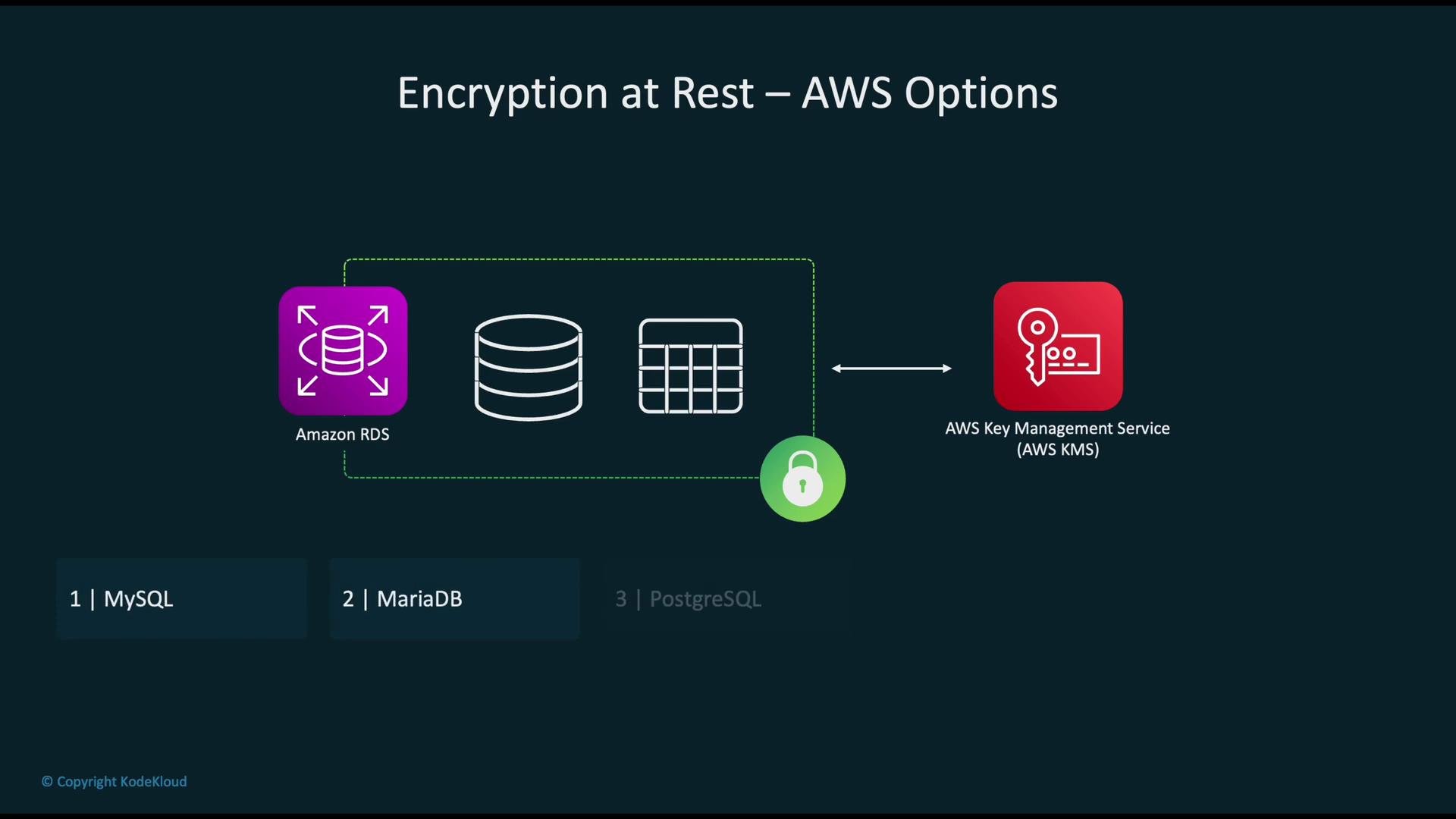
* Amazon RDS: RDS supports storage encryption using AWS KMS for supported engines (MySQL, MariaDB, PostgreSQL, Oracle, SQL Server, and Amazon Aurora). Encryption applies to underlying storage, automated backups, read replicas, and snapshots. Encryption must be enabled at instance creation. See RDS docs: [https://learn.kodekloud.com/user/courses/aws-rds](https://learn.kodekloud.com/user/courses/aws-rds)
 ### Practical examples
Enable S3 default encryption for a bucket:
```bash theme={null}
aws s3api put-bucket-encryption \
--bucket my-ml-bucket \
--server-side-encryption-configuration '{
"Rules": [{
"ApplyServerSideEncryptionByDefault": {
"SSEAlgorithm": "aws:kms",
"KMSMasterKeyID": "arn:aws:kms:us-west-2:111122223333:key/EXAMPLE-KEY-ID"
}
}]
}'
```
Create an encrypted EBS volume (example snippet):
```bash theme={null}
aws ec2 create-volume --size 100 --volume-type gp3 --availability-zone us-west-2a --encrypted
```
Note: For existing unencrypted RDS or EBS resources, create snapshots and restore encrypted copies rather than attempting in-place conversion.
## Key management
Centralized, auditable key management is essential for secure ML pipelines.
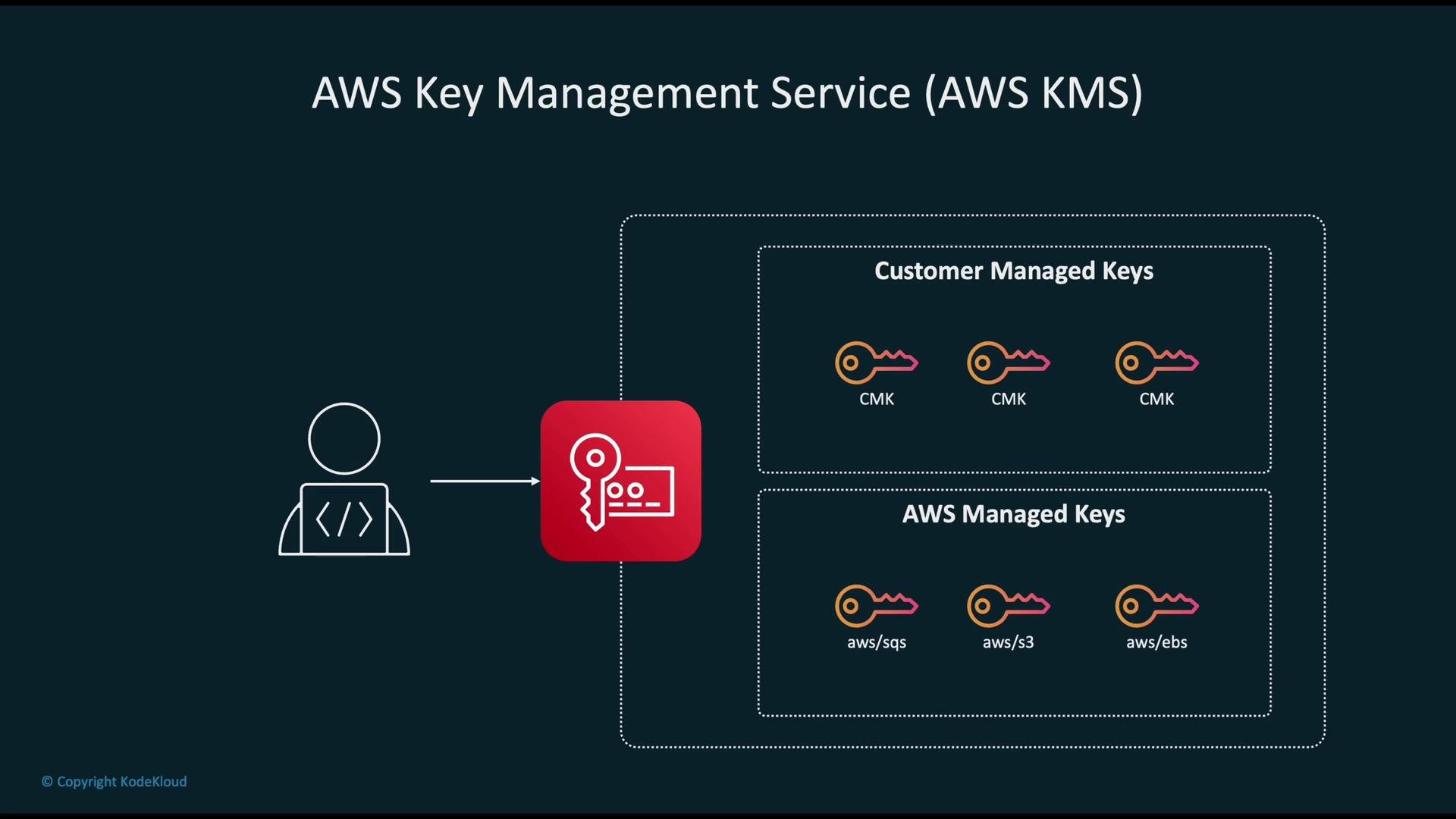
* AWS KMS provides managed keys (AWS-managed) and customer-managed CMKs for finer-grained control.
* Use CMKs when you need to apply specific IAM and key policies, enable automatic rotation, or audit usage through [CloudTrail](https://docs.aws.amazon.com/awscloudtrail/latest/userguide/cloudtrail-user-guide.html).
* Integrations: When services like S3, EBS, and RDS use KMS, the services call KMS on behalf of the service principal while enforcing IAM and KMS policies.
### Practical examples
Enable S3 default encryption for a bucket:
```bash theme={null}
aws s3api put-bucket-encryption \
--bucket my-ml-bucket \
--server-side-encryption-configuration '{
"Rules": [{
"ApplyServerSideEncryptionByDefault": {
"SSEAlgorithm": "aws:kms",
"KMSMasterKeyID": "arn:aws:kms:us-west-2:111122223333:key/EXAMPLE-KEY-ID"
}
}]
}'
```
Create an encrypted EBS volume (example snippet):
```bash theme={null}
aws ec2 create-volume --size 100 --volume-type gp3 --availability-zone us-west-2a --encrypted
```
Note: For existing unencrypted RDS or EBS resources, create snapshots and restore encrypted copies rather than attempting in-place conversion.
## Key management
Centralized, auditable key management is essential for secure ML pipelines.
* AWS KMS provides managed keys (AWS-managed) and customer-managed CMKs for finer-grained control.
* Use CMKs when you need to apply specific IAM and key policies, enable automatic rotation, or audit usage through [CloudTrail](https://docs.aws.amazon.com/awscloudtrail/latest/userguide/cloudtrail-user-guide.html).
* Integrations: When services like S3, EBS, and RDS use KMS, the services call KMS on behalf of the service principal while enforcing IAM and KMS policies.
 ## S3, EBS, and RDS — quick recap
| Service | How to enable | Notes |
| ------- | ---------------------------------------------------------------------- | ----------------------------------------- |
| S3 | Default encryption or per-object `SSE-KMS` | Use KMS for access control and auditing |
| EBS | Create encrypted volume or encrypted snapshot copy | Transparent to EC2 instances |
| RDS | Enable encryption at instance creation (or restore encrypted snapshot) | Applies to storage, backups, and replicas |
Next: When integrating S3 with KMS, prefer `SSE-KMS` with a customer-managed key to gain control over usage policies and CloudTrail visibility.
## S3, EBS, and RDS — quick recap
| Service | How to enable | Notes |
| ------- | ---------------------------------------------------------------------- | ----------------------------------------- |
| S3 | Default encryption or per-object `SSE-KMS` | Use KMS for access control and auditing |
| EBS | Create encrypted volume or encrypted snapshot copy | Transparent to EC2 instances |
| RDS | Enable encryption at instance creation (or restore encrypted snapshot) | Applies to storage, backups, and replicas |
Next: When integrating S3 with KMS, prefer `SSE-KMS` with a customer-managed key to gain control over usage policies and CloudTrail visibility.
 ## Encryption in transit
Encryption in transit prevents interception and tampering while data moves between clients and services.
* Use TLS (HTTPS) for all client-to-service interactions (S3 API calls, SageMaker endpoints, model inference APIs).
* For intra-VPC communication, prefer VPC endpoints and private networking so traffic does not traverse the public internet.
* Where possible, enforce TLS for service-to-service calls and enable mutual TLS for higher assurance.
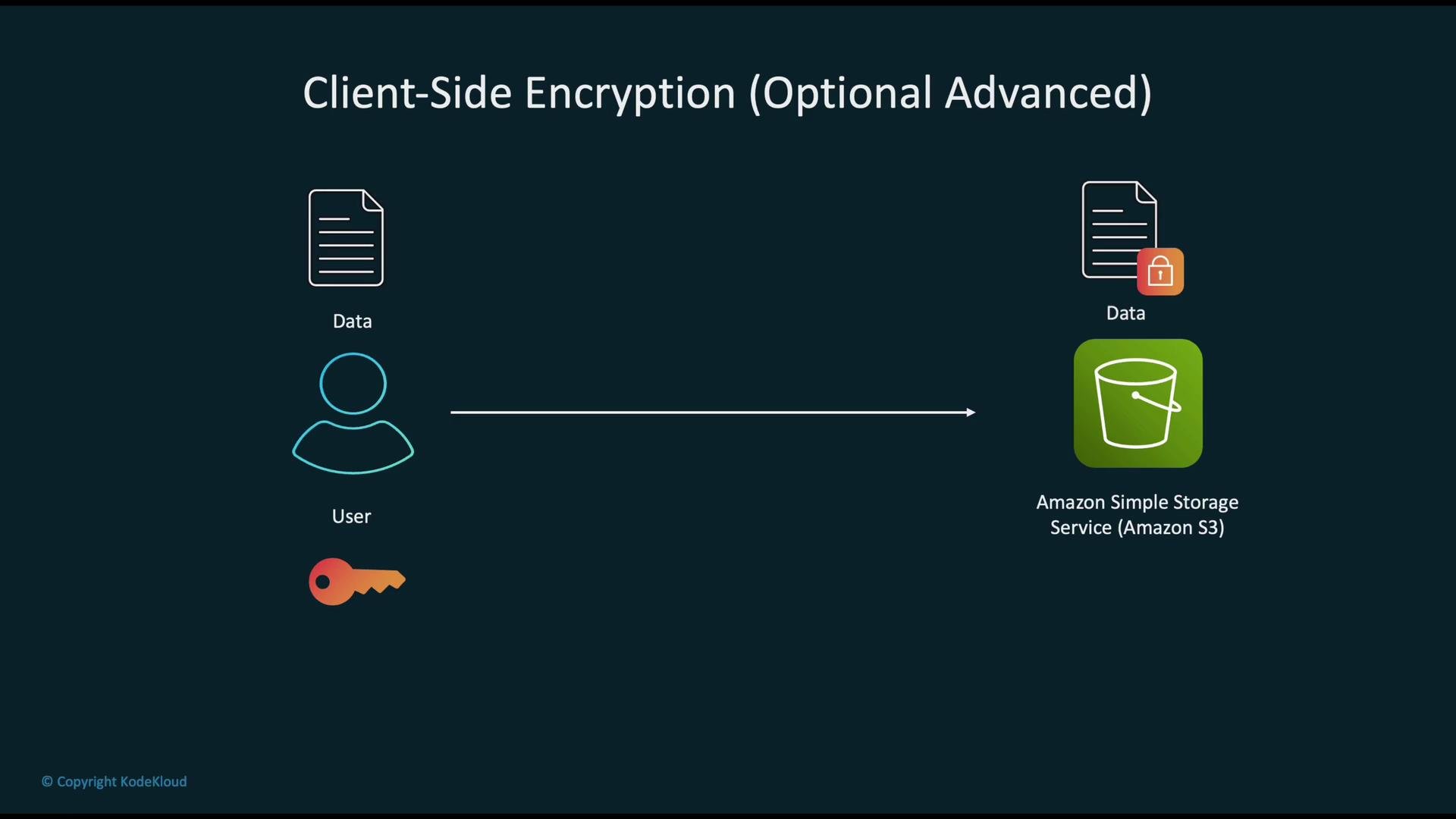
## Client-side encryption
Client-side encryption encrypts data before upload so that only ciphertext is stored in S3. It is suitable where you must ensure cloud services never see plaintext.
* Pros: Strong privacy guarantees and data-control assurances.
* Cons: Added complexity for key distribution, rotation, and multi-user access.
* Use established libraries such as the [AWS Encryption SDK](https://docs.aws.amazon.com/encryption-sdk/latest/developer-guide/) or well-vetted cryptographic libraries. Avoid custom crypto implementations.
## Encryption in transit
Encryption in transit prevents interception and tampering while data moves between clients and services.
* Use TLS (HTTPS) for all client-to-service interactions (S3 API calls, SageMaker endpoints, model inference APIs).
* For intra-VPC communication, prefer VPC endpoints and private networking so traffic does not traverse the public internet.
* Where possible, enforce TLS for service-to-service calls and enable mutual TLS for higher assurance.
## Client-side encryption
Client-side encryption encrypts data before upload so that only ciphertext is stored in S3. It is suitable where you must ensure cloud services never see plaintext.
* Pros: Strong privacy guarantees and data-control assurances.
* Cons: Added complexity for key distribution, rotation, and multi-user access.
* Use established libraries such as the [AWS Encryption SDK](https://docs.aws.amazon.com/encryption-sdk/latest/developer-guide/) or well-vetted cryptographic libraries. Avoid custom crypto implementations.
 ## Encryption during ML processing
Protect data in use by limiting plaintext exposure during training and inference:
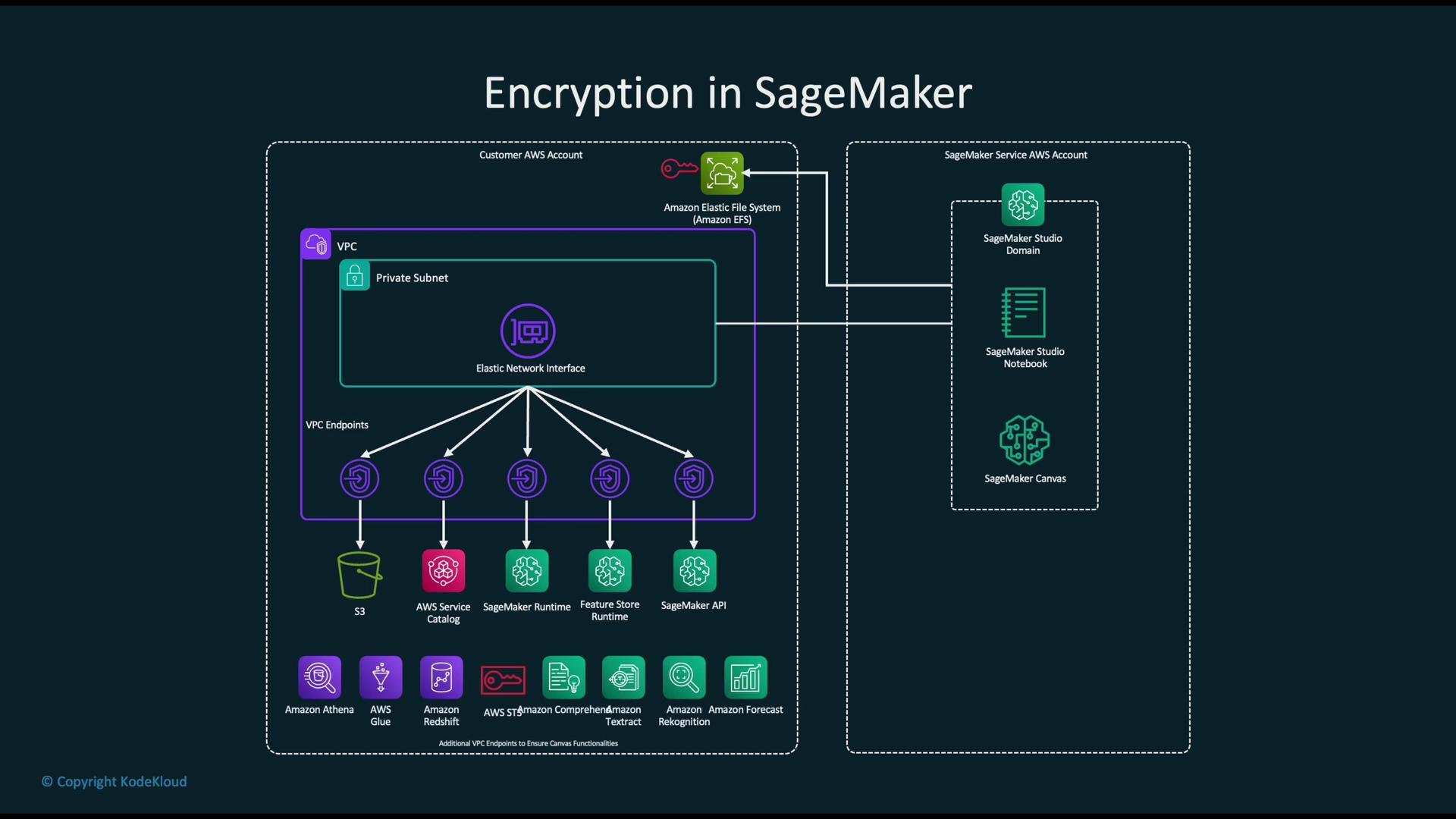
* SageMaker and other managed ML services support encryption for input datasets, model artifacts, and TLS for endpoints.
* Use VPC isolation, VPC endpoints, and KMS-backed encryption for artifacts and training data to minimize exposure.
* For high-assurance workloads, consider dedicated secure compute options:
* Nitro Enclaves for isolated, attested compute environments
* Dedicated instances or dedicated hosts
* Workload-level isolation (separate training jobs, separate roles, or separate accounts)
## Encryption during ML processing
Protect data in use by limiting plaintext exposure during training and inference:
* SageMaker and other managed ML services support encryption for input datasets, model artifacts, and TLS for endpoints.
* Use VPC isolation, VPC endpoints, and KMS-backed encryption for artifacts and training data to minimize exposure.
* For high-assurance workloads, consider dedicated secure compute options:
* Nitro Enclaves for isolated, attested compute environments
* Dedicated instances or dedicated hosts
* Workload-level isolation (separate training jobs, separate roles, or separate accounts)
 ## Best practices and recommendations
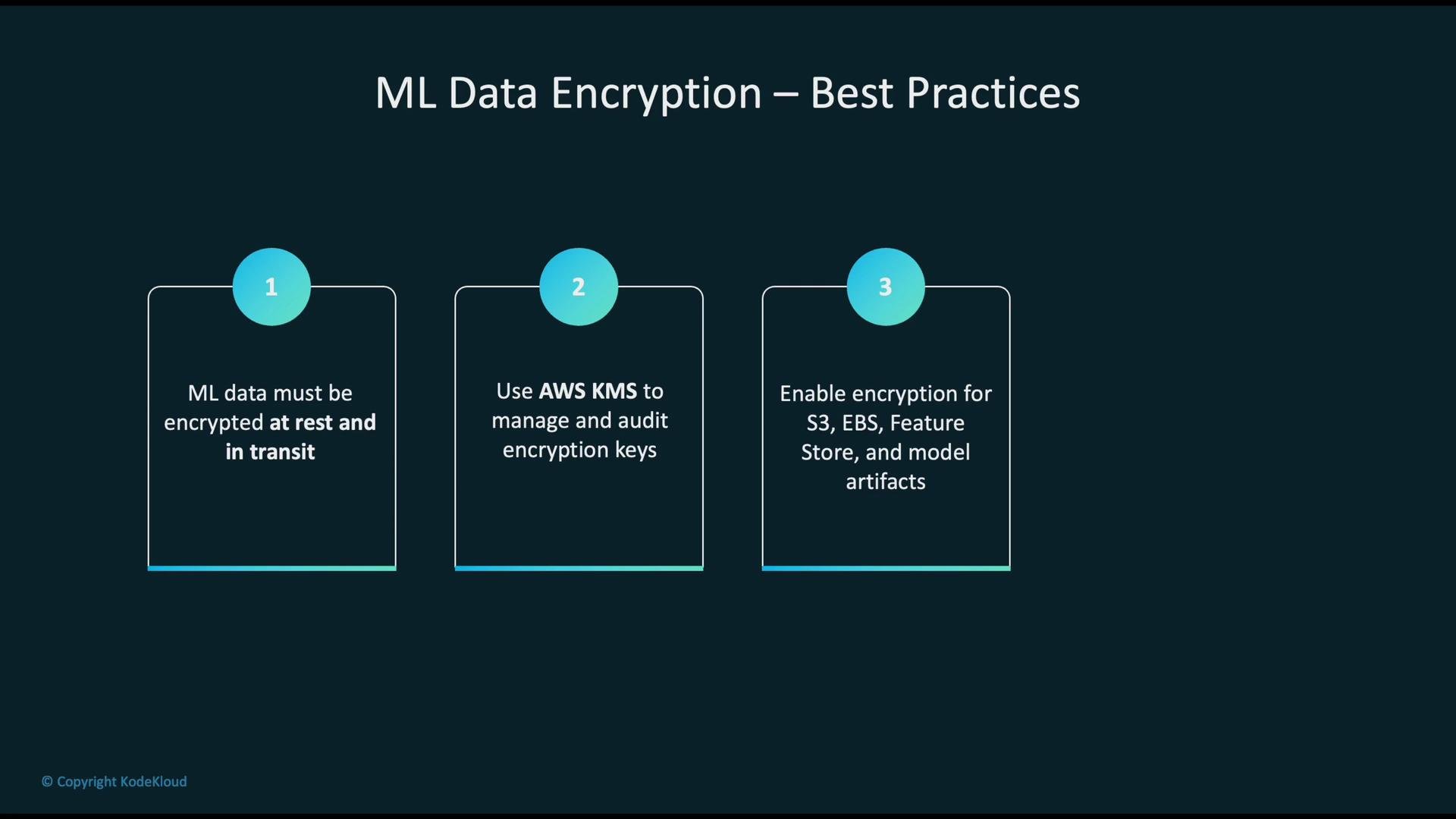
* Encryption scope: Ensure you cover raw data, feature stores, model artifacts, logs, and backups.
* Key management: Use AWS KMS for central key management, rotation, and auditing. Prefer CMKs for granular policies, AWS-managed keys for simplicity.
* Service-level encryption: Enable SSE-KMS for S3, EBS encryption, RDS encryption, and encrypt Feature Store and SageMaker artifacts. See SageMaker Feature Store: [https://docs.aws.amazon.com/sagemaker/latest/dg/feature-store.html](https://docs.aws.amazon.com/sagemaker/latest/dg/feature-store.html)
* Least privilege: Apply IAM and KMS key policies so only authorized roles can decrypt or use keys.
* Monitoring and auditing: Enable CloudTrail logging for KMS and monitor key usage for anomalies.
* Data lifecycle: Plan secure backups, handle snapshots safely, and define secure deletion policies (for example, handle KMS key deletion carefully and manage snapshot lifecycles).
Enable encryption at resource creation (for example, RDS and EBS). For existing unencrypted resources, create encrypted copies (snapshots or restores) rather than trying to flip encryption on the original resource in-place.
## Best practices and recommendations
* Encryption scope: Ensure you cover raw data, feature stores, model artifacts, logs, and backups.
* Key management: Use AWS KMS for central key management, rotation, and auditing. Prefer CMKs for granular policies, AWS-managed keys for simplicity.
* Service-level encryption: Enable SSE-KMS for S3, EBS encryption, RDS encryption, and encrypt Feature Store and SageMaker artifacts. See SageMaker Feature Store: [https://docs.aws.amazon.com/sagemaker/latest/dg/feature-store.html](https://docs.aws.amazon.com/sagemaker/latest/dg/feature-store.html)
* Least privilege: Apply IAM and KMS key policies so only authorized roles can decrypt or use keys.
* Monitoring and auditing: Enable CloudTrail logging for KMS and monitor key usage for anomalies.
* Data lifecycle: Plan secure backups, handle snapshots safely, and define secure deletion policies (for example, handle KMS key deletion carefully and manage snapshot lifecycles).
Enable encryption at resource creation (for example, RDS and EBS). For existing unencrypted resources, create encrypted copies (snapshots or restores) rather than trying to flip encryption on the original resource in-place.
 ## Additional resources
* [AWS KMS Developer Guide](https://docs.aws.amazon.com/kms/latest/developerguide/overview.html)
* [S3 Default Encryption docs](https://docs.aws.amazon.com/AmazonS3/latest/userguide/default-bucket-encryption.html)
* [EBS Encryption docs](https://docs.aws.amazon.com/AWSEC2/latest/UserGuide/EBSEncryption.html)
* [SageMaker documentation](https://docs.aws.amazon.com/sagemaker/latest/dg/what-is-sagemaker.html)
* [AWS Encryption SDK](https://docs.aws.amazon.com/encryption-sdk/latest/developer-guide/)
Adopting these encryption controls across the ML data lifecycle reduces the risk of data exposure, strengthens compliance posture, and helps secure model development and deployment workflows.
## Additional resources
* [AWS KMS Developer Guide](https://docs.aws.amazon.com/kms/latest/developerguide/overview.html)
* [S3 Default Encryption docs](https://docs.aws.amazon.com/AmazonS3/latest/userguide/default-bucket-encryption.html)
* [EBS Encryption docs](https://docs.aws.amazon.com/AWSEC2/latest/UserGuide/EBSEncryption.html)
* [SageMaker documentation](https://docs.aws.amazon.com/sagemaker/latest/dg/what-is-sagemaker.html)
* [AWS Encryption SDK](https://docs.aws.amazon.com/encryption-sdk/latest/developer-guide/)
Adopting these encryption controls across the ML data lifecycle reduces the risk of data exposure, strengthens compliance posture, and helps secure model development and deployment workflows.