> ## Documentation Index
> Fetch the complete documentation index at: https://notes.kodekloud.com/llms.txt
> Use this file to discover all available pages before exploring further.
# AWS Deployment Services for ML
> Overview of AWS SageMaker deployment patterns, model packaging, CI/CD, monitoring, and infrastructure choices for scalable machine learning serving
This lesson reviews core AWS services and architectural choices for deploying machine learning models at scale. Amazon SageMaker is central to many options, surrounded by endpoint types, model packaging and registry, CI/CD and orchestration, monitoring, and autoscaling strategies. Below we cover four primary SageMaker deployment patterns, how to package and register models, infrastructure choices, deployment strategies, CI/CD and orchestration options, monitoring best practices, and a concise decision guide.
## SageMaker deployment patterns
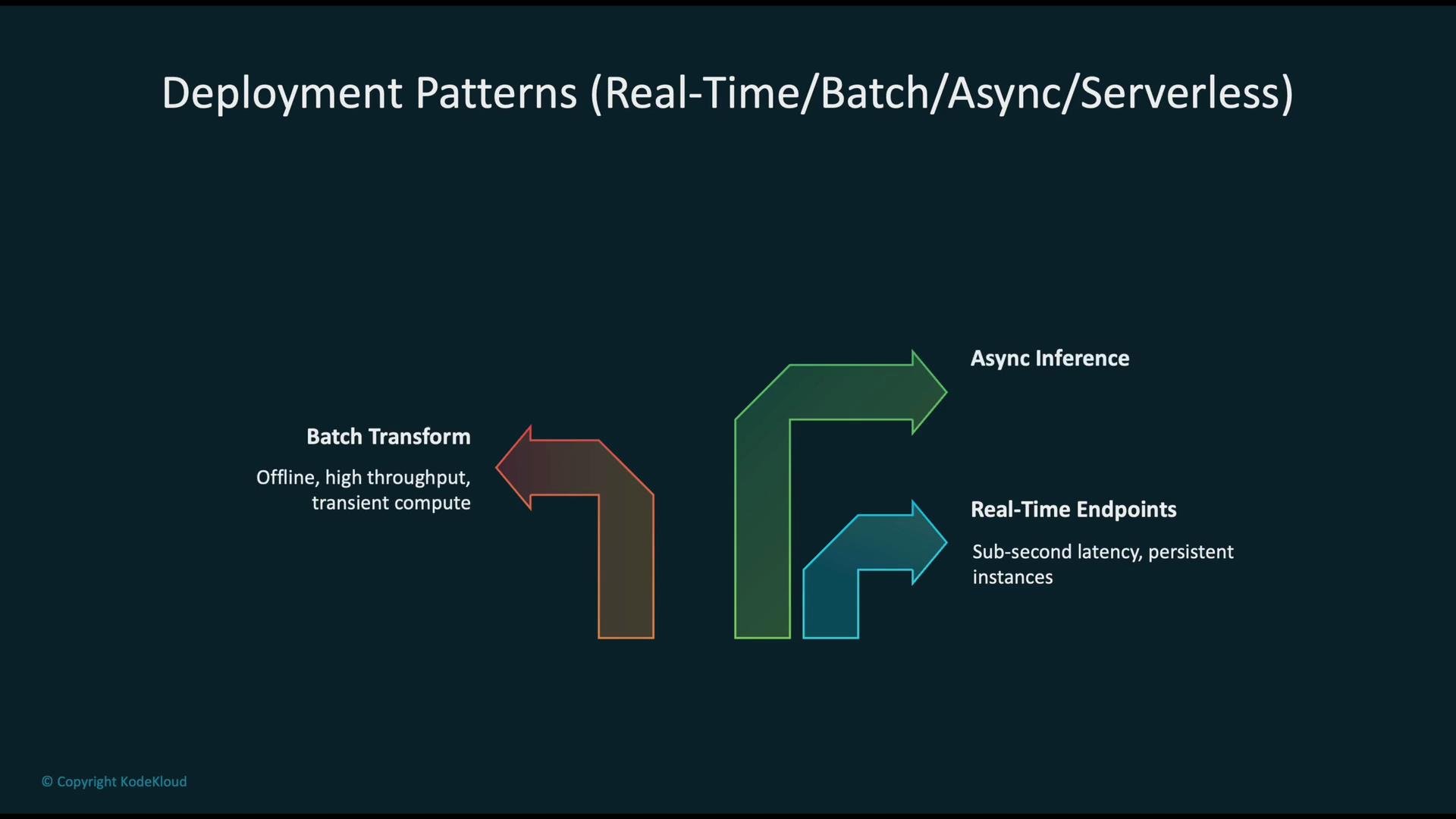
Choose the deployment pattern that matches your SLA, payload, throughput and cost constraints:
* Real-time endpoints: low-latency, always-on serving using CPU/GPU instances (often in a VPC) with autoscaling for steady traffic.
* Asynchronous inference: for large payloads or long-running inference tasks where responses are returned later.
* Batch transform: high-throughput, offline processing where latency is not critical.
* Serverless inference: handles spiky workloads without provisioning instances; good for unpredictable traffic and lower management overhead.
 ## Model packaging and registry flow
Standard packaging and registry steps ensure reproducibility and traceability:
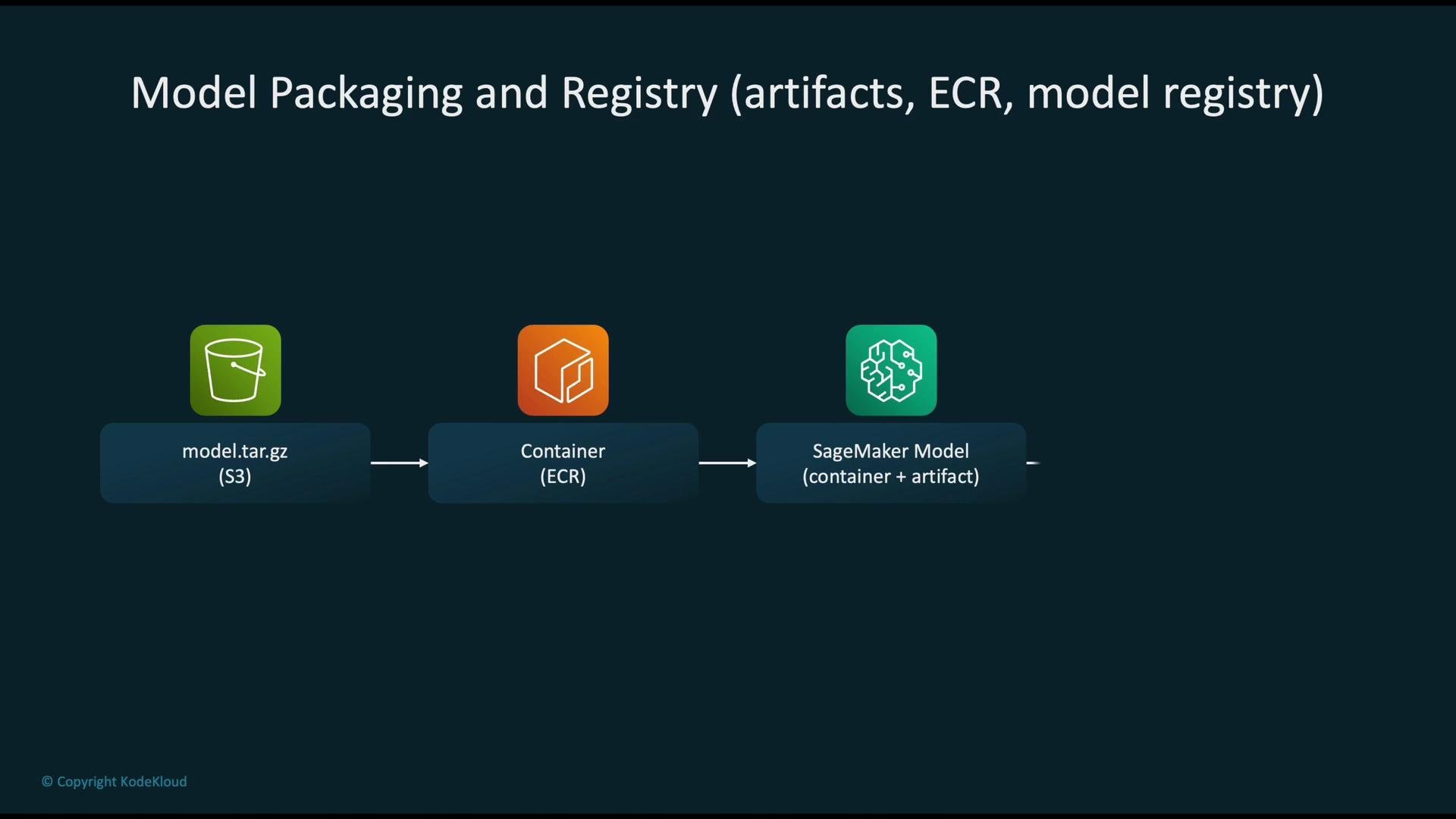
1. Upload the trained model artifact (for example, `model.tar.gz`) to Amazon S3.
2. Build the container image (inference runtime) and push it to Amazon ECR.
3. Create a SageMaker Model object that references the S3 model artifact and the ECR image.
4. Register the Model in the SageMaker Model Registry for versioning, approval workflows, and lifecycle management.
Use the Model Registry to gate deployments via approvals, metadata, and automated validation steps.
## Model packaging and registry flow
Standard packaging and registry steps ensure reproducibility and traceability:
1. Upload the trained model artifact (for example, `model.tar.gz`) to Amazon S3.
2. Build the container image (inference runtime) and push it to Amazon ECR.
3. Create a SageMaker Model object that references the S3 model artifact and the ECR image.
4. Register the Model in the SageMaker Model Registry for versioning, approval workflows, and lifecycle management.
Use the Model Registry to gate deployments via approvals, metadata, and automated validation steps.
 ## Endpoint types and infrastructure choices
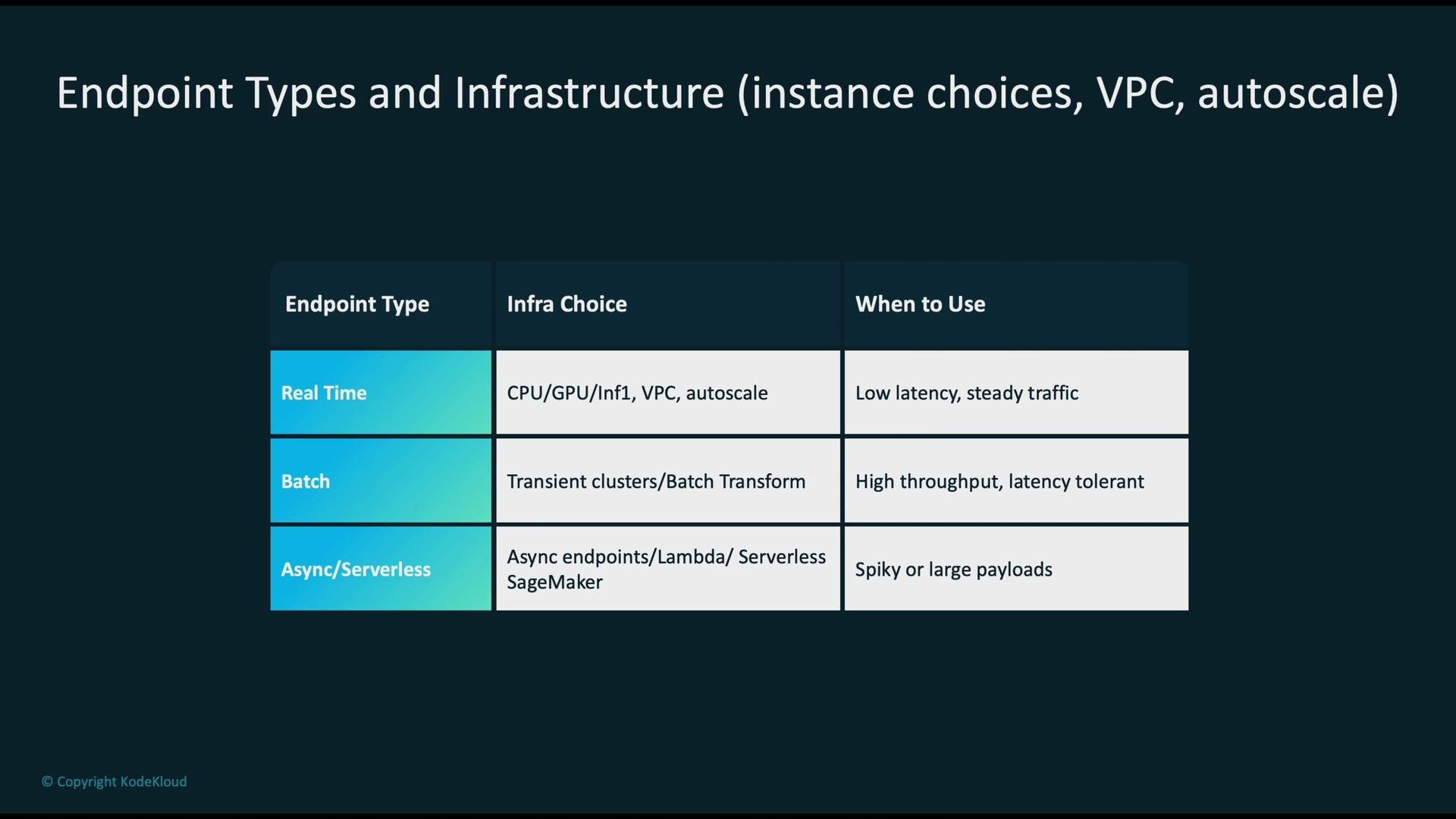
Match endpoint type to latency, payload size, and scaling requirements.
| Endpoint type | Infrastructure choice | When to use |
| ---------------------- | -------------------------------------------------------------------------------- | ------------------------------------------------------------------------------ |
| Real-time endpoints | Provisioned instances (CPU/GPU), place in a `VPC` if accessing private resources | Sub-second to low-second latency with steady traffic |
| Batch/Transform jobs | Transient clusters or SageMaker Batch Transform | Offline high-throughput processing with relaxed latency |
| Asynchronous inference | SageMaker Asynchronous Inference or queue-architecture with Amazon SQS | Large payloads, long-running inferences where response may be delayed |
| Serverless inference | SageMaker Serverless Inference or AWS Lambda | Unpredictable, spiky traffic and when you want to avoid provisioning instances |
Links for deeper reading:
* [SageMaker Batch Transform](https://docs.aws.amazon.com/sagemaker/latest/dg/batch-transform.html)
* [SageMaker Asynchronous Inference](https://docs.aws.amazon.com/sagemaker/latest/dg/async-inference.html)
* [SageMaker Serverless Inference](https://docs.aws.amazon.com/sagemaker/latest/dg/serverless-inference.html)
## Endpoint types and infrastructure choices
Match endpoint type to latency, payload size, and scaling requirements.
| Endpoint type | Infrastructure choice | When to use |
| ---------------------- | -------------------------------------------------------------------------------- | ------------------------------------------------------------------------------ |
| Real-time endpoints | Provisioned instances (CPU/GPU), place in a `VPC` if accessing private resources | Sub-second to low-second latency with steady traffic |
| Batch/Transform jobs | Transient clusters or SageMaker Batch Transform | Offline high-throughput processing with relaxed latency |
| Asynchronous inference | SageMaker Asynchronous Inference or queue-architecture with Amazon SQS | Large payloads, long-running inferences where response may be delayed |
| Serverless inference | SageMaker Serverless Inference or AWS Lambda | Unpredictable, spiky traffic and when you want to avoid provisioning instances |
Links for deeper reading:
* [SageMaker Batch Transform](https://docs.aws.amazon.com/sagemaker/latest/dg/batch-transform.html)
* [SageMaker Asynchronous Inference](https://docs.aws.amazon.com/sagemaker/latest/dg/async-inference.html)
* [SageMaker Serverless Inference](https://docs.aws.amazon.com/sagemaker/latest/dg/serverless-inference.html)
 ## Deployment strategies
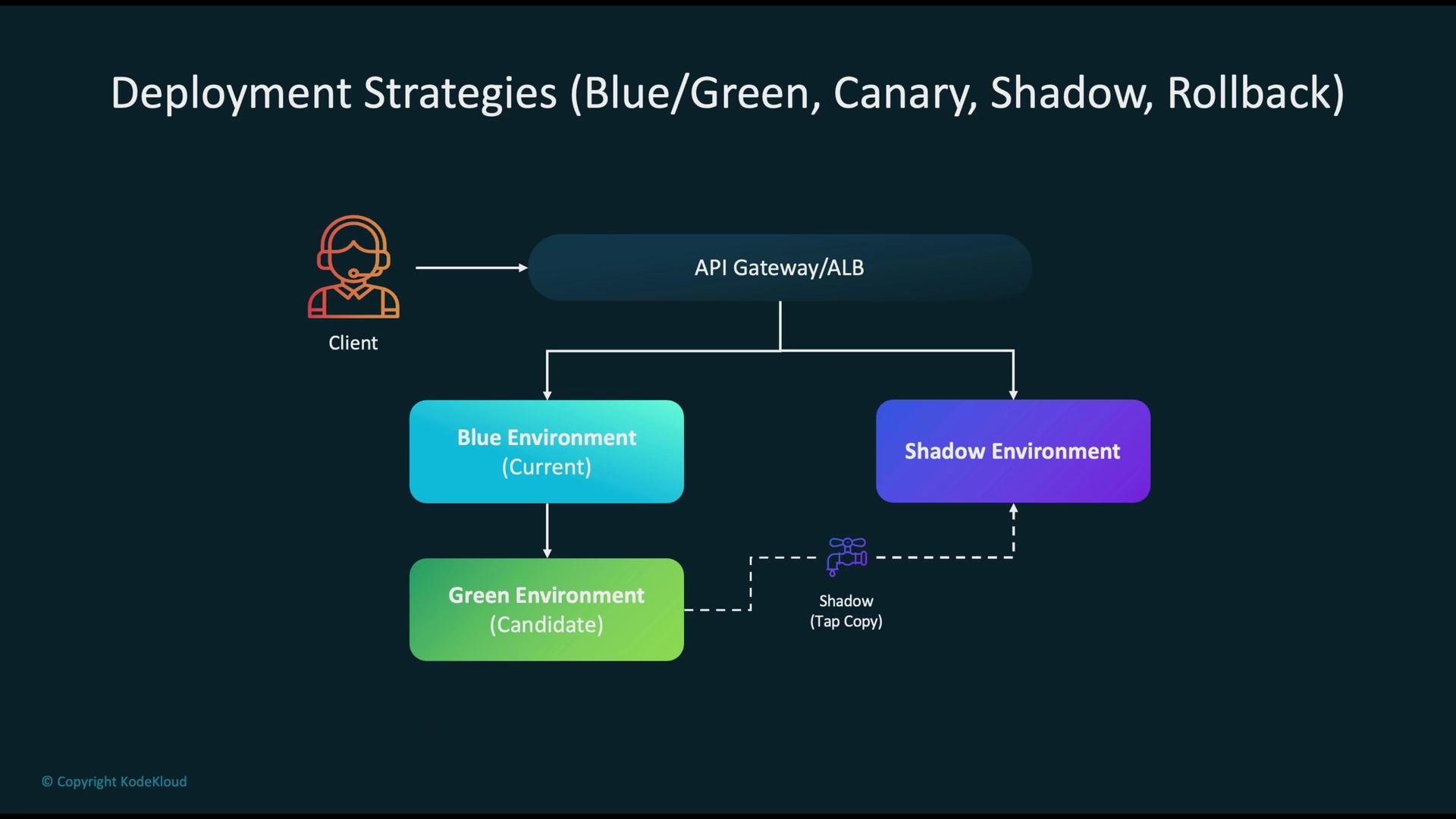
Traffic is typically routed via an API Gateway or an Application Load Balancer to the active environment (blue). New model versions are deployed as candidates (green). Common strategies:
* Blue/Green: run a fully provisioned stable (blue) environment while validating a candidate (green) environment before switching traffic.
* Canary: gradually shift a small percentage of traffic to the new version (e.g., 5% → 25% → 100%), monitor metrics, then promote or rollback.
* Shadow: mirror production traffic to the new model without returning its responses to users—useful for validating behavior on real traffic.
* Rollback: define automated or manual rollback paths if metrics or alarms indicate regressions.
Consider instrumenting canary rollouts with automated metric comparisons and alerting for faster rollback decisions.
## Deployment strategies
Traffic is typically routed via an API Gateway or an Application Load Balancer to the active environment (blue). New model versions are deployed as candidates (green). Common strategies:
* Blue/Green: run a fully provisioned stable (blue) environment while validating a candidate (green) environment before switching traffic.
* Canary: gradually shift a small percentage of traffic to the new version (e.g., 5% → 25% → 100%), monitor metrics, then promote or rollback.
* Shadow: mirror production traffic to the new model without returning its responses to users—useful for validating behavior on real traffic.
* Rollback: define automated or manual rollback paths if metrics or alarms indicate regressions.
Consider instrumenting canary rollouts with automated metric comparisons and alerting for faster rollback decisions.
 Canary rollouts let you promote a new model safely by incrementally increasing traffic while continuously monitoring metrics to detect regressions and trigger rollbacks when necessary.
## CI/CD and MLOps
A robust MLOps pipeline ties source control, testing, orchestration, and deployment together:
* Source: push code and model artifacts to a Git provider (CodeCommit, GitHub, etc.).
* Build & test: run unit tests, integration tests, and data checks using CodeBuild or other CI runners.
* Orchestration: use CodePipeline to organize CI/CD stages; use SageMaker Pipelines for ML-specific workflows (training, evaluation, registration, deployment).
* Model Registry: after passing validations, register models in the SageMaker Model Registry to control approvals and deployments.
Event-driven orchestration patterns:
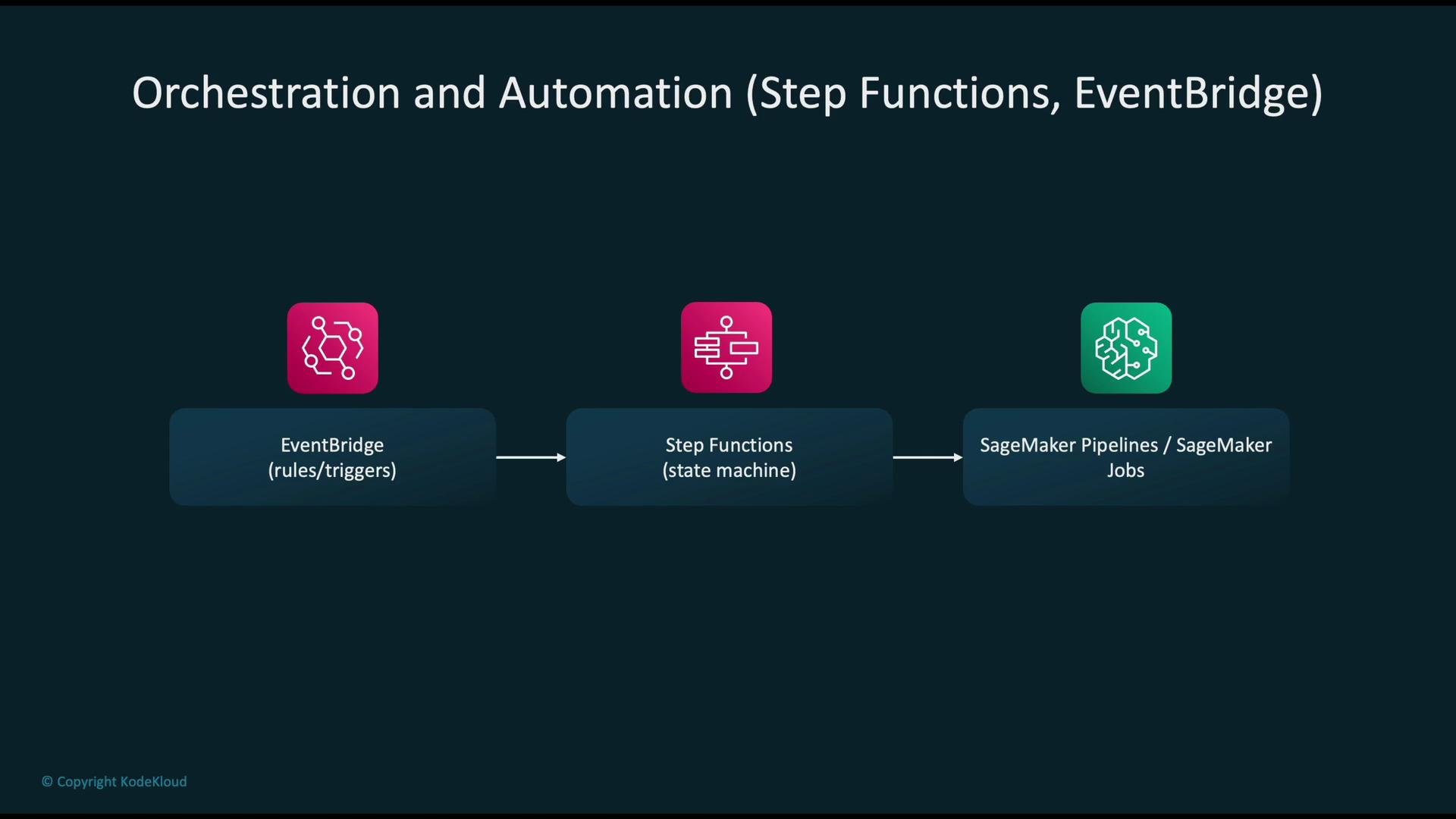
* EventBridge: trigger workflows on events such as "model registered", job failures, or scheduled tasks.
* Step Functions: orchestrate complex stateful workflows — e.g., preprocessing → training → evaluation → registration → deployment.
* SageMaker Pipelines / Jobs: execute training, processing, and deployment tasks as discrete, auditable steps.
Canary rollouts let you promote a new model safely by incrementally increasing traffic while continuously monitoring metrics to detect regressions and trigger rollbacks when necessary.
## CI/CD and MLOps
A robust MLOps pipeline ties source control, testing, orchestration, and deployment together:
* Source: push code and model artifacts to a Git provider (CodeCommit, GitHub, etc.).
* Build & test: run unit tests, integration tests, and data checks using CodeBuild or other CI runners.
* Orchestration: use CodePipeline to organize CI/CD stages; use SageMaker Pipelines for ML-specific workflows (training, evaluation, registration, deployment).
* Model Registry: after passing validations, register models in the SageMaker Model Registry to control approvals and deployments.
Event-driven orchestration patterns:
* EventBridge: trigger workflows on events such as "model registered", job failures, or scheduled tasks.
* Step Functions: orchestrate complex stateful workflows — e.g., preprocessing → training → evaluation → registration → deployment.
* SageMaker Pipelines / Jobs: execute training, processing, and deployment tasks as discrete, auditable steps.
 ## Monitoring, alerts, and anti-patterns
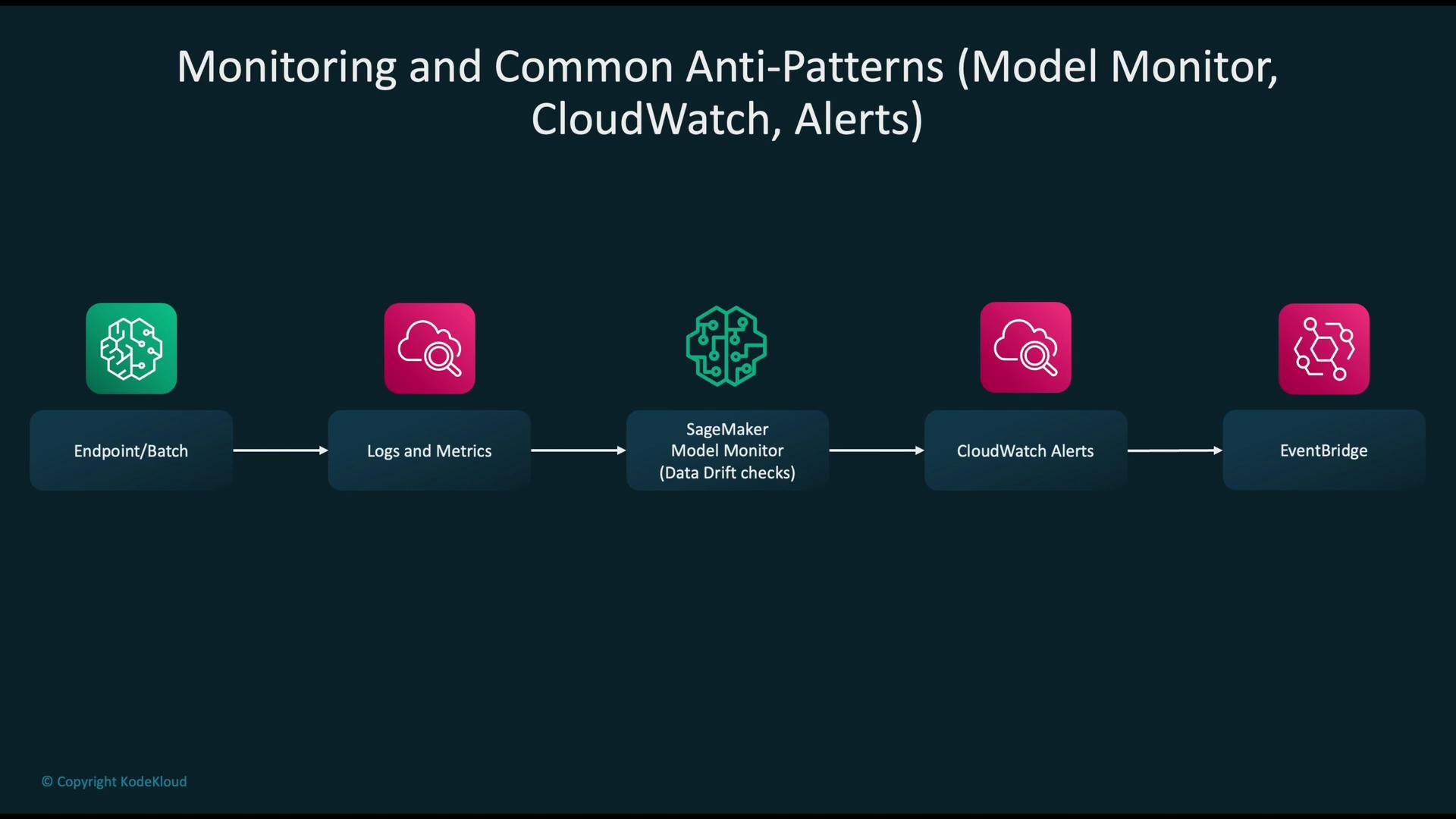
Collect logs and metrics from endpoints, batch jobs, and containers, then surface anomalies with alarms:
* Use CloudWatch logs/metrics and container logs for observability.
* Use SageMaker Model Monitor to detect data drift, changes in feature distributions, and prediction-quality issues.
* Wire CloudWatch alarms and EventBridge to trigger automated responses (retraining, rollback, paging on-call).
Common anti-patterns to avoid:
* Monolithic endpoints that prevent independent updates and increase the blast radius.
* Overly permissive IAM policies that create security and compliance risks.
* Using long-lived, provisioned real-time endpoints for highly spiky traffic when serverless or async inference would be more cost-effective.
Do not rely solely on periodic manual checks. Lack of automated monitoring and alerts creates blind spots where regressions or data quality issues can go undetected. Ensure Model Monitor and CloudWatch alarms are part of your deployment gates.
## Monitoring, alerts, and anti-patterns
Collect logs and metrics from endpoints, batch jobs, and containers, then surface anomalies with alarms:
* Use CloudWatch logs/metrics and container logs for observability.
* Use SageMaker Model Monitor to detect data drift, changes in feature distributions, and prediction-quality issues.
* Wire CloudWatch alarms and EventBridge to trigger automated responses (retraining, rollback, paging on-call).
Common anti-patterns to avoid:
* Monolithic endpoints that prevent independent updates and increase the blast radius.
* Overly permissive IAM policies that create security and compliance risks.
* Using long-lived, provisioned real-time endpoints for highly spiky traffic when serverless or async inference would be more cost-effective.
Do not rely solely on periodic manual checks. Lack of automated monitoring and alerts creates blind spots where regressions or data quality issues can go undetected. Ensure Model Monitor and CloudWatch alarms are part of your deployment gates.
 ## Decision guide (summary)
Start by defining SLA and non-functional requirements: latency, throughput, payload size, cost budget, and security constraints.
* Low latency & steady traffic: SageMaker real-time endpoints or a managed Amazon EKS serving solution.
* Offline, high-throughput jobs: Batch Transform or AWS Batch.
* Large payloads or long-running inference: SageMaker Asynchronous Inference.
* Unpredictable, spiky traffic with minimal infra ops: choose serverless (SageMaker Serverless Inference or AWS Lambda for simple functions).
Consider automating validation and monitoring in your CI/CD pipeline: register models only after automated evaluation, use canary or shadow deployments for validation, and wire Model Monitor and alarms into your deployment decision gates.
## Links and references
* [Amazon SageMaker](https://aws.amazon.com/sagemaker/)
* [SageMaker Model Registry](https://docs.aws.amazon.com/sagemaker/latest/dg/model-registry.html)
* [SageMaker Pipelines](https://aws.amazon.com/sagemaker/features/pipelines/)
* [SageMaker Batch Transform](https://docs.aws.amazon.com/sagemaker/latest/dg/batch-transform.html)
* [SageMaker Asynchronous Inference](https://docs.aws.amazon.com/sagemaker/latest/dg/async-inference.html)
* [SageMaker Serverless Inference](https://docs.aws.amazon.com/sagemaker/latest/dg/serverless-inference.html)
* [Amazon ECR](https://aws.amazon.com/ecr/)
* [Amazon S3](https://aws.amazon.com/s3/)
* [Amazon CloudWatch](https://aws.amazon.com/cloudwatch/)
* [Amazon EventBridge](https://aws.amazon.com/eventbridge/)
* [AWS Step Functions](https://aws.amazon.com/step-functions/)
* [AWS Lambda](https://aws.amazon.com/lambda/)
* [Amazon EKS](https://aws.amazon.com/eks/)
## Decision guide (summary)
Start by defining SLA and non-functional requirements: latency, throughput, payload size, cost budget, and security constraints.
* Low latency & steady traffic: SageMaker real-time endpoints or a managed Amazon EKS serving solution.
* Offline, high-throughput jobs: Batch Transform or AWS Batch.
* Large payloads or long-running inference: SageMaker Asynchronous Inference.
* Unpredictable, spiky traffic with minimal infra ops: choose serverless (SageMaker Serverless Inference or AWS Lambda for simple functions).
Consider automating validation and monitoring in your CI/CD pipeline: register models only after automated evaluation, use canary or shadow deployments for validation, and wire Model Monitor and alarms into your deployment decision gates.
## Links and references
* [Amazon SageMaker](https://aws.amazon.com/sagemaker/)
* [SageMaker Model Registry](https://docs.aws.amazon.com/sagemaker/latest/dg/model-registry.html)
* [SageMaker Pipelines](https://aws.amazon.com/sagemaker/features/pipelines/)
* [SageMaker Batch Transform](https://docs.aws.amazon.com/sagemaker/latest/dg/batch-transform.html)
* [SageMaker Asynchronous Inference](https://docs.aws.amazon.com/sagemaker/latest/dg/async-inference.html)
* [SageMaker Serverless Inference](https://docs.aws.amazon.com/sagemaker/latest/dg/serverless-inference.html)
* [Amazon ECR](https://aws.amazon.com/ecr/)
* [Amazon S3](https://aws.amazon.com/s3/)
* [Amazon CloudWatch](https://aws.amazon.com/cloudwatch/)
* [Amazon EventBridge](https://aws.amazon.com/eventbridge/)
* [AWS Step Functions](https://aws.amazon.com/step-functions/)
* [AWS Lambda](https://aws.amazon.com/lambda/)
* [Amazon EKS](https://aws.amazon.com/eks/)