> ## Documentation Index
> Fetch the complete documentation index at: https://notes.kodekloud.com/llms.txt
> Use this file to discover all available pages before exploring further.
# Containerization for ML Workloads
> Containerizing machine learning workloads on AWS covering Docker packaging, deployment on SageMaker ECS EKS or Lambda, security best practices, monitoring, and cost optimization
In this lesson we cover containerization for machine learning (ML) workloads—a critical practice for delivering consistent, portable, and scalable ML systems across development, testing, and production environments.
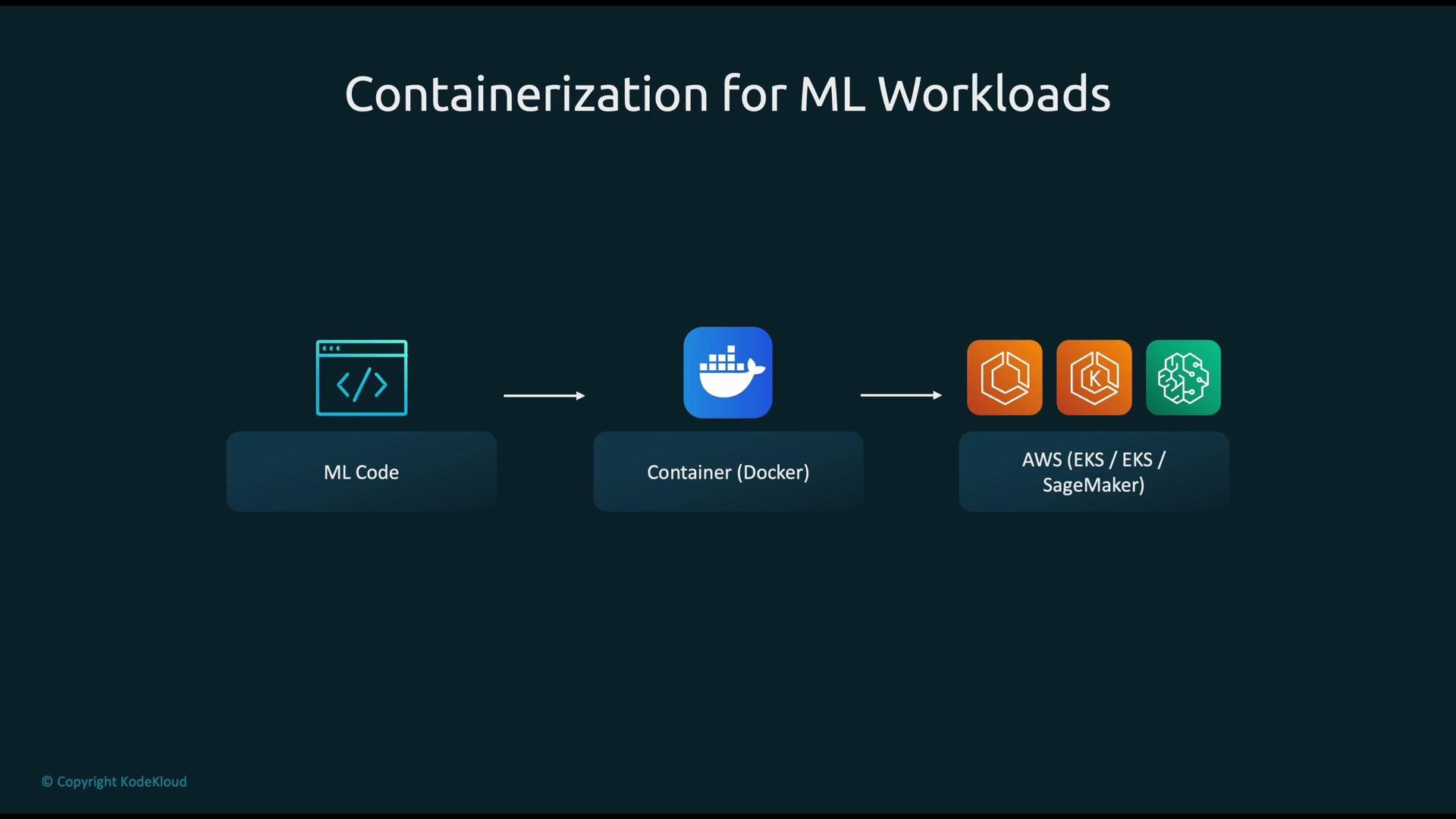
A typical deployment workflow:
1. Develop ML code (model training and inference logic).
2. Package the code and all dependencies into a Docker container image.
3. Push the image to a registry (for example, Amazon ECR).
4. Deploy and scale that image on AWS using services such as EKS (Kubernetes), ECS, SageMaker, or Lambda.
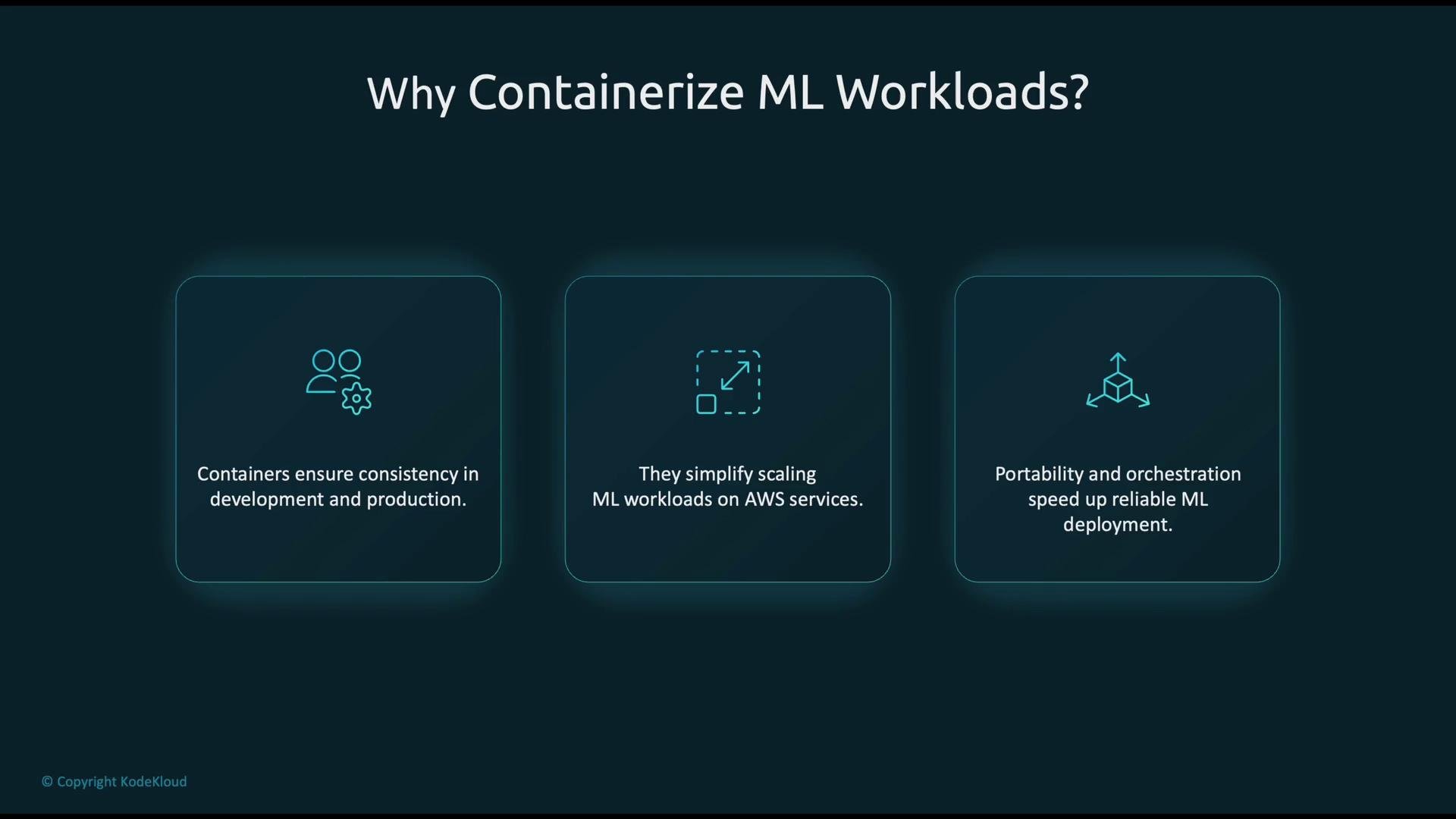
 Why containerize ML workloads? Primary benefits include:
* Consistency: containers deliver identical runtime environments across developer machines, CI/CD pipelines, and production.
* Scalability: containers scale horizontally on cloud platforms, enabling responsive serving and batch workloads.
* Portability & orchestration: the same container image can be deployed on ECS, EKS, SageMaker, or Lambda, simplifying rollouts and environment parity.
Why containerize ML workloads? Primary benefits include:
* Consistency: containers deliver identical runtime environments across developer machines, CI/CD pipelines, and production.
* Scalability: containers scale horizontally on cloud platforms, enabling responsive serving and batch workloads.
* Portability & orchestration: the same container image can be deployed on ECS, EKS, SageMaker, or Lambda, simplifying rollouts and environment parity.
 Packaging and runtime options on AWS
* Build a Docker image that includes your ML code, model artifacts (or accessible model storage), and all runtime dependencies.
* Push the image to Amazon ECR, then choose an AWS runtime to host inference or training.
Common AWS runtimes for containerized ML:
| Service | Best for | Notes / Example |
| ---------------: | ---------------------------------------- | ------------------------------------------------------------------------------------------------------------------------ |
| Amazon SageMaker | Managed ML training & inference | Pre-built framework containers (PyTorch, TensorFlow, XGBoost, scikit-learn) or custom containers for training/inference. |
| Amazon ECS | General-purpose container orchestration | Supports EC2 and Fargate launch types for task and service management. |
| Amazon EKS | Kubernetes-based container orchestration | Run pods with standard Kubernetes primitives; use for complex orchestration needs. |
| AWS Lambda | Serverless containers | Run lightweight or event-driven inference with container images (subject to Lambda limits). |
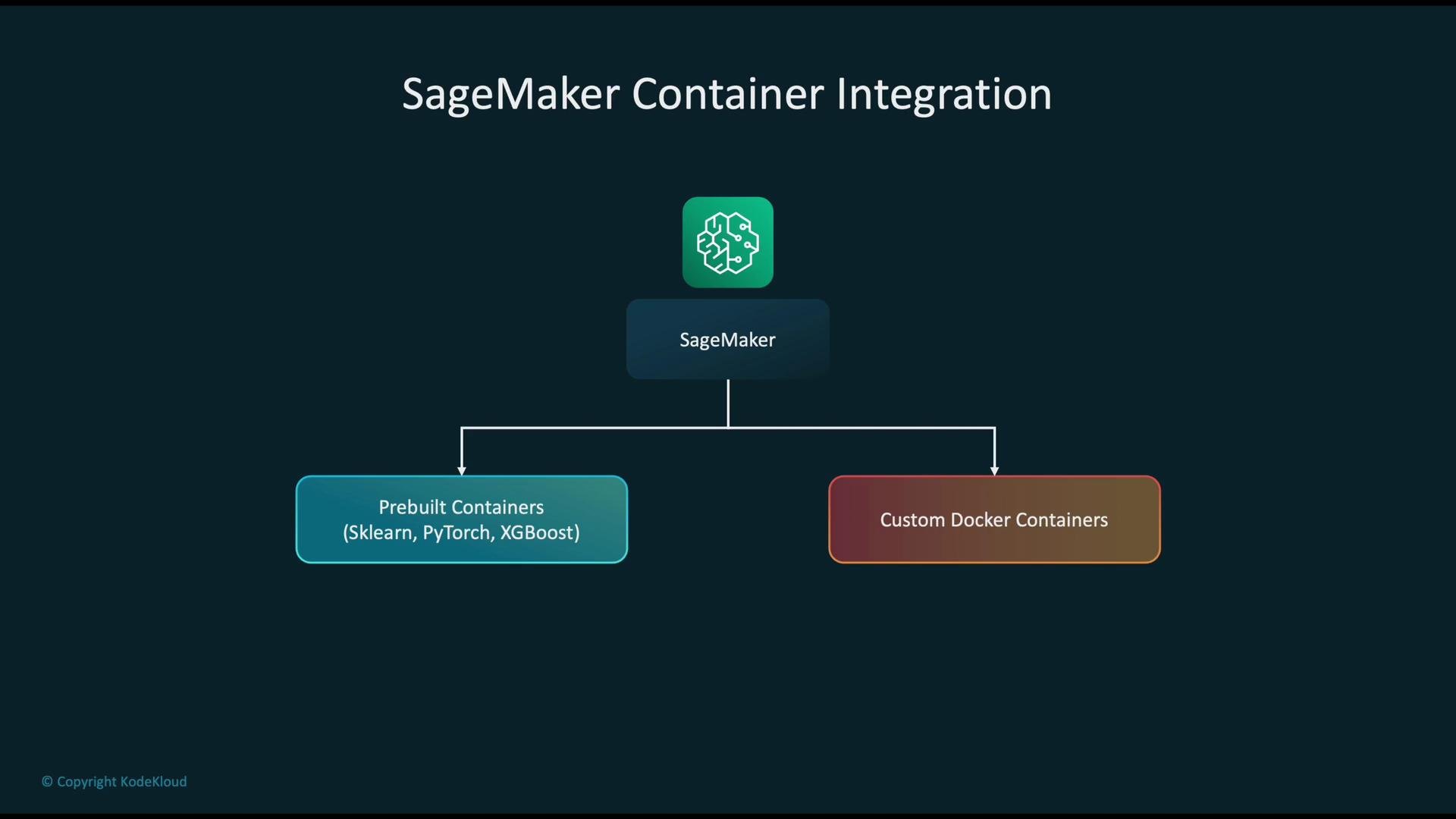
Below is a conceptual view of SageMaker’s container integration: SageMaker can run pre-built framework containers (e.g., scikit-learn, PyTorch, XGBoost) or your custom Docker container for training and inference jobs.
Packaging and runtime options on AWS
* Build a Docker image that includes your ML code, model artifacts (or accessible model storage), and all runtime dependencies.
* Push the image to Amazon ECR, then choose an AWS runtime to host inference or training.
Common AWS runtimes for containerized ML:
| Service | Best for | Notes / Example |
| ---------------: | ---------------------------------------- | ------------------------------------------------------------------------------------------------------------------------ |
| Amazon SageMaker | Managed ML training & inference | Pre-built framework containers (PyTorch, TensorFlow, XGBoost, scikit-learn) or custom containers for training/inference. |
| Amazon ECS | General-purpose container orchestration | Supports EC2 and Fargate launch types for task and service management. |
| Amazon EKS | Kubernetes-based container orchestration | Run pods with standard Kubernetes primitives; use for complex orchestration needs. |
| AWS Lambda | Serverless containers | Run lightweight or event-driven inference with container images (subject to Lambda limits). |
Below is a conceptual view of SageMaker’s container integration: SageMaker can run pre-built framework containers (e.g., scikit-learn, PyTorch, XGBoost) or your custom Docker container for training and inference jobs.
 ECS and EKS patterns
* ECS organizes deployments into task definitions and services. An ECS service manages multiple copies of a task (container) and exposes them through a load balancer to provide a single scalable endpoint.
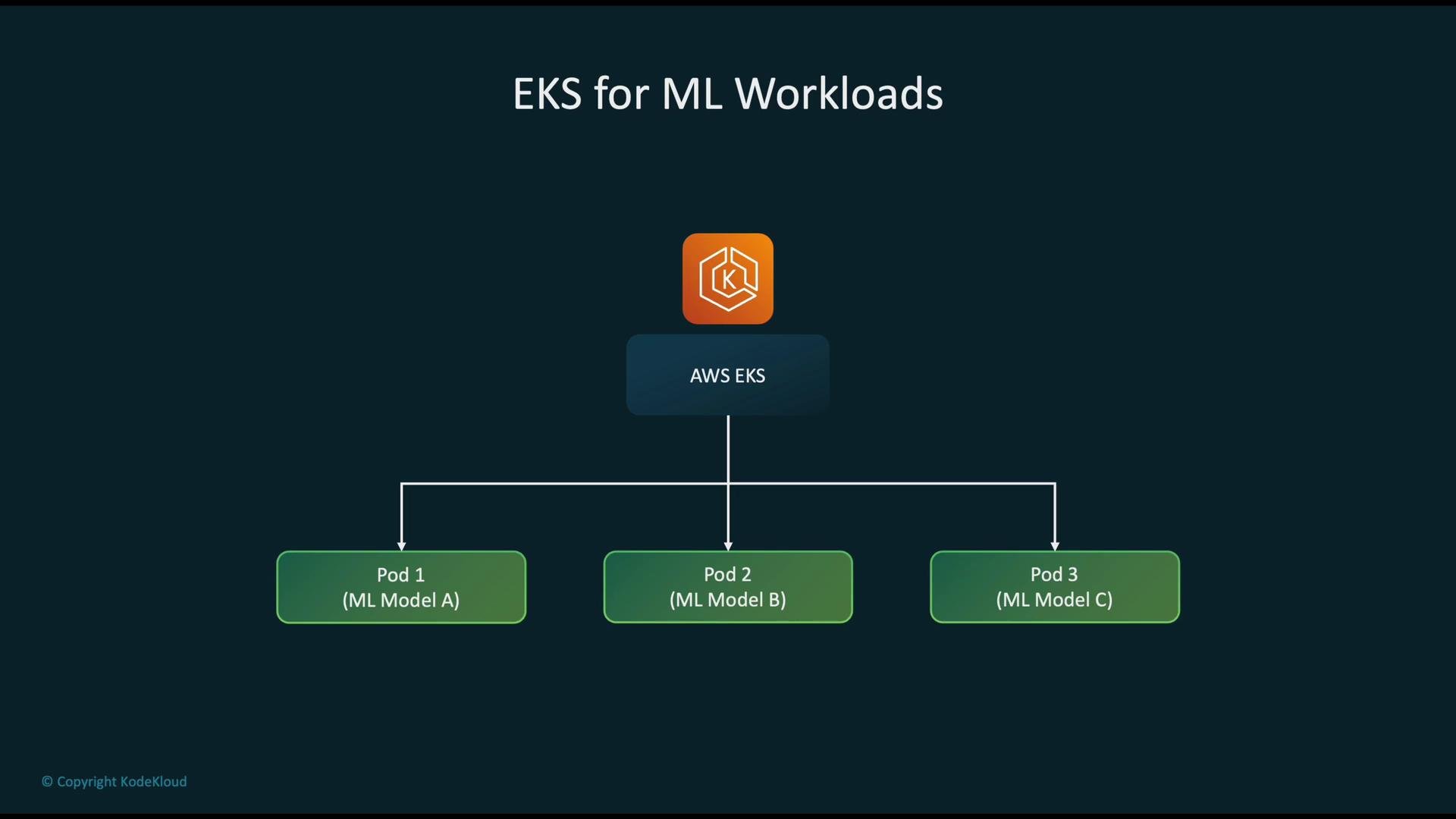
* EKS is a managed Kubernetes control plane: each model or service runs in pods. You can run Model A in pod set A, Model B in pod set B, etc., all managed by the same cluster and Kubernetes primitives.
ECS and EKS patterns
* ECS organizes deployments into task definitions and services. An ECS service manages multiple copies of a task (container) and exposes them through a load balancer to provide a single scalable endpoint.
* EKS is a managed Kubernetes control plane: each model or service runs in pods. You can run Model A in pod set A, Model B in pod set B, etc., all managed by the same cluster and Kubernetes primitives.
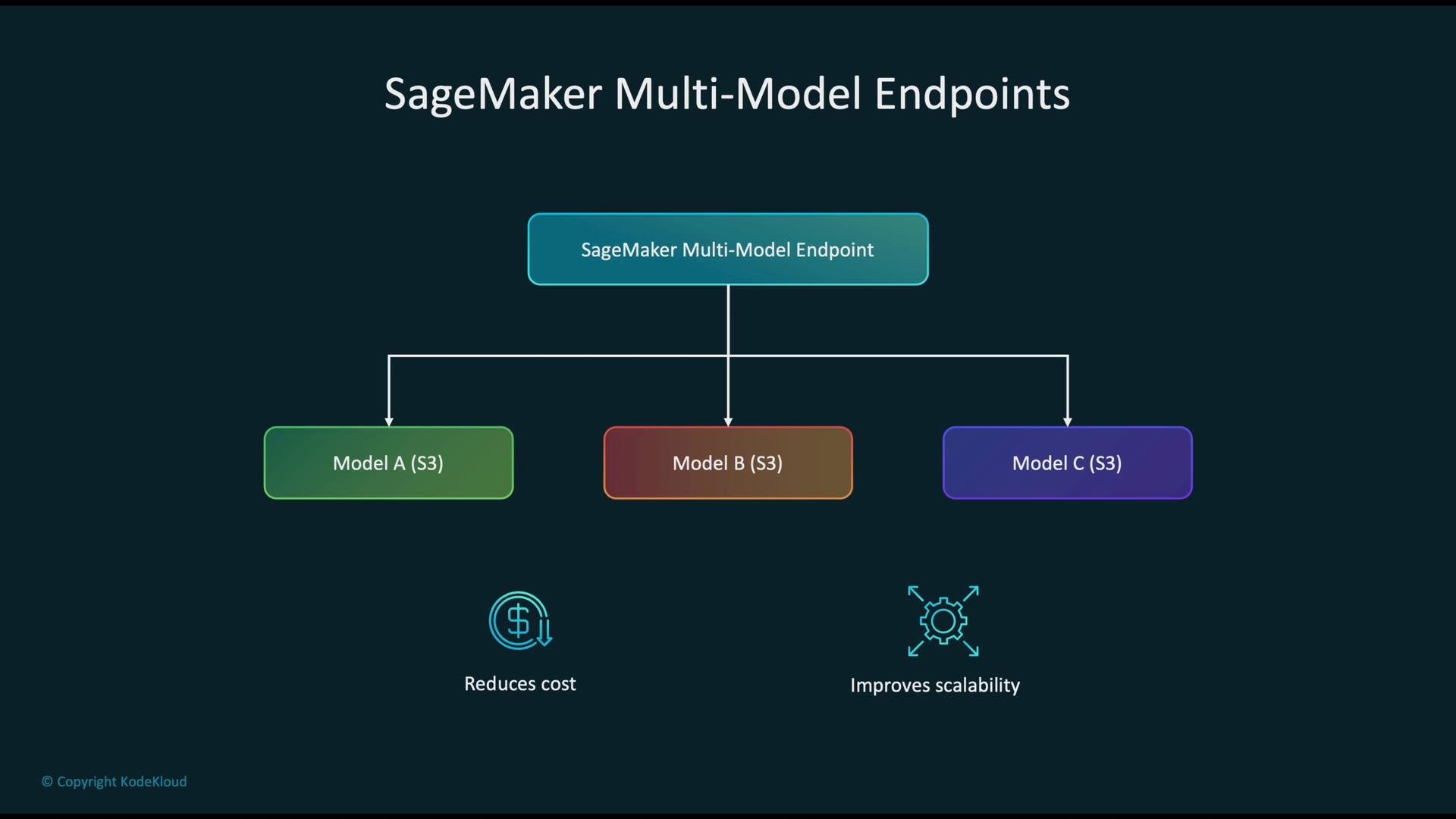
 SageMaker Multi-Model Endpoints (MMEs)
* Use MMEs when you must serve many small models. A single endpoint dynamically loads models from a shared S3 bucket and serves inference for Model A, B, C, etc.
* Benefits: reduced per-model hosting costs, simplified lifecycle management, and fewer endpoints to manage.
SageMaker Multi-Model Endpoints (MMEs)
* Use MMEs when you must serve many small models. A single endpoint dynamically loads models from a shared S3 bucket and serves inference for Model A, B, C, etc.
* Benefits: reduced per-model hosting costs, simplified lifecycle management, and fewer endpoints to manage.
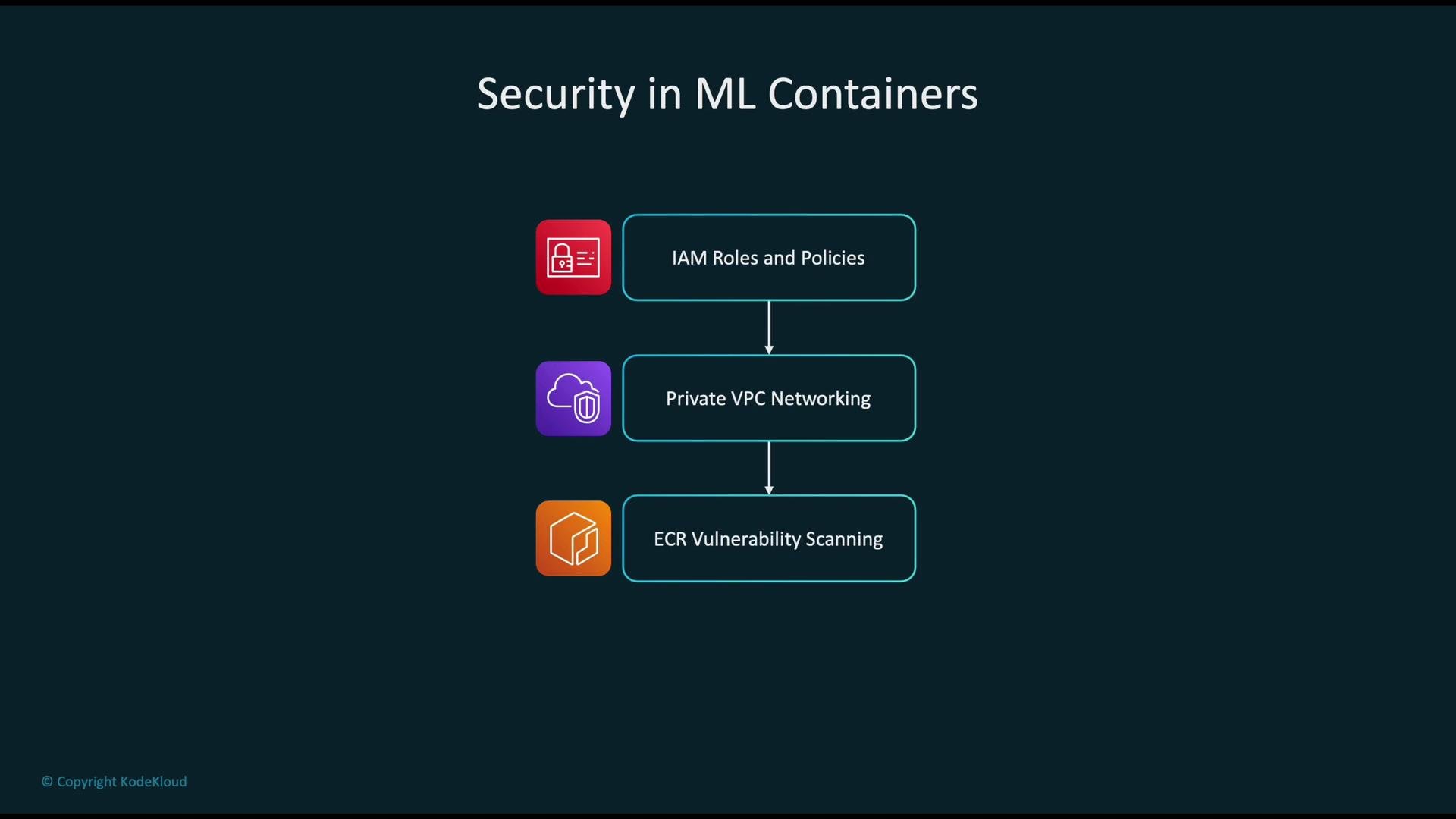
 Security best practices for containerized ML
* Identity and access management: apply least-privilege IAM roles and fine-grained policies for services, build pipelines, and runtime.
* Network isolation: deploy containers in private VPC subnets and enforce network controls with security groups and NACLs. See AWS VPC docs: [https://aws.amazon.com/vpc/](https://aws.amazon.com/vpc/)
* Image scanning: enable ECR image scanning or use third-party scanners to detect vulnerabilities before deployment.
* Secrets and data protection: never bake secrets into images; use AWS Secrets Manager or Systems Manager Parameter Store. Encrypt sensitive data at rest and in transit.
Security tip: Use task- or pod-level IAM roles (ECS task roles or IAM Roles for Service Accounts on EKS) so containers get temporary, least-privilege credentials instead of long-lived keys.
Security best practices for containerized ML
* Identity and access management: apply least-privilege IAM roles and fine-grained policies for services, build pipelines, and runtime.
* Network isolation: deploy containers in private VPC subnets and enforce network controls with security groups and NACLs. See AWS VPC docs: [https://aws.amazon.com/vpc/](https://aws.amazon.com/vpc/)
* Image scanning: enable ECR image scanning or use third-party scanners to detect vulnerabilities before deployment.
* Secrets and data protection: never bake secrets into images; use AWS Secrets Manager or Systems Manager Parameter Store. Encrypt sensitive data at rest and in transit.
Security tip: Use task- or pod-level IAM roles (ECS task roles or IAM Roles for Service Accounts on EKS) so containers get temporary, least-privilege credentials instead of long-lived keys.
 Practical packaging workflow (example)
* Dockerfile: keep it minimal and build only required runtime dependencies. Use smaller base images (e.g., `python:3.10-slim`) or distroless images where possible.
* Build, tag, and push to ECR:
```bash theme={null}
# Authenticate (example, replace and )
aws ecr get-login-password --region | docker login --username AWS --password-stdin .dkr.ecr..amazonaws.com
# Build and push
docker build -t my-ml-service:latest .
docker tag my-ml-service:latest .dkr.ecr..amazonaws.com/my-ml-service:latest
docker push .dkr.ecr..amazonaws.com/my-ml-service:latest
```
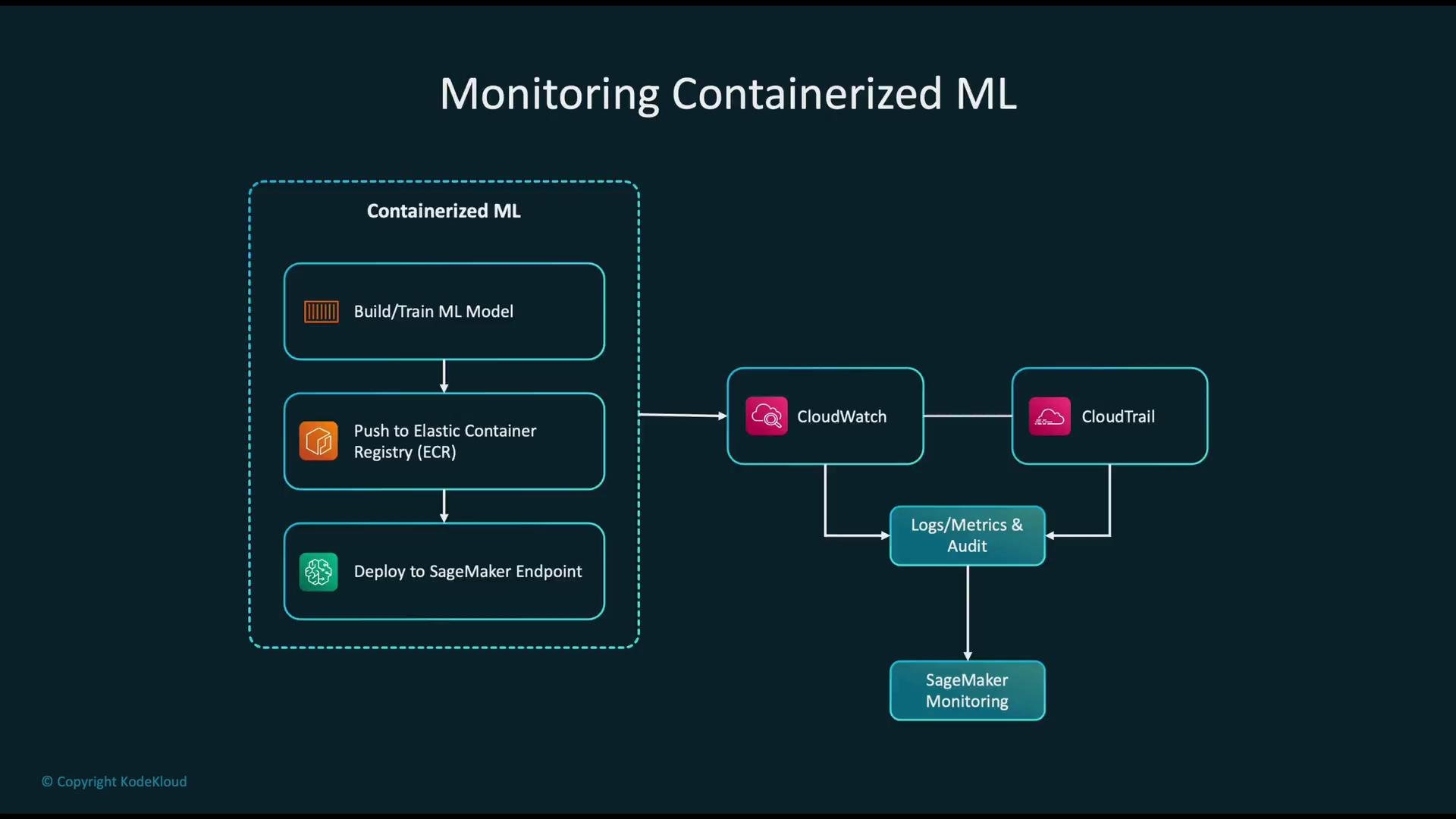
Monitoring pipeline for containerized ML
A reliable monitoring stack includes logs, metrics, and audit trails:
1. Build and train the model; package and publish the container image.
2. Push the image to Amazon ECR.
3. Deploy to runtime: SageMaker endpoint, ECS service, or EKS pods.
4. Emit logs/metrics to Amazon CloudWatch and capture API/activity audit logs with AWS CloudTrail.
5. Use SageMaker Model Monitor (if available) and CloudWatch dashboards/alarms to observe model performance, latency, and data drift.
This combination provides visibility into operational health, security, and model quality.
Practical packaging workflow (example)
* Dockerfile: keep it minimal and build only required runtime dependencies. Use smaller base images (e.g., `python:3.10-slim`) or distroless images where possible.
* Build, tag, and push to ECR:
```bash theme={null}
# Authenticate (example, replace and )
aws ecr get-login-password --region | docker login --username AWS --password-stdin .dkr.ecr..amazonaws.com
# Build and push
docker build -t my-ml-service:latest .
docker tag my-ml-service:latest .dkr.ecr..amazonaws.com/my-ml-service:latest
docker push .dkr.ecr..amazonaws.com/my-ml-service:latest
```
Monitoring pipeline for containerized ML
A reliable monitoring stack includes logs, metrics, and audit trails:
1. Build and train the model; package and publish the container image.
2. Push the image to Amazon ECR.
3. Deploy to runtime: SageMaker endpoint, ECS service, or EKS pods.
4. Emit logs/metrics to Amazon CloudWatch and capture API/activity audit logs with AWS CloudTrail.
5. Use SageMaker Model Monitor (if available) and CloudWatch dashboards/alarms to observe model performance, latency, and data drift.
This combination provides visibility into operational health, security, and model quality.
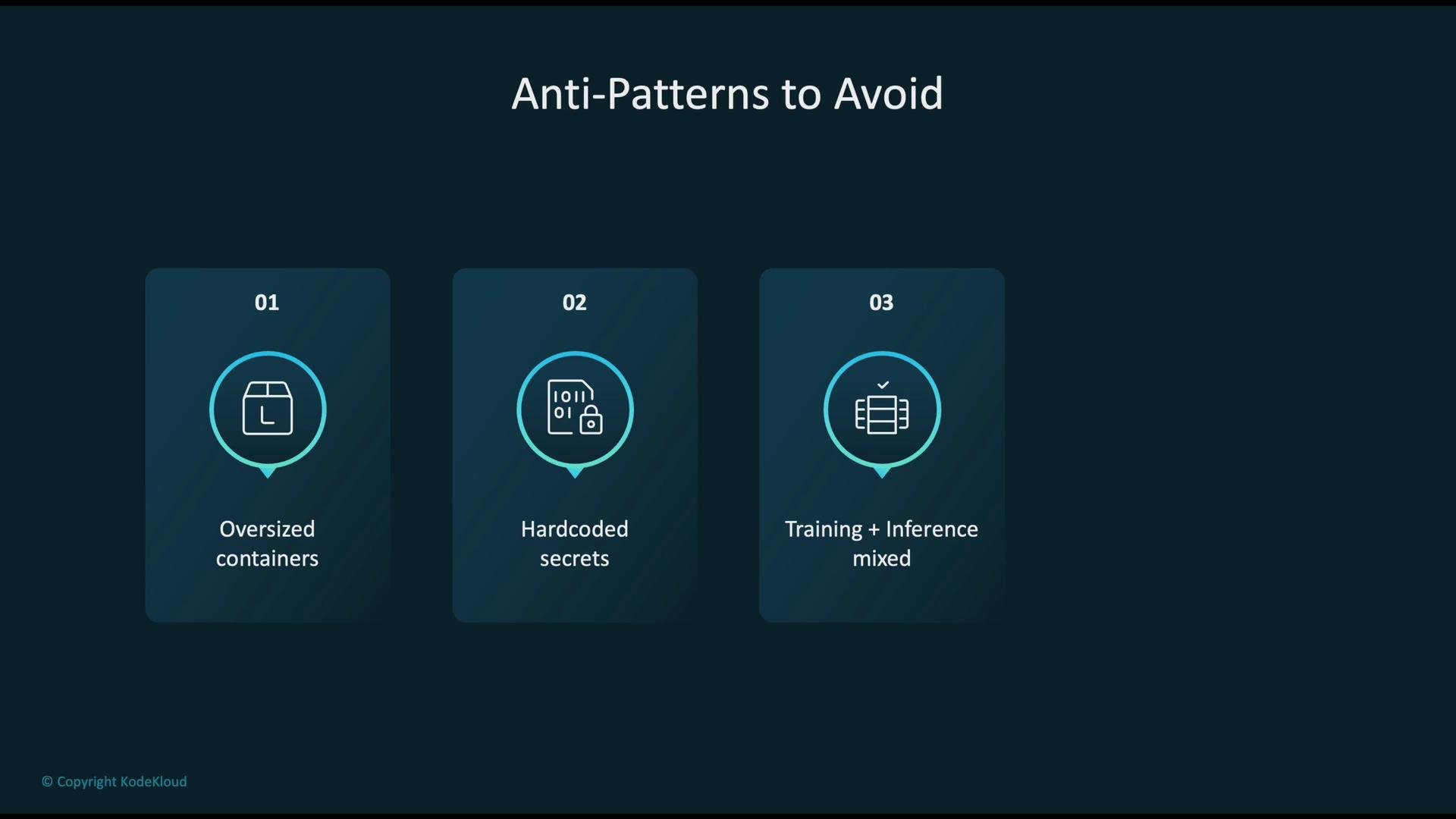
 Anti-patterns to avoid
* Oversized images: include only the runtime dependencies you need. Smaller images reduce attack surface and speed deployments.
* Hard-coded secrets: never bake API keys or passwords into images. Use secrets management.
* Mixing training and inference in the same runtime: training can consume resources and destabilize inference—use separate environments.
* Skipping orchestration in production: rely on ECS/EKS/SageMaker for scaling, health checks, and rollbacks.
Avoid storing secrets in images or environment variables that are committed to source control. Use secret stores and IAM to reduce compromise risk.
Anti-patterns to avoid
* Oversized images: include only the runtime dependencies you need. Smaller images reduce attack surface and speed deployments.
* Hard-coded secrets: never bake API keys or passwords into images. Use secrets management.
* Mixing training and inference in the same runtime: training can consume resources and destabilize inference—use separate environments.
* Skipping orchestration in production: rely on ECS/EKS/SageMaker for scaling, health checks, and rollbacks.
Avoid storing secrets in images or environment variables that are committed to source control. Use secret stores and IAM to reduce compromise risk.
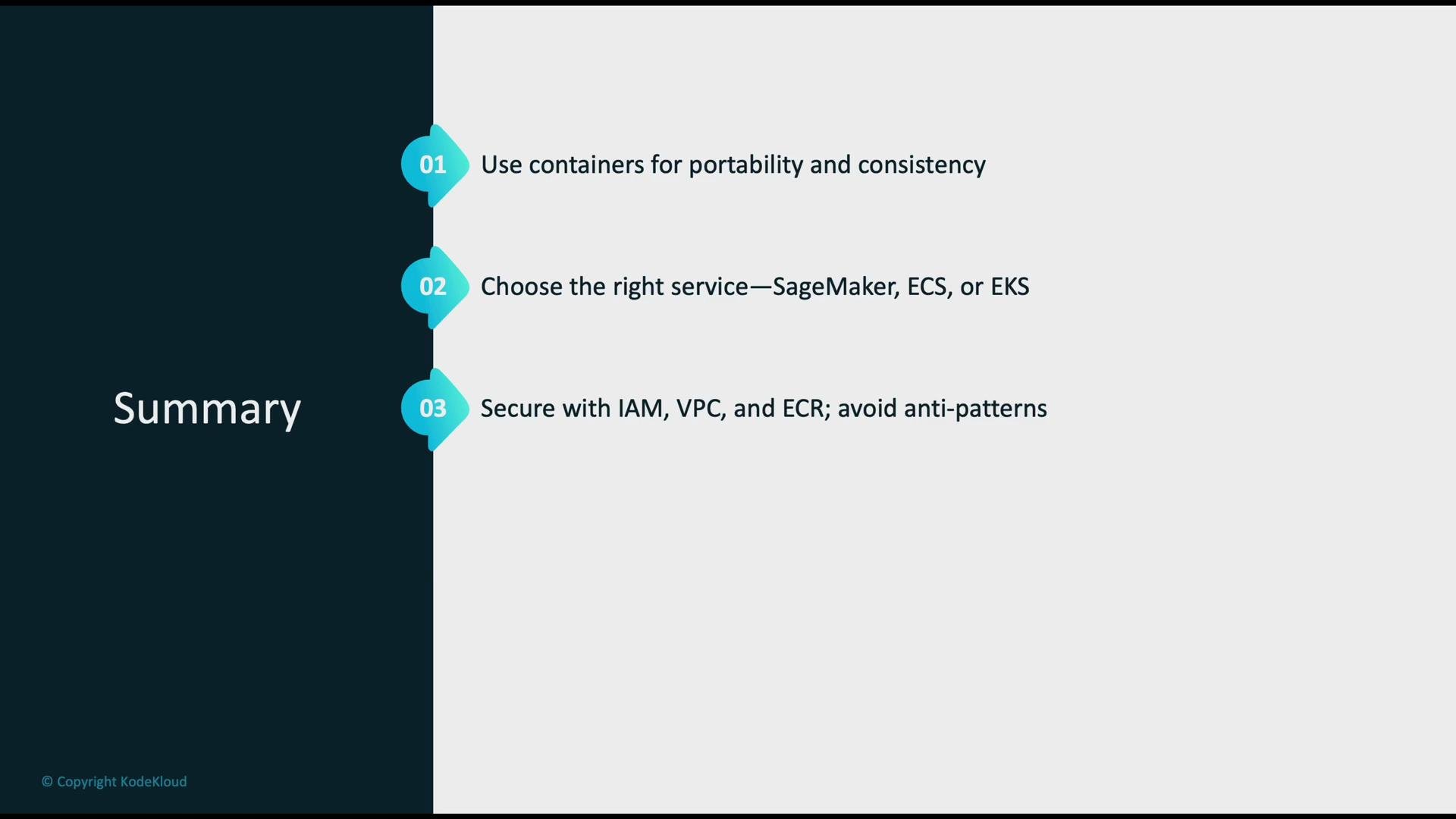
 Key takeaways
* Use containers to make ML deployments portable, consistent, and reproducible across environments.
* Choose the right AWS service:
* SageMaker for managed ML training/inference and model lifecycle tooling.
* ECS for simple container orchestration with EC2/Fargate.
* EKS for Kubernetes-driven orchestration and complex deployments.
* Secure your environment with IAM, VPC networking, image scanning (ECR), and secrets management.
* Monitor systems using CloudWatch, CloudTrail, and SageMaker Model Monitor to detect drift, latency spikes, and operational issues.
* Optimize hosting costs: use Multi-Model Endpoints where appropriate, right-size instances, evaluate serverless options, and automate model lifecycle actions.
Key takeaways
* Use containers to make ML deployments portable, consistent, and reproducible across environments.
* Choose the right AWS service:
* SageMaker for managed ML training/inference and model lifecycle tooling.
* ECS for simple container orchestration with EC2/Fargate.
* EKS for Kubernetes-driven orchestration and complex deployments.
* Secure your environment with IAM, VPC networking, image scanning (ECR), and secrets management.
* Monitor systems using CloudWatch, CloudTrail, and SageMaker Model Monitor to detect drift, latency spikes, and operational issues.
* Optimize hosting costs: use Multi-Model Endpoints where appropriate, right-size instances, evaluate serverless options, and automate model lifecycle actions.
 Further reading and references
* AWS SageMaker documentation: [https://docs.aws.amazon.com/sagemaker/](https://docs.aws.amazon.com/sagemaker/)
* Amazon ECR image scanning: [https://aws.amazon.com/ecr/](https://aws.amazon.com/ecr/)
* Amazon ECS: [https://learn.kodekloud.com/user/courses/amazon-elastic-container-service-aws-ecs](https://learn.kodekloud.com/user/courses/amazon-elastic-container-service-aws-ecs)
* Amazon EKS: [https://learn.kodekloud.com/user/courses/aws-eks](https://learn.kodekloud.com/user/courses/aws-eks)
* CloudWatch and CloudTrail for observability: [https://learn.kodekloud.com/user/courses/aws-cloudwatch](https://learn.kodekloud.com/user/courses/aws-cloudwatch) and [https://aws.amazon.com/cloudtrail/](https://aws.amazon.com/cloudtrail/)
And finally: actively optimize hosting costs and operational overhead by leveraging multi-model endpoints, right-sizing, serverless options where suitable, and automating model deployments and rollbacks.
Further reading and references
* AWS SageMaker documentation: [https://docs.aws.amazon.com/sagemaker/](https://docs.aws.amazon.com/sagemaker/)
* Amazon ECR image scanning: [https://aws.amazon.com/ecr/](https://aws.amazon.com/ecr/)
* Amazon ECS: [https://learn.kodekloud.com/user/courses/amazon-elastic-container-service-aws-ecs](https://learn.kodekloud.com/user/courses/amazon-elastic-container-service-aws-ecs)
* Amazon EKS: [https://learn.kodekloud.com/user/courses/aws-eks](https://learn.kodekloud.com/user/courses/aws-eks)
* CloudWatch and CloudTrail for observability: [https://learn.kodekloud.com/user/courses/aws-cloudwatch](https://learn.kodekloud.com/user/courses/aws-cloudwatch) and [https://aws.amazon.com/cloudtrail/](https://aws.amazon.com/cloudtrail/)
And finally: actively optimize hosting costs and operational overhead by leveraging multi-model endpoints, right-sizing, serverless options where suitable, and automating model deployments and rollbacks.