> ## Documentation Index
> Fetch the complete documentation index at: https://notes.kodekloud.com/llms.txt
> Use this file to discover all available pages before exploring further.
# Introduction to ML Deployment and Orchestration
> Guide to deploying and orchestrating ML models on AWS covering SageMaker deployment patterns, packaging, CI CD, monitoring, model registry, and automated retraining
This lesson explains choices and trade-offs for moving machine learning (ML) models from development into production on AWS. It covers exam-relevant services and tasks including endpoints (real-time, batch, async, serverless), model registry and versioning, packaging (ECR containers or model tar files), CI/CD and orchestration (SageMaker Pipelines, CodePipeline), and monitoring (CloudWatch, SageMaker Model Monitor).
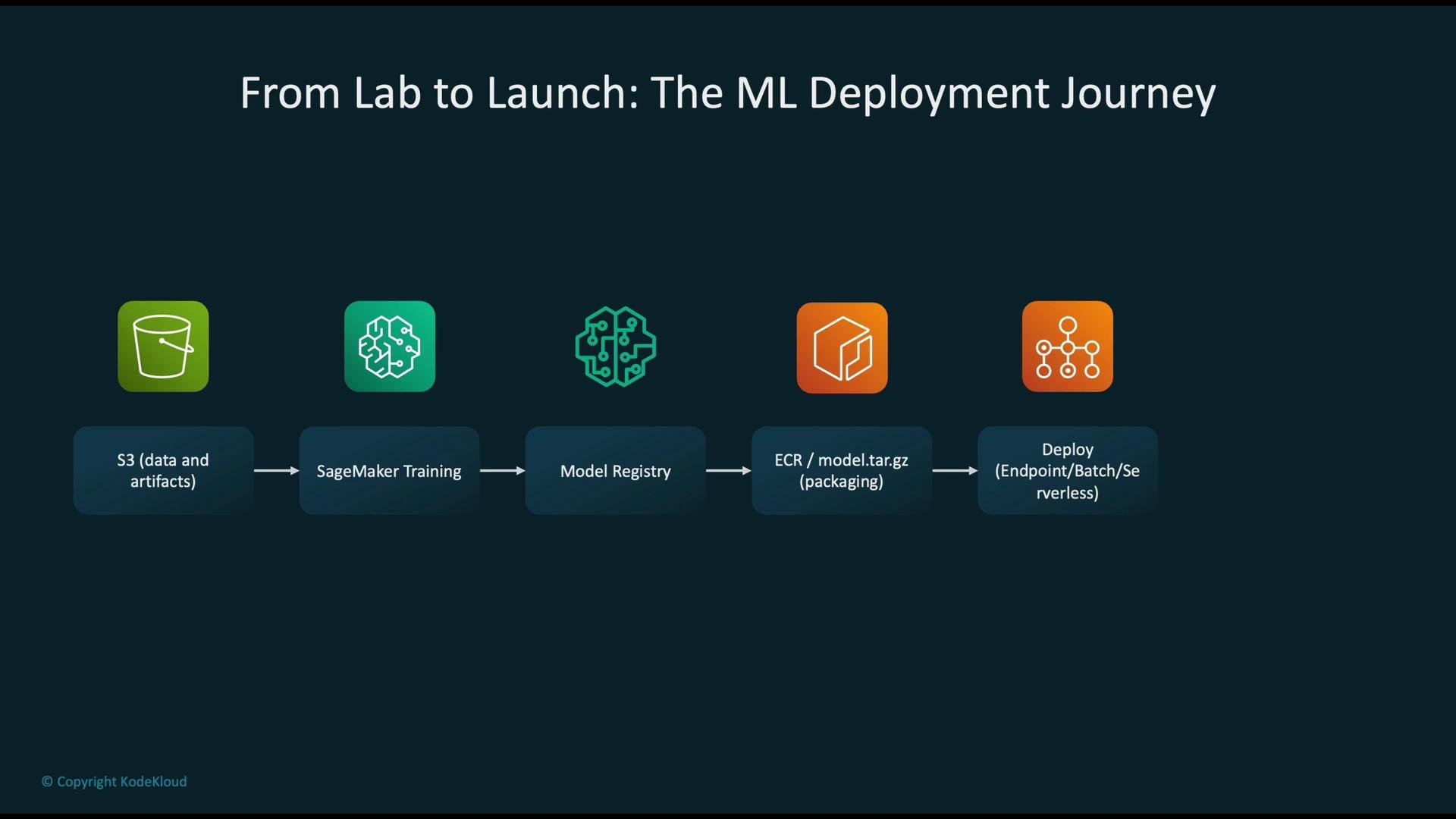
We follow a typical ML deployment journey:
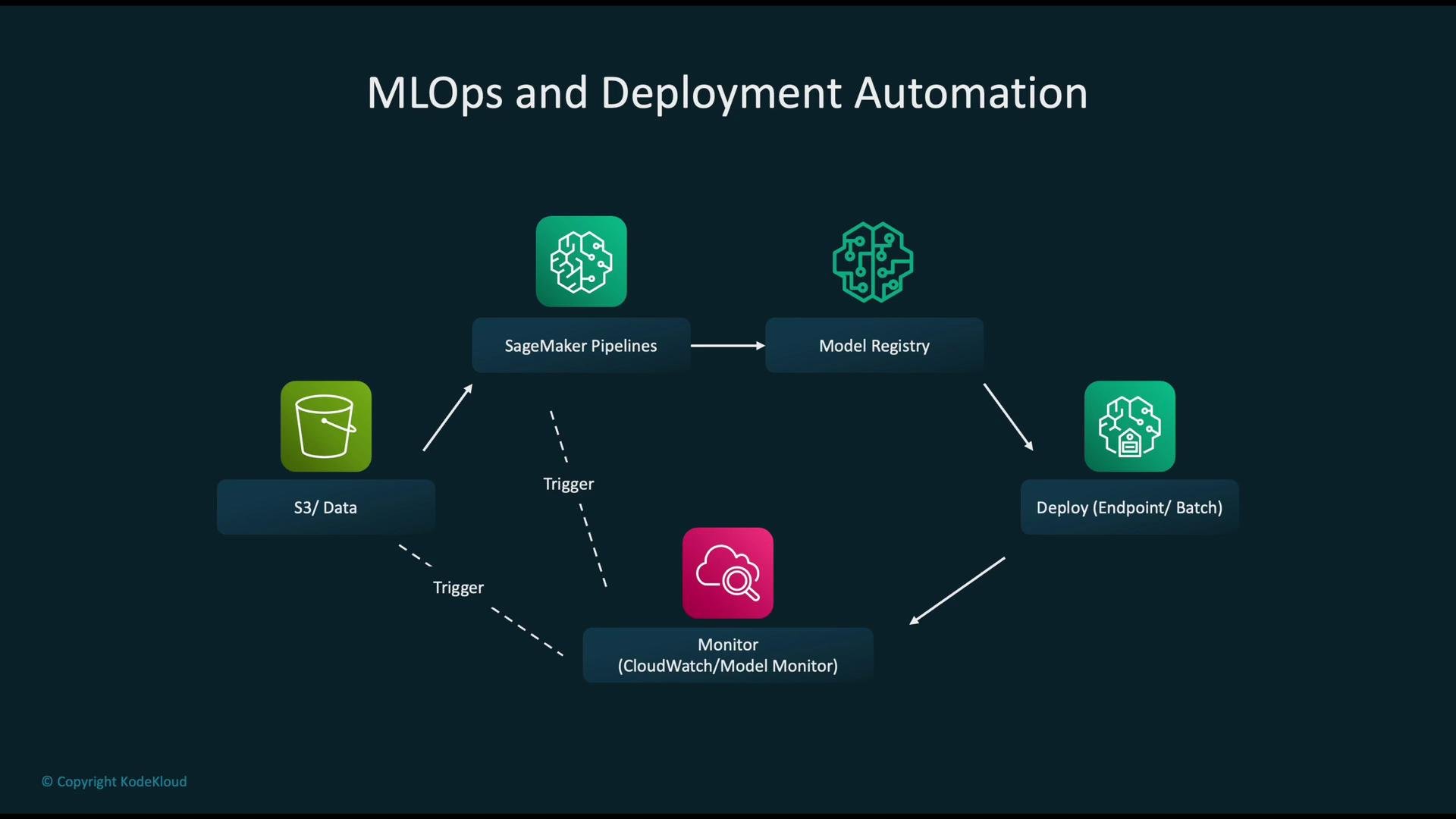
data and artifacts in Amazon S3 → model training in AWS SageMaker → model registration via Model Registry → packaging (ECR containers or `model.tar.gz`) → deployment (endpoints, batch, serverless) → monitoring and retraining automation.
 Monitoring after deployment is essential. Typical AWS tools include:
* AWS CloudWatch for infra, logs, and custom alarms.
* SageMaker Model Monitor for data and prediction quality checks (data drift, feature distribution changes).
Tip: Treat the ML lifecycle as three versioned, monitored pillars — data, code, and infrastructure. Version artifacts, pipeline definitions, and infra templates to enable safe rollouts and fast rollback.
## Why ML deployment is different from traditional software
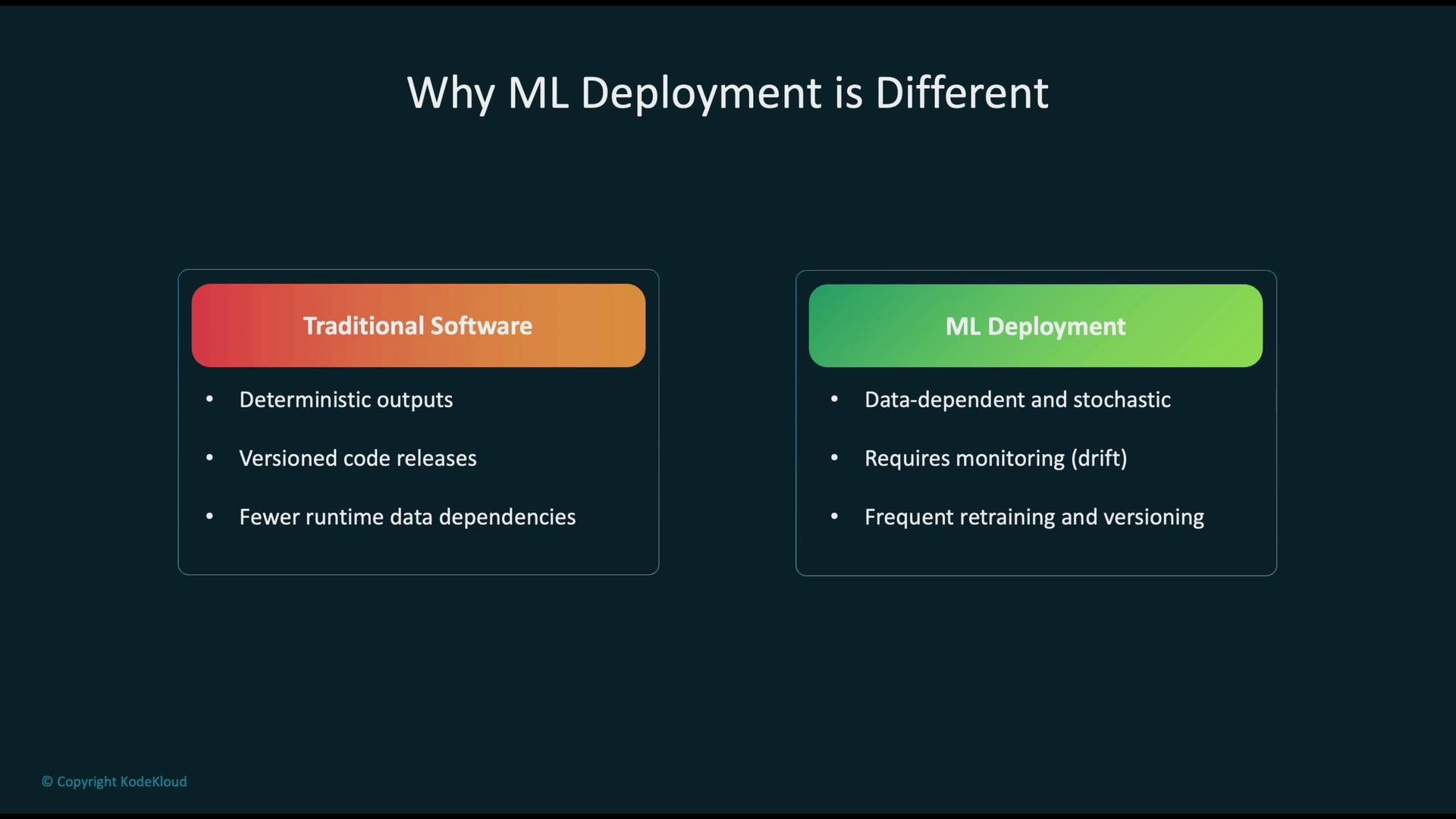
* Determinism: Traditional applications are typically deterministic — same inputs + same code = same outputs. ML models depend on data distributions and can produce different outcomes as data drifts.
* Non-stationary inputs: ML systems must handle changes in input distributions (data drift, concept drift).
* Continuous lifecycle: ML demands continuous monitoring, retraining, and reproducible pipelines to avoid performance regressions.
* Artifact heterogeneity: Deployable ML artifacts can be serialized model files, container images, or compiled binaries (e.g., Neo-compiled artifacts).
Monitoring after deployment is essential. Typical AWS tools include:
* AWS CloudWatch for infra, logs, and custom alarms.
* SageMaker Model Monitor for data and prediction quality checks (data drift, feature distribution changes).
Tip: Treat the ML lifecycle as three versioned, monitored pillars — data, code, and infrastructure. Version artifacts, pipeline definitions, and infra templates to enable safe rollouts and fast rollback.
## Why ML deployment is different from traditional software
* Determinism: Traditional applications are typically deterministic — same inputs + same code = same outputs. ML models depend on data distributions and can produce different outcomes as data drifts.
* Non-stationary inputs: ML systems must handle changes in input distributions (data drift, concept drift).
* Continuous lifecycle: ML demands continuous monitoring, retraining, and reproducible pipelines to avoid performance regressions.
* Artifact heterogeneity: Deployable ML artifacts can be serialized model files, container images, or compiled binaries (e.g., Neo-compiled artifacts).
 ## Deployment patterns — what to choose and when
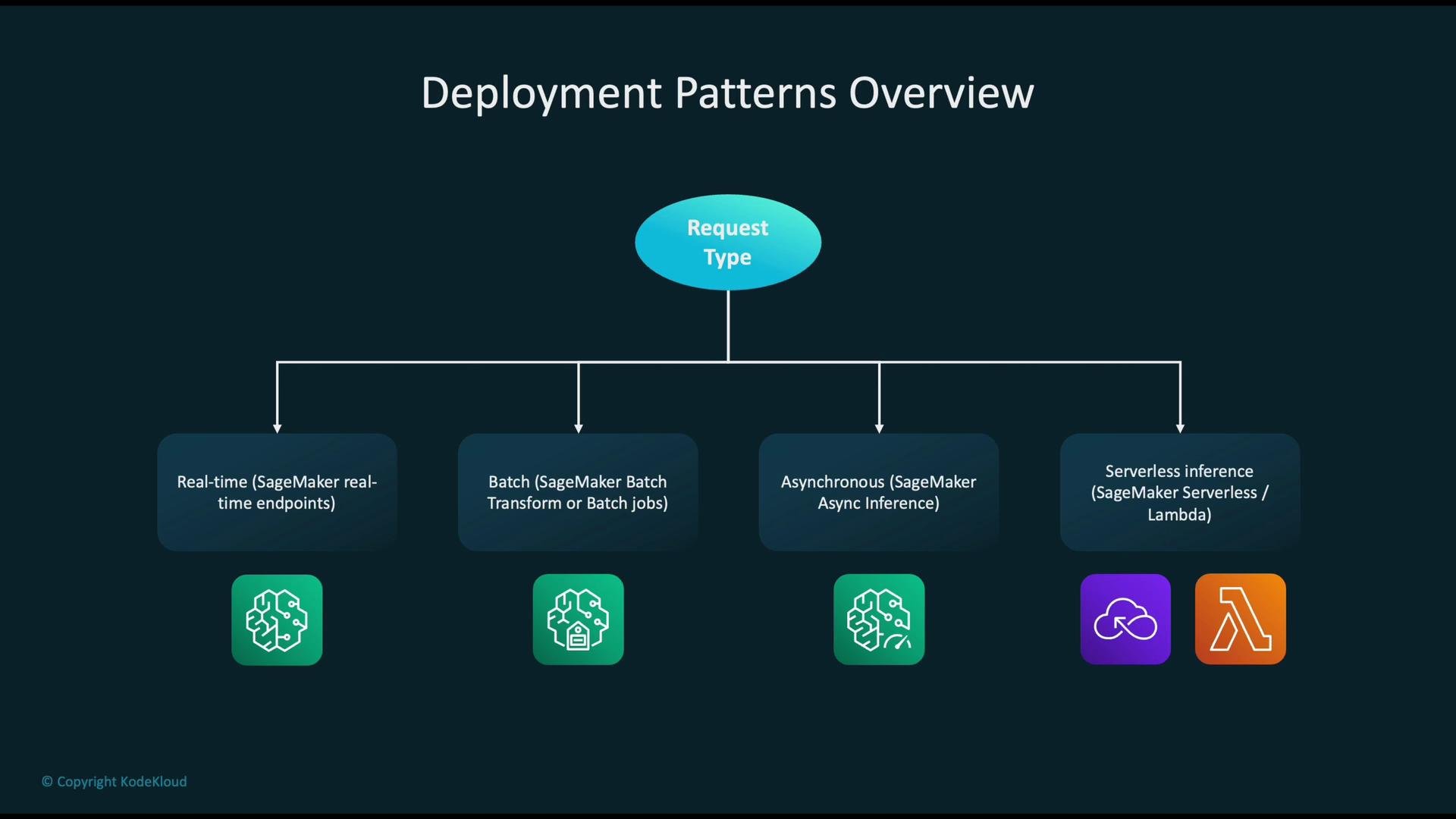
Choose a deployment pattern that matches latency, throughput, cost, and payload characteristics.
| Pattern | When to use | Key considerations |
| ----------------------------------------------------- | ------------------------------------------------------------------------------ | --------------------------------------------------------------------------------- |
| Real-time endpoint (SageMaker real-time) | Low-latency, synchronous inference (sub-second to low predictable latency) | Persistent instances, autoscaling, cost for always-on endpoints |
| Batch (SageMaker Batch Transform / batch jobs) | Offline scoring or bulk re-scoring on large datasets | Asynchronous, high throughput, cost-efficient for large jobs |
| Asynchronous Inference (SageMaker Async) | Large payloads, long-running inference where client polls or receives callback | Handles large payloads, avoids blocking synchronous endpoints |
| Serverless inference (SageMaker serverless or Lambda) | Spiky or infrequent traffic | Lower management overhead, watch cold-starts, concurrency and payload size limits |
## Deployment patterns — what to choose and when
Choose a deployment pattern that matches latency, throughput, cost, and payload characteristics.
| Pattern | When to use | Key considerations |
| ----------------------------------------------------- | ------------------------------------------------------------------------------ | --------------------------------------------------------------------------------- |
| Real-time endpoint (SageMaker real-time) | Low-latency, synchronous inference (sub-second to low predictable latency) | Persistent instances, autoscaling, cost for always-on endpoints |
| Batch (SageMaker Batch Transform / batch jobs) | Offline scoring or bulk re-scoring on large datasets | Asynchronous, high throughput, cost-efficient for large jobs |
| Asynchronous Inference (SageMaker Async) | Large payloads, long-running inference where client polls or receives callback | Handles large payloads, avoids blocking synchronous endpoints |
| Serverless inference (SageMaker serverless or Lambda) | Spiky or infrequent traffic | Lower management overhead, watch cold-starts, concurrency and payload size limits |
 Warning: Using a real-time endpoint for large-batch scoring or highly variable traffic patterns can be cost-inefficient. Match the workload to the correct pattern and validate with load tests.
## SageMaker deployment ecosystem — main components
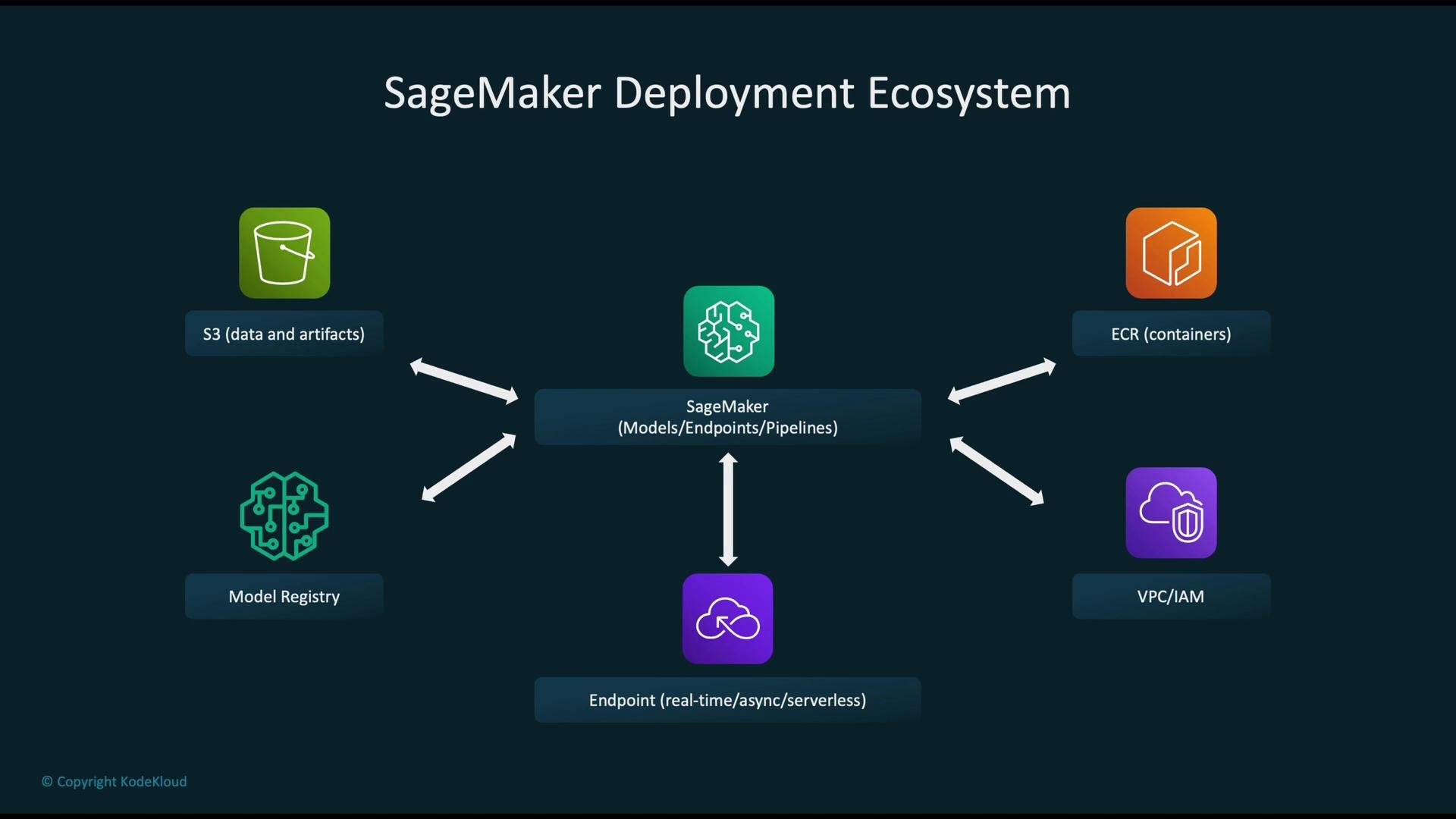
* Model Registry: central store for model versions, metadata, and approval workflows (stages: Staging, Production).
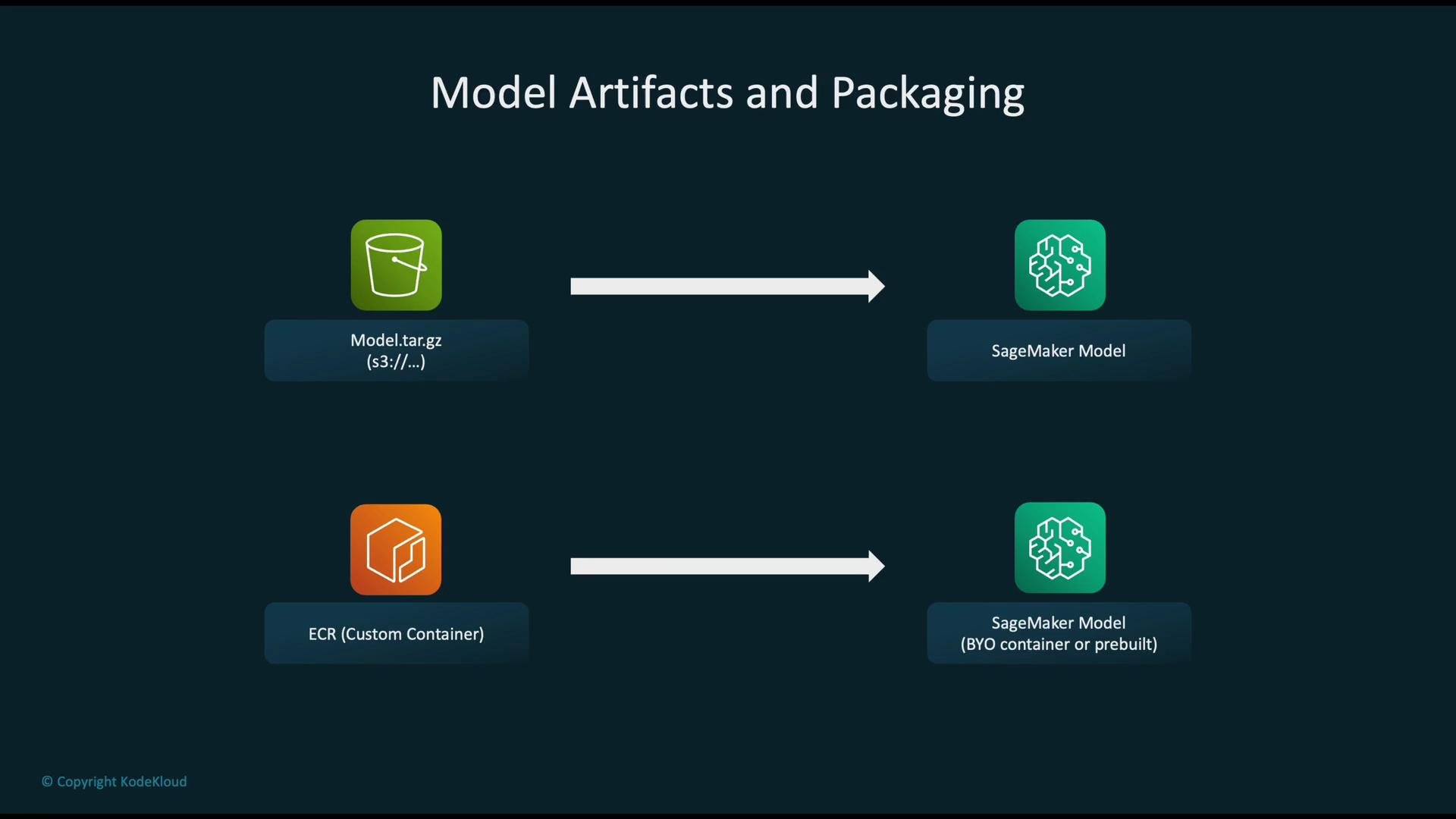
* SageMaker model artifact: typically `model.tar.gz` (weights + inference code) or a container image in ECR.
* Endpoints: support real-time, asynchronous, serverless, and multi-model hosting.
* Multi-model endpoints: host multiple models in a single container for cost savings; consider cold-start and memory isolation trade-offs.
* SageMaker Neo: compiles/optimizes models for edge devices and varied hardware targets.
Warning: Using a real-time endpoint for large-batch scoring or highly variable traffic patterns can be cost-inefficient. Match the workload to the correct pattern and validate with load tests.
## SageMaker deployment ecosystem — main components
* Model Registry: central store for model versions, metadata, and approval workflows (stages: Staging, Production).
* SageMaker model artifact: typically `model.tar.gz` (weights + inference code) or a container image in ECR.
* Endpoints: support real-time, asynchronous, serverless, and multi-model hosting.
* Multi-model endpoints: host multiple models in a single container for cost savings; consider cold-start and memory isolation trade-offs.
* SageMaker Neo: compiles/optimizes models for edge devices and varied hardware targets.
 ## Integration and packaging considerations
* Amazon S3: store datasets and model artifacts (`model.tar.gz`). Apply lifecycle rules, enable KMS encryption, and limit access via IAM and VPC endpoints.
* Amazon ECR: store custom inference containers. Use immutable tags or digests for reproducibility.
* IAM and VPC: enforce least-privilege IAM roles for SageMaker, ECR, and S3. Use private VPC endpoints when required by compliance.
* Packaging options:
* `model.tar.gz`: use SageMaker built-in containers or small inference scripts.
* Docker container (ECR): required for custom runtimes or unsupported frameworks.
* Choosing pre-built containers vs BYOC (Bring Your Own Container): use pre-built for standard frameworks; use BYOC for custom dependencies, special runtimes, or system-level control.
## Integration and packaging considerations
* Amazon S3: store datasets and model artifacts (`model.tar.gz`). Apply lifecycle rules, enable KMS encryption, and limit access via IAM and VPC endpoints.
* Amazon ECR: store custom inference containers. Use immutable tags or digests for reproducibility.
* IAM and VPC: enforce least-privilege IAM roles for SageMaker, ECR, and S3. Use private VPC endpoints when required by compliance.
* Packaging options:
* `model.tar.gz`: use SageMaker built-in containers or small inference scripts.
* Docker container (ECR): required for custom runtimes or unsupported frameworks.
* Choosing pre-built containers vs BYOC (Bring Your Own Container): use pre-built for standard frameworks; use BYOC for custom dependencies, special runtimes, or system-level control.
 ## Deployment strategy patterns
Common rollout strategies for models deployed in production:
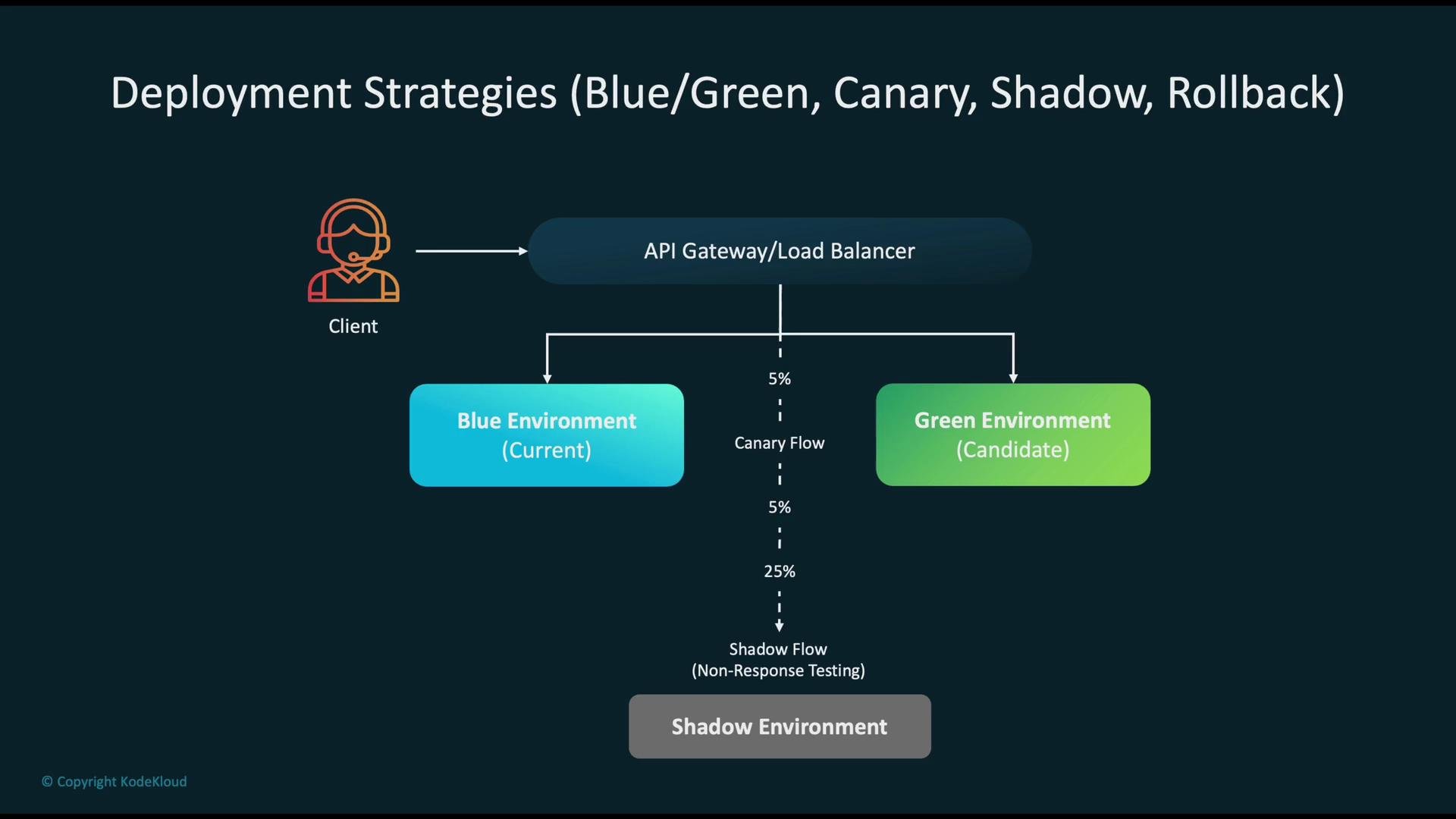
* Blue-Green: run two independent environments (blue=current, green=new). Validate green and switch traffic when ready — simplifies rollback.
* Canary: route a small percentage of traffic to the new model, monitor behavior, and progressively increase traffic if metrics are healthy.
* Shadow (Mirroring): duplicate production requests to the candidate model without changing responses — good for validating correctness and performance under real traffic.
* Rollback: keep models versioned in Model Registry and enable automated rollback in pipelines when monitoring detects regressions.
## Deployment strategy patterns
Common rollout strategies for models deployed in production:
* Blue-Green: run two independent environments (blue=current, green=new). Validate green and switch traffic when ready — simplifies rollback.
* Canary: route a small percentage of traffic to the new model, monitor behavior, and progressively increase traffic if metrics are healthy.
* Shadow (Mirroring): duplicate production requests to the candidate model without changing responses — good for validating correctness and performance under real traffic.
* Rollback: keep models versioned in Model Registry and enable automated rollback in pipelines when monitoring detects regressions.
 ## CI/CD, orchestration, and retraining automation
A reliable ML CI/CD and automation pipeline ensures repeatability and safe rollouts.
Typical flow:
1. Code & pipeline definitions in source control (CodeCommit or GitHub).
2. Build & test in CodeBuild (unit tests, model validation).
3. Orchestrate with CodePipeline or third-party CI/CD.
4. Trigger SageMaker Pipelines to run data preprocessing, training, evaluation, and registration.
5. Register model to Model Registry and trigger deployment jobs (endpoint update, Canary, or Blue-Green).
6. Automate retraining via EventBridge (on new data arrival), schedules, or data-change triggers.
Infrastructure as Code:
* Use AWS CDK, CloudFormation, or Terraform to provision endpoints, autoscaling policies, IAM roles, and VPC configuration.
## CI/CD, orchestration, and retraining automation
A reliable ML CI/CD and automation pipeline ensures repeatability and safe rollouts.
Typical flow:
1. Code & pipeline definitions in source control (CodeCommit or GitHub).
2. Build & test in CodeBuild (unit tests, model validation).
3. Orchestrate with CodePipeline or third-party CI/CD.
4. Trigger SageMaker Pipelines to run data preprocessing, training, evaluation, and registration.
5. Register model to Model Registry and trigger deployment jobs (endpoint update, Canary, or Blue-Green).
6. Automate retraining via EventBridge (on new data arrival), schedules, or data-change triggers.
Infrastructure as Code:
* Use AWS CDK, CloudFormation, or Terraform to provision endpoints, autoscaling policies, IAM roles, and VPC configuration.
 ## Common pitfalls and exam-focused reminders
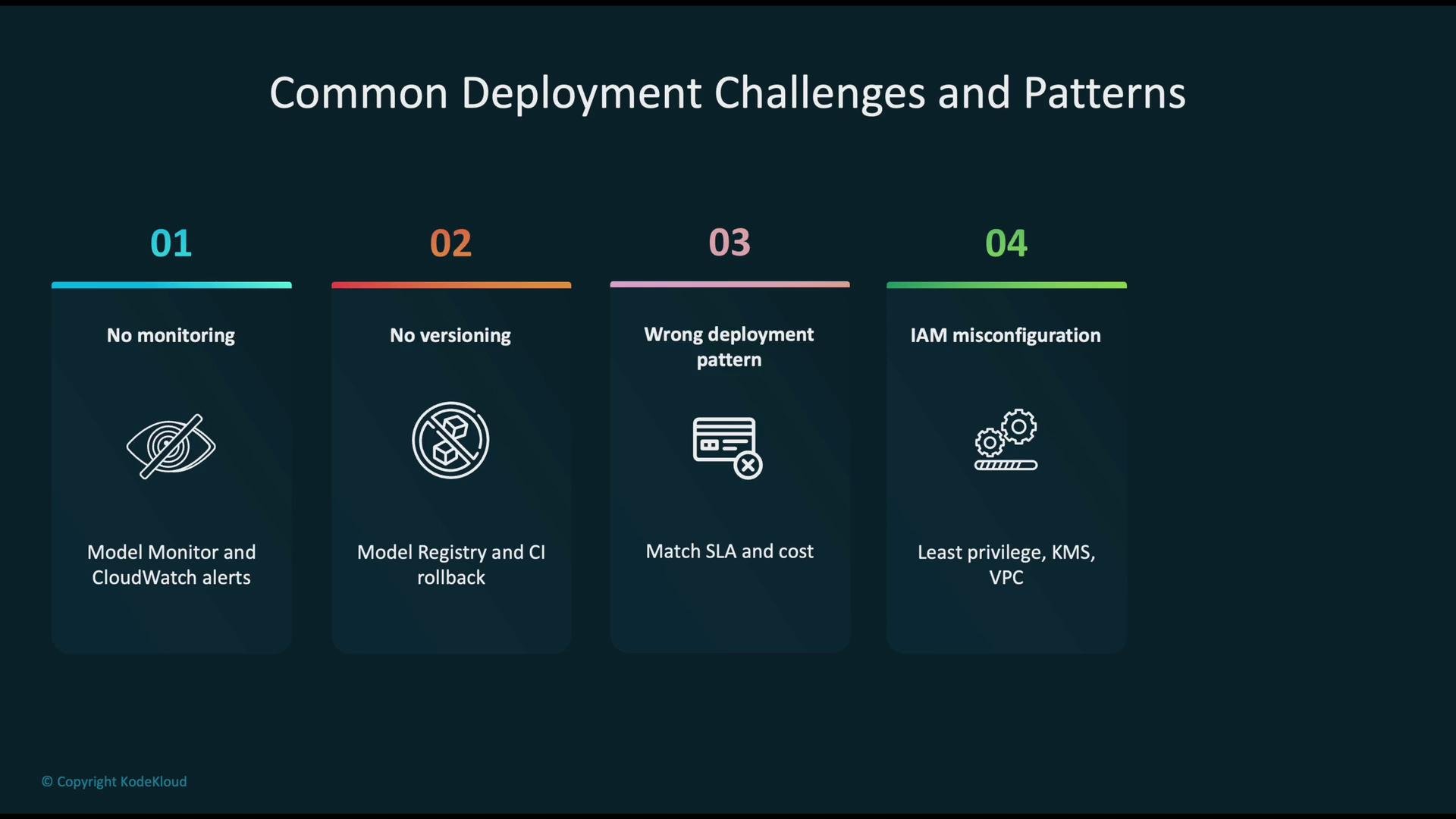
* No monitoring for drift: Without Model Monitor and CloudWatch alerts, model performance can silently degrade. Automate monitoring and alerting for prediction distributions and performance metrics.
* Insufficient versioning or rollback plans: Always register models in Model Registry and include automated rollback steps in your pipelines.
* Wrong deployment pattern: Matching workload-to-pattern matters — e.g., avoid using low-latency real-time endpoints for occasional, large-scale batch scoring.
* Security and IAM misconfiguration: Apply least privilege, enable KMS encryption for S3/model artifacts, and restrict network access via VPC endpoints when required.
* Cost traps: Persistent large instances or unused real-time endpoints drive costs. Consider autoscaling, multi-model endpoints, serverless hosting, and lifecycle policies to control spend.
## Common pitfalls and exam-focused reminders
* No monitoring for drift: Without Model Monitor and CloudWatch alerts, model performance can silently degrade. Automate monitoring and alerting for prediction distributions and performance metrics.
* Insufficient versioning or rollback plans: Always register models in Model Registry and include automated rollback steps in your pipelines.
* Wrong deployment pattern: Matching workload-to-pattern matters — e.g., avoid using low-latency real-time endpoints for occasional, large-scale batch scoring.
* Security and IAM misconfiguration: Apply least privilege, enable KMS encryption for S3/model artifacts, and restrict network access via VPC endpoints when required.
* Cost traps: Persistent large instances or unused real-time endpoints drive costs. Consider autoscaling, multi-model endpoints, serverless hosting, and lifecycle policies to control spend.
 ## Summary — practical checklist
* Package artifacts reproducibly (`model.tar.gz` or container images with immutable tags).
* Register and stage models in Model Registry for approvals and traceability.
* Select the correct deployment pattern (real-time, batch, async, serverless) based on latency, throughput, and cost.
* Automate CI/CD and SageMaker Pipelines to make retraining and deployment repeatable.
* Monitor data and predictions (Model Monitor + CloudWatch) and trigger retraining or rollback when needed.
* Secure artifacts and infra using least-privilege IAM, KMS, and VPC controls.
This lesson covered the key considerations and AWS services for deploying and orchestrating machine learning models in production.
## Links and references
* [AWS SageMaker documentation](https://learn.kodekloud.com/user/courses/aws-sagemaker)
* [Amazon S3 basics](https://learn.kodekloud.com/user/courses/amazon-simple-storage-service-amazon-s3)
* [AWS CloudWatch](https://learn.kodekloud.com/user/courses/aws-cloudwatch)
* [AWS CodePipeline (CI/CD)](https://learn.kodekloud.com/user/courses/aws-codepipeline-ci-cd-pipeline)
* [AWS Lambda](https://learn.kodekloud.com/user/courses/aws-lambda)
* [Terraform basics](https://learn.kodekloud.com/user/courses/terraform-basics-training-course)
## Summary — practical checklist
* Package artifacts reproducibly (`model.tar.gz` or container images with immutable tags).
* Register and stage models in Model Registry for approvals and traceability.
* Select the correct deployment pattern (real-time, batch, async, serverless) based on latency, throughput, and cost.
* Automate CI/CD and SageMaker Pipelines to make retraining and deployment repeatable.
* Monitor data and predictions (Model Monitor + CloudWatch) and trigger retraining or rollback when needed.
* Secure artifacts and infra using least-privilege IAM, KMS, and VPC controls.
This lesson covered the key considerations and AWS services for deploying and orchestrating machine learning models in production.
## Links and references
* [AWS SageMaker documentation](https://learn.kodekloud.com/user/courses/aws-sagemaker)
* [Amazon S3 basics](https://learn.kodekloud.com/user/courses/amazon-simple-storage-service-amazon-s3)
* [AWS CloudWatch](https://learn.kodekloud.com/user/courses/aws-cloudwatch)
* [AWS CodePipeline (CI/CD)](https://learn.kodekloud.com/user/courses/aws-codepipeline-ci-cd-pipeline)
* [AWS Lambda](https://learn.kodekloud.com/user/courses/aws-lambda)
* [Terraform basics](https://learn.kodekloud.com/user/courses/terraform-basics-training-course)