> ## Documentation Index
> Fetch the complete documentation index at: https://notes.kodekloud.com/llms.txt
> Use this file to discover all available pages before exploring further.
# VPC Configuration for SageMaker
> Guide to configuring Amazon SageMaker within a VPC to secure network traffic, use VPC endpoints, manage security groups, IAM, KMS, and monitor access for private training and hosting
All right — let’s focus on a critical aspect of security and networking: configuring a Virtual Private Cloud (VPC) for Amazon SageMaker.
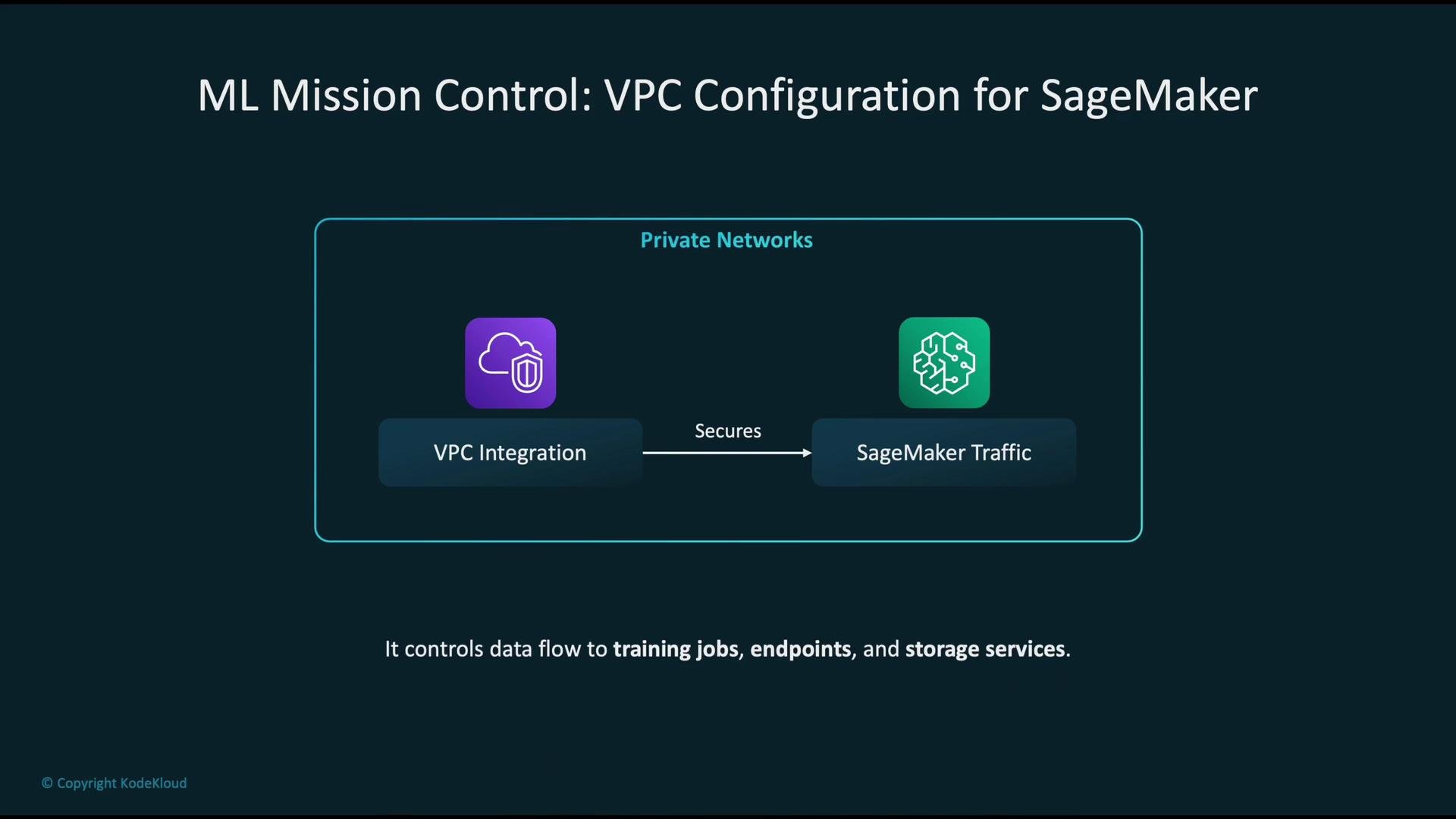
This guide explains how to configure SageMaker to run inside your VPC so traffic stays on AWS’s private network. VPC-enabled SageMaker provides isolation and fine-grained control over network access for training jobs, processing jobs, and hosted endpoints, and it enables private access to AWS services such as S3, ECR, and CloudWatch.
 Why run SageMaker in a VPC
* Security: Keep model training and inference traffic off the public internet.
* Control: Enforce access using security groups, route tables, and VPC endpoints.
* Compliance: Satisfy organizational policies for private network traffic and encrypted storage.
Network exposure choices when deploying SageMaker
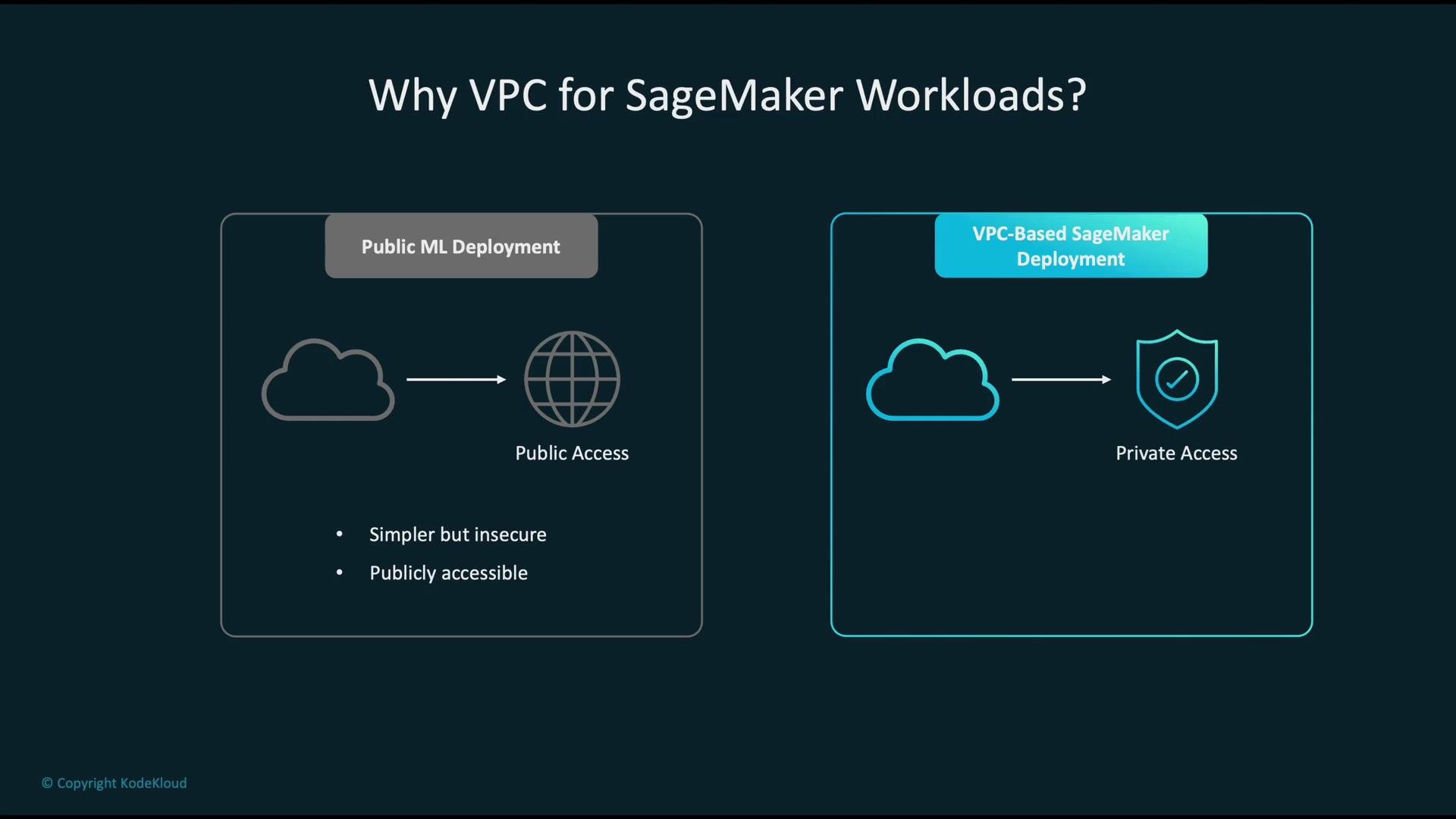
* Public ML deployment: resources have direct internet access. Simpler to set up but exposes endpoints and nodes to public networks.
* VPC-based deployment: SageMaker ENIs are placed in private subnets. Network access is controlled, and external service access can be routed over AWS private networking.
Why run SageMaker in a VPC
* Security: Keep model training and inference traffic off the public internet.
* Control: Enforce access using security groups, route tables, and VPC endpoints.
* Compliance: Satisfy organizational policies for private network traffic and encrypted storage.
Network exposure choices when deploying SageMaker
* Public ML deployment: resources have direct internet access. Simpler to set up but exposes endpoints and nodes to public networks.
* VPC-based deployment: SageMaker ENIs are placed in private subnets. Network access is controlled, and external service access can be routed over AWS private networking.
 How SageMaker interacts with AWS services from a VPC
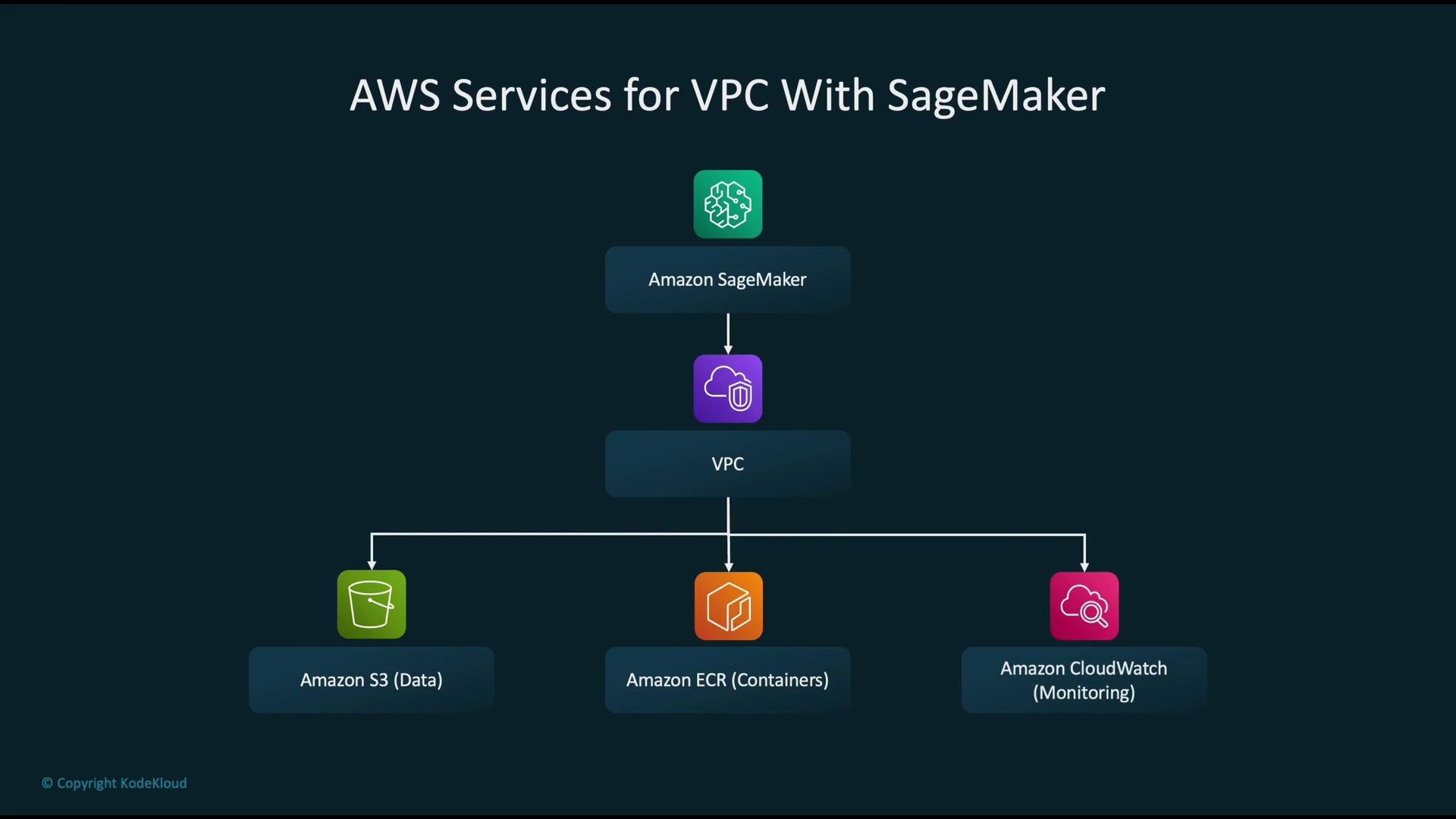
* When you supply a `VpcConfig`, SageMaker creates Elastic Network Interfaces (ENIs) in your subnets for training jobs, hosted models/endpoints, and processing jobs. These ENIs are subject to your security group rules.
* Typical service dependencies to consider:
* Amazon S3 — dataset and model artifact storage
* Amazon ECR — container images (`ecr.api` and `ecr.dkr` endpoints)
* Amazon CloudWatch — logs and monitoring metrics
* To avoid public egress, route access to these services via VPC endpoints when possible.
How SageMaker interacts with AWS services from a VPC
* When you supply a `VpcConfig`, SageMaker creates Elastic Network Interfaces (ENIs) in your subnets for training jobs, hosted models/endpoints, and processing jobs. These ENIs are subject to your security group rules.
* Typical service dependencies to consider:
* Amazon S3 — dataset and model artifact storage
* Amazon ECR — container images (`ecr.api` and `ecr.dkr` endpoints)
* Amazon CloudWatch — logs and monitoring metrics
* To avoid public egress, route access to these services via VPC endpoints when possible.
 Configuring SageMaker to use a VPC
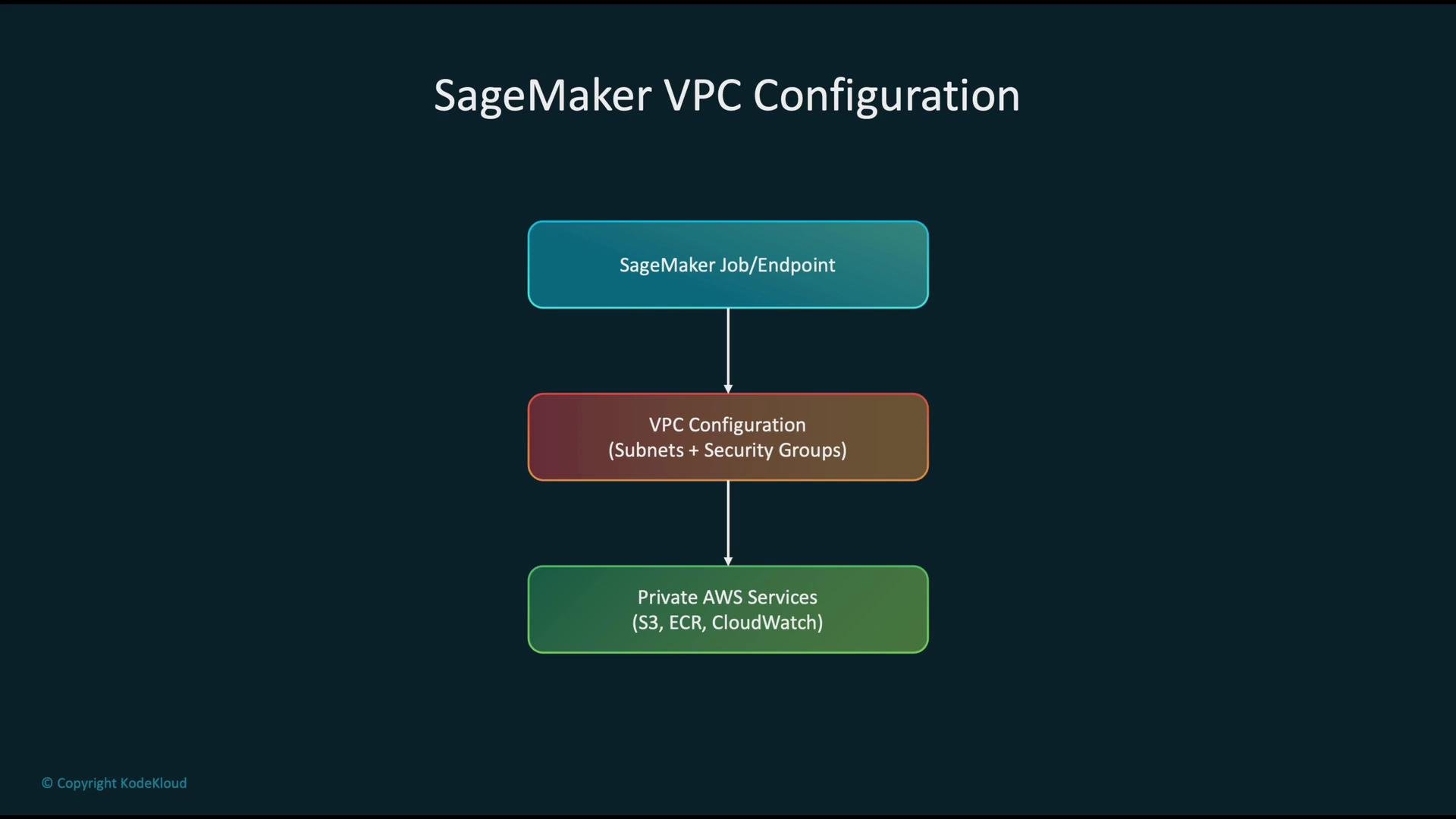
* Provide a VPC configuration (subnets and security group IDs) when creating SageMaker training jobs, models, or endpoints.
* SageMaker will attach ENIs to the specified subnets and enforce the inbound/outbound rules from the provided security groups.
* Example (boto3): create a SageMaker model and attach a `VpcConfig`:
```python theme={null}
import boto3
sm = boto3.client("sagemaker")
response = sm.create_model(
ModelName="my-model",
PrimaryContainer={
"Image": "123456789012.dkr.ecr.us-west-2.amazonaws.com/my-image:latest",
"ModelDataUrl": "s3://my-bucket/path/to/model.tar.gz"
},
ExecutionRoleArn="arn:aws:iam::123456789012:role/SageMakerExecutionRole",
VpcConfig={
"SecurityGroupIds": ["sg-0123456789abcdef0"],
"Subnets": [
"subnet-0123456789abcdef0",
"subnet-0fedcba9876543210"
]
}
)
```
Use this minimal model or a small training job to validate reachability for S3, ECR, and CloudWatch before rolling out at scale.
Configuring SageMaker to use a VPC
* Provide a VPC configuration (subnets and security group IDs) when creating SageMaker training jobs, models, or endpoints.
* SageMaker will attach ENIs to the specified subnets and enforce the inbound/outbound rules from the provided security groups.
* Example (boto3): create a SageMaker model and attach a `VpcConfig`:
```python theme={null}
import boto3
sm = boto3.client("sagemaker")
response = sm.create_model(
ModelName="my-model",
PrimaryContainer={
"Image": "123456789012.dkr.ecr.us-west-2.amazonaws.com/my-image:latest",
"ModelDataUrl": "s3://my-bucket/path/to/model.tar.gz"
},
ExecutionRoleArn="arn:aws:iam::123456789012:role/SageMakerExecutionRole",
VpcConfig={
"SecurityGroupIds": ["sg-0123456789abcdef0"],
"Subnets": [
"subnet-0123456789abcdef0",
"subnet-0fedcba9876543210"
]
}
)
```
Use this minimal model or a small training job to validate reachability for S3, ECR, and CloudWatch before rolling out at scale.
 Network controls: security groups and subnet placement
* Security groups: act as virtual firewalls for SageMaker ENIs. Apply least-privilege rules (allow only the necessary ports and destinations).
* Subnet placement: put SageMaker ENIs in private subnets (no direct route to an Internet Gateway) to avoid unintended public exposure.
* Multi-AZ: deploy across multiple Availability Zones for high availability and resilience.
VPC endpoints for private access to AWS services
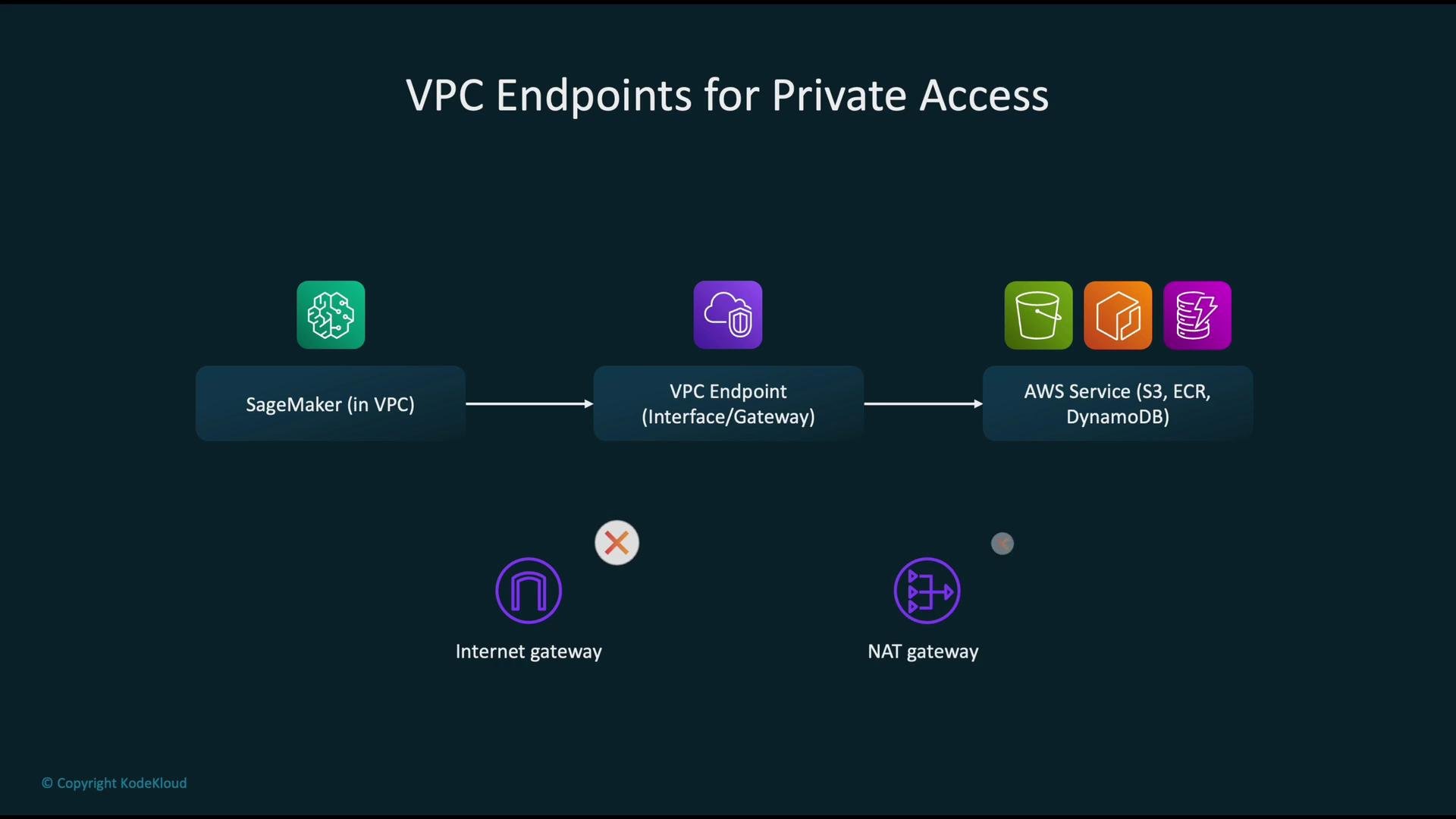
* Use VPC endpoints to keep service traffic within the AWS network and reduce or eliminate NAT gateway egress:
* Gateway VPC Endpoint: S3, DynamoDB
* Interface VPC Endpoint (PrivateLink): ECR API, ECR DKR (image pulls), CloudWatch Logs, CloudWatch Metrics, STS, and other regional service APIs
* If containers or your code require access to public internet resources (third-party repos, public APIs), you’ll still need controlled internet egress (NAT gateway or IGW with strict routing/security).
Recommended VPC endpoints at a glance
| Service | Endpoint Type | Purpose |
| ------------------------- | ---------------------- | ------------------------------------------ |
| Amazon S3 | Gateway VPC Endpoint | Private, scalable access to S3 without NAT |
| Amazon ECR (API) | Interface VPC Endpoint | Access ECR API (auth, list repositories) |
| Amazon ECR (DKR) | Interface VPC Endpoint | Pull container images privately |
| CloudWatch Logs / Metrics | Interface VPC Endpoint | Send logs and metrics over PrivateLink |
| AWS STS | Interface VPC Endpoint | Token exchange/auth without public egress |
Network controls: security groups and subnet placement
* Security groups: act as virtual firewalls for SageMaker ENIs. Apply least-privilege rules (allow only the necessary ports and destinations).
* Subnet placement: put SageMaker ENIs in private subnets (no direct route to an Internet Gateway) to avoid unintended public exposure.
* Multi-AZ: deploy across multiple Availability Zones for high availability and resilience.
VPC endpoints for private access to AWS services
* Use VPC endpoints to keep service traffic within the AWS network and reduce or eliminate NAT gateway egress:
* Gateway VPC Endpoint: S3, DynamoDB
* Interface VPC Endpoint (PrivateLink): ECR API, ECR DKR (image pulls), CloudWatch Logs, CloudWatch Metrics, STS, and other regional service APIs
* If containers or your code require access to public internet resources (third-party repos, public APIs), you’ll still need controlled internet egress (NAT gateway or IGW with strict routing/security).
Recommended VPC endpoints at a glance
| Service | Endpoint Type | Purpose |
| ------------------------- | ---------------------- | ------------------------------------------ |
| Amazon S3 | Gateway VPC Endpoint | Private, scalable access to S3 without NAT |
| Amazon ECR (API) | Interface VPC Endpoint | Access ECR API (auth, list repositories) |
| Amazon ECR (DKR) | Interface VPC Endpoint | Pull container images privately |
| CloudWatch Logs / Metrics | Interface VPC Endpoint | Send logs and metrics over PrivateLink |
| AWS STS | Interface VPC Endpoint | Token exchange/auth without public egress |
 IAM and KMS within a VPC-enabled SageMaker environment
* Execution roles: the IAM role assumed by SageMaker jobs/endpoints governs access to S3, ECR, KMS, CloudWatch, and other APIs. Apply least-privilege principles.
* KMS: use AWS KMS for encryption-at-rest:
* S3 objects: SSE-KMS
* EBS volumes (if applicable): encrypted using KMS keys
* ECR repository artifacts: encrypted at rest with KMS
* Ensure the SageMaker execution role has required KMS permissions (for example `kms:Decrypt`) for any keys used by your artifacts.
Monitoring and auditability
* CloudWatch: metrics and logs for operational monitoring and alarms.
* CloudTrail: API call auditing and user actions.
* VPC Flow Logs: capture ENI-level traffic flows for forensics and network troubleshooting.
* Aggregate these sources into dashboards and automated alerts to detect anomalies and trigger incident response.
Common pitfalls and anti-patterns
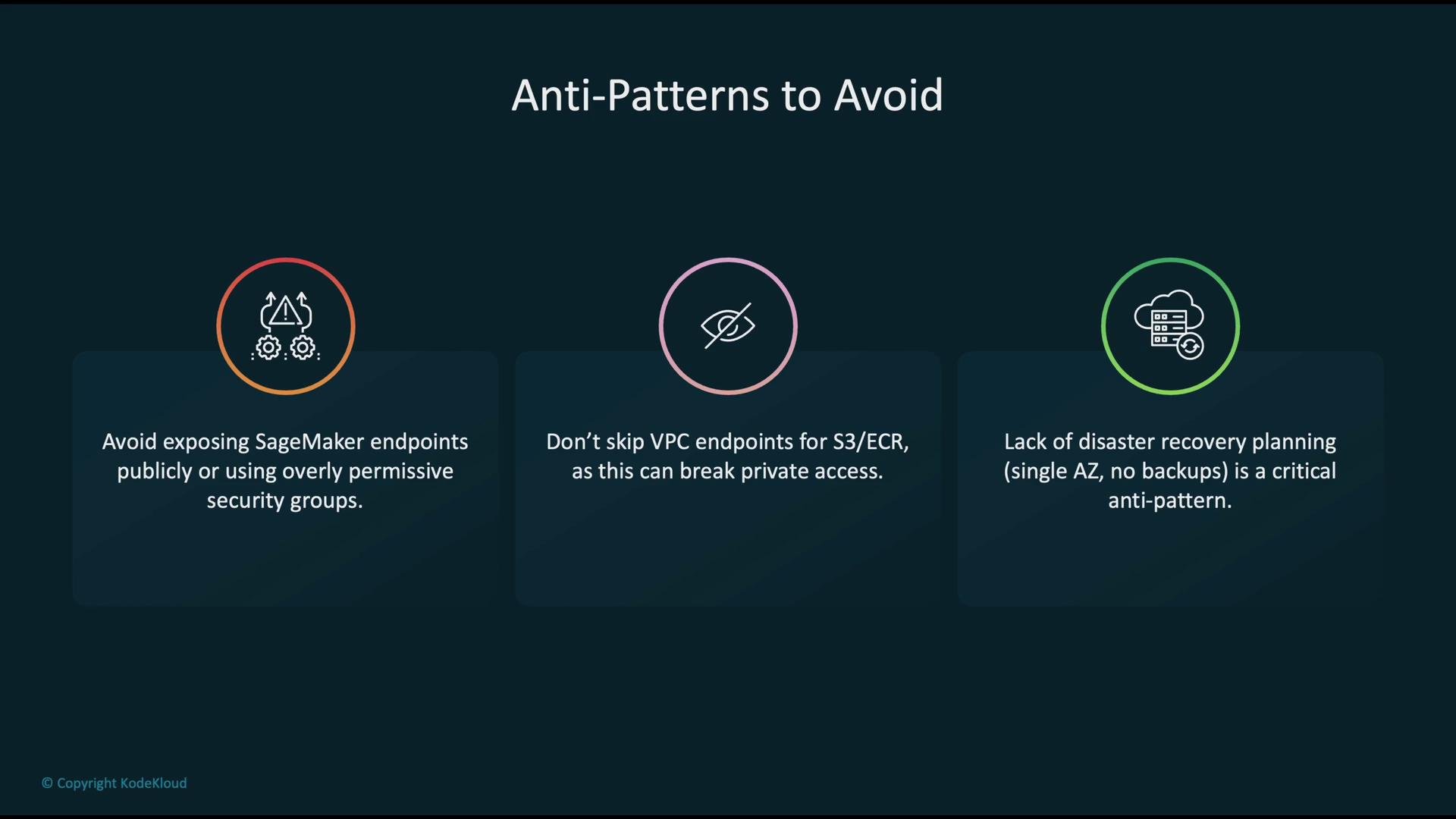
* Exposing SageMaker endpoints publicly or using overly permissive security groups.
* Omitting VPC endpoints for S3 and ECR, forcing traffic to go through NAT/IGW and the public AWS service endpoints.
* Single-AZ deployments without cross-AZ or cross-region redundancy for critical artifacts and endpoints.
IAM and KMS within a VPC-enabled SageMaker environment
* Execution roles: the IAM role assumed by SageMaker jobs/endpoints governs access to S3, ECR, KMS, CloudWatch, and other APIs. Apply least-privilege principles.
* KMS: use AWS KMS for encryption-at-rest:
* S3 objects: SSE-KMS
* EBS volumes (if applicable): encrypted using KMS keys
* ECR repository artifacts: encrypted at rest with KMS
* Ensure the SageMaker execution role has required KMS permissions (for example `kms:Decrypt`) for any keys used by your artifacts.
Monitoring and auditability
* CloudWatch: metrics and logs for operational monitoring and alarms.
* CloudTrail: API call auditing and user actions.
* VPC Flow Logs: capture ENI-level traffic flows for forensics and network troubleshooting.
* Aggregate these sources into dashboards and automated alerts to detect anomalies and trigger incident response.
Common pitfalls and anti-patterns
* Exposing SageMaker endpoints publicly or using overly permissive security groups.
* Omitting VPC endpoints for S3 and ECR, forcing traffic to go through NAT/IGW and the public AWS service endpoints.
* Single-AZ deployments without cross-AZ or cross-region redundancy for critical artifacts and endpoints.
 Avoid wide-open security groups and public endpoints. Always require least-privilege IAM roles and restrict network access to the minimum necessary.
Key operational recommendations (wrap-up)
* Place SageMaker training jobs, processing jobs, and endpoints in private subnets and protect ENIs with strict security groups.
* Use Gateway VPC endpoints for S3 and Interface VPC endpoints (PrivateLink) for ECR, CloudWatch, STS, and other APIs so service traffic stays on the AWS network.
* Apply least-privilege IAM roles and enable KMS encryption for data at rest.
* Monitor continuously with CloudWatch, CloudTrail, and VPC Flow Logs; consolidate logs and create alerting for anomalous patterns.
* Design for high availability: use multi-AZ subnets, cross-region backups for critical artifacts, and a tested disaster recovery plan.
When configuring VPC endpoints and security groups, test access from a minimal SageMaker job or endpoint to confirm that S3, ECR, and CloudWatch are reachable without internet egress before rolling out at scale.
Links and references
* SageMaker VPC documentation: [https://docs.aws.amazon.com/sagemaker/latest/dg/amazon-sagemaker-vpc.html](https://docs.aws.amazon.com/sagemaker/latest/dg/amazon-sagemaker-vpc.html)
* VPC endpoints (AWS PrivateLink & gateway endpoints): [https://docs.aws.amazon.com/vpc/latest/privatelink/what-is-privatelink.html](https://docs.aws.amazon.com/vpc/latest/privatelink/what-is-privatelink.html)
* AWS KMS documentation: [https://docs.aws.amazon.com/kms/latest/developerguide/overview.html](https://docs.aws.amazon.com/kms/latest/developerguide/overview.html)
* boto3 SageMaker client: [https://boto3.amazonaws.com/v1/documentation/api/latest/reference/services/sagemaker.html](https://boto3.amazonaws.com/v1/documentation/api/latest/reference/services/sagemaker.html)
Avoid wide-open security groups and public endpoints. Always require least-privilege IAM roles and restrict network access to the minimum necessary.
Key operational recommendations (wrap-up)
* Place SageMaker training jobs, processing jobs, and endpoints in private subnets and protect ENIs with strict security groups.
* Use Gateway VPC endpoints for S3 and Interface VPC endpoints (PrivateLink) for ECR, CloudWatch, STS, and other APIs so service traffic stays on the AWS network.
* Apply least-privilege IAM roles and enable KMS encryption for data at rest.
* Monitor continuously with CloudWatch, CloudTrail, and VPC Flow Logs; consolidate logs and create alerting for anomalous patterns.
* Design for high availability: use multi-AZ subnets, cross-region backups for critical artifacts, and a tested disaster recovery plan.
When configuring VPC endpoints and security groups, test access from a minimal SageMaker job or endpoint to confirm that S3, ECR, and CloudWatch are reachable without internet egress before rolling out at scale.
Links and references
* SageMaker VPC documentation: [https://docs.aws.amazon.com/sagemaker/latest/dg/amazon-sagemaker-vpc.html](https://docs.aws.amazon.com/sagemaker/latest/dg/amazon-sagemaker-vpc.html)
* VPC endpoints (AWS PrivateLink & gateway endpoints): [https://docs.aws.amazon.com/vpc/latest/privatelink/what-is-privatelink.html](https://docs.aws.amazon.com/vpc/latest/privatelink/what-is-privatelink.html)
* AWS KMS documentation: [https://docs.aws.amazon.com/kms/latest/developerguide/overview.html](https://docs.aws.amazon.com/kms/latest/developerguide/overview.html)
* boto3 SageMaker client: [https://boto3.amazonaws.com/v1/documentation/api/latest/reference/services/sagemaker.html](https://boto3.amazonaws.com/v1/documentation/api/latest/reference/services/sagemaker.html)