> ## Documentation Index
> Fetch the complete documentation index at: https://notes.kodekloud.com/llms.txt
> Use this file to discover all available pages before exploring further.
# Foundation Models and SageMaker JumpStart
> Overview of foundation models and using Amazon SageMaker JumpStart to browse, deploy, and fine tune large pretrained models with deployment, cost, and best practice guidance
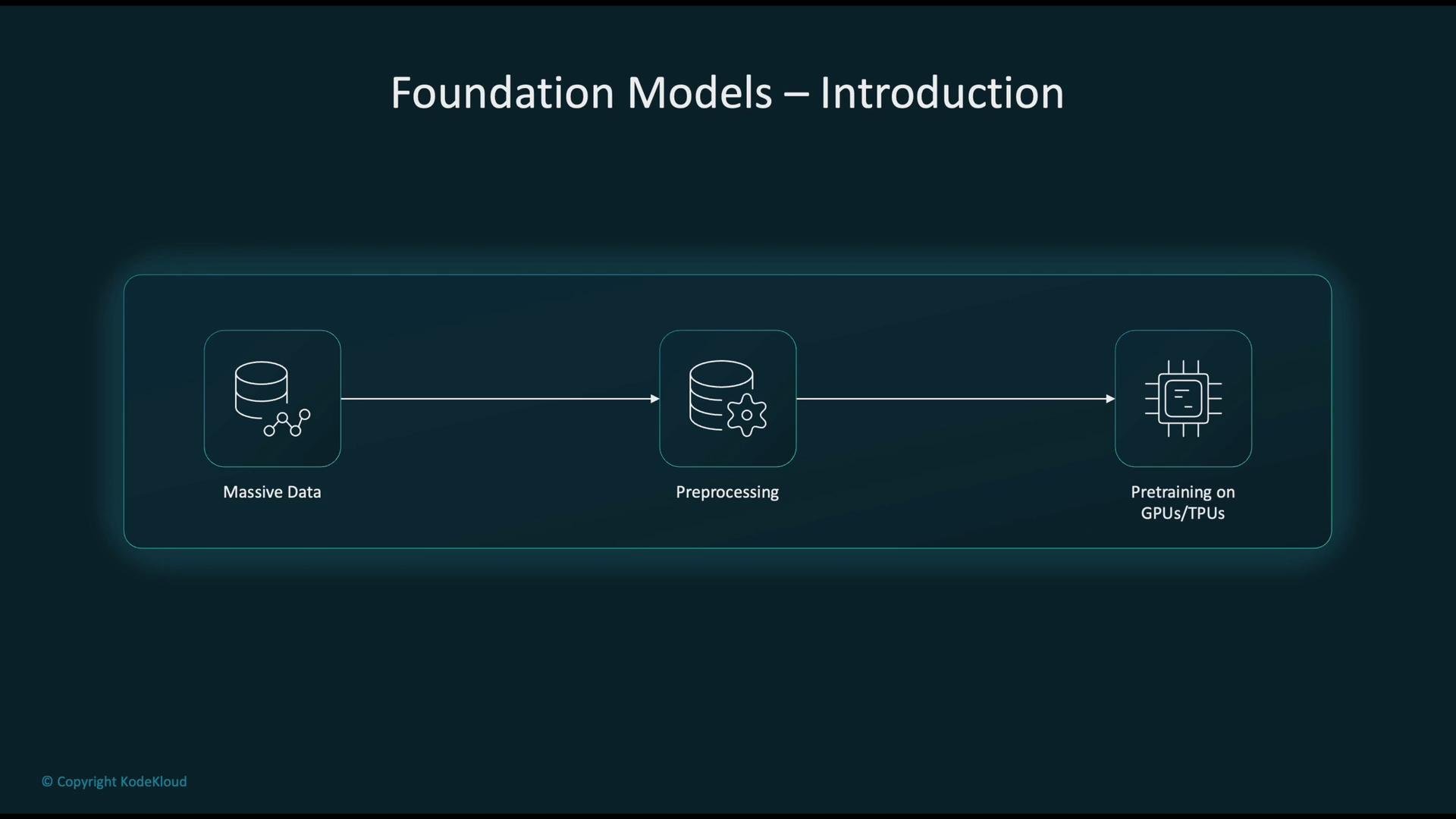
Foundation models are large neural networks trained on extremely large and diverse datasets. They provide a reusable base that can be adapted to many downstream tasks. The high-level workflow for building and applying foundation models:
* Collect massive amounts of raw data from web crawls, books, code repositories, images, and other sources.
* Clean and preprocess this data to produce high-quality training corpora.
* Pre-train models at scale using high-performance accelerators (GPUs or TPUs).
* Adapt the pre-trained model for specific tasks via fine-tuning, prompt engineering, or few-/zero-shot techniques.
* Deploy the adapted model to production for inference in real-world applications.
 Common real-world applications powered by foundation models:
* Conversational AI and chatbots that generate human-like responses.
* Text summarization to extract key insights from long documents.
* Computer vision tasks: image classification, object detection, and multimodal understanding.
* Semantic search that captures intent and context rather than keyword matches.
* Developer tools for code generation, completion, and debugging assistance.
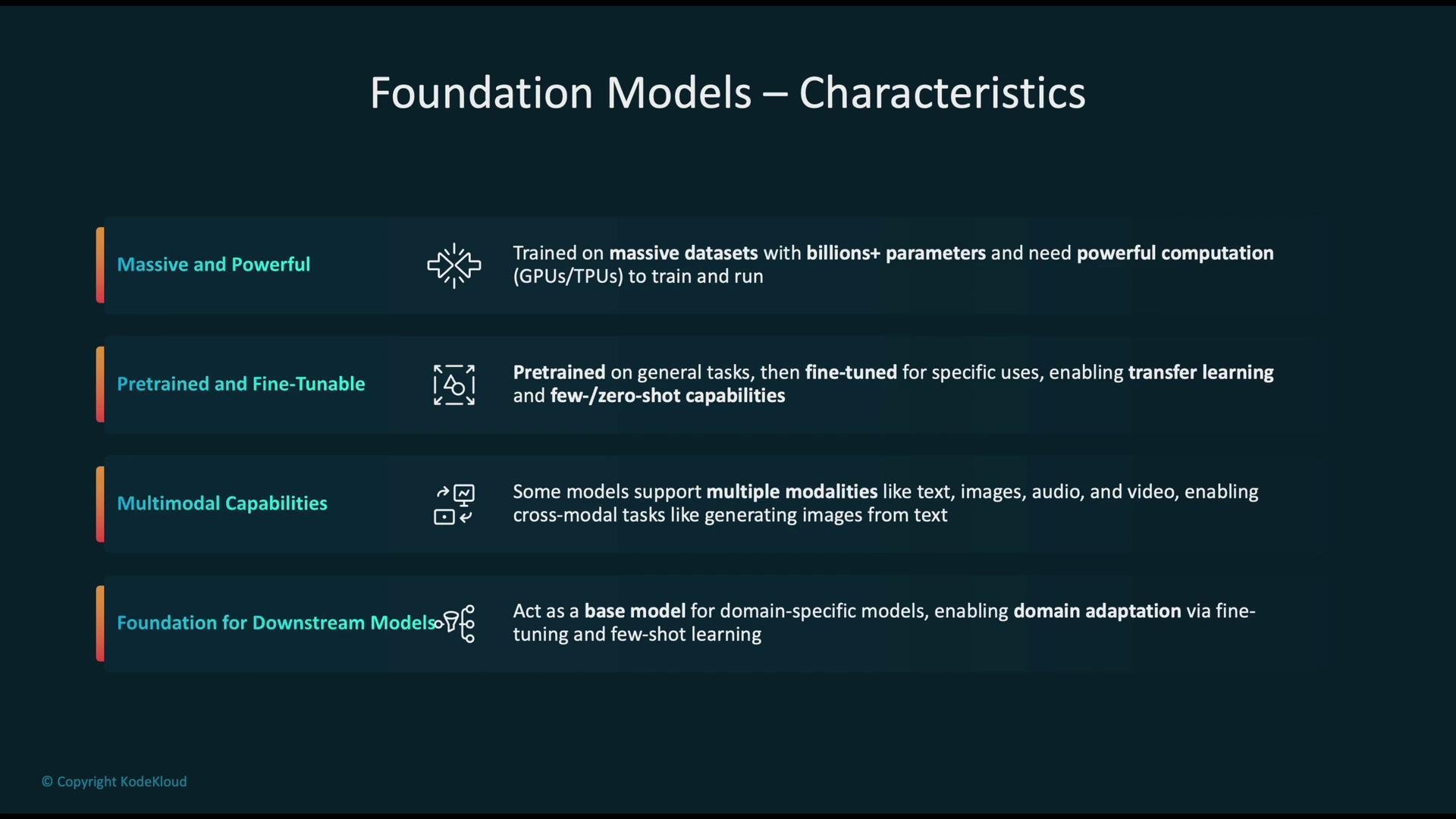
Key characteristics of foundation models:
* Fine-tunable: Can be specialized for tasks such as summarization, translation, and image captioning.
* Large scale: Trained on data sources like `Common Crawl`, book corpora, code, and images; model sizes range from billions to trillions of parameters.
* High compute requirements: Training and many inference workloads benefit from GPU/TPU acceleration.
* Transfer learning: Support few-shot and zero-shot learning to accelerate adaptation to new tasks.
* Multimodal capabilities: Some models support text, image, audio, and video modalities enabling cross-modal generation and understanding.
Common real-world applications powered by foundation models:
* Conversational AI and chatbots that generate human-like responses.
* Text summarization to extract key insights from long documents.
* Computer vision tasks: image classification, object detection, and multimodal understanding.
* Semantic search that captures intent and context rather than keyword matches.
* Developer tools for code generation, completion, and debugging assistance.
Key characteristics of foundation models:
* Fine-tunable: Can be specialized for tasks such as summarization, translation, and image captioning.
* Large scale: Trained on data sources like `Common Crawl`, book corpora, code, and images; model sizes range from billions to trillions of parameters.
* High compute requirements: Training and many inference workloads benefit from GPU/TPU acceleration.
* Transfer learning: Support few-shot and zero-shot learning to accelerate adaptation to new tasks.
* Multimodal capabilities: Some models support text, image, audio, and video modalities enabling cross-modal generation and understanding.
 Popular foundation-model families (proprietary and open-weight):
* AI21 J2 (J2-Jumbo): [https://www.ai21.com/](https://www.ai21.com/)
* Amazon Titan (via Amazon Bedrock): [https://aws.amazon.com/bedrock/](https://aws.amazon.com/bedrock/)
* Anthropic Claude: [https://www.anthropic.com/](https://www.anthropic.com/)
* Cohere Command: [https://cohere.ai/](https://cohere.ai/)
* Meta LLaMA: [https://ai.meta.com/llama/](https://ai.meta.com/llama/)
* Mistral: [https://mistral.ai/](https://mistral.ai/)
* Stable Diffusion (multimodal image generation): [https://stability.ai/](https://stability.ai/)
Many of these models are available through managed platforms such as Amazon Bedrock and integrated services such as SageMaker JumpStart.
## SageMaker JumpStart overview
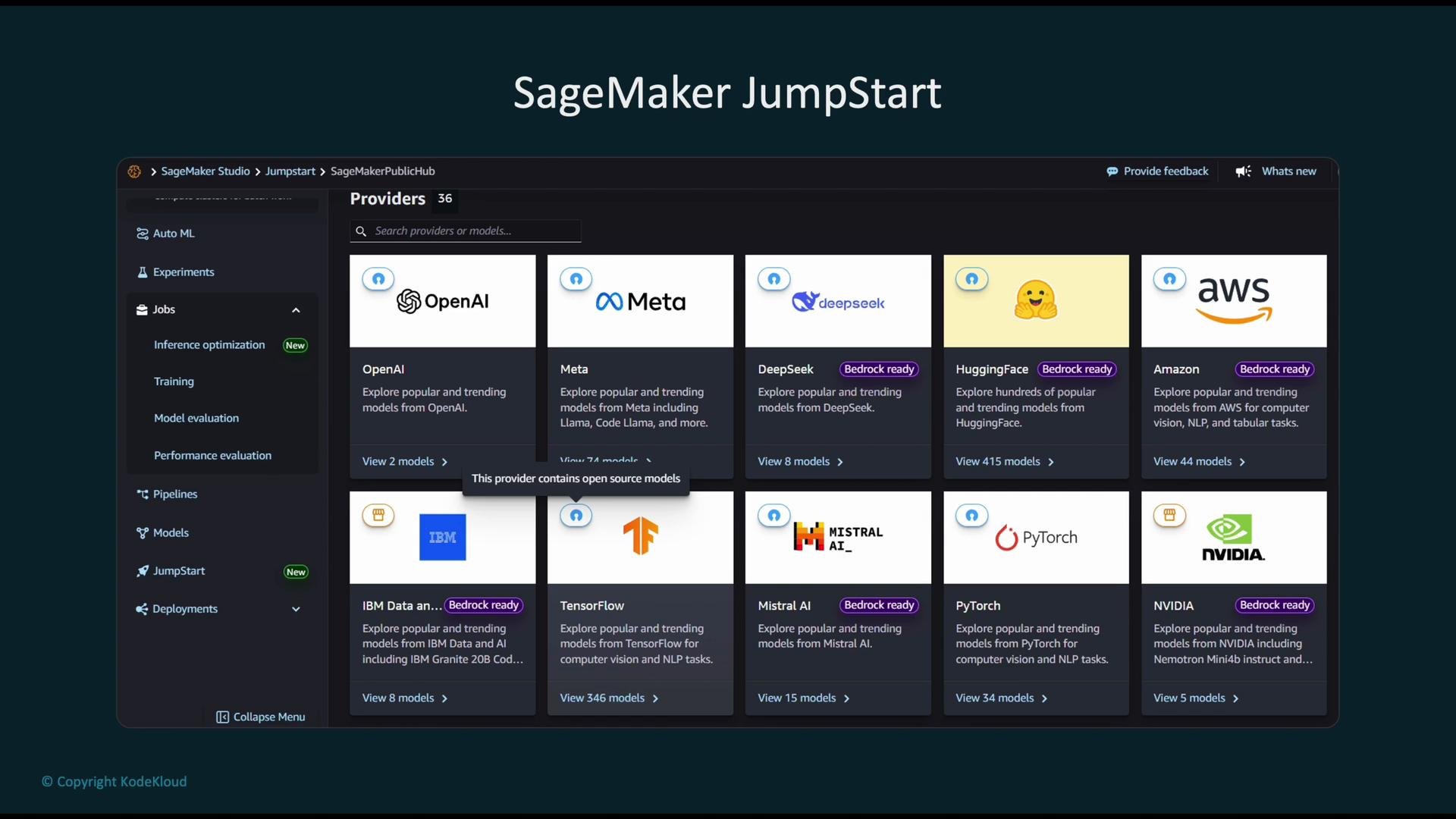
[SageMaker JumpStart](https://aws.amazon.com/sagemaker/jumpstart/) is a curated model and solution hub inside Amazon SageMaker that accelerates prototyping by providing pre-trained models, solution templates, and example notebooks. JumpStart supports both open-source and commercial models and lets you evaluate and deploy models quickly using the SageMaker SDK or Studio UI.
Popular foundation-model families (proprietary and open-weight):
* AI21 J2 (J2-Jumbo): [https://www.ai21.com/](https://www.ai21.com/)
* Amazon Titan (via Amazon Bedrock): [https://aws.amazon.com/bedrock/](https://aws.amazon.com/bedrock/)
* Anthropic Claude: [https://www.anthropic.com/](https://www.anthropic.com/)
* Cohere Command: [https://cohere.ai/](https://cohere.ai/)
* Meta LLaMA: [https://ai.meta.com/llama/](https://ai.meta.com/llama/)
* Mistral: [https://mistral.ai/](https://mistral.ai/)
* Stable Diffusion (multimodal image generation): [https://stability.ai/](https://stability.ai/)
Many of these models are available through managed platforms such as Amazon Bedrock and integrated services such as SageMaker JumpStart.
## SageMaker JumpStart overview
[SageMaker JumpStart](https://aws.amazon.com/sagemaker/jumpstart/) is a curated model and solution hub inside Amazon SageMaker that accelerates prototyping by providing pre-trained models, solution templates, and example notebooks. JumpStart supports both open-source and commercial models and lets you evaluate and deploy models quickly using the SageMaker SDK or Studio UI.
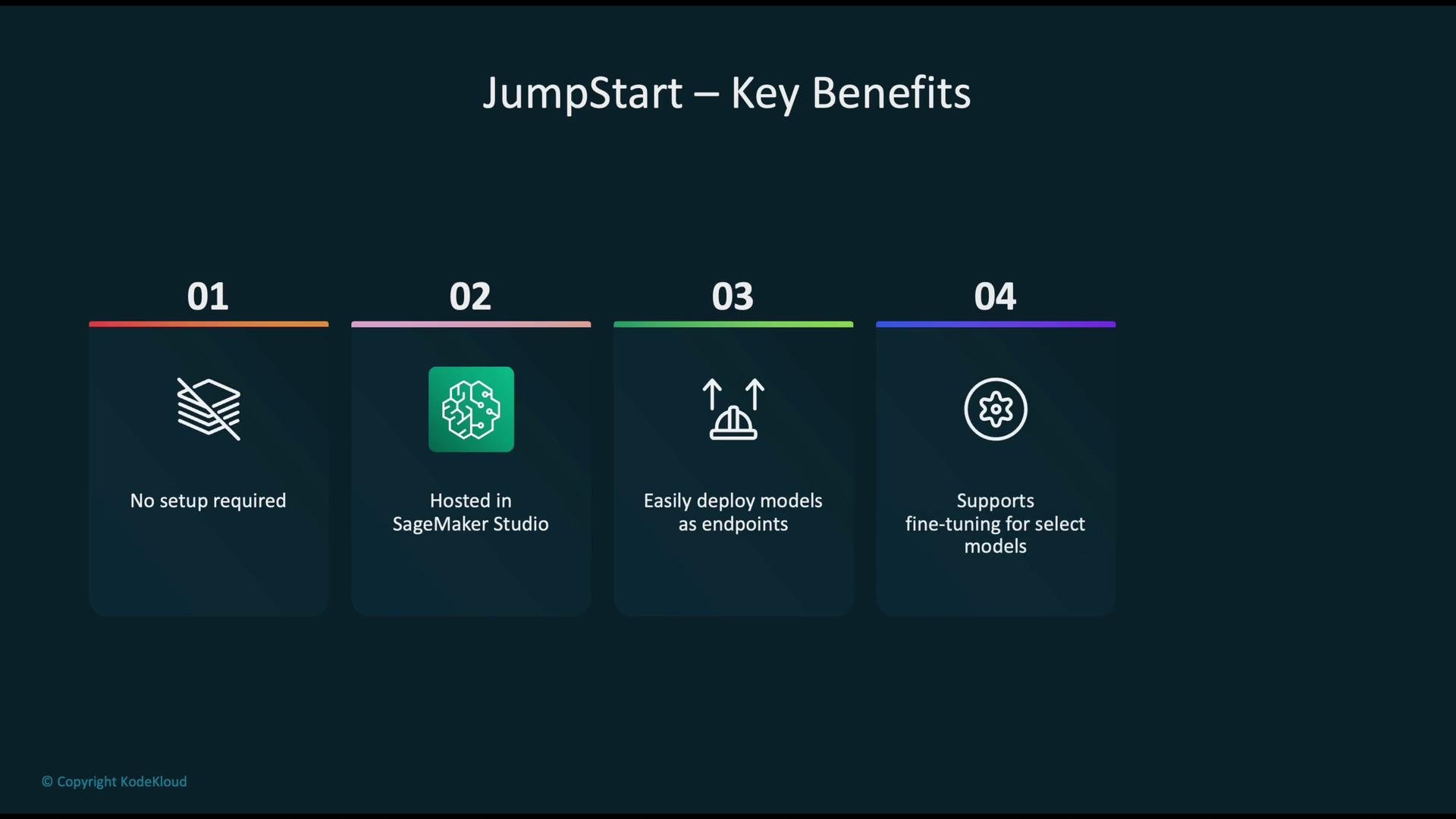
 Primary benefits of JumpStart:
* Low-friction experimentation: no heavy setup required to start evaluating models.
* Seamless SageMaker Studio integration for interactive development.
* Simplified endpoint deployment for real-time inference.
* Fine-tuning support for customizing models to your data and tasks.
* Ready-made templates and solutions for common ML problems (fraud detection, churn prediction, sentiment analysis, etc.).
Primary benefits of JumpStart:
* Low-friction experimentation: no heavy setup required to start evaluating models.
* Seamless SageMaker Studio integration for interactive development.
* Simplified endpoint deployment for real-time inference.
* Fine-tuning support for customizing models to your data and tasks.
* Ready-made templates and solutions for common ML problems (fraud detection, churn prediction, sentiment analysis, etc.).
 ## Browsing, selecting, and deploying models
From the JumpStart dashboard you can browse foundation-model listings, inspect model cards (which describe inputs/outputs, cost, and resource needs), and use example notebooks. When you choose a model you can deploy it to a SageMaker inference endpoint directly from Studio. The UI typically exposes settings such as endpoint name, instance type, and inference configuration (UI details may change over time).
## Browsing, selecting, and deploying models
From the JumpStart dashboard you can browse foundation-model listings, inspect model cards (which describe inputs/outputs, cost, and resource needs), and use example notebooks. When you choose a model you can deploy it to a SageMaker inference endpoint directly from Studio. The UI typically exposes settings such as endpoint name, instance type, and inference configuration (UI details may change over time).
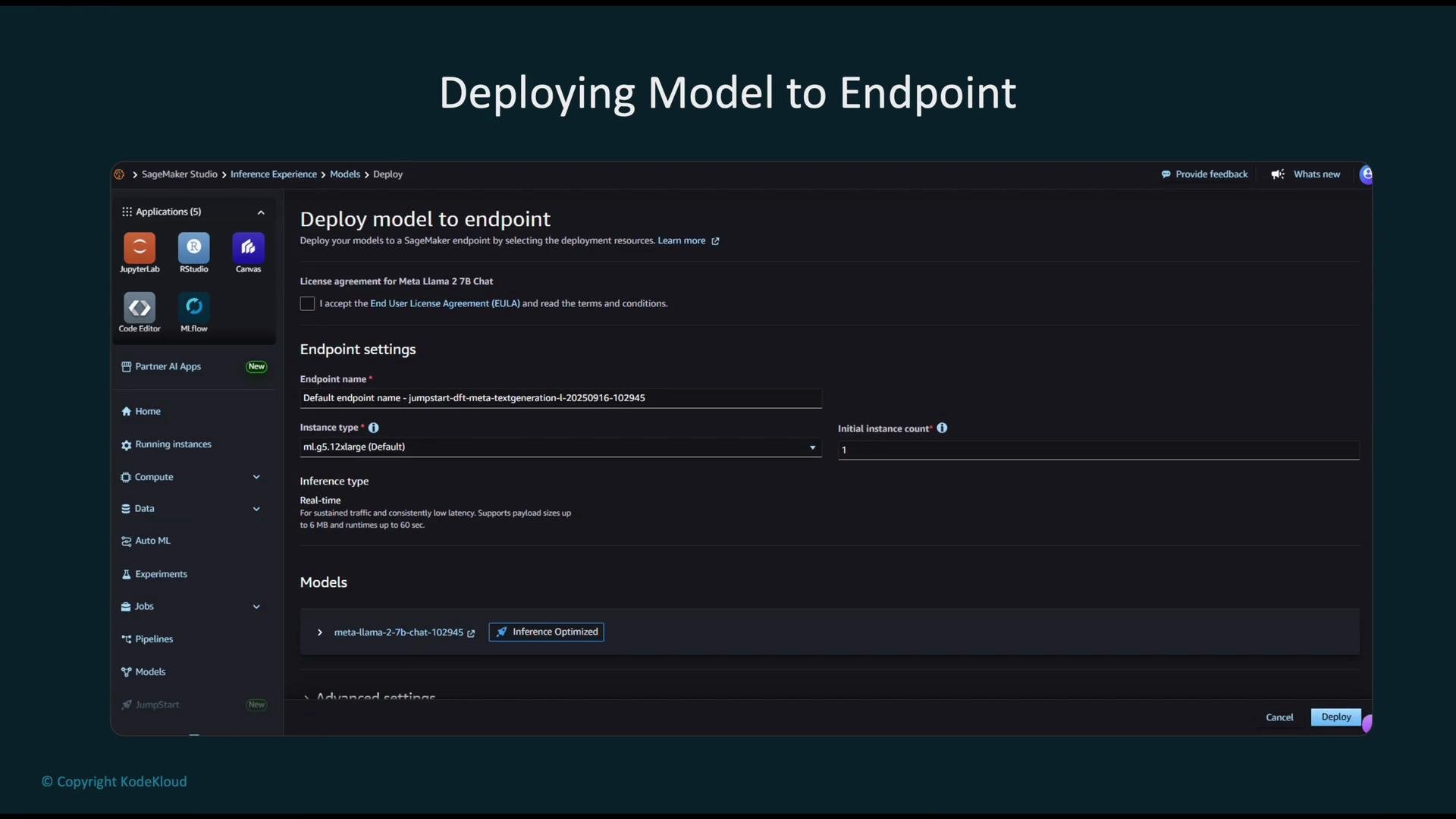 ## Example: load, deploy, and invoke a JumpStart model
A typical workflow using the SageMaker JumpStart SDK looks like this:
```python theme={null}
from sagemaker.jumpstart.model import JumpStartModel
# Initialize the JumpStart model by model_id (region/account-specific)
model = JumpStartModel(model_id="meta-textgeneration-llama-2-7b-f")
# Deploy the model to a managed SageMaker endpoint
# You can pass additional args like instance_type, initial_instance_count, etc.
predictor = model.deploy()
# Invoke the deployed endpoint with an input prompt and generation parameters
response = predictor.predict(
{
"inputs": "Write a short story about a robot learning emotions.",
"parameters": {"max_new_tokens": 200, "temperature": 0.7}
}
)
print(response)
```
Notes about the example:
* Ensure the `model_id` exists in your AWS region and account — JumpStart model identifiers vary by region.
* `deploy()` supports deployment options such as `instance_type` and `initial_instance_count`.
* The `predict()` request schema can vary by model family (text-generation vs. text-embedding vs. vision models); always consult the model card.
Before deploying a model, verify available `model_id`s in your account/region and read the JumpStart model card to confirm input/output schema, latency expectations, and required compute resources.
## SageMaker JumpStart vs Amazon Bedrock
Use cases and trade-offs between the two services:
| Dimension | SageMaker JumpStart | Amazon Bedrock |
| ----------------- | ------------------------------------------------------------------------------------------------------- | ---------------------------------------------------------------------------- |
| Intended users | ML engineers & data scientists who want control over training, fine-tuning, and managed SageMaker infra | Application developers who want serverless API access to foundation models |
| Customization | Full customization and fine-tuning using SageMaker training jobs | API-centric; some providers offer customization but workflow is more managed |
| Infrastructure | Deploy models as SageMaker endpoints or training jobs (managed infra you configure) | Serverless model hosting — no endpoint management |
| Integration | Deep integration with SageMaker Studio, SDKs, and other AWS ML services | Simple web APIs for quick application integration |
| Typical scenarios | Custom model fine-tuning, complex ML pipelines, data-heavy workflows | Low-overhead inference, quick prototyping inside applications |
## Best practices and cost considerations
* Choose appropriate instance types and initial instance counts based on expected throughput and latency.
* Monitor endpoint usage and set autoscaling policies where applicable.
* Delete unused endpoints and snapshot large models when idle to avoid ongoing costs.
* Review model cards for memory and GPU requirements; some models need large GPUs (e.g., `p4d`, `p5`) or multiple GPUs.
Large foundation models can incur significant compute and storage costs during deployment and inference. Monitor usage, choose cost-appropriate instance types, and remove unused endpoints to prevent unexpected charges.
## References and further reading
* SageMaker JumpStart — [https://aws.amazon.com/sagemaker/jumpstart/](https://aws.amazon.com/sagemaker/jumpstart/)
* Amazon Bedrock — [https://aws.amazon.com/bedrock/](https://aws.amazon.com/bedrock/)
* Common Crawl — [https://commoncrawl.org/](https://commoncrawl.org/)
* SageMaker Studio — [https://aws.amazon.com/sagemaker/studio/](https://aws.amazon.com/sagemaker/studio/)
Use these links and the model cards within JumpStart to evaluate models, understand input/output formats, and plan resource requirements before deploying to production.
## Example: load, deploy, and invoke a JumpStart model
A typical workflow using the SageMaker JumpStart SDK looks like this:
```python theme={null}
from sagemaker.jumpstart.model import JumpStartModel
# Initialize the JumpStart model by model_id (region/account-specific)
model = JumpStartModel(model_id="meta-textgeneration-llama-2-7b-f")
# Deploy the model to a managed SageMaker endpoint
# You can pass additional args like instance_type, initial_instance_count, etc.
predictor = model.deploy()
# Invoke the deployed endpoint with an input prompt and generation parameters
response = predictor.predict(
{
"inputs": "Write a short story about a robot learning emotions.",
"parameters": {"max_new_tokens": 200, "temperature": 0.7}
}
)
print(response)
```
Notes about the example:
* Ensure the `model_id` exists in your AWS region and account — JumpStart model identifiers vary by region.
* `deploy()` supports deployment options such as `instance_type` and `initial_instance_count`.
* The `predict()` request schema can vary by model family (text-generation vs. text-embedding vs. vision models); always consult the model card.
Before deploying a model, verify available `model_id`s in your account/region and read the JumpStart model card to confirm input/output schema, latency expectations, and required compute resources.
## SageMaker JumpStart vs Amazon Bedrock
Use cases and trade-offs between the two services:
| Dimension | SageMaker JumpStart | Amazon Bedrock |
| ----------------- | ------------------------------------------------------------------------------------------------------- | ---------------------------------------------------------------------------- |
| Intended users | ML engineers & data scientists who want control over training, fine-tuning, and managed SageMaker infra | Application developers who want serverless API access to foundation models |
| Customization | Full customization and fine-tuning using SageMaker training jobs | API-centric; some providers offer customization but workflow is more managed |
| Infrastructure | Deploy models as SageMaker endpoints or training jobs (managed infra you configure) | Serverless model hosting — no endpoint management |
| Integration | Deep integration with SageMaker Studio, SDKs, and other AWS ML services | Simple web APIs for quick application integration |
| Typical scenarios | Custom model fine-tuning, complex ML pipelines, data-heavy workflows | Low-overhead inference, quick prototyping inside applications |
## Best practices and cost considerations
* Choose appropriate instance types and initial instance counts based on expected throughput and latency.
* Monitor endpoint usage and set autoscaling policies where applicable.
* Delete unused endpoints and snapshot large models when idle to avoid ongoing costs.
* Review model cards for memory and GPU requirements; some models need large GPUs (e.g., `p4d`, `p5`) or multiple GPUs.
Large foundation models can incur significant compute and storage costs during deployment and inference. Monitor usage, choose cost-appropriate instance types, and remove unused endpoints to prevent unexpected charges.
## References and further reading
* SageMaker JumpStart — [https://aws.amazon.com/sagemaker/jumpstart/](https://aws.amazon.com/sagemaker/jumpstart/)
* Amazon Bedrock — [https://aws.amazon.com/bedrock/](https://aws.amazon.com/bedrock/)
* Common Crawl — [https://commoncrawl.org/](https://commoncrawl.org/)
* SageMaker Studio — [https://aws.amazon.com/sagemaker/studio/](https://aws.amazon.com/sagemaker/studio/)
Use these links and the model cards within JumpStart to evaluate models, understand input/output formats, and plan resource requirements before deploying to production.