> ## Documentation Index
> Fetch the complete documentation index at: https://notes.kodekloud.com/llms.txt
> Use this file to discover all available pages before exploring further.
# Using SageMaker Script Mode with Frameworks
> Guide to using Amazon SageMaker Script Mode to run existing training scripts in prebuilt framework containers for managed scalable training, experiment tracking, and easy deployment.
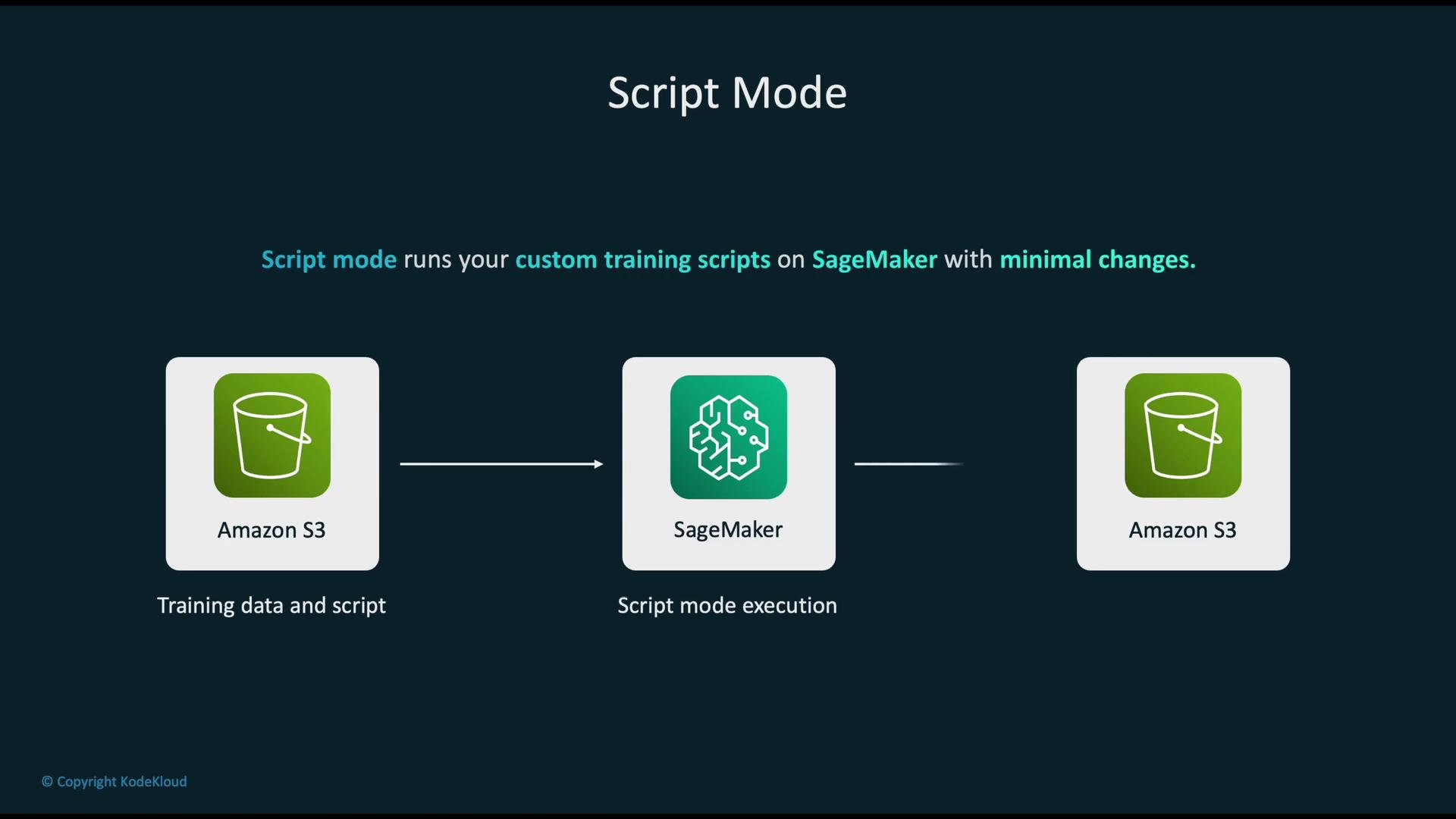
Amazon SageMaker Script Mode lets you run your existing training scripts inside SageMaker’s managed environment with minimal changes by using SageMaker’s pre-built framework containers. This approach simplifies migrating from local development to cloud training while leveraging managed infrastructure, scalability, and experiment tracking.
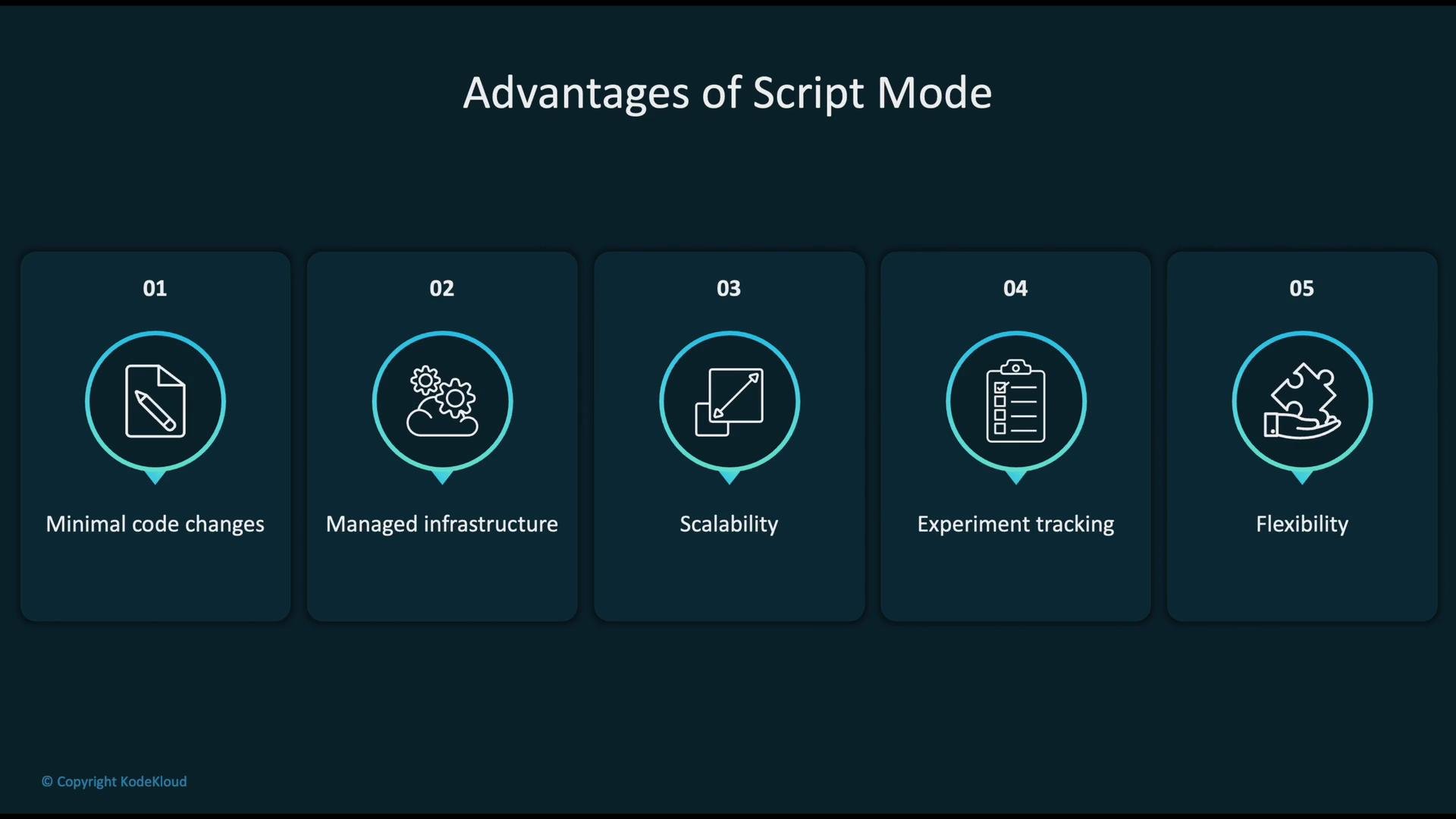
 Key benefits of Script Mode:
* Minimal code changes — keep your existing `train.py` and other modules.
* Managed infrastructure — SageMaker handles instance provisioning and lifecycle.
* Scalability — run on CPU or GPU instances, and scale to distributed training.
* Experiment tracking — logs, metrics, and artifacts are collected automatically.
* Flexibility — include third‑party libraries and arbitrary training logic.
Key benefits of Script Mode:
* Minimal code changes — keep your existing `train.py` and other modules.
* Managed infrastructure — SageMaker handles instance provisioning and lifecycle.
* Scalability — run on CPU or GPU instances, and scale to distributed training.
* Experiment tracking — logs, metrics, and artifacts are collected automatically.
* Flexibility — include third‑party libraries and arbitrary training logic.
 How Script Mode works
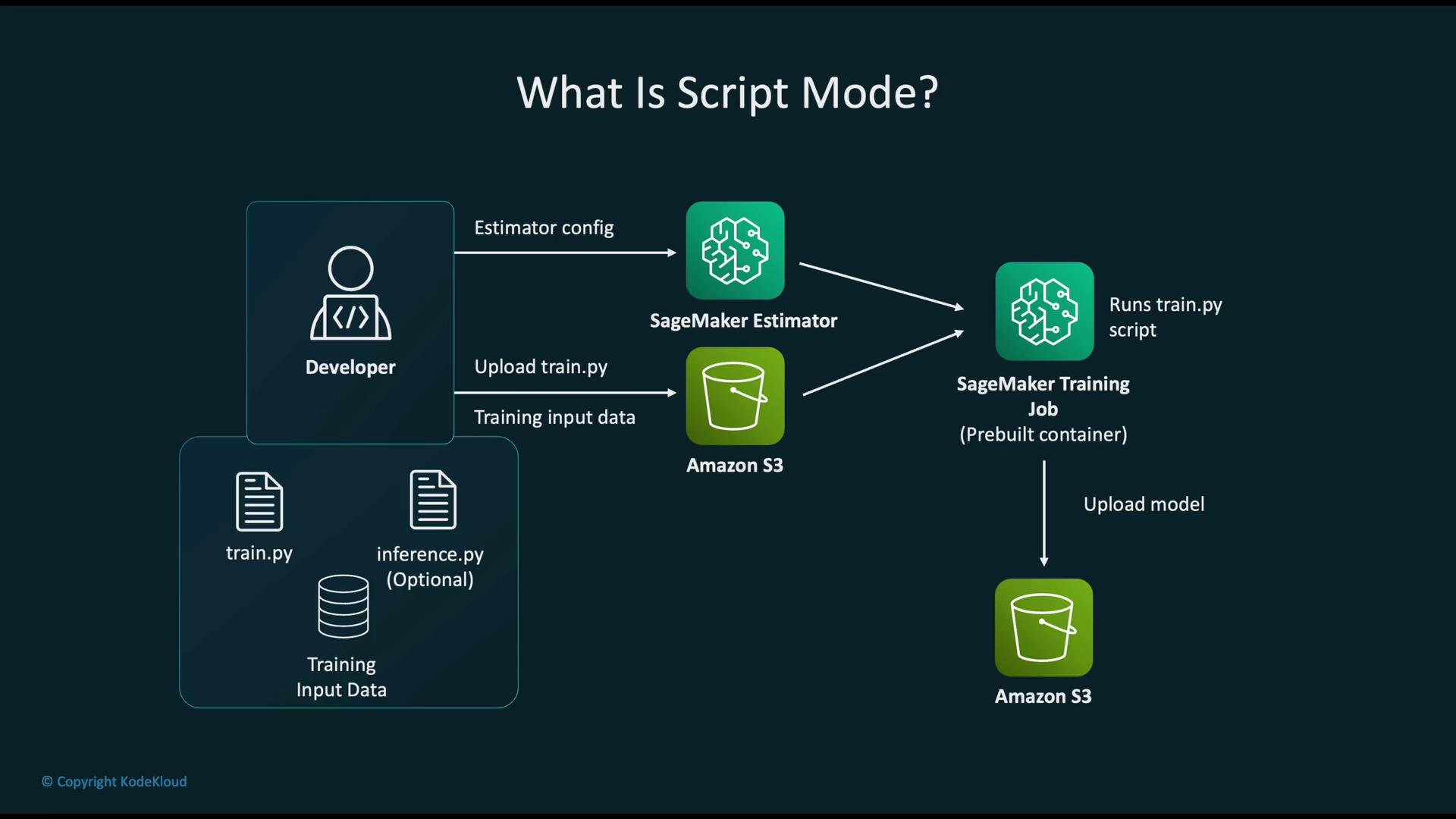
With Script Mode, you bring your training entry point (for example, `train.py`) and SageMaker runs it inside a managed container that already includes the specified framework and Python runtime. Typically you provide:
* `train.py` — required training entry point
* `inference.py` — optional inference handler for deployment
* `requirements.txt` — optional list of additional Python packages
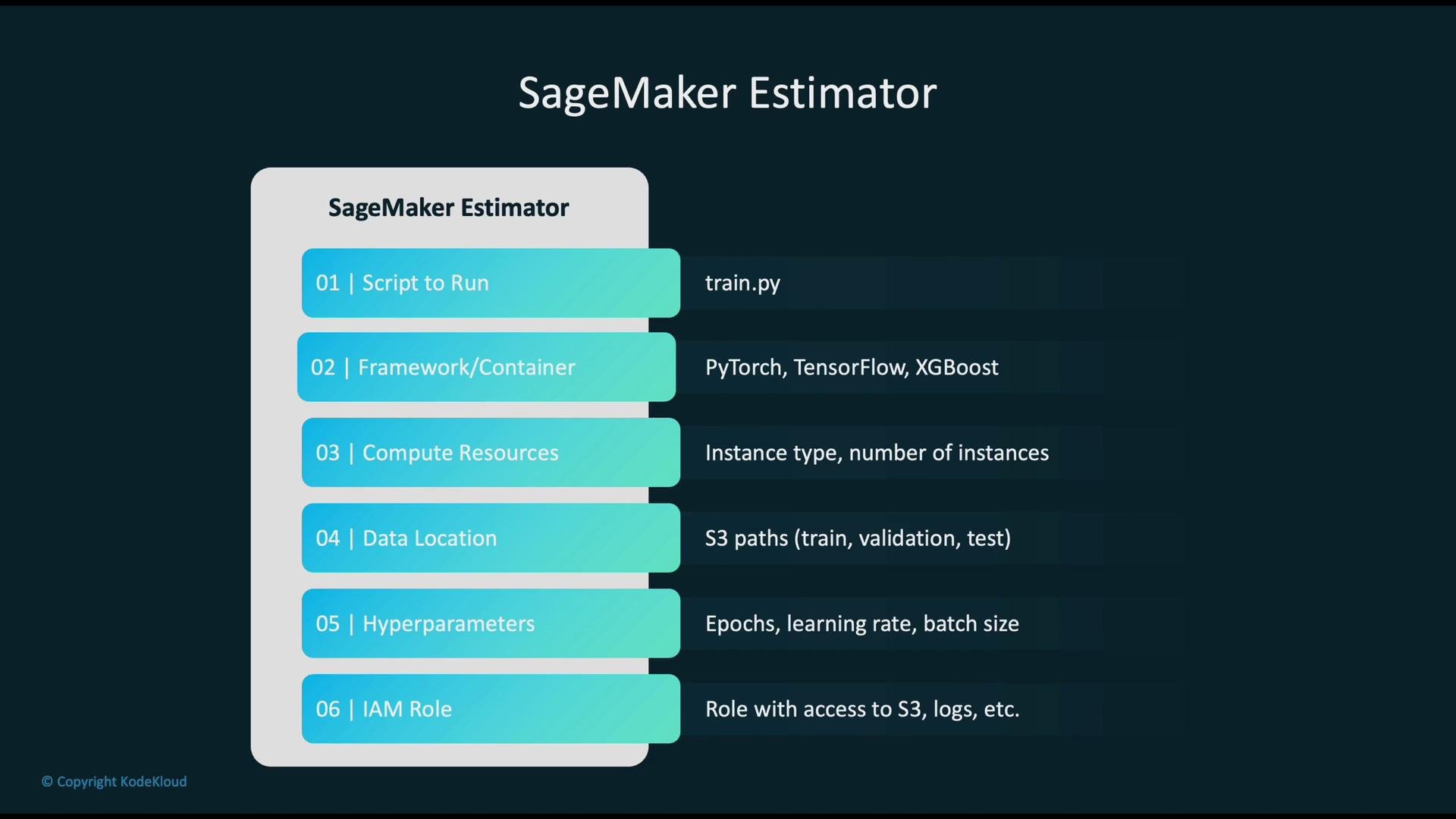
The SageMaker Estimator acts as the recipe for the training job. When you create an Estimator you configure:
* Script to run (`entry_point`)
* Framework / container (e.g., TensorFlow, PyTorch)
* Compute resources (instance type and count)
* Data locations (S3 URIs for channels such as `train` and `validation`)
* Hyperparameters (epochs, learning rate, batch size)
* IAM role (permissions to access S3 and other AWS services)
How Script Mode works
With Script Mode, you bring your training entry point (for example, `train.py`) and SageMaker runs it inside a managed container that already includes the specified framework and Python runtime. Typically you provide:
* `train.py` — required training entry point
* `inference.py` — optional inference handler for deployment
* `requirements.txt` — optional list of additional Python packages
The SageMaker Estimator acts as the recipe for the training job. When you create an Estimator you configure:
* Script to run (`entry_point`)
* Framework / container (e.g., TensorFlow, PyTorch)
* Compute resources (instance type and count)
* Data locations (S3 URIs for channels such as `train` and `validation`)
* Hyperparameters (epochs, learning rate, batch size)
* IAM role (permissions to access S3 and other AWS services)
 Estimator components
 Below is a concise reference for common Estimator parameters and their purpose.
| Parameter | Purpose | Example |
| ------------------- | -------------------------------------------: | ---------------------------------------- |
| `entry_point` | Training script file to execute | `train.py` |
| `source_dir` | Directory with additional code and modules | `src/` |
| `role` | IAM role for training job access | `arn:aws:iam::123456:role/SageMakerRole` |
| `instance_type` | Compute instance to run training | `ml.p3.2xlarge` |
| `instance_count` | Number of instances for distributed training | `1` |
| `framework_version` | Framework version used by the container | `2.3` |
| `py_version` | Python runtime inside the container | `py310` |
| `hyperparameters` | Hyperparameters passed to your script | `{"epochs": 5, "lr": 0.001}` |
| `channels` | S3 input channels mapped at `fit()` time | `{"train": "s3://bucket/train/"}` |
Example: launching a PyTorch training job using the SageMaker Python SDK
```python theme={null}
from sagemaker.pytorch import PyTorch
estimator = PyTorch(
entry_point="train.py", # your training script
source_dir="src", # directory with your code (optional)
role="arn:aws:iam::123456:role/SageMakerRole",
instance_type="ml.m5.xlarge", # compute instance
instance_count=1,
framework_version="2.3", # framework version (example)
py_version="py310", # python runtime in container
hyperparameters={
"epochs": 5,
"lr": 0.001
}
)
# Launch training job with channel-to-S3 mappings
estimator.fit({
"train": "s3://mybucket/data/train/",
"validation": "s3://mybucket/data/val/"
})
```
Pre-built framework containers
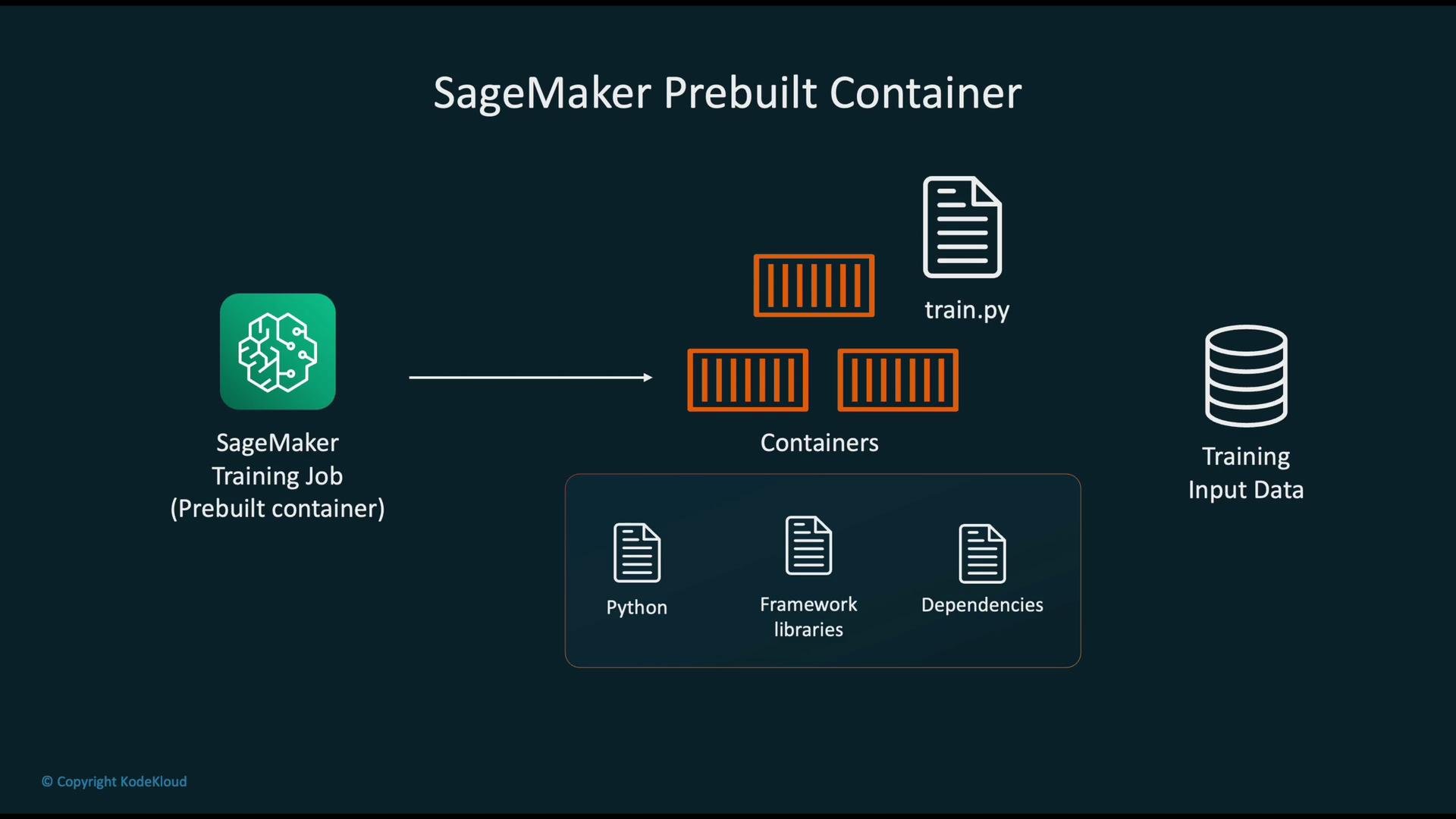
SageMaker pre-built containers include Python, the chosen framework libraries, and common dependencies. These containers run your `entry_point` script and accept hyperparameters and environment variables. They support single-node and distributed training modes.
Below is a concise reference for common Estimator parameters and their purpose.
| Parameter | Purpose | Example |
| ------------------- | -------------------------------------------: | ---------------------------------------- |
| `entry_point` | Training script file to execute | `train.py` |
| `source_dir` | Directory with additional code and modules | `src/` |
| `role` | IAM role for training job access | `arn:aws:iam::123456:role/SageMakerRole` |
| `instance_type` | Compute instance to run training | `ml.p3.2xlarge` |
| `instance_count` | Number of instances for distributed training | `1` |
| `framework_version` | Framework version used by the container | `2.3` |
| `py_version` | Python runtime inside the container | `py310` |
| `hyperparameters` | Hyperparameters passed to your script | `{"epochs": 5, "lr": 0.001}` |
| `channels` | S3 input channels mapped at `fit()` time | `{"train": "s3://bucket/train/"}` |
Example: launching a PyTorch training job using the SageMaker Python SDK
```python theme={null}
from sagemaker.pytorch import PyTorch
estimator = PyTorch(
entry_point="train.py", # your training script
source_dir="src", # directory with your code (optional)
role="arn:aws:iam::123456:role/SageMakerRole",
instance_type="ml.m5.xlarge", # compute instance
instance_count=1,
framework_version="2.3", # framework version (example)
py_version="py310", # python runtime in container
hyperparameters={
"epochs": 5,
"lr": 0.001
}
)
# Launch training job with channel-to-S3 mappings
estimator.fit({
"train": "s3://mybucket/data/train/",
"validation": "s3://mybucket/data/val/"
})
```
Pre-built framework containers
SageMaker pre-built containers include Python, the chosen framework libraries, and common dependencies. These containers run your `entry_point` script and accept hyperparameters and environment variables. They support single-node and distributed training modes.
 Filesystem layout and artifacts
Inside the container SageMaker exposes a standard filesystem layout (for example, `/opt/ml`). Use these directories or provided environment variables in your training script to:
* Read input data from the mapped channel directories
* Write output artifacts (model files, logs, metrics)
After training completes, SageMaker bundles the model artifact (typically `model.tar.gz` or `model.tar`) and uploads it to Amazon S3.
Deploying trained models
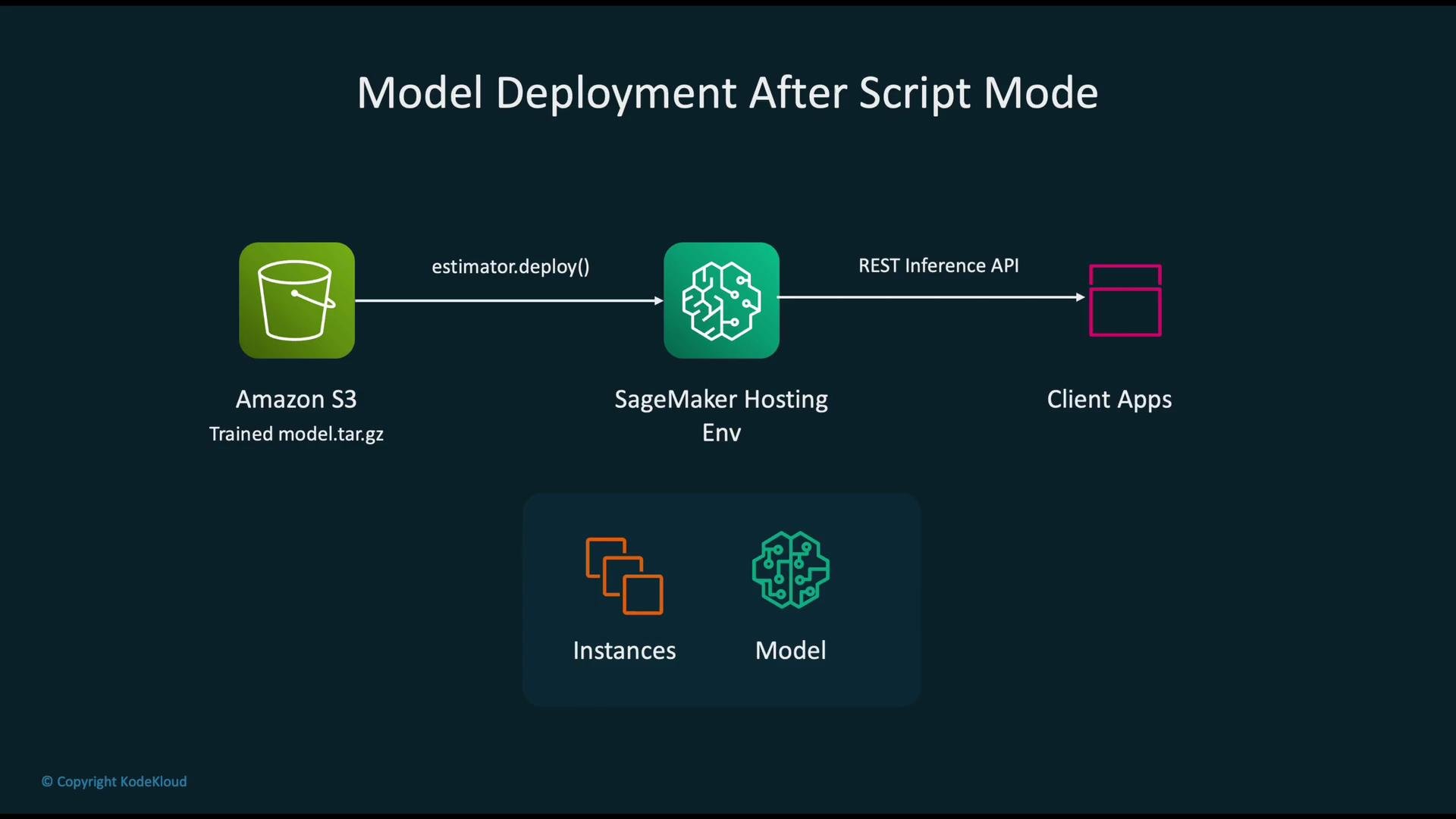
With a single call to the Estimator's `deploy()` method you can create a hosted endpoint. SageMaker will:
* Provision serving instances
* Load the model artifact from S3
* Start a scalable REST API endpoint for real-time predictions
Filesystem layout and artifacts
Inside the container SageMaker exposes a standard filesystem layout (for example, `/opt/ml`). Use these directories or provided environment variables in your training script to:
* Read input data from the mapped channel directories
* Write output artifacts (model files, logs, metrics)
After training completes, SageMaker bundles the model artifact (typically `model.tar.gz` or `model.tar`) and uploads it to Amazon S3.
Deploying trained models
With a single call to the Estimator's `deploy()` method you can create a hosted endpoint. SageMaker will:
* Provision serving instances
* Load the model artifact from S3
* Start a scalable REST API endpoint for real-time predictions
 Supported frameworks and when to use Script Mode
Supported frameworks include TensorFlow, PyTorch, MXNet, scikit-learn, and XGBoost via SageMaker’s pre-built containers.
| Scenario | Recommendation |
| ------------------------------------------------------- | ------------------------------------------ |
| Standard training with common libraries | Use Script Mode with a pre-built container |
| Need system-level libraries or non-standard OS packages | Build a Custom Container |
| Highly tuned or non-standard serving runtime | Custom Container for full control |
Project layout example
Organize your project so the Estimator’s `source_dir` contains the training script and any helper modules:
Supported frameworks and when to use Script Mode
Supported frameworks include TensorFlow, PyTorch, MXNet, scikit-learn, and XGBoost via SageMaker’s pre-built containers.
| Scenario | Recommendation |
| ------------------------------------------------------- | ------------------------------------------ |
| Standard training with common libraries | Use Script Mode with a pre-built container |
| Need system-level libraries or non-standard OS packages | Build a Custom Container |
| Highly tuned or non-standard serving runtime | Custom Container for full control |
Project layout example
Organize your project so the Estimator’s `source_dir` contains the training script and any helper modules:
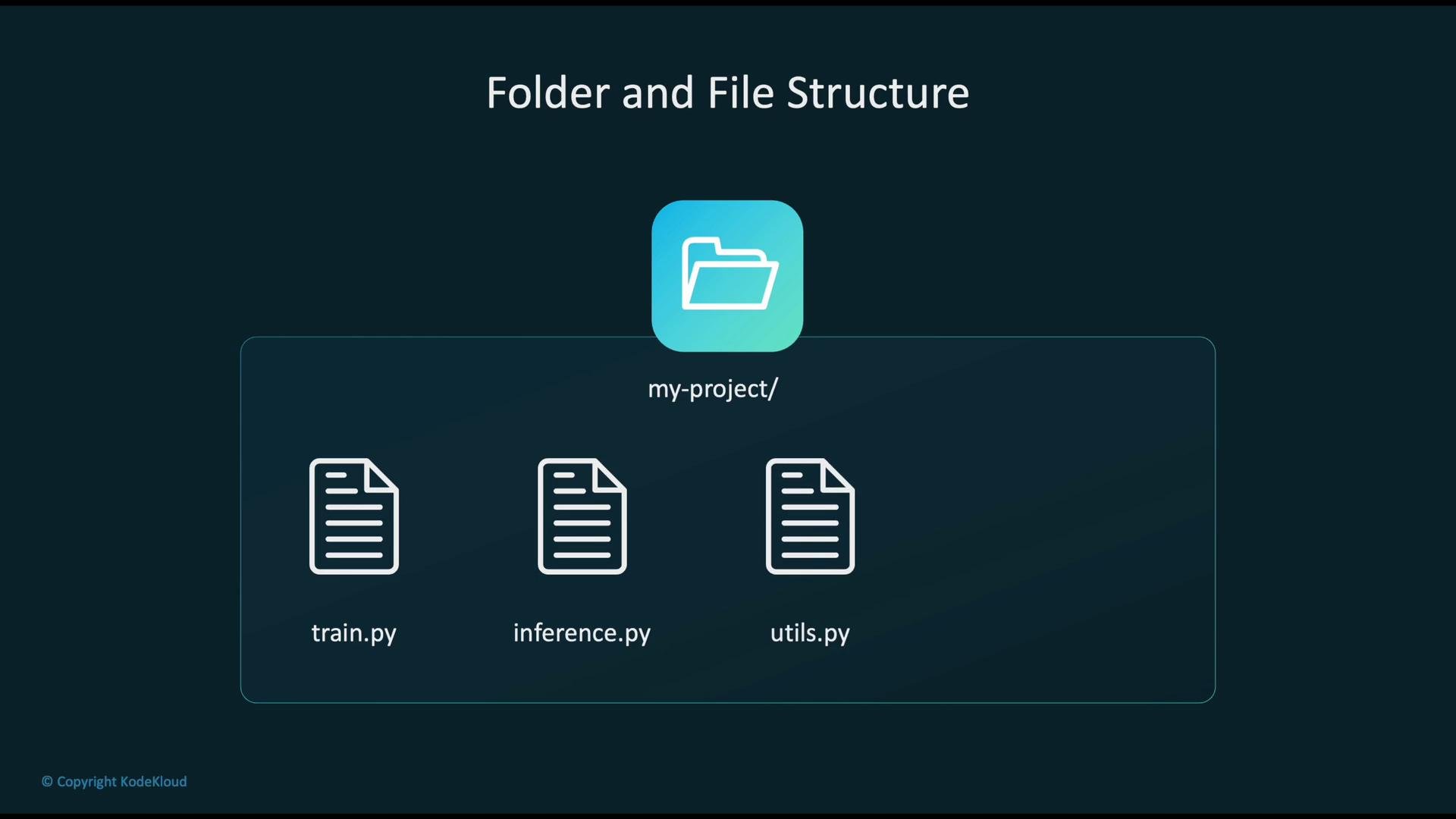 Recommended files:
* `train.py` — main training entry point (required)
* `inference.py` — optional handler for model serving (when deploying)
* `utils.py` — helper functions for training or inference
* `requirements.txt` — optional extra dependencies to install in the container
Script Mode vs Custom Container
* Script Mode: Bring your script and use SageMaker’s pre-built container (fast to adopt, fewer maintenance tasks).
* Custom Container: Provide a full container image when you need system-level control, special OS packages, or unsupported runtimes.
Use Script Mode when your code and dependencies fit within a supported framework container. Choose a custom container only when you need dependencies or system-level customizations not available in the pre-built images.
Summary
* Amazon SageMaker Script Mode lets you run standard training and optional inference scripts using pre-built framework containers.
* Provide `train.py` (required), `inference.py` (optional), and any additional dependencies.
* SageMaker manages infrastructure, collects logs/metrics, stores model artifacts to S3, and provides easy deployment to managed endpoints.
Further reading and references
* [Amazon SageMaker Documentation](https://docs.aws.amazon.com/sagemaker/latest/dg/whatis.html)
* [TensorFlow](https://www.tensorflow.org/)
* [PyTorch](https://pytorch.org/)
* [scikit-learn](https://scikit-learn.org/)
* [XGBoost](https://xgboost.ai/)
Recommended files:
* `train.py` — main training entry point (required)
* `inference.py` — optional handler for model serving (when deploying)
* `utils.py` — helper functions for training or inference
* `requirements.txt` — optional extra dependencies to install in the container
Script Mode vs Custom Container
* Script Mode: Bring your script and use SageMaker’s pre-built container (fast to adopt, fewer maintenance tasks).
* Custom Container: Provide a full container image when you need system-level control, special OS packages, or unsupported runtimes.
Use Script Mode when your code and dependencies fit within a supported framework container. Choose a custom container only when you need dependencies or system-level customizations not available in the pre-built images.
Summary
* Amazon SageMaker Script Mode lets you run standard training and optional inference scripts using pre-built framework containers.
* Provide `train.py` (required), `inference.py` (optional), and any additional dependencies.
* SageMaker manages infrastructure, collects logs/metrics, stores model artifacts to S3, and provides easy deployment to managed endpoints.
Further reading and references
* [Amazon SageMaker Documentation](https://docs.aws.amazon.com/sagemaker/latest/dg/whatis.html)
* [TensorFlow](https://www.tensorflow.org/)
* [PyTorch](https://pytorch.org/)
* [scikit-learn](https://scikit-learn.org/)
* [XGBoost](https://xgboost.ai/)