> ## Documentation Index
> Fetch the complete documentation index at: https://notes.kodekloud.com/llms.txt
> Use this file to discover all available pages before exploring further.
# Cost Analysis and Optimization for ML Workloads
> Guide to analyzing and reducing AWS costs for machine learning workloads through tagging, Cost Explorer, SageMaker Spot, S3 lifecycle, CloudWatch tuning, autoscaling, rightsizing, and IAM governance
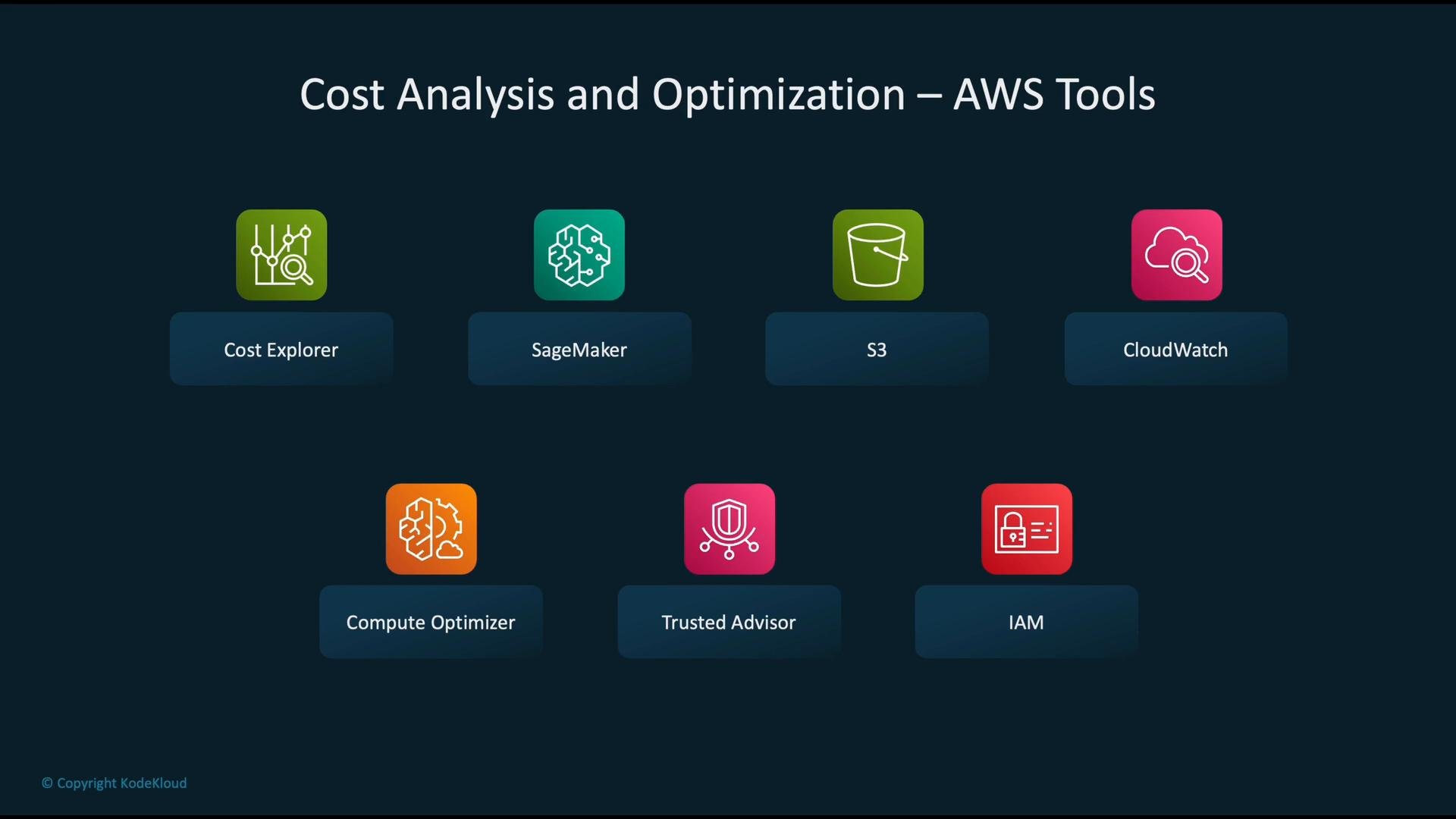
This lesson explains how to analyze and optimize costs for machine learning workloads on AWS. Effective ML cost management requires instrumentation (collecting usage data), analysis (attributing spend to workloads), and operational guardrails (automation, rightsizing, and policy controls). Below are the key AWS services and patterns to use when building a cost-aware ML platform.
| AWS Service | Use case for ML workloads | Example |
| - | - | - |
| Cost Explorer | Visualize spending, trends, and tag-based allocation | [AWS Cost Explorer](https://aws.amazon.com/aws-cost-management/aws-cost-explorer/) |
| Amazon SageMaker | Training & inference with spot, managed endpoints, and multi-instance training | [AWS SageMaker](https://learn.kodekloud.com/user/courses/aws-sagemaker) |
| Amazon S3 | Tiered storage & lifecycle policies for datasets and model artifacts | [Amazon S3](https://learn.kodekloud.com/user/courses/amazon-simple-storage-service-amazon-s3) |
| AWS CloudWatch | Monitor utilization, billing metrics, and alarms | [AWS CloudWatch](https://learn.kodekloud.com/user/courses/aws-cloudwatch/) |
| Compute Optimizer | Recommendations to right-size instances | [Compute Optimizer](https://aws.amazon.com/compute-optimizer/) |
| Trusted Advisor | Best-practice checks including cost-savings opportunities | [Trusted Advisor](https://aws.amazon.com/premiumsupport/trustedadvisor/) |
| IAM | Enforce least-privilege to prevent unauthorized/spurious spending | [AWS IAM](https://learn.kodekloud.com/user/courses/aws-iam) |
 ## 1) Start with cost attribution: tags and Cost Explorer
Begin by collecting and tagging ML resources consistently (for example `MLWorkload=FraudDetection`). Feeding those tags to Cost Explorer enables accurate, workload-level billing analysis and trend detection.
## 1) Start with cost attribution: tags and Cost Explorer
Begin by collecting and tagging ML resources consistently (for example `MLWorkload=FraudDetection`). Feeding those tags to Cost Explorer enables accurate, workload-level billing analysis and trend detection.
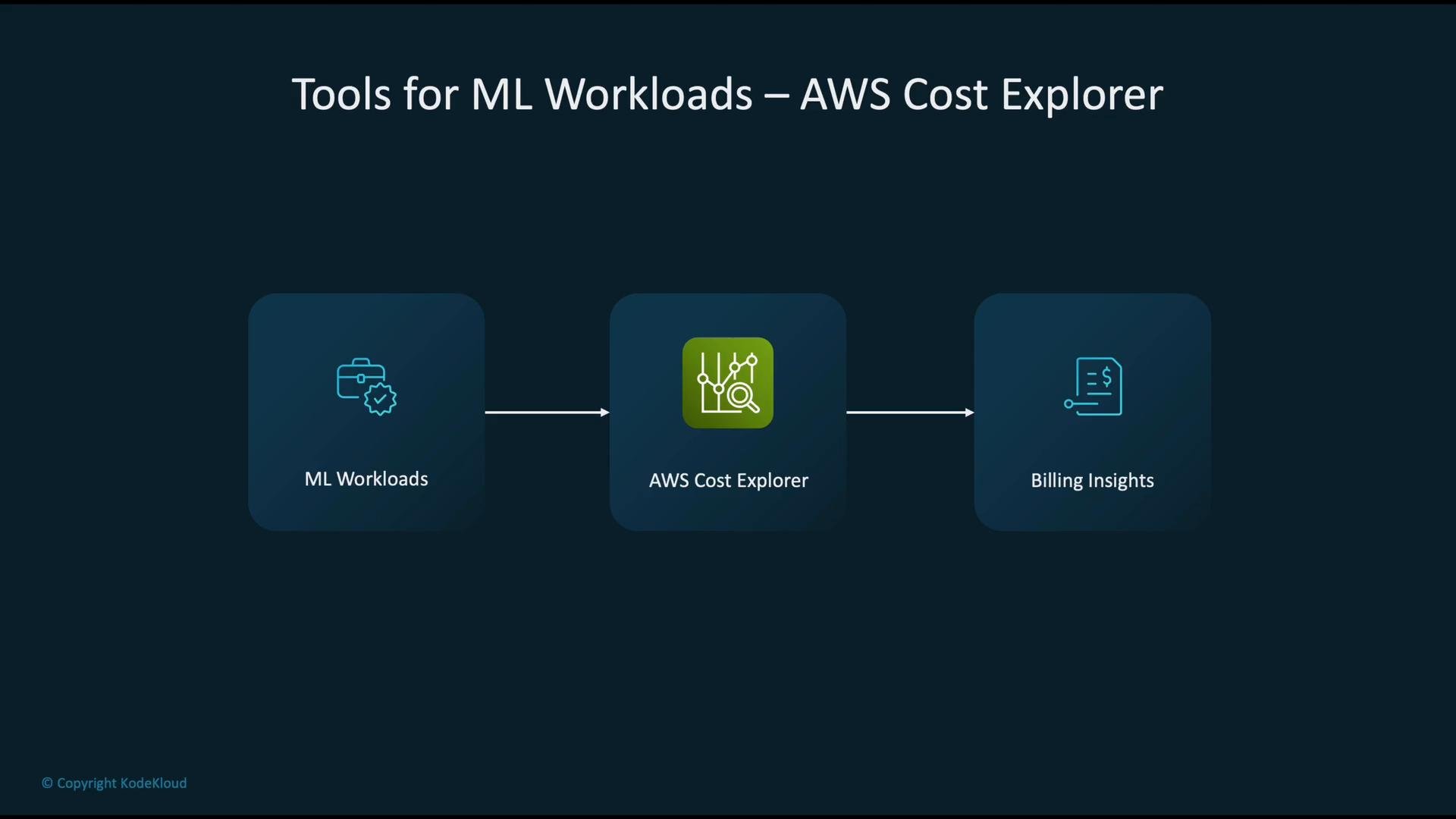 Example: query Cost Explorer for the total cost in June 2025, grouped and filtered by tag `MLWorkload=FraudDetection`. Use the `ce` boto3 client and ensure the account has `ce:GetCostAndUsage` permission.
```python theme={null}
# Python example: Query Cost Explorer for tagged ML workload cost
import boto3
ce = boto3.client('ce', region_name='us-east-1')
response = ce.get_cost_and_usage(
TimePeriod={
'Start': '2025-06-01',
'End': '2025-07-01'
},
Granularity='MONTHLY',
Metrics=['UnblendedCost'],
GroupBy=[
{
'Type': 'TAG',
'Key': 'MLWorkload'
}
],
Filter={
'Tags': {
'Key': 'MLWorkload',
'Values': ['FraudDetection']
}
}
)
print(response['ResultsByTime'])
```
Tagging resources consistently (for example `MLWorkload=FraudDetection`) is critical for attributing costs correctly across teams and workloads. Make tagging part of CI/CD and provisioning templates.
## 2) Reduce compute costs: SageMaker Spot, managed training, and checkpointing
Compute (training and inference) typically drives most ML cloud spend. Consider these strategies:
* Use SageMaker Managed Spot Training to leverage excess EC2 capacity at large discounts.
* Enable checkpointing so interrupted Spot instances resume without losing progress.
* Use multi-instance distributed training only when it lowers wall-clock time sufficiently to justify extra instances.
* Combine Spot with Reserved or Savings Plans for predictable baseline workloads.
Example: query Cost Explorer for the total cost in June 2025, grouped and filtered by tag `MLWorkload=FraudDetection`. Use the `ce` boto3 client and ensure the account has `ce:GetCostAndUsage` permission.
```python theme={null}
# Python example: Query Cost Explorer for tagged ML workload cost
import boto3
ce = boto3.client('ce', region_name='us-east-1')
response = ce.get_cost_and_usage(
TimePeriod={
'Start': '2025-06-01',
'End': '2025-07-01'
},
Granularity='MONTHLY',
Metrics=['UnblendedCost'],
GroupBy=[
{
'Type': 'TAG',
'Key': 'MLWorkload'
}
],
Filter={
'Tags': {
'Key': 'MLWorkload',
'Values': ['FraudDetection']
}
}
)
print(response['ResultsByTime'])
```
Tagging resources consistently (for example `MLWorkload=FraudDetection`) is critical for attributing costs correctly across teams and workloads. Make tagging part of CI/CD and provisioning templates.
## 2) Reduce compute costs: SageMaker Spot, managed training, and checkpointing
Compute (training and inference) typically drives most ML cloud spend. Consider these strategies:
* Use SageMaker Managed Spot Training to leverage excess EC2 capacity at large discounts.
* Enable checkpointing so interrupted Spot instances resume without losing progress.
* Use multi-instance distributed training only when it lowers wall-clock time sufficiently to justify extra instances.
* Combine Spot with Reserved or Savings Plans for predictable baseline workloads.
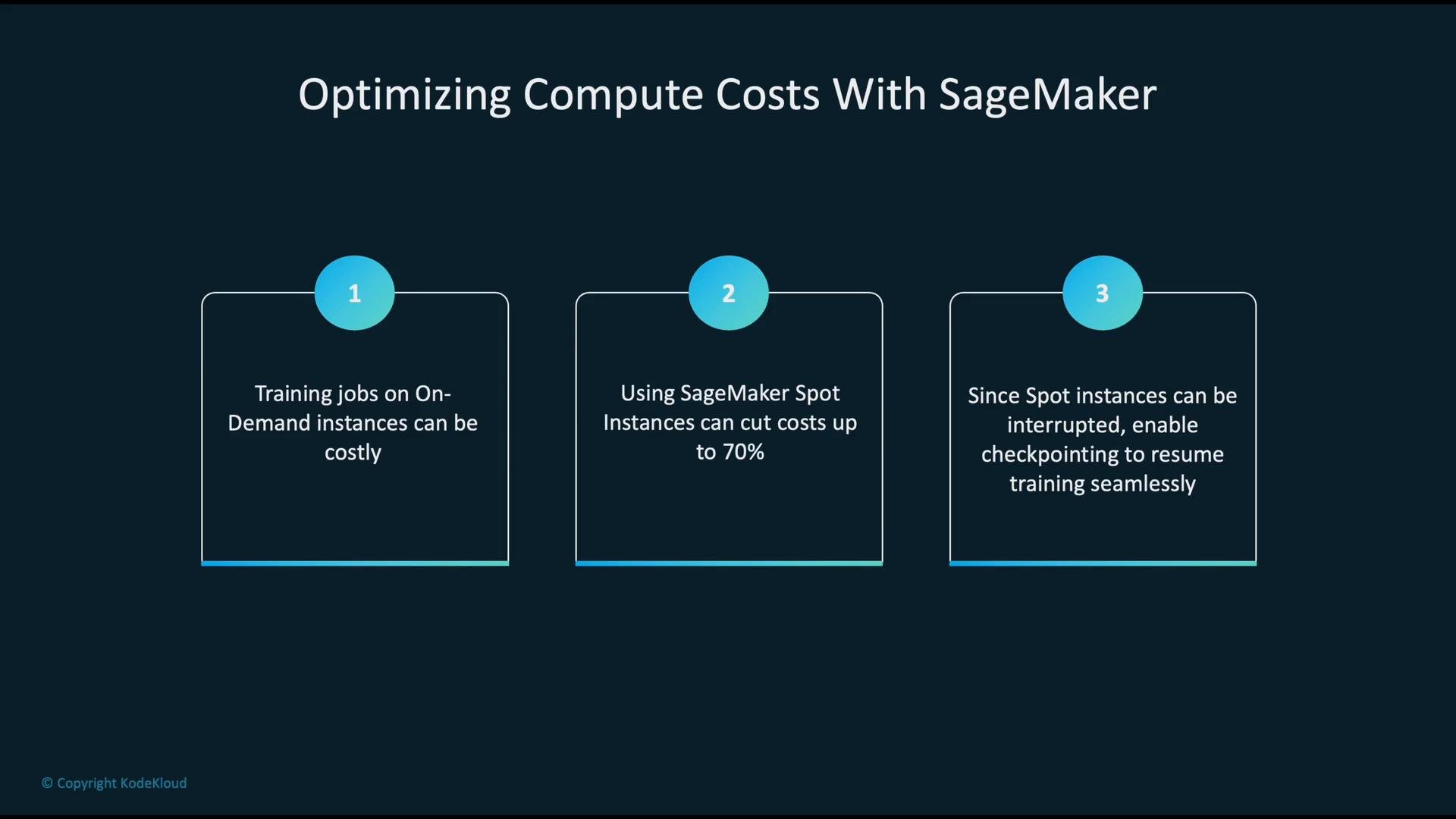 Spot instances can be interrupted with little notice. Always design training jobs to checkpoint model state and resume training to avoid lost progress and wasted resource time.
Example: create a SageMaker training job with Managed Spot Training. Note `EnableManagedSpotTraining=True` and `MaxWaitTimeInSeconds` to let the job wait for Spot capacity.
```python theme={null}
# Python example: Create a SageMaker training job with Managed Spot Training
import boto3
sm = boto3.client('sagemaker', region_name='us-east-1')
sm.create_training_job(
TrainingJobName='fraud-training-job',
AlgorithmSpecification={
'TrainingImage': '123456789012.dkr.ecr.us-east-1.amazonaws.com/sagemaker-xgboost:latest',
'TrainingInputMode': 'File'
},
RoleArn='arn:aws:iam::123456789012:role/SageMakerRole',
InputDataConfig=[
{
'ChannelName': 'train',
'DataSource': {
'S3DataSource': {
'S3DataType': 'S3Prefix',
'S3Uri': 's3://ml-bucket/train-data/',
'S3DataDistributionType': 'FullyReplicated'
}
}
}
],
OutputDataConfig={
'S3OutputPath': 's3://ml-bucket/output/'
},
ResourceConfig={
'InstanceType': 'ml.p3.2xlarge',
'InstanceCount': 1,
'VolumeSizeInGB': 50
},
EnableManagedSpotTraining=True,
StoppingCondition={
'MaxRuntimeInSeconds': 86400,
'MaxWaitTimeInSeconds': 86400
}
)
```
## 3) Optimize storage costs with S3 lifecycle policies
Storage for training data, intermediate artifacts, and model checkpoints can be expensive if left in hot storage. Apply lifecycle policies that automatically move objects to lower-cost tiers as access patterns age. A common lifecycle progression: S3 Standard → Intelligent‑Tiering → Standard‑IA → Glacier / Glacier Deep Archive.
Spot instances can be interrupted with little notice. Always design training jobs to checkpoint model state and resume training to avoid lost progress and wasted resource time.
Example: create a SageMaker training job with Managed Spot Training. Note `EnableManagedSpotTraining=True` and `MaxWaitTimeInSeconds` to let the job wait for Spot capacity.
```python theme={null}
# Python example: Create a SageMaker training job with Managed Spot Training
import boto3
sm = boto3.client('sagemaker', region_name='us-east-1')
sm.create_training_job(
TrainingJobName='fraud-training-job',
AlgorithmSpecification={
'TrainingImage': '123456789012.dkr.ecr.us-east-1.amazonaws.com/sagemaker-xgboost:latest',
'TrainingInputMode': 'File'
},
RoleArn='arn:aws:iam::123456789012:role/SageMakerRole',
InputDataConfig=[
{
'ChannelName': 'train',
'DataSource': {
'S3DataSource': {
'S3DataType': 'S3Prefix',
'S3Uri': 's3://ml-bucket/train-data/',
'S3DataDistributionType': 'FullyReplicated'
}
}
}
],
OutputDataConfig={
'S3OutputPath': 's3://ml-bucket/output/'
},
ResourceConfig={
'InstanceType': 'ml.p3.2xlarge',
'InstanceCount': 1,
'VolumeSizeInGB': 50
},
EnableManagedSpotTraining=True,
StoppingCondition={
'MaxRuntimeInSeconds': 86400,
'MaxWaitTimeInSeconds': 86400
}
)
```
## 3) Optimize storage costs with S3 lifecycle policies
Storage for training data, intermediate artifacts, and model checkpoints can be expensive if left in hot storage. Apply lifecycle policies that automatically move objects to lower-cost tiers as access patterns age. A common lifecycle progression: S3 Standard → Intelligent‑Tiering → Standard‑IA → Glacier / Glacier Deep Archive.
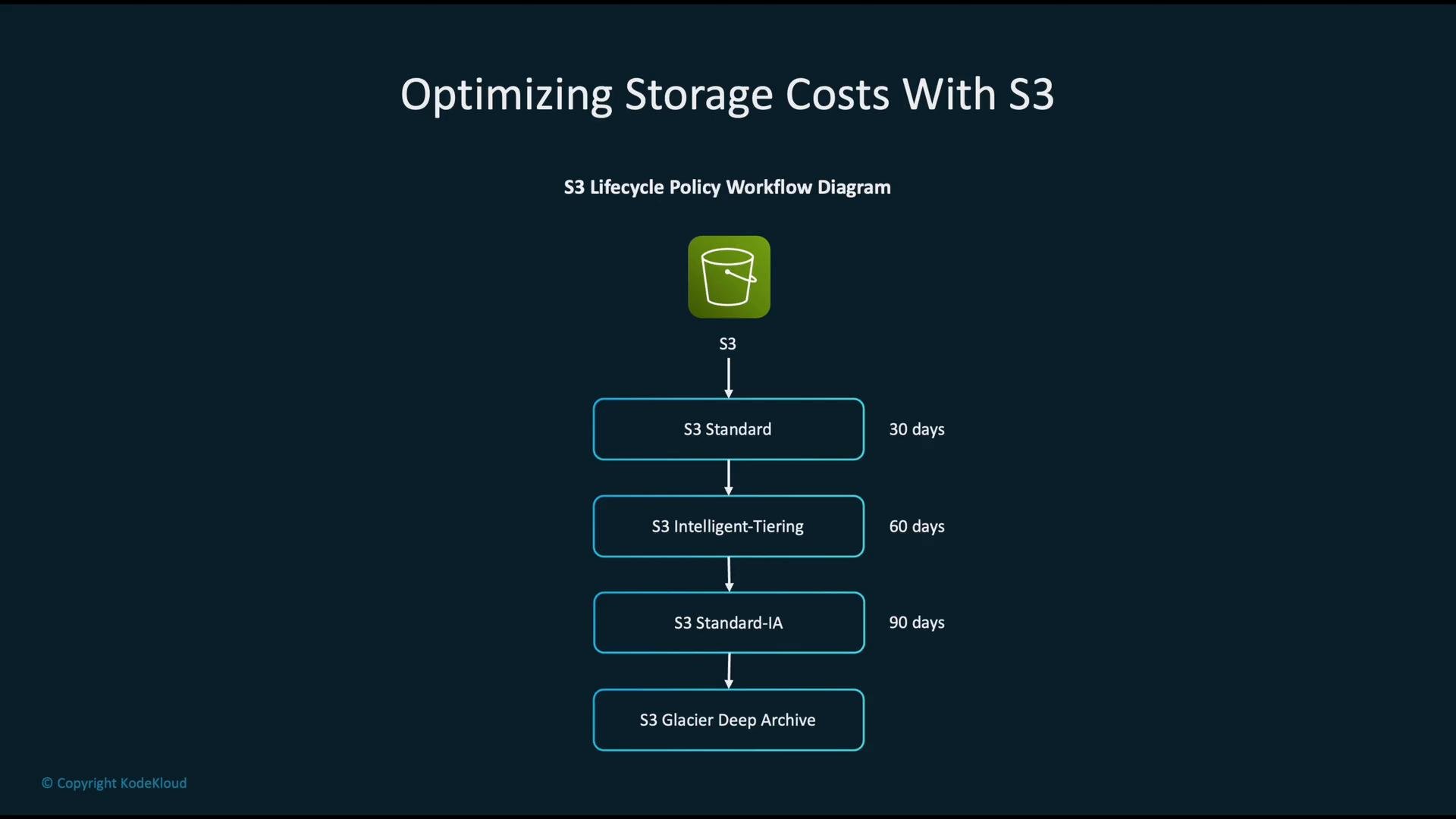 Example lifecycle rule: objects under prefix `ml-data/` are transitioned to Glacier after 30 days. Adjust `StorageClass` to `DEEP_ARCHIVE` if you require Glacier Deep Archive.
```json theme={null}
{
"Rules": [
{
"ID": "ArchiveMLData",
"Status": "Enabled",
"Filter": {
"Prefix": "ml-data/"
},
"Transitions": [
{
"Days": 30,
"StorageClass": "GLACIER"
}
]
}
]
}
```
Best practices for S3 and ML:
* Store frequently used datasets in Standard or Intelligent‑Tiering.
* Use object lifecycle rules on experiment/temporary folders.
* Use S3 object locking/versioning policies when you need retention guarantees but still want to tier storage.
## 4) Monitor costs and tune monitoring to avoid runaway monitoring spend
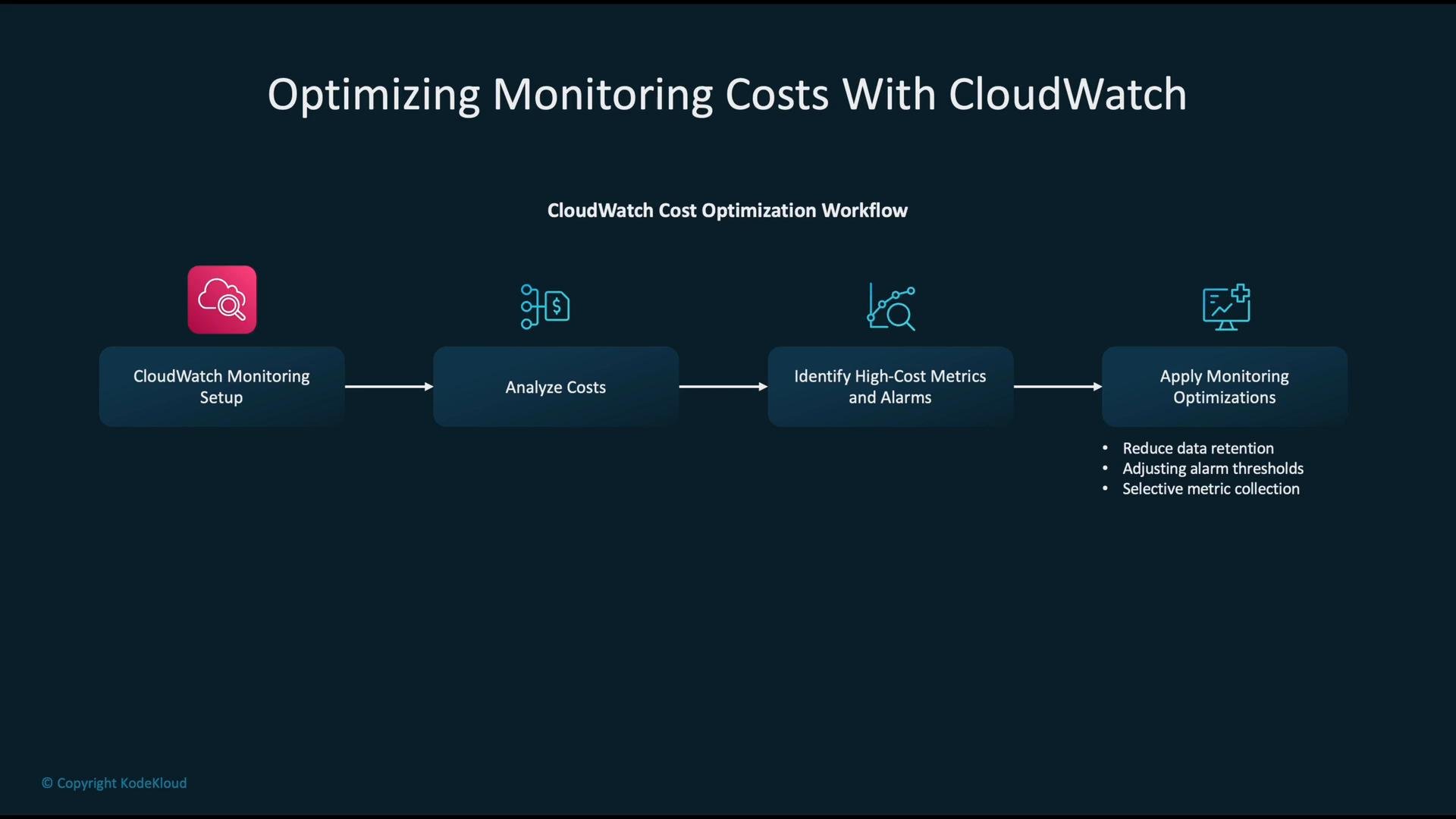
Monitoring itself can generate recurring costs (high-cardinality metrics, long retention, noisy alarms). Review CloudWatch usage and optimize:
* Reduce retention windows for rarely used metrics.
* Avoid high-cardinality dimensions unless essential.
* Aggregate metrics where possible and tune alarm thresholds to reduce false positives.
Example lifecycle rule: objects under prefix `ml-data/` are transitioned to Glacier after 30 days. Adjust `StorageClass` to `DEEP_ARCHIVE` if you require Glacier Deep Archive.
```json theme={null}
{
"Rules": [
{
"ID": "ArchiveMLData",
"Status": "Enabled",
"Filter": {
"Prefix": "ml-data/"
},
"Transitions": [
{
"Days": 30,
"StorageClass": "GLACIER"
}
]
}
]
}
```
Best practices for S3 and ML:
* Store frequently used datasets in Standard or Intelligent‑Tiering.
* Use object lifecycle rules on experiment/temporary folders.
* Use S3 object locking/versioning policies when you need retention guarantees but still want to tier storage.
## 4) Monitor costs and tune monitoring to avoid runaway monitoring spend
Monitoring itself can generate recurring costs (high-cardinality metrics, long retention, noisy alarms). Review CloudWatch usage and optimize:
* Reduce retention windows for rarely used metrics.
* Avoid high-cardinality dimensions unless essential.
* Aggregate metrics where possible and tune alarm thresholds to reduce false positives.
 A practical guardrail is a billing alarm for estimated charges. The JSON below shows a typical CloudWatch alarm targeted at the `EstimatedCharges` metric scoped to the `AmazonCloudWatch` service and configured to notify an SNS topic.
```json theme={null}
{
"AlarmName": "MLMonitoringCostOverrun",
"MetricName": "EstimatedCharges",
"Namespace": "AWS/Billing",
"Threshold": 1000.0,
"ComparisonOperator": "GreaterThanThreshold",
"EvaluationPeriods": 1,
"Period": 21600,
"Dimensions": [
{
"Name": "ServiceName",
"Value": "AmazonCloudWatch"
}
],
"AlarmActions": [
"arn:aws:sns:us-east-1:123456789012:AlertTopic"
]
}
```
Table: Monitoring optimizations
| Area | Action |
| - | - |
| Metrics | Aggregate or sample high-cardinality metrics; avoid thousands of unique dimensions |
| Retention | Lower retention for infrequently accessed metrics |
| Alerts | Use composite alarms or anomaly detection to reduce noise |
| Costs | Monitor `AWS/Billing` metrics and create SNS-driven notifications |
## 5) Scale inference efficiently with Auto Scaling
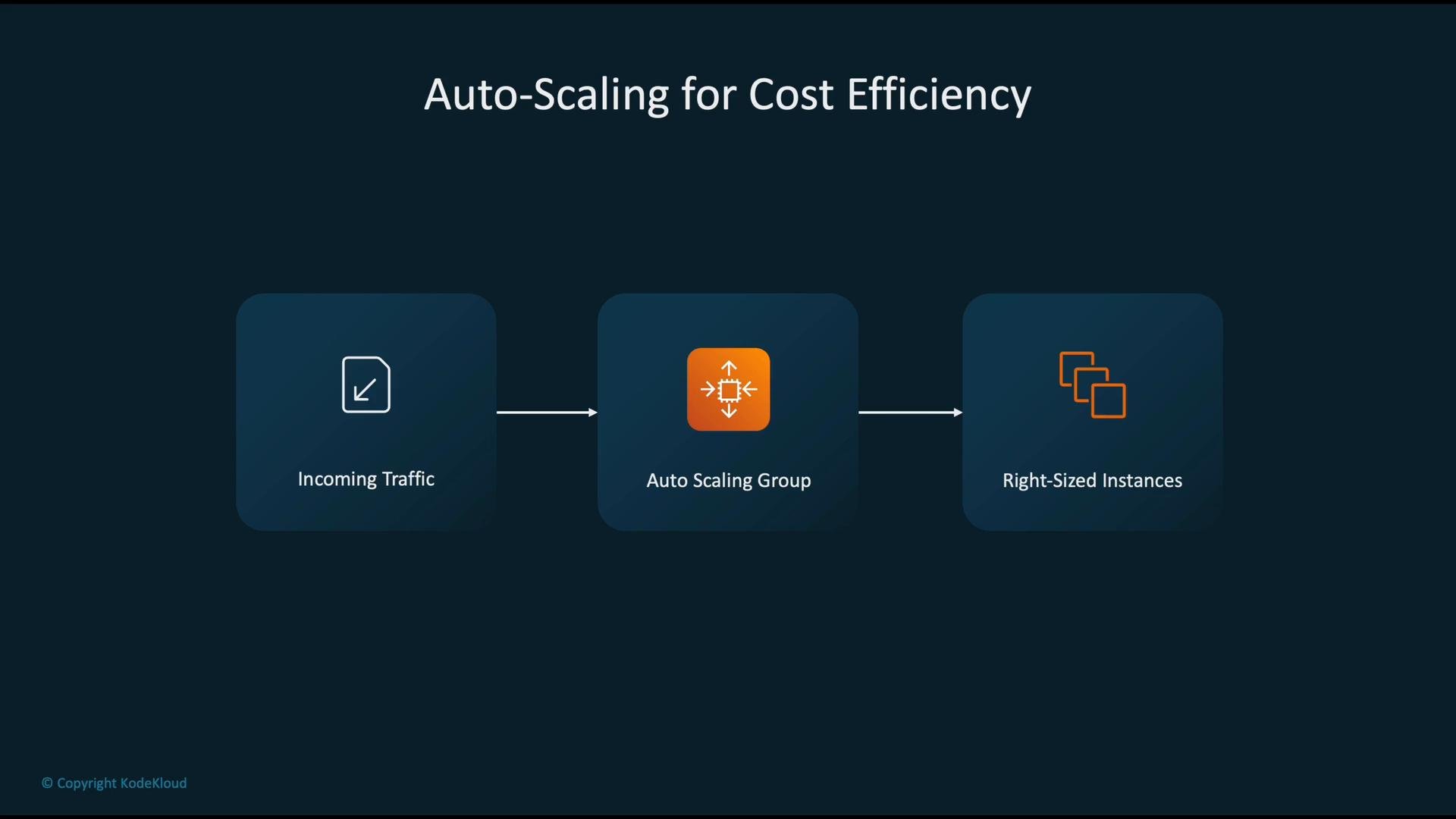
For variable inference traffic, use Auto Scaling (EC2 Auto Scaling groups, ECS/EKS autoscaling, or SageMaker endpoint autoscaling) to match capacity to demand. Scale both horizontally and vertically where appropriate, and use predictive scaling if your traffic has predictable patterns.
A practical guardrail is a billing alarm for estimated charges. The JSON below shows a typical CloudWatch alarm targeted at the `EstimatedCharges` metric scoped to the `AmazonCloudWatch` service and configured to notify an SNS topic.
```json theme={null}
{
"AlarmName": "MLMonitoringCostOverrun",
"MetricName": "EstimatedCharges",
"Namespace": "AWS/Billing",
"Threshold": 1000.0,
"ComparisonOperator": "GreaterThanThreshold",
"EvaluationPeriods": 1,
"Period": 21600,
"Dimensions": [
{
"Name": "ServiceName",
"Value": "AmazonCloudWatch"
}
],
"AlarmActions": [
"arn:aws:sns:us-east-1:123456789012:AlertTopic"
]
}
```
Table: Monitoring optimizations
| Area | Action |
| - | - |
| Metrics | Aggregate or sample high-cardinality metrics; avoid thousands of unique dimensions |
| Retention | Lower retention for infrequently accessed metrics |
| Alerts | Use composite alarms or anomaly detection to reduce noise |
| Costs | Monitor `AWS/Billing` metrics and create SNS-driven notifications |
## 5) Scale inference efficiently with Auto Scaling
For variable inference traffic, use Auto Scaling (EC2 Auto Scaling groups, ECS/EKS autoscaling, or SageMaker endpoint autoscaling) to match capacity to demand. Scale both horizontally and vertically where appropriate, and use predictive scaling if your traffic has predictable patterns.
 ## 6) Rightsizing and governance
Right-sizing is iterative:
1. Run representative training and inference workloads.
2. Use Compute Optimizer to analyze utilization and recommend instance sizes.
3. Review Trusted Advisor for cost-related best practices.
4. Apply changes gradually and measure performance vs. cost tradeoffs.
Security & governance: enforce least privilege with IAM so only authorized principals can create compute or storage resources or view billing data. Below is a minimal example policy that grants permissions for cost monitoring and core ML actions — adjust ARNs and resource names for your account.
```json theme={null}
{
"Version": "2012-10-17",
"Statement": [
{
"Effect": "Allow",
"Action": [
"ce:GetCostAndUsage",
"sagemaker:CreateTrainingJob",
"s3:PutObject",
"kms:Encrypt"
],
"Resource": [
"*",
"arn:aws:sagemaker:us-east-1:123456789012:training-job/*",
"arn:aws:s3:::ml-bucket/*",
"arn:aws:kms:us-east-1:123456789012:key/*"
]
}
]
}
```
## Common anti-patterns that drive unnecessary spend
* Relying only on on-demand pricing (missing Spot, Reserved, or Savings Plan optimizations).
* Not applying S3 lifecycle rules (paying premium for cold data).
* Ignoring billing alarms (delaying detection of overruns).
* Not right-sizing workloads (running idle or overpowered instances).
* Allowing broad IAM permissions that enable accidental resource creation.
## Immediate action checklist (practical next steps)
| Priority | Action |
| - | - |
| High | Use Cost Explorer with consistent tags to identify high-cost ML workloads |
| High | Implement SageMaker Managed Spot Training + checkpointing for large training jobs |
| Medium | Add S3 lifecycle rules to tier historical datasets and model artifacts |
| Medium | Create CloudWatch billing alarms and review CloudWatch metric retention |
| Low | Run Compute Optimizer and Trusted Advisor checks and apply rightsizing recommendations |
## Links and references
* [AWS Cost Explorer](https://aws.amazon.com/aws-cost-management/aws-cost-explorer/)
* [AWS SageMaker](https://learn.kodekloud.com/user/courses/aws-sagemaker)
* [Amazon S3](https://learn.kodekloud.com/user/courses/amazon-simple-storage-service-amazon-s3)
* [AWS CloudWatch](https://learn.kodekloud.com/user/courses/aws-cloudwatch/)
* [Compute Optimizer](https://aws.amazon.com/compute-optimizer/)
* [Trusted Advisor](https://aws.amazon.com/premiumsupport/trustedadvisor/)
* [AWS IAM](https://learn.kodekloud.com/user/courses/aws-iam)
Takeaway: instrument cost data, tag resources consistently, combine Spot and reserved-capacity strategies where appropriate, automate data-tiering for S3, monitor both application and billing metrics, and enforce least-privilege to avoid accidental spend.
This documentation is built and hosted on [Mintlify](https://mintlify.com), a developer documentation platform.
## 6) Rightsizing and governance
Right-sizing is iterative:
1. Run representative training and inference workloads.
2. Use Compute Optimizer to analyze utilization and recommend instance sizes.
3. Review Trusted Advisor for cost-related best practices.
4. Apply changes gradually and measure performance vs. cost tradeoffs.
Security & governance: enforce least privilege with IAM so only authorized principals can create compute or storage resources or view billing data. Below is a minimal example policy that grants permissions for cost monitoring and core ML actions — adjust ARNs and resource names for your account.
```json theme={null}
{
"Version": "2012-10-17",
"Statement": [
{
"Effect": "Allow",
"Action": [
"ce:GetCostAndUsage",
"sagemaker:CreateTrainingJob",
"s3:PutObject",
"kms:Encrypt"
],
"Resource": [
"*",
"arn:aws:sagemaker:us-east-1:123456789012:training-job/*",
"arn:aws:s3:::ml-bucket/*",
"arn:aws:kms:us-east-1:123456789012:key/*"
]
}
]
}
```
## Common anti-patterns that drive unnecessary spend
* Relying only on on-demand pricing (missing Spot, Reserved, or Savings Plan optimizations).
* Not applying S3 lifecycle rules (paying premium for cold data).
* Ignoring billing alarms (delaying detection of overruns).
* Not right-sizing workloads (running idle or overpowered instances).
* Allowing broad IAM permissions that enable accidental resource creation.
## Immediate action checklist (practical next steps)
| Priority | Action |
| - | - |
| High | Use Cost Explorer with consistent tags to identify high-cost ML workloads |
| High | Implement SageMaker Managed Spot Training + checkpointing for large training jobs |
| Medium | Add S3 lifecycle rules to tier historical datasets and model artifacts |
| Medium | Create CloudWatch billing alarms and review CloudWatch metric retention |
| Low | Run Compute Optimizer and Trusted Advisor checks and apply rightsizing recommendations |
## Links and references
* [AWS Cost Explorer](https://aws.amazon.com/aws-cost-management/aws-cost-explorer/)
* [AWS SageMaker](https://learn.kodekloud.com/user/courses/aws-sagemaker)
* [Amazon S3](https://learn.kodekloud.com/user/courses/amazon-simple-storage-service-amazon-s3)
* [AWS CloudWatch](https://learn.kodekloud.com/user/courses/aws-cloudwatch/)
* [Compute Optimizer](https://aws.amazon.com/compute-optimizer/)
* [Trusted Advisor](https://aws.amazon.com/premiumsupport/trustedadvisor/)
* [AWS IAM](https://learn.kodekloud.com/user/courses/aws-iam)
Takeaway: instrument cost data, tag resources consistently, combine Spot and reserved-capacity strategies where appropriate, automate data-tiering for S3, monitor both application and billing metrics, and enforce least-privilege to avoid accidental spend.
This documentation is built and hosted on [Mintlify](https://mintlify.com), a developer documentation platform.