> ## Documentation Index
> Fetch the complete documentation index at: https://notes.kodekloud.com/llms.txt
> Use this file to discover all available pages before exploring further.
# Key Performance Metrics for ML Infrastructure
> Overview of ML infrastructure monitoring, key performance metrics, CI/CD integration, auto scaling, security, and cost optimization for production models
In this lesson/article we cover machine learning (ML) infrastructure monitoring and the key performance metrics to track for effectiveness, reliability, and cost efficiency. Monitoring ML systems helps you detect model drift, prevent user-impacting performance regressions, and maintain security and compliance.
Core infrastructure components commonly used:
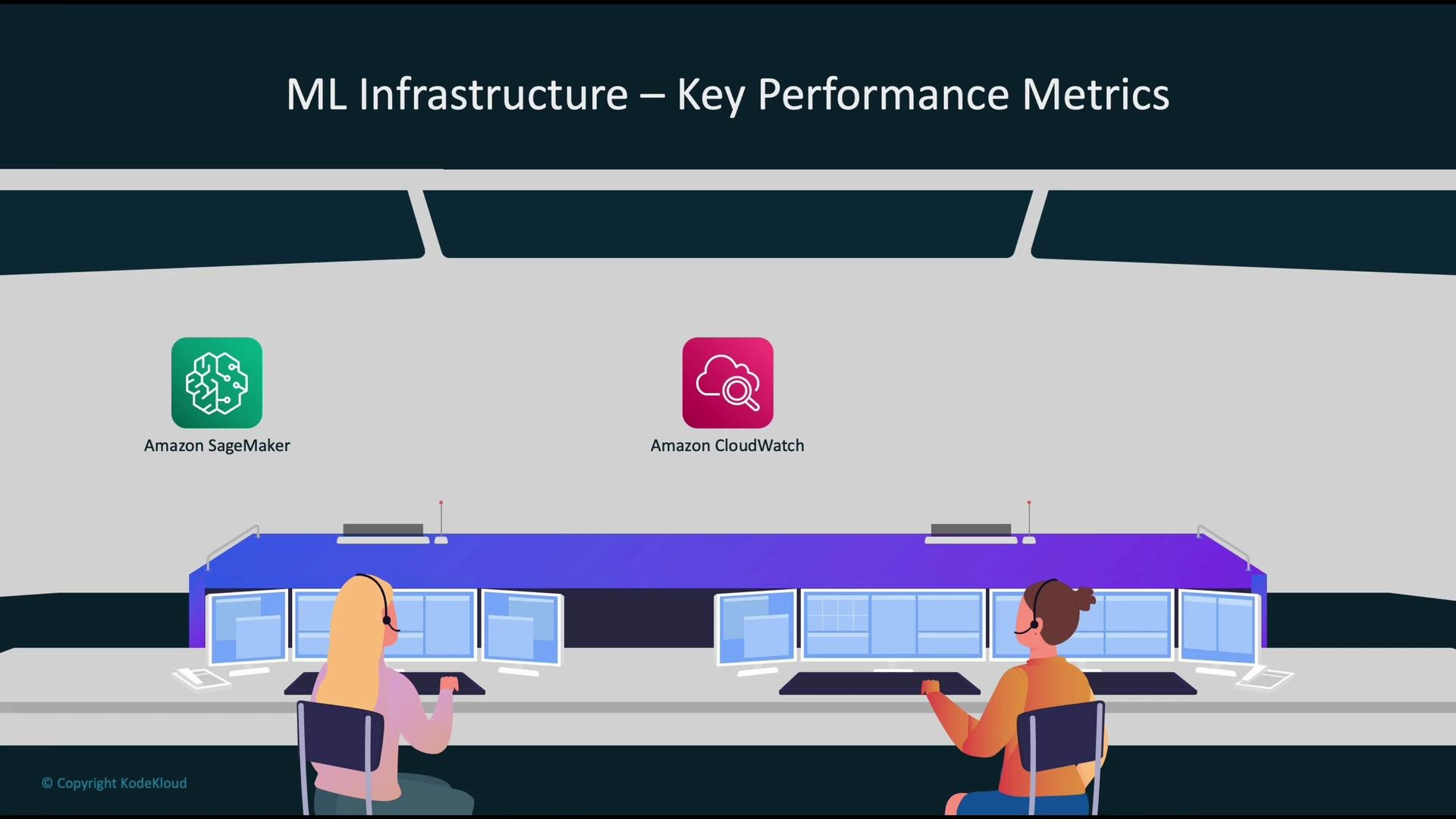
* Models are built, trained, and deployed using [Amazon SageMaker](https://learn.kodekloud.com/user/courses/aws-sagemaker).
* [Amazon CloudWatch](https://learn.kodekloud.com/user/courses/aws-cloudwatch) provides centralized monitoring for AWS resources and applications.
* [SageMaker Model Monitor](https://learn.kodekloud.com/user/courses/aws-sagemaker) detects issues such as data drift and concept drift for deployed models.
 Why monitor ML infrastructure?
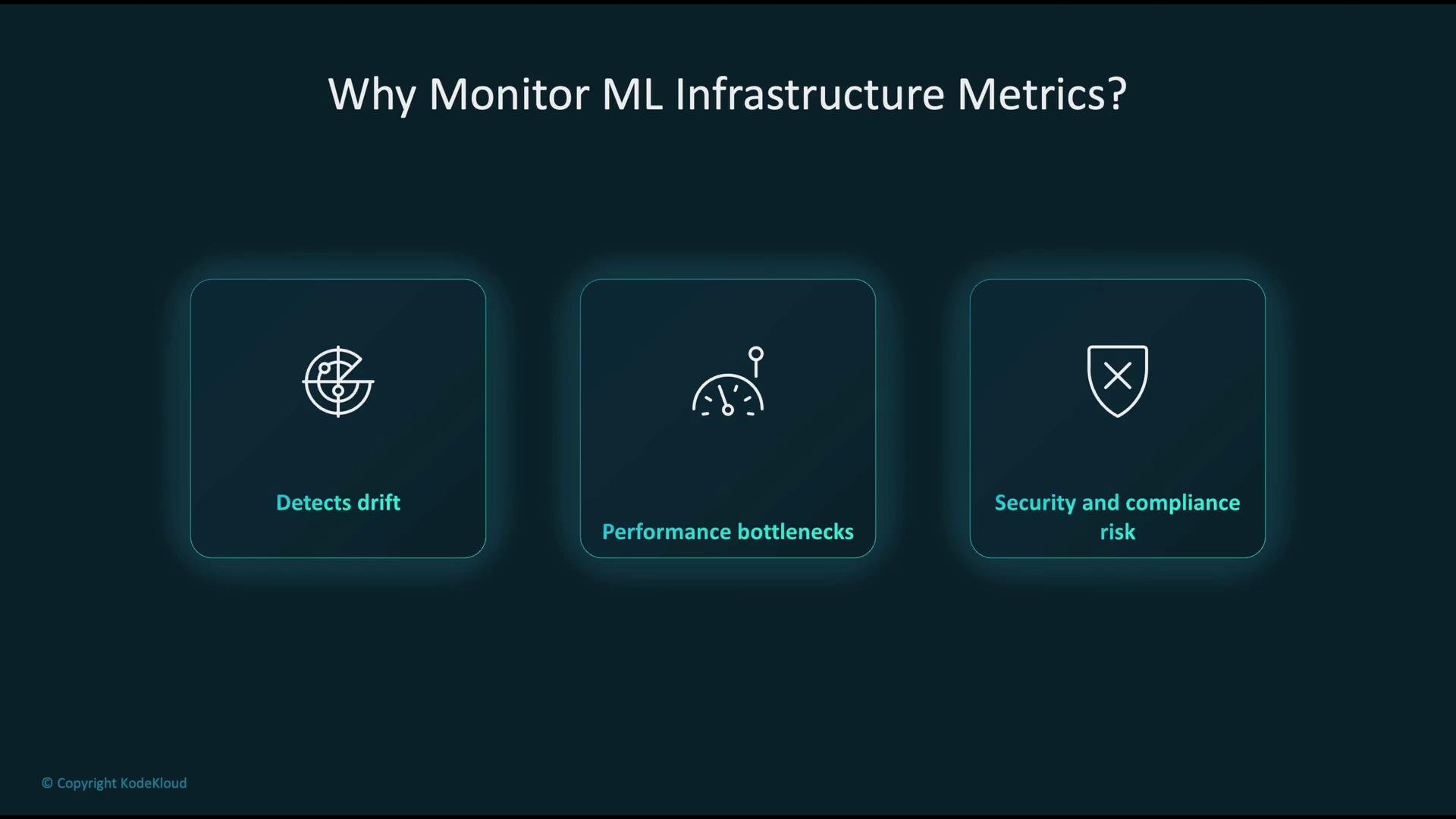
* Detect model and data drift so predictions remain accurate as inputs evolve.
* Identify and resolve performance bottlenecks before they affect users.
* Find and mitigate security, access, and compliance risks early.
Why monitor ML infrastructure?
* Detect model and data drift so predictions remain accurate as inputs evolve.
* Identify and resolve performance bottlenecks before they affect users.
* Find and mitigate security, access, and compliance risks early.
 How these services integrate in an ML monitoring workflow
* CloudWatch collects infrastructure and application metrics (CPU, network, latency, errors). Note: memory and some host-level metrics often require the CloudWatch agent or custom metrics.
* SageMaker Model Monitor samples inference payloads, compares them to precomputed baselines, and produces monitoring reports. Model Monitor writes reports and alerts to `S3` and publishes metrics/logs to CloudWatch.
* Application tracing with AWS X-Ray provides distributed traces of requests through your application; correlating CloudWatch metrics with X-Ray traces gives a unified view of both model and application health. See the AWS X-Ray developer guide for details: [https://docs.aws.amazon.com/xray/latest/devguide/aws-xray.html](https://docs.aws.amazon.com/xray/latest/devguide/aws-xray.html)
* CI/CD pipelines (for example, [AWS CodePipeline](https://learn.kodekloud.com/user/courses/aws-codepipeline-ci-cd-pipeline)) automate safe deployments. AWS Trusted Advisor provides operational recommendations based on resource usage and best practices: [https://docs.aws.amazon.com/awssupport/latest/user/trustedadvisor/what-is-trusted-advisor.html](https://docs.aws.amazon.com/awssupport/latest/user/trustedadvisor/what-is-trusted-advisor.html)
These integrations enable a closed loop where monitoring signals drive automated or manual actions (retraining, redeploying, scaling, or incident investigation).
Common model evaluation metrics
| Metric | What it measures | When to use |
| --------- | ------------------------------------------------------: | --------------------------------------------------------------- |
| Accuracy | Overall correctness for classification models | When classes are balanced and overall correctness is meaningful |
| Precision | Fraction of predicted positives that are true positives | When false positives are costly |
| Recall | Fraction of actual positives that were identified | When missing positives is costly |
| F1 score | Harmonic mean of precision and recall | When classes are imbalanced or a single metric is needed |
| AUC (ROC) | Ability to separate positive and negative classes | When ranking quality matters regardless of a threshold |
Operational performance metrics to monitor continuously
| Metric | Definition | Typical units |
| ---------- | ---------------------------------------: | ----------------------------------: |
| Latency | Time from request submission to response | milliseconds (ms) |
| Throughput | Number of requests served per second | requests/sec |
| Error rate | Fraction of failed responses | percentage or count per time window |
System resource metrics to inspect regularly
| Resource metric | Why it matters |
| ------------------ | -------------------------------------------------------------- |
| CPU usage | Detects CPU saturation and capacity needs |
| GPU utilization | Indicates effectiveness of accelerators for inference/training |
| Memory consumption | Detects out-of-memory issues and sizing needs |
| Disk I/O | Read/write patterns and storage latency |
| Network I/O | Bandwidth use and packet errors for traffic in/out |
CI/CD for safe, repeatable deployments
A robust CI/CD pipeline ensures model and application changes are deployed consistently and auditable:
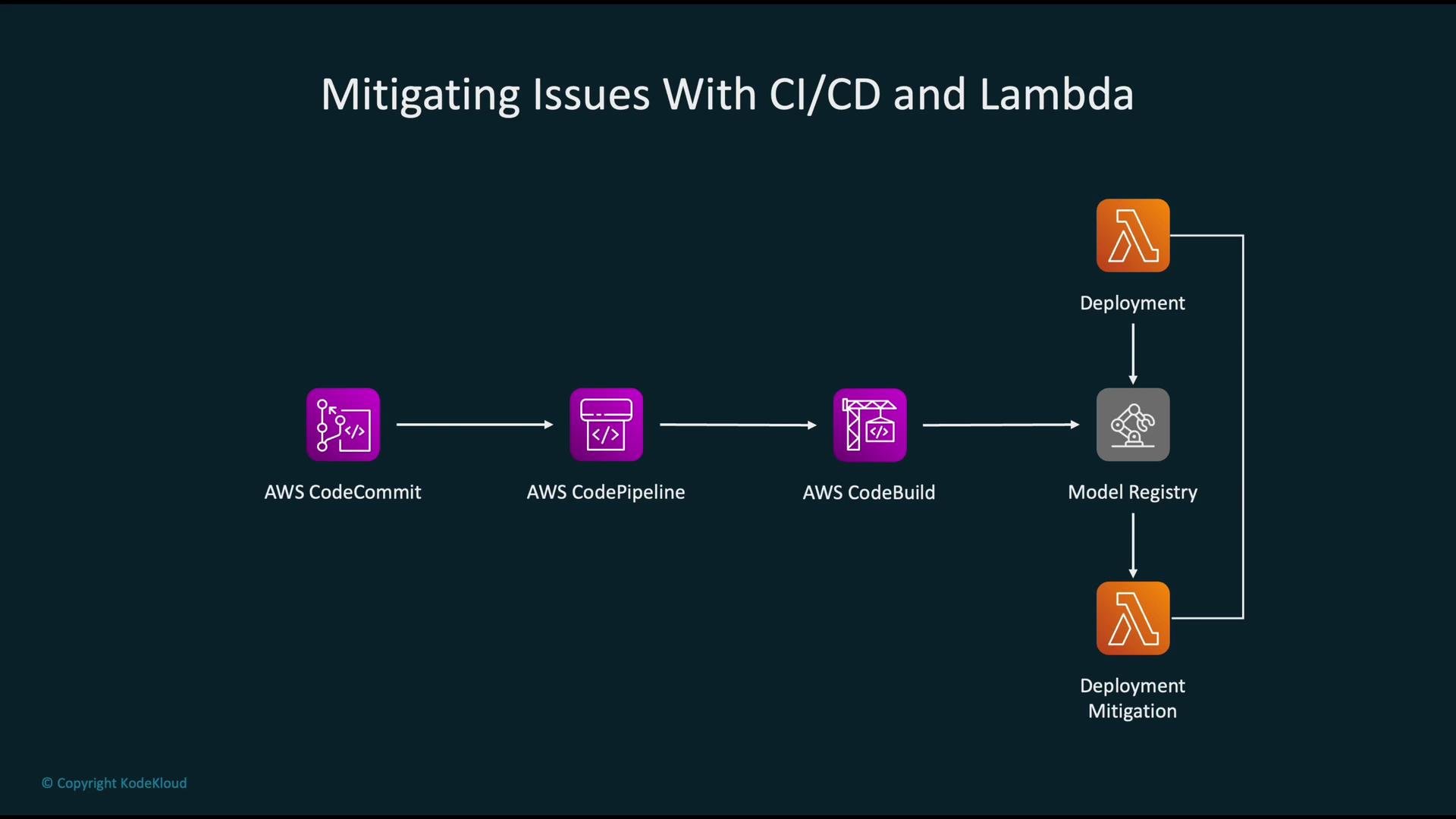
1. Developers push code to a source repository (e.g., AWS CodeCommit). More: [https://docs.aws.amazon.com/codecommit/latest/userguide/welcome.html](https://docs.aws.amazon.com/codecommit/latest/userguide/welcome.html)
2. [AWS CodePipeline](https://learn.kodekloud.com/user/courses/aws-codepipeline-ci-cd-pipeline) triggers the pipeline.
3. AWS CodeBuild builds and packages artifacts (model packages, Lambda functions). More: [https://docs.aws.amazon.com/codebuild/latest/userguide/welcome.html](https://docs.aws.amazon.com/codebuild/latest/userguide/welcome.html)
4. Built artifacts are registered into a Model Registry for versioning and governance (see SageMaker Model Registry): [https://docs.aws.amazon.com/sagemaker/latest/dg/model-registry.html](https://docs.aws.amazon.com/sagemaker/latest/dg/model-registry.html)
5. Deployments proceed to the target environment (Lambda or SageMaker endpoints) with automated validation and rollback on failures.
How these services integrate in an ML monitoring workflow
* CloudWatch collects infrastructure and application metrics (CPU, network, latency, errors). Note: memory and some host-level metrics often require the CloudWatch agent or custom metrics.
* SageMaker Model Monitor samples inference payloads, compares them to precomputed baselines, and produces monitoring reports. Model Monitor writes reports and alerts to `S3` and publishes metrics/logs to CloudWatch.
* Application tracing with AWS X-Ray provides distributed traces of requests through your application; correlating CloudWatch metrics with X-Ray traces gives a unified view of both model and application health. See the AWS X-Ray developer guide for details: [https://docs.aws.amazon.com/xray/latest/devguide/aws-xray.html](https://docs.aws.amazon.com/xray/latest/devguide/aws-xray.html)
* CI/CD pipelines (for example, [AWS CodePipeline](https://learn.kodekloud.com/user/courses/aws-codepipeline-ci-cd-pipeline)) automate safe deployments. AWS Trusted Advisor provides operational recommendations based on resource usage and best practices: [https://docs.aws.amazon.com/awssupport/latest/user/trustedadvisor/what-is-trusted-advisor.html](https://docs.aws.amazon.com/awssupport/latest/user/trustedadvisor/what-is-trusted-advisor.html)
These integrations enable a closed loop where monitoring signals drive automated or manual actions (retraining, redeploying, scaling, or incident investigation).
Common model evaluation metrics
| Metric | What it measures | When to use |
| --------- | ------------------------------------------------------: | --------------------------------------------------------------- |
| Accuracy | Overall correctness for classification models | When classes are balanced and overall correctness is meaningful |
| Precision | Fraction of predicted positives that are true positives | When false positives are costly |
| Recall | Fraction of actual positives that were identified | When missing positives is costly |
| F1 score | Harmonic mean of precision and recall | When classes are imbalanced or a single metric is needed |
| AUC (ROC) | Ability to separate positive and negative classes | When ranking quality matters regardless of a threshold |
Operational performance metrics to monitor continuously
| Metric | Definition | Typical units |
| ---------- | ---------------------------------------: | ----------------------------------: |
| Latency | Time from request submission to response | milliseconds (ms) |
| Throughput | Number of requests served per second | requests/sec |
| Error rate | Fraction of failed responses | percentage or count per time window |
System resource metrics to inspect regularly
| Resource metric | Why it matters |
| ------------------ | -------------------------------------------------------------- |
| CPU usage | Detects CPU saturation and capacity needs |
| GPU utilization | Indicates effectiveness of accelerators for inference/training |
| Memory consumption | Detects out-of-memory issues and sizing needs |
| Disk I/O | Read/write patterns and storage latency |
| Network I/O | Bandwidth use and packet errors for traffic in/out |
CI/CD for safe, repeatable deployments
A robust CI/CD pipeline ensures model and application changes are deployed consistently and auditable:
1. Developers push code to a source repository (e.g., AWS CodeCommit). More: [https://docs.aws.amazon.com/codecommit/latest/userguide/welcome.html](https://docs.aws.amazon.com/codecommit/latest/userguide/welcome.html)
2. [AWS CodePipeline](https://learn.kodekloud.com/user/courses/aws-codepipeline-ci-cd-pipeline) triggers the pipeline.
3. AWS CodeBuild builds and packages artifacts (model packages, Lambda functions). More: [https://docs.aws.amazon.com/codebuild/latest/userguide/welcome.html](https://docs.aws.amazon.com/codebuild/latest/userguide/welcome.html)
4. Built artifacts are registered into a Model Registry for versioning and governance (see SageMaker Model Registry): [https://docs.aws.amazon.com/sagemaker/latest/dg/model-registry.html](https://docs.aws.amazon.com/sagemaker/latest/dg/model-registry.html)
5. Deployments proceed to the target environment (Lambda or SageMaker endpoints) with automated validation and rollback on failures.
 Auto scaling and metric-driven scaling
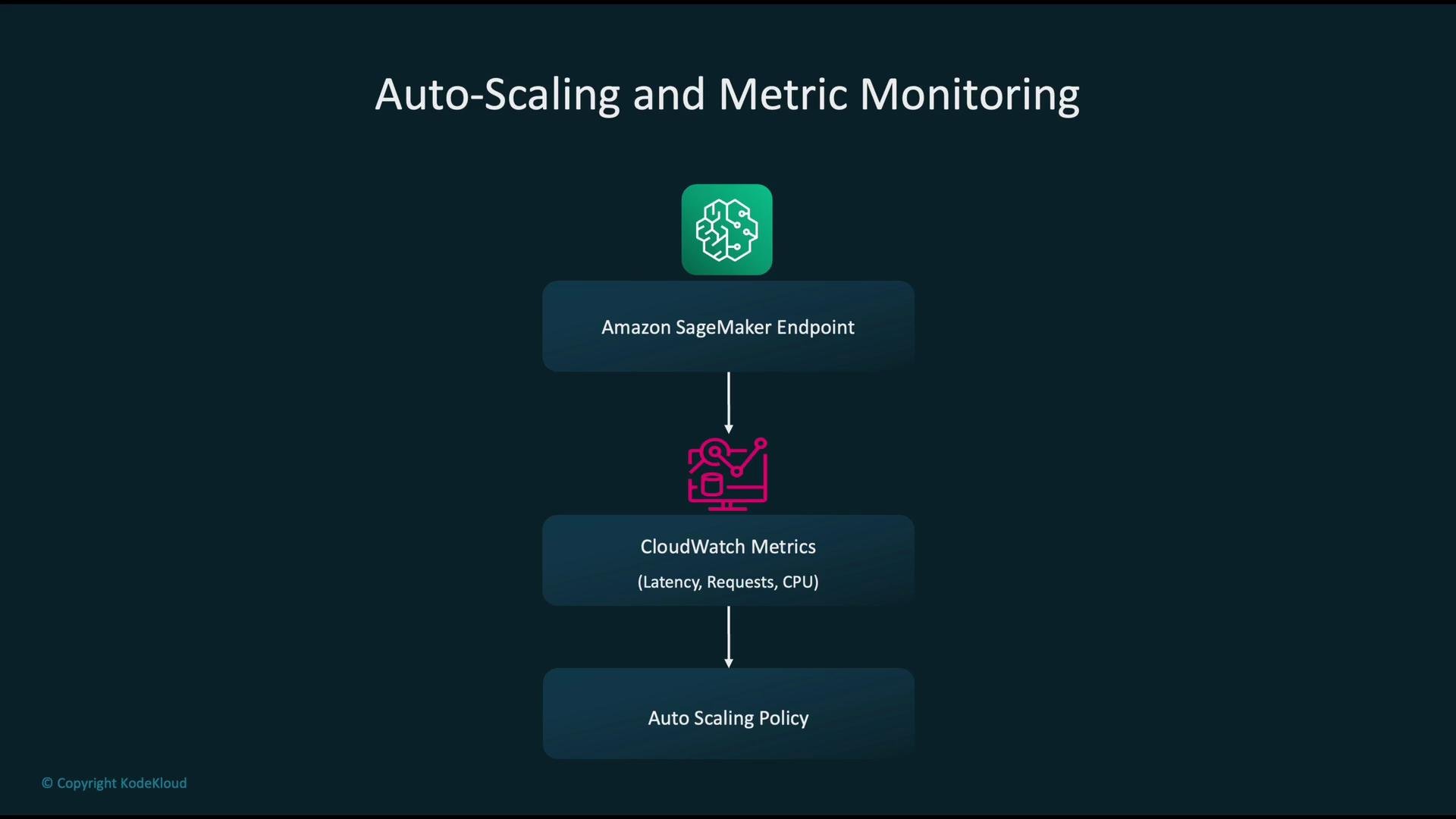
Use CloudWatch metrics to drive automatic scaling for production endpoints:
* SageMaker endpoints emit metrics such as invocation count, model latency, and instance CPU utilization.
* CloudWatch evaluates metrics against scaling policies.
* Auto Scaling policies add or remove instances when thresholds (e.g., average latency or CPU utilization) cross targets. See Amazon EC2 Auto Scaling overview: [https://docs.aws.amazon.com/autoscaling/ec2/userguide/what-is-amazon-ec2-auto-scaling.html](https://docs.aws.amazon.com/autoscaling/ec2/userguide/what-is-amazon-ec2-auto-scaling.html)
Metric-driven scaling keeps performance stable while optimizing cost.
Auto scaling and metric-driven scaling
Use CloudWatch metrics to drive automatic scaling for production endpoints:
* SageMaker endpoints emit metrics such as invocation count, model latency, and instance CPU utilization.
* CloudWatch evaluates metrics against scaling policies.
* Auto Scaling policies add or remove instances when thresholds (e.g., average latency or CPU utilization) cross targets. See Amazon EC2 Auto Scaling overview: [https://docs.aws.amazon.com/autoscaling/ec2/userguide/what-is-amazon-ec2-auto-scaling.html](https://docs.aws.amazon.com/autoscaling/ec2/userguide/what-is-amazon-ec2-auto-scaling.html)
Metric-driven scaling keeps performance stable while optimizing cost.
 Security and compliance for metric monitoring
Concentrate on three core controls:
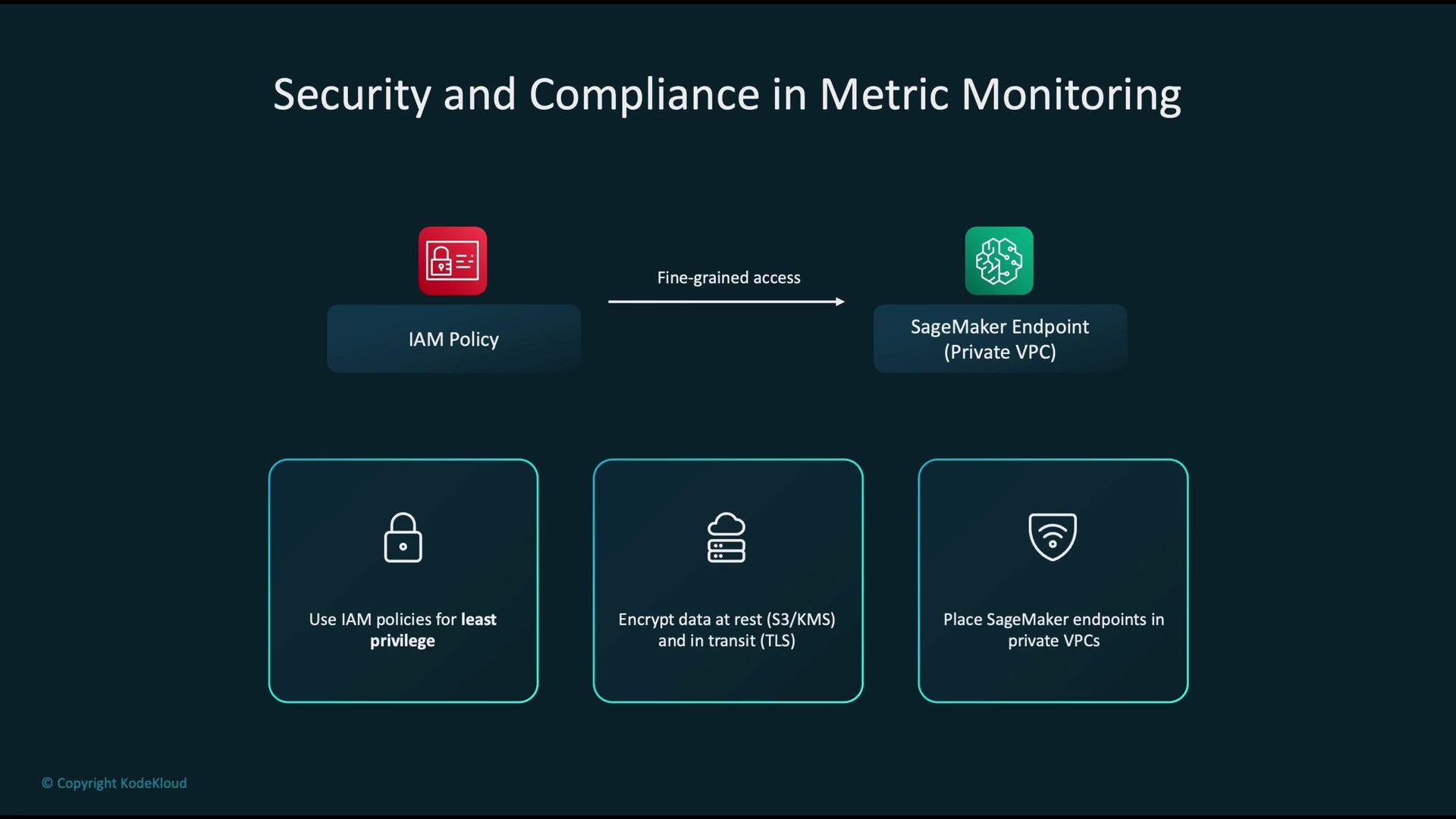
* Access control: Use [IAM policies](https://learn.kodekloud.com/user/courses/aws-iam) with least privilege to limit who can read metrics, modify endpoints, or trigger deployments.
* Encryption: Encrypt data at rest (S3 + AWS KMS) and in transit. See AWS KMS overview: [https://docs.aws.amazon.com/kms/latest/developerguide/overview.html](https://docs.aws.amazon.com/kms/latest/developerguide/overview.html)
* Network isolation: Place endpoints in private subnets within a VPC and use security groups/NACLs to control access.
Implement logging, audit trails, and retention policies aligned with compliance requirements.
Security and compliance for metric monitoring
Concentrate on three core controls:
* Access control: Use [IAM policies](https://learn.kodekloud.com/user/courses/aws-iam) with least privilege to limit who can read metrics, modify endpoints, or trigger deployments.
* Encryption: Encrypt data at rest (S3 + AWS KMS) and in transit. See AWS KMS overview: [https://docs.aws.amazon.com/kms/latest/developerguide/overview.html](https://docs.aws.amazon.com/kms/latest/developerguide/overview.html)
* Network isolation: Place endpoints in private subnets within a VPC and use security groups/NACLs to control access.
Implement logging, audit trails, and retention policies aligned with compliance requirements.
 Cost optimization strategies
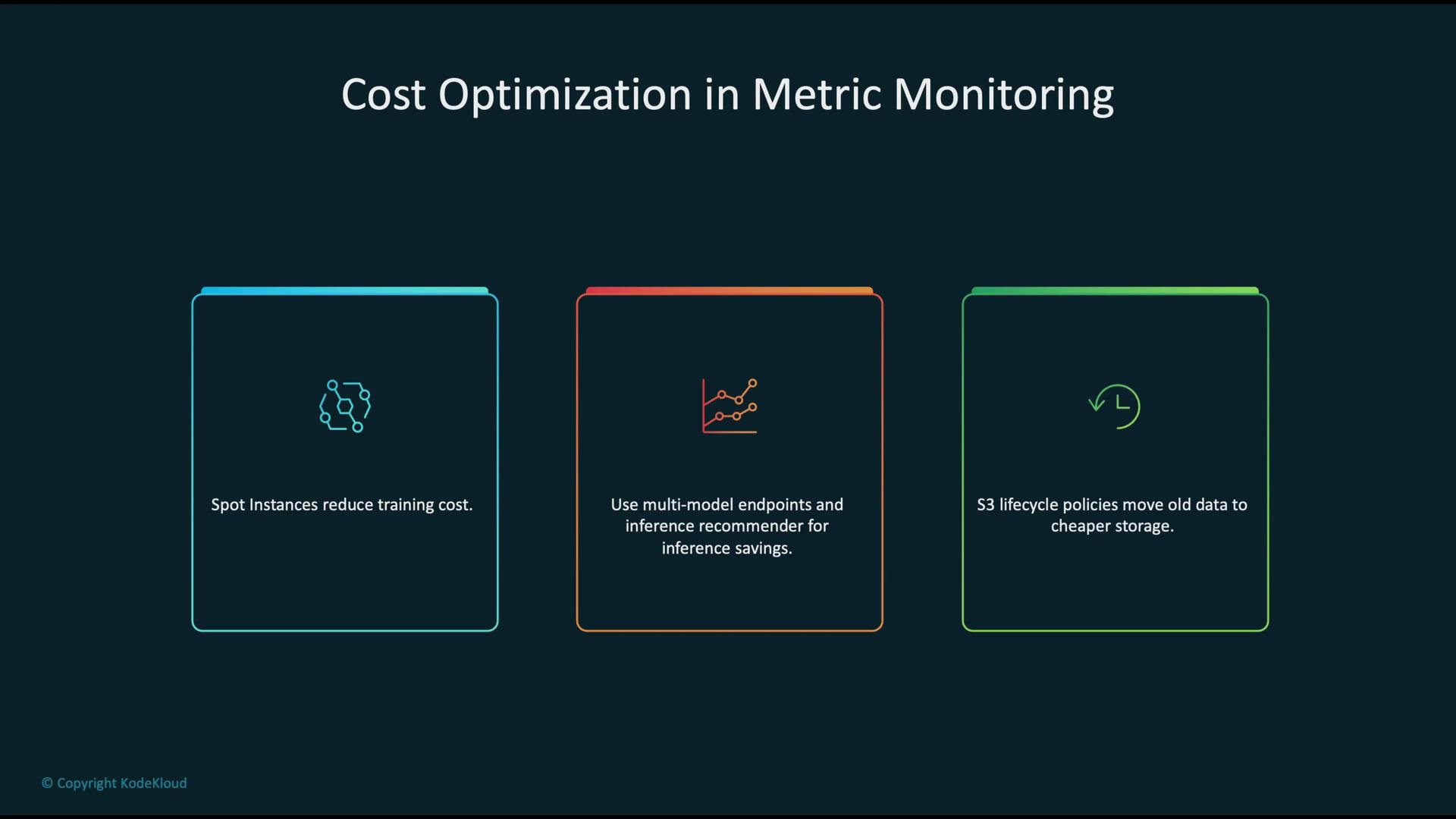
* Use Spot Instances for interruptible training jobs to reduce cost. See Spot Instances: [https://docs.aws.amazon.com/AWSEC2/latest/UserGuide/using-spot-instances.html](https://docs.aws.amazon.com/AWSEC2/latest/UserGuide/using-spot-instances.html)
* For inference, consider multi-model endpoints and use the Inference Recommender to pick cost-effective instance types and configurations:
* Multi-model endpoints: [https://docs.aws.amazon.com/sagemaker/latest/dg/multi-model-endpoints.html](https://docs.aws.amazon.com/sagemaker/latest/dg/multi-model-endpoints.html)
* Inference Recommender: [https://docs.aws.amazon.com/sagemaker/latest/dg/inference-recommender.html](https://docs.aws.amazon.com/sagemaker/latest/dg/inference-recommender.html)
* Apply `S3` lifecycle policies to transition older monitoring and training artifacts to lower-cost storage classes: [https://docs.aws.amazon.com/AmazonS3/latest/userguide/object-lifecycle-mgmt.html](https://docs.aws.amazon.com/AmazonS3/latest/userguide/object-lifecycle-mgmt.html)
Cost optimization strategies
* Use Spot Instances for interruptible training jobs to reduce cost. See Spot Instances: [https://docs.aws.amazon.com/AWSEC2/latest/UserGuide/using-spot-instances.html](https://docs.aws.amazon.com/AWSEC2/latest/UserGuide/using-spot-instances.html)
* For inference, consider multi-model endpoints and use the Inference Recommender to pick cost-effective instance types and configurations:
* Multi-model endpoints: [https://docs.aws.amazon.com/sagemaker/latest/dg/multi-model-endpoints.html](https://docs.aws.amazon.com/sagemaker/latest/dg/multi-model-endpoints.html)
* Inference Recommender: [https://docs.aws.amazon.com/sagemaker/latest/dg/inference-recommender.html](https://docs.aws.amazon.com/sagemaker/latest/dg/inference-recommender.html)
* Apply `S3` lifecycle policies to transition older monitoring and training artifacts to lower-cost storage classes: [https://docs.aws.amazon.com/AmazonS3/latest/userguide/object-lifecycle-mgmt.html](https://docs.aws.amazon.com/AmazonS3/latest/userguide/object-lifecycle-mgmt.html)
 Anti-patterns to avoid
* Not monitoring key metrics — operating blind increases outage and model quality risk.
* Hardcoding thresholds and scaling values — prevents dynamic, data-driven scaling; prefer parameterized policies.
* Overly broad IAM permissions — unnecessary access increases security exposure.
* Ignoring model drift — leads to stale models that no longer reflect real-world data.
Anti-patterns to avoid
* Not monitoring key metrics — operating blind increases outage and model quality risk.
* Hardcoding thresholds and scaling values — prevents dynamic, data-driven scaling; prefer parameterized policies.
* Overly broad IAM permissions — unnecessary access increases security exposure.
* Ignoring model drift — leads to stale models that no longer reflect real-world data.
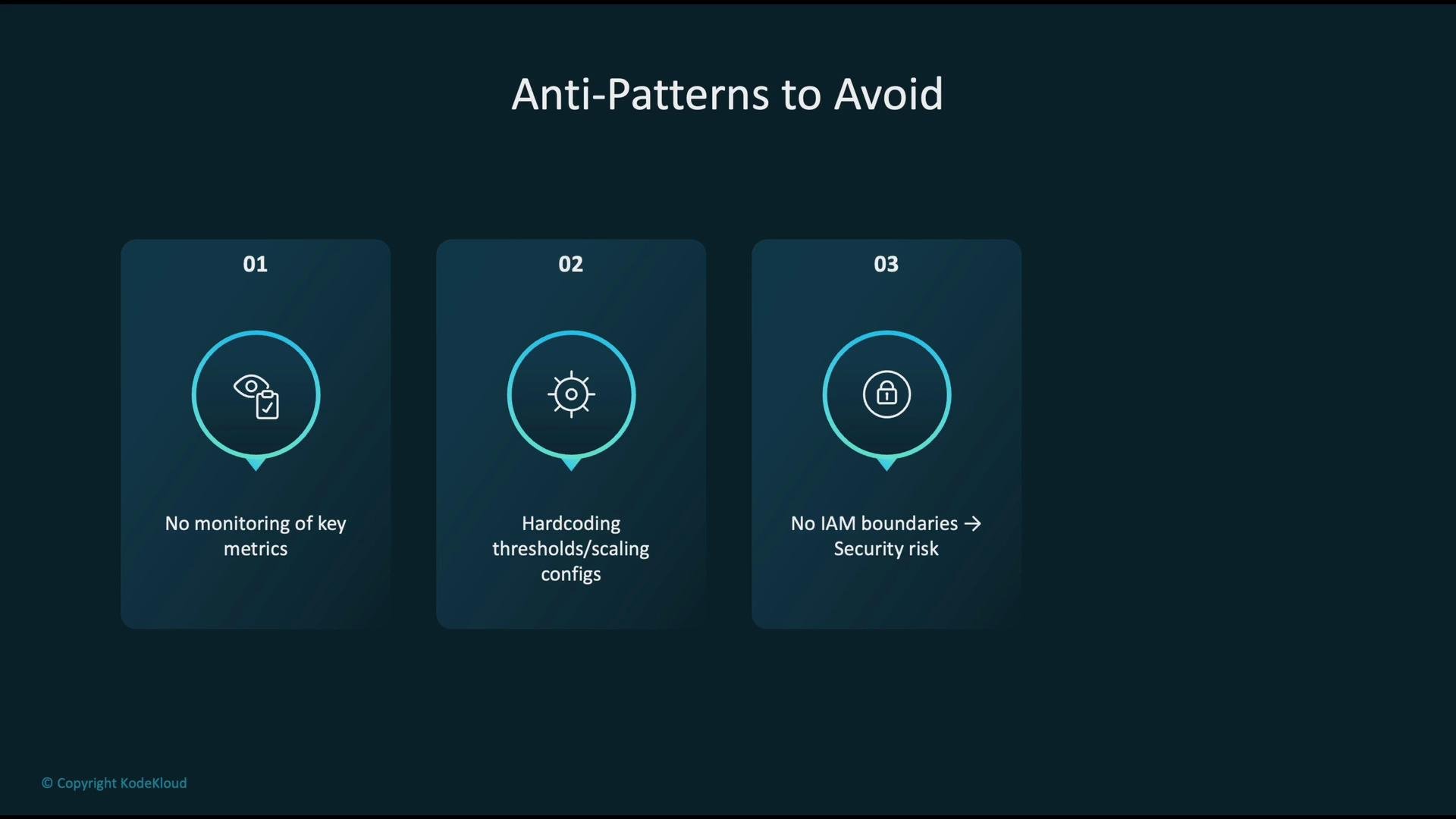 Avoid hardcoded scaling thresholds and overly permissive IAM roles—both are common sources of operational and security incidents.
Best practices summary
1. Continuously monitor both model-specific and infrastructure metrics (latency, throughput, errors, CPU/GPU/memory/disk/network, and model drift indicators).
2. Automate operations with CI/CD and infrastructure-as-code so deployments are repeatable, testable, and auditable.
3. Enforce least-privilege access controls and encrypt sensitive data to meet security and compliance requirements.
4. Proactively optimize costs using Spot Instances for training, efficient inference patterns (multi-model endpoints), and S3 lifecycle policies for older artifacts.
A combined approach—instrumenting models and applications, automating lifecycle management, and enforcing security—delivers reliable, efficient, and cost-effective ML systems.
References and further reading
* [Amazon SageMaker](https://learn.kodekloud.com/user/courses/aws-sagemaker)
* [Amazon CloudWatch](https://learn.kodekloud.com/user/courses/aws-cloudwatch)
* [SageMaker Model Monitor](https://learn.kodekloud.com/user/courses/aws-sagemaker)
* AWS X-Ray developer guide: [https://docs.aws.amazon.com/xray/latest/devguide/aws-xray.html](https://docs.aws.amazon.com/xray/latest/devguide/aws-xray.html)
* AWS Trusted Advisor overview: [https://docs.aws.amazon.com/awssupport/latest/user/trustedadvisor/what-is-trusted-advisor.html](https://docs.aws.amazon.com/awssupport/latest/user/trustedadvisor/what-is-trusted-advisor.html)
* SageMaker Model Registry: [https://docs.aws.amazon.com/sagemaker/latest/dg/model-registry.html](https://docs.aws.amazon.com/sagemaker/latest/dg/model-registry.html)
* AWS KMS overview: [https://docs.aws.amazon.com/kms/latest/developerguide/overview.html](https://docs.aws.amazon.com/kms/latest/developerguide/overview.html)
* Spot Instances: [https://docs.aws.amazon.com/AWSEC2/latest/UserGuide/using-spot-instances.html](https://docs.aws.amazon.com/AWSEC2/latest/UserGuide/using-spot-instances.html)
* S3 Lifecycle Management: [https://docs.aws.amazon.com/AmazonS3/latest/userguide/object-lifecycle-mgmt.html](https://docs.aws.amazon.com/AmazonS3/latest/userguide/object-lifecycle-mgmt.html)
Avoid hardcoded scaling thresholds and overly permissive IAM roles—both are common sources of operational and security incidents.
Best practices summary
1. Continuously monitor both model-specific and infrastructure metrics (latency, throughput, errors, CPU/GPU/memory/disk/network, and model drift indicators).
2. Automate operations with CI/CD and infrastructure-as-code so deployments are repeatable, testable, and auditable.
3. Enforce least-privilege access controls and encrypt sensitive data to meet security and compliance requirements.
4. Proactively optimize costs using Spot Instances for training, efficient inference patterns (multi-model endpoints), and S3 lifecycle policies for older artifacts.
A combined approach—instrumenting models and applications, automating lifecycle management, and enforcing security—delivers reliable, efficient, and cost-effective ML systems.
References and further reading
* [Amazon SageMaker](https://learn.kodekloud.com/user/courses/aws-sagemaker)
* [Amazon CloudWatch](https://learn.kodekloud.com/user/courses/aws-cloudwatch)
* [SageMaker Model Monitor](https://learn.kodekloud.com/user/courses/aws-sagemaker)
* AWS X-Ray developer guide: [https://docs.aws.amazon.com/xray/latest/devguide/aws-xray.html](https://docs.aws.amazon.com/xray/latest/devguide/aws-xray.html)
* AWS Trusted Advisor overview: [https://docs.aws.amazon.com/awssupport/latest/user/trustedadvisor/what-is-trusted-advisor.html](https://docs.aws.amazon.com/awssupport/latest/user/trustedadvisor/what-is-trusted-advisor.html)
* SageMaker Model Registry: [https://docs.aws.amazon.com/sagemaker/latest/dg/model-registry.html](https://docs.aws.amazon.com/sagemaker/latest/dg/model-registry.html)
* AWS KMS overview: [https://docs.aws.amazon.com/kms/latest/developerguide/overview.html](https://docs.aws.amazon.com/kms/latest/developerguide/overview.html)
* Spot Instances: [https://docs.aws.amazon.com/AWSEC2/latest/UserGuide/using-spot-instances.html](https://docs.aws.amazon.com/AWSEC2/latest/UserGuide/using-spot-instances.html)
* S3 Lifecycle Management: [https://docs.aws.amazon.com/AmazonS3/latest/userguide/object-lifecycle-mgmt.html](https://docs.aws.amazon.com/AmazonS3/latest/userguide/object-lifecycle-mgmt.html)