> ## Documentation Index
> Fetch the complete documentation index at: https://notes.kodekloud.com/llms.txt
> Use this file to discover all available pages before exploring further.
# ML Specific Instance Types and Performance Considerations
> Guide to selecting and optimizing AWS ML instance types, covering performance, monitoring, autoscaling, security, and cost optimization for training and inference.
In this lesson we review instance families tailored for machine learning workloads and the key performance, security, and cost trade-offs to evaluate when choosing among them. Selecting the right instance family, actively monitoring utilization, and using automated tools to right-size and scale are critical to building performant, secure, and cost-efficient ML systems on AWS.
When running ML on AWS, consider both the compute platform and managed services:
* Amazon EC2 provides flexible compute options including powerful GPU instances for demanding training jobs.
* AWS SageMaker is a fully managed service that streamlines model building, training, tuning, and deployment.
* AWS CloudWatch supplies metrics, dashboards, and alarms for monitoring and alerting so you can keep training and inference workloads healthy.
Links:
* [Amazon EC2](https://learn.kodekloud.com/user/courses/amazon-elastic-compute-cloud-ec2)
* [AWS SageMaker](https://learn.kodekloud.com/user/courses/aws-sagemaker)
* [AWS CloudWatch](https://learn.kodekloud.com/user/courses/aws-cloudwatch)
 Why choosing the right instance type matters
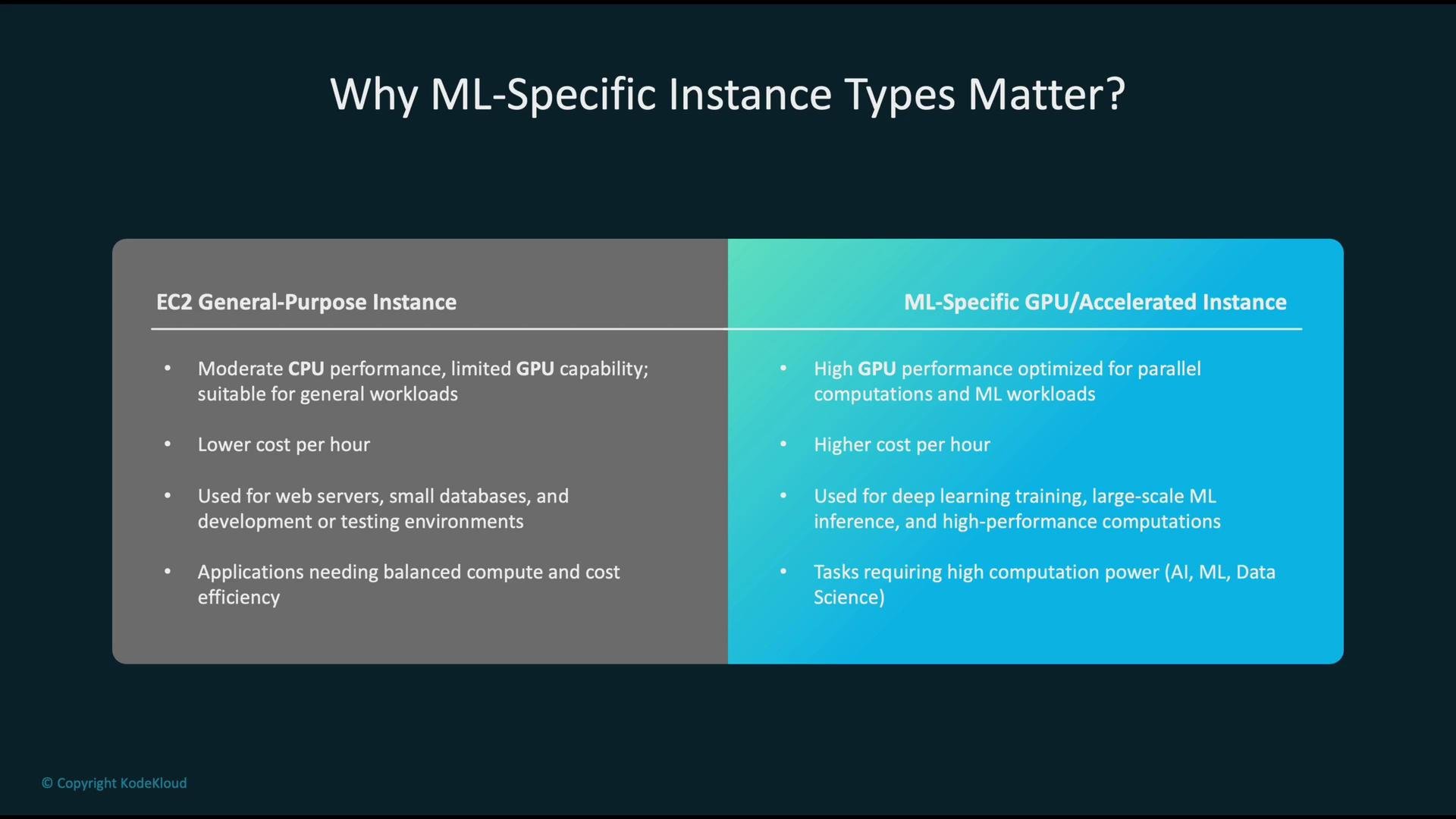
Instances broadly fall into two categories:
* EC2 general-purpose instances: balanced CPU, memory, and network. Cost-effective for web servers, small databases, preprocessing, and classical ML tasks that do not require GPU acceleration.
* ML-specific (accelerated) instances: optimized for GPU/accelerator throughput and parallel compute. Higher hourly cost but essential for deep learning training, large-scale inference, and high-performance workloads.
Pick instance families based on the workload’s dominant resource profile—CPU-bound, memory-bound, or accelerator-bound—and whether you prioritize latency or throughput.
Why choosing the right instance type matters
Instances broadly fall into two categories:
* EC2 general-purpose instances: balanced CPU, memory, and network. Cost-effective for web servers, small databases, preprocessing, and classical ML tasks that do not require GPU acceleration.
* ML-specific (accelerated) instances: optimized for GPU/accelerator throughput and parallel compute. Higher hourly cost but essential for deep learning training, large-scale inference, and high-performance workloads.
Pick instance families based on the workload’s dominant resource profile—CPU-bound, memory-bound, or accelerator-bound—and whether you prioritize latency or throughput.
 Instance choices by ML workflow stage
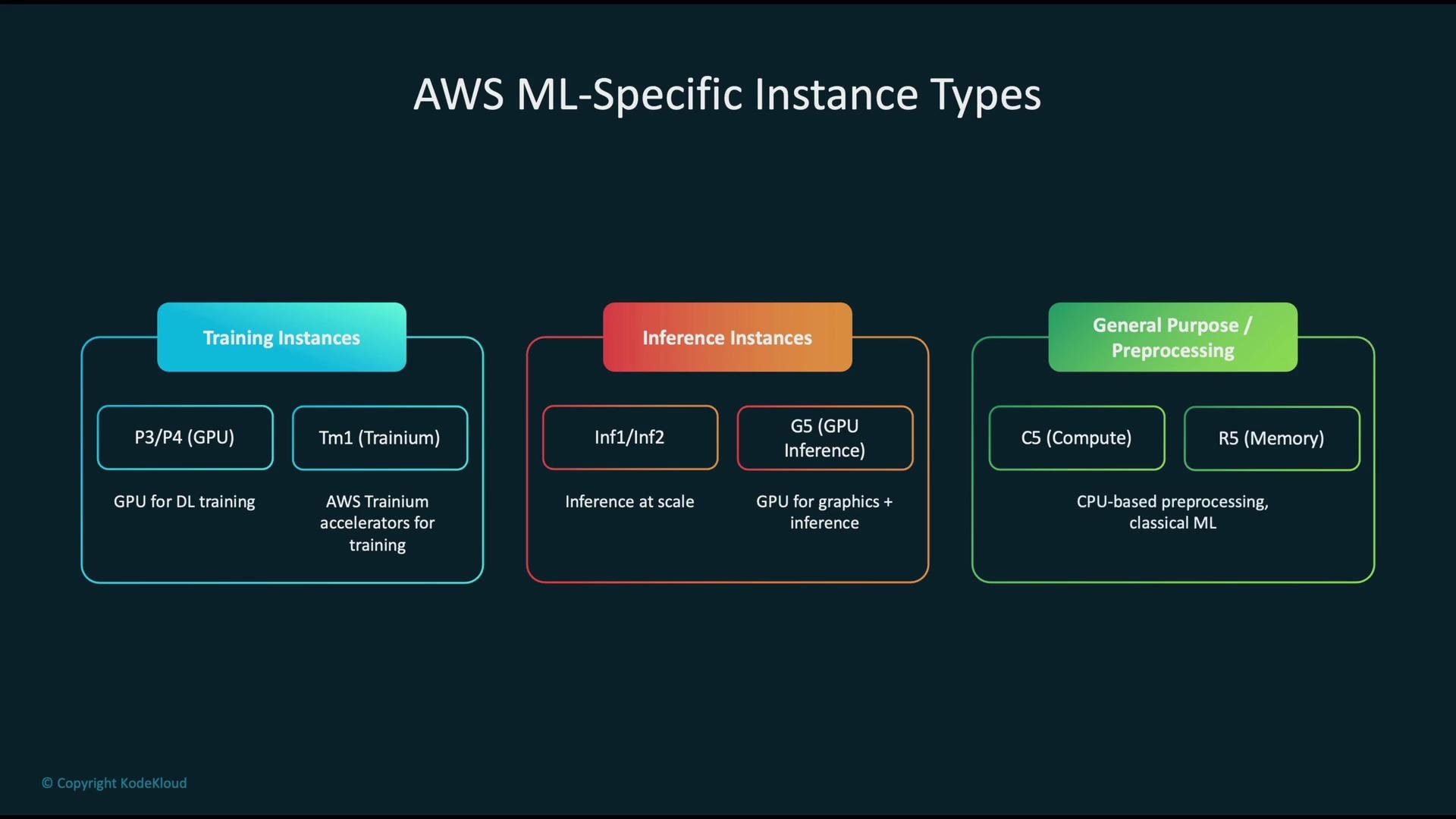
Choose instance families according to the pipeline stage and dominant resource needs.
| Workflow stage | Use case | Typical AWS instance families |
| ---------------------------- | ------------------------------------------------------------: | ------------------------------------------------------------------ |
| Training | Distributed deep learning, GPU compute | `P3`, `P4` (NVIDIA GPUs), `Trn1` (AWS Trainium) |
| Inference | High-throughput, low-latency model serving | `Inf1`, `Inf2` (AWS Inferentia), `G5` (GPU for inference/graphics) |
| Preprocessing & classical ML | Data preparation, feature engineering, non-accelerated models | `C5` (compute-optimized), `R5` (memory-optimized) |
Instance choices by ML workflow stage
Choose instance families according to the pipeline stage and dominant resource needs.
| Workflow stage | Use case | Typical AWS instance families |
| ---------------------------- | ------------------------------------------------------------: | ------------------------------------------------------------------ |
| Training | Distributed deep learning, GPU compute | `P3`, `P4` (NVIDIA GPUs), `Trn1` (AWS Trainium) |
| Inference | High-throughput, low-latency model serving | `Inf1`, `Inf2` (AWS Inferentia), `G5` (GPU for inference/graphics) |
| Preprocessing & classical ML | Data preparation, feature engineering, non-accelerated models | `C5` (compute-optimized), `R5` (memory-optimized) |
 Performance considerations during training
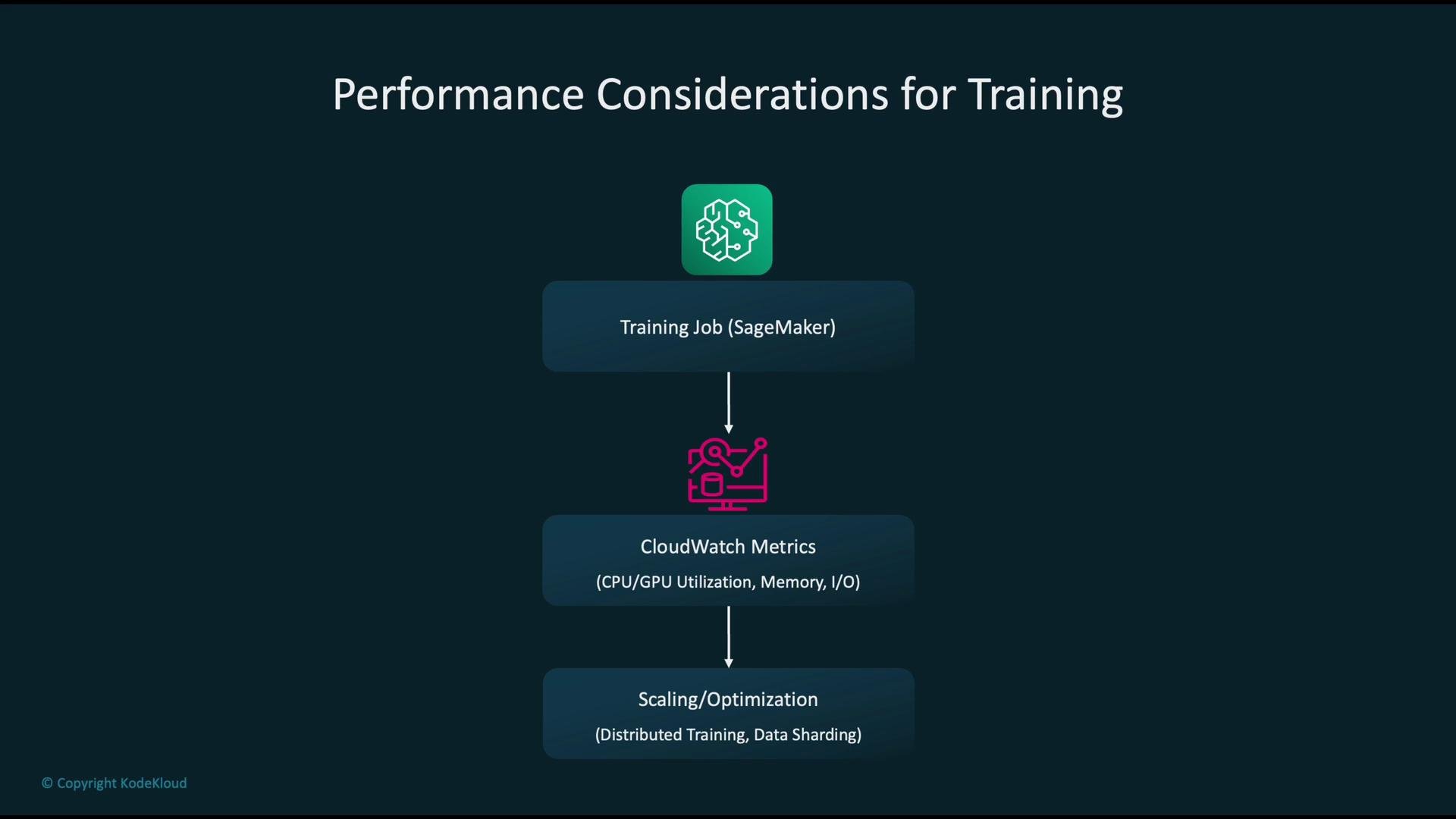
Training performance is determined by GPU/CPU utilization, memory capacity, I/O throughput, and network bandwidth (critical for multi-node distributed training). A practical approach:
* Instrument: collect CPU, memory, GPU utilization, disk I/O, and network metrics via CloudWatch and SageMaker-provided metrics.
* Diagnose: identify bottlenecks—common patterns include GPUs idle due to slow data loading or CPUs overloaded with preprocessing.
* Optimize:
* Use distributed training patterns (data parallelism or model parallelism).
* Improve data pipelines: sharding, prefetching, caching, and streaming large datasets from S3 or local NVMe.
* Choose instances with higher network bandwidth or local NVMe storage if I/O is the limiting factor.
* Tune batch sizes and mixed-precision training to improve GPU throughput.
Performance considerations during training
Training performance is determined by GPU/CPU utilization, memory capacity, I/O throughput, and network bandwidth (critical for multi-node distributed training). A practical approach:
* Instrument: collect CPU, memory, GPU utilization, disk I/O, and network metrics via CloudWatch and SageMaker-provided metrics.
* Diagnose: identify bottlenecks—common patterns include GPUs idle due to slow data loading or CPUs overloaded with preprocessing.
* Optimize:
* Use distributed training patterns (data parallelism or model parallelism).
* Improve data pipelines: sharding, prefetching, caching, and streaming large datasets from S3 or local NVMe.
* Choose instances with higher network bandwidth or local NVMe storage if I/O is the limiting factor.
* Tune batch sizes and mixed-precision training to improve GPU throughput.
 Optimizing inference performance
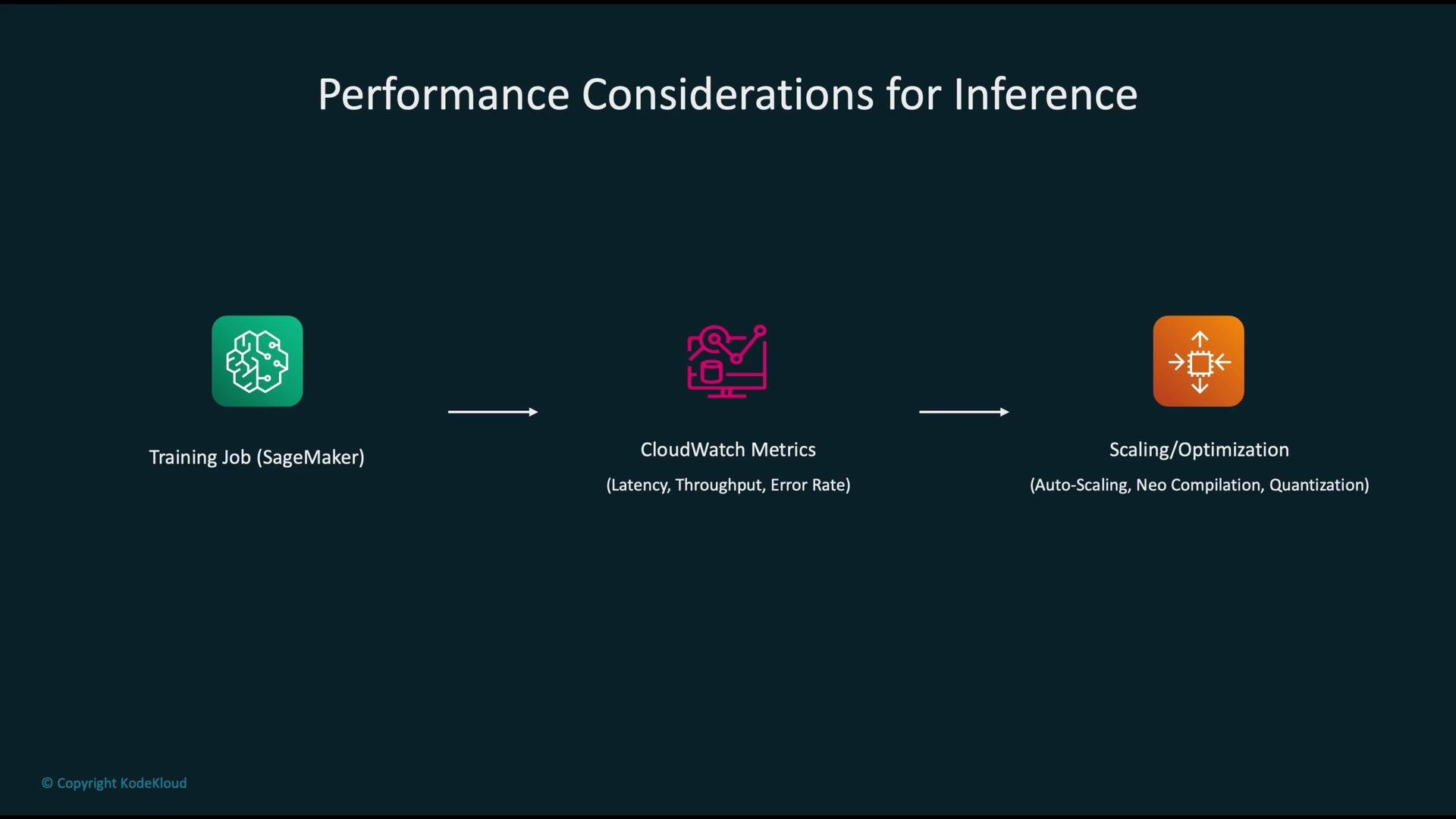
For inference, focus on latency, throughput, and error rate. A concise iterative workflow:
1. Start from the trained model (SageMaker training job output).
2. Deploy to an endpoint and monitor CloudWatch metrics for latency, requests/sec, and errors.
3. Apply optimizations:
* Autoscale endpoints to match request patterns.
* Compile models with SageMaker Neo to optimize for target hardware: [https://aws.amazon.com/sagemaker/neo/](https://aws.amazon.com/sagemaker/neo/)
* Use quantization or pruning to reduce model size and improve latency.
* Deploy on accelerator-optimized instances (Inf1/Inf2) for high throughput or low-cost inference.
4. Re-measure, iterate, and profile per-model traffic patterns.
Optimizing inference performance
For inference, focus on latency, throughput, and error rate. A concise iterative workflow:
1. Start from the trained model (SageMaker training job output).
2. Deploy to an endpoint and monitor CloudWatch metrics for latency, requests/sec, and errors.
3. Apply optimizations:
* Autoscale endpoints to match request patterns.
* Compile models with SageMaker Neo to optimize for target hardware: [https://aws.amazon.com/sagemaker/neo/](https://aws.amazon.com/sagemaker/neo/)
* Use quantization or pruning to reduce model size and improve latency.
* Deploy on accelerator-optimized instances (Inf1/Inf2) for high throughput or low-cost inference.
4. Re-measure, iterate, and profile per-model traffic patterns.
 Autoscaling behavior and why it matters
Design endpoints to handle variable workloads using autoscaling:
* Scale out (add instances) when traffic or latency spikes to maintain performance and availability.
* Scale in (remove instances) when demand drops to reduce costs.
Autoscaling prevents sustained over-provisioning while ensuring responsiveness under peak load. Configure scaling policies on meaningful metrics (e.g., p90 latency, requests/sec, GPU utilization) and test scaling thresholds with load testing.
Autoscaling behavior and why it matters
Design endpoints to handle variable workloads using autoscaling:
* Scale out (add instances) when traffic or latency spikes to maintain performance and availability.
* Scale in (remove instances) when demand drops to reduce costs.
Autoscaling prevents sustained over-provisioning while ensuring responsiveness under peak load. Configure scaling policies on meaningful metrics (e.g., p90 latency, requests/sec, GPU utilization) and test scaling thresholds with load testing.
 Right-sizing tools
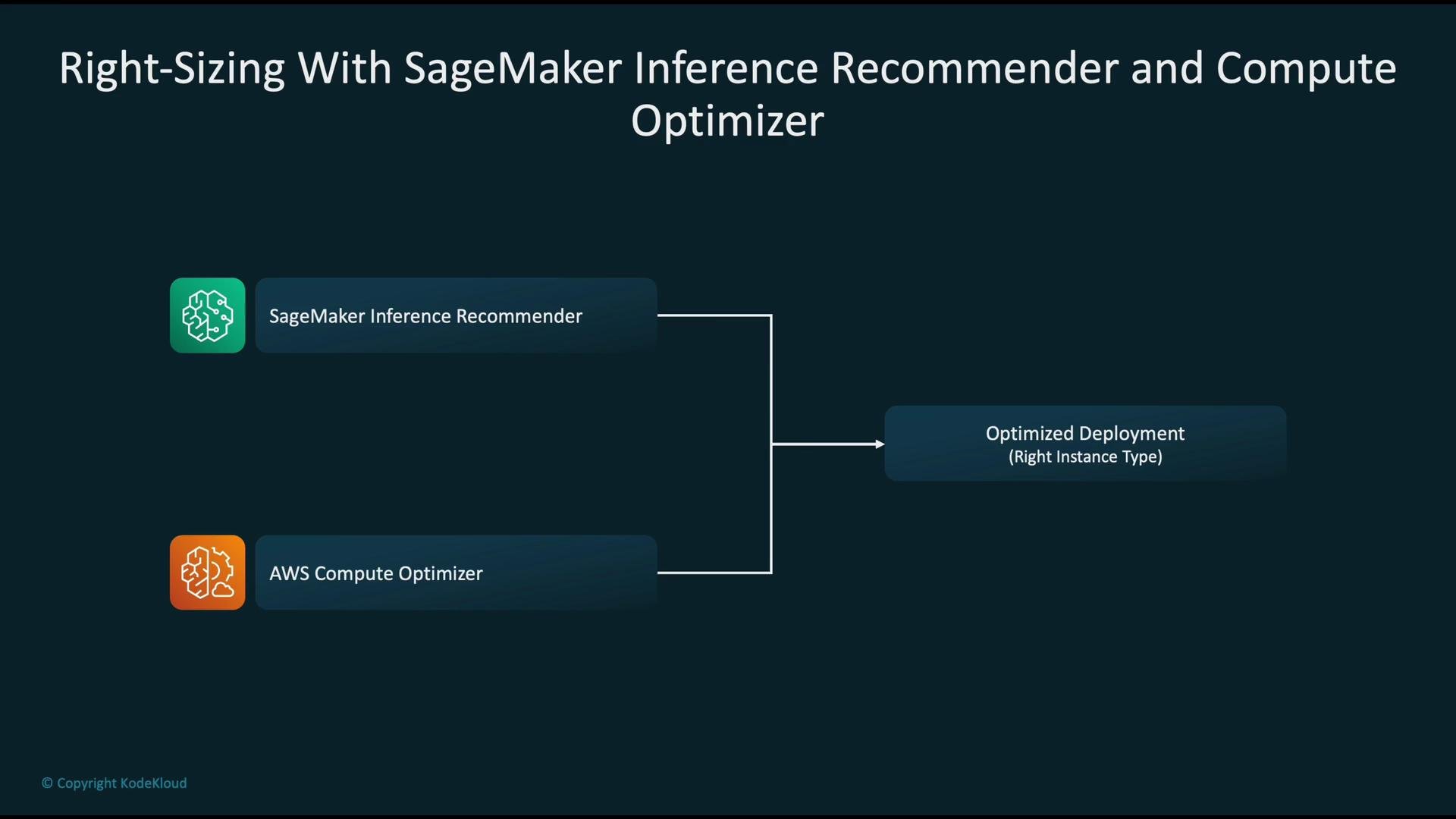
Two AWS services help you pick optimal instance configurations:
* SageMaker Inference Recommender: runs model-specific evaluations across instance types and configurations, returning recommendations tuned to your model and traffic profile. See the AWS docs: [https://docs.aws.amazon.com/sagemaker/latest/dg/inference-recommender.html](https://docs.aws.amazon.com/sagemaker/latest/dg/inference-recommender.html)
* AWS Compute Optimizer: analyzes historical utilization across your account and suggests optimizations for EC2, Auto Scaling Groups, Lambda, EBS, and more: [https://aws.amazon.com/compute-optimizer/](https://aws.amazon.com/compute-optimizer/)
Use both together: Inference Recommender for model-driven choices and Compute Optimizer for account-level utilization and cost patterns.
Right-sizing tools
Two AWS services help you pick optimal instance configurations:
* SageMaker Inference Recommender: runs model-specific evaluations across instance types and configurations, returning recommendations tuned to your model and traffic profile. See the AWS docs: [https://docs.aws.amazon.com/sagemaker/latest/dg/inference-recommender.html](https://docs.aws.amazon.com/sagemaker/latest/dg/inference-recommender.html)
* AWS Compute Optimizer: analyzes historical utilization across your account and suggests optimizations for EC2, Auto Scaling Groups, Lambda, EBS, and more: [https://aws.amazon.com/compute-optimizer/](https://aws.amazon.com/compute-optimizer/)
Use both together: Inference Recommender for model-driven choices and Compute Optimizer for account-level utilization and cost patterns.
 Monitoring with CloudWatch
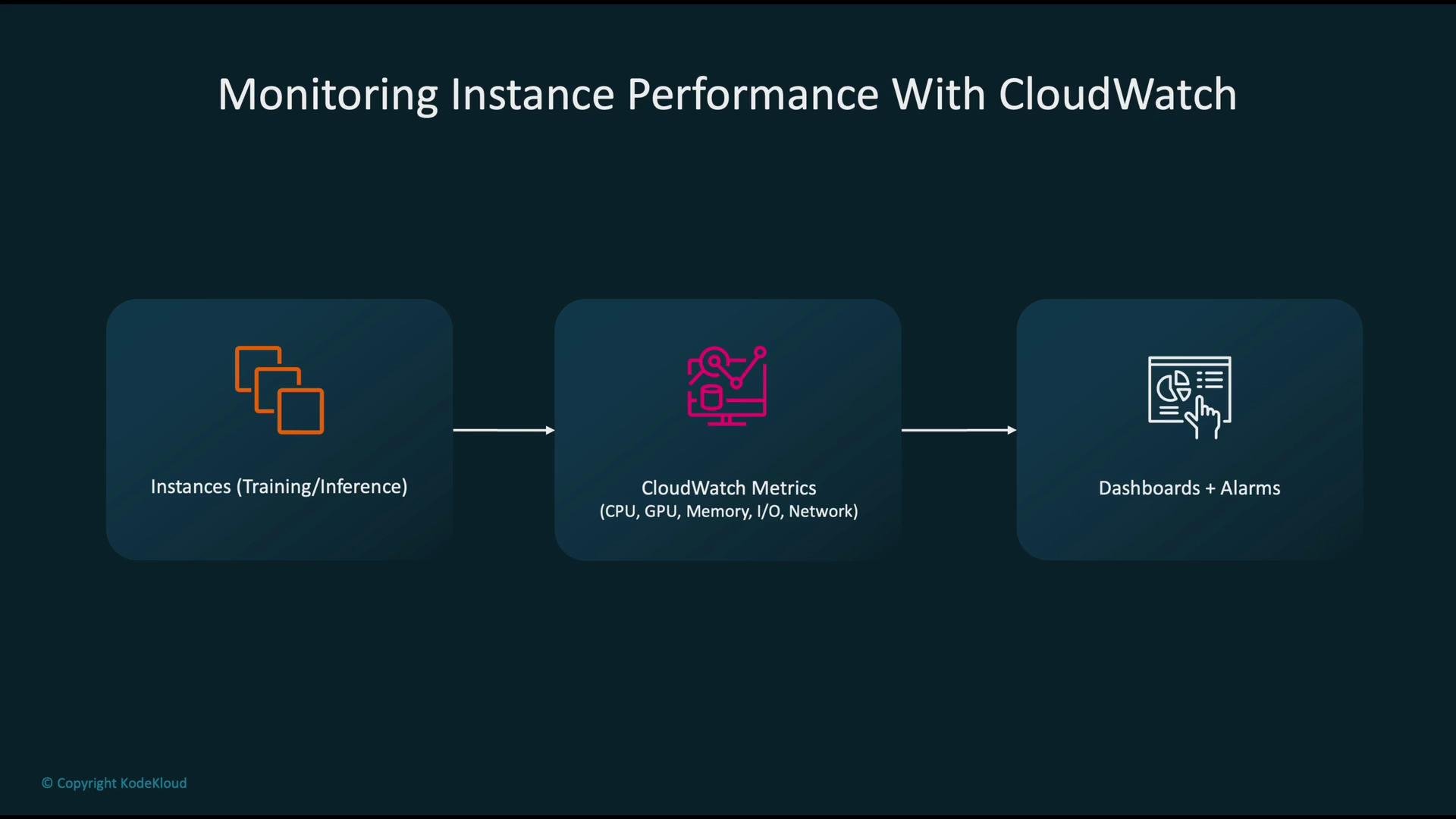
Stream performance data to CloudWatch for both training and inference:
* Metrics to collect: CPU, memory (via agent or SageMaker), GPU utilization (via CloudWatch custom metrics or vendor plugins), disk I/O, and network throughput.
* Use cases:
* Dashboards for at-a-glance visibility.
* Alarms for threshold-based notifications (e.g., high latency, sustained GPU memory pressure, low disk space).
* Automated remediation actions triggered by alarms.
Monitoring with CloudWatch
Stream performance data to CloudWatch for both training and inference:
* Metrics to collect: CPU, memory (via agent or SageMaker), GPU utilization (via CloudWatch custom metrics or vendor plugins), disk I/O, and network throughput.
* Use cases:
* Dashboards for at-a-glance visibility.
* Alarms for threshold-based notifications (e.g., high latency, sustained GPU memory pressure, low disk space).
* Automated remediation actions triggered by alarms.
 Automated remediation and notifications
A recommended automated response pattern:
1. CloudWatch alarm detects a threshold breach (e.g., high latency or error rate).
2. Alarm publishes to an Amazon SNS topic.
3. A Lambda function subscribed to the topic executes.
4. Lambda actions can include:
* Adjusting SageMaker endpoint configuration (scale out/in, change instance weights).
* Disabling or rolling back a failing model variant.
* Sending notifications to operators (email, Slack, or an incident system).
Combine automated mitigation (fast remediation) with human-in-the-loop processes for deeper investigation when required.
When collecting GPU metrics, enable the appropriate CloudWatch agent or use SageMaker's built-in GPU metrics. Some GPU metrics require CloudWatch custom metrics or vendor plugins to expose GPU memory and utilization.
Security and compliance for SageMaker instances
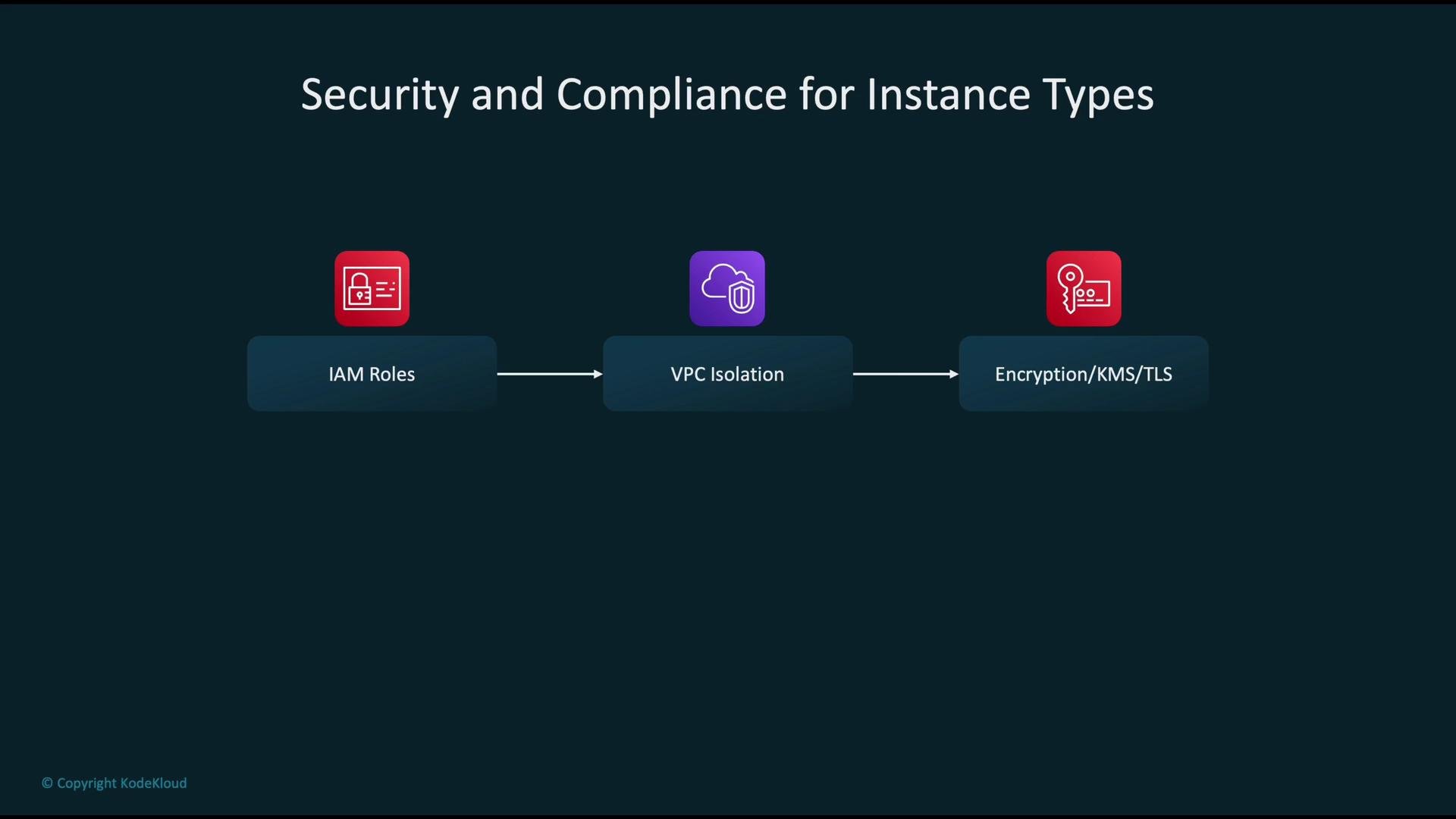
Protect training and inference workloads with layered controls:
* IAM roles and least-privilege policies: grant only the permissions SageMaker jobs and endpoints require.
* VPC isolation: deploy training and inference resources inside a VPC with subnet segmentation and tightly scoped security groups.
* Encryption: use AWS KMS to encrypt data at rest (S3, EBS, model artifacts) and TLS for data in transit between services and clients.
* Audit & logging: enable AWS CloudTrail, VPC Flow Logs, and SageMaker logs for traceability and incident response.
Automated remediation and notifications
A recommended automated response pattern:
1. CloudWatch alarm detects a threshold breach (e.g., high latency or error rate).
2. Alarm publishes to an Amazon SNS topic.
3. A Lambda function subscribed to the topic executes.
4. Lambda actions can include:
* Adjusting SageMaker endpoint configuration (scale out/in, change instance weights).
* Disabling or rolling back a failing model variant.
* Sending notifications to operators (email, Slack, or an incident system).
Combine automated mitigation (fast remediation) with human-in-the-loop processes for deeper investigation when required.
When collecting GPU metrics, enable the appropriate CloudWatch agent or use SageMaker's built-in GPU metrics. Some GPU metrics require CloudWatch custom metrics or vendor plugins to expose GPU memory and utilization.
Security and compliance for SageMaker instances
Protect training and inference workloads with layered controls:
* IAM roles and least-privilege policies: grant only the permissions SageMaker jobs and endpoints require.
* VPC isolation: deploy training and inference resources inside a VPC with subnet segmentation and tightly scoped security groups.
* Encryption: use AWS KMS to encrypt data at rest (S3, EBS, model artifacts) and TLS for data in transit between services and clients.
* Audit & logging: enable AWS CloudTrail, VPC Flow Logs, and SageMaker logs for traceability and incident response.
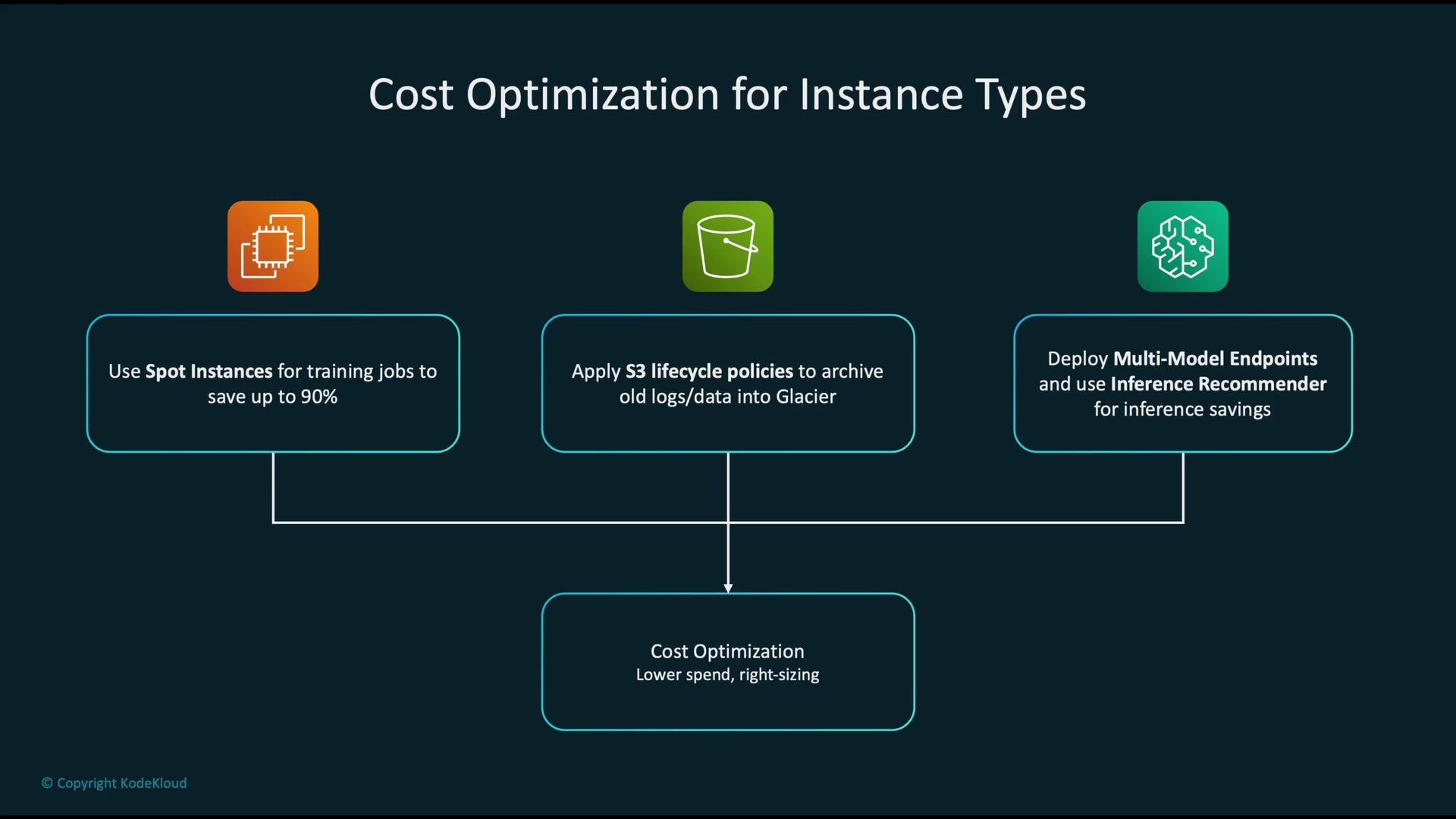
 Cost optimization strategies
* Training:
* Use Spot Instances (or SageMaker managed Spot training) to significantly reduce training costs—often up to \~90% savings—while architecting for interruptions with checkpointing and restart logic.
* Storage:
* Apply S3 lifecycle policies to transition older logs and artifacts to lower-cost classes (`S3 Glacier`, `Glacier Deep Archive`) as appropriate.
* Inference:
* Use multi-model endpoints (when suitable) to host multiple models on a single instance.
* Leverage SageMaker Inference Recommender to choose instance types that deliver the best cost/performance trade-off for your model.
Cost optimization strategies
* Training:
* Use Spot Instances (or SageMaker managed Spot training) to significantly reduce training costs—often up to \~90% savings—while architecting for interruptions with checkpointing and restart logic.
* Storage:
* Apply S3 lifecycle policies to transition older logs and artifacts to lower-cost classes (`S3 Glacier`, `Glacier Deep Archive`) as appropriate.
* Inference:
* Use multi-model endpoints (when suitable) to host multiple models on a single instance.
* Leverage SageMaker Inference Recommender to choose instance types that deliver the best cost/performance trade-off for your model.
 Spot Instances are cost-effective but can be interrupted. Ensure training jobs are checkpointed and tolerant to interruptions before relying on Spot for critical workloads.
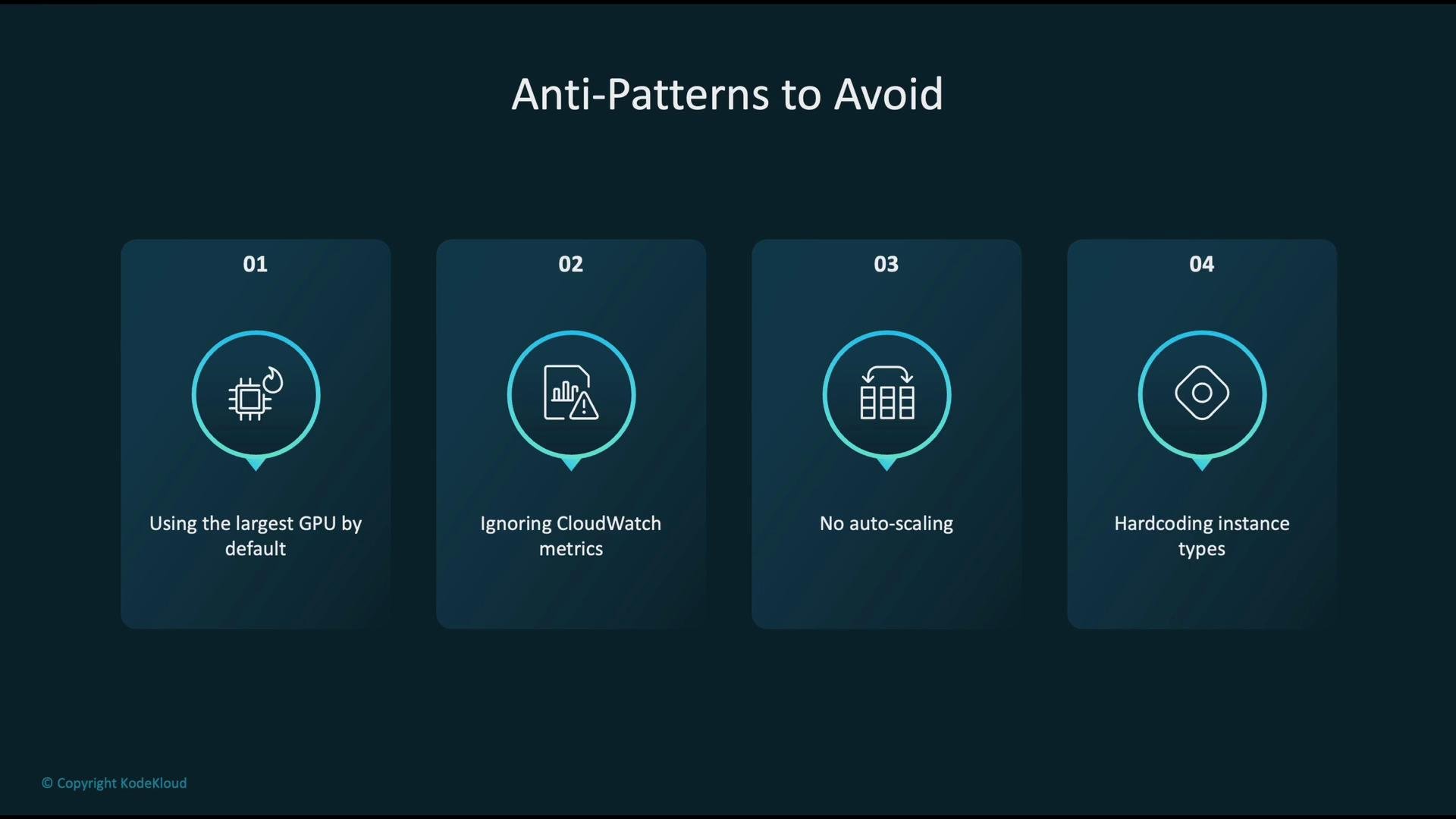
Common anti-patterns to avoid
* Defaulting to the largest, most expensive GPU instance without benchmarking—this wastes budget.
* Ignoring CloudWatch metrics—without monitoring you cannot diagnose or fix bottlenecks.
* Not enabling autoscaling—leads to chronic over-provisioning or degraded service during traffic spikes.
* Hard-coding instance types into infrastructure code—reduces flexibility and complicates future instance-family changes.
Spot Instances are cost-effective but can be interrupted. Ensure training jobs are checkpointed and tolerant to interruptions before relying on Spot for critical workloads.
Common anti-patterns to avoid
* Defaulting to the largest, most expensive GPU instance without benchmarking—this wastes budget.
* Ignoring CloudWatch metrics—without monitoring you cannot diagnose or fix bottlenecks.
* Not enabling autoscaling—leads to chronic over-provisioning or degraded service during traffic spikes.
* Hard-coding instance types into infrastructure code—reduces flexibility and complicates future instance-family changes.
 Summary
* Match instance families to the pipeline stage: training, inference, or preprocessing.
* Monitor CPU, GPU, memory, I/O, network, latency, and throughput via CloudWatch and SageMaker metrics.
* Use SageMaker Inference Recommender and AWS Compute Optimizer to right-size resources.
* Secure workloads with IAM, VPC isolation, encryption, and auditing.
* Reduce costs with Spot Instances (with interruption handling), S3 lifecycle policies, and multi-model endpoints where applicable.
By combining correct instance selection, active monitoring, autoscaling, and right-sizing tools, you can build ML deployments on AWS that are performant, secure, and cost-efficient.
Links and references
* [Kubernetes Basics](https://kubernetes.io/docs/concepts/overview/what-is-kubernetes/)
* [AWS SageMaker Neo](https://aws.amazon.com/sagemaker/neo/)
* [SageMaker Inference Recommender docs](https://docs.aws.amazon.com/sagemaker/latest/dg/inference-recommender.html)
* [AWS Compute Optimizer](https://aws.amazon.com/compute-optimizer/)
* [AWS KMS](https://aws.amazon.com/kms/)
* [S3 lifecycle policies](https://learn.kodekloud.com/user/courses/amazon-simple-storage-service-amazon-s3)
* [Amazon EC2](https://learn.kodekloud.com/user/courses/amazon-elastic-compute-cloud-ec2)
* [AWS CloudWatch](https://learn.kodekloud.com/user/courses/aws-cloudwatch)
Summary
* Match instance families to the pipeline stage: training, inference, or preprocessing.
* Monitor CPU, GPU, memory, I/O, network, latency, and throughput via CloudWatch and SageMaker metrics.
* Use SageMaker Inference Recommender and AWS Compute Optimizer to right-size resources.
* Secure workloads with IAM, VPC isolation, encryption, and auditing.
* Reduce costs with Spot Instances (with interruption handling), S3 lifecycle policies, and multi-model endpoints where applicable.
By combining correct instance selection, active monitoring, autoscaling, and right-sizing tools, you can build ML deployments on AWS that are performant, secure, and cost-efficient.
Links and references
* [Kubernetes Basics](https://kubernetes.io/docs/concepts/overview/what-is-kubernetes/)
* [AWS SageMaker Neo](https://aws.amazon.com/sagemaker/neo/)
* [SageMaker Inference Recommender docs](https://docs.aws.amazon.com/sagemaker/latest/dg/inference-recommender.html)
* [AWS Compute Optimizer](https://aws.amazon.com/compute-optimizer/)
* [AWS KMS](https://aws.amazon.com/kms/)
* [S3 lifecycle policies](https://learn.kodekloud.com/user/courses/amazon-simple-storage-service-amazon-s3)
* [Amazon EC2](https://learn.kodekloud.com/user/courses/amazon-elastic-compute-cloud-ec2)
* [AWS CloudWatch](https://learn.kodekloud.com/user/courses/aws-cloudwatch)