> ## Documentation Index
> Fetch the complete documentation index at: https://notes.kodekloud.com/llms.txt
> Use this file to discover all available pages before exploring further.
# Understanding Drift in ML Models
> Explains data and concept drift, impacts on model performance, and AWS detection and mitigation patterns using SageMaker Model Monitor, CloudWatch, automated retraining, and CI/CD
Model drift is a core operational risk for production machine learning systems. Drift refers to changes in the data the model sees in production compared to the data used to train the model. Left undetected, drift degrades predictive quality, undermines reliability, and hurts business outcomes. This guide explains the types of drift, how it impacts systems, and practical AWS-based detection and mitigation patterns using Amazon SageMaker Model Monitor and Amazon CloudWatch.
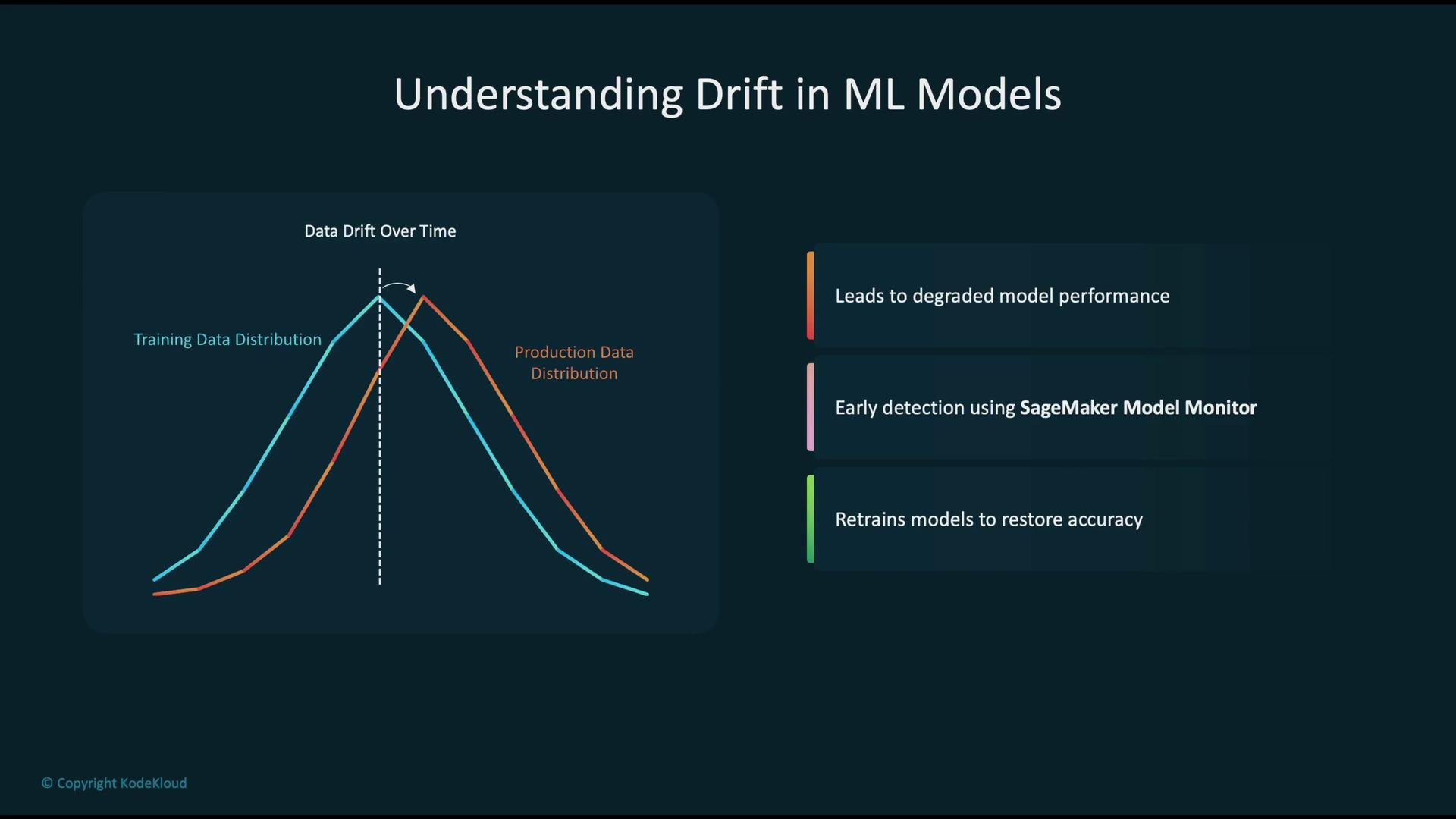
When a model is trained it captures relationships from a training data distribution (illustrated as the blue curve). Over time, production data often shifts (illustrated as the red curve). These shifts—collectively called data drift—are a common cause of reduced model accuracy.
 Practical summary of what happens:
* A model is trained on the original distribution (blue curve).
* Production input distribution can shift over time (red curve).
* If the model is not updated, its accuracy typically falls because the learned mapping no longer matches live inputs.
* Early detection and timely retraining with fresh data are the usual remedies.
Data drift vs. concept drift (quick comparison)
| Drift Type | What changes | Typical impact | Detection signal | |
| ------------- | ------------------------------------------------------- | ------------------------------------------------------------------- | ------------------------------------------------------------------------- | ---------------------------------------------------- |
| Data drift | The marginal distribution of inputs changes (P(X)) | Feature distributions diverge from baseline; possible accuracy loss | Feature distribution tests, population statistics | |
| Concept drift | The relationship between inputs and labels changes (P(Y | X)) | Model mapping becomes invalid; predictions no longer reflect ground truth | Model performance drops, label/ground-truth mismatch |
Both types of drift affect:
* Model accuracy
* System reliability
* Business and downstream metrics
To detect and mitigate drift on AWS, integrate monitoring, alerting, and automated retraining:
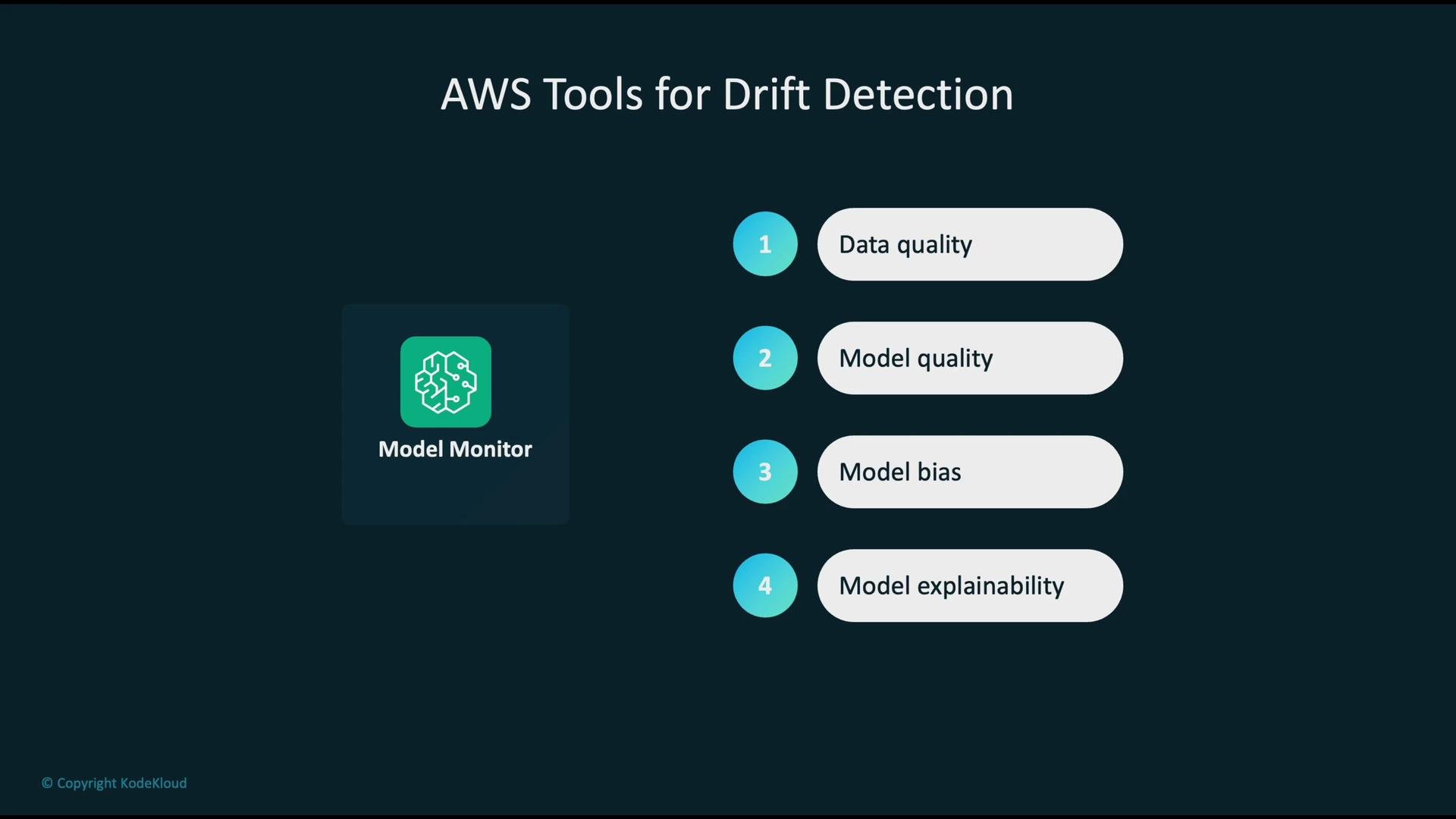
* Use Amazon SageMaker Model Monitor to continuously profile inference requests, prediction payloads, and ground-truth when available.
* Send metrics and logs to Amazon CloudWatch for visualization, trend analysis, and alerting.
* For bias and explainability, add SageMaker Clarify and model explainability tools such as SHAP into the monitoring pipeline.
Practical summary of what happens:
* A model is trained on the original distribution (blue curve).
* Production input distribution can shift over time (red curve).
* If the model is not updated, its accuracy typically falls because the learned mapping no longer matches live inputs.
* Early detection and timely retraining with fresh data are the usual remedies.
Data drift vs. concept drift (quick comparison)
| Drift Type | What changes | Typical impact | Detection signal | |
| ------------- | ------------------------------------------------------- | ------------------------------------------------------------------- | ------------------------------------------------------------------------- | ---------------------------------------------------- |
| Data drift | The marginal distribution of inputs changes (P(X)) | Feature distributions diverge from baseline; possible accuracy loss | Feature distribution tests, population statistics | |
| Concept drift | The relationship between inputs and labels changes (P(Y | X)) | Model mapping becomes invalid; predictions no longer reflect ground truth | Model performance drops, label/ground-truth mismatch |
Both types of drift affect:
* Model accuracy
* System reliability
* Business and downstream metrics
To detect and mitigate drift on AWS, integrate monitoring, alerting, and automated retraining:
* Use Amazon SageMaker Model Monitor to continuously profile inference requests, prediction payloads, and ground-truth when available.
* Send metrics and logs to Amazon CloudWatch for visualization, trend analysis, and alerting.
* For bias and explainability, add SageMaker Clarify and model explainability tools such as SHAP into the monitoring pipeline.
 High-level architecture for drift detection on AWS:
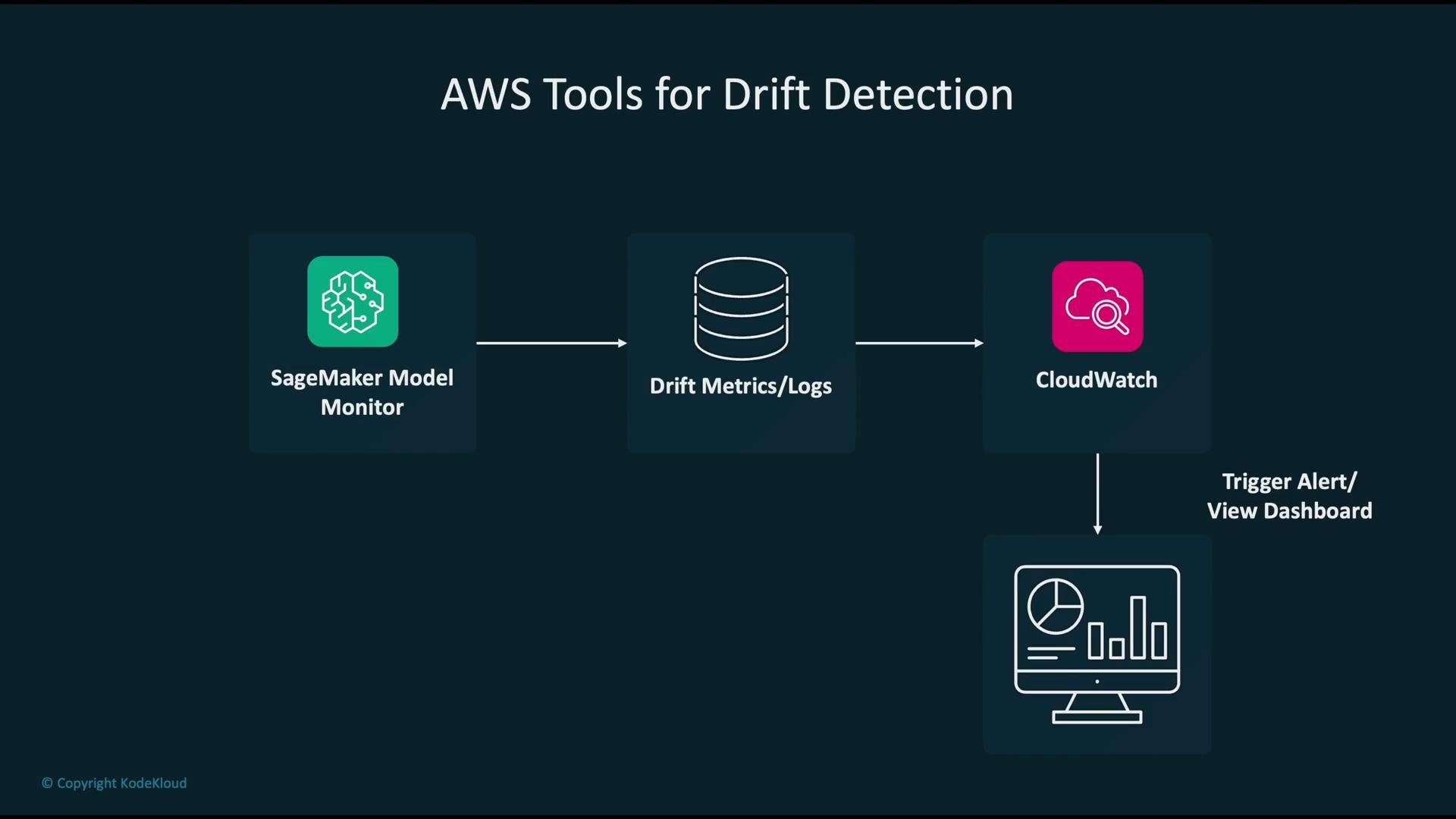
* SageMaker Model Monitor analyzes live inference payloads and computes drift-related metrics (feature distributions, missing values, prediction distributions, etc.).
* Model Monitor publishes metrics and alerts to Amazon CloudWatch for aggregation, dashboards, and alarm rules.
* CloudWatch alarms can trigger downstream actions (for example, notifications, automation, or CI/CD workflows) when thresholds are breached.
High-level architecture for drift detection on AWS:
* SageMaker Model Monitor analyzes live inference payloads and computes drift-related metrics (feature distributions, missing values, prediction distributions, etc.).
* Model Monitor publishes metrics and alerts to Amazon CloudWatch for aggregation, dashboards, and alarm rules.
* CloudWatch alarms can trigger downstream actions (for example, notifications, automation, or CI/CD workflows) when thresholds are breached.
 Model Monitor — practical workflow
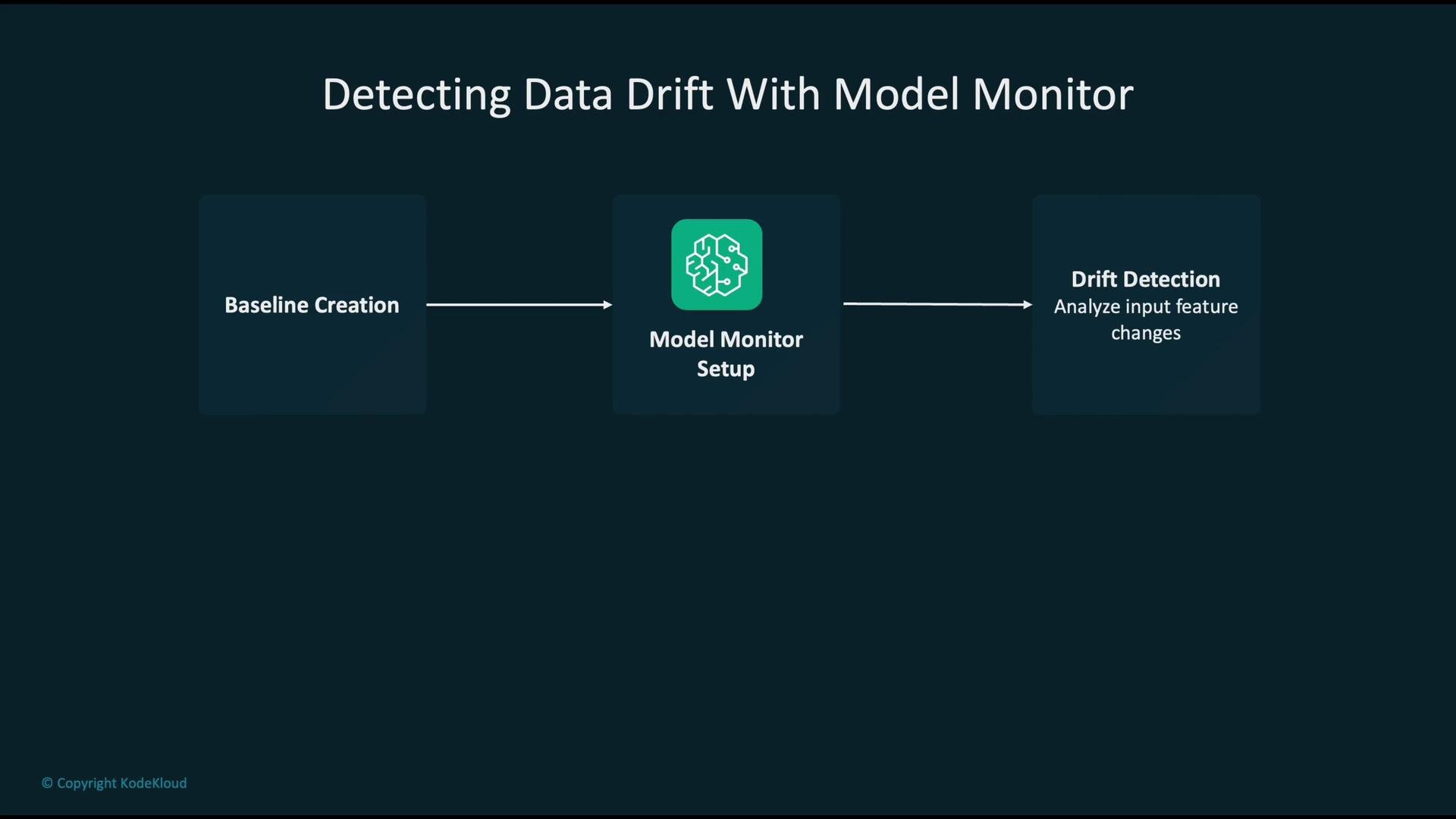
1. Create a baseline from trusted training or validation data to establish expected feature distributions and metric thresholds.
2. Configure Model Monitor to use the baseline and select the features and metrics to track.
3. Continuously capture incoming inference payloads (and ground-truth when available) and compare live statistics to the baseline.
4. When thresholds are violated, report detections and publish metrics to CloudWatch for visualization and alerting.
Model Monitor — practical workflow
1. Create a baseline from trusted training or validation data to establish expected feature distributions and metric thresholds.
2. Configure Model Monitor to use the baseline and select the features and metrics to track.
3. Continuously capture incoming inference payloads (and ground-truth when available) and compare live statistics to the baseline.
4. When thresholds are violated, report detections and publish metrics to CloudWatch for visualization and alerting.
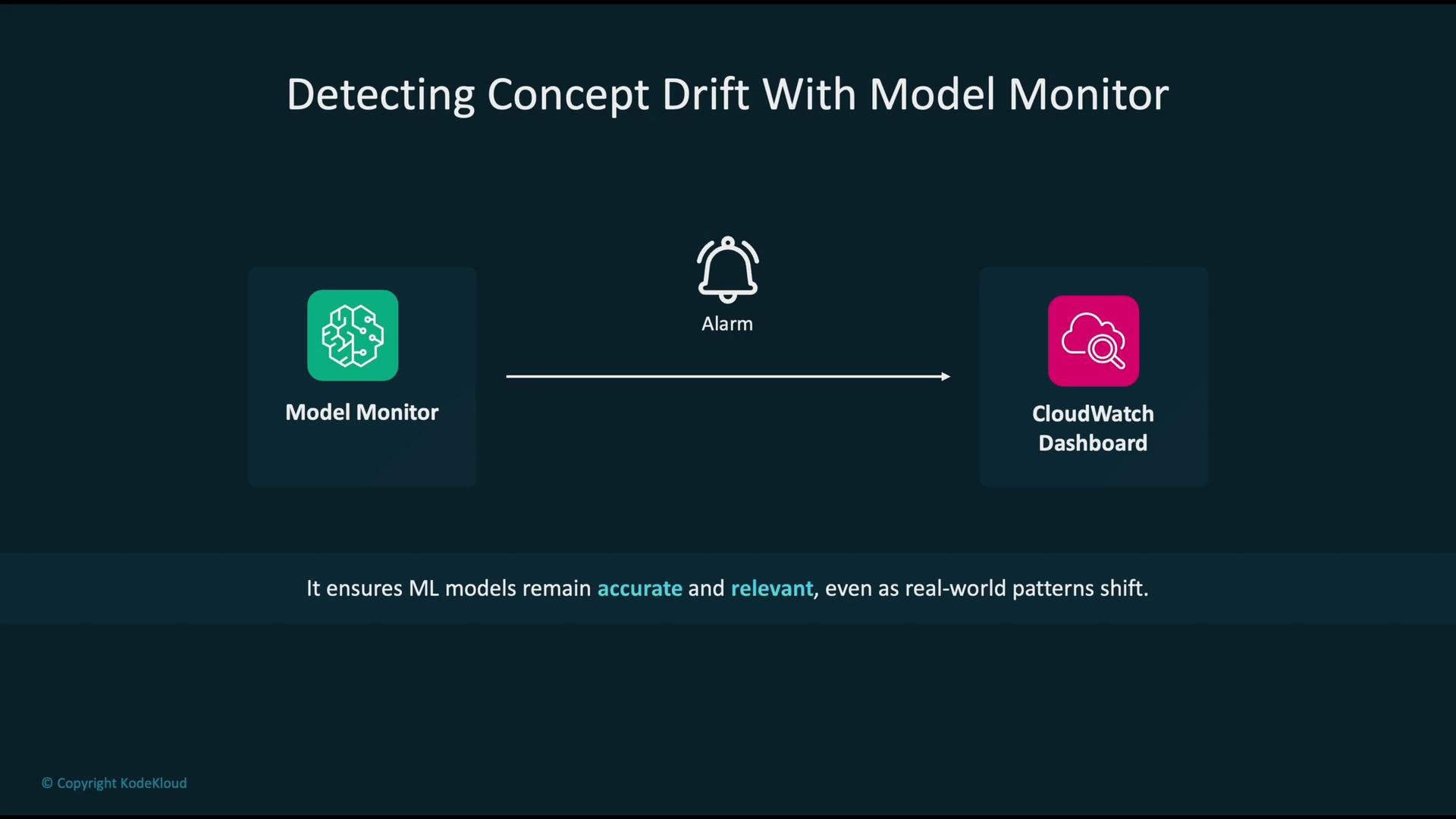
 Detecting concept drift in production:
* Continuously measure performance-related metrics (prediction distributions, calibration, error rates whenever ground truth is available).
* When those metrics deviate beyond configured thresholds, raise an alarm.
* Visualize the alarmed metrics on CloudWatch dashboards to enable rapid triage and root-cause analysis.
Detecting concept drift in production:
* Continuously measure performance-related metrics (prediction distributions, calibration, error rates whenever ground truth is available).
* When those metrics deviate beyond configured thresholds, raise an alarm.
* Visualize the alarmed metrics on CloudWatch dashboards to enable rapid triage and root-cause analysis.
 Automating mitigation with CI/CD
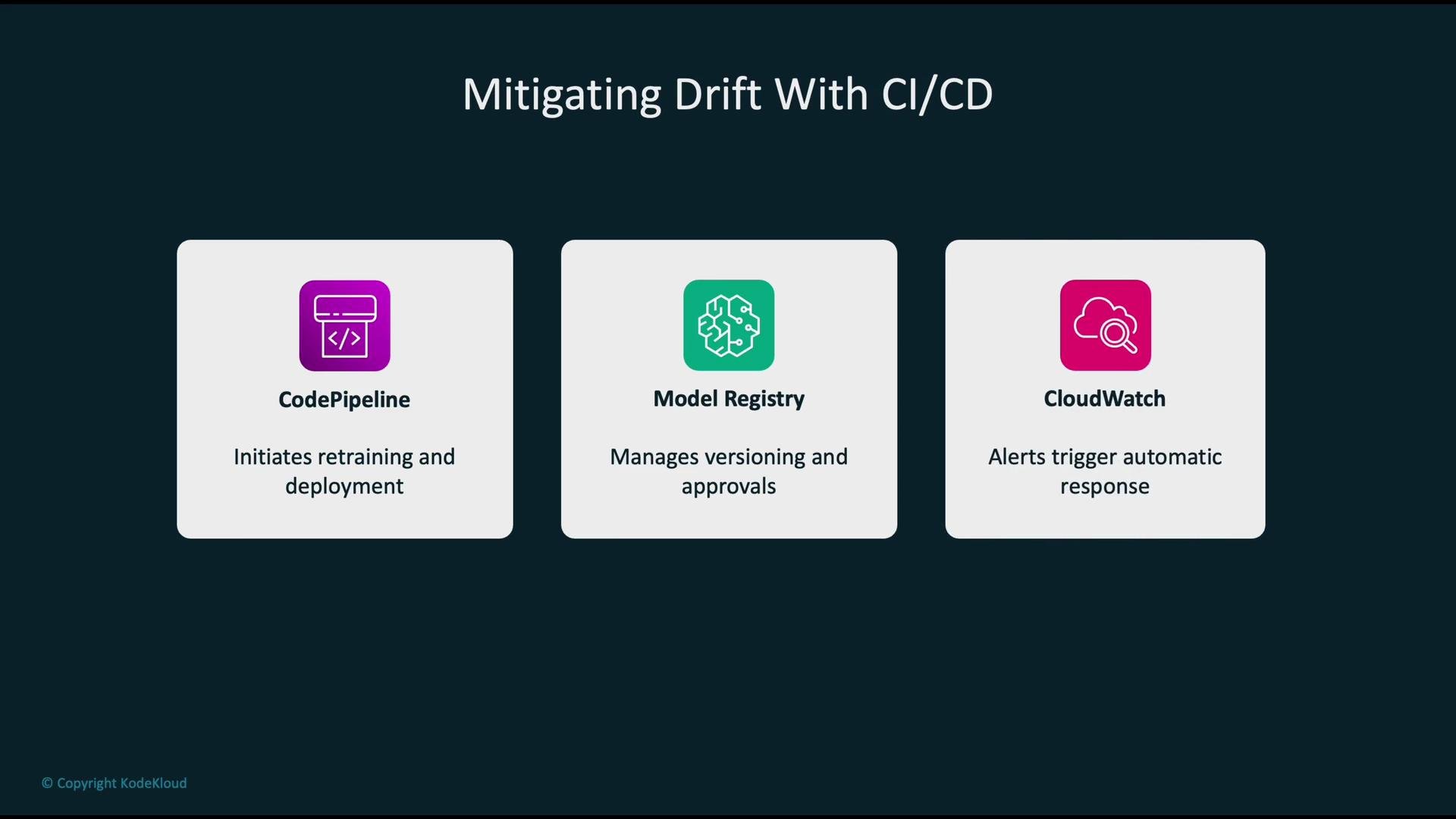
* Configure CloudWatch alarms (based on Model Monitor metrics) to start automated workflows.
* Use CloudWatch Events/EventBridge to kick off an AWS CodePipeline to retrain and validate a new model with fresh data.
* After validation, register the new version in the SageMaker Model Registry and deploy it (optionally with manual approval gates).
* This creates a continuous improvement loop that reduces manual intervention and shortens recovery time from drift.
Automating mitigation with CI/CD
* Configure CloudWatch alarms (based on Model Monitor metrics) to start automated workflows.
* Use CloudWatch Events/EventBridge to kick off an AWS CodePipeline to retrain and validate a new model with fresh data.
* After validation, register the new version in the SageMaker Model Registry and deploy it (optionally with manual approval gates).
* This creates a continuous improvement loop that reduces manual intervention and shortens recovery time from drift.
 Anti-patterns and pitfalls to avoid:
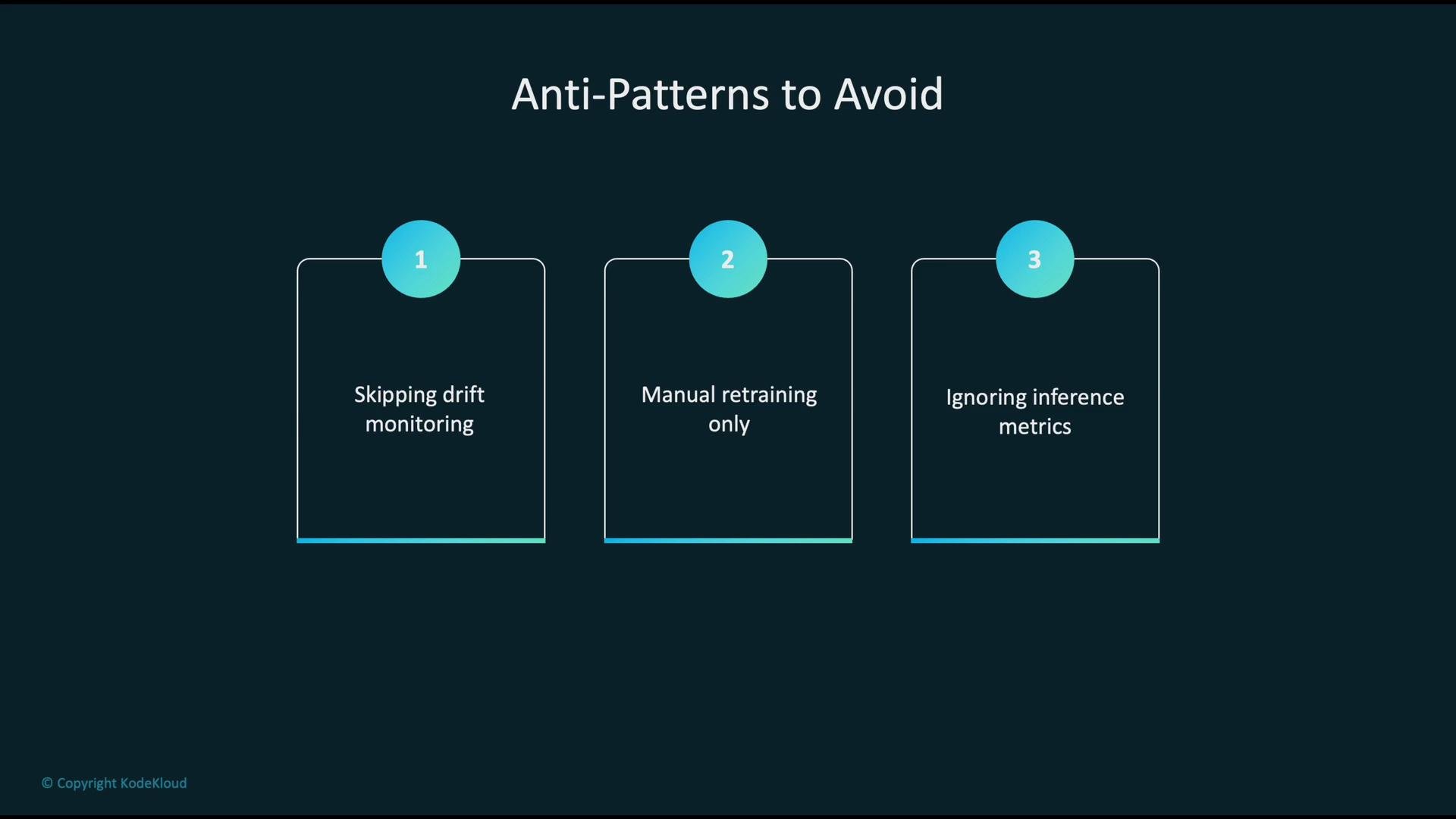
* Do not skip drift monitoring — silent degradation is common and costly.
* Avoid relying only on manual retraining — it does not scale and increases time-to-recovery.
* Do not ignore inference telemetry and operational metrics — they reveal production behavior and failure modes.
Anti-patterns and pitfalls to avoid:
* Do not skip drift monitoring — silent degradation is common and costly.
* Avoid relying only on manual retraining — it does not scale and increases time-to-recovery.
* Do not ignore inference telemetry and operational metrics — they reveal production behavior and failure modes.
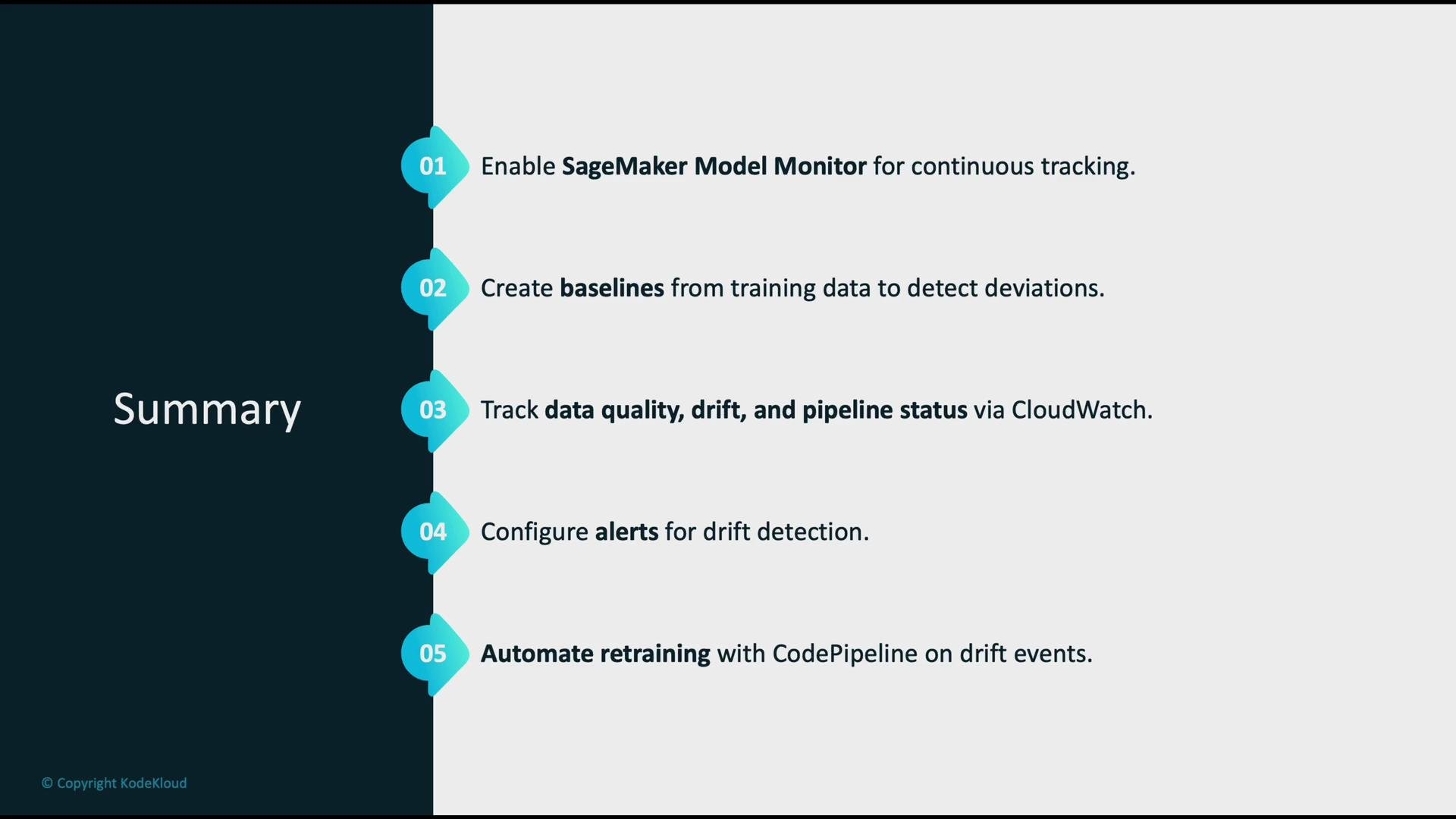
 Best practices and operational checklist
| Action | Why it matters |
| -------------------------------------------------------------- | ---------------------------------------------------------------------------------------------------- |
| Enable SageMaker Model Monitor | Continuous profiling of features, predictions, and input quality reduces blind spots. |
| Create and refresh baselines | Baselines provide a ground truth for what "normal" looks like; update when business context changes. |
| Publish metrics to CloudWatch & build dashboards | Centralized visualization and trend analysis accelerate detection and response. |
| Configure actionable alerts and automation | Alarms should trigger retraining pipelines or escalation to reduce mean time to recovery. |
| Use a Model Registry for versioning and approvals | Track lineage, governance, and safe rollouts of new model versions. |
| Apply least-privilege IAM roles and VPC isolation where needed | Security and governance controls protect data and models. |
| Tag resources consistently | Enables cost allocation, governance, and easier audits. |
| Maintain incident logs and retraining history | Useful for audits, root-cause analysis, and compliance requirements. |
Best practices and operational checklist
| Action | Why it matters |
| -------------------------------------------------------------- | ---------------------------------------------------------------------------------------------------- |
| Enable SageMaker Model Monitor | Continuous profiling of features, predictions, and input quality reduces blind spots. |
| Create and refresh baselines | Baselines provide a ground truth for what "normal" looks like; update when business context changes. |
| Publish metrics to CloudWatch & build dashboards | Centralized visualization and trend analysis accelerate detection and response. |
| Configure actionable alerts and automation | Alarms should trigger retraining pipelines or escalation to reduce mean time to recovery. |
| Use a Model Registry for versioning and approvals | Track lineage, governance, and safe rollouts of new model versions. |
| Apply least-privilege IAM roles and VPC isolation where needed | Security and governance controls protect data and models. |
| Tag resources consistently | Enables cost allocation, governance, and easier audits. |
| Maintain incident logs and retraining history | Useful for audits, root-cause analysis, and compliance requirements. |
 References and further reading
* Amazon SageMaker Model Monitor — [https://docs.aws.amazon.com/sagemaker/latest/dg/model-monitor.html](https://docs.aws.amazon.com/sagemaker/latest/dg/model-monitor.html)
* Amazon CloudWatch — [https://aws.amazon.com/cloudwatch/](https://aws.amazon.com/cloudwatch/)
* SageMaker Clarify — [https://docs.aws.amazon.com/sagemaker/latest/dg/clarify.html](https://docs.aws.amazon.com/sagemaker/latest/dg/clarify.html)
* SageMaker Model Registry — [https://docs.aws.amazon.com/sagemaker/latest/dg/model-registry.html](https://docs.aws.amazon.com/sagemaker/latest/dg/model-registry.html)
* SHAP (model explainability) — [https://shap.readthedocs.io/en/latest/](https://shap.readthedocs.io/en/latest/)
Automate monitoring, alerting, and retraining where possible. Metric-driven automation minimizes downtime, reduces human error, and helps keep models aligned with evolving real-world data.
References and further reading
* Amazon SageMaker Model Monitor — [https://docs.aws.amazon.com/sagemaker/latest/dg/model-monitor.html](https://docs.aws.amazon.com/sagemaker/latest/dg/model-monitor.html)
* Amazon CloudWatch — [https://aws.amazon.com/cloudwatch/](https://aws.amazon.com/cloudwatch/)
* SageMaker Clarify — [https://docs.aws.amazon.com/sagemaker/latest/dg/clarify.html](https://docs.aws.amazon.com/sagemaker/latest/dg/clarify.html)
* SageMaker Model Registry — [https://docs.aws.amazon.com/sagemaker/latest/dg/model-registry.html](https://docs.aws.amazon.com/sagemaker/latest/dg/model-registry.html)
* SHAP (model explainability) — [https://shap.readthedocs.io/en/latest/](https://shap.readthedocs.io/en/latest/)
Automate monitoring, alerting, and retraining where possible. Metric-driven automation minimizes downtime, reduces human error, and helps keep models aligned with evolving real-world data.