> ## Documentation Index
> Fetch the complete documentation index at: https://notes.kodekloud.com/llms.txt
> Use this file to discover all available pages before exploring further.
# AWS CLI for CloudFormation Overview
> Guide to using the AWS CLI to automate CloudFormation stack operations, manage AWS resources, upload artifacts to S3, and integrate infrastructure provisioning into scripts and CI/CD pipelines.
This lesson explains how the AWS Command Line Interface (AWS CLI) fits into CloudFormation workflows. The AWS CLI lets you control AWS services programmatically from your local terminal (macOS, Linux, or Windows), enabling one-off operations, scripted automation, and CI/CD-driven provisioning without the AWS Management Console.
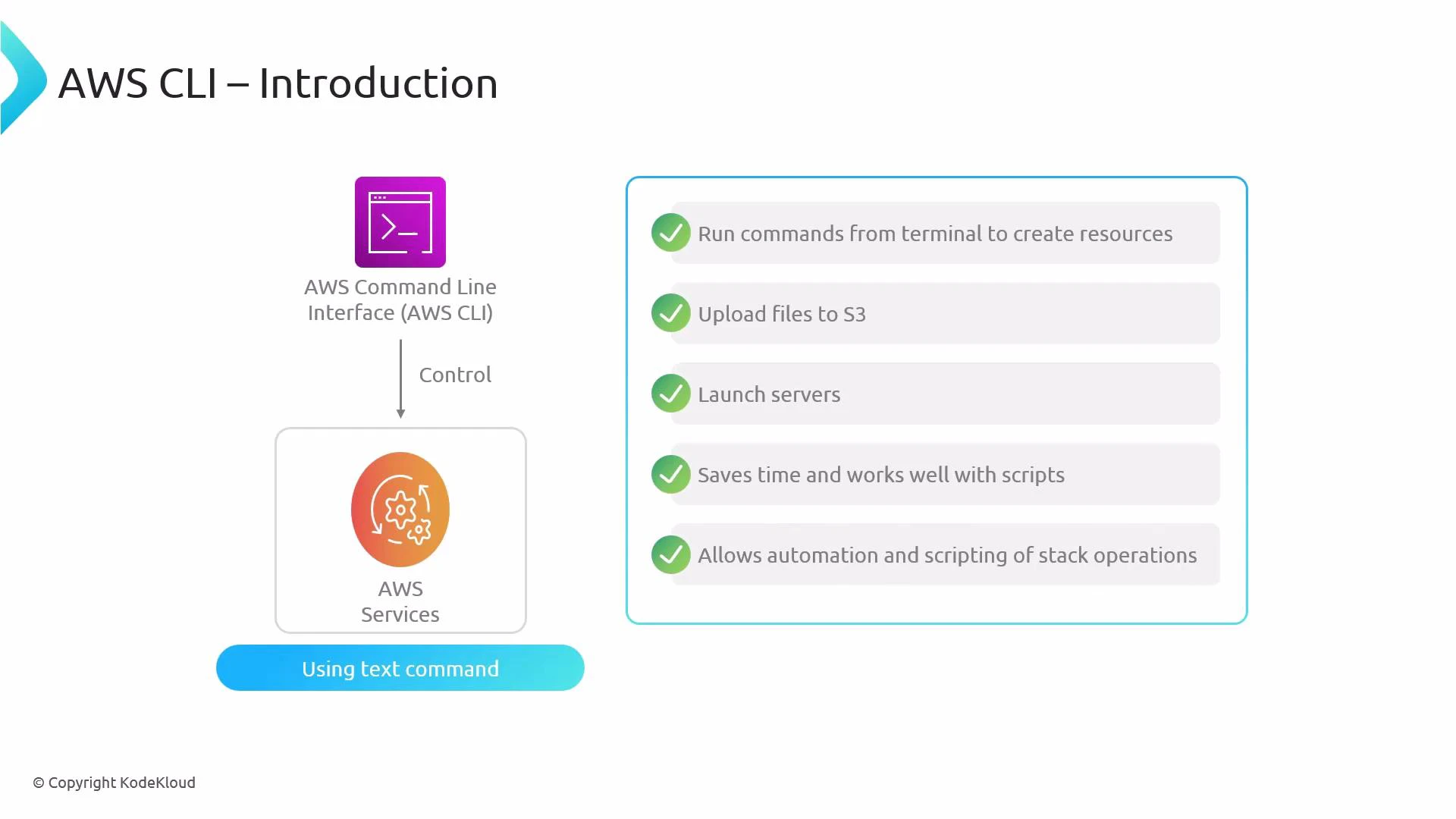 What the AWS CLI enables
* Provision and manage infrastructure using scripts and CI/CD pipelines instead of manual clicks.
* Upload and download objects to/from Amazon S3.
* Launch and manage compute resources such as EC2 instances.
* Automate CloudFormation stack lifecycle actions (create, update, delete, inspect).
Key capabilities and common use cases
| Capability | Use case | Example |
| --------------------------- | ----------------------------------------------------- | ------------------------------------------------------------------------------- |
| Create and manage resources | Provision infrastructure (stacks, EC2, S3, RDS, etc.) | `aws cloudformation deploy --template-file template.yaml --stack-name my-stack` |
| Upload/download objects | Store templates, artifacts, and assets in S3 | `aws s3 cp ./artifact.zip s3://my-bucket/` |
| Inspect and debug stacks | View stack status, events, and outputs | `aws cloudformation describe-stacks --stack-name my-stack` |
| Automate with scripts/CI | Integrate stack operations into pipelines | Use above CLI commands in CI jobs (GitHub Actions, Jenkins, etc.) |
Prerequisites and configuration
1. Install the AWS CLI (v2 recommended). See the official AWS CLI installation guide: [https://docs.aws.amazon.com/cli/latest/userguide/getting-started-install.html](https://docs.aws.amazon.com/cli/latest/userguide/getting-started-install.html)
2. Ensure you have an AWS account and an IAM user or role with the necessary permissions for CloudFormation and the resources your templates create.
3. Configure the CLI with your credentials and defaults:
```bash theme={null}
aws configure
```
The command prompts for:
* AWS Access Key ID
* AWS Secret Access Key
* Default region name (for example, us-east-1)
* Default output format (json, text, or table)
Ensure the [AWS - IAM](https://learn.kodekloud.com/user/courses/aws-iam) user or role whose credentials you use has the necessary permissions to perform CloudFormation and any resource-specific actions (for example, creating [Amazon Elastic Compute Cloud (EC2)](https://learn.kodekloud.com/user/courses/amazon-elastic-compute-cloud-ec2) instances or [Amazon Simple Storage Service (Amazon S3)](https://learn.kodekloud.com/user/courses/amazon-simple-storage-service-amazon-s3) buckets).
Workflow comparison: Console (manual) vs. AWS CLI (automated)
* Manual (console)
1. Author CloudFormation template (YAML/JSON).
2. Open AWS Management Console → CloudFormation.
3. Create a stack by uploading the template or providing a template URL.
4. CloudFormation provisions resources and you monitor events in the console.
* AWS CLI
1. Author CloudFormation template (YAML/JSON).
2. Run CLI commands to create, update, or delete stacks.
3. CloudFormation provisions resources; CI/CD and scripts can automate end-to-end flows.
Using the CLI removes the manual console steps and is recommended for repeatable, auditable automation.
Common AWS CLI commands for CloudFormation
Create a new stack from a local template:
```bash theme={null}
aws cloudformation create-stack \
--stack-name my-stack \
--template-body file://template.yaml \
--capabilities CAPABILITY_IAM CAPABILITY_NAMED_IAM
```
Create or update a stack idempotently (recommended for most workflows):
```bash theme={null}
aws cloudformation deploy \
--template-file template.yaml \
--stack-name my-stack \
--capabilities CAPABILITY_IAM CAPABILITY_NAMED_IAM
```
Create a stack using a template stored in S3:
```bash theme={null}
aws cloudformation create-stack \
--stack-name my-stack \
--template-url https://s3.amazonaws.com/your-bucket/template.yaml \
--capabilities CAPABILITY_IAM
```
Check stack status and events:
```bash theme={null}
aws cloudformation describe-stacks --stack-name my-stack
aws cloudformation describe-stack-events --stack-name my-stack
```
If your template creates or modifies IAM resources you must include an appropriate `--capabilities` flag such as `CAPABILITY_IAM` or `CAPABILITY_NAMED_IAM`. Omitting this will cause the stack operation to fail.
Practical tips and best practices
* Prefer `aws cloudformation deploy` for CI/CD pipelines because it handles change sets and parameter handling more gracefully than `create-stack`.
* Use S3 for large templates or bundled assets; reference them via `--template-url`.
* Always grant the least-privilege IAM permissions required for the CLI user/role.
* Use `describe-stack-events` and CloudFormation console events for troubleshooting failed operations.
* Integrate CLI commands in pipeline steps (GitHub Actions, GitLab CI, Jenkins) to enable reproducible infrastructure changes.
Quick command reference
| Command | Purpose |
| ------------------------------------------ | ----------------------------------------------------------------------------- |
| `aws cloudformation create-stack` | Creates a new CloudFormation stack from a template (local or URL). |
| `aws cloudformation deploy` | Creates or updates a stack; recommended for automated workflows. |
| `aws cloudformation describe-stacks` | Retrieves metadata and outputs for a stack. |
| `aws cloudformation describe-stack-events` | Lists recent events for a stack to help debugging. |
| `aws s3 cp` | Upload or download objects to/from S3 (useful for large templates/artifacts). |
Links and references
* AWS CLI: [https://docs.aws.amazon.com/cli/latest/](https://docs.aws.amazon.com/cli/latest/)
* AWS CloudFormation: [https://docs.aws.amazon.com/cloudformation/index.html](https://docs.aws.amazon.com/cloudformation/index.html)
* Amazon S3 overview: [https://aws.amazon.com/s3/](https://aws.amazon.com/s3/)
* AWS IAM basics: [https://aws.amazon.com/iam/](https://aws.amazon.com/iam/)
* Learn more (related courses): [Amazon S3](https://learn.kodekloud.com/user/courses/amazon-simple-storage-service-amazon-s3), [Amazon EC2](https://learn.kodekloud.com/user/courses/amazon-elastic-compute-cloud-ec2), [AWS IAM](https://learn.kodekloud.com/user/courses/aws-iam)
This overview covers the essential ways to use the AWS CLI with CloudFormation for automated, scriptable infrastructure management.
What the AWS CLI enables
* Provision and manage infrastructure using scripts and CI/CD pipelines instead of manual clicks.
* Upload and download objects to/from Amazon S3.
* Launch and manage compute resources such as EC2 instances.
* Automate CloudFormation stack lifecycle actions (create, update, delete, inspect).
Key capabilities and common use cases
| Capability | Use case | Example |
| --------------------------- | ----------------------------------------------------- | ------------------------------------------------------------------------------- |
| Create and manage resources | Provision infrastructure (stacks, EC2, S3, RDS, etc.) | `aws cloudformation deploy --template-file template.yaml --stack-name my-stack` |
| Upload/download objects | Store templates, artifacts, and assets in S3 | `aws s3 cp ./artifact.zip s3://my-bucket/` |
| Inspect and debug stacks | View stack status, events, and outputs | `aws cloudformation describe-stacks --stack-name my-stack` |
| Automate with scripts/CI | Integrate stack operations into pipelines | Use above CLI commands in CI jobs (GitHub Actions, Jenkins, etc.) |
Prerequisites and configuration
1. Install the AWS CLI (v2 recommended). See the official AWS CLI installation guide: [https://docs.aws.amazon.com/cli/latest/userguide/getting-started-install.html](https://docs.aws.amazon.com/cli/latest/userguide/getting-started-install.html)
2. Ensure you have an AWS account and an IAM user or role with the necessary permissions for CloudFormation and the resources your templates create.
3. Configure the CLI with your credentials and defaults:
```bash theme={null}
aws configure
```
The command prompts for:
* AWS Access Key ID
* AWS Secret Access Key
* Default region name (for example, us-east-1)
* Default output format (json, text, or table)
Ensure the [AWS - IAM](https://learn.kodekloud.com/user/courses/aws-iam) user or role whose credentials you use has the necessary permissions to perform CloudFormation and any resource-specific actions (for example, creating [Amazon Elastic Compute Cloud (EC2)](https://learn.kodekloud.com/user/courses/amazon-elastic-compute-cloud-ec2) instances or [Amazon Simple Storage Service (Amazon S3)](https://learn.kodekloud.com/user/courses/amazon-simple-storage-service-amazon-s3) buckets).
Workflow comparison: Console (manual) vs. AWS CLI (automated)
* Manual (console)
1. Author CloudFormation template (YAML/JSON).
2. Open AWS Management Console → CloudFormation.
3. Create a stack by uploading the template or providing a template URL.
4. CloudFormation provisions resources and you monitor events in the console.
* AWS CLI
1. Author CloudFormation template (YAML/JSON).
2. Run CLI commands to create, update, or delete stacks.
3. CloudFormation provisions resources; CI/CD and scripts can automate end-to-end flows.
Using the CLI removes the manual console steps and is recommended for repeatable, auditable automation.
Common AWS CLI commands for CloudFormation
Create a new stack from a local template:
```bash theme={null}
aws cloudformation create-stack \
--stack-name my-stack \
--template-body file://template.yaml \
--capabilities CAPABILITY_IAM CAPABILITY_NAMED_IAM
```
Create or update a stack idempotently (recommended for most workflows):
```bash theme={null}
aws cloudformation deploy \
--template-file template.yaml \
--stack-name my-stack \
--capabilities CAPABILITY_IAM CAPABILITY_NAMED_IAM
```
Create a stack using a template stored in S3:
```bash theme={null}
aws cloudformation create-stack \
--stack-name my-stack \
--template-url https://s3.amazonaws.com/your-bucket/template.yaml \
--capabilities CAPABILITY_IAM
```
Check stack status and events:
```bash theme={null}
aws cloudformation describe-stacks --stack-name my-stack
aws cloudformation describe-stack-events --stack-name my-stack
```
If your template creates or modifies IAM resources you must include an appropriate `--capabilities` flag such as `CAPABILITY_IAM` or `CAPABILITY_NAMED_IAM`. Omitting this will cause the stack operation to fail.
Practical tips and best practices
* Prefer `aws cloudformation deploy` for CI/CD pipelines because it handles change sets and parameter handling more gracefully than `create-stack`.
* Use S3 for large templates or bundled assets; reference them via `--template-url`.
* Always grant the least-privilege IAM permissions required for the CLI user/role.
* Use `describe-stack-events` and CloudFormation console events for troubleshooting failed operations.
* Integrate CLI commands in pipeline steps (GitHub Actions, GitLab CI, Jenkins) to enable reproducible infrastructure changes.
Quick command reference
| Command | Purpose |
| ------------------------------------------ | ----------------------------------------------------------------------------- |
| `aws cloudformation create-stack` | Creates a new CloudFormation stack from a template (local or URL). |
| `aws cloudformation deploy` | Creates or updates a stack; recommended for automated workflows. |
| `aws cloudformation describe-stacks` | Retrieves metadata and outputs for a stack. |
| `aws cloudformation describe-stack-events` | Lists recent events for a stack to help debugging. |
| `aws s3 cp` | Upload or download objects to/from S3 (useful for large templates/artifacts). |
Links and references
* AWS CLI: [https://docs.aws.amazon.com/cli/latest/](https://docs.aws.amazon.com/cli/latest/)
* AWS CloudFormation: [https://docs.aws.amazon.com/cloudformation/index.html](https://docs.aws.amazon.com/cloudformation/index.html)
* Amazon S3 overview: [https://aws.amazon.com/s3/](https://aws.amazon.com/s3/)
* AWS IAM basics: [https://aws.amazon.com/iam/](https://aws.amazon.com/iam/)
* Learn more (related courses): [Amazon S3](https://learn.kodekloud.com/user/courses/amazon-simple-storage-service-amazon-s3), [Amazon EC2](https://learn.kodekloud.com/user/courses/amazon-elastic-compute-cloud-ec2), [AWS IAM](https://learn.kodekloud.com/user/courses/aws-iam)
This overview covers the essential ways to use the AWS CLI with CloudFormation for automated, scriptable infrastructure management.