> ## Documentation Index
> Fetch the complete documentation index at: https://notes.kodekloud.com/llms.txt
> Use this file to discover all available pages before exploring further.
# Access Control for CloudFormation Stack Actions
> Details IAM and service permissions for AWS CloudFormation stack create update and delete operations, emphasizing least privilege, required S3 EC2 IAM permissions, and iam PassRole usage.
Hi everyone — in this lesson we cover access control for CloudFormation stack actions: the core IAM permissions you grant to create, modify, or delete CloudFormation stacks, and the complementary service-level permissions CloudFormation needs to provision resources defined in your templates.
Why this matters: granting CloudFormation stack actions alone lets principals operate on stacks, but templates frequently create or modify AWS resources (S3, EC2, IAM, etc.), so you must also grant the appropriate service permissions for those resources.
* CloudFormation stack lifecycle actions control stack operations.
* Service-specific permissions (S3, EC2, IAM, etc.) are required for the template to succeed.
* Use least-privilege: scope actions and resources narrowly and only grant what is necessary.
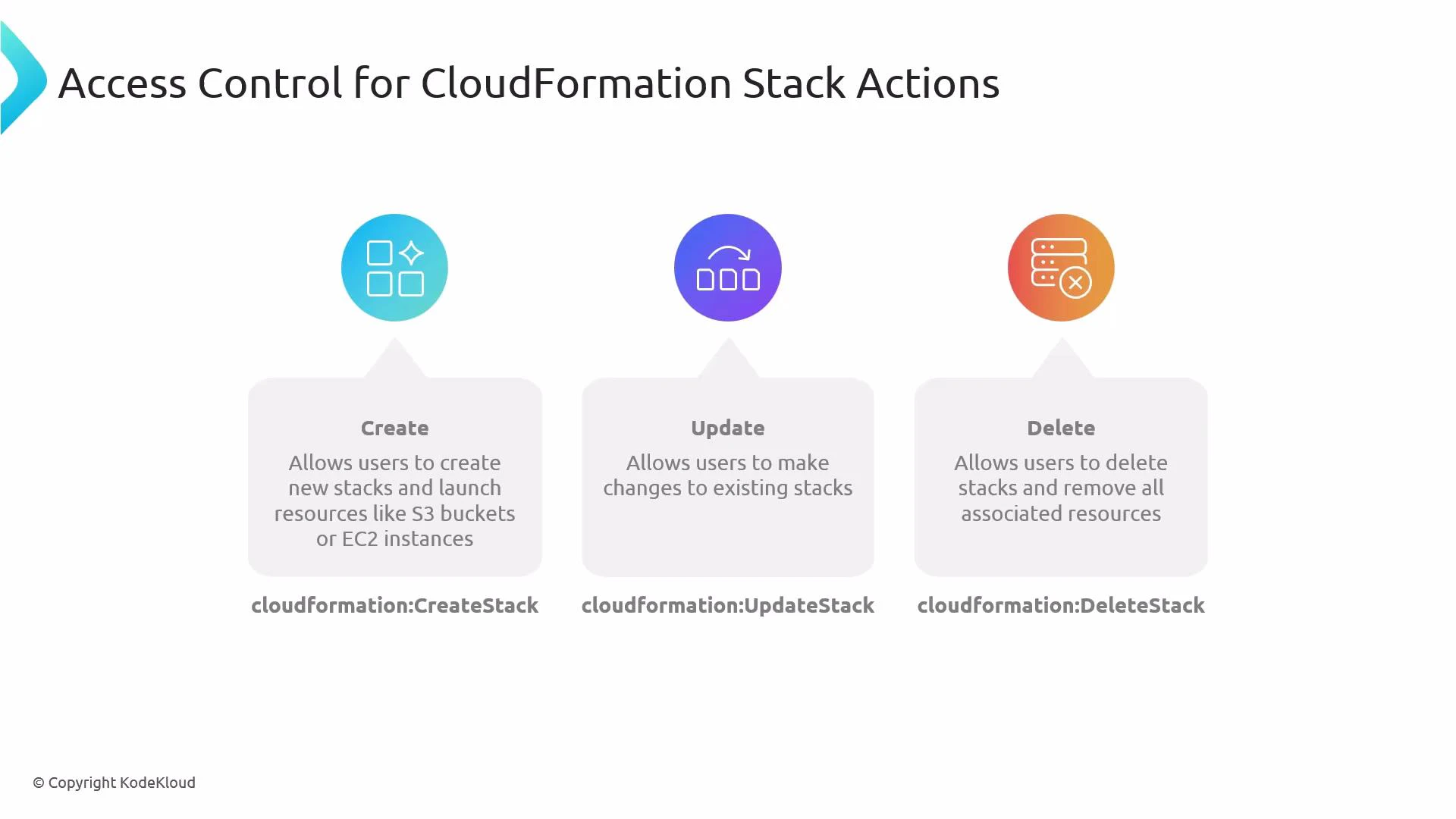
Table: Primary CloudFormation stack actions
| Action (IAM) | Purpose | Typical use case |
| -------------------------- | ----------------------------------------- | ----------------------------------------------------------- |
| cloudformation:CreateStack | Create a new stack and start provisioning | Deploy a new application stack from a template |
| cloudformation:UpdateStack | Apply updates to an existing stack | Change configuration or resource types in an existing stack |
| cloudformation:DeleteStack | Delete a stack and remove its resources | Tear down environments or test stacks |
CloudFormation actions control stack lifecycle operations, but templates execute service-specific APIs. Ensure you also grant the required service permissions (for example, S3, EC2, IAM) so CloudFormation can create or modify the underlying resources.
 Example IAM policy
Below is a practical IAM policy that combines CloudFormation stack permissions with a minimal set of service-level actions for S3 and EC2, plus an iam:PassRole entry when CloudFormation needs to assume an execution role. This demonstrates the common pattern of pairing CloudFormation actions with the underlying AWS service permissions your templates require.
```json theme={null}
{
"Version": "2012-10-17",
"Statement": [
{
"Sid": "CloudFormationStackActions",
"Effect": "Allow",
"Action": [
"cloudformation:CreateStack",
"cloudformation:UpdateStack",
"cloudformation:DeleteStack",
"cloudformation:DescribeStacks",
"cloudformation:ListStackResources"
],
"Resource": "*"
},
{
"Sid": "S3AndEC2Permissions",
"Effect": "Allow",
"Action": [
"s3:CreateBucket",
"s3:PutObject",
"s3:PutBucketPolicy",
"ec2:RunInstances",
"ec2:TerminateInstances",
"ec2:CreateTags"
],
"Resource": "*"
},
{
"Sid": "PassRoleIfNeeded",
"Effect": "Allow",
"Action": [
"iam:PassRole"
],
"Resource": "arn:aws:iam::123456789012:role/CloudFormationExecutionRole"
}
]
}
```
Notes on the example
* cloudformation:DescribeStacks and cloudformation:ListStackResources are useful read-only actions so users can inspect stack status and the resources a stack manages.
* iam:PassRole: many templates create or configure resources that require an IAM role to be passed—PassRole must permit passing exactly the roles CloudFormation will use. Scope PassRole to specific ARNs for least privilege.
* Replace Resource "\*" with the smallest possible scope in production. Ideally, lock permissions down to specific stack ARNs, S3 bucket ARNs, or EC2 instance tags as applicable.
Recommended service permission examples
| Service | Common actions you might need | Notes |
| ------- | -------------------------------------------------------- | ---------------------------------------------------------------------------- |
| S3 | s3:CreateBucket, s3:PutObject, s3:PutBucketPolicy | Restrict to bucket ARNs and required prefixes |
| EC2 | ec2:RunInstances, ec2:TerminateInstances, ec2:CreateTags | Restrict AMI IDs, instance profiles, and subnet/resource ARNs where possible |
| IAM | iam:PassRole | Scope to the exact role ARNs used by CloudFormation |
Deleting a stack (cloudformation:DeleteStack) is destructive: it removes resources created by the stack. Grant delete permissions only to trusted principals and consider safeguards such as service control policies (SCPs), approval workflows, or MFA-protected operations.
Best practices and tips
* Least privilege: scope both actions and Resource ARNs narrowly. Avoid "\*" in production.
* Pair stack actions with service-level permissions your templates require; review templates to determine exact permissions.
* Use CloudFormation execution roles (and explicit iam:PassRole permission) to centralize the credentials CloudFormation uses to create resources.
* Use Describe/List operations to let operators inspect stacks without granting destructive actions.
* Consider implementing guardrails with AWS Organizations SCPs, AWS Config rules, or manual approvals for destructive operations.
Links and references
* [AWS CloudFormation documentation](https://docs.aws.amazon.com/cloudformation/)
* [IAM PassRole documentation](https://docs.aws.amazon.com/IAM/latest/UserGuide/id_roles_use_passrole.html)
* [Amazon S3 permissions](https://docs.aws.amazon.com/AmazonS3/latest/dev/using-with-s3-actions.html)
* [Amazon EC2 permissions](https://docs.aws.amazon.com/AWSEC2/latest/UserGuide/ec2-supported-iam-actions.html)
Summary
* Use cloudformation:CreateStack, cloudformation:UpdateStack, and cloudformation:DeleteStack to control stack lifecycle.
* Always grant the necessary service-level permissions (S3, EC2, IAM, etc.) that your CloudFormation templates require.
* Enforce least privilege: scope actions and resources narrowly, and grant iam:PassRole only for the specific execution role(s) CloudFormation will use.
Example IAM policy
Below is a practical IAM policy that combines CloudFormation stack permissions with a minimal set of service-level actions for S3 and EC2, plus an iam:PassRole entry when CloudFormation needs to assume an execution role. This demonstrates the common pattern of pairing CloudFormation actions with the underlying AWS service permissions your templates require.
```json theme={null}
{
"Version": "2012-10-17",
"Statement": [
{
"Sid": "CloudFormationStackActions",
"Effect": "Allow",
"Action": [
"cloudformation:CreateStack",
"cloudformation:UpdateStack",
"cloudformation:DeleteStack",
"cloudformation:DescribeStacks",
"cloudformation:ListStackResources"
],
"Resource": "*"
},
{
"Sid": "S3AndEC2Permissions",
"Effect": "Allow",
"Action": [
"s3:CreateBucket",
"s3:PutObject",
"s3:PutBucketPolicy",
"ec2:RunInstances",
"ec2:TerminateInstances",
"ec2:CreateTags"
],
"Resource": "*"
},
{
"Sid": "PassRoleIfNeeded",
"Effect": "Allow",
"Action": [
"iam:PassRole"
],
"Resource": "arn:aws:iam::123456789012:role/CloudFormationExecutionRole"
}
]
}
```
Notes on the example
* cloudformation:DescribeStacks and cloudformation:ListStackResources are useful read-only actions so users can inspect stack status and the resources a stack manages.
* iam:PassRole: many templates create or configure resources that require an IAM role to be passed—PassRole must permit passing exactly the roles CloudFormation will use. Scope PassRole to specific ARNs for least privilege.
* Replace Resource "\*" with the smallest possible scope in production. Ideally, lock permissions down to specific stack ARNs, S3 bucket ARNs, or EC2 instance tags as applicable.
Recommended service permission examples
| Service | Common actions you might need | Notes |
| ------- | -------------------------------------------------------- | ---------------------------------------------------------------------------- |
| S3 | s3:CreateBucket, s3:PutObject, s3:PutBucketPolicy | Restrict to bucket ARNs and required prefixes |
| EC2 | ec2:RunInstances, ec2:TerminateInstances, ec2:CreateTags | Restrict AMI IDs, instance profiles, and subnet/resource ARNs where possible |
| IAM | iam:PassRole | Scope to the exact role ARNs used by CloudFormation |
Deleting a stack (cloudformation:DeleteStack) is destructive: it removes resources created by the stack. Grant delete permissions only to trusted principals and consider safeguards such as service control policies (SCPs), approval workflows, or MFA-protected operations.
Best practices and tips
* Least privilege: scope both actions and Resource ARNs narrowly. Avoid "\*" in production.
* Pair stack actions with service-level permissions your templates require; review templates to determine exact permissions.
* Use CloudFormation execution roles (and explicit iam:PassRole permission) to centralize the credentials CloudFormation uses to create resources.
* Use Describe/List operations to let operators inspect stacks without granting destructive actions.
* Consider implementing guardrails with AWS Organizations SCPs, AWS Config rules, or manual approvals for destructive operations.
Links and references
* [AWS CloudFormation documentation](https://docs.aws.amazon.com/cloudformation/)
* [IAM PassRole documentation](https://docs.aws.amazon.com/IAM/latest/UserGuide/id_roles_use_passrole.html)
* [Amazon S3 permissions](https://docs.aws.amazon.com/AmazonS3/latest/dev/using-with-s3-actions.html)
* [Amazon EC2 permissions](https://docs.aws.amazon.com/AWSEC2/latest/UserGuide/ec2-supported-iam-actions.html)
Summary
* Use cloudformation:CreateStack, cloudformation:UpdateStack, and cloudformation:DeleteStack to control stack lifecycle.
* Always grant the necessary service-level permissions (S3, EC2, IAM, etc.) that your CloudFormation templates require.
* Enforce least privilege: scope actions and resources narrowly, and grant iam:PassRole only for the specific execution role(s) CloudFormation will use.