> ## Documentation Index
> Fetch the complete documentation index at: https://notes.kodekloud.com/llms.txt
> Use this file to discover all available pages before exploring further.
# Demo Creating a custom permission policy Delete a stack
> Fix authorization errors deleting an AWS CloudFormation stack by updating a custom IAM policy to allow deletion and S3 access, then remove the stack and clean up resources
In this lesson you'll see how to resolve an authorization error when deleting an AWS CloudFormation stack because the current IAM identity lacks the required identity-based permission. The workflow:
* Reproduce the authorization error in the CloudFormation console.
* Update a customer-managed IAM policy to allow deletion.
* Retry and delete the stack (and any S3 bucket the stack created).
* Clean up the temporary IAM resources.
Step 1 — Attempt to delete the stack and observe the error
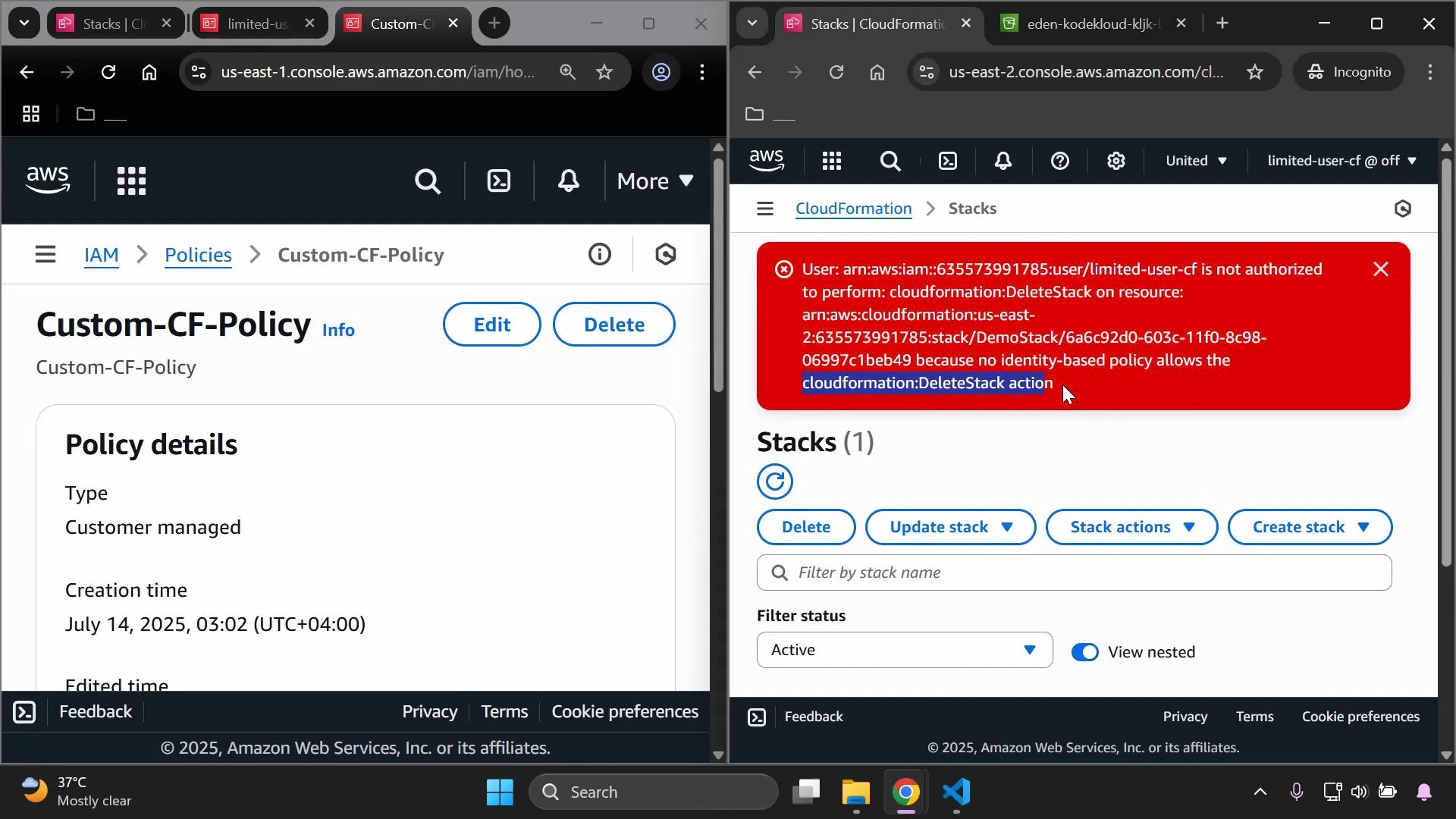
Attempt to delete the CloudFormation stack from the CloudFormation console. If the IAM identity that you're signed in with does not include the cloudformation:DeleteStack permission, the console will return an authorization error indicating you are not authorized to perform the cloudformation:DeleteStack action.
 Step 2 — Edit the customer-managed IAM policy
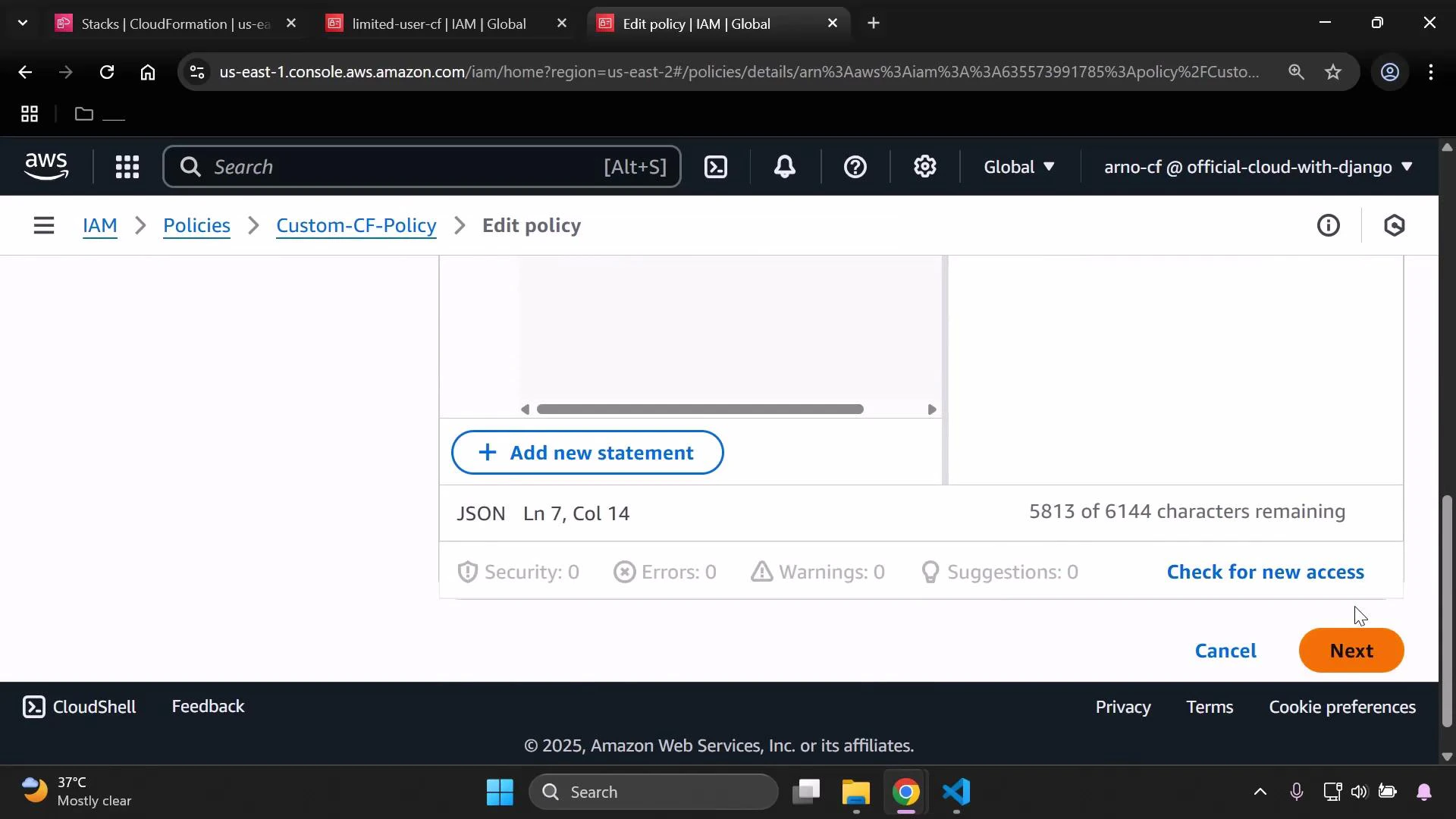
Close the error, open the IAM console, and edit the customer-managed policy attached to your limited user. In the policy's JSON editor add the `cloudformation:DeleteStack` action to the policy's allowed actions. If the stack creates an S3 bucket, include S3 permissions because CloudFormation must be able to delete that bucket as part of the stack deletion (CloudFormation cannot remove non-empty buckets).
Example JSON policy that allows stack deletion and S3 access:
```json theme={null}
{
"Version": "2012-10-17",
"Statement": [
{
"Sid": "Statement1",
"Effect": "Allow",
"Action": [
"cloudformation:ListStacks",
"cloudformation:DescribeStacks",
"cloudformation:GetStackPolicy",
"cloudformation:CreateUploadBucket",
"cloudformation:GetTemplateSummary",
"cloudformation:UpdateStack",
"cloudformation:DeleteStack",
"s3:*"
],
"Resource": "*"
}
]
}
```
Save the policy after editing.
Step 2 — Edit the customer-managed IAM policy
Close the error, open the IAM console, and edit the customer-managed policy attached to your limited user. In the policy's JSON editor add the `cloudformation:DeleteStack` action to the policy's allowed actions. If the stack creates an S3 bucket, include S3 permissions because CloudFormation must be able to delete that bucket as part of the stack deletion (CloudFormation cannot remove non-empty buckets).
Example JSON policy that allows stack deletion and S3 access:
```json theme={null}
{
"Version": "2012-10-17",
"Statement": [
{
"Sid": "Statement1",
"Effect": "Allow",
"Action": [
"cloudformation:ListStacks",
"cloudformation:DescribeStacks",
"cloudformation:GetStackPolicy",
"cloudformation:CreateUploadBucket",
"cloudformation:GetTemplateSummary",
"cloudformation:UpdateStack",
"cloudformation:DeleteStack",
"s3:*"
],
"Resource": "*"
}
]
}
```
Save the policy after editing.
 Step 3 — Retry deletion in CloudFormation
After the updated policy is applied, reload the CloudFormation console and initiate stack deletion again. Before you delete the stack, make sure any S3 bucket created by the stack is empty — CloudFormation deletion will fail for non-empty buckets.
Deleting a stack will remove the stack and its associated resources (for example, S3 buckets). Empty any S3 buckets first if necessary, and be certain you want to remove these resources — deletion is irreversible.
Proceed with the deletion. CloudFormation will start removing stack resources, including the S3 bucket if it is empty and you granted S3 permissions in the policy. Refresh the CloudFormation stacks list and the S3 console to confirm the resources are gone.
If your stack contains resources that require special deletion steps (for example, non-empty S3 buckets or resources protected by termination protection), remove those prerequisites before deleting the stack.
Step 4 — Clean up IAM artifacts
After you confirm the stack and its resources are deleted, remove the temporary IAM items you created for this exercise:
| Action | Description |
| ------------------------- | ---------------------------------------------------------------------------------------------- |
| Detach policy from user | Remove the customer-managed policy from the limited user to revert their permissions. |
| Delete the policy | Sign in as a user with permission to delete the customer-managed policy and remove the policy. |
| Delete the temporary user | Remove the temporary user if it’s no longer required. |
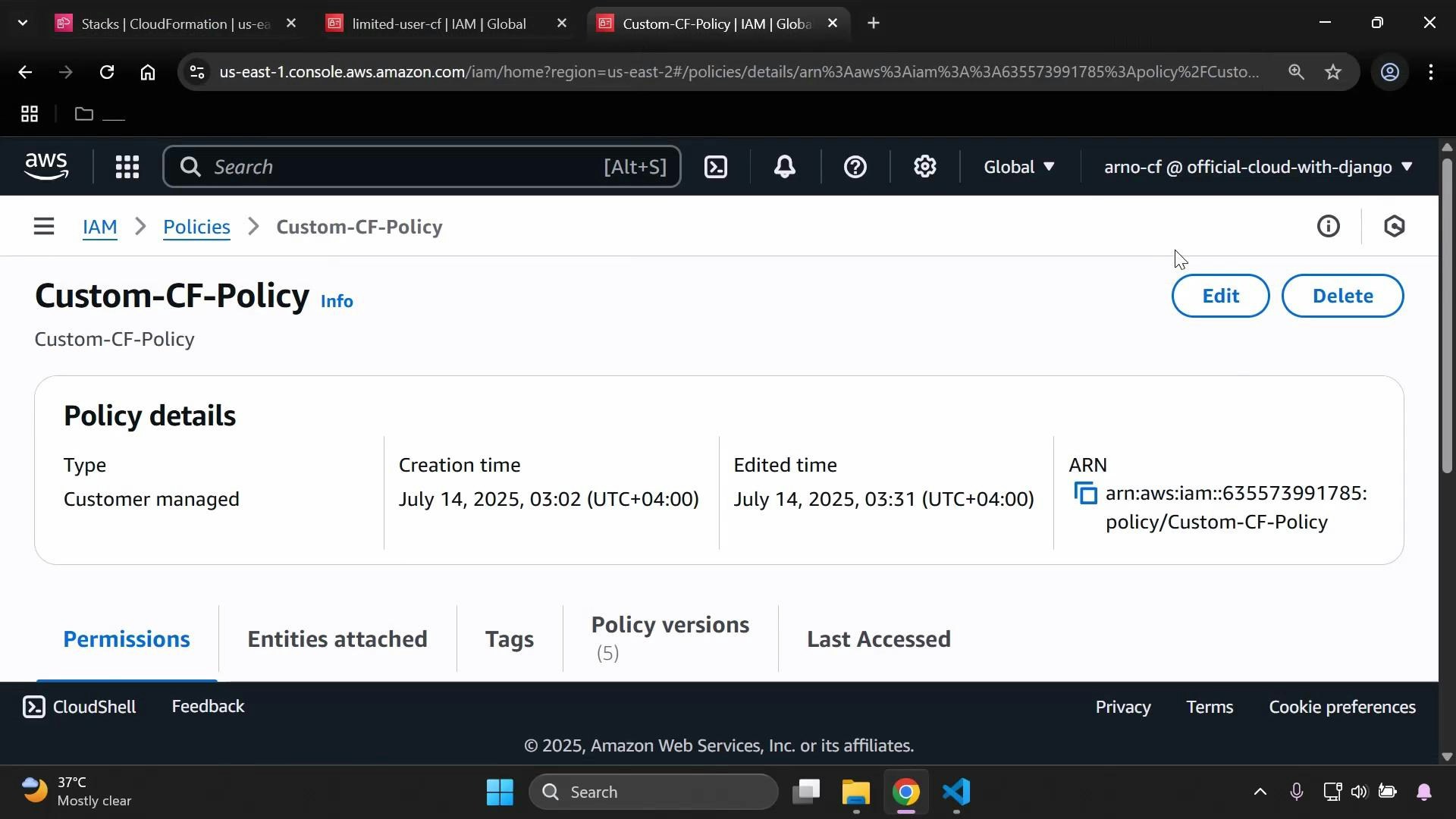
The policy details page displays your customer-managed policy metadata (creation/edited timestamps, ARN, and Edit/Delete controls).
Step 3 — Retry deletion in CloudFormation
After the updated policy is applied, reload the CloudFormation console and initiate stack deletion again. Before you delete the stack, make sure any S3 bucket created by the stack is empty — CloudFormation deletion will fail for non-empty buckets.
Deleting a stack will remove the stack and its associated resources (for example, S3 buckets). Empty any S3 buckets first if necessary, and be certain you want to remove these resources — deletion is irreversible.
Proceed with the deletion. CloudFormation will start removing stack resources, including the S3 bucket if it is empty and you granted S3 permissions in the policy. Refresh the CloudFormation stacks list and the S3 console to confirm the resources are gone.
If your stack contains resources that require special deletion steps (for example, non-empty S3 buckets or resources protected by termination protection), remove those prerequisites before deleting the stack.
Step 4 — Clean up IAM artifacts
After you confirm the stack and its resources are deleted, remove the temporary IAM items you created for this exercise:
| Action | Description |
| ------------------------- | ---------------------------------------------------------------------------------------------- |
| Detach policy from user | Remove the customer-managed policy from the limited user to revert their permissions. |
| Delete the policy | Sign in as a user with permission to delete the customer-managed policy and remove the policy. |
| Delete the temporary user | Remove the temporary user if it’s no longer required. |
The policy details page displays your customer-managed policy metadata (creation/edited timestamps, ARN, and Edit/Delete controls).
 Verification and final notes
* Refresh the IAM and CloudFormation consoles to ensure the user, policy, and stack are removed.
* Confirm S3 bucket and object listings are empty for resources created by the stack.
Further reading and references
* [AWS CloudFormation User Guide — Deleting a Stack](https://docs.aws.amazon.com/AWSCloudFormation/latest/UserGuide/cfn-console-delete-stack.html)
* [AWS Identity and Access Management (IAM) Documentation](https://docs.aws.amazon.com/iam/)
* [S3 Considerations When Deleting Stacks](https://docs.aws.amazon.com/AmazonS3/latest/userguide/delete-objects.html)
That completes the lesson: how to add the cloudformation:DeleteStack permission to a custom IAM policy, delete a CloudFormation stack and its associated resources, and then clean up the temporary IAM resources.
Verification and final notes
* Refresh the IAM and CloudFormation consoles to ensure the user, policy, and stack are removed.
* Confirm S3 bucket and object listings are empty for resources created by the stack.
Further reading and references
* [AWS CloudFormation User Guide — Deleting a Stack](https://docs.aws.amazon.com/AWSCloudFormation/latest/UserGuide/cfn-console-delete-stack.html)
* [AWS Identity and Access Management (IAM) Documentation](https://docs.aws.amazon.com/iam/)
* [S3 Considerations When Deleting Stacks](https://docs.aws.amazon.com/AmazonS3/latest/userguide/delete-objects.html)
That completes the lesson: how to add the cloudformation:DeleteStack permission to a custom IAM policy, delete a CloudFormation stack and its associated resources, and then clean up the temporary IAM resources.