> ## Documentation Index
> Fetch the complete documentation index at: https://notes.kodekloud.com/llms.txt
> Use this file to discover all available pages before exploring further.
# Demo Creating a custom permission policy Update a stack Part 2
> Guide to building a minimal IAM policy granting CloudFormation and S3 permissions so a restricted user can inspect and update an AWS CloudFormation stack, with troubleshooting and best practices.
In this lesson we build a minimal, customer-managed IAM policy that allows a restricted user to inspect and update an existing AWS CloudFormation stack. We'll:
* Create a minimal CloudFormation policy
* Attach it to a user
* Attempt a stack update, observe authorization errors
* Iteratively add the CloudFormation (and S3) actions required to complete an update
* Verify the update and review best practices
This walkthrough focuses on the CloudFormation IAM actions commonly needed for the console update flow (Describe, GetTemplateSummary, CreateUploadBucket, UpdateStack) and the S3 actions used when templates are uploaded to a staging bucket.
## Step 1 — Create a minimal custom CloudFormation policy
Start with a very small policy that allows the user to list and describe stacks so they can see stacks and basic stack metadata.
```json theme={null}
{
"Version": "2012-10-17",
"Statement": [
{
"Sid": "Statement1",
"Effect": "Allow",
"Action": [
"cloudformation:ListStacks",
"cloudformation:DescribeStacks"
],
"Resource": "*"
}
]
}
```
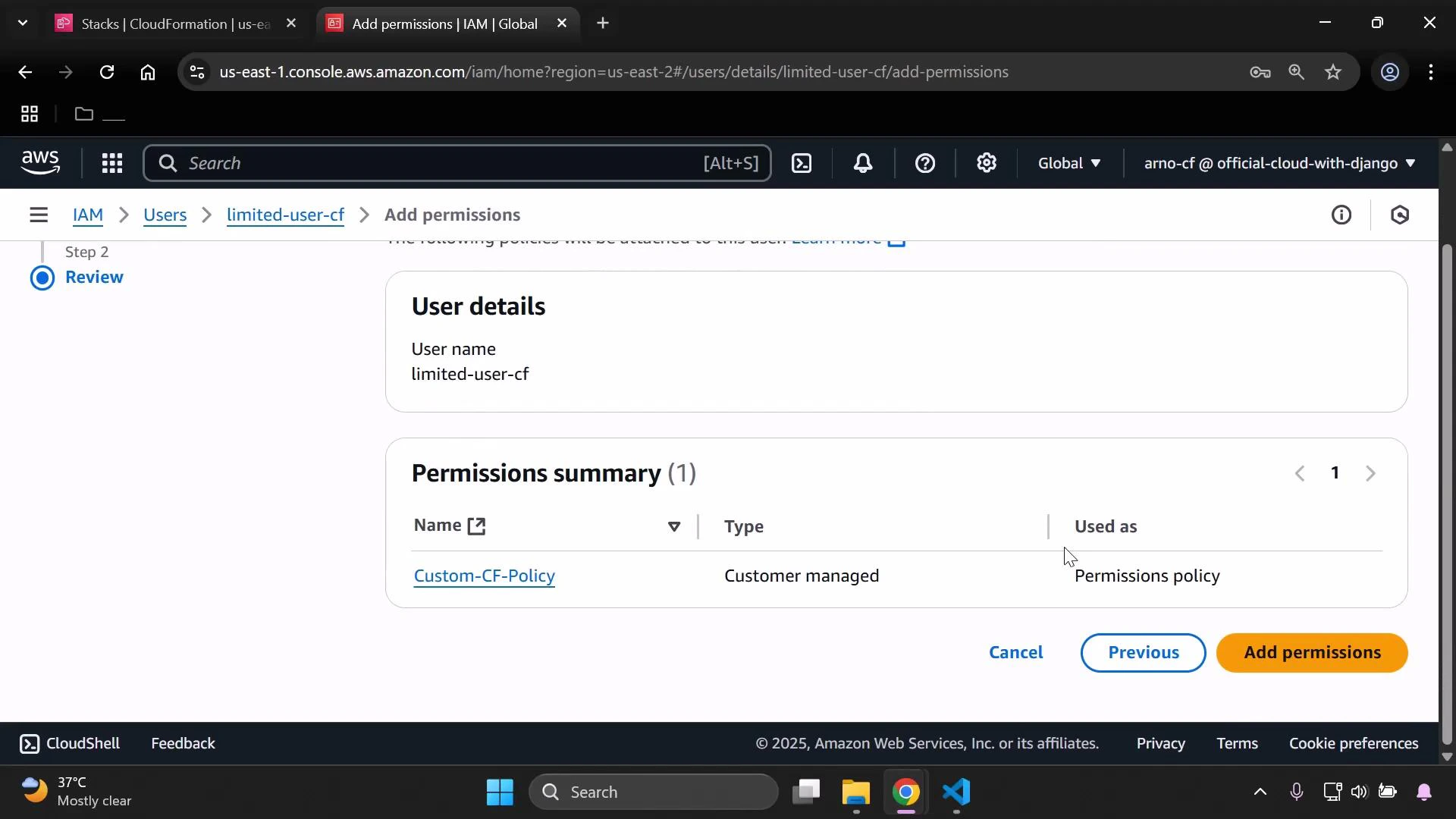
Attach this policy to the test user (for example, `limited-user-cf`). After attaching, confirm the policy appears in IAM.
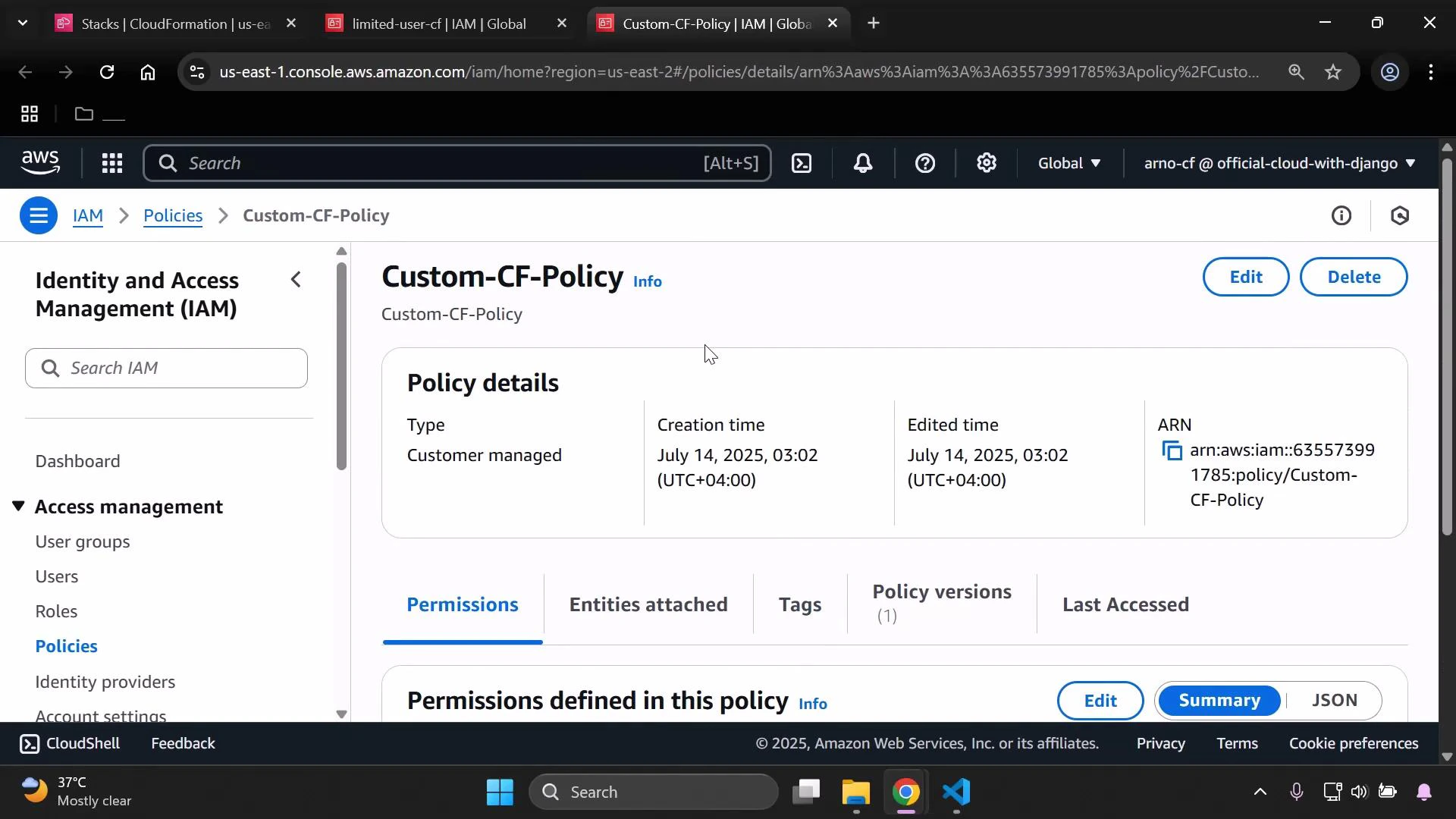
 Open the policy details to verify the policy content and metadata.
 Permission changes can take a few moments to propagate in the console. If the limited user cannot see stacks right away, refresh the CloudFormation or IAM pages.
## Step 2 — Attempt to update a stack and identify missing actions
When the limited user attempts to update a stack (Update stack → Make a direct update → Replace existing template), CloudFormation will try to load the stack policy and other metadata. If the user lacks required actions, the console will show errors such as "Failed to load stack policy."
Permission changes can take a few moments to propagate in the console. If the limited user cannot see stacks right away, refresh the CloudFormation or IAM pages.
## Step 2 — Attempt to update a stack and identify missing actions
When the limited user attempts to update a stack (Update stack → Make a direct update → Replace existing template), CloudFormation will try to load the stack policy and other metadata. If the user lacks required actions, the console will show errors such as "Failed to load stack policy."
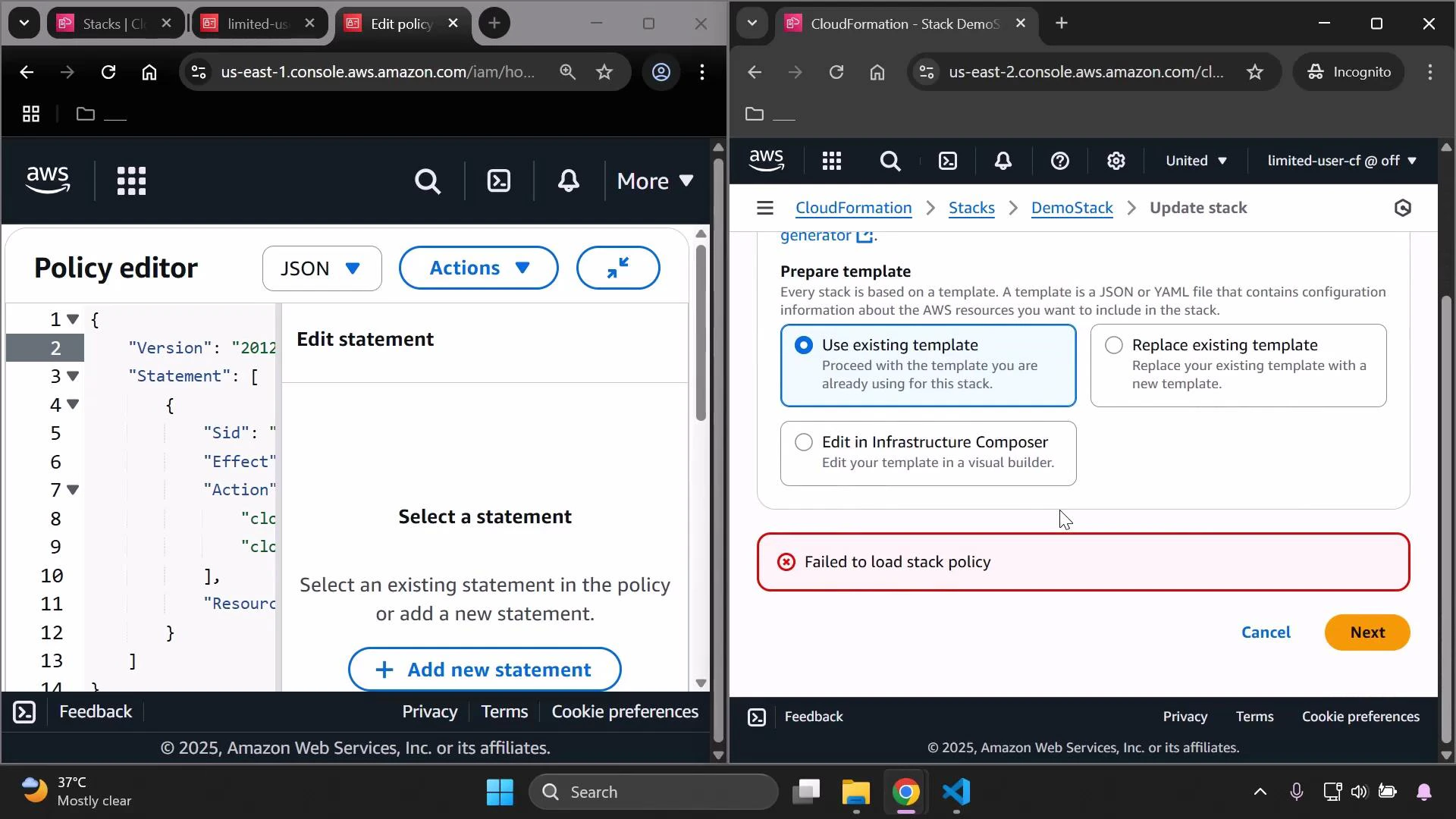 CloudFormation needs the following action to retrieve the stack policy:
* cloudformation:GetStackPolicy
Add it to the policy and save.
Updated policy (added GetStackPolicy):
```json theme={null}
{
"Version": "2012-10-17",
"Statement": [
{
"Sid": "Statement1",
"Effect": "Allow",
"Action": [
"cloudformation:ListStacks",
"cloudformation:DescribeStacks",
"cloudformation:GetStackPolicy"
],
"Resource": "*"
}
]
}
```
Reload the CloudFormation update dialog — the "Failed to load stack policy" error should disappear.
## Step 3 — Uploading templates: CreateUploadBucket and S3 access
If you choose "Upload a template file" or CloudFormation needs to stage a large template, CloudFormation may try to create a temporary S3 upload bucket. If the user lacks this permission, you'll see:
User is not authorized to perform: cloudformation:CreateUploadBucket
Add cloudformation:CreateUploadBucket. In addition, CloudFormation uses S3 APIs (for example, to put the template object into a bucket). If S3 permissions are missing, uploads will fail. For the demo we allow all S3 actions; in production you should scope these to specific buckets and actions.
Add CreateUploadBucket and S3 full access:
```json theme={null}
{
"Version": "2012-10-17",
"Statement": [
{
"Sid": "Statement1",
"Effect": "Allow",
"Action": [
"cloudformation:ListStacks",
"cloudformation:DescribeStacks",
"cloudformation:GetStackPolicy",
"cloudformation:CreateUploadBucket",
"s3:*"
],
"Resource": "*"
}
]
}
```
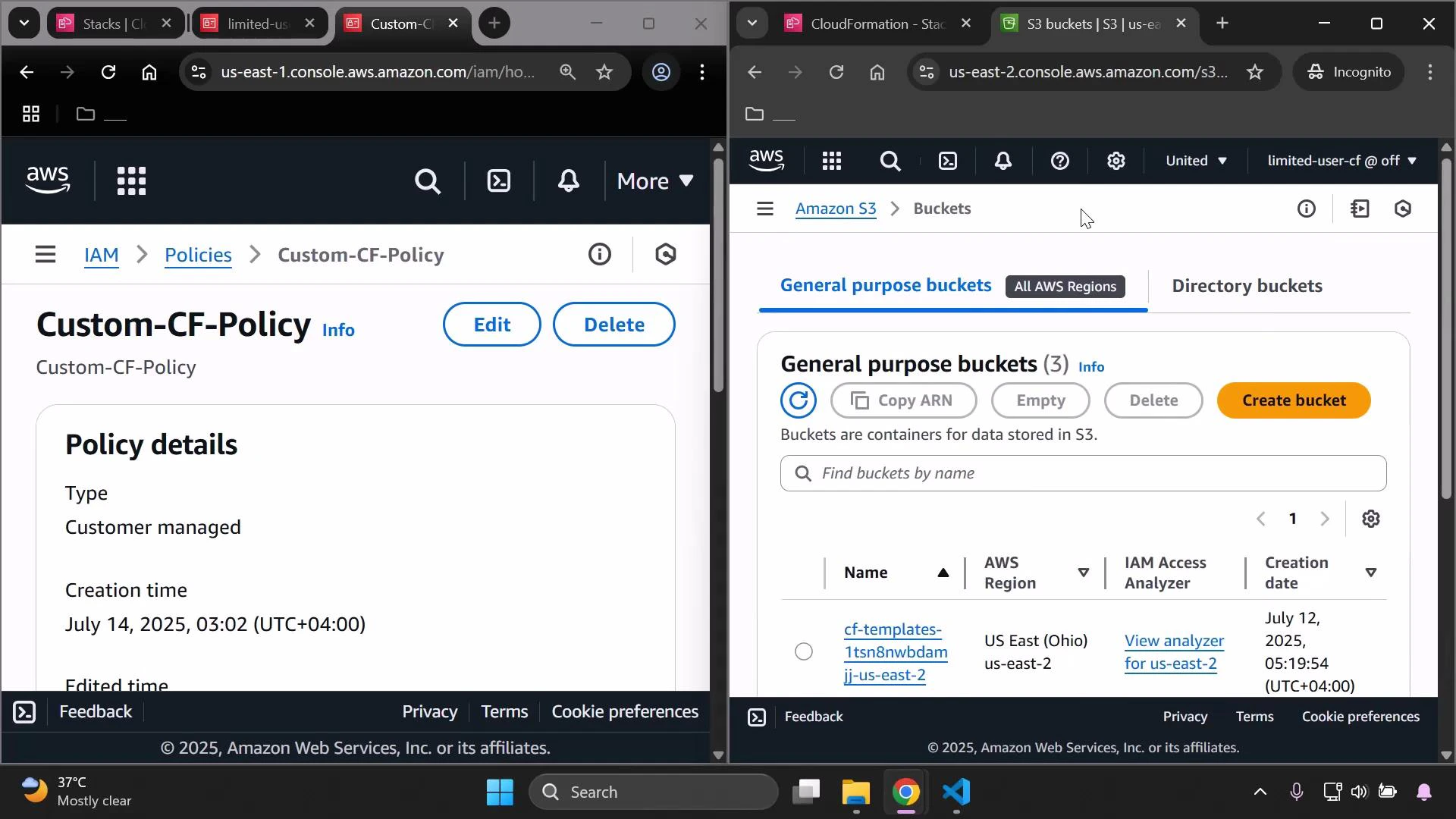
After saving, the limited user should be able to interact with S3 in the console.
CloudFormation needs the following action to retrieve the stack policy:
* cloudformation:GetStackPolicy
Add it to the policy and save.
Updated policy (added GetStackPolicy):
```json theme={null}
{
"Version": "2012-10-17",
"Statement": [
{
"Sid": "Statement1",
"Effect": "Allow",
"Action": [
"cloudformation:ListStacks",
"cloudformation:DescribeStacks",
"cloudformation:GetStackPolicy"
],
"Resource": "*"
}
]
}
```
Reload the CloudFormation update dialog — the "Failed to load stack policy" error should disappear.
## Step 3 — Uploading templates: CreateUploadBucket and S3 access
If you choose "Upload a template file" or CloudFormation needs to stage a large template, CloudFormation may try to create a temporary S3 upload bucket. If the user lacks this permission, you'll see:
User is not authorized to perform: cloudformation:CreateUploadBucket
Add cloudformation:CreateUploadBucket. In addition, CloudFormation uses S3 APIs (for example, to put the template object into a bucket). If S3 permissions are missing, uploads will fail. For the demo we allow all S3 actions; in production you should scope these to specific buckets and actions.
Add CreateUploadBucket and S3 full access:
```json theme={null}
{
"Version": "2012-10-17",
"Statement": [
{
"Sid": "Statement1",
"Effect": "Allow",
"Action": [
"cloudformation:ListStacks",
"cloudformation:DescribeStacks",
"cloudformation:GetStackPolicy",
"cloudformation:CreateUploadBucket",
"s3:*"
],
"Resource": "*"
}
]
}
```
After saving, the limited user should be able to interact with S3 in the console.
 ## Step 4 — Add GetTemplateSummary for template inspection
When you upload or reference a template URL, the console calls cloudformation:GetTemplateSummary to parse the template and display parameters, defaults, and metadata. If this action is missing, you'll receive:
User is not authorized to perform: cloudformation:GetTemplateSummary
Add cloudformation:GetTemplateSummary to the policy.
Policy after adding GetTemplateSummary:
```json theme={null}
{
"Version": "2012-10-17",
"Statement": [
{
"Sid": "Statement1",
"Effect": "Allow",
"Action": [
"cloudformation:ListStacks",
"cloudformation:DescribeStacks",
"cloudformation:GetStackPolicy",
"cloudformation:CreateUploadBucket",
"cloudformation:GetTemplateSummary",
"s3:*"
],
"Resource": "*"
}
]
}
```
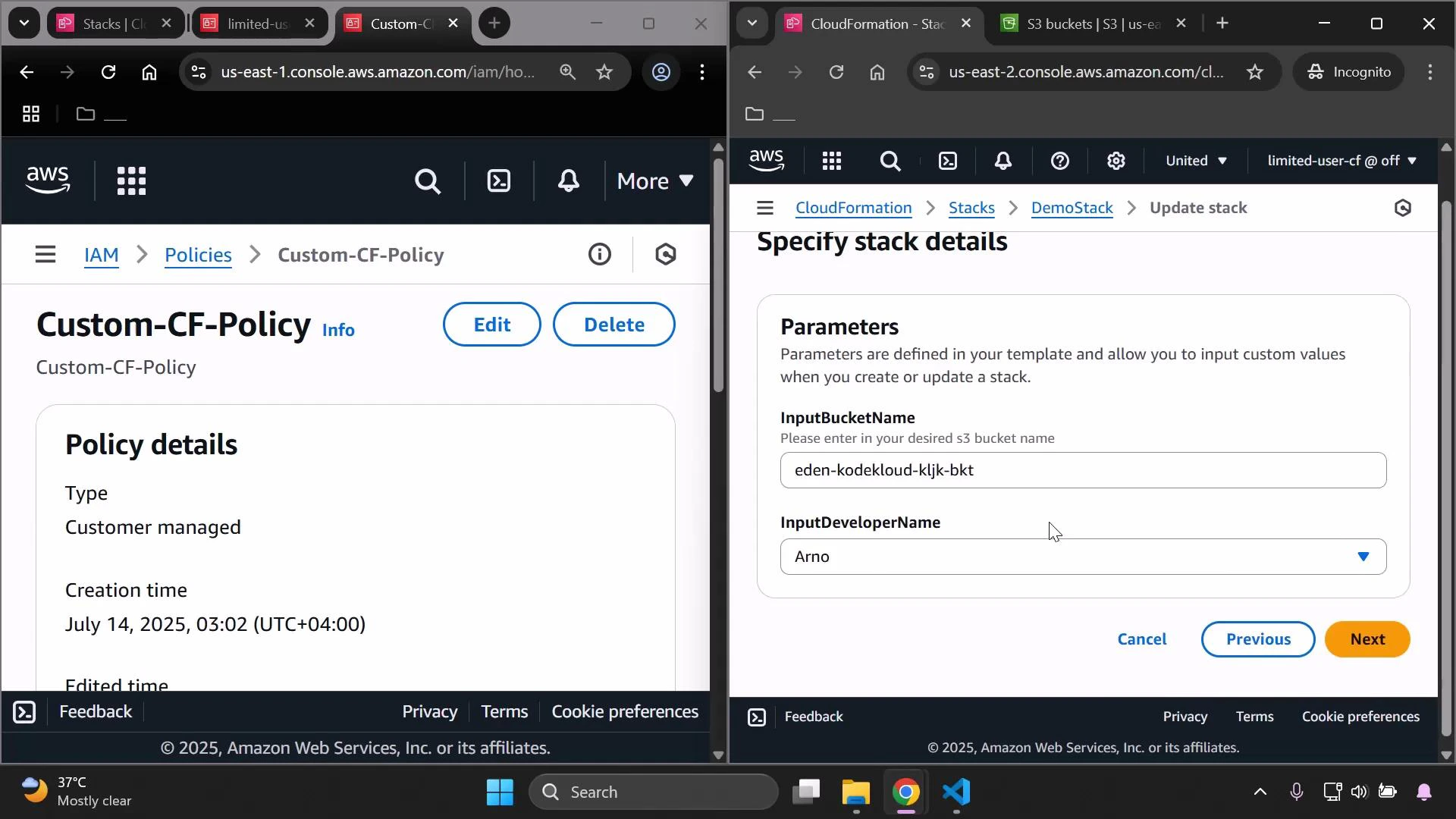
With that permission in place, the console can display parameters and defaults when you specify a template:
## Step 4 — Add GetTemplateSummary for template inspection
When you upload or reference a template URL, the console calls cloudformation:GetTemplateSummary to parse the template and display parameters, defaults, and metadata. If this action is missing, you'll receive:
User is not authorized to perform: cloudformation:GetTemplateSummary
Add cloudformation:GetTemplateSummary to the policy.
Policy after adding GetTemplateSummary:
```json theme={null}
{
"Version": "2012-10-17",
"Statement": [
{
"Sid": "Statement1",
"Effect": "Allow",
"Action": [
"cloudformation:ListStacks",
"cloudformation:DescribeStacks",
"cloudformation:GetStackPolicy",
"cloudformation:CreateUploadBucket",
"cloudformation:GetTemplateSummary",
"s3:*"
],
"Resource": "*"
}
]
}
```
With that permission in place, the console can display parameters and defaults when you specify a template:
 ## Step 5 — Grant UpdateStack to perform the update
To actually submit an update, include cloudformation:UpdateStack. Without this action, you can walk through the update wizard, but the final submission will be rejected.
Final example policy for the demo (consolidated):
```json theme={null}
{
"Version": "2012-10-17",
"Statement": [
{
"Sid": "Statement1",
"Effect": "Allow",
"Action": [
"cloudformation:ListStacks",
"cloudformation:DescribeStacks",
"cloudformation:GetStackPolicy",
"cloudformation:CreateUploadBucket",
"cloudformation:GetTemplateSummary",
"cloudformation:UpdateStack",
"s3:*"
],
"Resource": "*"
}
]
}
```
After granting UpdateStack, proceed through the CloudFormation update wizard (Specify template, parameters, review) and submit. The console will show stack events and outputs.
## Common CloudFormation + S3 actions and why they’re needed
| Action | Resource | Purpose / When the console/API needs it |
| ---------------------------------------------------- | -------------------- | ---------------------------------------------------------------- |
| cloudformation:ListStacks | \* | Show stack list in the console |
| cloudformation:DescribeStacks | \* | View stack details and status |
| cloudformation:GetStackPolicy | \* | Retrieve the stack policy to load during updates |
| cloudformation:CreateUploadBucket | \* | Allow CloudFormation to create a temporary S3 bucket for uploads |
| cloudformation:GetTemplateSummary | \* | Parse template to list parameters and metadata |
| cloudformation:UpdateStack | \* | Submit the actual stack update |
| s3:PutObject, s3:GetObject, s3:ListBucket (or s3:\*) | specific bucket ARNs | Upload templates to staging buckets and read uploaded templates |
The examples above use broad S3 permissions (s3:\* and Resource "\*") purely for demonstration. In production, follow the principle of least privilege: limit S3 actions and resources to only the buckets and operations required (for example, s3:PutObject, s3:GetObject, s3:ListBucket on specific bucket ARNs).
## Troubleshooting UI authorization errors
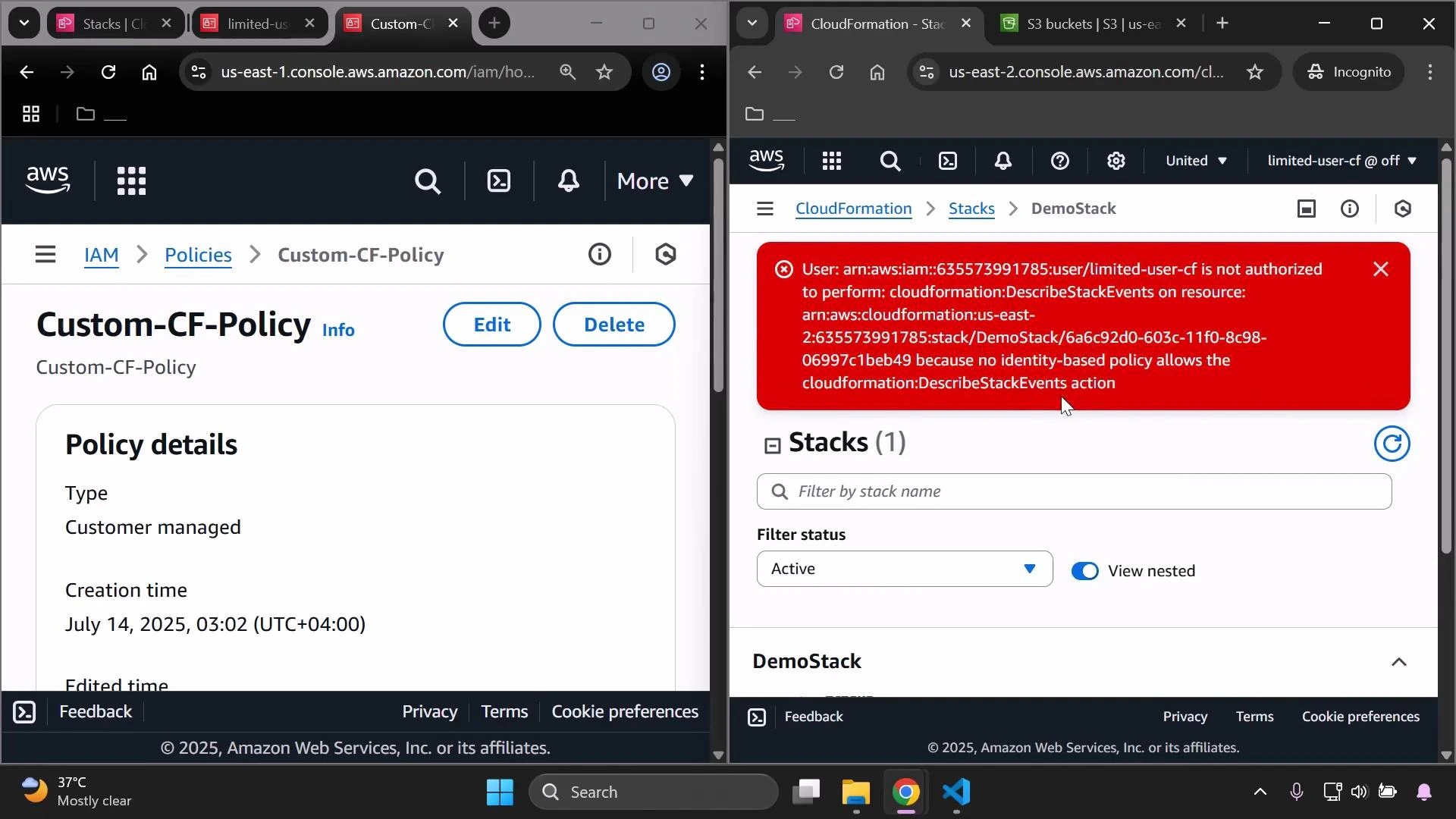
While testing, the console UI may still show "not authorized" banners for specific read actions if those actions are not allowed (for example, DescribeStackEvents). If a console view is missing data, add the corresponding read actions to your policy:
* cloudformation:DescribeStackEvents
* cloudformation:DescribeChangeSet
* cloudformation:GetTemplate
* cloudformation:ListChangeSets
An example unauthorized banner when DescribeStackEvents is missing:
## Step 5 — Grant UpdateStack to perform the update
To actually submit an update, include cloudformation:UpdateStack. Without this action, you can walk through the update wizard, but the final submission will be rejected.
Final example policy for the demo (consolidated):
```json theme={null}
{
"Version": "2012-10-17",
"Statement": [
{
"Sid": "Statement1",
"Effect": "Allow",
"Action": [
"cloudformation:ListStacks",
"cloudformation:DescribeStacks",
"cloudformation:GetStackPolicy",
"cloudformation:CreateUploadBucket",
"cloudformation:GetTemplateSummary",
"cloudformation:UpdateStack",
"s3:*"
],
"Resource": "*"
}
]
}
```
After granting UpdateStack, proceed through the CloudFormation update wizard (Specify template, parameters, review) and submit. The console will show stack events and outputs.
## Common CloudFormation + S3 actions and why they’re needed
| Action | Resource | Purpose / When the console/API needs it |
| ---------------------------------------------------- | -------------------- | ---------------------------------------------------------------- |
| cloudformation:ListStacks | \* | Show stack list in the console |
| cloudformation:DescribeStacks | \* | View stack details and status |
| cloudformation:GetStackPolicy | \* | Retrieve the stack policy to load during updates |
| cloudformation:CreateUploadBucket | \* | Allow CloudFormation to create a temporary S3 bucket for uploads |
| cloudformation:GetTemplateSummary | \* | Parse template to list parameters and metadata |
| cloudformation:UpdateStack | \* | Submit the actual stack update |
| s3:PutObject, s3:GetObject, s3:ListBucket (or s3:\*) | specific bucket ARNs | Upload templates to staging buckets and read uploaded templates |
The examples above use broad S3 permissions (s3:\* and Resource "\*") purely for demonstration. In production, follow the principle of least privilege: limit S3 actions and resources to only the buckets and operations required (for example, s3:PutObject, s3:GetObject, s3:ListBucket on specific bucket ARNs).
## Troubleshooting UI authorization errors
While testing, the console UI may still show "not authorized" banners for specific read actions if those actions are not allowed (for example, DescribeStackEvents). If a console view is missing data, add the corresponding read actions to your policy:
* cloudformation:DescribeStackEvents
* cloudformation:DescribeChangeSet
* cloudformation:GetTemplate
* cloudformation:ListChangeSets
An example unauthorized banner when DescribeStackEvents is missing:
 Add the missing actions as needed and re-test the flow.
## Confirming the update and validating resource changes
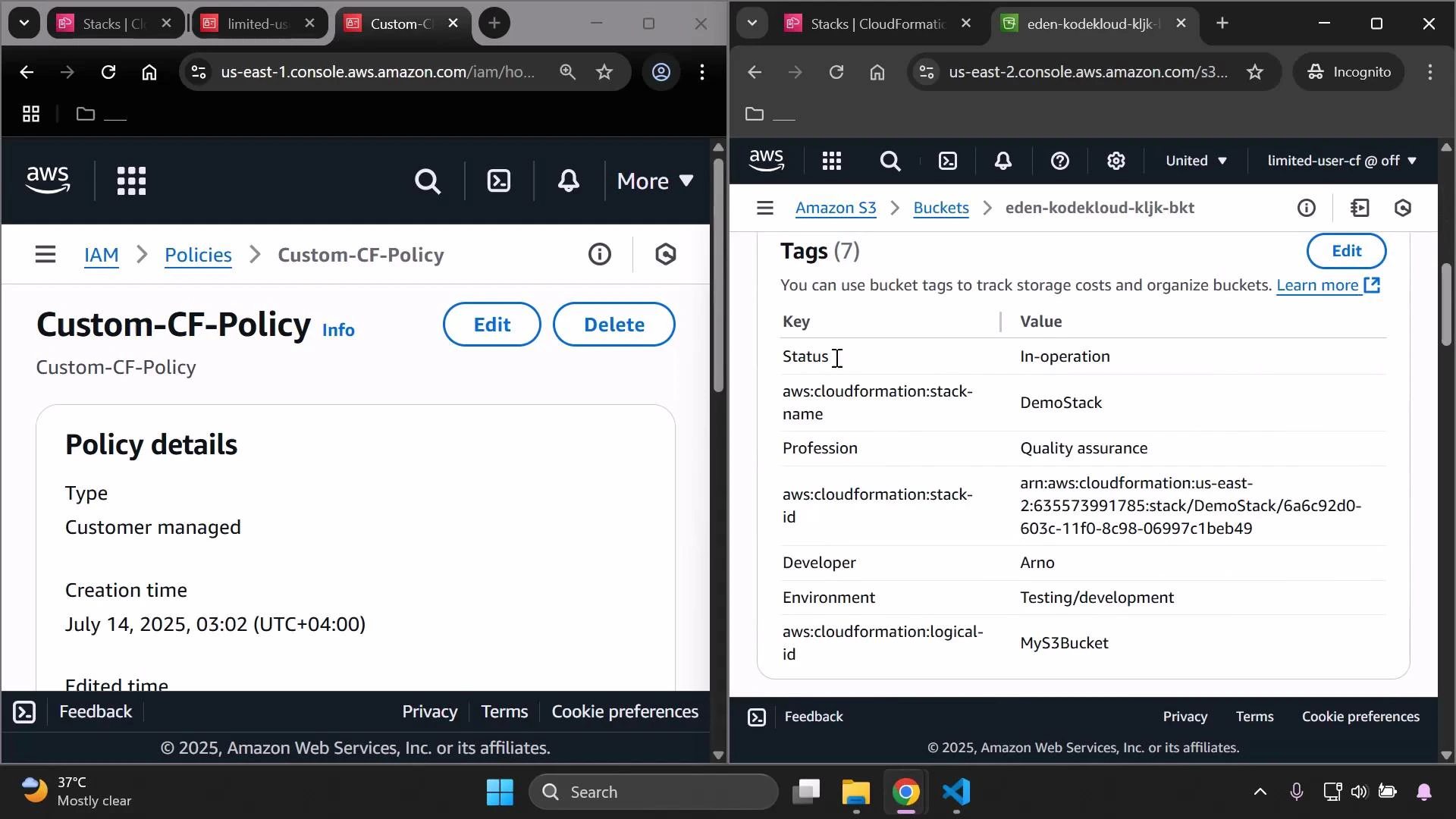
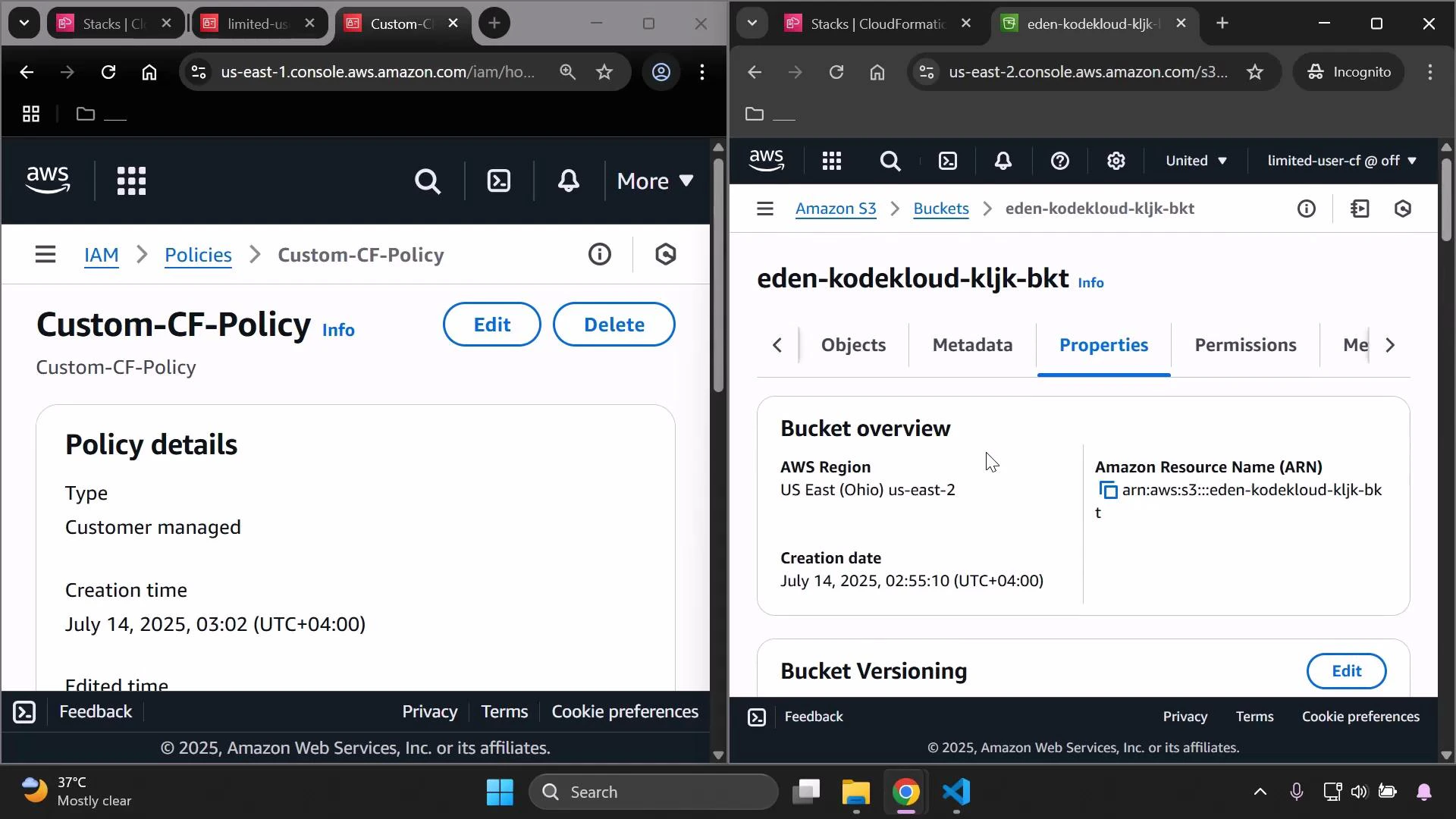
After a successful update, verify any expected resource changes in the service consoles (for example, S3 bucket tags or properties).
Add the missing actions as needed and re-test the flow.
## Confirming the update and validating resource changes
After a successful update, verify any expected resource changes in the service consoles (for example, S3 bucket tags or properties).
 ## Best practices and next steps
* Principle of least privilege: narrow S3 and CloudFormation permissions to only what is necessary (bucket ARNs and specific S3 actions such as s3:PutObject, s3:GetObject, s3:ListBucket).
* Iteratively add actions: observe the console/API errors, then add only the actions required for your workflow.
* To fully populate the CloudFormation UI (events, change sets, templates), grant the relevant read actions (for example: cloudformation:DescribeStackEvents, cloudformation:DescribeChangeSet, cloudformation:GetTemplate).
* Audit and version your customer-managed policies and use IAM Access Analyzer or simulate policies to validate expected behavior.
## Links and references
* [AWS CloudFormation User Guide](https://docs.aws.amazon.com/AWSCloudFormation/latest/UserGuide/Welcome.html)
* [IAM JSON Policy Elements: Actions](https://docs.aws.amazon.com/IAM/latest/UserGuide/reference_policies_actions-resources-contextkeys.html)
* [AWS S3 Documentation](https://docs.aws.amazon.com/s3/index.html)
This completes the step-by-step process of iteratively creating and extending a custom IAM policy to allow a restricted user to view and update a CloudFormation stack.
## Best practices and next steps
* Principle of least privilege: narrow S3 and CloudFormation permissions to only what is necessary (bucket ARNs and specific S3 actions such as s3:PutObject, s3:GetObject, s3:ListBucket).
* Iteratively add actions: observe the console/API errors, then add only the actions required for your workflow.
* To fully populate the CloudFormation UI (events, change sets, templates), grant the relevant read actions (for example: cloudformation:DescribeStackEvents, cloudformation:DescribeChangeSet, cloudformation:GetTemplate).
* Audit and version your customer-managed policies and use IAM Access Analyzer or simulate policies to validate expected behavior.
## Links and references
* [AWS CloudFormation User Guide](https://docs.aws.amazon.com/AWSCloudFormation/latest/UserGuide/Welcome.html)
* [IAM JSON Policy Elements: Actions](https://docs.aws.amazon.com/IAM/latest/UserGuide/reference_policies_actions-resources-contextkeys.html)
* [AWS S3 Documentation](https://docs.aws.amazon.com/s3/index.html)
This completes the step-by-step process of iteratively creating and extending a custom IAM policy to allow a restricted user to view and update a CloudFormation stack.