> ## Documentation Index
> Fetch the complete documentation index at: https://notes.kodekloud.com/llms.txt
> Use this file to discover all available pages before exploring further.
# Demo Conditional resource based creation Part 2
> Shows using AWS CloudFormation mappings and Conditions to configure or conditionally create S3 resources per environment, toggling public access settings and bucket policy for production versus non production
Welcome to the continuation of conditional, resource-based creation with AWS CloudFormation. This lesson walks through a compact CloudFormation template that:
* selects environment-specific metadata from a mapping,
* evaluates an environment-based Condition, and
* either configures or creates resources based on that Condition.
This pattern is useful when you want a single template to behave differently for development, testing, and production environments.
## Template overview
Below are the template sections we use in this demo: Mappings, Parameters, Conditions, and Resources. The mapping links developer names to a Profession ("Field") and an environment ("Env"). The InputDeveloperName parameter selects which mapping entry to use.
```yaml theme={null}
Mappings:
DevMap:
Arno:
Field: Quality assurance
Env: Testing/development
Alice:
Field: Backend developer
Env: Production
Parameters:
InputBucketName:
Type: String
Description: Please enter your desired S3 bucket name
InputDeveloperName:
Type: String
Description: Developer name to select mapping
AllowedValues:
- Arno
- Alice
```
## Evaluate environment with a Condition
We check whether the selected developer maps to a production environment by comparing the mapped Env value to "Production":
```yaml theme={null}
Conditions:
IsProd: !Equals
- !FindInMap [DevMap, !Ref InputDeveloperName, Env]
- "Production"
```
## Conditional resources and properties
This template demonstrates two conditional behaviors:
* Property-level conditional selection using !If for PublicAccessBlockConfiguration on the S3 bucket.
* Resource-level conditional creation using Condition on the S3 bucket policy, so the policy exists only when IsProd is true.
Resources:
```yaml theme={null}
Resources:
MyS3Bucket:
Type: AWS::S3::Bucket
Properties:
BucketName: !Ref InputBucketName
Tags:
- Key: Developer
Value: !Ref InputDeveloperName
- Key: Profession
Value: !FindInMap [DevMap, !Ref InputDeveloperName, Field]
- Key: Environment
Value: !FindInMap [DevMap, !Ref InputDeveloperName, Env]
PublicAccessBlockConfiguration: !If
- IsProd
- BlockPublicAcls: false
BlockPublicPolicy: false
IgnorePublicAcls: false
RestrictPublicBuckets: false
- BlockPublicAcls: true
BlockPublicPolicy: true
IgnorePublicAcls: true
RestrictPublicBuckets: true
MyPublicReadPolicy:
Condition: IsProd
DependsOn: MyS3Bucket
Type: AWS::S3::BucketPolicy
Properties:
Bucket: !Ref InputBucketName
PolicyDocument:
Version: "2012-10-17"
Statement:
- Effect: Allow
Principal: "*"
Action: "s3:GetObject"
Resource: !Sub "arn:aws:s3:::${InputBucketName}/*"
```
Note: The Condition on MyPublicReadPolicy prevents CloudFormation from creating the bucket policy unless IsProd is true. The PublicAccessBlockConfiguration uses !If to apply one of two JSON-style configuration objects; the false branch applies the more restrictive default for non-production environments.
## Update the stack in the CloudFormation console
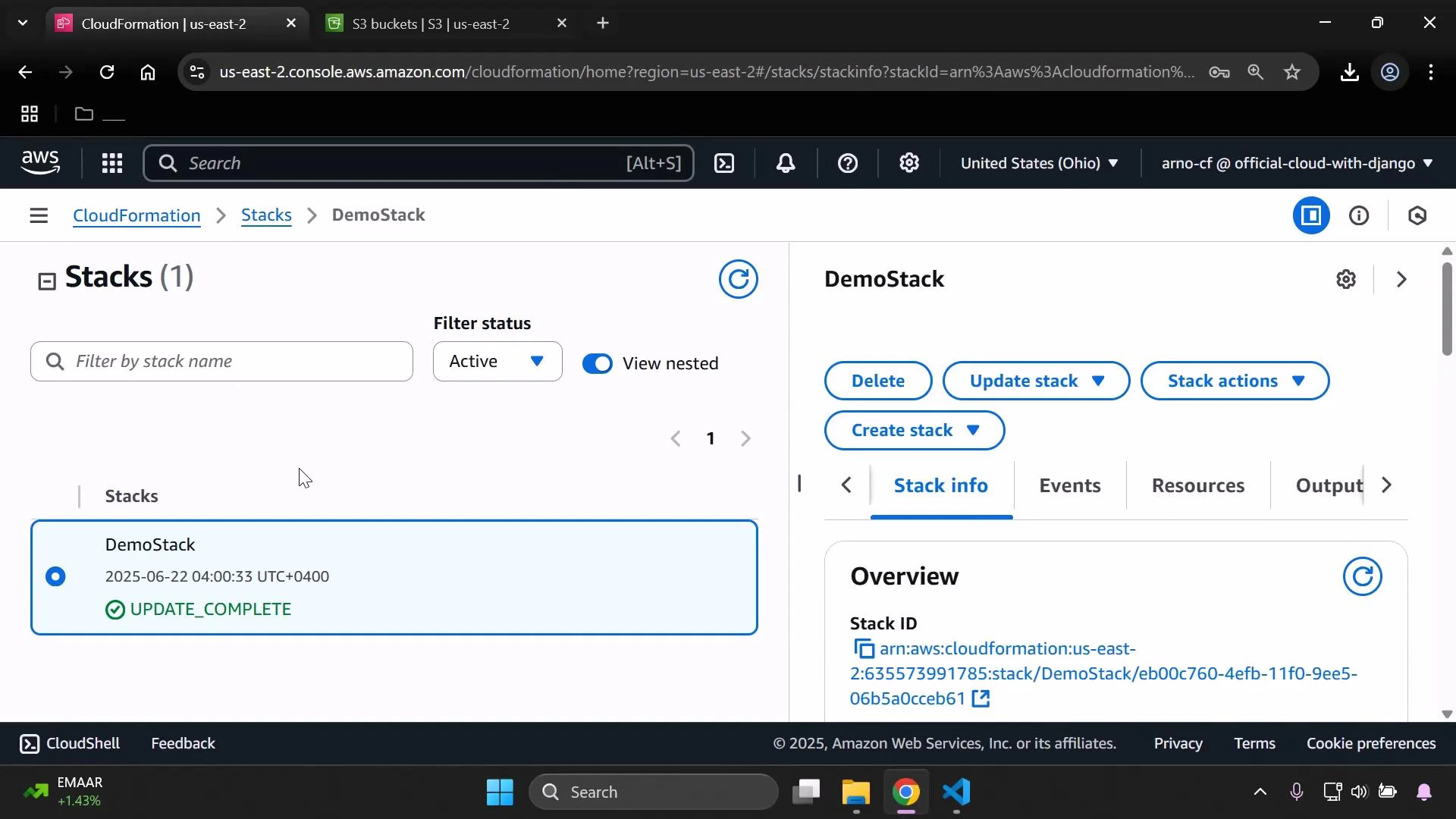
To test the conditional behavior, update the existing stack and change the InputDeveloperName parameter from "Alice" (Production) to "Arno" (Testing/development). Begin by selecting the stack and choosing Update stack.
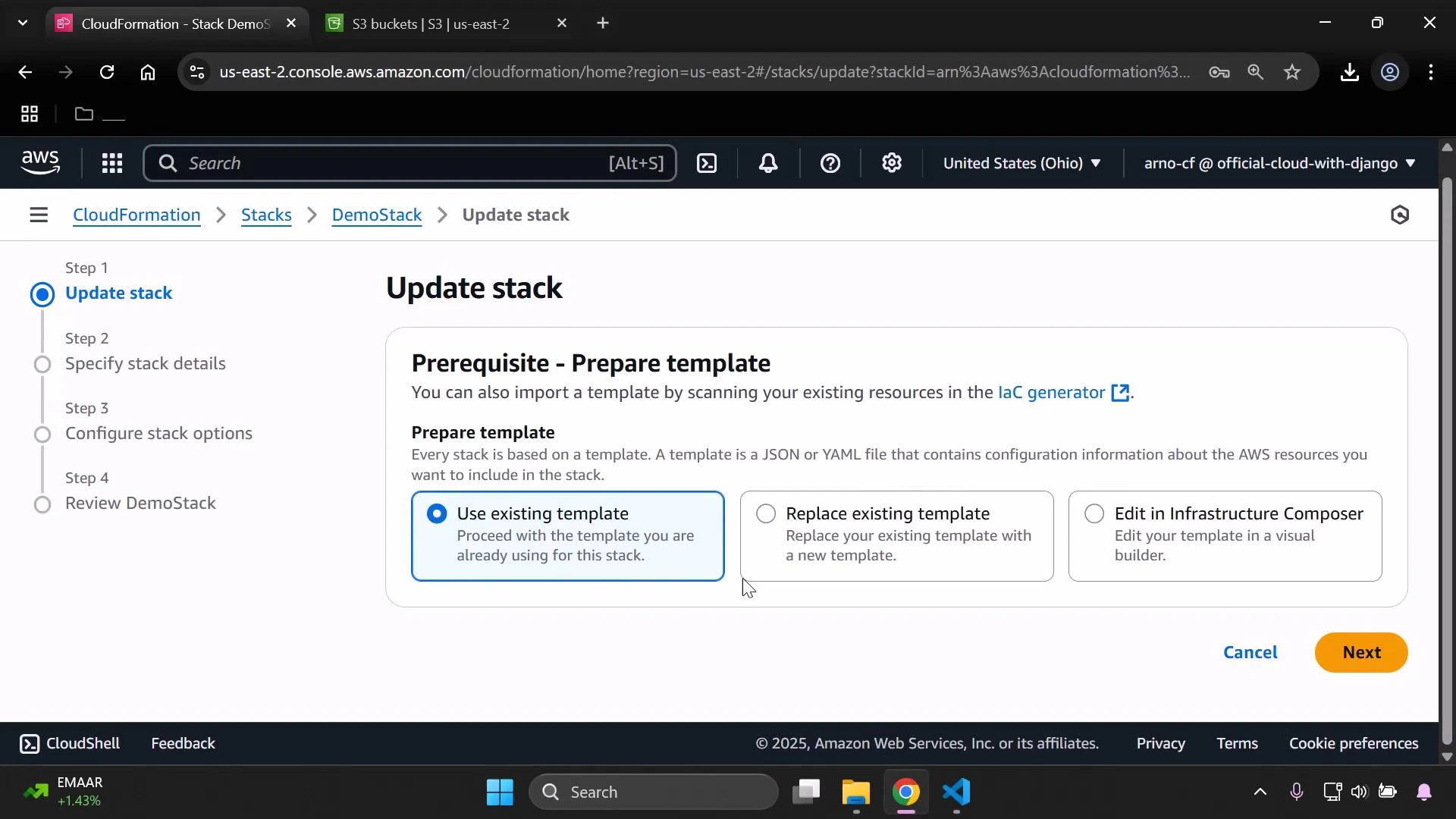
 Choose "Use existing template" and proceed to the parameters step. Change InputDeveloperName to "Arno" to select the testing/development mapping values.
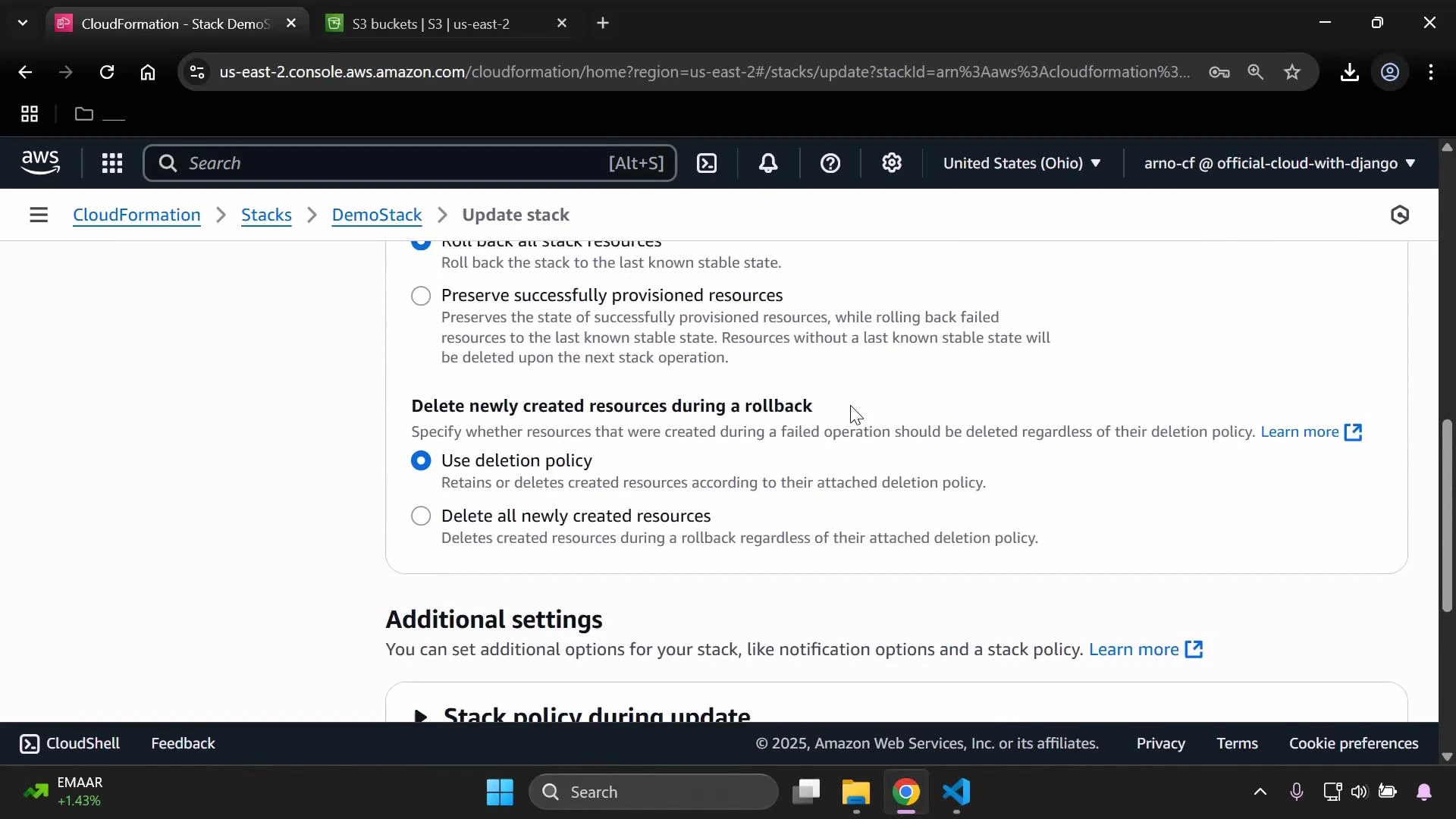
 Review any additional options such as deletion policies and stack settings, then submit the update. The update typically completes quickly.
 ## Validate the environment-specific results
After the stack update finishes, open the bucket in the S3 console and confirm the tags. They should reflect the mapping for "Arno":
## Validate the environment-specific results
After the stack update finishes, open the bucket in the S3 console and confirm the tags. They should reflect the mapping for "Arno":
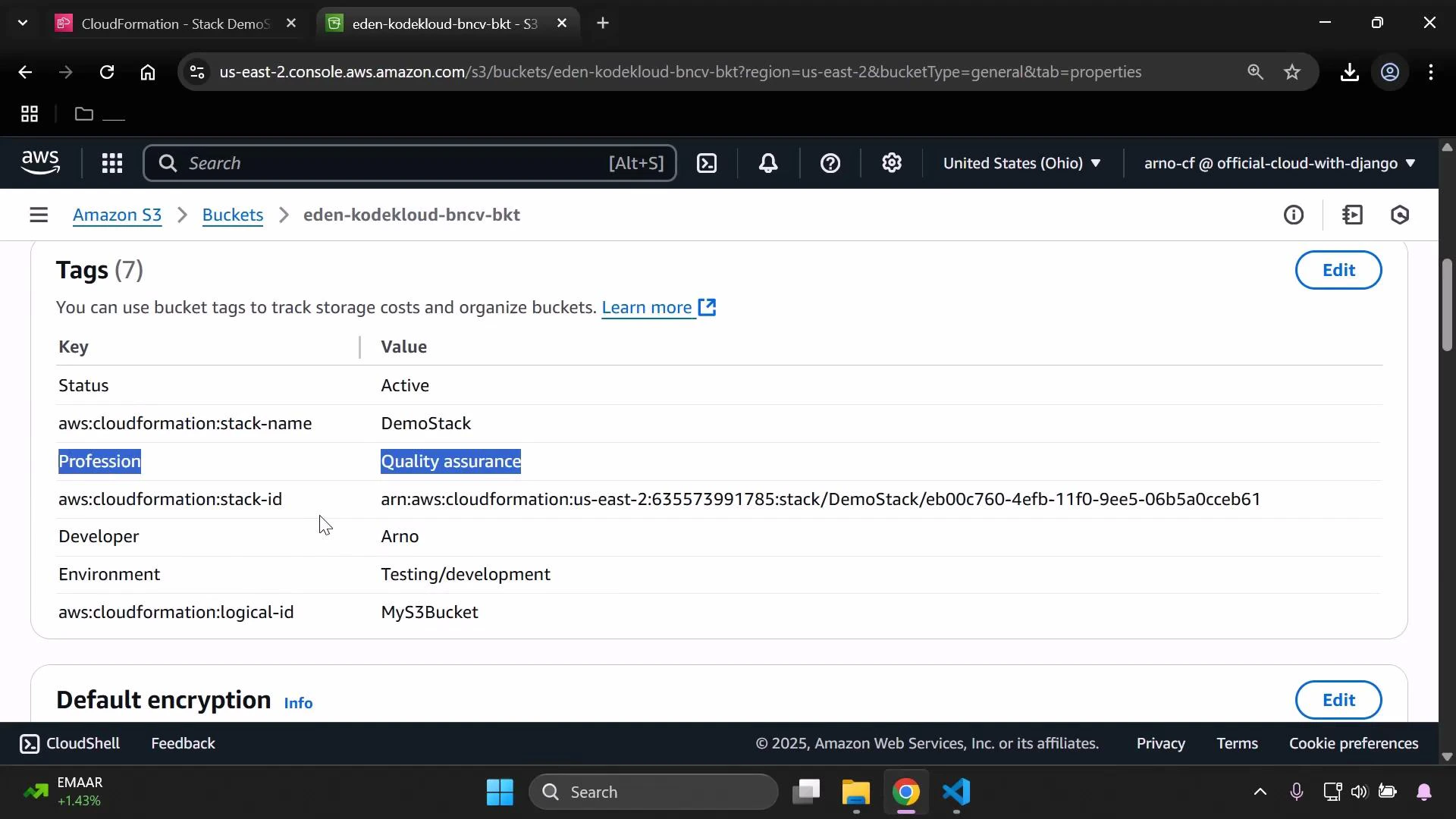 Next, check the bucket's Block Public Access settings. Because IsProd evaluated to false (Env is Testing/development for Arno), the template applied the restrictive PublicAccessBlockConfiguration branch — all public access options are enabled (blocking public access).
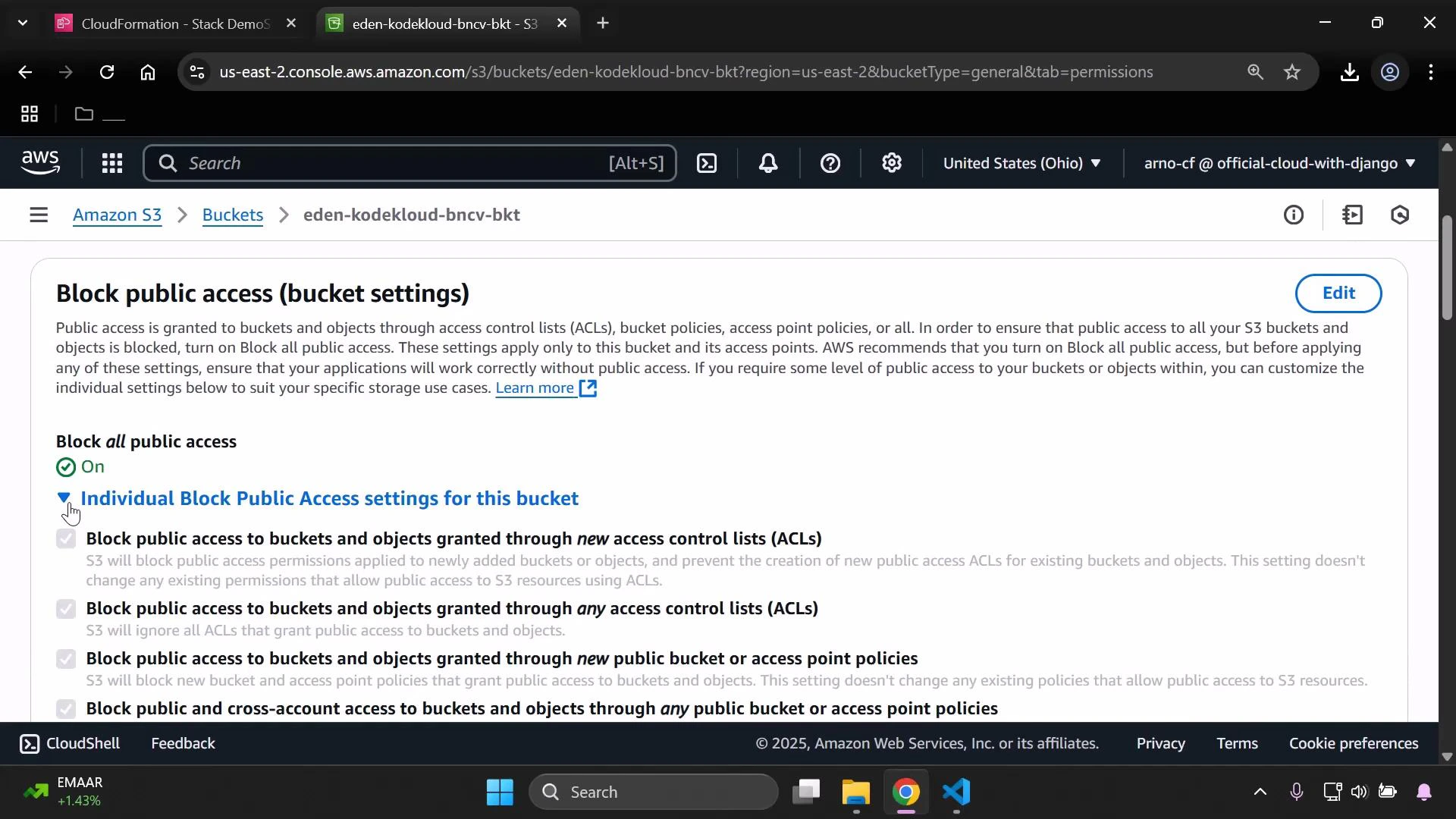 Because the S3 bucket policy resource had Condition: IsProd, CloudFormation did not create the MyPublicReadPolicy resource when IsProd was false. As a result, the bucket has no public-read policy. Attempting an anonymous GET to an object URL returns AccessDenied:
```xml theme={null}
This XML file does not appear to have any style information associated with it. The document tree is shown below.
Because the S3 bucket policy resource had Condition: IsProd, CloudFormation did not create the MyPublicReadPolicy resource when IsProd was false. As a result, the bucket has no public-read policy. Attempting an anonymous GET to an object URL returns AccessDenied:
```xml theme={null}
This XML file does not appear to have any style information associated with it. The document tree is shown below.
AccessDenied
Access Denied
DTW7YGSFW02AWKKNK
8EPYHPXyQ0Fv+Kr+xAu03W7LPWQe6qMicevp8S58DRHfKXUXNLiJ9n4QsVBO+tI+y3AewH2bXz1JzZwoRUkyg==
```
## Quick reference: behavior matrix
| IsProd value | PublicAccessBlockConfiguration | MyPublicReadPolicy created? | Expected anonymous GET result |
| ------------ | -------------------------------- | --------------------------- | ----------------------------- |
| true | Non-restrictive (public allowed) | Yes | 200 (if objects are public) |
| false | Restrictive (all public blocked) | No | AccessDenied |
## Summary and best practices
This example demonstrates a common, reusable pattern in CloudFormation:
1. Select environment-specific metadata via FindInMap.
2. Evaluate environment identity with a Condition.
3. Use !If to choose property-level configuration.
4. Use Condition at the resource level to control creation of sensitive resources (like a public bucket policy).
Best practices:
* Keep mappings and allowed parameter values in sync to avoid misconfiguration.
* Use Conditions to avoid creating risky resources in non-production accounts.
* Use tags to record the chosen environment and owner metadata for easier auditing.
## Links and references
* [AWS CloudFormation Conditions documentation](https://docs.aws.amazon.com/AWSCloudFormation/latest/UserGuide/conditions-section-structure.html)
* [AWS S3 Block Public Access documentation](https://docs.aws.amazon.com/AmazonS3/latest/userguide/access-control-block-public-access.html)
* [AWS::S3::BucketPolicy documentation](https://docs.aws.amazon.com/AWSCloudFormation/latest/UserGuide/aws-properties-s3-policy.html)