> ## Documentation Index
> Fetch the complete documentation index at: https://notes.kodekloud.com/llms.txt
> Use this file to discover all available pages before exploring further.
# Demo Defining a basic public read policy
> Adding a public-read S3 bucket policy with CloudFormation, showing manual and dynamic ARN methods and best practices for public access configuration
This demo shows how to add a simple public-read bucket policy to an S3 bucket using AWS CloudFormation. You'll see two approaches for the PolicyDocument.Resource field: a manual ARN and a dynamic ARN built with the CloudFormation intrinsic function `!Sub`. Follow the examples and adapt names/values to your environment.
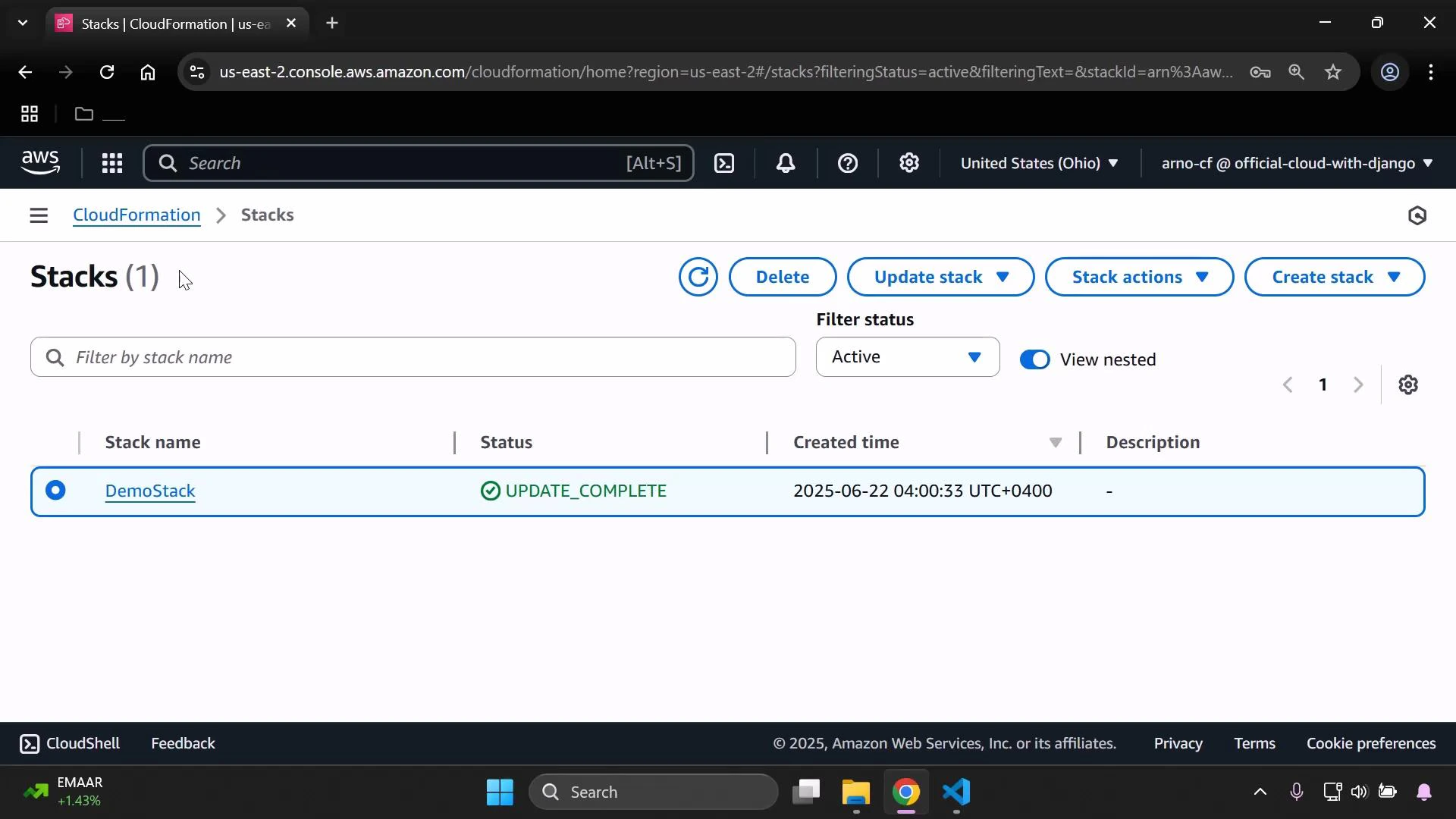
Open the CloudFormation stack where you'll add the new resources.
 ## Template skeleton
Here is a compact example of the top-level sections (Mappings, Parameters). Use these as a starting point and update parameter names and mapping values to match your environment.
```yaml theme={null}
Mappings:
DevMap:
Arno:
Field: "Quality assurance"
Env: "Testing/development"
Alice:
Field: "Backend developer"
Env: "Production"
Parameters:
InputBucketName:
Type: String
InputDeveloperName:
Type: String
```
## Create the S3 bucket resource
Add an S3 bucket resource (if you don't already have one). This example demonstrates using parameters and mappings for Tags:
```yaml theme={null}
Resources:
MyS3Bucket:
Type: AWS::S3::Bucket
Properties:
BucketName: !Ref InputBucketName
Tags:
- Key: Developer
Value: !Ref InputDeveloperName
- Key: Environment
Value: !FindInMap [ DevMap, !Ref InputDeveloperName, Env ]
- Key: Profession
Value: !FindInMap [ DevMap, !Ref InputDeveloperName, Field ]
```
## Add the bucket policy resource
Add a BucketPolicy resource (logical name: `MyPublicReadPolicy`) and set the policy to allow `s3:GetObject` for all objects in the bucket.
```yaml theme={null}
MyPublicReadPolicy:
Type: AWS::S3::BucketPolicy
Properties:
Bucket: !Ref InputBucketName
PolicyDocument:
Version: "2012-10-17"
Statement:
- Effect: Allow
Principal: "*"
Action: "s3:GetObject"
Resource: ""
```
### Policy field summary
| Field | Purpose | Notes |
| ---------------------- | --------------------------------------- | ------------------------------------------------------------------------------------ |
| Bucket | Target bucket | Reference the bucket logical name or the actual bucket name (`!Ref InputBucketName`) |
| PolicyDocument.Version | Policy language version | Typically `"2012-10-17"` |
| Statement.Effect | Allow or Deny | Use `Allow` to grant access |
| Statement.Principal | Who the statement applies to | `"*"` makes the statement public (everyone) |
| Statement.Action | Allowed actions | `s3:GetObject` allows reads of objects |
| Statement.Resource | Resource ARNs targeted by the statement | Use `arn:aws:s3:::bucket-name/*` to match all objects in the bucket |
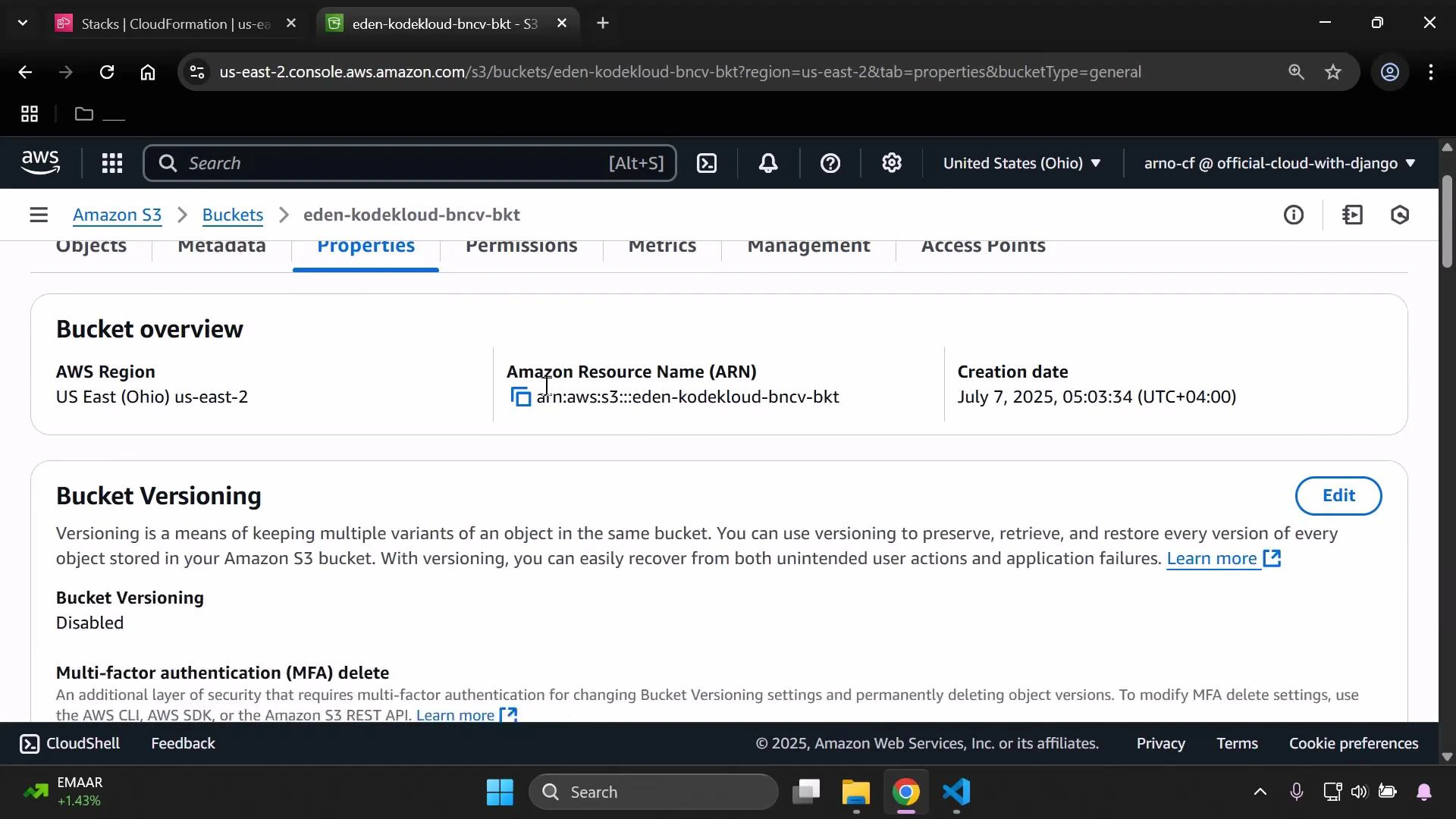
You can obtain the bucket ARN from the S3 console. S3 bucket ARNs have the form `arn:aws:s3:::your-bucket-name` — to target all objects add `/*`.
## Template skeleton
Here is a compact example of the top-level sections (Mappings, Parameters). Use these as a starting point and update parameter names and mapping values to match your environment.
```yaml theme={null}
Mappings:
DevMap:
Arno:
Field: "Quality assurance"
Env: "Testing/development"
Alice:
Field: "Backend developer"
Env: "Production"
Parameters:
InputBucketName:
Type: String
InputDeveloperName:
Type: String
```
## Create the S3 bucket resource
Add an S3 bucket resource (if you don't already have one). This example demonstrates using parameters and mappings for Tags:
```yaml theme={null}
Resources:
MyS3Bucket:
Type: AWS::S3::Bucket
Properties:
BucketName: !Ref InputBucketName
Tags:
- Key: Developer
Value: !Ref InputDeveloperName
- Key: Environment
Value: !FindInMap [ DevMap, !Ref InputDeveloperName, Env ]
- Key: Profession
Value: !FindInMap [ DevMap, !Ref InputDeveloperName, Field ]
```
## Add the bucket policy resource
Add a BucketPolicy resource (logical name: `MyPublicReadPolicy`) and set the policy to allow `s3:GetObject` for all objects in the bucket.
```yaml theme={null}
MyPublicReadPolicy:
Type: AWS::S3::BucketPolicy
Properties:
Bucket: !Ref InputBucketName
PolicyDocument:
Version: "2012-10-17"
Statement:
- Effect: Allow
Principal: "*"
Action: "s3:GetObject"
Resource: ""
```
### Policy field summary
| Field | Purpose | Notes |
| ---------------------- | --------------------------------------- | ------------------------------------------------------------------------------------ |
| Bucket | Target bucket | Reference the bucket logical name or the actual bucket name (`!Ref InputBucketName`) |
| PolicyDocument.Version | Policy language version | Typically `"2012-10-17"` |
| Statement.Effect | Allow or Deny | Use `Allow` to grant access |
| Statement.Principal | Who the statement applies to | `"*"` makes the statement public (everyone) |
| Statement.Action | Allowed actions | `s3:GetObject` allows reads of objects |
| Statement.Resource | Resource ARNs targeted by the statement | Use `arn:aws:s3:::bucket-name/*` to match all objects in the bucket |
You can obtain the bucket ARN from the S3 console. S3 bucket ARNs have the form `arn:aws:s3:::your-bucket-name` — to target all objects add `/*`.
 ## Option 1 — Manual ARN (copy from console)
Replace the Resource value with the bucket ARN you copied from the console and append `/*` to include all objects:
```yaml theme={null}
MyPublicReadPolicy:
Type: AWS::S3::BucketPolicy
Properties:
Bucket: !Ref InputBucketName
PolicyDocument:
Version: "2012-10-17"
Statement:
- Effect: Allow
Principal: "*"
Action: "s3:GetObject"
Resource: "arn:aws:s3:::eden-kodekloud-bncv-bkt/*"
```
## Option 2 — Template-driven ARN (recommended)
Construct the ARN dynamically with the `!Sub` intrinsic function. This avoids hard-coded names and keeps the template reusable:
```yaml theme={null}
MyPublicReadPolicy:
Type: AWS::S3::BucketPolicy
Properties:
Bucket: !Ref InputBucketName
PolicyDocument:
Version: "2012-10-17"
Statement:
- Effect: Allow
Principal: "*"
Action: "s3:GetObject"
Resource: !Sub "arn:aws:s3:::${InputBucketName}/*"
```
Both variants create a policy that allows public read (s3:GetObject) of all objects in the bucket specified by `InputBucketName`.
Public access to objects depends on both the bucket policy and S3 public access block settings (account-level and bucket-level). If objects remain inaccessible after deploying a public-read policy, verify your S3 Public Access Block configuration in the AWS Console or via the API.
## Next steps and best practices
* Restrict access to specific principals (IAM users, roles, or AWS accounts) instead of using `"*"` when possible.
* Use Conditions to limit access by IP range, referer, or secure transport (e.g., `"Bool": {"aws:SecureTransport": "true"}`).
* Consider using presigned URLs or CloudFront signed URLs for controlled public distribution of objects.
## Links and references
* [AWS CloudFormation Documentation](https://docs.aws.amazon.com/cloudformation/index.html)
* [Amazon S3 Documentation](https://docs.aws.amazon.com/s3/index.html)
* [AWS IAM JSON Policy Elements: Principal](https://docs.aws.amazon.com/IAM/latest/UserGuide/reference_policies_elements_principal.html)
* [CloudFormation intrinsic function !Sub](https://docs.aws.amazon.com/AWSCloudFormation/latest/UserGuide/intrinsic-function-reference-sub.html)
## Option 1 — Manual ARN (copy from console)
Replace the Resource value with the bucket ARN you copied from the console and append `/*` to include all objects:
```yaml theme={null}
MyPublicReadPolicy:
Type: AWS::S3::BucketPolicy
Properties:
Bucket: !Ref InputBucketName
PolicyDocument:
Version: "2012-10-17"
Statement:
- Effect: Allow
Principal: "*"
Action: "s3:GetObject"
Resource: "arn:aws:s3:::eden-kodekloud-bncv-bkt/*"
```
## Option 2 — Template-driven ARN (recommended)
Construct the ARN dynamically with the `!Sub` intrinsic function. This avoids hard-coded names and keeps the template reusable:
```yaml theme={null}
MyPublicReadPolicy:
Type: AWS::S3::BucketPolicy
Properties:
Bucket: !Ref InputBucketName
PolicyDocument:
Version: "2012-10-17"
Statement:
- Effect: Allow
Principal: "*"
Action: "s3:GetObject"
Resource: !Sub "arn:aws:s3:::${InputBucketName}/*"
```
Both variants create a policy that allows public read (s3:GetObject) of all objects in the bucket specified by `InputBucketName`.
Public access to objects depends on both the bucket policy and S3 public access block settings (account-level and bucket-level). If objects remain inaccessible after deploying a public-read policy, verify your S3 Public Access Block configuration in the AWS Console or via the API.
## Next steps and best practices
* Restrict access to specific principals (IAM users, roles, or AWS accounts) instead of using `"*"` when possible.
* Use Conditions to limit access by IP range, referer, or secure transport (e.g., `"Bool": {"aws:SecureTransport": "true"}`).
* Consider using presigned URLs or CloudFront signed URLs for controlled public distribution of objects.
## Links and references
* [AWS CloudFormation Documentation](https://docs.aws.amazon.com/cloudformation/index.html)
* [Amazon S3 Documentation](https://docs.aws.amazon.com/s3/index.html)
* [AWS IAM JSON Policy Elements: Principal](https://docs.aws.amazon.com/IAM/latest/UserGuide/reference_policies_elements_principal.html)
* [CloudFormation intrinsic function !Sub](https://docs.aws.amazon.com/AWSCloudFormation/latest/UserGuide/intrinsic-function-reference-sub.html)