> ## Documentation Index
> Fetch the complete documentation index at: https://notes.kodekloud.com/llms.txt
> Use this file to discover all available pages before exploring further.
# CloudFormation Drift Introduction
> Explains AWS CloudFormation drift detection, how to detect out of band resource changes via console or CLI, interpret drift states, and remediate or update templates.
In this lesson you'll learn what CloudFormation Drift is, why it matters, and how to use CloudFormation's drift-detection features to identify configuration differences between your CloudFormation stack templates and the actual AWS resources running in your account.
CloudFormation Drift detection discovers changes made to stack-managed resources outside of CloudFormation — for example, manual changes in the AWS Management Console, via the AWS CLI, or through other automation. When you create a stack from a template, CloudFormation provisions resources matching that template. If a resource is later changed directly (for example, changing an EC2 instance type from `t2.micro` to `t3.micro` in the console), the live resource no longer matches the template. Drift detection compares live resource properties against the stack template and parameters and reports any mismatches.
Key behavior to remember:
* Immediately after creation, a stack is typically IN\_SYNC with its template.
* Out-of-band edits to resources can change the stack’s drift status to DRIFTED.
* Reverting the resource to match the template returns the stack to IN\_SYNC.
* Drift detection is read-only — it reports differences but does not change resources.
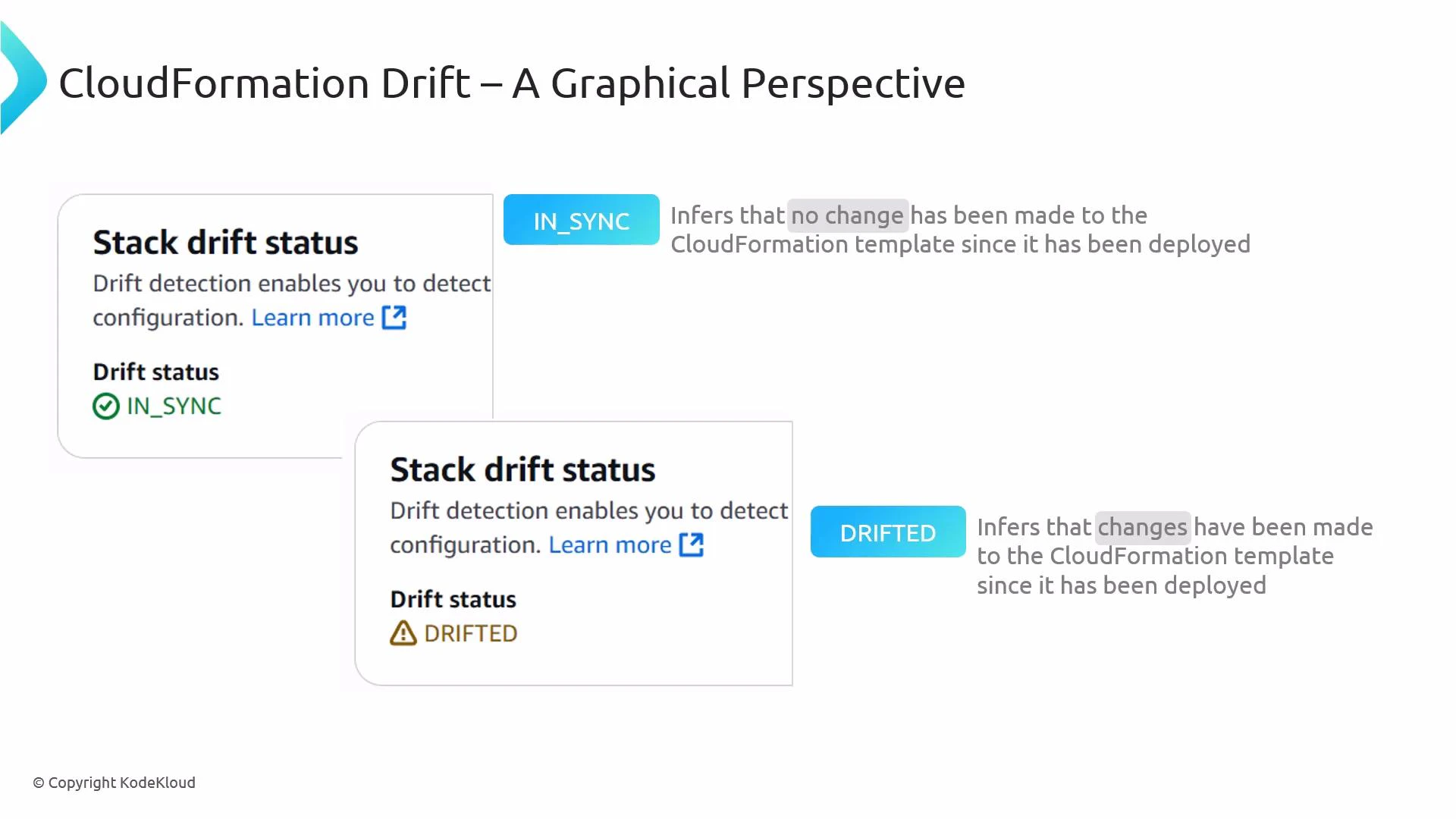 How drift detection works (high level)
* CloudFormation queries the AWS resource APIs for each resource in the stack and reads the live resource properties.
* It compares those live properties to the values defined in the stack template and the stack parameters.
* Drift results are recorded at the resource level and summarized at the stack level.
* The detection process is asynchronous — CloudFormation returns a detection job ID you can poll to learn when the scan completes.
Running drift detection
* Console: Use the CloudFormation console to start drift detection for a single stack or for resources in a stack via the UI.
* CLI: Start detection with the AWS CLI. The operation is asynchronous and returns a StackDriftDetectionId:
```bash theme={null}
aws cloudformation detect-stack-drift --stack-name my-stack
```
Reference: [detect-stack-drift (AWS CLI)](https://docs.aws.amazon.com/cli/latest/reference/cloudformation/detect-stack-drift.html)
* Poll the detection job status using the returned detection ID:
```bash theme={null}
aws cloudformation describe-stack-drift-detection-status --stack-drift-detection-id
```
Reference: [describe-stack-drift-detection-status (AWS CLI)](https://docs.aws.amazon.com/cli/latest/reference/cloudformation/describe-stack-drift-detection-status.html)
Supported drift states (resource and stack level)
| State | Meaning | Example |
| ------------ | ------------------------------------------------------------- | ------------------------------------------------------ |
| IN\_SYNC | No differences detected between the resource and the template | Resource properties match template values |
| MODIFIED | One or more resource properties differ from the template | Instance type changed outside CloudFormation |
| DELETED | The resource was removed outside of CloudFormation | A resource was manually deleted from the console |
| NOT\_CHECKED | Resource wasn't checked (unsupported resource type or error) | Certain properties or resource types are not supported |
Drift detection is a read-only operation: CloudFormation queries resource APIs and compares live properties with the template. It does not modify, revert, or re-create resources.
Not all resource types and properties are supported for drift detection. Some generated values or sensitive attributes are intentionally excluded. Before relying on drift detection for compliance, consult the CloudFormation drift documentation for the list of supported resources and properties: [https://docs.aws.amazon.com/AWSCloudFormation/latest/UserGuide/using-drift.html](https://docs.aws.amazon.com/AWSCloudFormation/latest/UserGuide/using-drift.html)
When to run drift detection
* After any known manual or out-of-band changes to stack resources.
* As part of scheduled compliance checks or audits.
* Before performing a new CloudFormation deployment to ensure no conflicting out-of-band changes exist.
* When troubleshooting unexpected behavior or configuration drift in production environments.
Practical guidance and next steps
1. Start with drift detection on critical stacks (networking, security, IAM) where manual changes have high impact.
2. Automate periodic detection jobs (for example, via Lambda/Cron) and capture results in CloudWatch Events / EventBridge for alerting or logging.
3. Inspect resource-level drift details to decide whether to:
* Update the CloudFormation template to reflect the intended new configuration.
* Revert the out-of-band change to restore the stack to the declared template state.
* Replace or re-create the resource through CloudFormation if needed.
4. Use version control and CI/CD to minimize manual edits outside CloudFormation and reduce drift incidents.
Links and references
* [CloudFormation Drift Detection documentation](https://docs.aws.amazon.com/AWSCloudFormation/latest/UserGuide/using-drift.html)
* [detect-stack-drift (AWS CLI)](https://docs.aws.amazon.com/cli/latest/reference/cloudformation/detect-stack-drift.html)
* [describe-stack-drift-detection-status (AWS CLI)](https://docs.aws.amazon.com/cli/latest/reference/cloudformation/describe-stack-drift-detection-status.html)
Summary
CloudFormation Drift detection helps you identify configuration divergence between your stack templates and the actual deployed resources. Use the console or AWS CLI to run detection, inspect resource-level differences, and then decide whether to update templates, revert manual changes, or redeploy resources via CloudFormation to restore the desired state.
How drift detection works (high level)
* CloudFormation queries the AWS resource APIs for each resource in the stack and reads the live resource properties.
* It compares those live properties to the values defined in the stack template and the stack parameters.
* Drift results are recorded at the resource level and summarized at the stack level.
* The detection process is asynchronous — CloudFormation returns a detection job ID you can poll to learn when the scan completes.
Running drift detection
* Console: Use the CloudFormation console to start drift detection for a single stack or for resources in a stack via the UI.
* CLI: Start detection with the AWS CLI. The operation is asynchronous and returns a StackDriftDetectionId:
```bash theme={null}
aws cloudformation detect-stack-drift --stack-name my-stack
```
Reference: [detect-stack-drift (AWS CLI)](https://docs.aws.amazon.com/cli/latest/reference/cloudformation/detect-stack-drift.html)
* Poll the detection job status using the returned detection ID:
```bash theme={null}
aws cloudformation describe-stack-drift-detection-status --stack-drift-detection-id
```
Reference: [describe-stack-drift-detection-status (AWS CLI)](https://docs.aws.amazon.com/cli/latest/reference/cloudformation/describe-stack-drift-detection-status.html)
Supported drift states (resource and stack level)
| State | Meaning | Example |
| ------------ | ------------------------------------------------------------- | ------------------------------------------------------ |
| IN\_SYNC | No differences detected between the resource and the template | Resource properties match template values |
| MODIFIED | One or more resource properties differ from the template | Instance type changed outside CloudFormation |
| DELETED | The resource was removed outside of CloudFormation | A resource was manually deleted from the console |
| NOT\_CHECKED | Resource wasn't checked (unsupported resource type or error) | Certain properties or resource types are not supported |
Drift detection is a read-only operation: CloudFormation queries resource APIs and compares live properties with the template. It does not modify, revert, or re-create resources.
Not all resource types and properties are supported for drift detection. Some generated values or sensitive attributes are intentionally excluded. Before relying on drift detection for compliance, consult the CloudFormation drift documentation for the list of supported resources and properties: [https://docs.aws.amazon.com/AWSCloudFormation/latest/UserGuide/using-drift.html](https://docs.aws.amazon.com/AWSCloudFormation/latest/UserGuide/using-drift.html)
When to run drift detection
* After any known manual or out-of-band changes to stack resources.
* As part of scheduled compliance checks or audits.
* Before performing a new CloudFormation deployment to ensure no conflicting out-of-band changes exist.
* When troubleshooting unexpected behavior or configuration drift in production environments.
Practical guidance and next steps
1. Start with drift detection on critical stacks (networking, security, IAM) where manual changes have high impact.
2. Automate periodic detection jobs (for example, via Lambda/Cron) and capture results in CloudWatch Events / EventBridge for alerting or logging.
3. Inspect resource-level drift details to decide whether to:
* Update the CloudFormation template to reflect the intended new configuration.
* Revert the out-of-band change to restore the stack to the declared template state.
* Replace or re-create the resource through CloudFormation if needed.
4. Use version control and CI/CD to minimize manual edits outside CloudFormation and reduce drift incidents.
Links and references
* [CloudFormation Drift Detection documentation](https://docs.aws.amazon.com/AWSCloudFormation/latest/UserGuide/using-drift.html)
* [detect-stack-drift (AWS CLI)](https://docs.aws.amazon.com/cli/latest/reference/cloudformation/detect-stack-drift.html)
* [describe-stack-drift-detection-status (AWS CLI)](https://docs.aws.amazon.com/cli/latest/reference/cloudformation/describe-stack-drift-detection-status.html)
Summary
CloudFormation Drift detection helps you identify configuration divergence between your stack templates and the actual deployed resources. Use the console or AWS CLI to run detection, inspect resource-level differences, and then decide whether to update templates, revert manual changes, or redeploy resources via CloudFormation to restore the desired state.