> ## Documentation Index
> Fetch the complete documentation index at: https://notes.kodekloud.com/llms.txt
> Use this file to discover all available pages before exploring further.
# Demo Integrating tags and outputs
> How to add tags to an EC2 instance and expose its instance ID and public IP using AWS CloudFormation Outputs
In this lesson you'll add tags to an EC2 instance resource and expose useful values (the instance ID and its public IP) through AWS CloudFormation Outputs so they appear in the stack outputs.
Why this matters:
* Tags help you identify and organize resources in the AWS console and via automation.
* Outputs let you export important values from a stack so other stacks, tools, or users can consume them easily.
Steps (high level)
1. Open your CloudFormation template and find the EC2 instance resource.
2. Under the instance's Properties, add a `Tags` block (for example: `Name: SimpleWebServer`).
3. Add an `Outputs` section at the bottom of the template to expose the instance ID and public IP.
4. Update the stack with the revised template and verify the tag and outputs in the console.
Use `!Ref` to return the logical resource reference (for EC2 this gives the instance ID). Use `!GetAtt` to fetch resource attributes such as the public IP (`.PublicIp`).
Example — add Tags to the instance and expose Outputs
```yaml theme={null}
Resources:
MyInstance:
Type: AWS::EC2::Instance
Properties:
InstanceType: !Ref MyInstanceType
ImageId: ami-0eb9d6fc9fab44d24
SecurityGroupIds:
- !Ref MySecurityGroup
Tags:
- Key: Name
Value: SimpleWebServer
MySecurityGroup:
Type: AWS::EC2::SecurityGroup
Properties:
GroupDescription: Allow HTTP and SSH access
VpcId: vpc-0f5d3d6445abf20b5
SecurityGroupIngress:
- IpProtocol: tcp
FromPort: 22
ToPort: 22
CidrIp: 0.0.0.0/0
- IpProtocol: tcp
FromPort: 80
ToPort: 80
CidrIp: 0.0.0.0/0
Outputs:
InstanceId:
Description: The EC2 instance ID
Value: !Ref MyInstance
InstancePublicIP:
Description: The public IP address of the EC2 instance
Value: !GetAtt MyInstance.PublicIp
```
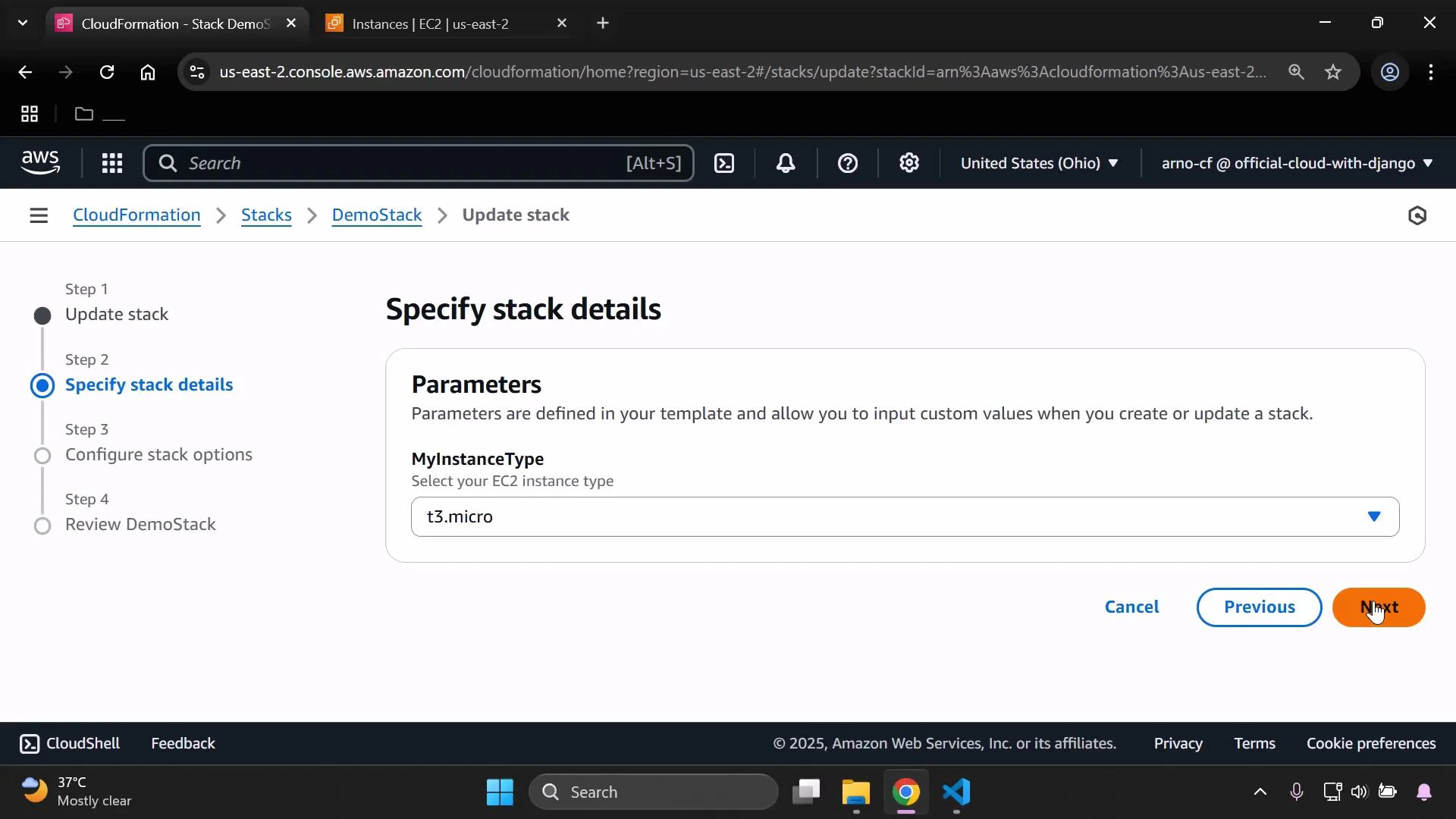
After updating the template, update your stack (replace the template with the revised one and submit the change). The update process can take a few minutes.
 When the update completes:
* Confirm the tag was applied to the instance (check the EC2 Instances page or resource Tags).
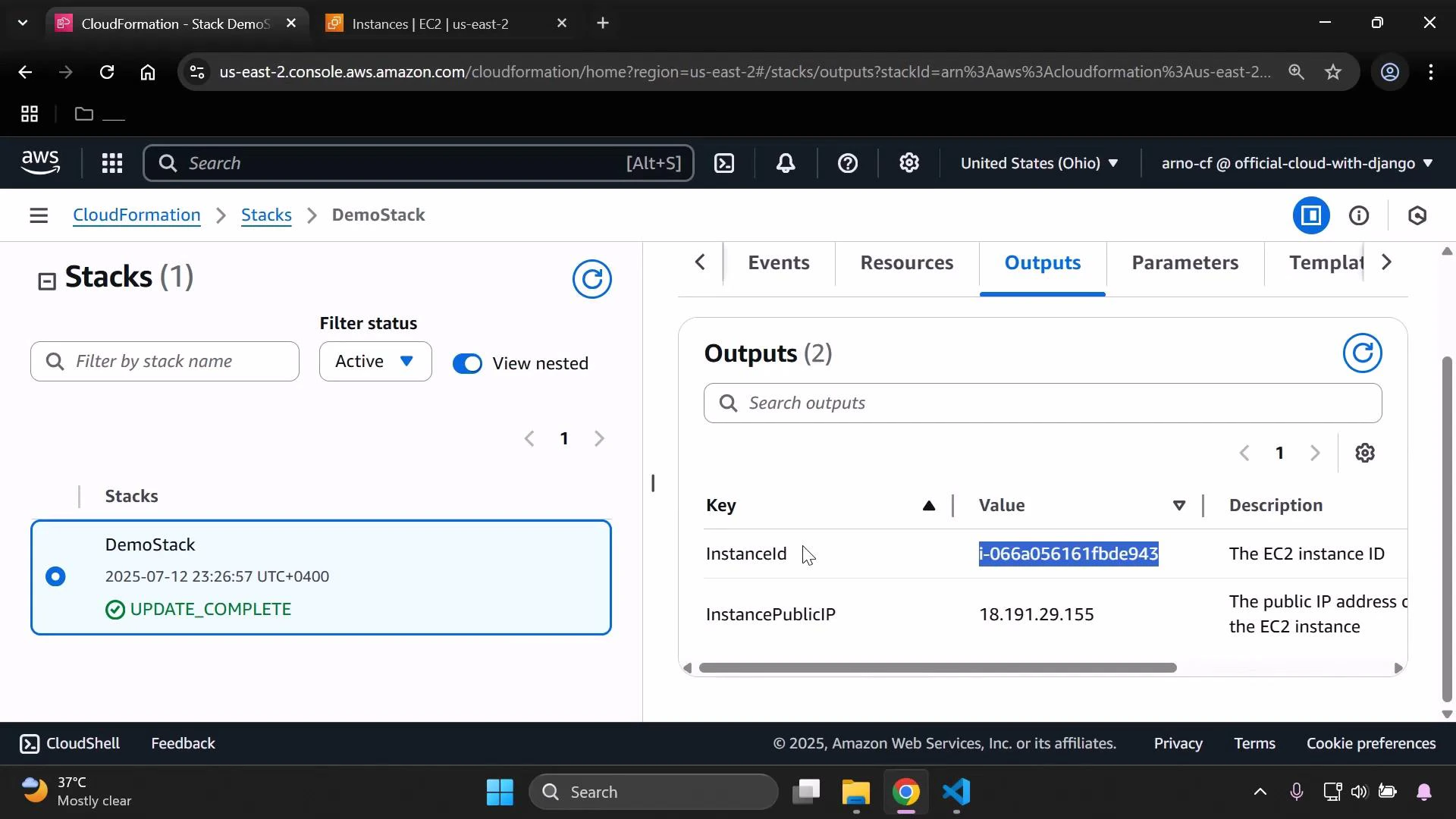
* Open the stack Outputs to see both `InstanceId` and `InstancePublicIP`.
The Outputs pane displays the exported instance ID and public IP — the output names mirror the keys we defined (`InstanceId`, `InstancePublicIP`).
When the update completes:
* Confirm the tag was applied to the instance (check the EC2 Instances page or resource Tags).
* Open the stack Outputs to see both `InstanceId` and `InstancePublicIP`.
The Outputs pane displays the exported instance ID and public IP — the output names mirror the keys we defined (`InstanceId`, `InstancePublicIP`).
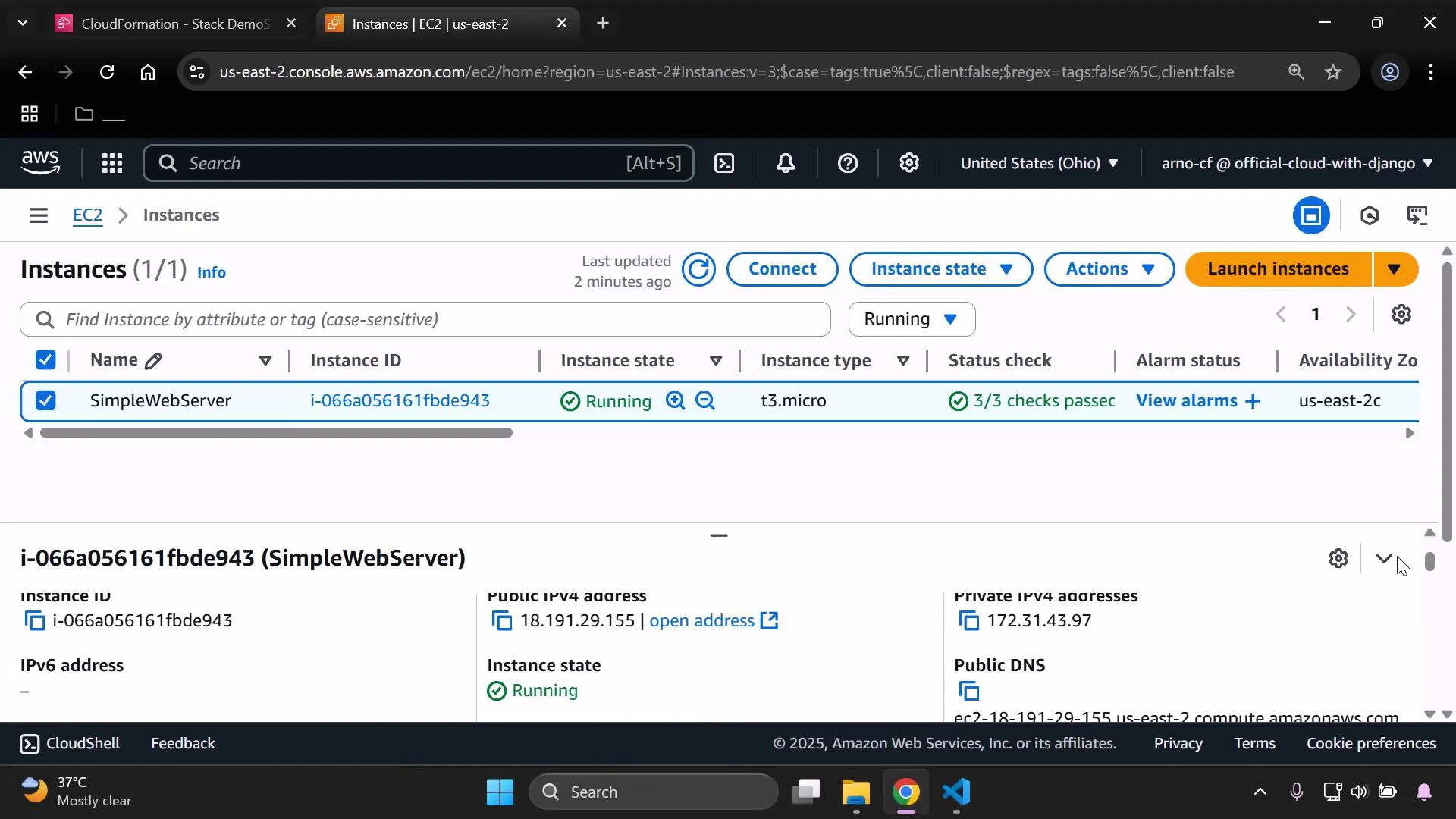
 You can also verify the public IP directly on the EC2 Instances page; the Public IPv4 address should match the value shown in the stack Outputs.
 Reference: combining attribute functions and joins
The pattern used for the EC2 public IP (`!GetAtt`) can be applied to other resources. For example, to export an S3 bucket ARN and construct a combined label using `!Join`:
```yaml theme={null}
Resources:
MyPublicReadPolicy:
Type: AWS::IAM::Policy
Properties:
PolicyName: AllowS3Read
PolicyDocument:
Statement:
- Effect: Allow
Action:
- s3:GetObject
Resource: !Sub "arn:aws:s3:::${InputBucketName}/*"
Roles: []
Outputs:
BucketArn:
Description: "ARN of the S3 bucket"
Value: !GetAtt MyS3Bucket.Arn
DeveloperBucketLabel:
Description: "Label combining developer name and bucket name"
Value: !Join [ " - ", [ !Ref InputDeveloperName, !Ref InputBucketName ] ]
```
Quick reference table
| CloudFormation function | Returns / Use case | Example in this lesson |
| ----------------------- | --------------------------------------------- | ---------------------------------------------------------------- |
| !Ref | Logical resource reference or parameter value | `!Ref MyInstance` → EC2 instance ID (used in `InstanceId`) |
| !GetAtt | Resource attribute (e.g., PublicIp, Arn) | `!GetAtt MyInstance.PublicIp` → instance public IP |
| !Join | Concatenate strings into a single value | Combine developer name and bucket name in `DeveloperBucketLabel` |
Recap
* Add `Tags` under the EC2 instance `Properties` to label resources (for example, `Name: SimpleWebServer`).
* Use `Outputs` with `!Ref` to return resource identifiers (InstanceId) and `!GetAtt` to return attributes (InstancePublicIP).
* Update the CloudFormation stack and verify tags and outputs in the console.
Links and references
* [AWS CloudFormation documentation](https://docs.aws.amazon.com/cloudformation/)
* [Amazon EC2 documentation](https://docs.aws.amazon.com/ec2/)
* [Amazon S3 documentation](https://docs.aws.amazon.com/s3/)
Reference: combining attribute functions and joins
The pattern used for the EC2 public IP (`!GetAtt`) can be applied to other resources. For example, to export an S3 bucket ARN and construct a combined label using `!Join`:
```yaml theme={null}
Resources:
MyPublicReadPolicy:
Type: AWS::IAM::Policy
Properties:
PolicyName: AllowS3Read
PolicyDocument:
Statement:
- Effect: Allow
Action:
- s3:GetObject
Resource: !Sub "arn:aws:s3:::${InputBucketName}/*"
Roles: []
Outputs:
BucketArn:
Description: "ARN of the S3 bucket"
Value: !GetAtt MyS3Bucket.Arn
DeveloperBucketLabel:
Description: "Label combining developer name and bucket name"
Value: !Join [ " - ", [ !Ref InputDeveloperName, !Ref InputBucketName ] ]
```
Quick reference table
| CloudFormation function | Returns / Use case | Example in this lesson |
| ----------------------- | --------------------------------------------- | ---------------------------------------------------------------- |
| !Ref | Logical resource reference or parameter value | `!Ref MyInstance` → EC2 instance ID (used in `InstanceId`) |
| !GetAtt | Resource attribute (e.g., PublicIp, Arn) | `!GetAtt MyInstance.PublicIp` → instance public IP |
| !Join | Concatenate strings into a single value | Combine developer name and bucket name in `DeveloperBucketLabel` |
Recap
* Add `Tags` under the EC2 instance `Properties` to label resources (for example, `Name: SimpleWebServer`).
* Use `Outputs` with `!Ref` to return resource identifiers (InstanceId) and `!GetAtt` to return attributes (InstancePublicIP).
* Update the CloudFormation stack and verify tags and outputs in the console.
Links and references
* [AWS CloudFormation documentation](https://docs.aws.amazon.com/cloudformation/)
* [Amazon EC2 documentation](https://docs.aws.amazon.com/ec2/)
* [Amazon S3 documentation](https://docs.aws.amazon.com/s3/)