> ## Documentation Index
> Fetch the complete documentation index at: https://notes.kodekloud.com/llms.txt
> Use this file to discover all available pages before exploring further.
# Demo Managing and working with multiple regions Part 1
> How to use CloudFormation mappings to look up region specific EC2 AMIs so templates deploy correctly across multiple AWS regions.
In this lesson we’ll cover how to manage EC2 AMI selection across multiple AWS regions using a CloudFormation mapping. Instead of hard-coding an ImageId in your template, define a Mappings section keyed by AWS region codes and use Fn::FindInMap (short form: !FindInMap) with the AWS::Region pseudo parameter so CloudFormation automatically picks the correct AMI for the region where the stack is created.
Problem: a template that hard-codes an AMI (region-specific)
```yaml theme={null}
Resources:
MyInstance:
Type: AWS::EC2::Instance
Properties:
InstanceType: !Ref MyInstanceType
ImageId: ami-0eb9d6fc9fab44d24
SecurityGroupIds:
- !Ref MySecurityGroup
Tags:
- Key: Name
Value: SimpleWebServer
UserData:
Fn::Base64: |
#!/bin/bash
yum update -y
```
Hard-coding an AMI prevents the template from working across regions because AMI IDs differ between regions. The solution is to maintain a mapping of region → AMI and look up the AMI at stack creation time.
Step 1 — Create a region-to-AMI mapping (near top of the template)
```yaml theme={null}
Mappings:
RegionMap:
us-east-2:
AMI: ami-0eb9d6fc9fab44d24
eu-west-1:
AMI: ami-0b3e7dd7b2a99b08d
us-east-1:
AMI: ami-0150ccaf51ab55a51
```
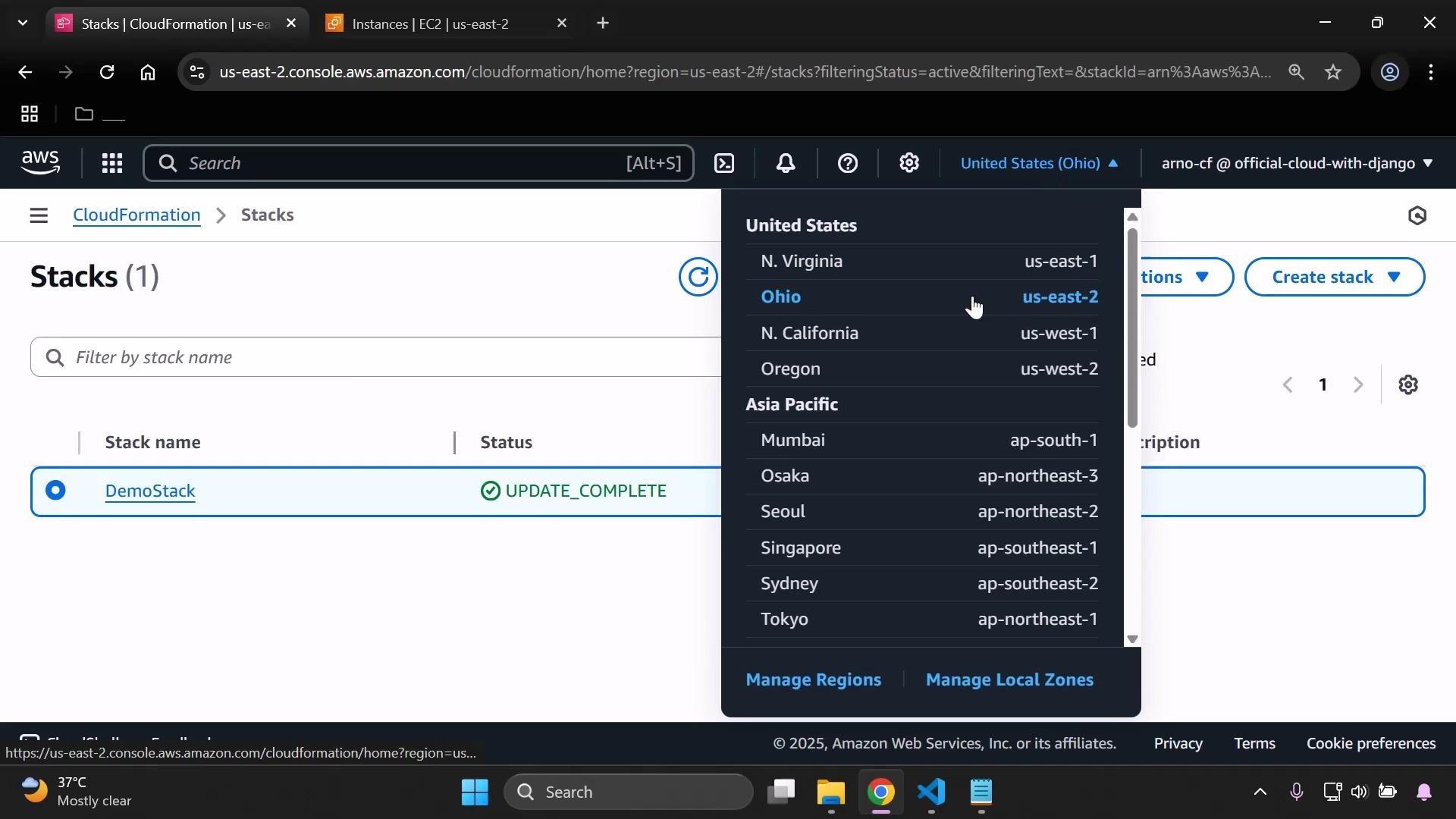
To collect the AMI values, switch the EC2 console to each target region (for example, eu-west-1, us-east-1, etc.) and copy the AMI ID for the Amazon Linux or other base image you intend to use.
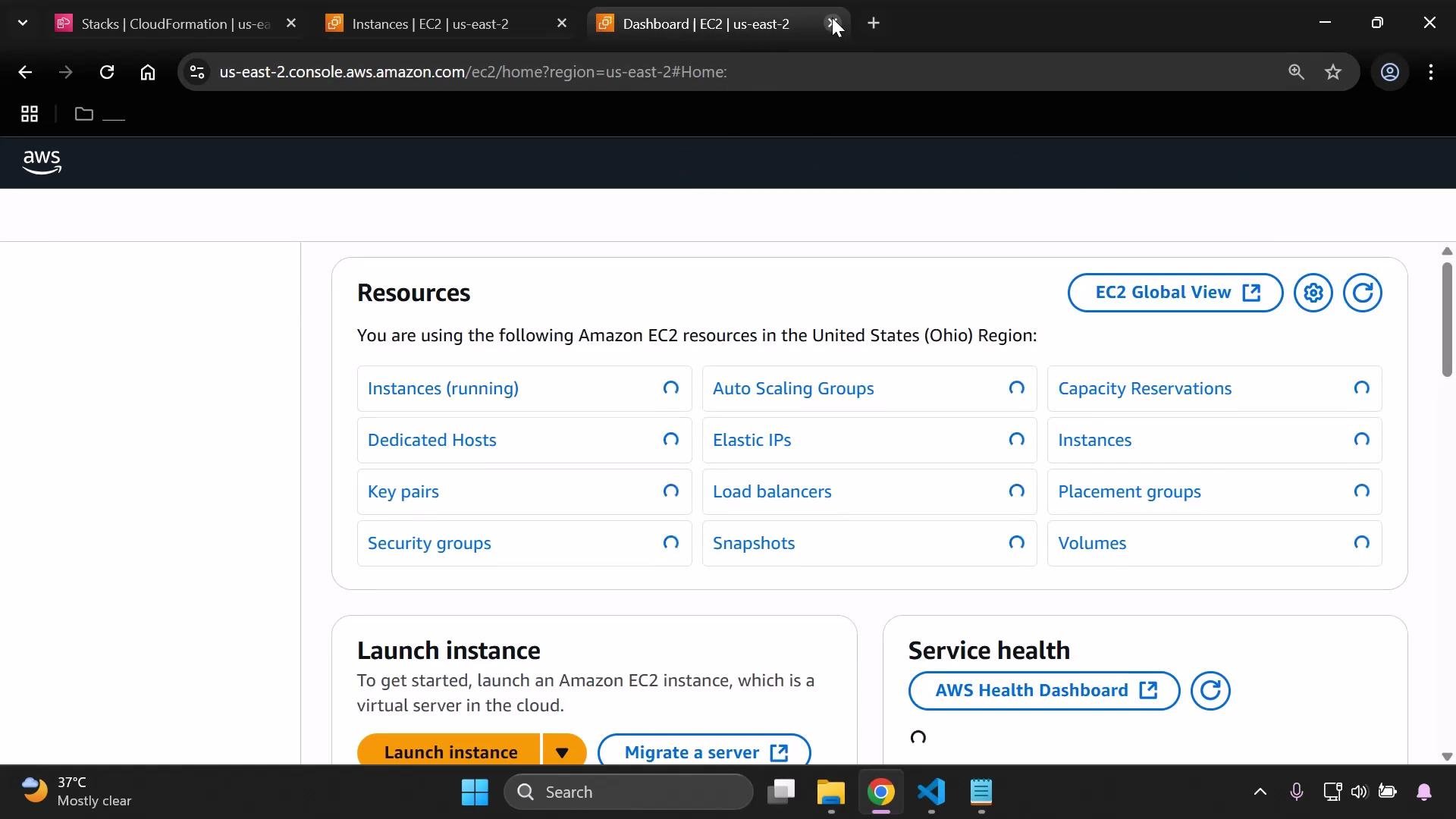
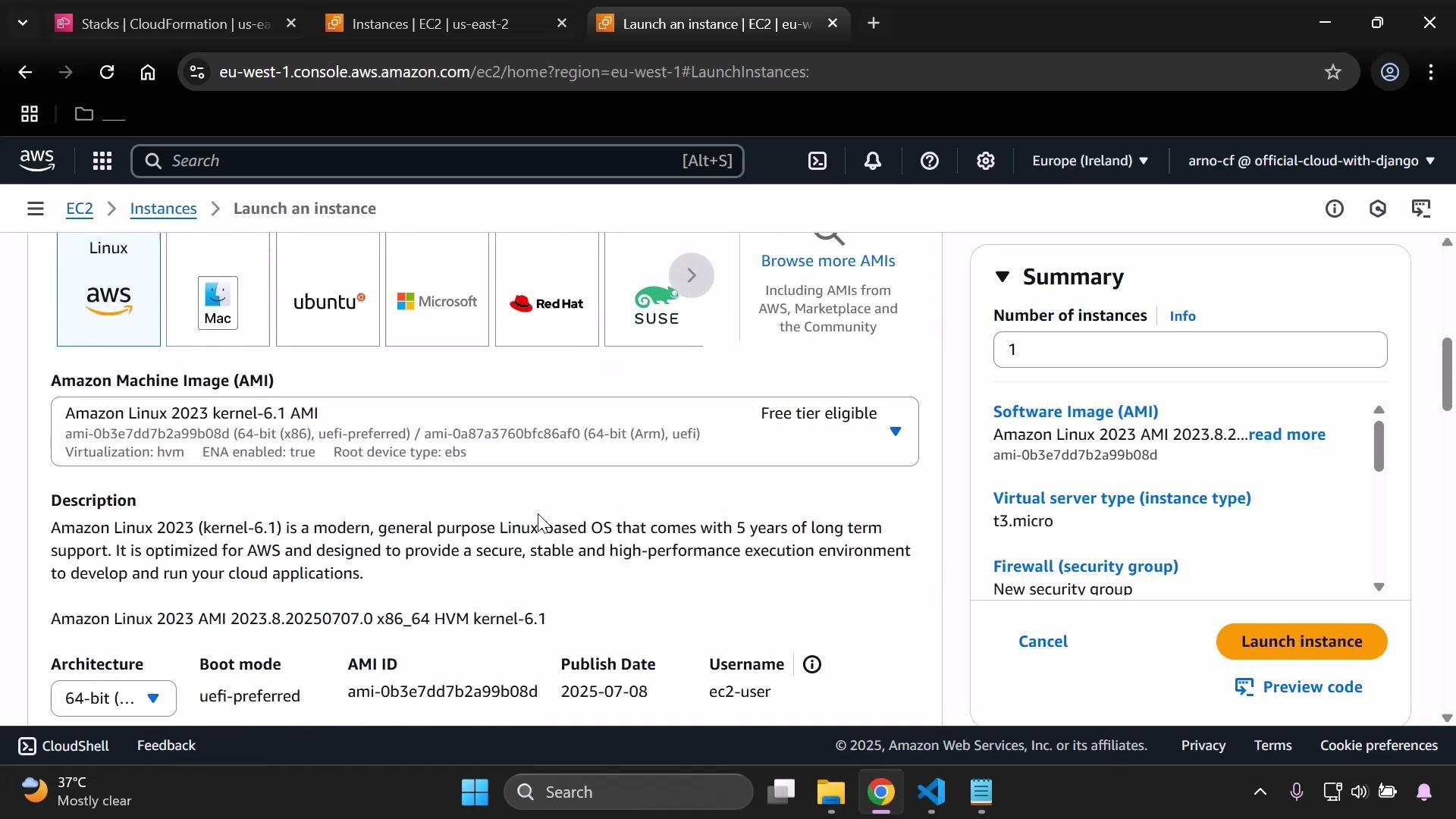 Repeat this for each region you want to support so your mapping contains one entry per region, keyed by the exact AWS region code (for example, us-east-2, eu-west-1, us-east-1).
 Step 2 — Use Fn::FindInMap with the AWS::Region pseudo parameter
Replace the ImageId property with a FindInMap lookup so CloudFormation uses the mapping keyed by the current region:
```yaml theme={null}
Resources:
MyInstance:
Type: AWS::EC2::Instance
Properties:
InstanceType: !Ref MyInstanceType
ImageId: !FindInMap [RegionMap, !Ref "AWS::Region", AMI]
SecurityGroupIds:
- !Ref MySecurityGroup
Tags:
- Key: Name
Value: SimpleWebServer
UserData:
Fn::Base64: |
#!/bin/bash
yum update -y
```
CloudFormation evaluates !Ref "AWS::Region" at stack creation, finds the matching top-level key in RegionMap, and returns the AMI value. Keys must exactly match the region codes returned by AWS::Region (case-sensitive and lowercase).
Consolidated example template
```yaml theme={null}
Metadata:
Purpose: Basic EC2 instance with HTTP and SSH access
Mappings:
RegionMap:
us-east-2:
AMI: ami-0eb9d6fc9fab44d24
eu-west-1:
AMI: ami-0b3e7dd7b2a99b08d
us-east-1:
AMI: ami-0150ccaf51ab55a51
Parameters:
MyInstanceType:
Type: String
Description: Select your EC2 instance type
AllowedValues:
- t3.micro
- t3.small
MyVPC:
Type: AWS::EC2::VPC::Id
Description: Select the VPC to launch the EC2 instance in
MySecurityGroup:
Type: AWS::EC2::SecurityGroup::Id
Description: Select a Security Group to attach to the instance
Resources:
MyInstance:
Type: AWS::EC2::Instance
Properties:
InstanceType: !Ref MyInstanceType
ImageId: !FindInMap [RegionMap, !Ref "AWS::Region", AMI]
SecurityGroupIds:
- !Ref MySecurityGroup
Tags:
- Key: Name
Value: SimpleWebServer
UserData:
Fn::Base64: |
#!/bin/bash
yum update -y
yum install -y httpd
systemctl enable --now httpd
echo "Hello from $(hostname -f)" > /var/www/html/index.html
```
Step 2 — Use Fn::FindInMap with the AWS::Region pseudo parameter
Replace the ImageId property with a FindInMap lookup so CloudFormation uses the mapping keyed by the current region:
```yaml theme={null}
Resources:
MyInstance:
Type: AWS::EC2::Instance
Properties:
InstanceType: !Ref MyInstanceType
ImageId: !FindInMap [RegionMap, !Ref "AWS::Region", AMI]
SecurityGroupIds:
- !Ref MySecurityGroup
Tags:
- Key: Name
Value: SimpleWebServer
UserData:
Fn::Base64: |
#!/bin/bash
yum update -y
```
CloudFormation evaluates !Ref "AWS::Region" at stack creation, finds the matching top-level key in RegionMap, and returns the AMI value. Keys must exactly match the region codes returned by AWS::Region (case-sensitive and lowercase).
Consolidated example template
```yaml theme={null}
Metadata:
Purpose: Basic EC2 instance with HTTP and SSH access
Mappings:
RegionMap:
us-east-2:
AMI: ami-0eb9d6fc9fab44d24
eu-west-1:
AMI: ami-0b3e7dd7b2a99b08d
us-east-1:
AMI: ami-0150ccaf51ab55a51
Parameters:
MyInstanceType:
Type: String
Description: Select your EC2 instance type
AllowedValues:
- t3.micro
- t3.small
MyVPC:
Type: AWS::EC2::VPC::Id
Description: Select the VPC to launch the EC2 instance in
MySecurityGroup:
Type: AWS::EC2::SecurityGroup::Id
Description: Select a Security Group to attach to the instance
Resources:
MyInstance:
Type: AWS::EC2::Instance
Properties:
InstanceType: !Ref MyInstanceType
ImageId: !FindInMap [RegionMap, !Ref "AWS::Region", AMI]
SecurityGroupIds:
- !Ref MySecurityGroup
Tags:
- Key: Name
Value: SimpleWebServer
UserData:
Fn::Base64: |
#!/bin/bash
yum update -y
yum install -y httpd
systemctl enable --now httpd
echo "Hello from $(hostname -f)" > /var/www/html/index.html
```
 Deployment notes and best practices
* If you change the mapping or the AMI used by an instance, you will usually need to delete and recreate the instance (or perform a stack update that replaces the instance) for the new AMI to be used.
* Keep the Mappings section near the top of the template for easier maintenance.
* Validate that mapping keys exactly match the AWS::Region values (e.g., us-east-2, eu-west-1).
* Periodically refresh the AMI IDs in your mapping to pick up updated OS images or security fixes.
Quick reference: mapping usage
| Concept | Purpose | Example |
| ------------------------------ | ----------------------------------------------------- | ------------------------------------------------ |
| Mappings section | Store per-region configuration values (e.g., AMI IDs) | RegionMap: us-east-2 → AMI |
| Fn::FindInMap / !FindInMap | Retrieve a mapped value at runtime | !FindInMap \[RegionMap, !Ref "AWS::Region", AMI] |
| AWS::Region (pseudo parameter) | Returns the region where the stack is created | !Ref "AWS::Region" |
When maintaining mappings, periodically verify AMI IDs in each region — AMI IDs differ between regions and may change with new OS releases. Ensure mapping keys are exact region codes (lowercase).
Links and references
* CloudFormation Mappings and Intrinsic Functions: [https://docs.aws.amazon.com/AWSCloudFormation/latest/UserGuide/mappings-section-structure.html](https://docs.aws.amazon.com/AWSCloudFormation/latest/UserGuide/mappings-section-structure.html)
* Fn::FindInMap: [https://docs.aws.amazon.com/AWSCloudFormation/latest/UserGuide/intrinsic-function-reference-findinmap.html](https://docs.aws.amazon.com/AWSCloudFormation/latest/UserGuide/intrinsic-function-reference-findinmap.html)
* AWS::Region pseudo parameter: [https://docs.aws.amazon.com/AWSCloudFormation/latest/UserGuide/pseudo-parameter-reference.html](https://docs.aws.amazon.com/AWSCloudFormation/latest/UserGuide/pseudo-parameter-reference.html)
* EC2 console: [https://console.aws.amazon.com/ec2/](https://console.aws.amazon.com/ec2/)
* Learn more: [CloudFormation course at KodeKloud](https://learn.kodekloud.com/user/courses/aws-cloud-formation) and [EC2 course at KodeKloud](https://learn.kodekloud.com/user/courses/amazon-elastic-compute-cloud-ec2)
Deployment notes and best practices
* If you change the mapping or the AMI used by an instance, you will usually need to delete and recreate the instance (or perform a stack update that replaces the instance) for the new AMI to be used.
* Keep the Mappings section near the top of the template for easier maintenance.
* Validate that mapping keys exactly match the AWS::Region values (e.g., us-east-2, eu-west-1).
* Periodically refresh the AMI IDs in your mapping to pick up updated OS images or security fixes.
Quick reference: mapping usage
| Concept | Purpose | Example |
| ------------------------------ | ----------------------------------------------------- | ------------------------------------------------ |
| Mappings section | Store per-region configuration values (e.g., AMI IDs) | RegionMap: us-east-2 → AMI |
| Fn::FindInMap / !FindInMap | Retrieve a mapped value at runtime | !FindInMap \[RegionMap, !Ref "AWS::Region", AMI] |
| AWS::Region (pseudo parameter) | Returns the region where the stack is created | !Ref "AWS::Region" |
When maintaining mappings, periodically verify AMI IDs in each region — AMI IDs differ between regions and may change with new OS releases. Ensure mapping keys are exact region codes (lowercase).
Links and references
* CloudFormation Mappings and Intrinsic Functions: [https://docs.aws.amazon.com/AWSCloudFormation/latest/UserGuide/mappings-section-structure.html](https://docs.aws.amazon.com/AWSCloudFormation/latest/UserGuide/mappings-section-structure.html)
* Fn::FindInMap: [https://docs.aws.amazon.com/AWSCloudFormation/latest/UserGuide/intrinsic-function-reference-findinmap.html](https://docs.aws.amazon.com/AWSCloudFormation/latest/UserGuide/intrinsic-function-reference-findinmap.html)
* AWS::Region pseudo parameter: [https://docs.aws.amazon.com/AWSCloudFormation/latest/UserGuide/pseudo-parameter-reference.html](https://docs.aws.amazon.com/AWSCloudFormation/latest/UserGuide/pseudo-parameter-reference.html)
* EC2 console: [https://console.aws.amazon.com/ec2/](https://console.aws.amazon.com/ec2/)
* Learn more: [CloudFormation course at KodeKloud](https://learn.kodekloud.com/user/courses/aws-cloud-formation) and [EC2 course at KodeKloud](https://learn.kodekloud.com/user/courses/amazon-elastic-compute-cloud-ec2)