> ## Documentation Index
> Fetch the complete documentation index at: https://notes.kodekloud.com/llms.txt
> Use this file to discover all available pages before exploring further.
# Demo Resource cleanup
> Cleaning up temporary S3 buckets used for CloudFormation templates, including steps to empty, remove object versions, delete buckets, and best practices for managing templates
In this demo we’ll clean up temporary AWS resources created during previous lessons. The focus is on removing Amazon S3 buckets that were used to store AWS CloudFormation templates and to demonstrate a clean approach for managing templates and nested stacks.
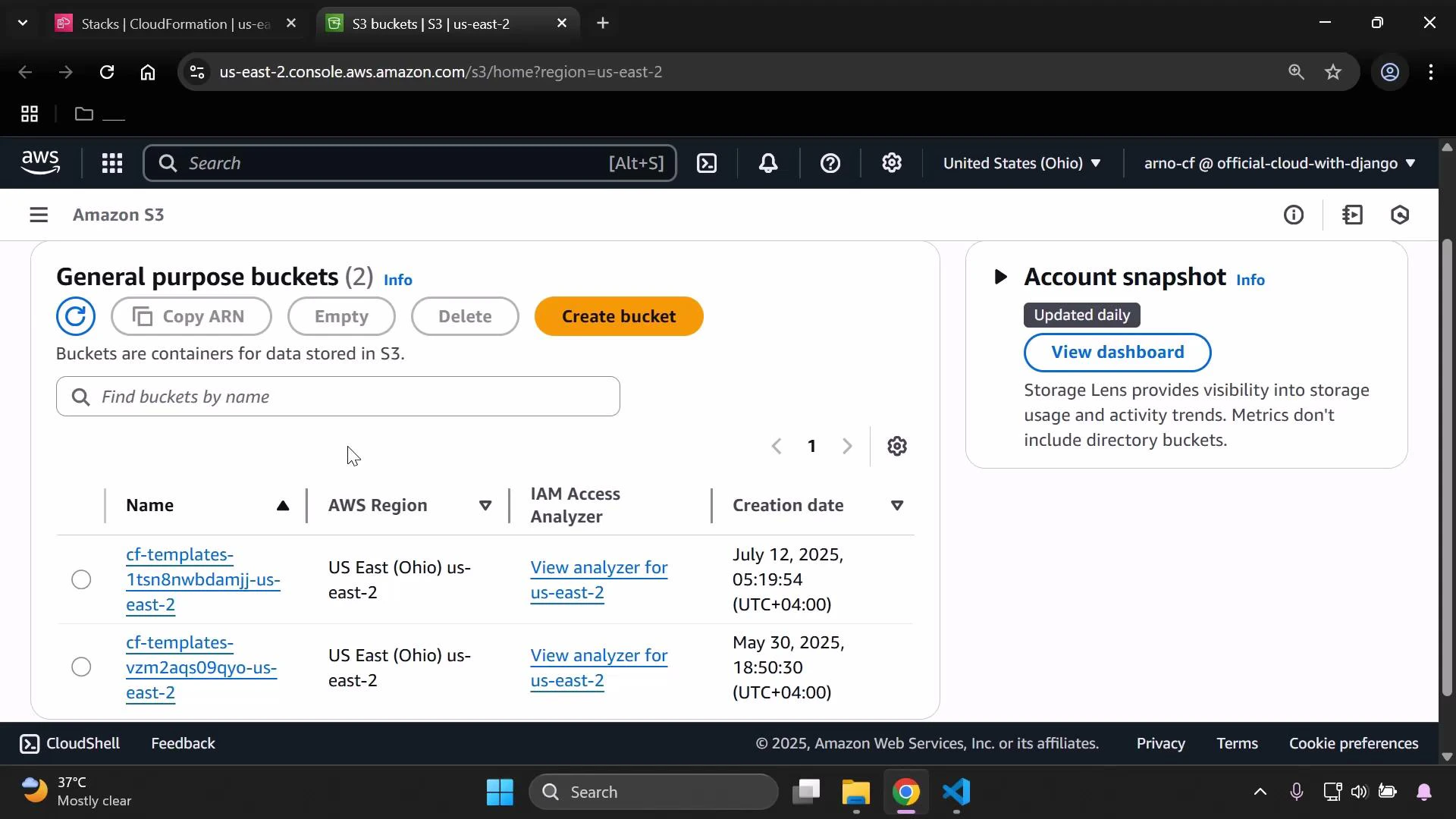
First, open Amazon Simple Storage Service (Amazon S3) in a new tab: [https://learn.kodekloud.com/user/courses/amazon-simple-storage-service-amazon-s3](https://learn.kodekloud.com/user/courses/amazon-simple-storage-service-amazon-s3). When the console loads, you should see two buckets listed.
* The first bucket was created when we uploaded the initial AWS CloudFormation template; it contains the templates we’ve been using.
* The second bucket was created by a different tool used to compose the infrastructure.
 Managing templates deliberately in S3 (placing them in a dedicated bucket you control) makes it easier to reuse, version, and audit templates instead of having them automatically scattered across buckets. A common pattern is to keep a single “templates” bucket for CloudFormation and use nested stacks to organize related templates.
Tip: Use a dedicated S3 bucket for CloudFormation templates and enable lifecycle rules to archive or delete old templates automatically. This reduces clutter and simplifies cleanup of temporary resources.
To remove the two temporary buckets from the console, follow these steps exactly:
1. Select the first bucket in the S3 console.
2. Choose the Empty action to remove all objects from the bucket, then confirm the operation.
3. If the bucket has versioning enabled, ensure object versions and delete markers are removed before attempting to delete the bucket.
4. After the bucket is empty, choose Delete and enter the confirmation text if prompted to permanently remove the bucket.
5. Reload the bucket list to confirm the bucket no longer appears.
6. Repeat the same Empty and Delete steps for the second bucket.
| Resource | Description | Recommended Action |
| ---------------------------------------------: | ----------------------------------------------------- | --------------------------------------------- |
| Temporary S3 bucket (CloudFormation templates) | Stores templates created during demos | Empty bucket → Delete bucket → Reload console |
| Temporary S3 bucket (3rd-party tool) | Used by composition tool for infrastructure artifacts | Empty bucket → Delete bucket → Reload console |
Deleting an S3 bucket and its contents is irreversible. Confirm the bucket does not contain any data you will need before using Empty or Delete. If versioning is enabled, remember to delete object versions and delete markers first.
After deleting both buckets and reloading the console, the temporary buckets will no longer be listed.
Further reading and references:
* [Amazon S3 Documentation](https://docs.aws.amazon.com/s3/index.html)
* [AWS CloudFormation Documentation](https://docs.aws.amazon.com/cloudformation/index.html)
* [Managing CloudFormation templates in S3 (best practices)](https://docs.aws.amazon.com/AWSCloudFormation/latest/UserGuide/using-cfn-template-urls.html)
Managing templates deliberately in S3 (placing them in a dedicated bucket you control) makes it easier to reuse, version, and audit templates instead of having them automatically scattered across buckets. A common pattern is to keep a single “templates” bucket for CloudFormation and use nested stacks to organize related templates.
Tip: Use a dedicated S3 bucket for CloudFormation templates and enable lifecycle rules to archive or delete old templates automatically. This reduces clutter and simplifies cleanup of temporary resources.
To remove the two temporary buckets from the console, follow these steps exactly:
1. Select the first bucket in the S3 console.
2. Choose the Empty action to remove all objects from the bucket, then confirm the operation.
3. If the bucket has versioning enabled, ensure object versions and delete markers are removed before attempting to delete the bucket.
4. After the bucket is empty, choose Delete and enter the confirmation text if prompted to permanently remove the bucket.
5. Reload the bucket list to confirm the bucket no longer appears.
6. Repeat the same Empty and Delete steps for the second bucket.
| Resource | Description | Recommended Action |
| ---------------------------------------------: | ----------------------------------------------------- | --------------------------------------------- |
| Temporary S3 bucket (CloudFormation templates) | Stores templates created during demos | Empty bucket → Delete bucket → Reload console |
| Temporary S3 bucket (3rd-party tool) | Used by composition tool for infrastructure artifacts | Empty bucket → Delete bucket → Reload console |
Deleting an S3 bucket and its contents is irreversible. Confirm the bucket does not contain any data you will need before using Empty or Delete. If versioning is enabled, remember to delete object versions and delete markers first.
After deleting both buckets and reloading the console, the temporary buckets will no longer be listed.
Further reading and references:
* [Amazon S3 Documentation](https://docs.aws.amazon.com/s3/index.html)
* [AWS CloudFormation Documentation](https://docs.aws.amazon.com/cloudformation/index.html)
* [Managing CloudFormation templates in S3 (best practices)](https://docs.aws.amazon.com/AWSCloudFormation/latest/UserGuide/using-cfn-template-urls.html)