> ## Documentation Index
> Fetch the complete documentation index at: https://notes.kodekloud.com/llms.txt
> Use this file to discover all available pages before exploring further.
# Demo Evaluating our template with documentation
> Guide for validating CloudFormation templates using AWS documentation, explaining intrinsic functions like Ref and Sub, resource property references, examples, and best practices to avoid template errors.
In this lesson we'll validate a CloudFormation template by referencing the official AWS documentation. Using the template reference and intrinsic function documentation helps you discover supported resource types, property schemas, return values, and intrinsic function usage—key information when authoring, troubleshooting, or updating stacks.
Start with the Template Reference:
* Template reference: [https://docs.aws.amazon.com/AWSCloudFormation/latest/UserGuide/template-reference.html](https://docs.aws.amazon.com/AWSCloudFormation/latest/UserGuide/template-reference.html)
* Use it to find resource types, properties, return values, and intrinsic functions.
* Other sections (transforms, helper scripts, resource specs and schemas) exist but are out of scope for this lesson.
## Intrinsic functions
CloudFormation intrinsic functions let you inject dynamic values into your template. The most frequently used intrinsic function is Ref, which returns a resource or parameter value. Below are practical examples and guidance for common intrinsic functions.
Quick intrinsic function overview:
| Intrinsic Function | Purpose | Example / Notes |
| ------------------ | --------------------------------------------------------------------- | --------------------------------------------------- |
| Ref | Returns a parameter value or a resource’s logical ID or physical name | See Ref examples below |
| Fn::Sub | Substitute variables into a string | Useful for composing names with `${AWS::StackName}` |
| Fn::Join | Concatenate a list of values into a single string | Joins arrays with a delimiter |
| Fn::GetAtt | Get an attribute value from a resource | E.g., `Fn::GetAtt: [MyResource, Arn]` |
| Fn::FindInMap | Retrieve values from a mapping defined in the template | Useful for lookups (region-specific settings) |
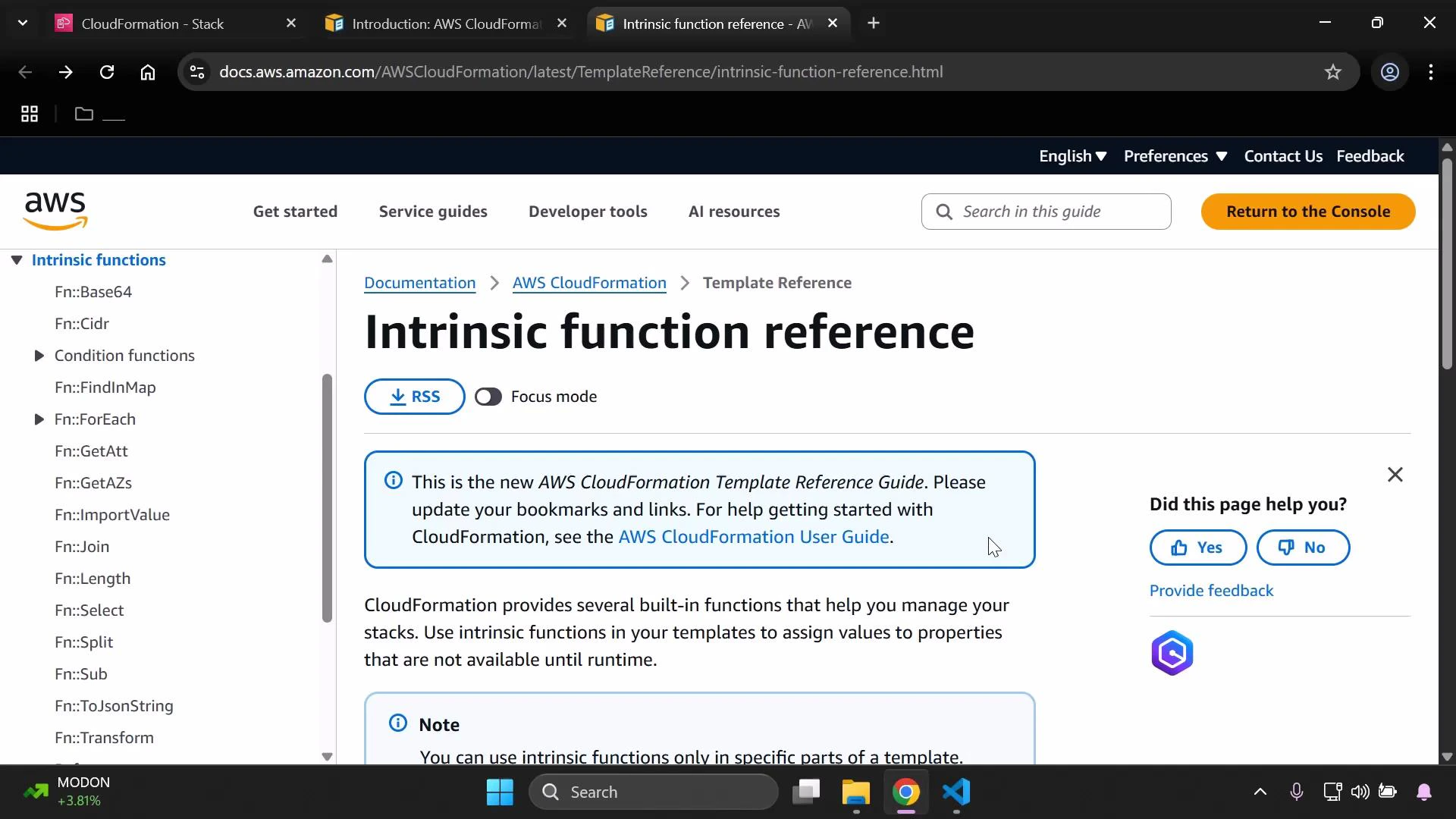
Full intrinsic function reference: [https://docs.aws.amazon.com/AWSCloudFormation/latest/UserGuide/intrinsic-function-reference.html](https://docs.aws.amazon.com/AWSCloudFormation/latest/UserGuide/intrinsic-function-reference.html)
We commonly use Ref in parameterized templates. The example below declares parameters and uses !Ref to populate an S3 bucket name.
```yaml theme={null}
Parameters:
InputBucketName:
Type: String
Description: Please enter your desired S3 bucket name
InputDeveloperName:
Type: String
AllowedValues:
- Arno
- Alice
Resources:
MyS3Bucket:
Type: AWS::S3::Bucket
Properties:
BucketName: !Ref InputBucketName
```
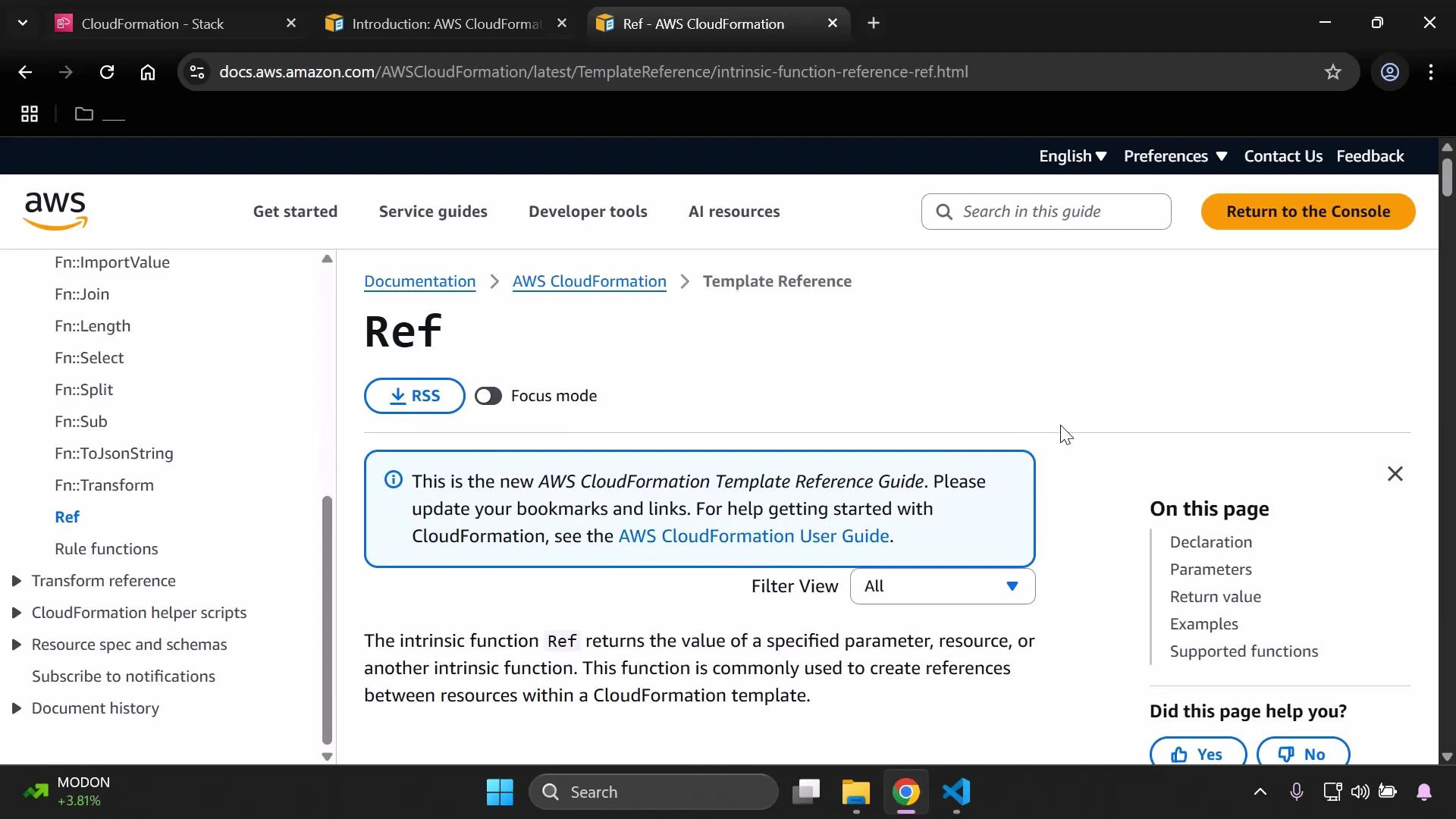
The CloudFormation intrinsic function reference documents each function’s syntax in JSON and YAML and includes examples: [https://docs.aws.amazon.com/AWSCloudFormation/latest/UserGuide/intrinsic-function-reference.html](https://docs.aws.amazon.com/AWSCloudFormation/latest/UserGuide/intrinsic-function-reference.html).
 Common Ref forms:
* JSON short form
```json theme={null}
{ "Ref": "LogicalName" }
```
* YAML short form
```yaml theme={null}
!Ref LogicalName
```
Note: Ref expects a logical resource or parameter name (a string). Unlike some intrinsic functions, Ref is typically used with a simple name and does not accept nested intrinsic functions as its value. To construct strings or include variables, use functions like Fn::Sub, Fn::Join, or other functions that support complex structures.
Ref documentation (return values, parameter pairing, and examples):\
[https://docs.aws.amazon.com/AWSCloudFormation/latest/UserGuide/intrinsic-function-reference-ref.html](https://docs.aws.amazon.com/AWSCloudFormation/latest/UserGuide/intrinsic-function-reference-ref.html)
Other intrinsic functions you might use include Fn::Sub, Fn::Join, Fn::GetAtt, and Fn::FindInMap. The intrinsic function reference lists all available functions with JSON/YAML syntax and usage examples: [https://docs.aws.amazon.com/AWSCloudFormation/latest/UserGuide/intrinsic-function-reference.html](https://docs.aws.amazon.com/AWSCloudFormation/latest/UserGuide/intrinsic-function-reference.html).
Common Ref forms:
* JSON short form
```json theme={null}
{ "Ref": "LogicalName" }
```
* YAML short form
```yaml theme={null}
!Ref LogicalName
```
Note: Ref expects a logical resource or parameter name (a string). Unlike some intrinsic functions, Ref is typically used with a simple name and does not accept nested intrinsic functions as its value. To construct strings or include variables, use functions like Fn::Sub, Fn::Join, or other functions that support complex structures.
Ref documentation (return values, parameter pairing, and examples):\
[https://docs.aws.amazon.com/AWSCloudFormation/latest/UserGuide/intrinsic-function-reference-ref.html](https://docs.aws.amazon.com/AWSCloudFormation/latest/UserGuide/intrinsic-function-reference-ref.html)
Other intrinsic functions you might use include Fn::Sub, Fn::Join, Fn::GetAtt, and Fn::FindInMap. The intrinsic function reference lists all available functions with JSON/YAML syntax and usage examples: [https://docs.aws.amazon.com/AWSCloudFormation/latest/UserGuide/intrinsic-function-reference.html](https://docs.aws.amazon.com/AWSCloudFormation/latest/UserGuide/intrinsic-function-reference.html).
 Example: Fn::Sub
* JSON form:
```json theme={null}
{ "Fn::Sub": "String" }
```
* YAML form:
```yaml theme={null}
Fn::Sub:
- String
- Var1Name: Var1Value
Var2Name: Var2Value
```
Example usage in a resource (JSON):
```json theme={null}
"InstanceSecurityGroup": {
"Type" : "AWS::EC2::SecurityGroup",
"Properties" : {
"GroupDescription" : { "Fn::Sub": "SSH security group for ${AWS::StackName}" }
}
}
```
## Resource types and properties
Resource types and their properties are documented in the Resource and Property Types reference:\
[https://docs.aws.amazon.com/AWSCloudFormation/latest/UserGuide/aws-template-resource-type-ref.html](https://docs.aws.amazon.com/AWSCloudFormation/latest/UserGuide/aws-template-resource-type-ref.html)
This reference lists allowed properties, data types, whether properties are required, and update behaviors (for example whether a property change triggers replacement). Always verify the exact property names, types, and update requirements to avoid template errors and unintended resource replacement.
Example S3 bucket resource (YAML):
```yaml theme={null}
Resources:
MyS3Bucket:
Type: AWS::S3::Bucket
Properties:
BucketName: !Ref InputBucketName
Tags:
- Key: Developer
Value: !Ref InputDeveloperName
- Key: Environment
Value: "Development"
```
A partial JSON schema excerpt for the AWS::S3::Bucket resource type (shows available property names and types):
```json theme={null}
{
"Type": "AWS::S3::Bucket",
"Properties": {
"AccelerateConfiguration": {},
"AccessControl": "String",
"AnalyticsConfigurations": [ {} ],
"BucketEncryption": {},
"BucketName": "String",
"CorsConfiguration": {},
"IntelligentTieringConfigurations": [ {} ],
"InventoryConfigurations": [ {} ],
"LifecycleConfiguration": {},
"LoggingConfiguration": {},
"MetricsConfigurations": [ {} ],
"NotificationConfiguration": {},
"ObjectLockConfiguration": {},
"ObjectLockEnabled": "Boolean"
}
}
```
Equivalent YAML excerpt illustrating property types and nested objects:
```yaml theme={null}
Properties:
AccelerateConfiguration:
# AccelerateConfiguration object
AccessControl: String
AnalyticsConfigurations:
- AnalyticsConfiguration
BucketEncryption:
# BucketEncryption object
BucketName: String
CorsConfiguration:
# CorsConfiguration object
IntelligentTieringConfigurations:
- IntelligentTieringConfiguration
InventoryConfigurations:
- InventoryConfiguration
LifecycleConfiguration:
LifecycleConfiguration
LoggingConfiguration:
LoggingConfiguration
```
When authoring CloudFormation templates:
* Verify property names and types against the Resource and Property Types reference.
* Confirm required properties for the resource you are creating.
* Review update behaviors so you understand whether property changes require replacement of the resource.
Always use the template reference to confirm the exact resource properties and data types for the AWS resource you are creating. This will prevent common template errors.
## Summary
In this lesson we used the CloudFormation template reference and intrinsic function documentation to validate and improve templates. Key takeaways:
* Locate Ref and other intrinsic functions and understand their JSON/YAML forms.
* Use Fn::Sub (and other string functions) when composing resource names or injecting stack values.
* Confirm resource types and properties (for example AWS::S3::Bucket) using the Resource and Property Types reference.
* Check required properties and update behavior to prevent unintended resource replacement.
Further reading and references:
* CloudFormation Template Reference: [https://docs.aws.amazon.com/AWSCloudFormation/latest/UserGuide/template-reference.html](https://docs.aws.amazon.com/AWSCloudFormation/latest/UserGuide/template-reference.html)
* Intrinsic functions: [https://docs.aws.amazon.com/AWSCloudFormation/latest/UserGuide/intrinsic-function-reference.html](https://docs.aws.amazon.com/AWSCloudFormation/latest/UserGuide/intrinsic-function-reference.html)
* Ref function: [https://docs.aws.amazon.com/AWSCloudFormation/latest/UserGuide/intrinsic-function-reference-ref.html](https://docs.aws.amazon.com/AWSCloudFormation/latest/UserGuide/intrinsic-function-reference-ref.html)
* Resource and Property Types: [https://docs.aws.amazon.com/AWSCloudFormation/latest/UserGuide/aws-template-resource-type-ref.html](https://docs.aws.amazon.com/AWSCloudFormation/latest/UserGuide/aws-template-resource-type-ref.html)
Refer to these resources as you build and iterate on CloudFormation templates — they will save time and help you avoid mistakes when defining properties and intrinsic function usage.
Example: Fn::Sub
* JSON form:
```json theme={null}
{ "Fn::Sub": "String" }
```
* YAML form:
```yaml theme={null}
Fn::Sub:
- String
- Var1Name: Var1Value
Var2Name: Var2Value
```
Example usage in a resource (JSON):
```json theme={null}
"InstanceSecurityGroup": {
"Type" : "AWS::EC2::SecurityGroup",
"Properties" : {
"GroupDescription" : { "Fn::Sub": "SSH security group for ${AWS::StackName}" }
}
}
```
## Resource types and properties
Resource types and their properties are documented in the Resource and Property Types reference:\
[https://docs.aws.amazon.com/AWSCloudFormation/latest/UserGuide/aws-template-resource-type-ref.html](https://docs.aws.amazon.com/AWSCloudFormation/latest/UserGuide/aws-template-resource-type-ref.html)
This reference lists allowed properties, data types, whether properties are required, and update behaviors (for example whether a property change triggers replacement). Always verify the exact property names, types, and update requirements to avoid template errors and unintended resource replacement.
Example S3 bucket resource (YAML):
```yaml theme={null}
Resources:
MyS3Bucket:
Type: AWS::S3::Bucket
Properties:
BucketName: !Ref InputBucketName
Tags:
- Key: Developer
Value: !Ref InputDeveloperName
- Key: Environment
Value: "Development"
```
A partial JSON schema excerpt for the AWS::S3::Bucket resource type (shows available property names and types):
```json theme={null}
{
"Type": "AWS::S3::Bucket",
"Properties": {
"AccelerateConfiguration": {},
"AccessControl": "String",
"AnalyticsConfigurations": [ {} ],
"BucketEncryption": {},
"BucketName": "String",
"CorsConfiguration": {},
"IntelligentTieringConfigurations": [ {} ],
"InventoryConfigurations": [ {} ],
"LifecycleConfiguration": {},
"LoggingConfiguration": {},
"MetricsConfigurations": [ {} ],
"NotificationConfiguration": {},
"ObjectLockConfiguration": {},
"ObjectLockEnabled": "Boolean"
}
}
```
Equivalent YAML excerpt illustrating property types and nested objects:
```yaml theme={null}
Properties:
AccelerateConfiguration:
# AccelerateConfiguration object
AccessControl: String
AnalyticsConfigurations:
- AnalyticsConfiguration
BucketEncryption:
# BucketEncryption object
BucketName: String
CorsConfiguration:
# CorsConfiguration object
IntelligentTieringConfigurations:
- IntelligentTieringConfiguration
InventoryConfigurations:
- InventoryConfiguration
LifecycleConfiguration:
LifecycleConfiguration
LoggingConfiguration:
LoggingConfiguration
```
When authoring CloudFormation templates:
* Verify property names and types against the Resource and Property Types reference.
* Confirm required properties for the resource you are creating.
* Review update behaviors so you understand whether property changes require replacement of the resource.
Always use the template reference to confirm the exact resource properties and data types for the AWS resource you are creating. This will prevent common template errors.
## Summary
In this lesson we used the CloudFormation template reference and intrinsic function documentation to validate and improve templates. Key takeaways:
* Locate Ref and other intrinsic functions and understand their JSON/YAML forms.
* Use Fn::Sub (and other string functions) when composing resource names or injecting stack values.
* Confirm resource types and properties (for example AWS::S3::Bucket) using the Resource and Property Types reference.
* Check required properties and update behavior to prevent unintended resource replacement.
Further reading and references:
* CloudFormation Template Reference: [https://docs.aws.amazon.com/AWSCloudFormation/latest/UserGuide/template-reference.html](https://docs.aws.amazon.com/AWSCloudFormation/latest/UserGuide/template-reference.html)
* Intrinsic functions: [https://docs.aws.amazon.com/AWSCloudFormation/latest/UserGuide/intrinsic-function-reference.html](https://docs.aws.amazon.com/AWSCloudFormation/latest/UserGuide/intrinsic-function-reference.html)
* Ref function: [https://docs.aws.amazon.com/AWSCloudFormation/latest/UserGuide/intrinsic-function-reference-ref.html](https://docs.aws.amazon.com/AWSCloudFormation/latest/UserGuide/intrinsic-function-reference-ref.html)
* Resource and Property Types: [https://docs.aws.amazon.com/AWSCloudFormation/latest/UserGuide/aws-template-resource-type-ref.html](https://docs.aws.amazon.com/AWSCloudFormation/latest/UserGuide/aws-template-resource-type-ref.html)
Refer to these resources as you build and iterate on CloudFormation templates — they will save time and help you avoid mistakes when defining properties and intrinsic function usage.