> ## Documentation Index
> Fetch the complete documentation index at: https://notes.kodekloud.com/llms.txt
> Use this file to discover all available pages before exploring further.
# Optional Attributes to Use for Resources
> Explains CloudFormation optional resource attributes like Properties, Metadata, DependsOn, DeletionPolicy, UpdatePolicy, and Condition to control configuration, lifecycle, and conditional resource creation
Welcome to the next lesson. In this lesson we’ll review the optional CloudFormation resource attributes you can use to control configuration, lifecycle, and conditional creation of resources. These attributes let you customize how resources are created, updated, or deleted, and how they participate in stack operations.
Key optional attributes covered here:
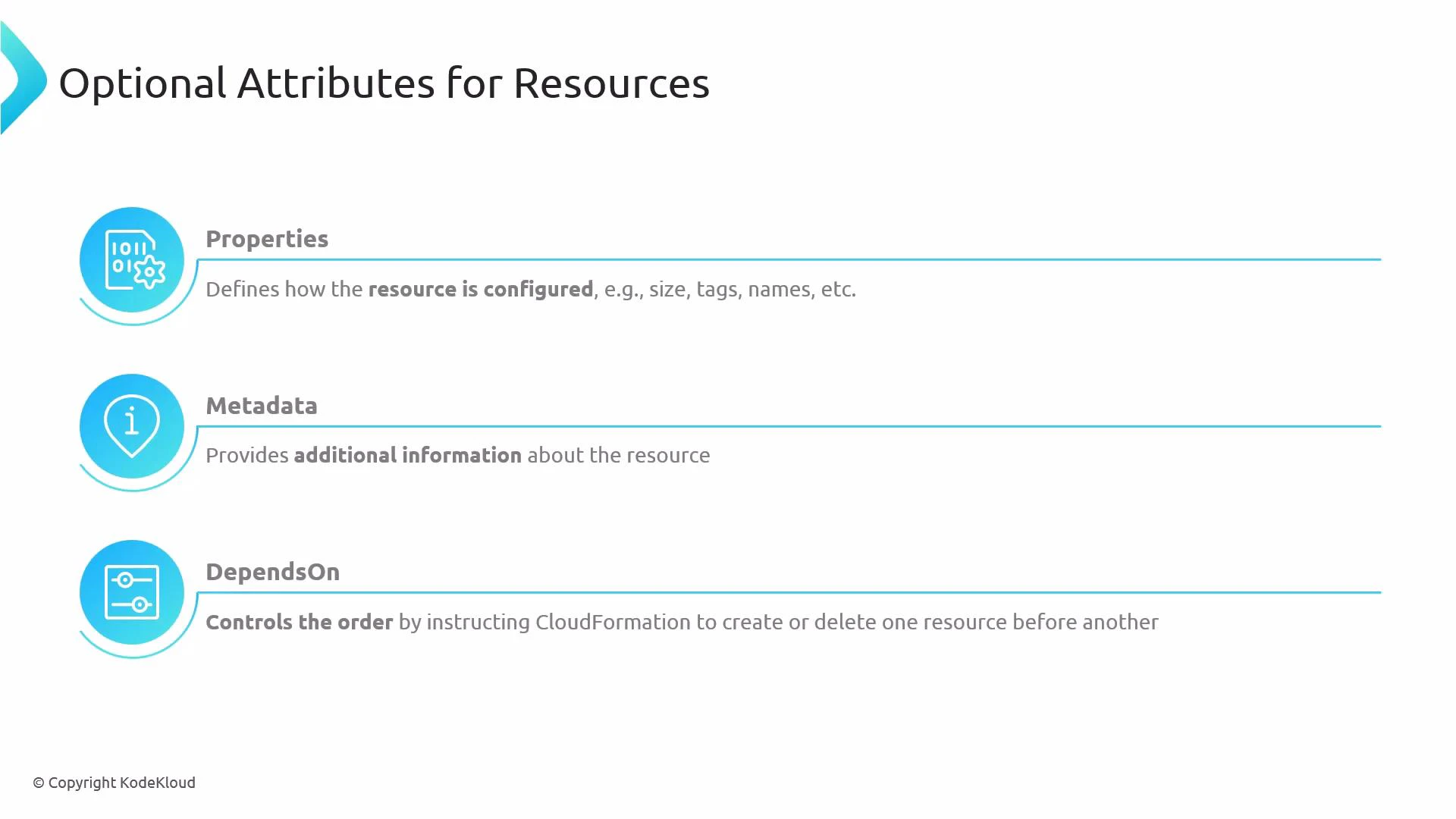
* Properties — Defines the resource configuration (size, tags, names, and resource-specific settings).
* Metadata — Arbitrary data attached to a resource for tooling or helper scripts (for example, [cfn-init](https://docs.aws.amazon.com/AWSCloudFormation/latest/UserGuide/cfn-init.html)).
* [DependsOn](https://docs.aws.amazon.com/AWSCloudFormation/latest/UserGuide/aws-attribute-dependson.html) — Ensures a creation or deletion order by specifying one or more resources that must be processed first.
 Other important optional attributes:
* [DeletionPolicy](https://docs.aws.amazon.com/AWSCloudFormation/latest/UserGuide/aws-attribute-deletionpolicy.html) — Controls what happens to a resource when its stack is deleted. Common values:
* Delete — removes the resource (default).
* Retain — keeps the resource after stack deletion.
* Snapshot — creates a snapshot for snapshot-capable resources (for example, [RDS DB instances](https://docs.aws.amazon.com/AWSCloudFormation/latest/UserGuide/aws-resource-rds-database.html) and [EBS volumes](https://docs.aws.amazon.com/AWSCloudFormation/latest/UserGuide/aws-properties-ec2-volume.html)) before deletion.
* [UpdatePolicy](https://docs.aws.amazon.com/AWSCloudFormation/latest/UserGuide/aws-attribute-updatepolicy.html) — Controls how CloudFormation updates certain resources during stack updates (for example, AutoScaling rolling updates).
* Condition — Only creates a resource if a named condition (defined under the template’s Conditions section) evaluates to true. Useful for region-specific or parameter-driven resource inclusion.
Summary table of optional resource attributes
| Attribute | Purpose | Typical use case / example |
| -------------: | ----------------------------------------- | ------------------------------------------------------------------- |
| Properties | Configure the resource | `BucketName`, `InstanceType`, `Tags` |
| Metadata | Attach arbitrary data for tooling | `AWS::CloudFormation::Init` configuration for `cfn-init` |
| DependsOn | Control creation/deletion order | Ensure DB creation occurs after VPC or Subnet |
| DeletionPolicy | Control behavior on stack deletion | `Retain` to keep an S3 bucket after stack deletion |
| UpdatePolicy | Control update behavior | `AutoScalingRollingUpdate` for `AWS::AutoScaling::AutoScalingGroup` |
| Condition | Create resource only if condition is true | Environment-specific resources (prod vs dev) |
Detailed examples and usage
1. Properties — resource configuration
Most resource types require a Properties object to configure details such as names, sizes, and tags.
Example (S3 bucket with tags):
```yaml theme={null}
Resources:
MyBucket:
Type: AWS::S3::Bucket
Properties:
BucketName: my-app-bucket
Tags:
- Key: Environment
Value: Production
```
2. Metadata — attach tooling data (cfn-init example)
Metadata is not processed by CloudFormation directly but is commonly used by helper tools like cfn-init to configure instances.
Example (EC2 instance metadata for cfn-init):
```yaml theme={null}
Resources:
WebServer:
Type: AWS::EC2::Instance
Metadata:
AWS::CloudFormation::Init:
config:
packages:
yum:
httpd: []
files:
/var/www/html/index.html:
content: "Hello from cfn-init"
Properties:
InstanceType: t3.micro
ImageId: ami-0123456789abcdef0
```
3. DependsOn — control creation/deletion order
DependsOn ensures one resource is created or deleted after another. It accepts either a single logical name or a list of logical names.
Example:
```yaml theme={null}
Resources:
DBSubnetGroup:
Type: AWS::RDS::DBSubnetGroup
Properties:
DBSubnetGroupDescription: Subnet group for RDS
SubnetIds:
- subnet-aaa
- subnet-bbb
MyDBInstance:
Type: AWS::RDS::DBInstance
DependsOn: DBSubnetGroup
Properties:
DBInstanceClass: db.t3.micro
Engine: mysql
```
4. DeletionPolicy — keep or snapshot resources on stack deletion
Use DeletionPolicy to retain critical resources or create snapshots before deletion.
Example (retain S3 bucket and snapshot an RDS instance):
```yaml theme={null}
Resources:
BackupBucket:
Type: AWS::S3::Bucket
DeletionPolicy: Retain
Properties:
BucketName: my-backup-bucket
Database:
Type: AWS::RDS::DBInstance
DeletionPolicy: Snapshot
Properties:
DBInstanceClass: db.t3.micro
Engine: mysql
```
Using DeletionPolicy:Retain or leaving resources after stack deletion may incur ongoing charges. Verify any retained resources to avoid unexpected costs.
5. UpdatePolicy — control update behavior for specific resource types
UpdatePolicy applies to a limited set of resource types (for example Auto Scaling groups). Use it to manage rolling updates and replacement behavior.
Example (Auto Scaling group rolling update policy):
```yaml theme={null}
Resources:
MyAutoScalingGroup:
Type: AWS::AutoScaling::AutoScalingGroup
Properties:
MinSize: "1"
MaxSize: "3"
LaunchConfigurationName: !Ref MyLaunchConfig
UpdatePolicy:
AutoScalingRollingUpdate:
MinInstancesInService: 1
MaxBatchSize: 1
PauseTime: PT5M
```
6. Condition — create resources conditionally
Define Conditions in the template and attach them to resources using the Condition attribute.
Example:
```yaml theme={null}
Parameters:
DeployProd:
Type: String
AllowedValues: [true, false]
Default: false
Conditions:
IsProduction: !Equals [!Ref DeployProd, "true"]
Resources:
ProdOnlyBucket:
Type: AWS::S3::Bucket
Condition: IsProduction
Properties:
BucketName: my-prod-only-bucket
```
Best practices
* Explicitly set DeletionPolicy for resources you cannot recreate (databases, critical storage).
* Use Metadata for automation and configuration management, not for critical logic.
* Prefer intrinsic functions and Conditions rather than heavy DependsOn chains when possible.
* Refer to the CloudFormation resource type reference for resource-specific optional attributes and nuances.
Further reading and references
* [AWS CloudFormation User Guide — Resource attributes](https://docs.aws.amazon.com/AWSCloudFormation/latest/UserGuide/aws-attribute-dependson.html)
* [CloudFormation DeletionPolicy attribute](https://docs.aws.amazon.com/AWSCloudFormation/latest/UserGuide/aws-attribute-deletionpolicy.html)
* [UpdatePolicy attribute details](https://docs.aws.amazon.com/AWSCloudFormation/latest/UserGuide/aws-attribute-updatepolicy.html)
* [CloudFormation resource type reference](https://docs.aws.amazon.com/AWSCloudFormation/latest/UserGuide/aws-template-resource-type-ref.html)
Properties are generally required for most resources; Metadata is optional and intended for tooling. DependsOn accepts a single resource name or a list of names. Always consult the resource type reference for the exact required and optional properties for each resource type.
Other important optional attributes:
* [DeletionPolicy](https://docs.aws.amazon.com/AWSCloudFormation/latest/UserGuide/aws-attribute-deletionpolicy.html) — Controls what happens to a resource when its stack is deleted. Common values:
* Delete — removes the resource (default).
* Retain — keeps the resource after stack deletion.
* Snapshot — creates a snapshot for snapshot-capable resources (for example, [RDS DB instances](https://docs.aws.amazon.com/AWSCloudFormation/latest/UserGuide/aws-resource-rds-database.html) and [EBS volumes](https://docs.aws.amazon.com/AWSCloudFormation/latest/UserGuide/aws-properties-ec2-volume.html)) before deletion.
* [UpdatePolicy](https://docs.aws.amazon.com/AWSCloudFormation/latest/UserGuide/aws-attribute-updatepolicy.html) — Controls how CloudFormation updates certain resources during stack updates (for example, AutoScaling rolling updates).
* Condition — Only creates a resource if a named condition (defined under the template’s Conditions section) evaluates to true. Useful for region-specific or parameter-driven resource inclusion.
Summary table of optional resource attributes
| Attribute | Purpose | Typical use case / example |
| -------------: | ----------------------------------------- | ------------------------------------------------------------------- |
| Properties | Configure the resource | `BucketName`, `InstanceType`, `Tags` |
| Metadata | Attach arbitrary data for tooling | `AWS::CloudFormation::Init` configuration for `cfn-init` |
| DependsOn | Control creation/deletion order | Ensure DB creation occurs after VPC or Subnet |
| DeletionPolicy | Control behavior on stack deletion | `Retain` to keep an S3 bucket after stack deletion |
| UpdatePolicy | Control update behavior | `AutoScalingRollingUpdate` for `AWS::AutoScaling::AutoScalingGroup` |
| Condition | Create resource only if condition is true | Environment-specific resources (prod vs dev) |
Detailed examples and usage
1. Properties — resource configuration
Most resource types require a Properties object to configure details such as names, sizes, and tags.
Example (S3 bucket with tags):
```yaml theme={null}
Resources:
MyBucket:
Type: AWS::S3::Bucket
Properties:
BucketName: my-app-bucket
Tags:
- Key: Environment
Value: Production
```
2. Metadata — attach tooling data (cfn-init example)
Metadata is not processed by CloudFormation directly but is commonly used by helper tools like cfn-init to configure instances.
Example (EC2 instance metadata for cfn-init):
```yaml theme={null}
Resources:
WebServer:
Type: AWS::EC2::Instance
Metadata:
AWS::CloudFormation::Init:
config:
packages:
yum:
httpd: []
files:
/var/www/html/index.html:
content: "Hello from cfn-init"
Properties:
InstanceType: t3.micro
ImageId: ami-0123456789abcdef0
```
3. DependsOn — control creation/deletion order
DependsOn ensures one resource is created or deleted after another. It accepts either a single logical name or a list of logical names.
Example:
```yaml theme={null}
Resources:
DBSubnetGroup:
Type: AWS::RDS::DBSubnetGroup
Properties:
DBSubnetGroupDescription: Subnet group for RDS
SubnetIds:
- subnet-aaa
- subnet-bbb
MyDBInstance:
Type: AWS::RDS::DBInstance
DependsOn: DBSubnetGroup
Properties:
DBInstanceClass: db.t3.micro
Engine: mysql
```
4. DeletionPolicy — keep or snapshot resources on stack deletion
Use DeletionPolicy to retain critical resources or create snapshots before deletion.
Example (retain S3 bucket and snapshot an RDS instance):
```yaml theme={null}
Resources:
BackupBucket:
Type: AWS::S3::Bucket
DeletionPolicy: Retain
Properties:
BucketName: my-backup-bucket
Database:
Type: AWS::RDS::DBInstance
DeletionPolicy: Snapshot
Properties:
DBInstanceClass: db.t3.micro
Engine: mysql
```
Using DeletionPolicy:Retain or leaving resources after stack deletion may incur ongoing charges. Verify any retained resources to avoid unexpected costs.
5. UpdatePolicy — control update behavior for specific resource types
UpdatePolicy applies to a limited set of resource types (for example Auto Scaling groups). Use it to manage rolling updates and replacement behavior.
Example (Auto Scaling group rolling update policy):
```yaml theme={null}
Resources:
MyAutoScalingGroup:
Type: AWS::AutoScaling::AutoScalingGroup
Properties:
MinSize: "1"
MaxSize: "3"
LaunchConfigurationName: !Ref MyLaunchConfig
UpdatePolicy:
AutoScalingRollingUpdate:
MinInstancesInService: 1
MaxBatchSize: 1
PauseTime: PT5M
```
6. Condition — create resources conditionally
Define Conditions in the template and attach them to resources using the Condition attribute.
Example:
```yaml theme={null}
Parameters:
DeployProd:
Type: String
AllowedValues: [true, false]
Default: false
Conditions:
IsProduction: !Equals [!Ref DeployProd, "true"]
Resources:
ProdOnlyBucket:
Type: AWS::S3::Bucket
Condition: IsProduction
Properties:
BucketName: my-prod-only-bucket
```
Best practices
* Explicitly set DeletionPolicy for resources you cannot recreate (databases, critical storage).
* Use Metadata for automation and configuration management, not for critical logic.
* Prefer intrinsic functions and Conditions rather than heavy DependsOn chains when possible.
* Refer to the CloudFormation resource type reference for resource-specific optional attributes and nuances.
Further reading and references
* [AWS CloudFormation User Guide — Resource attributes](https://docs.aws.amazon.com/AWSCloudFormation/latest/UserGuide/aws-attribute-dependson.html)
* [CloudFormation DeletionPolicy attribute](https://docs.aws.amazon.com/AWSCloudFormation/latest/UserGuide/aws-attribute-deletionpolicy.html)
* [UpdatePolicy attribute details](https://docs.aws.amazon.com/AWSCloudFormation/latest/UserGuide/aws-attribute-updatepolicy.html)
* [CloudFormation resource type reference](https://docs.aws.amazon.com/AWSCloudFormation/latest/UserGuide/aws-template-resource-type-ref.html)
Properties are generally required for most resources; Metadata is optional and intended for tooling. DependsOn accepts a single resource name or a list of names. Always consult the resource type reference for the exact required and optional properties for each resource type.