> ## Documentation Index
> Fetch the complete documentation index at: https://notes.kodekloud.com/llms.txt
> Use this file to discover all available pages before exploring further.
# Event Patterns Scheduled Events and Pipes
> This guide explores core components of event-driven architectures in AWS EventBridge, including Event Patterns, Scheduled Events, and Pipes for efficient event response.
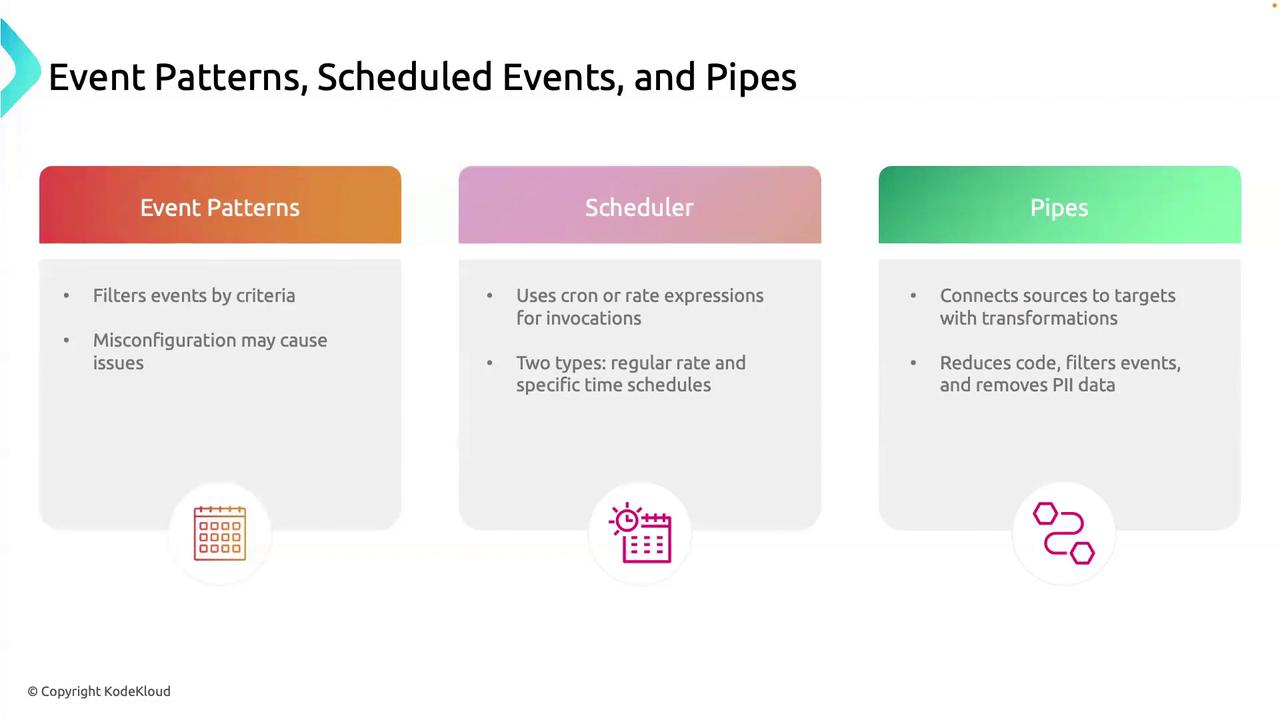
In this guide, we’ll explore three core components of event-driven architectures in AWS EventBridge: Event Patterns, Scheduled Events, and Pipes. Mastering these concepts helps you build reliable, maintainable, and scalable systems that respond to events efficiently.
***
## 1. Event Patterns
Event Patterns filter incoming events based on specific criteria so you only process what matters.
### Why Use Event Patterns
* Focus on critical events (e.g., `DatabaseTimeout`).
* Minimize alert noise and unnecessary processing.
* Improve system performance by discarding irrelevant events.
Overly broad patterns can flood your pipeline with unwanted events. Too narrow patterns risk missing important alerts.
### Key Pattern Attributes
| Attribute | Description | Example |
| ----------- | ---------------------------------- | -------------------------------------- |
| source | Originating service or application | `["com.myapp.database"]` |
| detail-type | Event category | `["Error"]` |
| detail | JSON object with custom filters | `{ "errorCode": ["DatabaseTimeout"] }` |
### Example: Match a Database Timeout
```json theme={null}
{
"source": ["com.myapp.database"],
"detail-type": ["Error"],
"detail": {
"errorCode": ["DatabaseTimeout"]
}
}
```
This pattern only matches events where:\
• `source` = `com.myapp.database`\
• `detail-type` = `Error`\
• `detail.errorCode` = `DatabaseTimeout`
***
## 2. Scheduled Events (Schedulers)
Scheduled Events let you trigger rules on a fixed schedule, using either **rate** or **cron** expressions.
### Rate Expressions
Use `rate()` to fire at regular intervals—perfect for heartbeats and metrics.
```json theme={null}
{
"ScheduleExpression": "rate(1 hour)",
"State": "ENABLED"
}
```
This rule runs every hour for tasks like health checks or rolling metrics.
### Cron Expressions
Use `cron()` for precise timing—ideal for backups, reports, and maintenance windows.
```json theme={null}
{
"ScheduleExpression": "cron(0 2 * * ? *)",
"State": "ENABLED"
}
```
This fires daily at 2:00 AM UTC.
| Schedule Type | Expression | Use Case |
| ------------- | ------------------- | ------------------------------- |
| Rate | `rate(1 hour)` | Hourly health checks |
| Cron | `cron(0 2 * * ? *)` | Nightly backups/reports at 2 AM |
***
## 3. Pipes
Pipes connect an event source to a target, optionally transforming the data in transit. Think of them as an assembly line:
1. **Source**: AWS service or custom producer (e.g., SQS, Kinesis).
2. **Transformation**: Filter or enrich payloads using `InputTemplate`.
3. **Target**: AWS service or HTTP endpoint (e.g., Lambda, SNS).
Pipes simplify data flow and reduce the need for custom glue code by handling filtering, mapping, and retry logic automatically.
### Example: Redacting Sensitive Fields
```yaml theme={null}
Source:
Arn: arn:aws:sqs:us-east-1:123456789012:my-queue
Type: SQS
Target:
Arn: arn:aws:lambda:us-east-1:123456789012:function:process-events
Type: LAMBDA
InputTemplate: |
{
"userId": <$.detail.userId>,
"action": <$.detail.action>,
"timestamp": <$.time>
}
```
Here, the pipe:
* Reads messages from an SQS queue.
* Discards sensitive fields (e.g., `$.detail.password`).
* Invokes a Lambda function with sanitized event data.
***
These three building blocks—Event Patterns, Scheduled Events, and Pipes—form the backbone of event-driven solutions in AWS EventBridge. Use them together to create efficient, scalable, and maintainable event workflows.
***
## Links and References
* [AWS EventBridge Documentation](https://docs.aws.amazon.com/eventbridge/latest/userguide/)
* [Scheduling Expressions in EventBridge](https://docs.aws.amazon.com/eventbridge/latest/userguide/scheduled-events.html)
* [EventBridge Pipes Overview](https://docs.aws.amazon.com/eventbridge/latest/userguide/eb-pipes.html)