> ## Documentation Index
> Fetch the complete documentation index at: https://notes.kodekloud.com/llms.txt
> Use this file to discover all available pages before exploring further.
# IPv6
> This guide explains how to enable and manage IPv6 support in Amazon EKS using dual-stack networking with the AWS VPC CNI plugin.
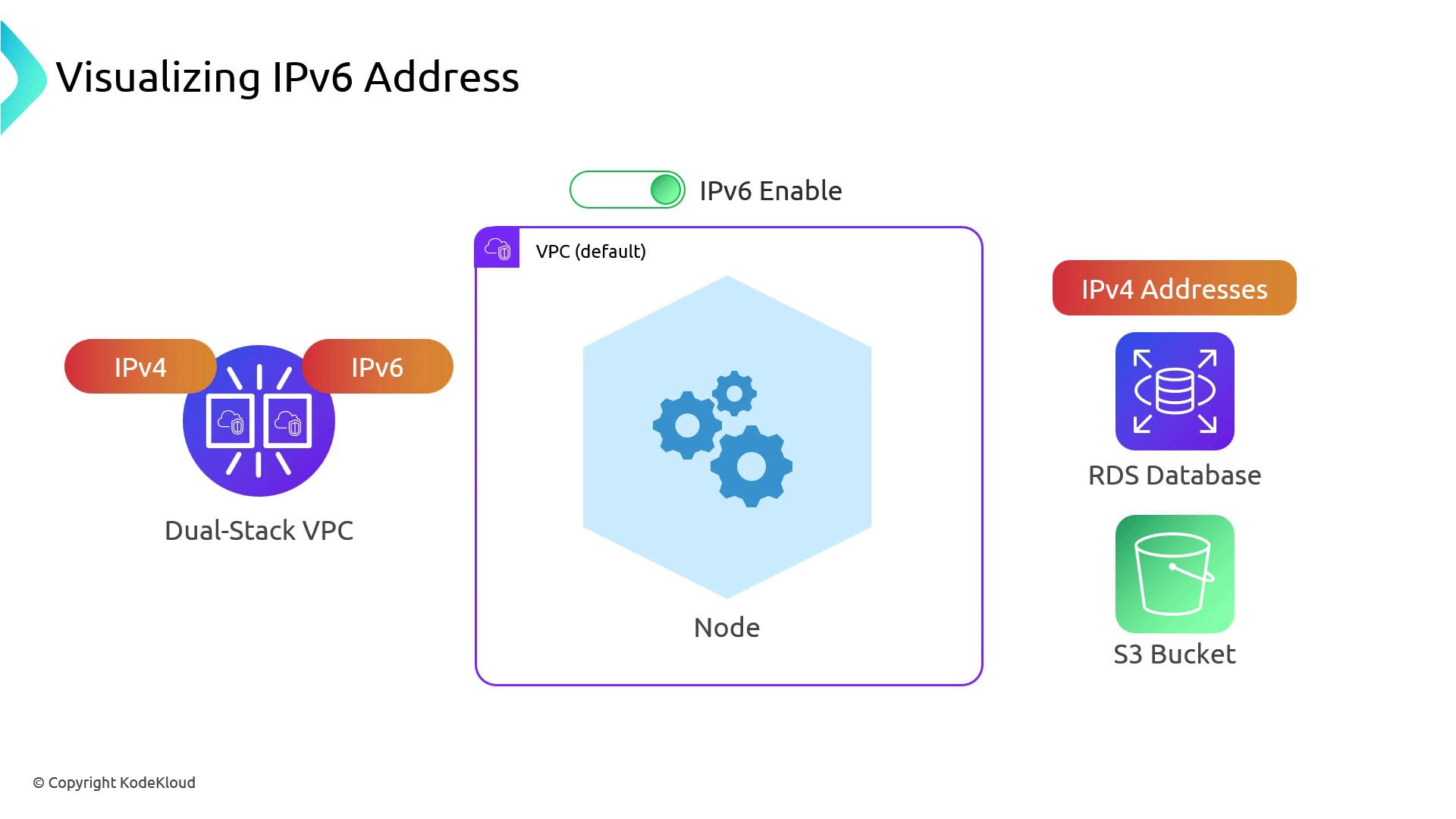
In this guide, we’ll dive into how IPv6 works in Amazon EKS when using the AWS VPC CNI plugin. By enabling IPv6 at VPC creation time, you get a dual-stack VPC (IPv4 + IPv6). As AWS services continue to evolve, IPv6-only VPCs are not yet supported, so you must use dual-stack.
## Dual-Stack VPC and Prefix Delegation
When IPv6 is enabled on your VPC (and on your EKS cluster):
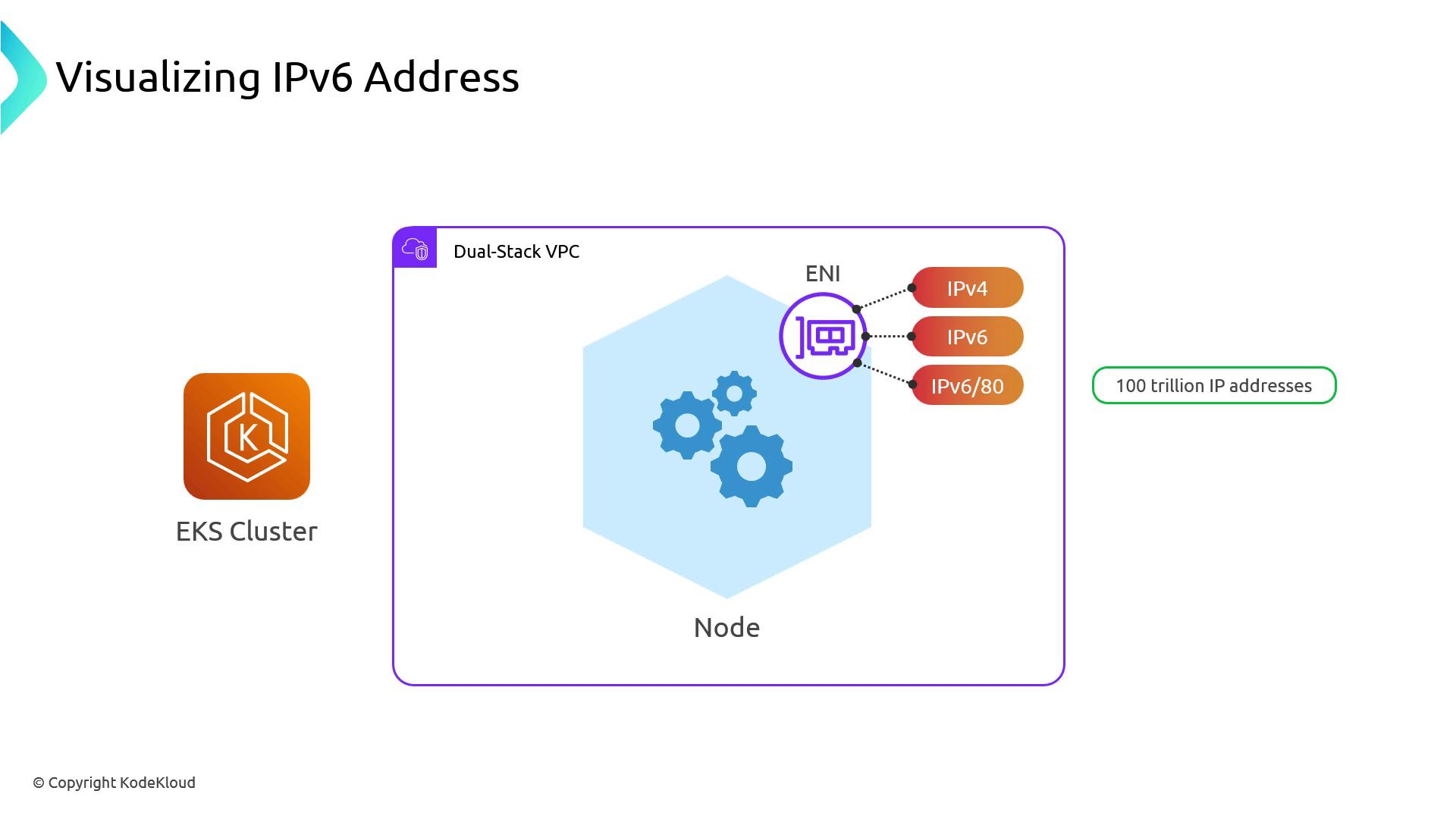
* Each worker node’s primary ENI gets one IPv4 **and** one IPv6 address.
* Kubernetes uses **Prefix Delegation** to hand out a `/80` IPv6 block to each node.\
That `/80` block contains \~2.8 × 10^14 addresses—orders of magnitude more than all IPv4 addresses on the Internet.
## Pod Networking and NAT64 Translation
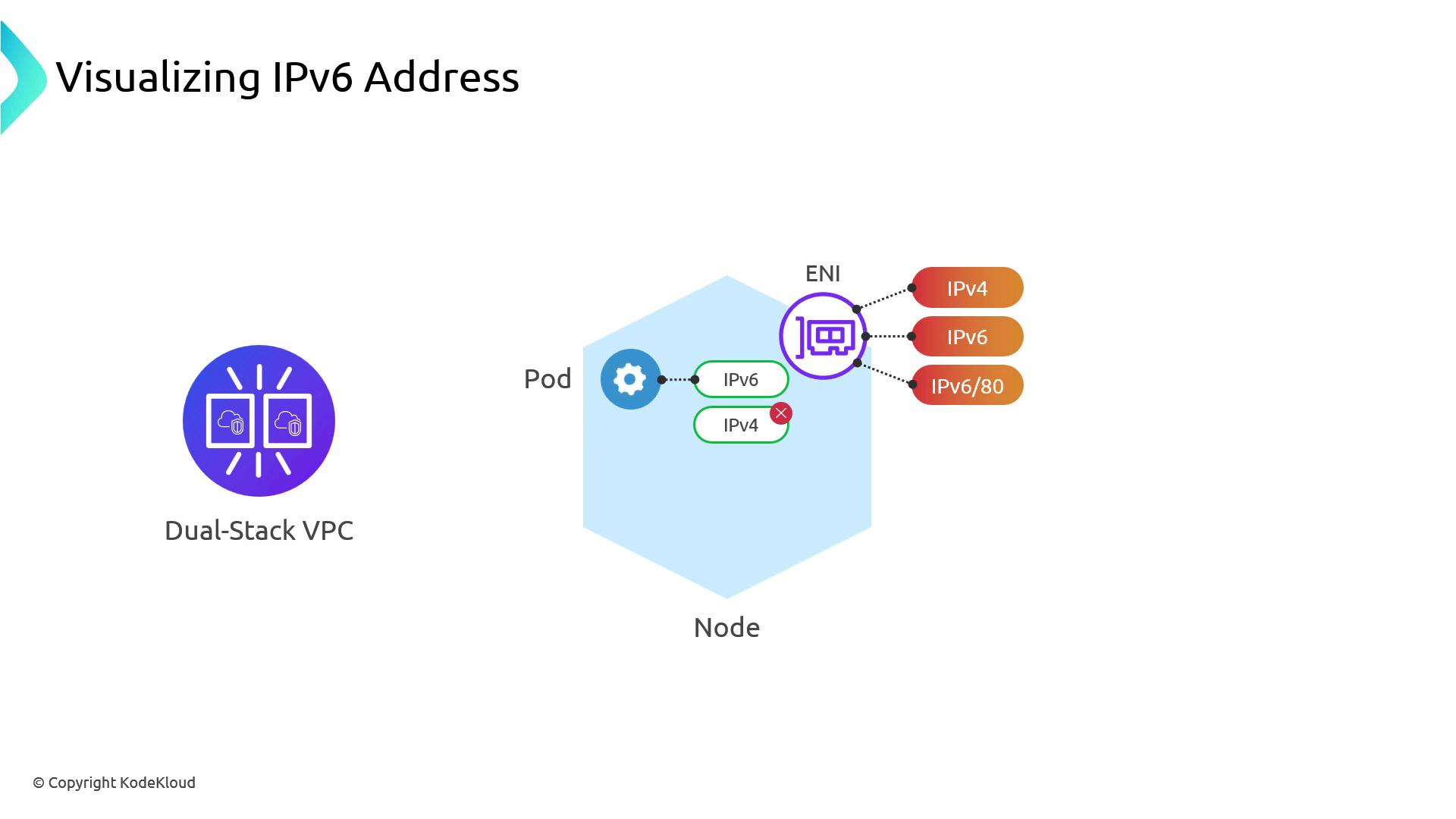
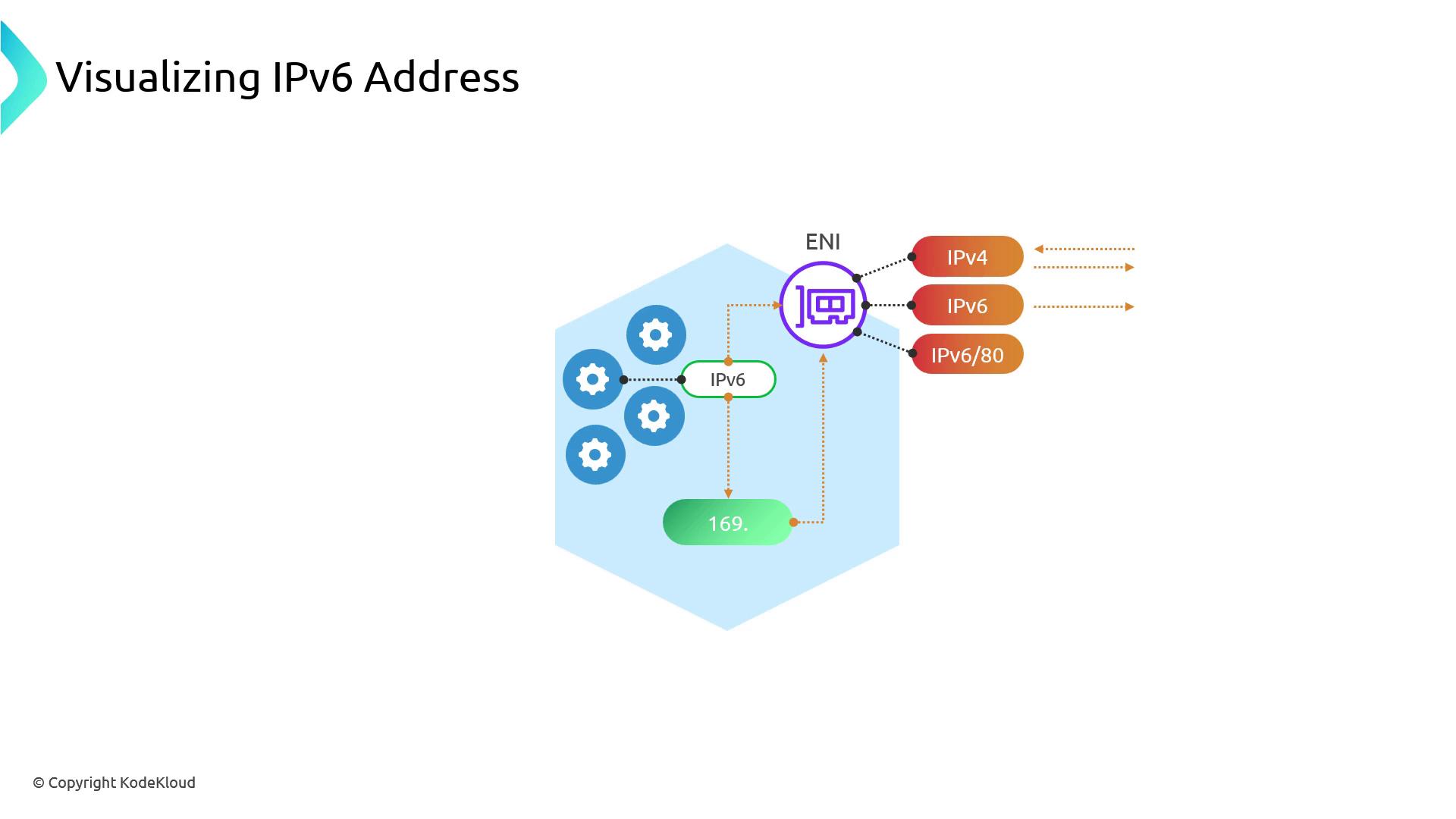
By design, EKS Pods are **single-stack IPv6**: they only receive an IPv6 address. To reach IPv4-only endpoints:
1. Pod sends an IPv6 request.
2. Node DNS resolves the target to an IPv4 address.
3. The node SNATs the traffic using its IPv4 ENI.
4. Responses come back over IPv4 and are mapped to the Pod’s IPv6.
All IPv6-to-IPv4 translation uses link-local addresses (`169.254.0.0/16` via `veth*`). If the destination has native IPv6, traffic flows directly over the IPv6 ENI.
Pods accessing IPv4 services share the same node-level IPv4 address and NAT connections. This can become a throughput bottleneck at scale—plan accordingly.
## Egress-Only IPv6 Traffic
Since IPv6 addresses are globally unique, you generally don’t need SNAT or NAT Gateways for Pod-to-Pod or outbound traffic. To control outbound IPv6:
| Gateway Type | Direction |
| ---------------------------- | ------------------ |
| Egress-only Internet Gateway | IPv6 outbound only |
AWS does **not** offer an ingress-only IPv6 gateway. Control incoming IPv6 traffic with Security Groups or Network ACLs.
## 1. Creating a Dual-Stack EKS Cluster
Use `eksdemo`, `eksctl`, or the AWS CLI to spin up a dual-stack EKS cluster:
```bash theme={null}
eksdemo create cluster kodekloud \
--ipv6 \
--region us-east-2 \
--instance-type c5.large \
--kubeconfig ~/.kube/ipv6-cluster
```
Verify your nodes:
```bash theme={null}
kubectl get nodes -o wide
```
You should see each node’s IPv6 under `INTERNAL-IP`.
Deploy a test Pod and inspect its IP:
```bash theme={null}
kubectl run test-nginx --image=nginx --restart=Never --labels=app=test
kubectl get pod test-nginx -o wide
```
The Pod’s `IP` will be in IPv6 format.
## 2. Examining Node Interfaces
SSH into a node and list its interfaces:
```bash theme={null}
ip addr show
```
Example `eth0` output:
```text theme={null}
2: eth0: mtu 9001 ...
inet 192.168.135.79/19 brd 192.168.159.255 scope global eth0
inet6 2600:1f16:116:8064:b0ea:eb9d:7de2:9323/128 scope global
inet6 fe80::85f:8ff:fe54:c3fb/64 scope link
```
Link-local Pod interfaces (`veth*`) will show both `169.254.x.x/32` and `fe80::/64`.
### IPv4 Routes
```bash theme={null}
ip route show
```
```text theme={null}
default via 192.168.128.1 dev eth0
169.254.169.254 dev eth0
169.254.172.2 dev veth00f15eda scope link
192.168.128.0/19 dev eth0 proto kernel src 192.168.135.79
```
### IPv6 Routes
```bash theme={null}
ip -6 route show
```
```text theme={null}
2600:1f16:116:8064::/64 dev eth0 proto kernel metric 256
fe80::/64 dev eth0 proto kernel metric 256
default via fe80::83a:4dff:febb:2d1 dev eth0 proto ra metric 1024
```
## 3. Inspecting IPv6 Prefix Delegation
To view the `/80` prefixes assigned to each node, run:
```bash theme={null}
aws ec2 describe-instances \
--filters "Name=tag-key,Values=eks:cluster-name" \
--query 'Reservations[].Instances[].[InstanceId, NetworkInterfaces[].Ipv6Prefixes[]]'
```
Example output:
```json theme={null}
[
[
"i-02ebad56ad05a4ff",
[
{ "Ipv6Prefix": "2600:1f16:11e6:8604:2c9a::/80" }
]
],
[
"i-065cb5099cb6627ad",
[
{ "Ipv6Prefix": "2600:1f16:11e6:8603:bb16::/80" }
]
]
]
```
Each node receives a `/80` (\~280 trillion addresses) for Pod allocation—IP exhaustion is no longer a concern.
## Conclusion
Enabling IPv6 in Amazon EKS provides a virtually unlimited address space per node. Although Pods today are single-stack IPv6, understanding NAT64 translation and potential NAT bottlenecks is key to designing large-scale, dual-stack clusters.
## Links and References
* [Amazon EKS VPC CNI IPv6 Support](https://docs.aws.amazon.com/eks/latest/userguide/networking/ipv6.html)
* [Kubernetes Dual-Stack Networking](https://kubernetes.io/docs/concepts/services-networking/dual-stack/)
* [AWS CLI IPv6 Commands](https://docs.aws.amazon.com/cli/latest/reference/ec2/describe-instances.html)